Learning Playground
Self-led practice that builds real skills
Learning Playground is where your team practices conversations, tests knowledge, and applies learning in realistic, self-led, and safe scenarios to build real-world confidence.

Courses build knowledge. Practice makes it last.
Your team completes courses, passes quizzes, and checks boxes. But learning something and knowing how to apply it are two different things.
Step 1
Gain knowledge with training
-
Courses give your teams the concepts and skills they need
-
Structured and accessible learning
-
The foundation every skill starts with
Step 2
Turn practice into performance
-
Apply what you’ve learned in realistic scenarios
-
Build confidence with safe experimentation
-
Turn understanding into ability
A new practice space powered by AI inside TalentLMS
Learning Playground in TalentLMS is a self-led practice area where learners can explore topics, practice conversations, answer questions, and try scenarios. It complements courses by giving learners more ways to apply knowledge and build confidence.
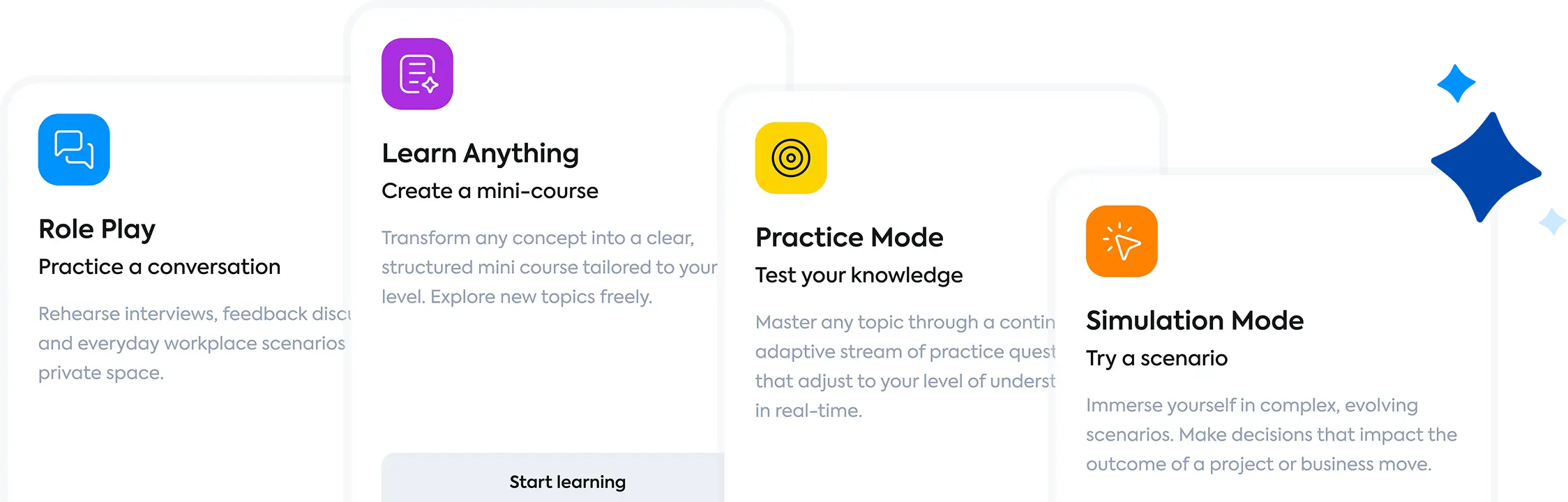
A closer look at the 4 tools

Role Play
Rehearse the conversations that matter
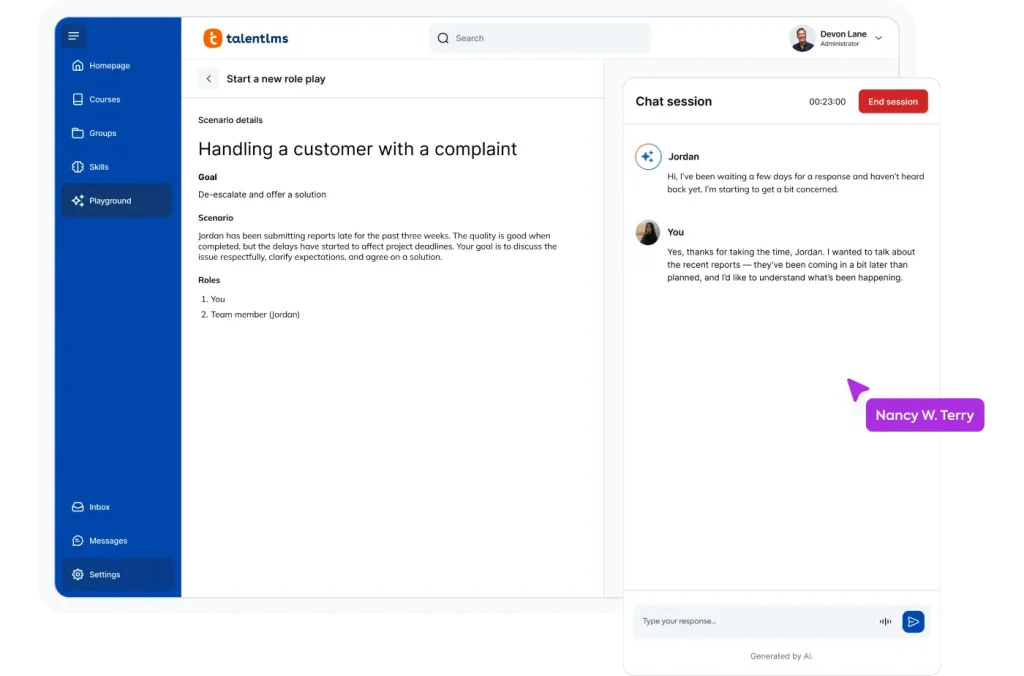
Role Play offers learners a private space to practice real conversations, from difficult feedback sessions to client calls. Users select a scenario, and an AI partner responds realistically and adaptively. Learners can type or speak to practice tone and delivery, try different approaches, restart the conversation, and ensure they are prepared.
Learners can rehearse:
-
Customer interactions
-
Management conversations
-
Negotiations or conflict resolution
Learn Anything
Explore any topic, right when curiosity hits
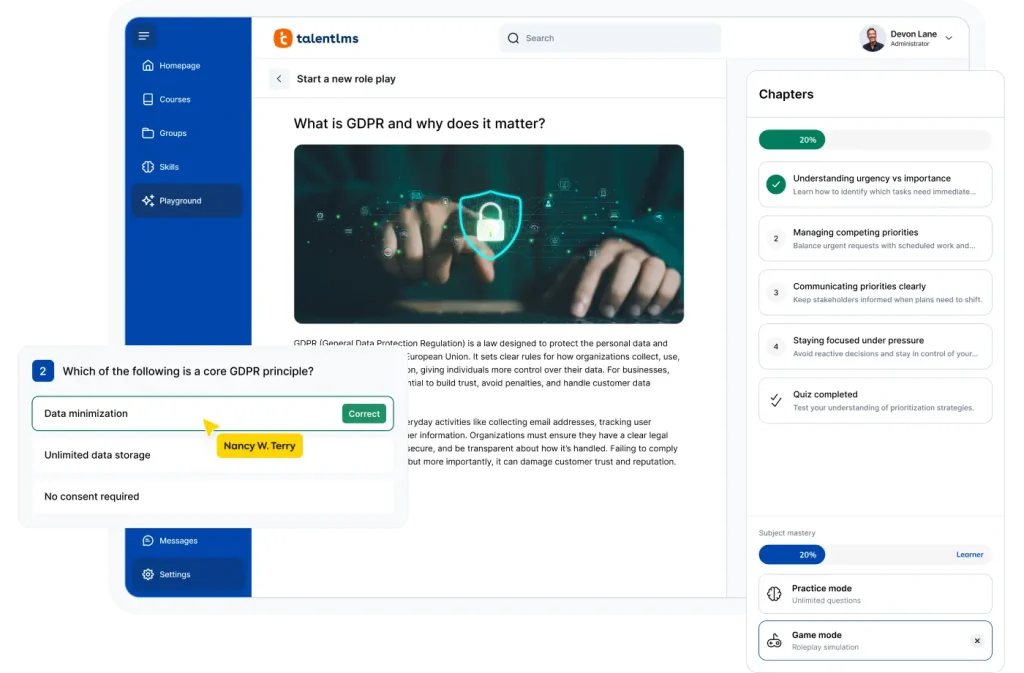
Learners need quick answers: Why a regulation exists or a refresher on project management. Learn Anything instantly creates a structured mini-course on any topic, complete with chapters, progress tracking, and a knowledge check. It’s guided, personalized learning, ready in seconds.
Learners can find:
-
Personalized learning depth
-
Structured explanations
-
Quick skill exploration
Practice Mode
Adaptive questions that meet learners where they are
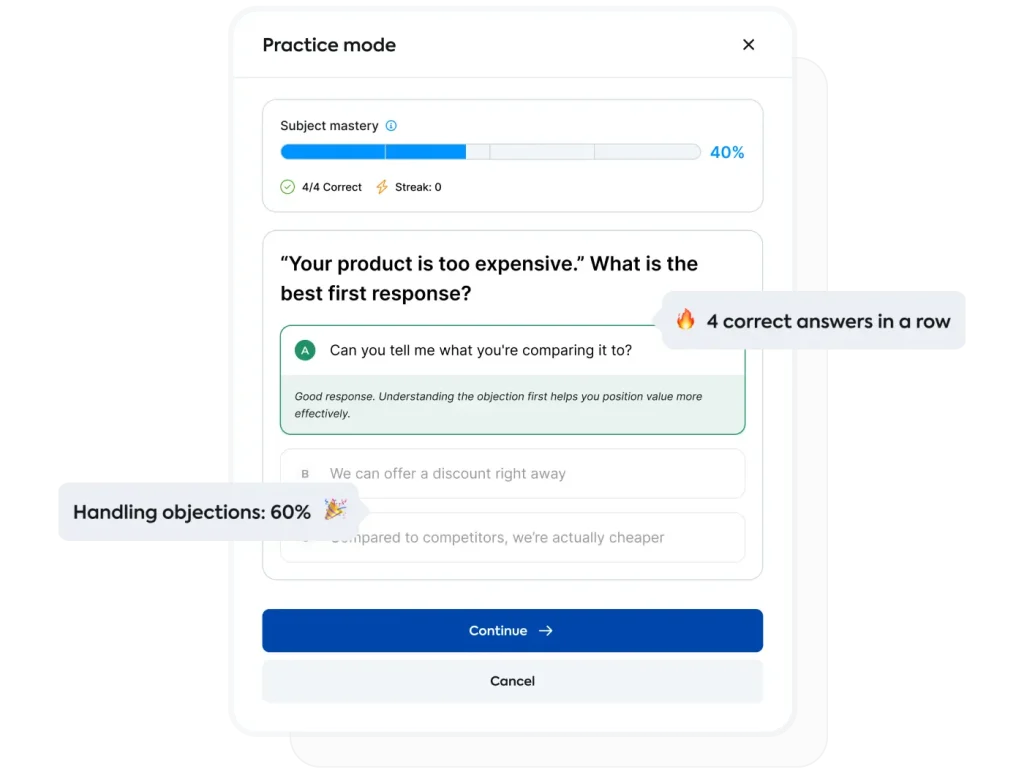
Want knowledge to stick? Practice Mode generates a continuous stream of questions that adjust to the learner’s level in real time. Correct answers increase difficulty; struggles bring concepts back in different ways. Immediate feedback and a visible mastery indicator show progress.
Learners can receive:
-
Adaptive practice sessions
-
Immediate feedback
-
Mastery indicators or progress signals
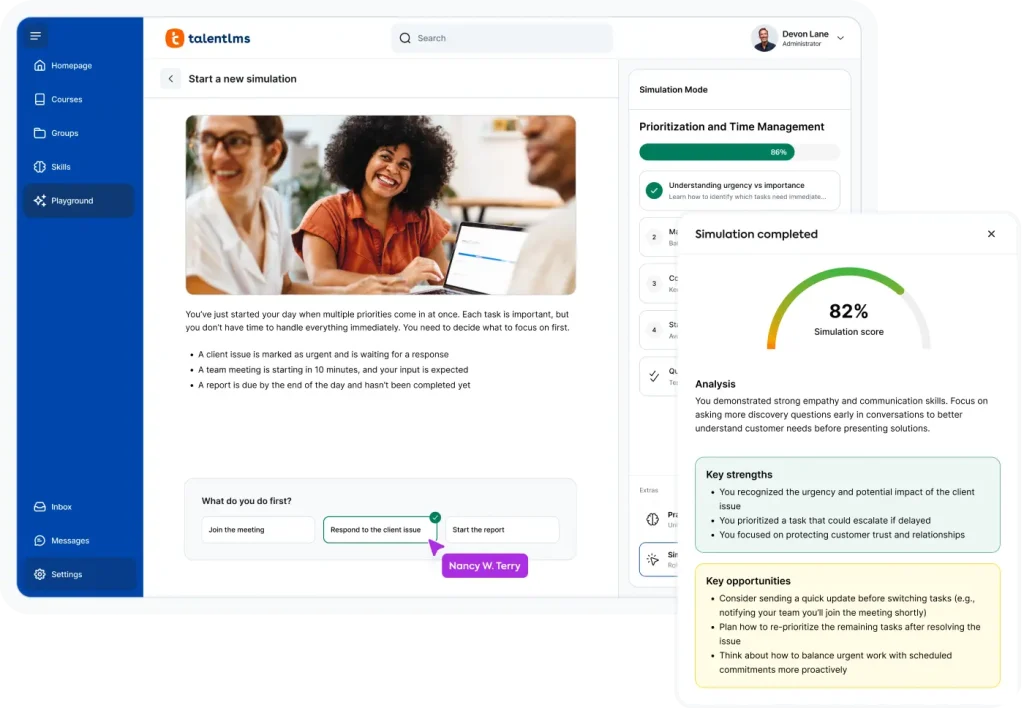
Simulation Mode
Make decisions risk-free. See the outcomes instantly
Simulation Mode uses realistic, branching scenarios where learners practice making decisions in workplace situations, evaluate trade-offs, and see the consequences. A wrap-up provides feedback on successes and areas for improvement, with learners able to replay scenarios freely.
Learners can navigate:
-
Context-based decision-making
-
Complex workplace situations
-
Consequences of choices
What are the benefits of Playground?
For Admins
Training that keeps working after the course ends
Courses build knowledge. Learning Playground keeps it active. Learners come back to practice, explore, and reinforce what they’ve learned. No new content to create. No admin setup.
-
Help employees build readiness for real situations
-
Free up instructor and admin time from repetitive coaching and live practice sessions
-
No setup required: Works alongside your existing courses, TalentCraft content, and training programs
-
Build proof that training works: Managers who practice tough conversations, new hires who show up prepared on day one
For Learners
Skill-building as part of your team’s workflow
No deadlines, no grades, no pressure. Learning Playground is their space to practice what they need, when they need it. Let them try things out, make mistakes, and grow at their own pace.
-
Practice skills in a private, judgment-free space
-
Learn new topics whenever curiosity strikes
-
Reinforce what you’ve learned through repetition
-
Prepare for real workplace conversations and decisions
-
Build confidence before high-stakes moments

“We built Learning Playground to give people a space to keep practicing, experimenting, and growing, without the pressure of being evaluated. Give them that space, and they’ll keep coming back.”
Thanos Papangelis
Co-Founder & Chief Research Officer, TalentLMS
FAQs on Learning Playground
Which plans have access to Learning Playground?
Learning Playground is currently available on TalentLMS Core, Grow, Pro, and Enterprise plans.
What does Learning Playground add to my existing courses?
Courses deliver structured training. Learning Playground gives learners a space to practice, experiment, and reinforce what they’ve learned. They work together.
Do learners get graded in Learning Playground?
Learning Playground is a pressure-free space for practice. Nothing is graded or counts toward course completion.
Who can use Learning Playground?
Any learner in your TalentLMS account can access Learning Playground once it’s activated. No additional setup needed for admins.
How does Learning Playground help reinforce training?
It offers four ways to practice course material: Role Play for conversation rehearsal, Practice Mode for adaptive knowledge testing, Learn Anything for deeper topic exploration, and Simulation Mode for realistic decision-making scenarios.
Can learners choose what they want to practice?
Yes, learners select one of the four tools and pick topics, scenarios, or focus areas.
Ready to build training your learners will love?
Turn ideas into interactive courses, quizzes, and learning experiences in minutes. Explore what’s possible with TalentLMS and start for free today.