

Last year, the conversation around L&D was all about the potential of AI. This year, it’s about the reality of impact. As we move through 2026, the best Learning Management System is a connected ecosystem that turns training hours into measurable business performance.
Whether you’re looking to close a persistent skills gap, automate your onboarding, or prove the ROI of your training programs, choosing the right platform is the first step.

How to choose the best Learning Management System
According to The TalentLMS 2026 Annual L&D Benchmark Report, the most successful organizations are moving away from completion culture and toward skills-driven impact. If training isn’t getting results, it often comes down to a few common pitfalls.
The best Learning Management System helps organizations overcome these challenges and build training programs that drive measurable outcomes. But choosing an LMS can feel like a trade-off. Some platforms are powerful but complex to manage, while simpler tools can quickly become limiting.
To choose the best Learning Management System for your organization, ask these four questions based on this year’s L&D trends.
1. Does the LMS measure real skills?
Many LMS platforms track course completions. But the best platforms help organizations understand whether employees actually built a skill.
Look for analytics and reporting tools that track learner progress, identify knowledge gaps, and measure training effectiveness. Integrated skills features can turn learning data into actionable insights.
2. Can the LMS organize training into clear learning paths?
When learners face a messy list of disconnected courses, engagement drops quickly.
A strong LMS helps structure training into learning paths that guide employees through skill development and career growth. It should also support different learning preferences through blended learning and varied training materials.
3. Does the LMS help you create and update training with AI?
Outdated training quickly becomes ineffective.
Modern LMS platforms include AI-powered content tools that help teams create and update training faster. Such tools turn existing documents into courses, generate learning materials, and automate translations.
4. Does AI actually reduce your workload?
In 2026, AI in a Learning Management System shouldn’t feel like a flashy add-on.
The most useful AI-powered LMS platforms automate repetitive tasks, recommend relevant training, and help identify skills gaps so admins can focus on strategy and impact.
Even highly rated LMS platforms still have areas for improvement. As Victoria ., a G2 reviewer of iSpring Learn notes: “While iSpring LMS is strong overall, there are a few areas that could be improved. […] Reporting is solid, but more advanced analytics and deeper filtering capabilities would make it even more valuable. Additionally, some administrative tasks require a few extra steps that could be streamlined. None of these are deal-breakers, but enhancing them would elevate the user experience even further.”
1. TalentLMS
Why we picked it
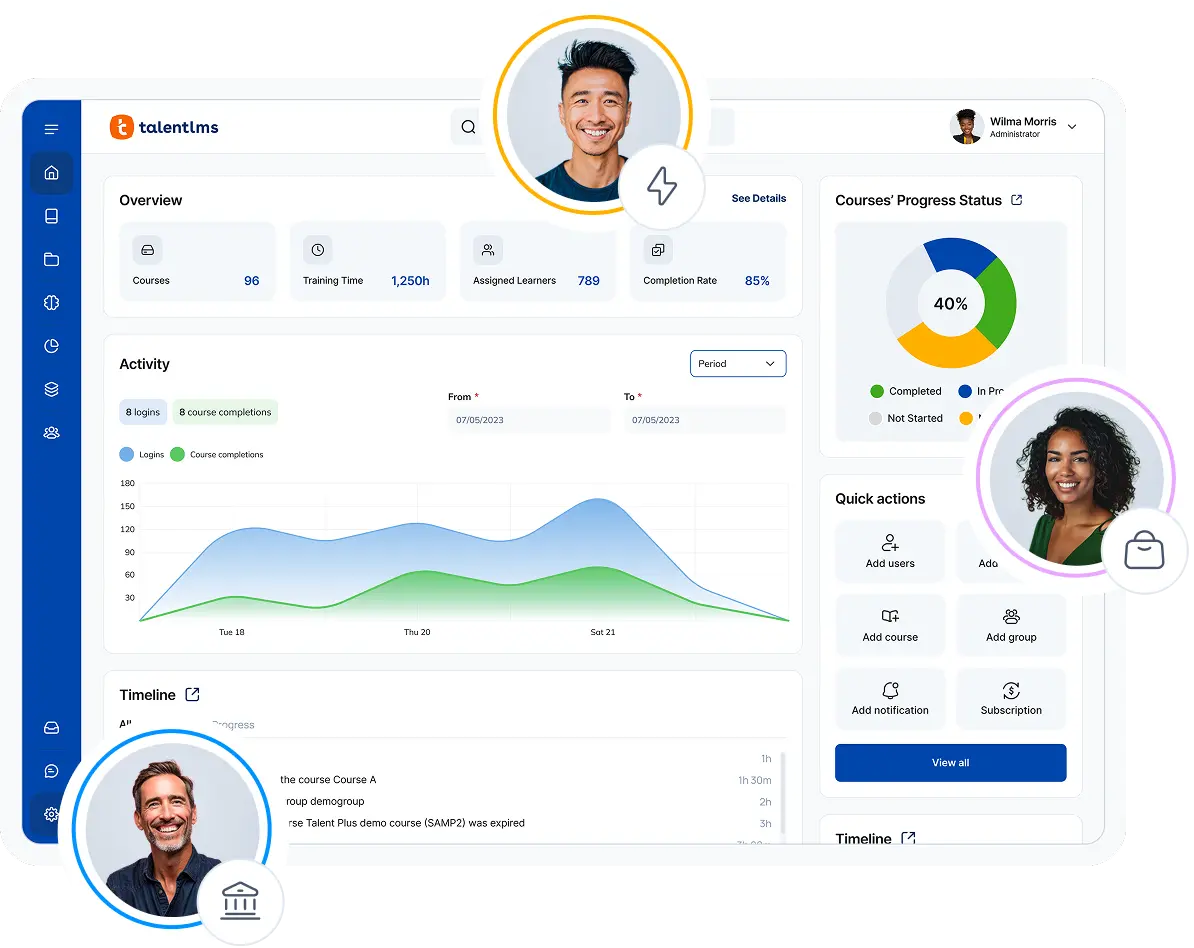
TalentLMS is the easiest-to-use cloud-based LMS for growing businesses that want to launch training quickly, prove value sooner, and turn learning into a driver of business success. It combines simplicity with AI-powered tools, integrations, Learning Paths, and built-in Reporting & Analytics to help teams go live fast and adapt training as needs evolve. Pre-made templates allow for even faster training deployment. Built-in Learning Paths help guide learners through structured, adaptive journeys that drive performance.
With AI-powered capabilities like TalentCraft and Skills, TalentLMS helps teams create and deploy training more efficiently while connecting learning to business needs. Learning Paths guide learners through structured development journeys, while Reporting & Analytics give admins real-time visibility into progress and outcomes. TalentLMS also offers access to 1,000+ ready-made courses covering topics like onboarding, sales, and compliance, helping businesses deliver training faster and with less admin effort.
Pros
- Fast implementation with users claiming to launch learning programs in ~1.5 months on average—2x faster than the LMS average
- AI-powered course creation, testing, and translation
- Skills feature that tracks specific competencies, not just course completions
- Structured Learning Paths that guide learners through organized training journeys, supporting skill development and career growth
- Access to 1,000+ ready-made courses for fast deployment of onboarding, sales, and compliance training
- Easy-to-use interface that reduces admin workload and speeds up learner adoption
- Built-in Reporting & Analytics with real-time dashboards to track learner progress and training outcomes
Cons
- Not optimized for K-12 or higher education institutions
- Most white-labeling can be done without code, but deeper design customization may require CSS
Key features:
- AI course & Test creation: Generate comprehensive courses, interactive flashcards, and assessments from scratch or existing documents in clicks.
- AI Coach: An in-platform assistant that provides learners with real-time explanations, summaries, and practice questions to support autonomy.
- AI Translation: Automatically clone and translate courses into 40+ languages while maintaining brand-specific tones.
- Skills-based learning: Identify and bridge skill gaps automatically, linking training to specific performance competencies with Skills.
- Learning paths: Create structured, sequential curricula to guide learners through complex development journeys.
- Custom reports & Real-time dashboards: Access advanced analytics to monitor progress and ROI through visual, data-driven dashboards.
- Training portal white labeling: Fully customize the web and mobile experience to reflect your brand identity.
- Instructor-Led Training (ILT): Seamlessly manage hybrid and live sessions.
- Branches (subdomains): Create independent, branded portals for different departments, partners, or customers.
Best for: SMB employee onboarding, performance-driven upskilling, partner training, and automated compliance.
Not the best fit for: Academic institutions (K-12/Higher Ed) or high-volume eCommerce course marketplaces.
Pricing: Free plan available; Free premium trial; Paid plans start from $119/month for up to 40 users.
What users are saying on G2:
The Good
“I love the ability to use AI and also have free range for customization. There are so many areas that we can leverage to enhance the training we provide. The reporting has been extremely beneficial and provides helpful data. We were able to implement the content easily and quickly with an extremely high adoption rate. We had no issues transitioning from our prior platform to TalentLMS and it has already saved us hours of training time. Our onboarding with Eirini has been phenomenal and couldn’t have asked for a better experience. She laid out all of the sections to review and support us with a roadmap to success. I personally would not have been able to discover all of these features on my own and to have an onboarding that was custom to our needs was more than I could have asked for.” – 5/5, Katrina L.
The Room for Improvement
“One issue I’ve noticed is with images—when a course is duplicated multiple times, the image links sometimes break, especially when assigning tests. It’s not a huge blocker since we can fix it quickly by reuploading the images, but it does add a bit of extra work. Would be great if the image paths stayed intact during duplication.” – 5/5, Anusha P.
The Resident doubles engagement and elevates performance with TalentLMS
The Resident, a UK-based hotel group, needed to bring consistency to training across multiple locations as it expanded.
Before implementing TalentLMS, training was difficult to standardize across hotels. By centralizing learning in one platform, the team created role-based learning paths that guide employees from onboarding to ongoing skill development. This helped turn scattered training materials into a clear, structured learning journey for every role.
The results were measurable:
- Audit scores increased from 74% to 95% after training was standardized across locations.
- Employee engagement more than doubled within 12 months.
2. Absorb LMS
Why we picked it
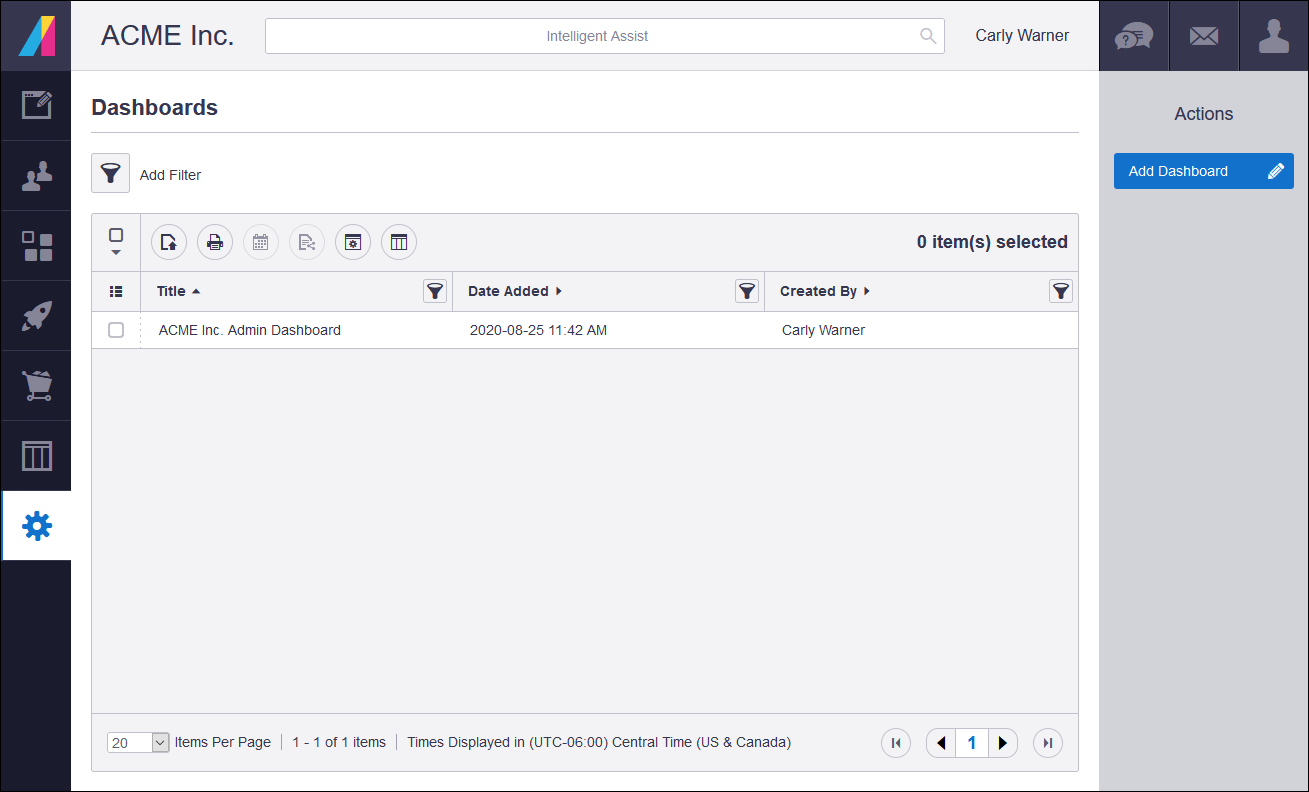
Absorb LMS is easy to use, offers strong customer support, and has flexible training management tools. The platform simplifies course administration and learner navigation, plus offers features for customizing training programs. It also includes AI-powered tools that guide administrators through setup. Automation capabilities help organizations manage complex training workflows more efficiently.
Pros
- Highly customizable learner interface
- Strong AI-driven administrative recommendations
- Advanced reporting and analytics that deliver real-time visibility into training impact and ROI
Cons
- No public pricing available. Sources claim plans can be costly compared to the rest of the LMS in the market
- Steep learning curve for first-time admins
- Reporting features may take time for new users to navigate
Key features:
- Custom reporting with dashboards and charts
- AI course content generator
- Mentorship feature
- AI coach
- Multi-tenant capabilities with separate branded portals and granular permissions
- Advanced automation workflows for user provisioning and compliance tracking
- Multiple integration options
Best for: Enterprise-level scaling and agility.
Pricing: No published pricing. Sources claim plans start at $30K per year.
What users are saying on G2:
The Good
“I enjoy the versatility of the courses. The ability to modify enrollment options, email notifications, document uploads and the shape of the course itself is really useful.” – 4.5/5, Adam L.
The Room for Improvement
“I’d love to see more AI involvement in course creation, with the authoring process automated for me.” – 5/5, bhavna v.
3. Docebo
Why we picked it
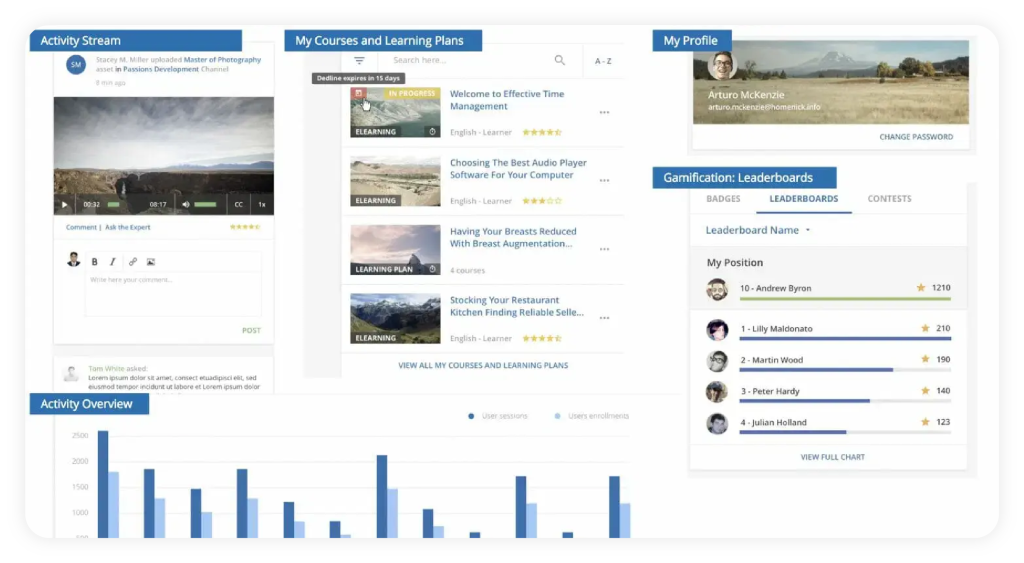
Docebo is an enterprise-level cloud-based LMS software designed with a number oftraining management and tracking capabilities in mind. It allows instructors to optimize the training they deploy by addressing learners’ skill gaps through gamification and social learning features. Even though it doesn’t have built-in content authoring of its own, it provides integration support for other tools.
Docebo offers a variety of integrations, which works well for training at scale, especially for global businesses. Because of its well-rounded feature set, it’s one of the best learning management system choices for enterprise-level training, from onboarding to customer and partner training. However, it may not be suitable for small and medium businesses, as well as academic institutions.
Pros
- Great social learning features and AI content creator
- Intuitive interface and robust customization options
- Reporting tools
Cons
- Implementation is often a long, multi-month project
- The initial setup can be complex and may require technical support
- Missing features leading to frustrations with reporting
Key features:
- AI-guided learning
- Learning gamification
- Mobile learning
- Social learning
- Course sales through eCommerce
- Ready-made content library
- Third-party integrations
- Learner certification
- SCORM-compliant
- Reports
Best used for: Enterprise-level training, government-level training, employee onboarding and training, customer and partner training, compliance training
Not the best fit for: Small business training, academic learning
Pricing: No public pricing. Sources claim plans start at $40K per year.
What users are saying on G2:
The Good
“What I like best about Docebo is its flexibility and scalability combined with an intuitive user experience. It allows advanced customization, strong reporting, and seamless integrations, making it suitable for both internal training and external audiences like clients and partners.” – 4/5, yoko B.
The Room for Improvement
“The setup process can be pretty tedious – even simple admin tasks end up taking way more steps than they should. Some features just aren’t as polished as others, so I’m constantly finding workarounds. And the reporting? It’s a pain when I just need a quick view of where everyone’s at without jumping through hoops.” – 4.5/5, Palak G.
4. Thinkific
Why we picked it
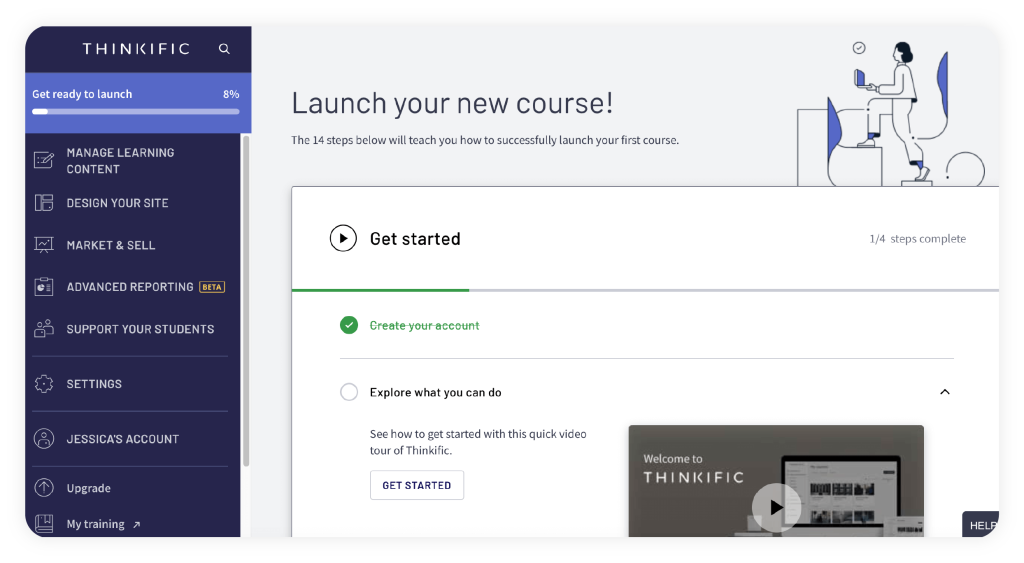
Thinkific is an LMS with deep eCommerce functionality, allowing you to create dedicated websites on which to sell courses. What makes Thinkific stand out is its social learning features, allowing you to build entire communities around specific learning topics. Courses can be sold per license or based on memberships, allowing users to set up a sustainable income pipeline from their course creation efforts.
If you already have a website, Thinkific allows you to connect with it via API. That being said, training at a scale might be an issue with Thinkific, such as in the case of internal employee training, seasonal certification, etc. It’s the best LMS to create content and distribute and monetize it via individual websites.
Pros
- User-friendly interface and supportive customer service
- Extensive customization options
- Built-in marketing and monetization
Cons
- Expensive add-on prices
- Missing advanced reporting features
- Scalability is limited for enterprise use
Key features:
- Course sales through eCommerce
- Affiliate program
- Content authoring
- White labeling
- Mobile learning
- Social learning
- Instructor-Led Training (ILT)
- Third-party integrations
- Learner certification
Best used for: Selling courses via eCommerce
Not the best fit for: Employee training, onboarding, enterprise-level training
Pricing: Free plan available. Pricing starts at $36/month (Basic Plan), $73/month (Start Plan), $146/month (Grow Plan).
What users are saying on G2:
The Good
“I really like how intuitive the product creation flow is. The platform makes it easy to turn an idea into a structured digital product in a very short time. I also appreciate the flexibility in pricing options, especially the ability to offer free downloads in exchange for email signups. The customization features allow me to create a store that feels personal and aligned with my brand.” – 5/5, Barbara F.
The Room for Improvement
“Some design and customization options are limited, and advanced features are only available on higher-tier plans. It would be great to have more flexibility in page layouts, more control over the checkout design, and access to advanced features without needing to upgrade to higher priced plans.” – 4/5 , Manuel Alejandro D.
5. Moodle
Why we picked it
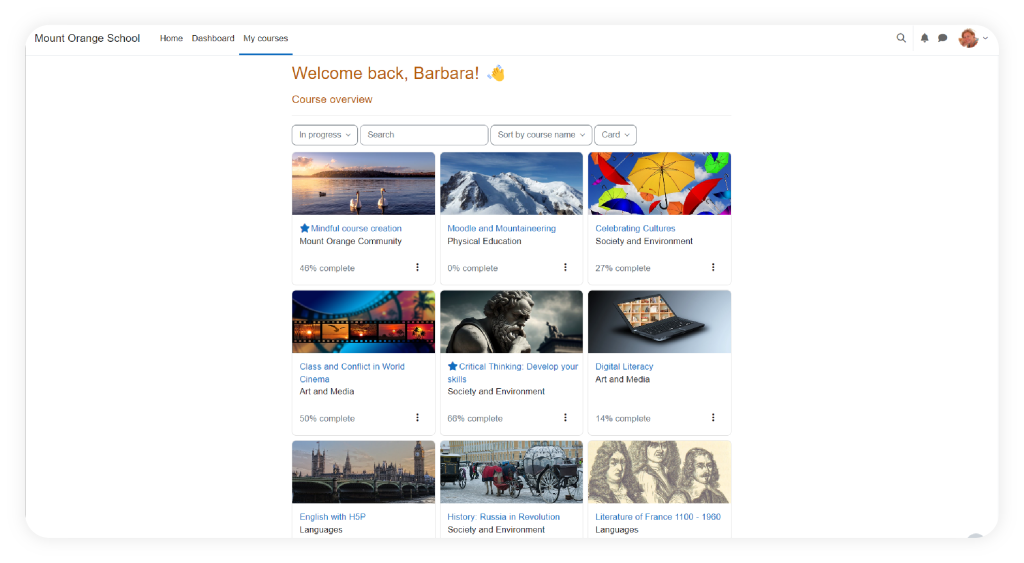
Moodle is a versatile open-source LMS ideal for academic learning management. It easily integrates with academic tools such as plagiarism detectors, video conferencing tools, student information systems, etc. As an open-source platform, it’s supported by a global community of developers, learning experts, and academic professionals who contribute plugins, improvements, and new capabilities.
Moodle also offers an accessibility checker that can help in ensuring content is accessible to users with unique learning requirements. Because Moodle is an open-source LMS, it comes with its own quirks, such as that you’ll need someone with IT knowledge on your end to set up and manage your training portal. As a ready-to-deploy solution, it may not be the best Learning Management System for business training at scale, especially if you need to seamlessly integrate it with your Human Resource Management System (HRIS), CRM, or other enterprise-level tools.
Pros
- Infinite customization
- Reliable and user-friendly course creation
- Suitable for various educational settings
Cons
- High hidden costs in IT maintenance and hosting
- Complexity of administration that needs substantial technical expertise to navigate effectively
- Slow interface and overwhelming features that complicate course management
Key features:
- Open-source license
- Training portal white labeling
- Third-party integrations
- Learning plans
- Learner progress tracking
- Customizable reports
- Social learning
- Learning gamification
- Accessibility checker
Best used for: Academic learning
Not the best fit for: Employee training
Pricing: Self-Hosted Moodle LMS: Open source (free software with hosting and professional services costs)
What users are saying on G2:
The Good
“I like Moodle because it is reliable and easy to use for daily teaching. All course materials, assessments, grades, and announcements are in one place. It helps me stay organised and ensures students can easily access learning resources anytime.” – 4.5/5, Dr. Sheerali A.
The Room for Improvement
“I find the native activities of Moodle not very aesthetic, which leads me to favor the integration of external creations designed with Genially, Storyline, or H5P. Moreover, exporting the tracking and results of SCORM files is not always easy to use. The visual rendering depends a lot on the chosen theme: in our case, since the platform is managed by the Region, we do not have control over the theme or the code, which greatly limits customization.” – 4.5/5, Verified User in E-Learning
6. Cornerstone
Why we picked it
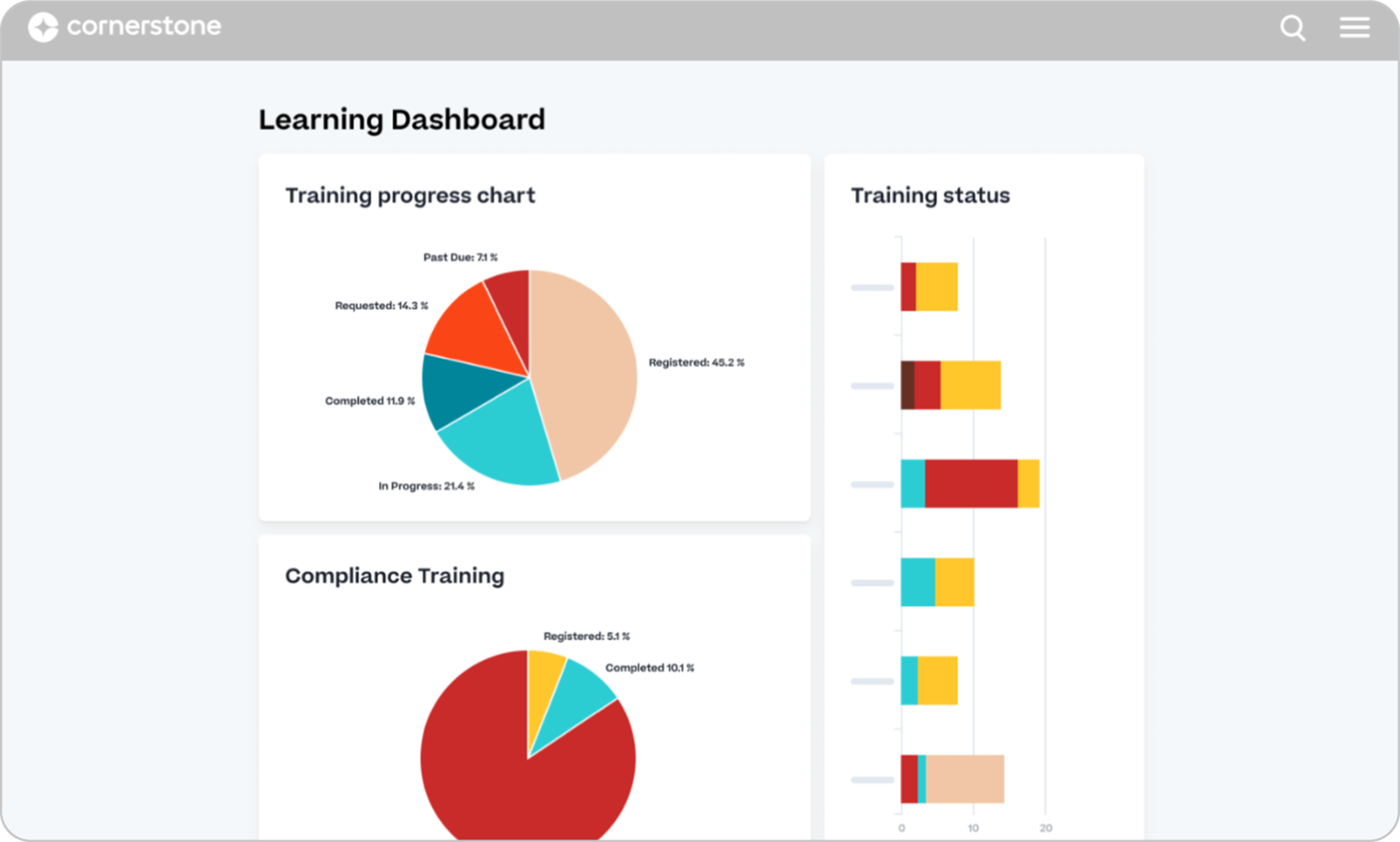
Cornerstone is designed for global organizations that need to manage the entire employee lifecycle from recruitment to retirement within a single, complex framework. It’s an AI-powered platform that brings together learning, performance, workforce agility, and compliance management in one system.
Pros
- Integrated with performance and recruitment modules
- Compliance tracking for highly regulated industries
- Wide user community
Cons
- Highly complex; requires a dedicated team of admins
- Implementation can take many months to complete
- The interface feels outdated
Key features:
- Comprehensive talent management integration
- AI-powered learning recommendations
- Advanced analytics and reporting
- Content curation and learning marketplace
Best for: Global enterprises with complex talent needs
Pricing: No public pricing available. Sources claim plans start at $35-40K per year
What users are saying on G2:
The Good
“I like that Cornerstone Learning is efficiently designed and very user-friendly. It’s integrated well with our core HR system, which helps in reminding employees to finish required trainings and keeps their managers up to date on progress. The data integrations are often and smooth, allowing updated information like manager reporting relationships and job changes to settle into Cornerstone quickly, providing the correct required trainings. The initial setup of Cornerstone Learning was very easy, which I appreciated.” – 3.5/5, Tim C.
The Room for Improvement
“1) User interface – while parts of Cornerstone are updated, there are some pages like the Certificates, My Team views, and Custom Pages that feel and look outdated. There are certain features that don’t feel cohesive within the whole system as the UI looks different from page to page. 2) Reporting – while Cornerstone provides reports that have the basic information and are great starting points, I’d like to see more robust customization features that feel less clunky. Currently, the reporting feature feels overwhelming and not as intuitive; […]” – 3.5/5, Joann V.
7. LearnUpon LMS
Why we picked it
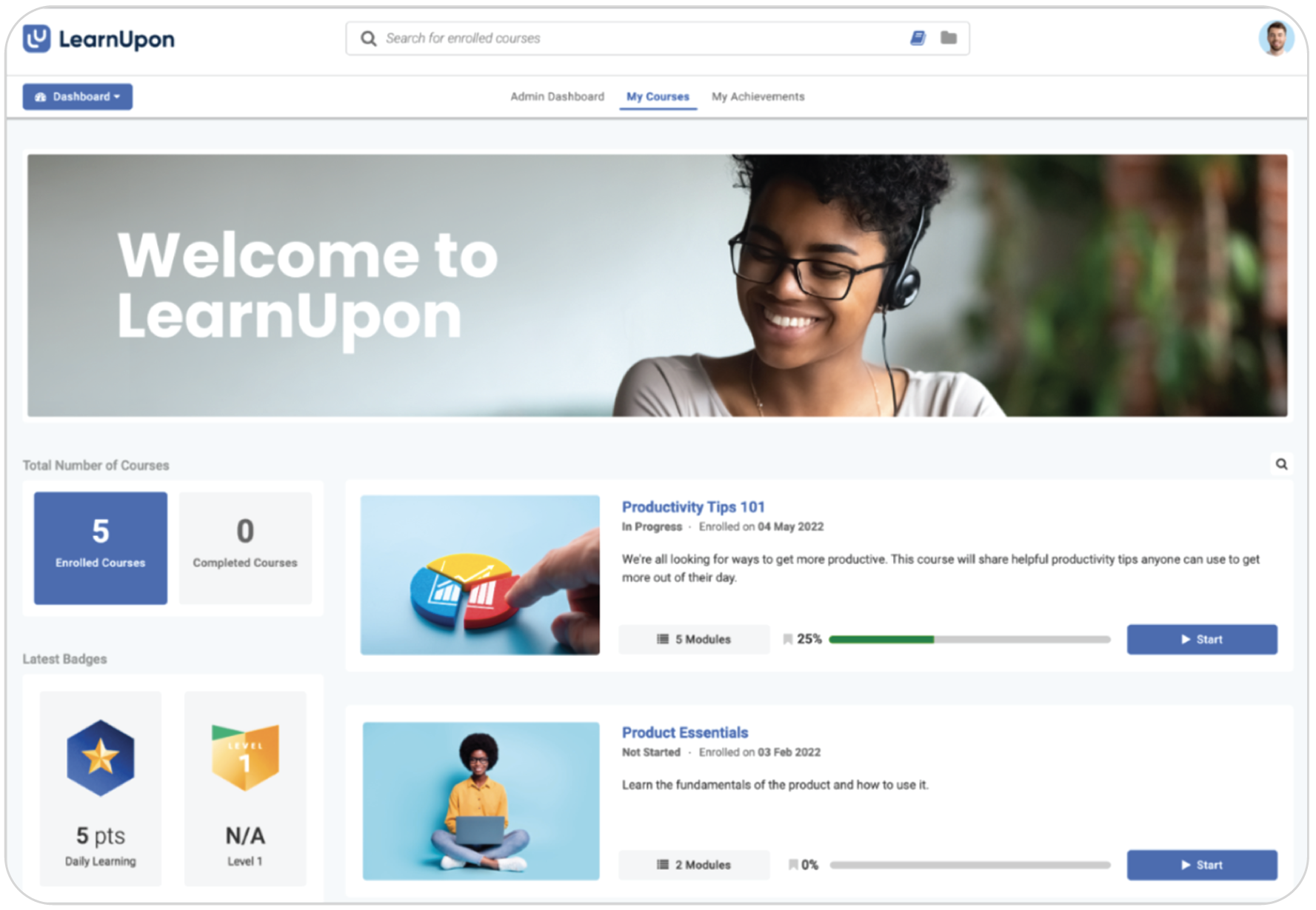
LearnUpon is commonly used by organizations that need to deliver training to different groups from a single platform. It offers flexible portals and branding options to support separate learning experiences for various audiences.
Pros
- Easy setup for external partner portals
- Customer support and onboarding
- Features for organizing and delivering training programs at scale
Cons
- Reporting can feel a bit less flexible for internal-only HR needs
- Can become expensive as more distinct portals are being added
- Navigation can be difficult with excessive clicks to find content
Key features:
- Course creation and content management
- Multi-portal training (extended enterprise)
- Automation and learning paths
- Reporting and analytics
Best for: Multi-audience, customer, and employee training
Pricing: Free trial available. No price listed. Contact the vendor.
What users are saying on G2:
The Good
“I’ve been enjoying the quick responses, and how everyone is so attentive and ready to help. Getting used to a new system and setup can be dauting, but the LearnUpon crew (from setup to success teams after launch) have been vital to ensure a successful rollout.
” – 3.5/5, Casey B.
The Room for Improvement
“I think the reporting could definitely be improved, certain aspects of the UI/UX feel clunky and overcomplicated – for example you can’t carry out bulk actions against courses or users. Also we’ve had to use another course authoring tool because EasyGenerator and Coursera did not meet our requirements” – 3.5/5, Jessica M.
8. Litmos
Why we picked it
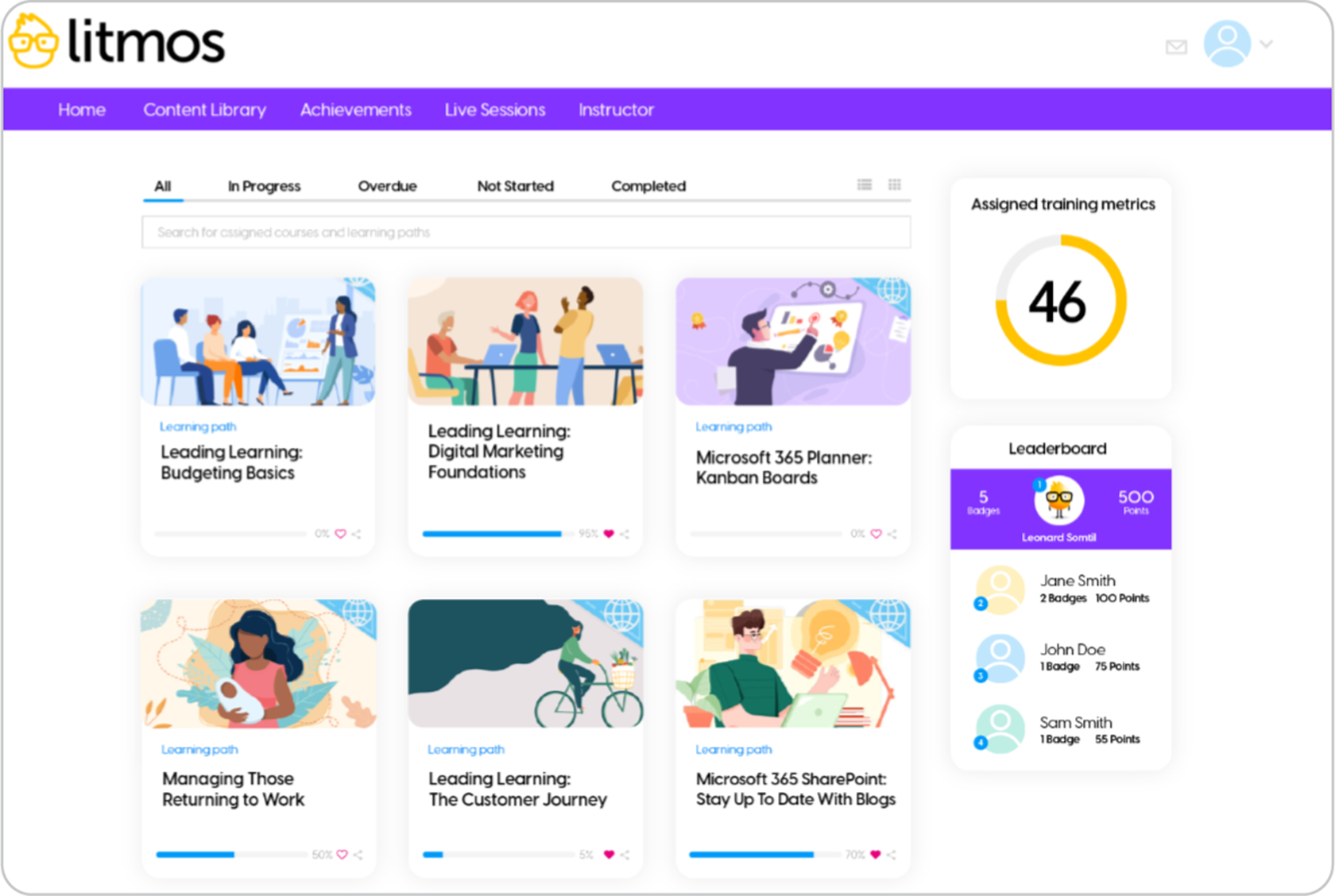
Litmos is known for its library of off-the-shelf content and its ability to scale to millions of users. It’s an ideal corporate choice for distributed teams. Also, it’s quick to implement and easy to use, requiring no advanced IT skills. Its intuitive interface makes it a great entry-level LMS for administrators and instructional designers.
Pros
- Includes a library of professionally designed courses
- Scales well for large, global workforces
- Customer support
Cons
- The interface can feel a bit legacy compared to modern tools
- Customization options are more limited than other providers
- Reporting features could be more robust and customizable
Key features:
- Quick implementation and user-friendly interface
- Built-in course library
- Automation tools
- Reporting and analytics
Best for: Large-scale compliance for distributed teams
Pricing: Free trial available. No price listed. Contact the vendor.
What users are saying on G2:
The Good
“The support from Litmos is superb, check in’s are brilliant and nothing is ever too much to ask! The Litmos LMS system is really good and for both creating content and monitoring compliance – let alone the amount of courses available off the shelf! The ability to SCORM file in is brilliant, it has opened up many possibilities we are currently exploring to make the learning even more interactive.” – 3.5/5, John M.
The Room for Improvement
“I think they could do more with the reporting feature allowing us to filter things differently and just making it a little more straightforward. Also, it would be great if the manager portal had a little more functionality in terms of changing their learners’ enrollments and things like that and being able to adjust those features and customize those for ourselves.” – 4/5, Hunter S.
9. Canvas LMS
Why we picked it
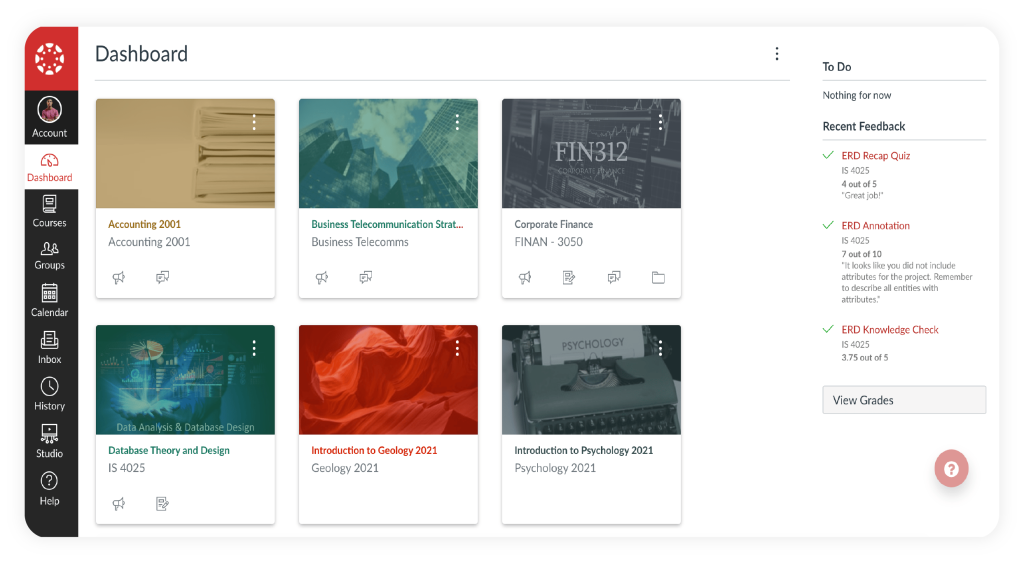
Canvas LMS is geared towards academic learning, focusing on providing instructors with deep learning management features. One of its more unique features revolves around essay writing assignment management. This is a valuable feature to have in an LMS designed for K-12 and higher education institutions that need academic writing assessment tools.
Due to its freemium pricing model, academic instructors can start using it with “Free-for-Teacher” accounts and slowly upgrade their plans to access additional support or access to integrations. However, Canvas LMS lacks many of the features intended for employee training. It doesn’t have certification features, and its reports are limited in what they offer.
Pros
- User-friendly interface
- Integrations with external tools
- Course management and collaboration tools
Cons
- Steep learning curve for admins and learners
- Limited customization options
- As it’s primarily cloud-based, consistent internet access is required to participate fully in courses and activities
Key features:
- Freemium pricing
- Open-source license
- Content authoring
- Social learning
- Mobile learning (online only)
- Third-party integrations
- Instructor-Led Training (ILT)
- Essay writing assignments
- Attendance tracking
Best used for: Academic learning
Not the best fit for: Employee onboarding and training, seasonal training, compliance training
Pricing: Free plan available. No price listed. Contacting the vendor is required.
What users are saying on G2:
The Good
“The platform is easy to navigate and highly user-friendly, with seamless integration of other instructional software. It allows instructors to build and curate a reusable lecture video library that can be applied across multiple courses and semesters. The ability to easily import and replicate course shells from one Canvas section to another significantly streamlines course setup and reduces preparation time […]” – 5/5, Saadia F.
The Room for Improvement
“I find that Canvas LMS has a steep learning curve, especially for advanced features. It’s overwhelming for new users and takes significant time to master. The interface is sometimes overly complex, with too many layers of menus and options, making navigation challenging. Additionally, there are occasional technical glitches like assignments being erased if the due date isn’t set at midnight and audio recording problems that hinder communication.” – 4.5/5, Dheeru R.
10. WorkRamp
Why we picked it
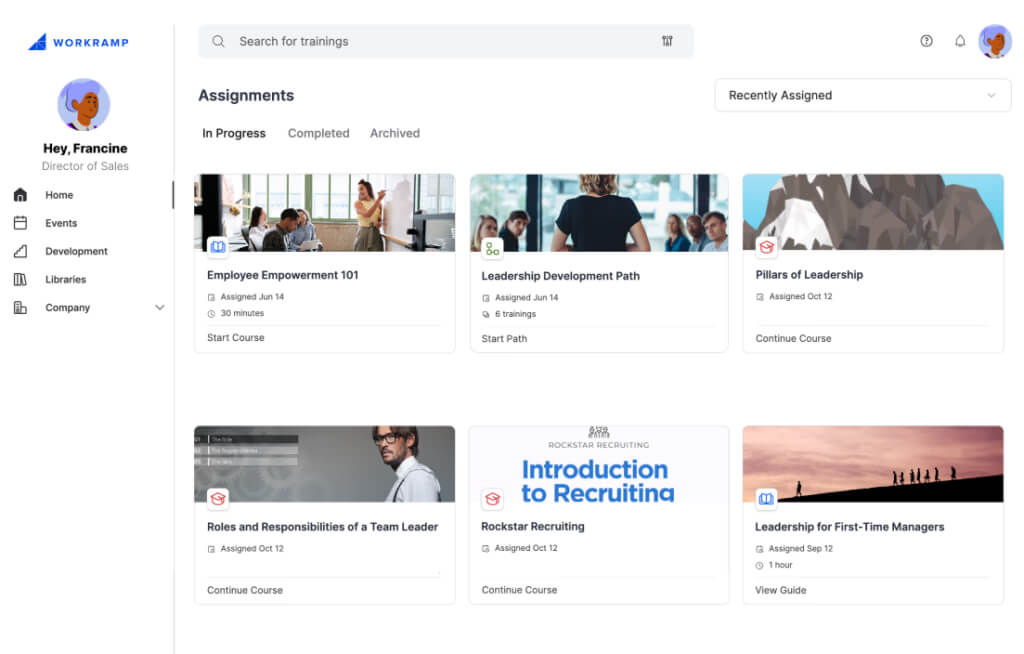
WorkRamp is a learning platform that helps organizations deliver training to employees, partners, and customers from one system. It includes tools for organizing training into learning paths and tracking learner progress through reporting and analytics. Which allows teams to monitor engagement and training performance.
The platform also provides content creation tools and integrations that help teams build and manage training programs more efficiently. Some AI-powered features support tasks like content creation and recommendations, allowing administrators to update learning materials and manage training workflows.
Pros
- Supports training in one platform
- Learning paths
- Reporting and analytics features
Cons
- Setup and configuration may take time for smaller teams
- Pricing may be high for small businesses
- Some features depend on integrations or higher-tier plans
Key features:
- Learning paths
- Basic course creation tools
- Reporting dashboard
- Integrations
- Knowledge base and documentation tools
Best for: Mid-sized, enterprise companies for employee, partner, and customer training
Not the best fit for: Small businesses or teams looking for a simple LMS with quick setup and lower pricing
Pricing: Free trial available. No price listed. Contact the vendor.
What users are saying on G2:
The Good
“I really like how centralized and structured WorkRamp is for learning and enablement. It makes it easy to organize content into clear learning paths, track completion, and ensure teams are aligned on the same information. The platform is intuitive for learners, supports different content types (videos, docs, quizzes), and works well for onboarding, product updates, and ongoing training. […]” – 4.5/5, Verified User in Restaurants
The Room for Improvement
“The guides are helpful but basic. It would be great if they could enhance the guide capabilities in terms of questions/quizzes. This tool might not be enough for complex use cases at the enterprise level.” – 4.5/5, K G.
FAQs
What is the best Learning Management System for 2026?
The best LMS in 2026 is one that moves beyond simple course tracking to offer an AI-driven ecosystem focused on skills-based learning, adaptive journeys, and measurable business ROI.
What should I look for when choosing an LMS in 2026?
Focus on ease of use, scalability, integration capabilities, skills features, reporting and analytics, AI solutions, and personalized learning with learning paths. Pay special attention to the range and quality of LMS tools available for course creation, management, and reporting, as these are essential for effective learning delivery and tracking.
How do I know if an LMS will scale with my organization?
Choose a platform that supports growing user numbers, offers flexible pricing plans, and integrates with existing tools such as HRIS systems, CRM platforms, and collaboration apps. LMSs also optimize costs by digitizing the learning process, reducing expenses related to traditional training, and supporting onboarding by providing new employees with centralized access to all necessary training materials.
What AI features should an LMS have?
AI in a Learning Management System helps personalize learning paths, recommend relevant content, automate administrative tasks, and provide deeper insights into learner engagement and performance. AI can also enable immersive learning experiences, such as AR/VR-based modules, to deliver training that is both engaging and effective.
Should I choose a cloud-based or self-hosted LMS?
Cloud-based Learning Management Systems are generally easier to implement, maintain, and update, while self-hosted options offer more customization and control over data. Before choosing an LMS, it’s important to understand the needs of your learners and administrators to ensure the platform will be usable and effective for your organization.
How important are integrations when selecting an LMS?
Integrations are crucial because they allow the LMS to connect with tools like HRIS software, content libraries, web conferencing platforms, and analytics systems, creating a more seamless learning ecosystem.
What are the different types of Learning Management Systems (LMS)?
Learning Management Systems come in several types, depending on how they are hosted, managed, and used. Some LMS platforms are cloud-based and managed by vendors, while others are self-hosted or open-source, giving organizations more control over customization and data. There are also platforms designed for mobile learning, social collaboration, or personalized learning experiences.
Originally published on: 14 Dec 2023 | Tags: Cloud LMS,eLearning,top LMS



![15 Best Employee Training Tools 2024 + [Free Options]](https://www.talentlms.com/blog/wp-content/uploads/2025/12/Best-employee-training-tools.png)