

TL;DR
Here are the key takeaways to help you compare SaaS LMS platforms and choose the right one for your training needs.
- SaaS LMS platforms simplify training management by providing cloud-hosted systems without the need to maintain on-premises infrastructure.
- The 12 platforms compared for 2027 are TalentLMS, Docebo, MoodleCloud, CYPHER Learning, Blackboard LMS, LearnWorlds, Skilljar, Canvas LMS, Mitti (by SafetyCulture), iSpring LMS, LearnUpon, and Adobe Learning Manager.
- Features and strengths vary. Some platforms focus on corporate training, others on academic learning, customer education, or selling courses online.
- Pricing models differ considerably, from free plans and published subscription tiers to custom enterprise quotes. Comparing total costs is important.
- Key considerations include ease of implementation, pricing transparency, scalability, integrations, and support for different training audiences.
- AI capabilities are increasingly common, but their practical value depends on how well they simplify training tasks, support learning, reduce administrative effort, and free up time for more, higher-value work.
As workplaces evolve and business priorities shift, employees aren’t just learning new skills. They’re having to rethink familiar ways of working, break old habits, and put new knowledge into practice.
Delivering courses and tracking completion still matter. But organizations also need ways to create and deliver training quickly, build relevant skills, and provide opportunities for practice and experimentation, whether they’re training employees, customers, or partners.
SaaS learning management systems (LMSs) offer different ways to meet these needs.
When comparing SaaS LMS platforms, ease of use, quick implementation, and transparent pricing can make a real difference. Increasingly, so can built-in AI that simplifies training tasks and helps teams accomplish more.
In this guide, we compare 12 SaaS LMS platforms for 2027, exploring their features, strengths, and potential limitations to help you find the right solution for your training goals.
What is a SaaS LMS?
A SaaS LMS (Software as a Service learning management system) is a cloud-based platform for creating, delivering, managing, and tracking online training. Unlike self-hosted systems, it doesn’t require organizations to install or maintain their own servers. The provider manages hosting, software updates, and infrastructure maintenance, making it easier to launch and manage training without extensive IT resources.
What are the best SaaS LMS platforms in 2027?
The best 12 SaaS LMS platforms for 2027 include TalentLMS, Docebo, Moodle, CYPHER Learning, Blackboard, LearnWorlds, Skilljar, Canvas LMS, SC Training, iSpring LMS, LearnUpon, and Adobe Learning Manager. These cloud-based platforms support a range of training needs, including employee development, onboarding, compliance, customer education, and academic learning.
Best SaaS LMS platforms for 2027: Comparison table
| Platform | Best for | G2 rating | Price |
|---|---|---|---|
| TalentLMS | Small to midsize-business (SMB) training, employee onboarding and training, external training, compliance training | 4.6/5 (818 reviews) | Free plan and premium trial. From $119/month (up to 40 learners). |
| Docebo | Scalable enterprise, AI personalization | 4.3/5 (752 reviews) | No free plan or trial. No published pricing. Contact vendor for a custom quote. |
| MoodleCloud | Educators, independent trainers, and smaller organizations | N/A for MoodleCloud. (Moodle LMS: 4.1/5 (459 reviews) | Free trial. From $160/year for up to 50 users. |
| CYPHER Learning | Academic learning, external training, compliance training | 4.4/5 (319 reviews) | No free trial or plan. No published pricing. Contact the vendor for a custom quote. |
| Blackboard | Academic learning, enterprise-level training | 4.0/5 (1067 reviews) | No free trial or plan. Contact vendor for a custom quote. |
| LearnWorlds | eCommerce, small to midsize-business (SMB) training, external training | 4.7/5 (404 reviews) | Free trial. No free plan. From $24/month (billed annually). |
| Skilljar by Gainsight | External training, eCommerce | 4.6/5 (410 reviews) | No free trial. Contact vendor for a custom quote. |
| Canvas LMS | Academic learning | 4.5/5 (1840 reviews) | Free plan using Canvas Lite. No published pricing. Contact vendor for a custom quote. |
| Mitti (by Safety Culture) | Mobile training, small business training, compliance training | 4.6/5 (486 reviews) | Free plan (up to 10 seats). From $24/seat/month (billed annually). |
| iSpring LMS | Rapid content creation, blended learning, SMBs | 4.6/5 (175 reviews) | Free trial. No free plan. From $6.91/user/month (100 users, billed annually). |
| LearnUpon | Employee onboarding and training, external training, eCommerce | 4.5/5 (262 reviews) | No free plan. No published pricing. Contact vendor for a custom quote. |
| Adobe Learning Manager | Enterprise-level training, government-level training, compliance training, external training, eCommerce | 4.0/5 (318 reviews) | Free trial. No free plan. Custom pricing (Prime and Ultimate plans). |
Best SaaS LMS platforms for 2027: A closer look
1. TalentLMS
G2 rating: 4.6/5 (818 reviews)
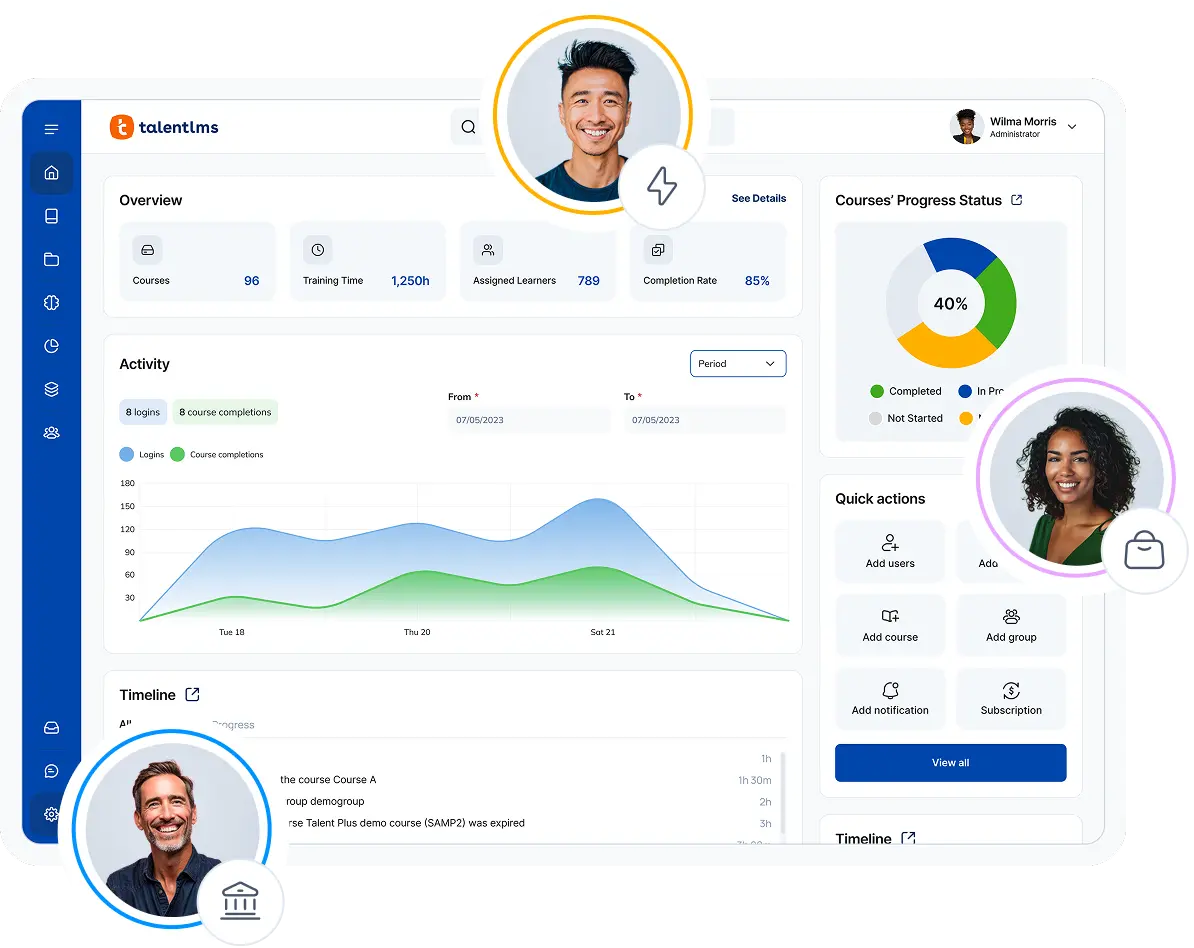
TalentLMS is an award-winning SaaS LMS that makes it easy for organizations to launch, manage, and scale workplace training. With a straightforward setup, intuitive interface, and transparent pricing, it helps businesses get training up and running quickly without complex implementation or extensive IT resources.
Trusted by over 12,000 organizations, TalentLMS supports training for employees, customers, and partners, from onboarding and compliance to ongoing skills development.
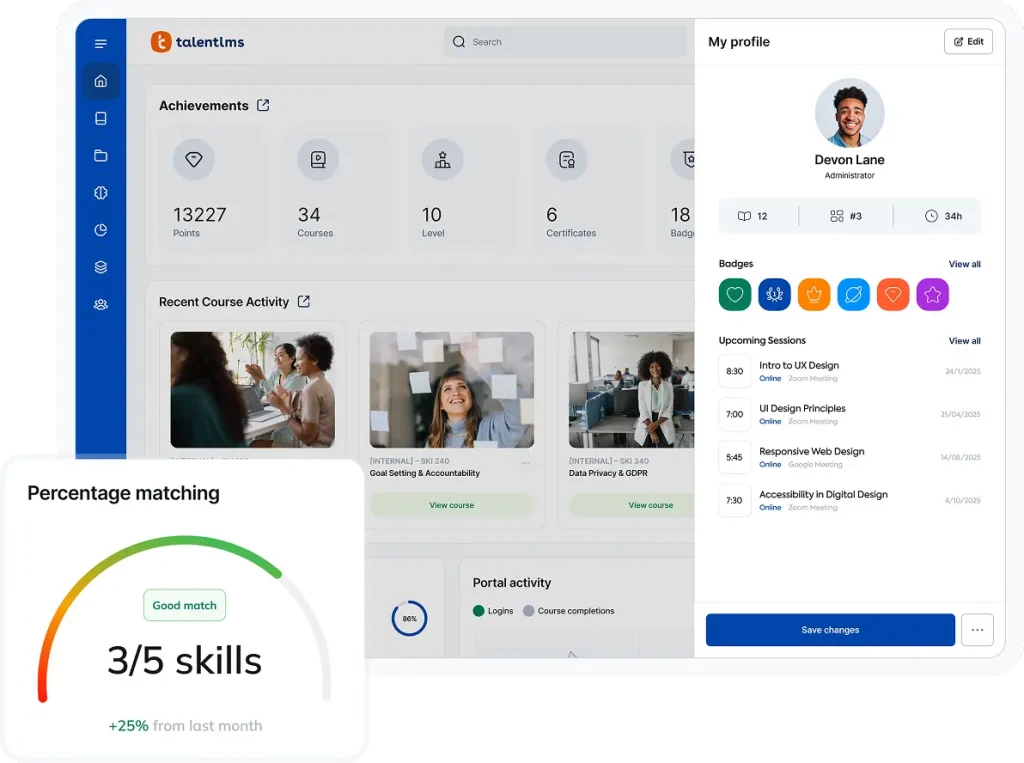
Its built-in AI capabilities help teams create content faster, develop relevant skills, and support learners as they put new knowledge into practice. TalentCraft helps generate training content and assessments, AI Skills connects learning to skills development needs, AI Coach provides in-course learning support, and Learning Playground offers opportunities for practice and application.
Beyond AI, TalentLMS offers customizable reporting, learning paths, gamification, certifications, and automations. Organizations can also access ready-made courses through TalentLibrary and create separate learning environments using branches, making it easier to manage training for different audiences from one platform.
Why we chose TalentLMS
For organizations comparing the best SaaS LMS platforms, TalentLMS offers a combination of quick implementation, ease of use, and flexibility to support different training needs as they grow. Its cloud-based setup makes it straightforward to launch training, while branches, learning paths, reporting, and integrations help teams manage learning across multiple audiences.
Built-in AI adds practical support throughout the learning experience, from creating and translating courses to developing skills and giving learners opportunities to practice what they’ve learned. These capabilities complement the platform’s broader training management tools without adding unnecessary complexity.
A free plan, free premium trial, and transparent subscription pricing are further advantages, particularly compared with SaaS LMS providers that require custom quotes. The free plan allows organizations to launch a small training program without an upfront subscription cost, while the premium trial provides an opportunity to explore more advanced features before committing. With published pricing, organizations can also assess costs upfront, plan their budgets, and choose a subscription that suits their needs as training grows.
Key features:
- AI-powered course creation (TalentCraft): Generates course outlines, learning content, assessments, and interactive activities from prompts, helping teams create training faster.
- Document-to-course conversion: Transforms existing PDFs and documents into interactive learning materials, including summaries, flashcards, and questions.
- AI-generated visuals and interactive videos: Creates images and videos for training and generates questions that can be embedded at key moments in uploaded videos.
- Interactive skills practice (Learning Playground): Gives learners opportunities to apply new knowledge through role plays, simulations, and other interactive practice experiences.
- Skills development (AI Skills): Connects training to relevant skills, helping organizations identify skills gaps and guide employee development.
- In-course learning support (AI Coach): Provides explanations, summaries, and practice prompts to help learners understand concepts and reinforce their knowledge.
- Multilingual training: Helps teams translate training content and video captions into more than 40 languages.
- Learning paths and blended learning: Supports structured learning journeys combining online courses with instructor-led training.
- Ready-made courses (TalentLibrary): Provides access to a library of training content covering workplace skills and compliance topics.
- Reports and analytics: Offers customizable reports and insights to monitor learner progress, course completion, and training performance.
- Multi-audience training (Branches): Creates separate learning environments for employees, customers, and partners, with white-labeling options.
- Training management and engagement: Includes gamification, certifications, automations, and integrations such as LTI 1.3 and LinkedIn Learning.
Best used for: Small and midsize business training, employee onboarding and training, external training, compliance training
May not be the best fit for: Academic learning
Pricing: Free plan and free premium trial available. Paid plans start at $119/month (Core), $229/month (Grow), and $449/month (Pro).
What TalentLMS customers are saying on G2
What users like
“TalentCraft is a particular highlight, helping us create interactive modules much faster and reducing the time and resources needed for content development. Being able to translate courses into the languages we support helps us deliver consistent, accessible training across our teams. The AI Playground is another valuable addition, giving learners a space to explore and practice using AI.” — Anica M. GMS EU Training Manager, Mid-Market, 4.5/5
Room for improvement
“I honestly don’t have any major dislikes about TalentLMS, but there are a few features that could make things even easier.” — Valeria G., Quality and Training Specialist, Mid-Market 4/5 stars
2. Docebo
G2 rating: 4.3/5 (752 reviews)
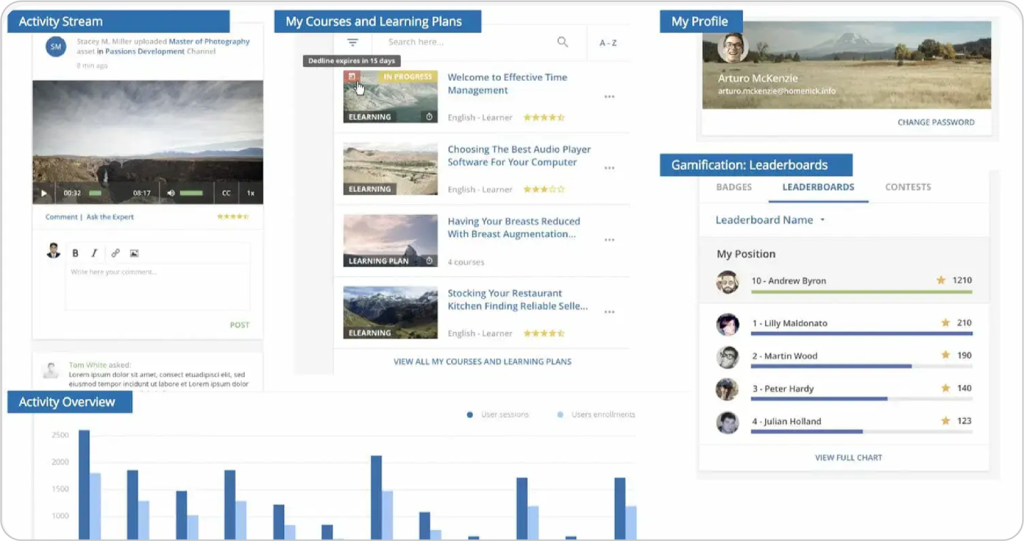
Docebo is an enterprise-level SaaS LMS designed to manage training at scale. It combines AI-powered learning tools with flexible integrations and training management capabilities, making it particularly suited to larger organizations with complex learning needs.
Its AI-powered tools help teams create courses, assessments, translations, and video presentations, while recommending relevant learning content to employees. Docebo also offers AI-powered learner assistance, including an in-course tutor that answers questions and explains concepts. For administrators, its AI tools provide contextual guidance and support with platform management tasks.
Beyond its AI capabilities, Docebo supports headless learning, allowing organizations to embed training into other systems, such as a CRM, so employees can access learning within their existing workflows. Its integrations also help connect learning with other business applications and support training across different audiences.
Why we chose Docebo
Docebo stands out as a SaaS LMS for larger organizations looking to manage and scale ongoing training. Its combination of AI-powered content creation, skills-based learning, and personalized recommendations helps organizations connect employees with relevant training and support upskilling and reskilling programs.
Its headless learning capabilities and integrations offer additional flexibility, allowing organizations to deliver training within existing workflows and connect their LMS with other business systems. This makes Docebo particularly relevant for enterprises managing complex training requirements across multiple teams or audiences.
However, its enterprise focus and custom pricing may make it less suitable for smaller organizations looking for a straightforward, budget-friendly SaaS LMS.
Key features:
- AI-powered content authoring (Docebo Creator): Generates lessons, assessments, and other training materials from prompts or documents, with AI-assisted translation.
- AI video presentations (Docebo Creator): Creates training presentations featuring lifelike AI avatars that deliver content from a script.
- Interactive skills practice (Docebo Roleplay): Provides scenario-based simulations that help learners practice and develop skills in realistic situations.
- AI-powered learning assistance (AI Assistant and AI Tutor): Helps learners discover relevant content, get answers using natural language, and receive in-course explanations and summaries.
- Content discovery (Harmony Search): Helps learners find relevant training materials and get answers to questions using natural language.
- Administrative assistance (Harmony Copilot): Provides contextual guidance and step-by-step instructions to help administrators navigate and manage the platform.
- Certifications and compliance: Supports certification management and tracking for structured training programs.
- Social learning and gamification: Encourages collaboration, knowledge sharing, and learner engagement through social features and gamification.
- Mobile learning: Enables learners to access training content and complete courses on mobile devices.
- Ready-made content library: Provides access to prebuilt training content to support employee development.
- Reports and analytics: Offers tools to monitor learner progress, course completion, and training performance.
- Integrations and eCommerce: Supports connections with other business systems, SCORM-compatible learning content, and the sale of training courses online.
Best used for: Enterprise-level training, government-level training, employee onboarding and training, external training, compliance training
May not be the best fit for: Small businesses with simple training requirements; academic learning
Pricing: No free plan or free trial. Pricing is not publicly available. Contact the vendor for a custom quote.
What Docebo customers are saying on G2
What users like
“The platform allows for flexibility in how we deliver the learning experience, it performs rather well without frequent bugs or crashes — stability is really important for us in the organization.” — Mateusz D, Learning Design Team Lead, Enterprise, 4/5 stars
Room for improvement
“Native content creation tools are underwhelming… Basic authoring capabilities could use enhancement… Requires internal IT team support to reach full potential.” — Verified User in Infotech service industry, 2.5/5 stars
3. MoodleCloud (part of the Moodle ecosystem)
G2 rating for MoodleCloud: N/A for MoodleCloud. Moodle LMS: 4.1/5 (459 reviews)
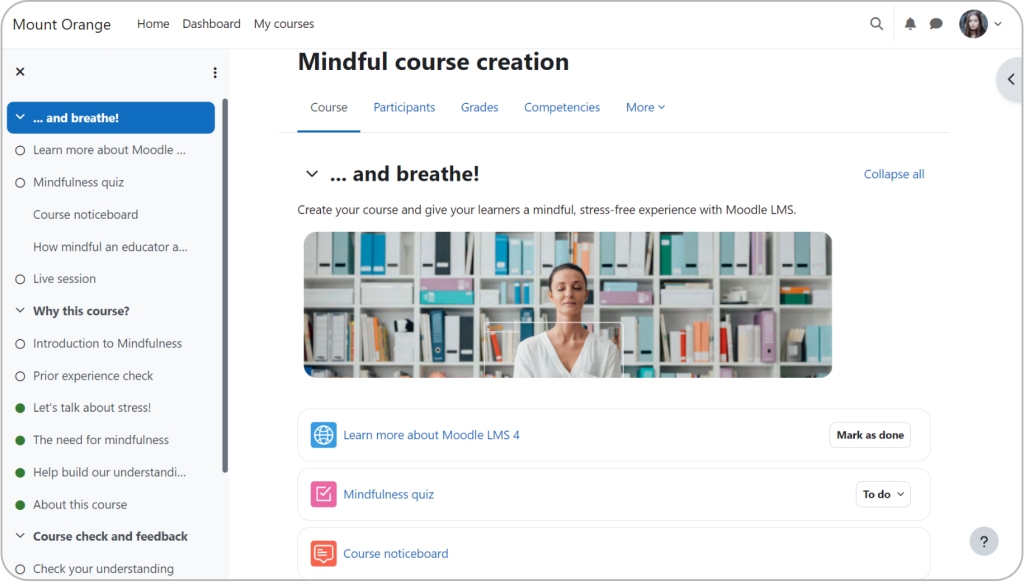
MoodleCloud is the hosted SaaS offering of Moodle LMS. Moodle LMS is an open-source learning management system widely used in education and workplace training. MoodleCloud offers a ready-to-use version of Moodle without the need to install, host, or maintain the software independently.
MoodleCloud supports course creation, multimedia learning materials, quizzes, assignments, grading, and learner progress tracking. It also offers accessibility features and support for Learning Tools Interoperability (LTI) standards, helping organizations deliver accessible learning experiences and connect with external learning tools.
For organizations that need greater control, the self-hosted version of Moodle LMS offers extensive customization through plugins and integrations. MoodleCloud, however, comes with preconfigured features and more limited customization options, making it better suited to smaller organizations and educators looking for a straightforward hosted solution.
Why we chose Moodle
MoodleCloud combines Moodle’s established course management and assessment tools with the convenience of managed hosting. With software updates and infrastructure maintenance handled by the provider, organizations can focus on creating and delivering training rather than managing the underlying technology.
Its learning and assessment features make it particularly relevant for educators, independent trainers, and smaller organizations. Published annual pricing and a free trial also make it easier to explore the platform and assess costs before committing.
However, MoodleCloud offers more limited customization than self-hosted Moodle LMS, particularly when it comes to installing additional plugins. Organizations requiring extensive customization or more complex integrations may need to consider self-hosted Moodle LMS or a tailored hosting solution through a Moodle Certified Partner.
Key features:
- Managed cloud hosting: Provides a ready-to-use LMS with hosting, software updates, and infrastructure maintenance handled by Moodle.
- Course creation and management: Supports unlimited courses and learning activities, including multimedia content, documents, and interactive H5P activities.
- Assessments and grading: Includes quizzes, assignments, gradebooks, and assessment tools to evaluate learner knowledge and performance.
- Learning plans and competencies: Supports competency frameworks to help organizations structure learning around specific skills and development goals.
- Progress tracking and reporting: Provides reports to monitor learner engagement, course completion, and training activity.
- Social and collaborative learning: Supports discussion forums and collaborative learning activities to encourage interaction and knowledge sharing.
- Gamification: Includes badges and activity completion tracking to recognize learner achievements and encourage engagement.
- Branding customization: Allows organizations to personalize site logos, colors, and other visual elements, with custom domains available on selected plans.
- Integrations: Supports selected integrations and LTI tools, although additional third-party plugins cannot be installed.
- Mobile learning: Includes access to the Moodle App Premium plan, allowing learners to access training on mobile devices.
- Virtual classrooms: Integrates with BigBlueButton for live video conferencing with up to 100 participants.
- Course sales: Supports paid course enrolments through PayPal and Stripe, with Stripe available on selected plans.
Best used for: Academic learning
May not be the best fit for: Organizations requiring extensive customization or advanced integrations
Pricing: Free trial available. Plans start at $160/year for up to 50 users and rise to $2,070/year for up to 750 users.
What MoodleCloud customers are saying on G2
G2 rating not available for MoodleCloud. The following reviews are for Moodle LMS.
What users like
“I like that Moodle is a powerful, flexible open‑source LMS that we can really adapt to our institutional needs instead of adapting our practices to the tool.” — Frédéric G., Educational Technology Administrator, Mid-Market, 5/5
Room for improvement
“Administrative complexity is a recurring challenge for me. Moodle is powerful, but that power comes at a cost: the configuration options are extensive and not always logically organized.” — Marco M., Senior Project & Program Manager, Small Business 4.5/5
Learn more: Moodle alternatives
4. CYPHER Learning
G2 rating: 4.4/5 (319 reviews)
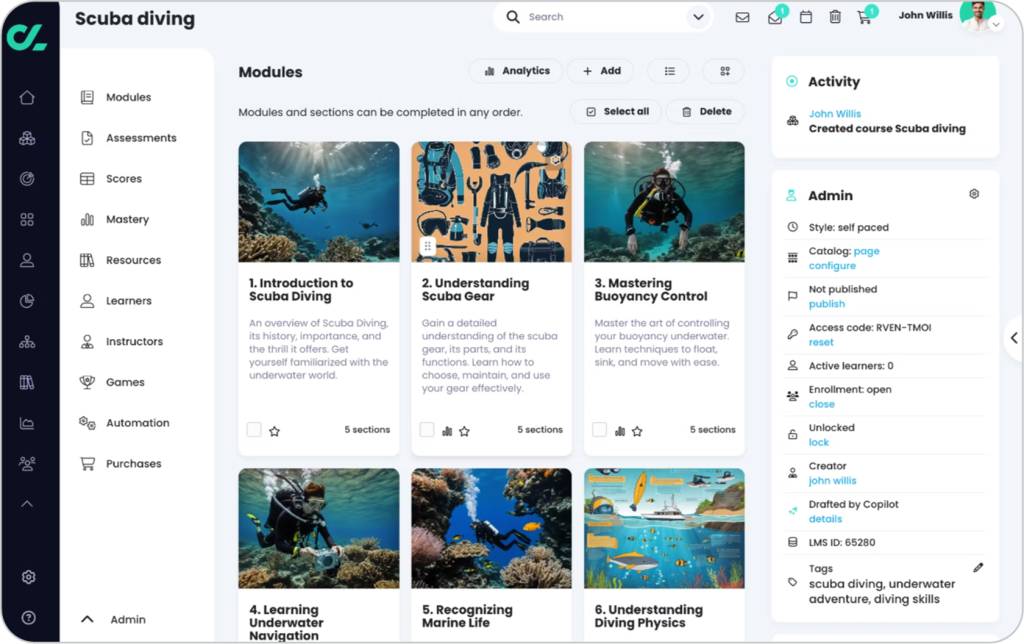
CYPHER Learning is an AI-powered SaaS learning platform for businesses and educational institutions, with a focus on personalized learning and competency-based development. It combines course management and delivery tools with AI capabilities that help organizations create training content, tailor learning experiences, and assess skills development.
Its AI 360 capabilities help instructors generate courses, assessments, and learning activities, with options to adapt content based on difficulty, teaching style, and target skills. CYPHER Agent extends learning support through its Learn, Practice, and Assess capabilities, helping learners access information on demand, develop skills through guided practice, and assess their understanding. The platform also includes AI Crosscheck, which uses a second AI model to verify generated responses and reduce inaccuracies.
Beyond AI, CYPHER Learning supports competency-aligned courses and assessments, gamification, multilingual course creation, and customizable learning environments. Accessibility features, including screen reader support and accessibility-friendly themes, help organizations accommodate different learning needs.
Why we chose Cypher Learning
CYPHER Learning stands out for its approach to personalized and competency-based learning. Its AI-powered tools allow instructors to adapt training to different learning needs, while competency mapping helps connect courses and assessments to specific skills.
CYPHER Agent’s Learn, Practice, and Assess capabilities extend support beyond content delivery, giving learners opportunities to build skills and check their understanding throughout the learning experience.
This combination of personalized learning, competency-based development, and flexible course design makes CYPHER Learning particularly relevant for organizations and educational institutions looking to tailor training to different learner needs.
Key features:
- AI-powered course creation (CYPHER Agent / AI 360): Generates courses, assessments, and learning activities from prompts or documents, with options to tailor content to specific skills and learning needs.
- Personalized learning (CYPHER Agent – Learn): Delivers on-demand learning content and guidance based on learners’ roles, goals, and organizational knowledge.
- Interactive skills practice (CYPHER Agent – Practice): Provides guided, role-specific simulations with immediate feedback to help learners develop practical skills.
- Adaptive assessments (CYPHER Agent – Assess): Uses conversational knowledge checks to identify skills gaps and recommend development opportunities.
- AI content verification (AI Crosscheck): Uses a second, independent AI model to check generated responses and reduce the risk of inaccuracies.
- Skills mapping and development: Helps organizations map skills, identify gaps, and connect training to relevant employee development needs.
- Content authoring and localization: Supports the creation, customization, and translation of learning materials for different audiences and languages.
- Learner assessments: Provides quizzes and assessment tools to evaluate knowledge, track understanding, and measure learning outcomes.
- Social learning: Supports collaborative learning and knowledge sharing between learners.
- Gamification: Uses game-based elements to encourage participation and learner engagement.
- Automations: Helps streamline recurring training administration and management tasks.
- Reports and analytics: Provides insights into learner progress, engagement, and training performance.
Best used for: Academic learning, external training, compliance training
Not the best fit for: Small business training, organizations seeking a basic LMS with minimal configuration
Pricing: No free plan or free trial. Pricing is not publicly available. Contact the vendor for a custom quote.
What Cypher Learning customers are saying on G2
What users like
“I’ve been using CYPHER Learning platform NEO frequently for the past seven years in my computer science classes, and it has become an indispensable tool for lesson planning and student engagement.” — Adina S., Teacher, Small Business, 5/5
Room for improvement
“Not my favorite Online Learning Platform because it is very clunky and not the most user friendly but it’s very robust”—Sarah R., Social Media and Digital Marketing Specialist, Small Business, 3/5
5. Blackboard
G2 rating: 4.0/5 (1067 reviews)
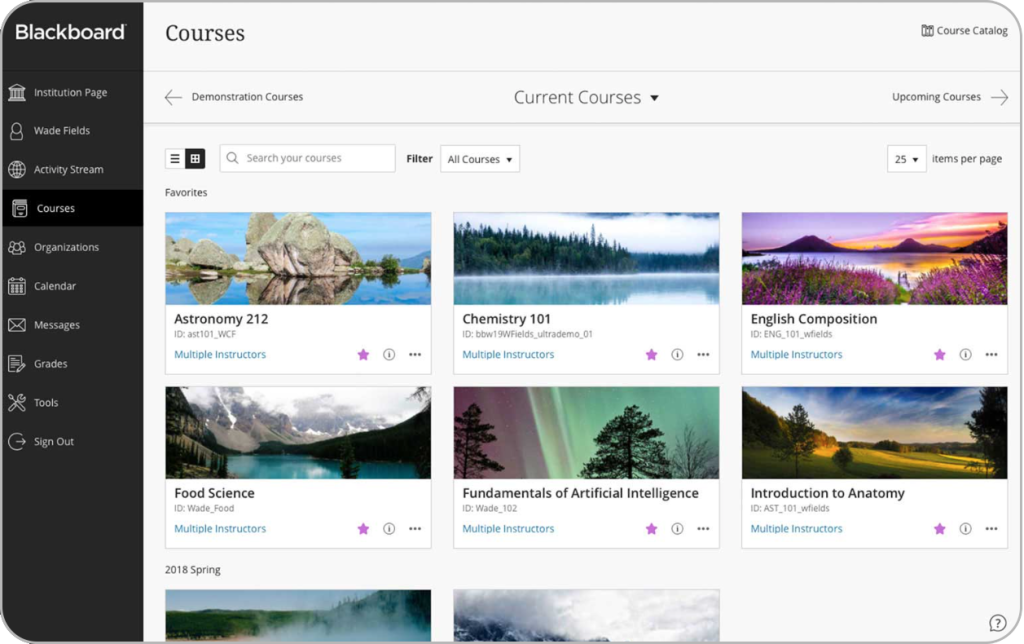
Blackboard LMS is a cloud-based SaaS learning management system designed primarily for higher education, with tools for course delivery, assessment, collaboration, and learner progress tracking. Its Blackboard Ultra experience provides a modern interface for instructors and learners, while integrations help institutions connect learning with other educational systems.
The platform offers flexible assessment and grading tools, including quizzes, assignments, rubrics, and multimedia feedback. Its AI Design Assistant helps instructors generate course structures, assessment questions, discussion prompts, and grading rubrics. Blackboard also offers AI Conversation, which enables learners to explore concepts and show their understanding through interactive discussions.
Accessibility is another important focus. Blackboard Ally, a complementary accessibility solution, helps instructors identify and improve accessibility issues in course materials while providing alternative content formats for learners. Discussion forums, group activities, and course messaging also support communication and collaborative learning.
Why we chose Blackboard Learn
Blackboard LMS stands out for its comprehensive teaching, assessment, and collaboration tools, making it particularly relevant for higher education institutions managing courses and learners at scale.
Its assessment capabilities allow instructors to evaluate learning through different methods, provide detailed feedback, and monitor student progress. AI-powered course design and interactive learning activities add further support, helping instructors develop course materials and create opportunities for learners to apply their knowledge.
Blackboard’s focus on accessibility and its integration with other educational technologies also make it a relevant choice for institutions with diverse learning needs and established digital learning environments. However, its academic focus and range of institutional features may make it less suitable for smaller businesses looking for a straightforward corporate training LMS.
Key features:
- AI-powered course creation (AI Design Assistant): Helps instructors generate course structures, learning materials, assessment questions, discussion activities, and grading rubrics.
- Interactive AI learning (AI Conversation): Supports AI-guided discussions and role plays that help learners explore concepts, apply knowledge, and demonstrate understanding.
- Course creation and management: Provides tools for organizing modules, creating multimedia learning materials, and managing online and blended courses.
- Assessments and flexible grading: Supports quizzes, assignments, rubrics, plagiarism detection, and detailed feedback to evaluate learner performance.
- Collaborative learning: Includes discussion boards, group activities, and course messaging to support communication and knowledge sharing.
- Progress tracking and analytics: Provides insights into learner engagement, course activity, assessment performance, and progress.
- Accessibility checker: Identifies accessibility issues within the content editor and suggests improvements to learning materials.
- Mobile learning: Allows learners and instructors to access courses, assignments, and learning activities through mobile devices.
- Badges and achievements: Recognizes learner accomplishments through badges and microcredentials.
- Surveys and course feedback: Supports learner feedback and course evaluations to help instructors improve learning experiences.
- Integrations: Connects with external teaching tools and educational systems, including applications supporting LTI standards.
- AI-powered learner support (Blackboard AVA): Offers AI-assisted feedback, responses to student questions, and opportunities to explore AI tools within the learning environment. Available as a premium add-on
Best used for: Academic learning, enterprise-level training
May not be the best fit for: Small business training, eCommerce
Pricing: No free plan or free trial. Pricing is not publicly available. Contact the vendor for a custom quote.
What Blackboard LMS customers are saying on G2
What users like
“With the new interface, workflows have become much more intuitive, and this is reflected in a reduced need for support from us towards students and teachers.” — Verified User in Higher Education, Enterprise, 5/5
Room for improvement
“The visual interface of Blackboard Learn Ultra is poor; the metaphor is like a wall with vertical lines and titles. There is no way of showing the student what is more critical and less, what is a core component of the class, and what is an auxiliary element.” — Verified User in Higher Education, Mid-Market, 3.5/5
6. LearnWorlds
G2 rating: 4.7/5 (404 reviews)
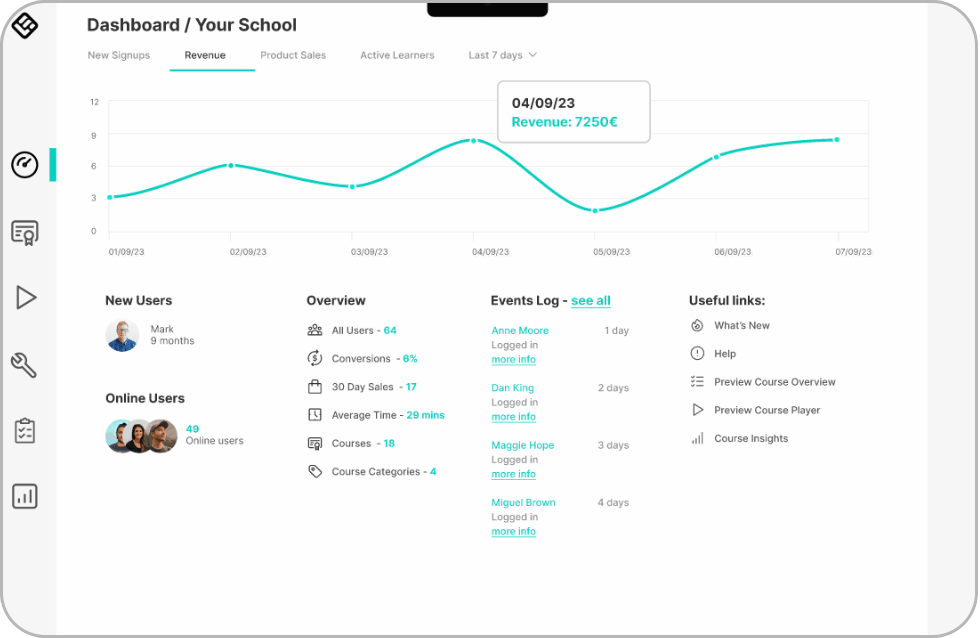
LearnWorlds is an AI-powered SaaS learning platform designed for creating, delivering, marketing, and selling online courses. It combines course authoring and management tools with a customizable website builder and eCommerce features, allowing training providers and businesses to deliver learning through their own branded online academies.
Its AI tools help instructors turn existing documents and materials into structured courses, generate assessments and learning activities, and update content without starting from scratch. Interactive videos, customizable learning paths, and assessments provide opportunities for learners to engage with content and check their understanding.
Beyond course creation, LearnWorlds offers tools for building and customizing training websites, managing payments, and selling courses through subscriptions, bundles, and other pricing options. Marketing features, including affiliate programs, help organizations promote their courses and reach external audiences.
Why we chose LearnWorlds
LearnWorlds combines course creation and delivery with the tools needed to build and run an online training business. Its website builder, integrated payment options, and marketing features allow organizations to manage both the learning experience and the commercial side of delivering training from one platform.
Interactive video, structured learning programs, and AI-assisted content creation add flexibility to how courses are developed and delivered. Learners can also interact with course materials through activities such as note-taking and assessments.
This makes LearnWorlds particularly relevant for independent training providers, educators, and businesses looking to monetize their expertise through branded online academies. Organizations primarily focused on internal employee training may find that some of its eCommerce and marketing capabilities are less relevant to their needs.
Key features:
- AI-powered course creation (AI Course Creator): Turns uploaded documents and existing materials into structured course outlines, lessons, and learning activities.
- AI content authoring (LearnWorlds AI): Generates and refines lesson text, ebooks, images, illustrations, and other learning materials.
- AI assessments (AI Assessment Builder): Creates quizzes and assessment questions, with options to adjust their difficulty and content.
- AI video creation (AI Video & Audio): Generates presenter-led training videos from scripts using AI avatars and voices.
- AI-assisted course editing (Authoring Agents): Helps instructors update existing learning materials and assessments, including rewriting content, adjusting difficulty, and translating text.
- Interactive video learning: Allows instructors to add questions and interactive elements to videos to encourage active participation.
- Website builder and branding: Provides customizable website templates, a drag-and-drop builder, and white-labeling options for creating branded online academies.
- eCommerce and course sales: Supports selling courses through subscriptions, bundles, and other pricing options, with integrated payment tools.
- Affiliate marketing: Enables organizations to create and manage affiliate programs to promote courses and reach new audiences.
- Learning paths and blended learning: Supports structured learning programs, scheduled content releases, and instructor-led training.
- Mobile learning and integrations: Supports learning on mobile devices, SCORM-compatible content, and integrations with external applications.
- Reports and analytics: Provides insights into learner progress, course engagement, and training performance.
Best used for: eCommerce, small and midsize business training, external training
May not be the best fit for: Organizations primarily focused on internal employee training rather than course sales
Pricing: Free trial available. No free plan. Plans start at $24/month (Starter), $79/month (Pro Trainer), and $249/month (Learning Center), billed annually.
What LearnWorlds customers are saying on G2
What users like
“I can easily import lessons from PDFs and other files, create activities and self-graded exams, and use automated AI grading for written assignments.” — Benjamin K., Small-Business, 4.5/5
Room for improvement
“There are a few things that could use some improvement. The AI functionality is one area that hasn’t quite hit the mark for me yet. It seems like the AI is still learning, and when I use it to build something, I often find myself going back to recreate it on my own.” — Charles S., Small-Business, 5/5
7. Skilljar by Gainsight
G2 rating: 4.6/5 (410 reviews)
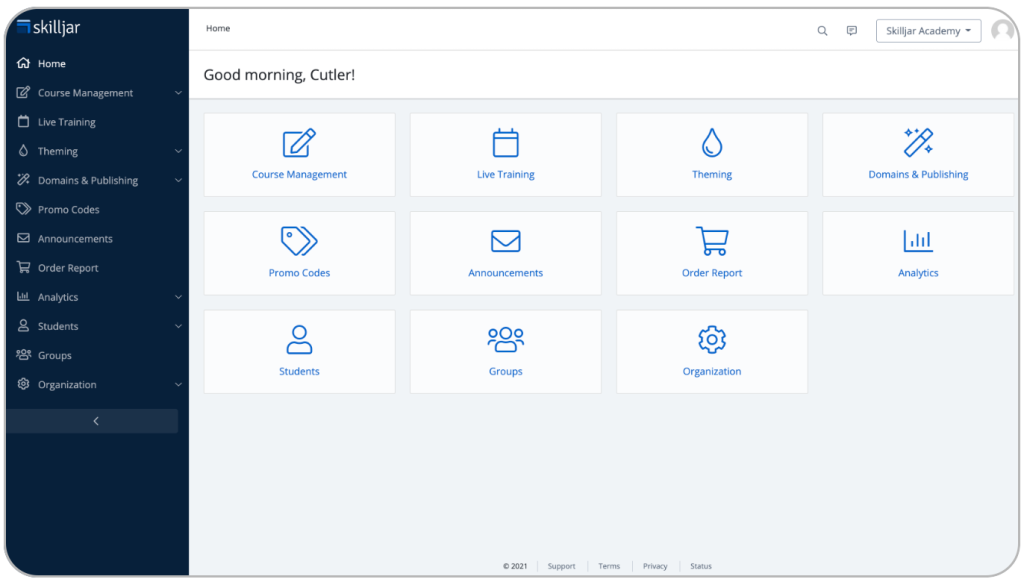
Skilljar by Gainsight is a SaaS learning management system designed specifically for customer and partner education. It helps organizations create branded training academies, deliver product onboarding and certification programs, and connect learning activity with customer engagement and product adoption.
The platform supports self-paced courses, structured learning paths, assessments, and virtual instructor-led training. Organizations can customize their learning portals, manage different audiences, and integrate Skilljar with customer-facing systems such as Salesforce, Gainsight, and Zendesk. These connections help teams understand how customer education contributes to engagement and product adoption.
Skilljar also includes AI-powered tools that help administrators generate course descriptions, learning objectives, and quiz questions from existing content. Its AI Tutor provides learners with answers to course-related questions during lessons, while AI-powered insights and feedback summaries help administrators identify engagement trends and opportunities to improve training.
Beyond course delivery, Skilljar supports certification programs, branded credentials, and eCommerce features, allowing organizations to recognize customer expertise and sell training through subscriptions, individual purchases, and training credits.
Why we chose Skilljar
Skilljar takes a specialized approach to customer and partner education, with tools designed to support customer onboarding, product adoption, and ongoing engagement. Its focus extends beyond delivering training to understanding how education contributes to the wider customer experience.
Integrations with customer success and CRM platforms allow organizations to connect training activity with broader customer data. This can help teams identify education needs, understand engagement patterns, and assess how learning contributes to customer success.
Branded learning academies, certifications, and course monetization options further support organizations looking to develop customer education programs as part of their wider customer success strategy.
Key features:
- Customer and partner education: Supports external training programs, including customer onboarding, product education, partner enablement, and certification.
- Branded learning academies: Provides customizable training portals with branding options, templates, and single sign-on (SSO).
- Course creation and management: Supports self-paced courses, video, interactive content, SCORM packages, and structured learning paths.
- AI-assisted content creation: Generates course objectives, descriptions, and quiz questions from existing learning materials.
- In-course learning support (AI Tutor): Provides answers to course-related questions and guidance based on lesson content.
- AI-powered insights and feedback: Summarizes learner ratings, identifies engagement trends, and suggests opportunities to improve training content.
- Certifications and credentials: Supports certificates, badges, assessments, and recertification programs to recognize learner achievements.
- eCommerce and monetization: Enables organizations to sell courses and certifications through subscriptions, individual purchases, and training credits.
- Instructor-led training: Supports virtual instructor-led sessions and integrations with conferencing tools such as Zoom and Webex.
- Customer success and CRM integrations: Connects with platforms such as Salesforce, Gainsight, Zendesk, and Marketo to link training activity with customer data.
- Reports and analytics: Tracks enrollments, course completion, learner engagement, and training performance, with options to connect data to external reporting tools.
- AI-connected administration (Skilljar MCP Server): Connects Skilljar with compatible AI assistants to help administrators manage courses, enroll learners, and access training reports through natural-language requests.
Best used for: External training, eCommerce
May not be the best fit for: Employee training
Pricing: No free trial. Pricing is not publicly available. Contact the vendor for a custom quote.
What Skilljar customers are saying on G2
What users like
“What I like best about Gainsight is how it allows us to bring everything together into a single, cohesive experience. The integrations between Gainsight products like CS, PX, and Skilljar ensure our teams are aligned and able to act on real-time insights.” — Sarah O., Sr. Director, Enterprise, 5/5
Rooom for improvement
“Skilljar is designed primarily as a customer education platform, but we use it for both customer education and internal training. There are a few limitations when it comes to managing internal training.” — Verified User in Computer Software, Enterprise, 5/5
8. Canvas LMS
G2 rating: 4.5/5 (1840 reviews)
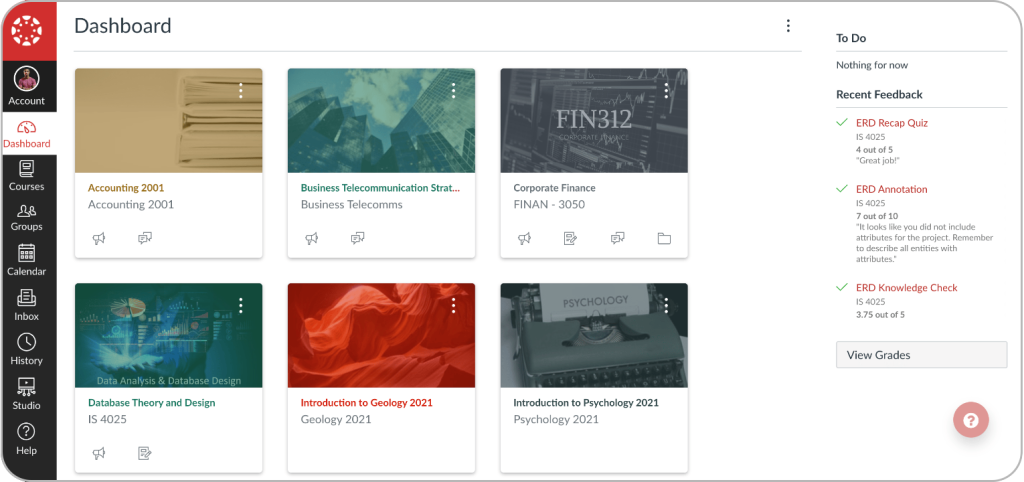
Canvas LMS is a cloud-based learning management system from Instructure, designed primarily for K–12 schools, higher education institutions, and other educational organizations. It combines course creation, assessment, collaboration, and learning analytics tools with flexible integrations that help institutions manage teaching and learning across different systems.
Instructors can organize courses into modules, create quizzes and assignments, set learning outcomes, and provide feedback through grading tools such as SpeedGrader. Canvas also supports discussion forums, collaborative activities, and mobile learning, while its open APIs and Learning Tools Interoperability (LTI) support help connect the platform with student information systems and external educational applications.
Canvas includes AI-powered capabilities through IgniteAI. Depending on the subscription tier, these tools help instructors generate assessment questions, summarize discussions, translate content, and provide feedback. More advanced capabilities include AI-assisted administrative tasks and personalized study tools for learners.
Why we chose Canvas LMS
Canvas LMS combines flexible course management with extensive assessment and learning analytics capabilities, making it particularly relevant for educational institutions managing different courses, subjects, and learner groups.
Its assessment tools allow instructors to evaluate learning through quizzes, assignments, rubrics, and outcomes-based grading, while analytics help identify engagement and performance trends. Its integration capabilities also make it a relevant choice for institutions looking to connect learning with their existing educational systems.
Canvas’s tiered offering provides access to additional functionality, including interactive video and advanced AI tools, depending on institutional needs. However, its education-focused features may be less relevant to organizations primarily looking for a straightforward platform for employee onboarding or corporate training.
Key features:
- AI-powered assessment creation (IgniteAI): Generates quiz questions from course content and supports AI-assisted rubric creation and grading feedback on selected plans.
- AI learning support (IgniteAI): Offers course search, discussion summaries, and translations, with personalized study tools available on higher-tier plans.
- Course creation and management: Supports multimedia learning materials, structured course modules, assignments, and online and blended learning.
- Assessments and grading: Includes quizzes, essay assignments, rubrics, learning outcomes, and SpeedGrader for evaluating student work and providing feedback.
- Collaborative learning: Provides discussion forums, group activities, course messaging, and collaboration tools to encourage interaction between learners and instructors.
- Learning analytics: Tracks course activity, learner engagement, and academic performance, with advanced analytics available on selected plans.
- Accessibility tools: Includes accessibility checking and AI-assisted remediation to help instructors identify and improve accessibility issues in course materials.
- Mobile learning: Provides dedicated mobile apps for students and instructors, supporting access to courses and learning activities on mobile devices.
- Integrations: Supports LTI integrations, open APIs, and connections with student information systems and external educational tools.
- Instructor-led and blended learning: Supports classroom-based and online teaching through course scheduling, assignments, and virtual collaboration tools.
- Attendance tracking: Supports recording and monitoring attendance through tools such as Roll Call Attendance.
- Badges and achievements: Supports recognition of learner accomplishments through badges and credentials, with functionality depending on the tools and integrations used.
Best used for: Academic learning
May not be the best fit for: Small businesses seeking a straightforward employee training platform
Pricing: Free plan available. Institutional pricing is not publicly available. Contact the vendor for a custom quote.
What Canvas LMS customers are saying on G2
What users like
“I like that lecturers post relevant notes for each subject, so I can find what I need in the LMS instead of searching multiple sites or preparing notes myself. It has no ads or extra nonsense.” —GIRIJA P., Engineering Student, Education Management, Mid-Market, 5/5
Room for improvement
“I find that Canvas LMS has a steep learning curve, especially for advanced features. It’s overwhelming for new users and takes significant time to master. The interface is sometimes overly complex, with too many layers of menus and options, making navigation challenging.” —Dheeru R., Small-Business, 4.5/5
9. Mitti (by Safety Culture)
G2 rating: 4.6/5 (486 reviews)
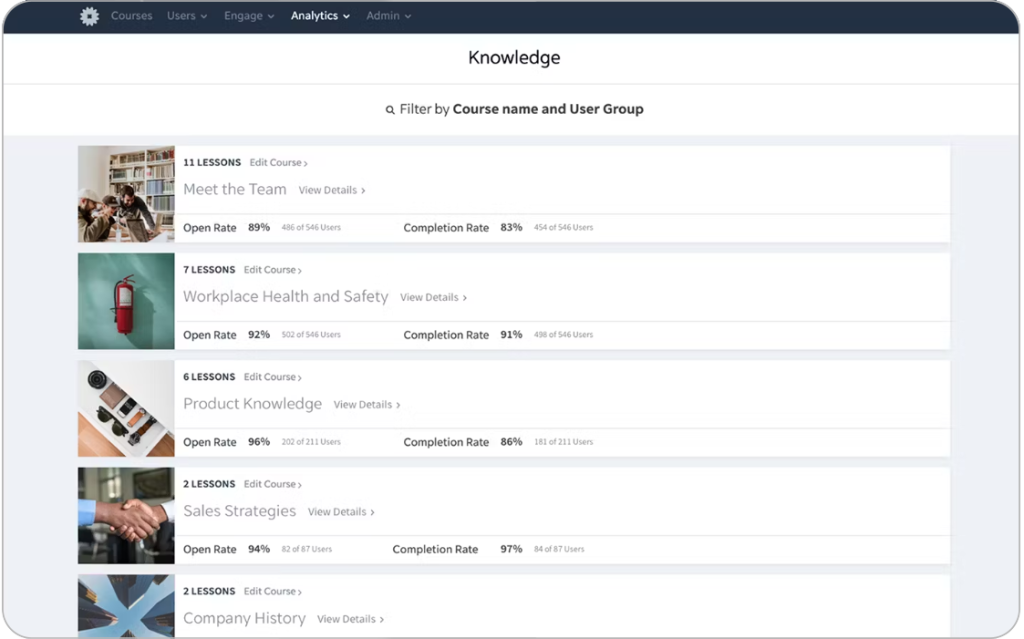
Mitti (by SafetyCulture), formerly SC Training, is a mobile-first SaaS learning platform designed for frontline and operational teams. It focuses on delivering bite-sized training that employees can complete during their working day, with AI-powered course creation, interactive learning activities, and ready-made content to support workplace training.
Its Create with AI tools help instructors turn text prompts, documents, and photos captured on mobile devices into short training courses. AI-assisted editing, quiz generation, translation, and narration provide additional ways to create and adapt content for different teams. Mitti also offers customizable course templates and a library of ready-made training materials covering a range of workplace topics.
As part of the wider SafetyCulture platform, Mitti can connect training with operational activities and data. Organizations can track course completion, assess employees’ practical skills, and manage mandatory or recurring training across different teams and locations. Mobile learning, including offline access, makes training accessible to employees who don’t regularly work at a desk.
Why we chose SC Training (formerly EdApp)
Mitti’s mobile-first approach makes it particularly relevant for frontline teams that need access to short, practical training during their working day. Its microlearning format and interactive templates help organizations deliver focused lessons without requiring employees to spend extended periods away from their responsibilities.
Its AI-powered authoring tools also support the creation of training from everyday workplace materials, including photos, documents, and standard operating procedures. This makes it useful for turning existing operational knowledge into structured learning content.
Mitti’s connection with the broader SafetyCulture platform adds another dimension, allowing organizations to link training with operational data and practical competency assessments. This is particularly relevant for businesses managing frontline training, safety, and compliance across multiple locations.
Key features:
- AI-powered course creation (Create with AI): Generates bite-sized courses from text prompts, PDFs, PowerPoint presentations, Word documents, and photos captured on mobile devices.
- AI-assisted content editing: Helps instructors write, rewrite, and refine lesson content, including generating quiz questions.
- AI translation and narration: Translates course content into more than 100 languages and provides AI-generated voice narration for lessons.
- Mobile learning and offline access: Allows frontline employees to complete and revisit training on mobile devices, including downloaded courses when offline.
- Microlearning: Delivers short, focused lessons designed to fit into employees’ daily work routines.
- Course authoring and templates: Provides an integrated authoring tool with more than 80 interactive templates for creating multimedia lessons, quizzes, and activities.
- Ready-made course library: Offers more than 1,000 editable courses covering workplace training, safety, compliance, and other industry-specific topics.
- Practical skills assessments: Supports in-person competency checks to assess employees’ skills and record results alongside digital training.
- Gamification and social learning: Includes games, achievements, leaderboards, and collaborative learning activities to encourage participation.
- Blended learning: Combines self-paced digital courses with instructor-led sessions and in-person training.
- Training management and compliance: Supports course assignments, learning paths, automated reminders, recurring training, and certificates.
- Reports, analytics, and integrations: Tracks learner progress and training performance, with integrations and APIs to connect training with other workplace systems.
Best used for: Mobile training, small-business training, compliance training
May not be the best fit for: Academic learning, organizations needing a single platform for employee, customer, and partner training.
Pricing: Free plan available for up to 10 seats. Premium costs $24/seat/month, billed annually. Enterprise pricing is custom.
What Mitti (by Safety Culture) customers are saying on G2
What users like
“I like that SafetyCulture is cloud-based, which lets our teams use it anywhere, anytime, as long as there’s phone reception. It’s also accessible on mobile phones, laptops, and tablets, which makes the user experience a lot easier.” —
Room for improvement
“Customer service – try to sell us more seats as opposed to helping us buy the right thing for us. I think a more tailored service would be helpful.” — Alex B, Health, Safety & Sustainability Engineer, Mid-Market, 5/5
10. iSpring LMS
G2 rating: 4.6/5 (175 reviews)
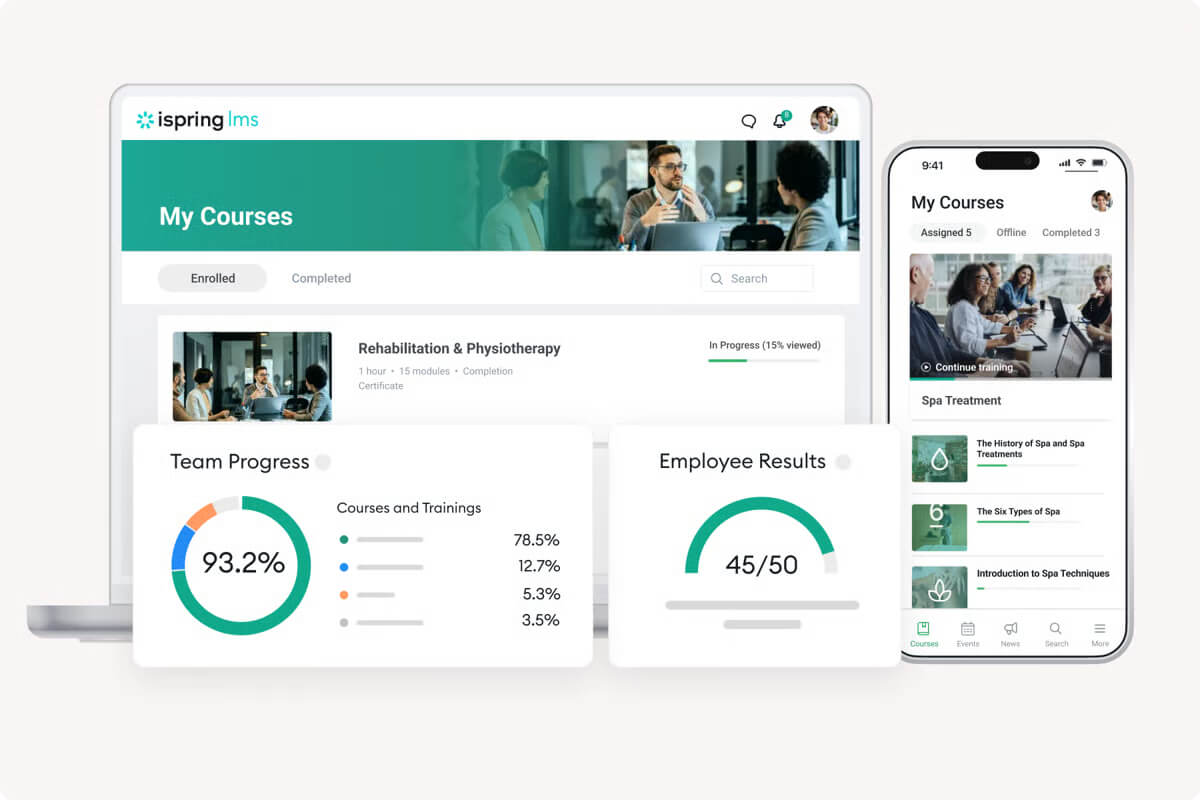
iSpring LMS is an AI-powered SaaS learning management system designed for workplace training, employee onboarding, and ongoing skills development. It combines course creation and training management with tools for tracking employee progress, assessing performance, and supporting professional development.
Its built-in AI tools help L&D teams turn existing documents and presentations into structured courses, generate quizzes and visuals, and translate training content into more than 70 languages. For more advanced content creation, iSpring LMS can also be used alongside iSpring Suite AI, a separate PowerPoint-based authoring toolkit for developing interactive courses, assessments, and training videos.
Beyond course creation, iSpring LMS supports personalized learning paths, automated course assignments, mobile learning with offline access, and a searchable knowledge base. Its performance management capabilities, including 360-degree feedback, competency assessments, and individual development plans, help organizations connect training with employees’ development needs.
Why we chose iSpring LMS
iSpring LMS combines training management with employee performance and development tools. Its 360-degree feedback, competency assessments, and development plans allow organizations to identify areas for improvement and connect learning activities with employees’ development goals.
Its AI-assisted course creation tools help L&D teams build training from existing materials, while the option to use iSpring Suite AI provides additional flexibility for teams accustomed to creating courses in PowerPoint.
Mobile learning, automated training assignments, and reporting also support organizations delivering onboarding, compliance training, and ongoing employee development across different teams and locations.
Key features:
- AI-powered course creation: Generates structured course drafts from uploaded documents, presentations, and other existing materials.
- AI-assisted content authoring: Creates quiz questions, learning visuals, and editable content using AI-powered tools.
- AI translation and platform assistance: Translates courses into more than 70 languages and provides an AI Assistant for guidance on using the platform.
- Course authoring and content library: Supports interactive course creation, multimedia learning materials, and access to ready-made training content.
- Learning paths and development plans: Organizes training into structured programs and supports individual employee development goals.
- Automated training administration: Automates course assignments, enrollment, reminders, and recurring training.
- Performance reviews and 360-degree feedback: Collects feedback from managers, colleagues, and employees to assess competencies and identify development needs.
- On-the-job training and assessments: Supports practical skills evaluations, knowledge checks, and structured assessment of employee performance.
- Mobile learning and offline access: Provides mobile apps for completing training without an internet connection, with progress synchronized when reconnected.
- Knowledge base and employee communication: Offers a searchable knowledge base, organizational directory, and communication tools for sharing workplace information.
- Gamification and certification: Includes badges, leaderboards, certificates, and training completion tracking.
- Reports, analytics, and integrations: Tracks learner progress, assessment results, and training performance, with integrations for connecting external systems.
Best used for: Employee onboarding and training, compliance training, external training
Not the best fit for: Academic learning, small to midsize business (SMB) training
Pricing: Free trial available. No free plan. Pricing starts at $6.91/user/month for 100 users, billed annually.
What iSpring LMS customers are saying on G2
What users like
“iSpring Learn is a very complete solution, because of its incredibly good UI, it’s easy to use, and because of its very good structure, the implementation is easy and smooth. We are using it very frequently in several departments, and it’s great overall.” — Guillaume V., CEO, Small Business, 4.5/5 stars
Room for improvement
“Learn supports basic integrations (like Zoom), but isn’t great for more advanced API options… I would love to see more next-level options, like gamification features… Learn seems like a great option for companies starting out, but may not last long…” – Verified User in Education Management, Mid-Market, 3.5/5 stars
Learn more: iSpring LMS alternatives
11. LearnUpon
G2 rating: 4.5/5 (262 reviews)
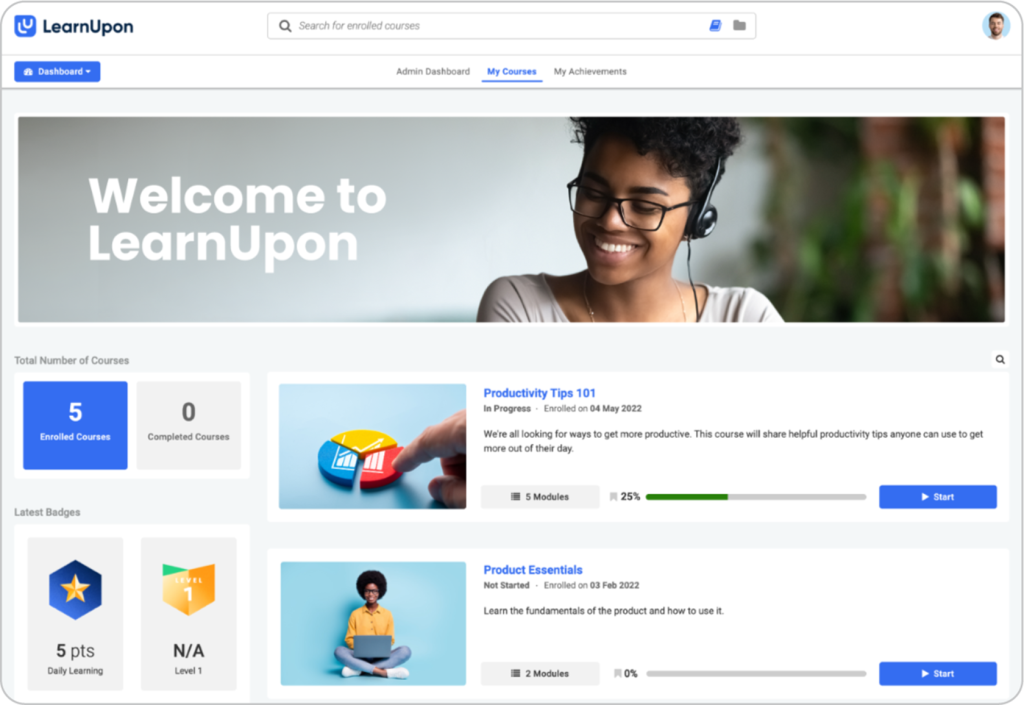
LearnUpon is an AI-powered SaaS learning management system designed for delivering and managing workplace training. It combines course creation, learning management, and personalized training tools, with options for delivering learning to employees, customers, and partners through separate branded portals.
Its Create+ authoring tool helps L&D teams turn existing documents, presentations, videos, and other materials into interactive courses. AI-powered translation, narration, and assessment generation support content development, while Ask Lia helps learners discover relevant courses through conversational AI and personalized recommendations.
Beyond AI, LearnUpon offers Learning Journeys that allow organizations to tailor training based on learner needs, progress, and assessment results. The platform also supports automated enrollments, certifications, gamification, reporting, and integrations with HR and business systems. Its eCommerce functionality provides options for organizations selling courses and training programs.
Why we chose LearnUpon
LearnUpon combines personalized learning delivery with tools for managing training across different audiences. Its Learning Journeys allow organizations to create tailored training programs, using branching rules and learner data to determine which courses employees, customers, or partners complete next.
AI-powered content creation and assessment tools help teams develop training from existing materials, while Ask Lia supports learners in finding relevant content based on their individual needs.
Separate learning portals, automation, and integrations provide additional flexibility for organizations managing multiple training programs, making LearnUpon particularly relevant for businesses looking to coordinate personalized learning experiences across different audiences.
Key features:
- AI-powered course creation (Create+): Turns documents, presentations, videos, and web links into structured, interactive courses.
- AI translation and narration (Create+): Translates learning content into more than 120 languages and generates voice narration.
- AI-powered learning assistance (Ask Lia): Helps learners discover relevant courses through conversational questions and personalized recommendations.
- AI-assisted assessments: Generates exam questions and question pools from existing course content.
- AI-powered reporting (LearnUpon MCP Server): Connects learning data to compatible AI assistants for natural-language reporting and analysis.
- Personalized Learning Journeys: Uses branching rules, learner information, and assessment results to deliver tailored training pathways.
- Multi-audience training portals: Supports separate branded learning environments for employees, customers, and partners.
- Course management and automations: Supports SCORM and xAPI content, automated enrollments, notifications, and training administration.
- Assessments and certifications: Includes exams, assignments, surveys, certificates, and recertification management.
- Gamification and learner engagement: Supports badges, leaderboards, and other recognition features.
- eCommerce and course sales: Enables organizations to sell individual courses and training programs through integrated eCommerce functionality.
- Reports, analytics, and integrations: Tracks learner progress and training performance, with connections to HR systems, CRM platforms, and external applications.
Best used for: Employee onboarding and training, external training, eCommerce
May not be the best fit for: Academic learning; small businesses with basic training needs and limited budgets
Pricing: No free plan. Pricing is not publicly available. Contact the vendor for a custom quote.
What LearnUpon customers are saying on G2
What users like
“Using LearnUpon to create courses is easy thanks to its straightforward design. The platform’s modules make it simple to organize content in a clear, step‑by‑step flow. Overall, building courses feels intuitive and efficient from start to finish.” — Christopher L., Owner/CD, Enterprise, 4.5/5
Room for improvement
“It lacks third-party data integration and doesn’t support e-commerce funnel data. Since user data starts from the LearnUpon page, marketing-source leads aren’t captured.” — Rijesh R., Aftermarket Sales Executive, Mid-Market, 4.5/5
See more: LearnUpon LMS alternatives
12. Adobe Learning Manager
G2 rating: 4.0/5 (318 reviews)
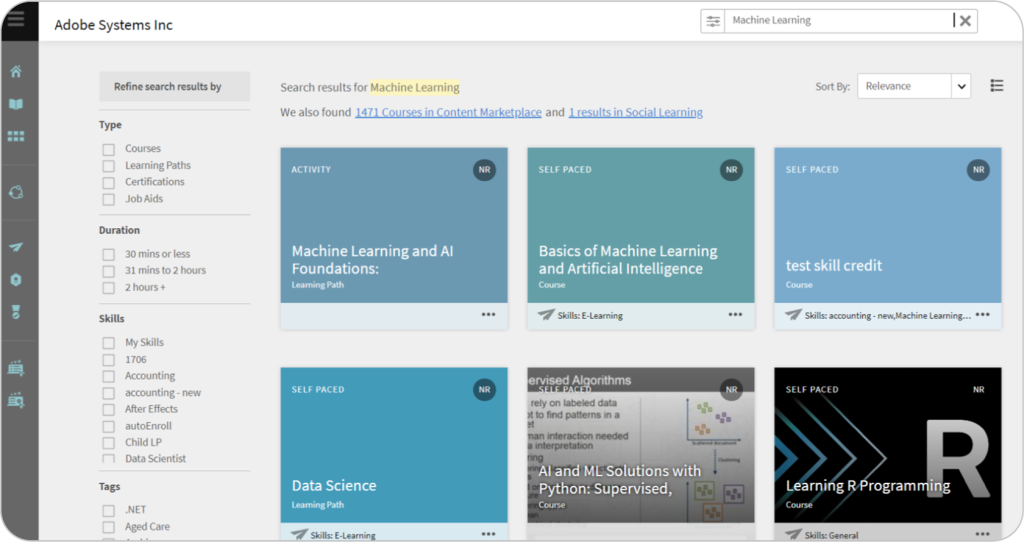
Adobe Learning Manager is an AI-powered SaaS learning management system designed for managing training across large organizations. It combines structured learning programs, skills development, and personalized learning experiences with tools for delivering training to employees, customers, and partners.
The platform uses AI-powered recommendations and search to help learners discover relevant content based on their roles, skills, and interests. Its AI Assistant provides conversational answers and course recommendations, while the Learning Path Agent helps learners create personalized training paths based on their development goals. For administrators, the Insights Agent supports natural-language queries about learner engagement, completion rates, and training performance. It’s worth noting that some AI features may be in beta or available only on selected plans.
Beyond AI, Adobe Learning Manager supports blended learning, instructor-led training, social learning, gamification, and detailed reporting. Its headless LMS capabilities and integrations with systems such as Salesforce, Adobe Experience Manager, and Adobe Marketo Engage allow organizations to embed learning within existing digital experiences and business workflows.
Why we chose Adobe Learning Manager
Adobe Learning Manager combines skills-based learning with tools for delivering personalized training at an enterprise scale. Its skill matrix, learning paths, and AI-powered recommendations help organizations connect training with employees’ development needs and provide more relevant learning experiences.
Its headless LMS capabilities are another distinguishing feature. Organizations can embed learning content into existing websites, applications, and business systems, allowing employees, customers, and partners to access training within familiar digital environments.
The platform’s combination of learning analytics, enterprise integrations, and personalized training tools makes it particularly relevant for organizations managing complex learning programs across multiple audiences and systems.
Key features:
- AI-powered learning assistance (AI Assistant): Provides conversational answers, course summaries, and learning recommendations based on available training content.
- Personalized learning paths (Learning Path Agent): Helps learners create tailored learning paths through conversations about their goals, interests, and development needs.
- AI-powered reporting (Insights Agent): Allows administrators to explore learner engagement, course completions, and training trends using natural-language questions.
- AI-powered recommendations and search: Suggests relevant training based on learner roles, skills, and interests, with semantic search to help learners discover content.
- AI-powered course creation (Content Composer): Helps authors generate structured learning content from prompts and existing materials.
- Skills mapping and development: Uses a skill matrix to identify development needs, track competencies, and connect training with organizational goals.
- Learning paths and automated assignments: Supports structured learning programs, prerequisites, and rule-based course enrollment.
- Blended and instructor-led learning: Combines self-paced courses with classroom training, virtual sessions, scheduling, and attendance management.
- Headless learning and embedded delivery: Uses APIs to deliver learning within websites, applications, and existing business systems.
- Social learning and gamification: Supports peer-generated content, discussion forums, badges, points, and leaderboards.
- Mobile learning: Provides mobile access to training, including offline learning capabilities.
- Reports, analytics, and enterprise integrations: Tracks learner progress, certifications, and training performance, with integrations such as Salesforce, Adobe Experience Manager, and Marketo Engage.
Best used for: Enterprise-level training, government-level training, eCommerce
May not be the best fit for: Small and midsize business training, academic learning
Pricing: Custom pricing for Prime and Ultimate plans. Advanced AI and agentic features may incur additional usage-based charges. Contact Adobe for a quote.
What Adobe Learning Manager customers are saying on G2
What users like
“I like that Adobe Learning Manager is easy to use, clear, and helps me track learning progress. It is simple to find courses and complete training.” — Judyta J., Customer Support Officer, Mid-Market, 5/5
Room for improvement
“I find it to be very expensive to use, always first discussion for cutting costs.” — Rob I., Owner, Mid-Market, 2.5/5
How to choose the right SaaS LMS for your organization
Choosing a SaaS LMS means looking beyond what a platform can do to how well it will work in practice. Will it be straightforward to implement and manage? Can it support different training needs as they evolve? And will it help employees develop and apply new skills without creating unnecessary complexity?
When comparing platforms, consider the following:
- Ease of use and implementation: How quickly can the platform be set up and training launched? Look for an intuitive interface that makes it straightforward for administrators to manage courses and learners to access training.
- Training needs and audiences: Consider who needs training, whether that’s employees, customers, partners, or a combination. Check that the LMS can support different learning programs and audiences as needs evolve.
- Features that support learning: Look beyond course delivery and completion tracking. Consider how the platform supports skills development, personalized learning, and opportunities to practice and apply new knowledge. AI tools can help, but their value depends on how well they support these goals.
- Integrations and scalability: Check that the LMS works with existing systems and can accommodate more learners, courses, and training programs as the organization grows.
- Pricing and overall value: Compare subscription costs, user limits, and what’s included in each plan. Transparent pricing makes it easier to budget, but it’s also important to account for implementation, support, and any additional feature costs.
Before committing to a SaaS LMS vendor, take advantage of free trials or demos where available. Testing everyday tasks, from creating a course to tracking learner progress, can help reveal whether a platform is as straightforward and effective in practice as it appears on paper.
Choose a SaaS LMS that makes learning count
One of the biggest advantages of a SaaS LMS is that organizations can spend less time managing the technology and more time making training work.
But convenience alone isn’t enough. The platform also needs to fit the people using it, support changing training needs, and help learners build skills they can put into practice.
Ultimately, the value of a SaaS LMS lies in what it enables organizations to achieve. When training is easy to deliver, manage, and access, teams have more opportunities to learn, adapt, and apply new skills as their needs evolve.
FAQs about SaaS LMSs
What is the best SaaS LMS for small businesses?
The best SaaS LMS for a small business depends on its training needs, budget, and available resources. Platforms with straightforward setup, intuitive course management, and transparent pricing can be particularly useful for smaller teams without dedicated IT or L&D support. Free plans or trials also make it easier to test a platform before committing.
2. How much does a SaaS LMS cost?
SaaS LMS pricing varies depending on the provider, number of users, features, and subscription plan. Some platforms offer free plans or published monthly and annual pricing, while others provide custom quotes based on organizational requirements. When comparing costs, consider what’s included in each plan, along with potential charges for implementation, support, integrations, or advanced AI features.
3. Can a SaaS LMS support both employee and customer training?
Yes. Many SaaS LMS platforms support training for employees, customers, and partners. Some offer separate learning portals, branding options, and audience-specific learning paths, allowing organizations to manage different programs within one system. This can be useful for businesses that need to deliver internal training alongside customer onboarding, product education, or partner certification programs.
4. Is an AI-powered SaaS LMS worth it?
AI features add value by making training easier to create, manage, and personalize. For example, AI-powered course creation can save time and reduce administrative effort, while skills-based recommendations and AI-powered practice tools can help learners develop and apply relevant skills. However, capabilities vary between platforms and subscription plans. The most useful AI features are those that solve real training challenges, support learning outcomes, and free up time for higher-value work.
Recommended:
- The 10 Best Learning Management Systems
- Top 6 AI Coaching Platforms for Corporate Training
- Top 14 AI LMS & AI LMS-powered Learning Platforms for 2027