
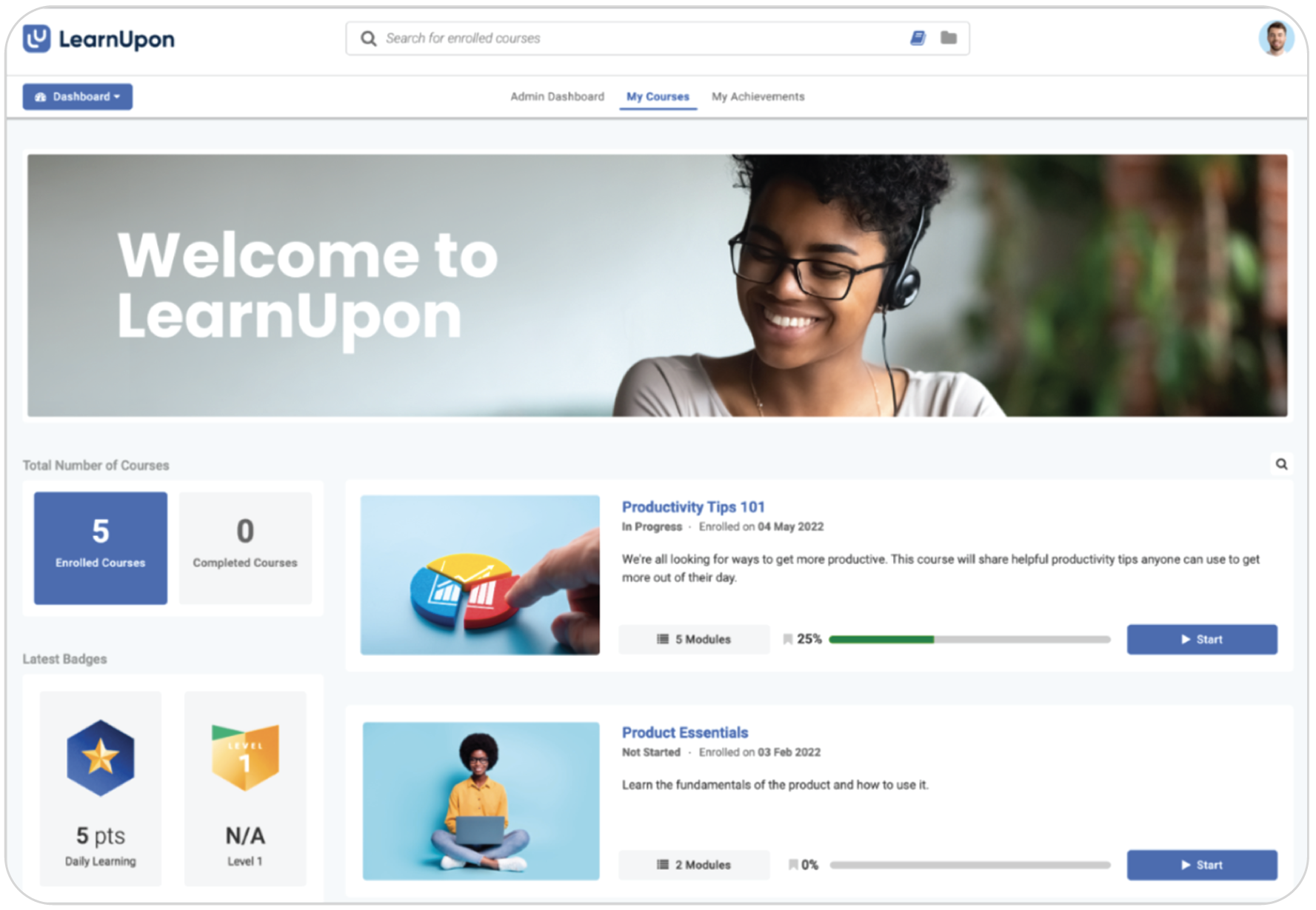
LearnUpon is a robust platform designed for structured corporate environments. It excels at managing complex team structures and connecting with other business software. It is typically chosen by organizations that need centralized control to manage access for large teams.
However, that level of complexity often slows you down. Companies frequently start looking elsewhere when they need more agility or realize the structured, enterprise-first approach feels too heavy for their day-to-day culture. It often comes down to needing a tool that reduces the admin burden and offers pricing that scales with your growth.
We analyzed the market to find the best alternatives for 2026. Here’s a breakdown of the top platforms that might fit your team better.
What are the best alternatives to LearnUpon?
The best LearnUpon alternatives in 2026 are TalentLMS, Absorb LMS, Docebo, iSpring LMS, Tovuti LMS, Litmos, and Moodle. These platforms address LearnUpon’s most common pain points, like enterprise-level complexity, high entry cost, and heavy admin overhead, offering at the same time AI-powered course creation, transparent pricing, and faster deployment. Key selection criteria include team size, content needs, compliance requirements, budget, and how quickly you need to go live.
Top LearnUpon alternatives
| Platform | Best for | G2 rating | Price |
|---|---|---|---|
| TalentLMS | SMBs, employee, customer, partner training, onboarding, compliance | 4.6/5 (813 reviews) | Free plan, premium free trial, Paid plans start from $119/ month (up to 40 users) |
| Absorb LMS | Large enterprises, compliance, global teams | 4.6/5 (984 reviews) | No public pricing. Quote-based pricing that varies by users and features. |
| Docebo | Scalable enterprise, AI personalization | 4.3/5 (752 reviews) | Custom pricing. Plans with different active-user pricing models. |
| iSpring LMS | Rapid content creation, blended learning, SMBs | 4.6/5 (169 reviews) | Plans start from $6.91 per user per month for 100 users. |
| Tovuti LMS | Gamification, quick deployment, SMBs. | 4.6/5 (296 reviews) | Pricing starts at $7,500 per year for 100 annual learners. |
| Litmos | Rapid compliance, SAP integration | 4.3/5 (698 reviews) | No standard public pricing. |
| Moodle | Educational institutions, organizations with IT resources | 4.1/5 (448 reviews) | Free plan available. Hosting, maintenance, and support costs vary by provider. |
***Information last updated: September 2026.
How to choose the right LearnUpon alternative for your needs

LearnUpon is a powerful employee training software, but it isn’t designed for everyone. It is built primarily for mid-sized to large enterprises that need a highly structured, compliance-focused environment. If your organization doesn’t fit that specific mold, you might find the system creates more friction than flow.
Let’s explore the main reasons teams start looking for a LearnUpon alternative:
- They need more flexible reporting. LearnUpon is excellent at tracking learner progress. However, many L&D leaders find the reporting rigid when they need to dig deeper.
- The price of entry is high. LearnUpon is a premium, enterprise-grade solution, and it is priced like one. It’s often out of reach for smaller teams or growing businesses that need a scalable LMS without a five-figure annual commitment.
- They have different content creation needs. In March 2026 LearnUpon launched Create+, its integrated AI authoring capability. It can turn documents, PDFs, and videos into courses. However, some teams might prefer a different content workflow or need access to a ready-made content library.
- It requires technical expertise. Because it’s robust, LearnUpon can be complex to manage. Some users report that the backend is “click-heavy” and requires a dedicated administrator with some technical expertise to run smoothly.
Jessica M. on G2 summed up this “great but complex” dynamic perfectly:
“The onboarding process is really well organised and implementation team/customer support are extremely helpful. […] certain aspects of the UI/UX feel clunky and overcomplicated – for example you can’t carry out bulk actions against courses or users. Also we’ve had to use another course authoring tool because EasyGenerator and Coursera did not meet our requirements.”
LearnUpon alternative #1: TalentLMS
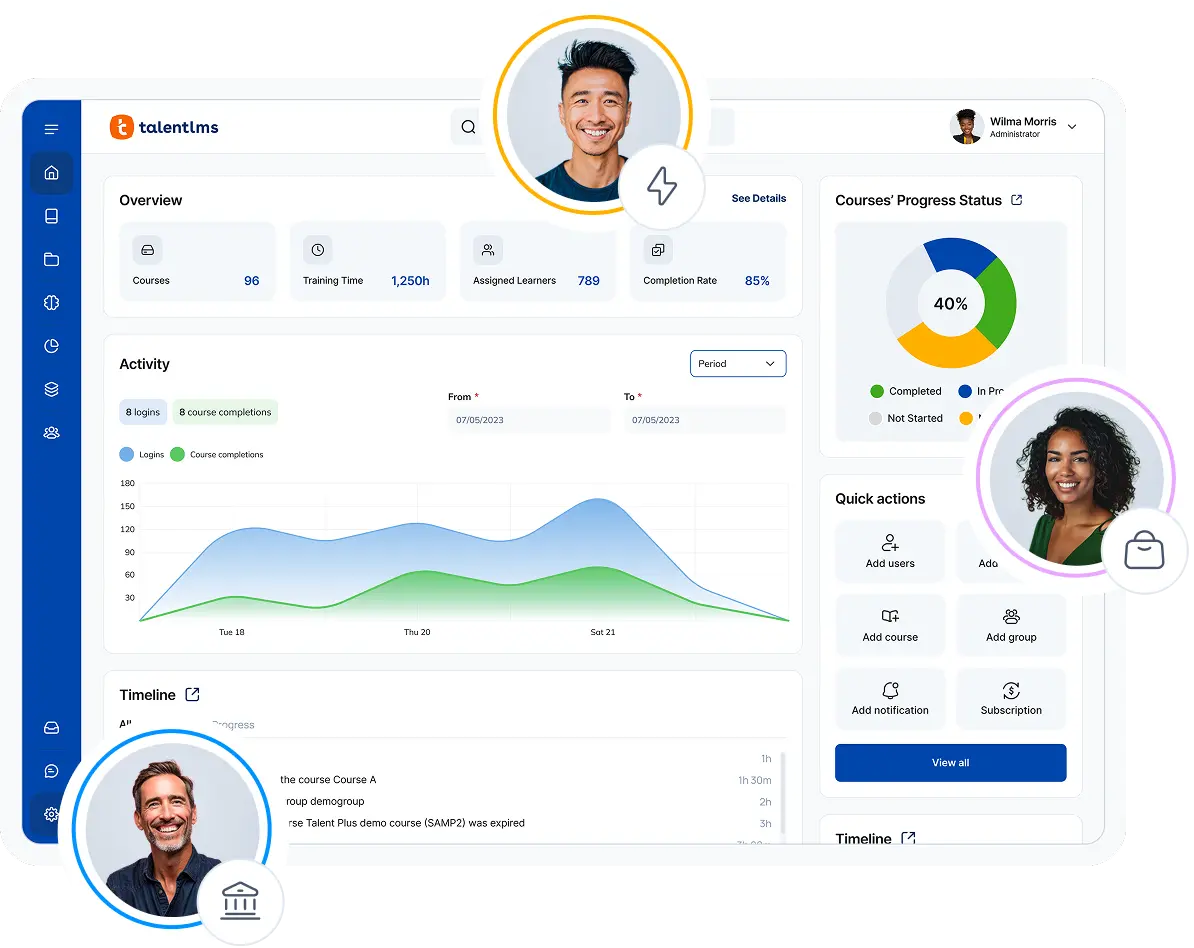
TalentLMS lets you build a fully functional academy in an afternoon without calling the IT department for help. It removes the technical friction so you can spend your time building great corporate training instead of fighting with settings. On top of that, it also has the most transparent and cost-effective LMS pricing model out of all the options on this list.
Why we picked it:
You choose this platform when you want the power of an enterprise tool without the enterprise headache. Most systems force you to hire an administrator just to keep the lights on. TalentLMS automates that busy work.
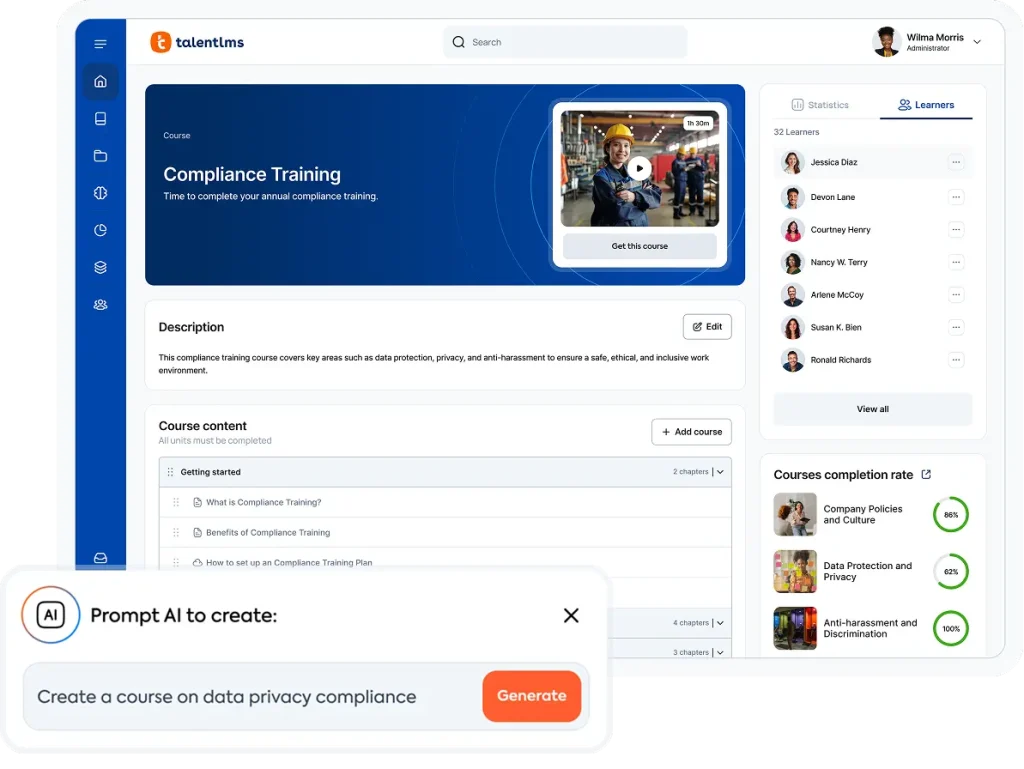
You can build your own courses with TalentCraft, its native AI tool. You can also create AI Videos as part of your course to increase learner engagement and knowledge retention. And if you prefer out-of-the-box training, TalentLibrary™ gives you access to expertly crafted courses, helping you address priority workforce needs quickly and consistently.
Learning Paths allow your team to group courses into structured training programs, guiding learners through a clear sequence of learning. TalentLMS has a clean, intuitive interface that makes it easy for employees to find their way around from day one. At the same time, TalentLMS can handle more complex training setups. Use Branches to create separate, branded learning environments for different audiences, such as customers, partners, or departments, and Groups to organize training by roles, teams, or sites. This makes it easier to roll out and manage training across multiple audiences and locations from one platform.
Pros
- No technical expertise or IT support required
- Fast onboarding and course setup
- Built-in gamification
- Transparent pricing with no hidden costs
- Customizable portals (“Branches”)
Cons
- Not ideal for educational institutions
- Very intricate, complex customization options not available
- Fewer social learning options
- Doesn’t offer local hosting
Key features:
- AI-powered course creation (no expertise/IT needed)
- Gamification, certificates, robust engagement tools
- Flexible branding, multi-domain portals, LTI 1.3 support
- Deep analytics and reporting
- SCORM/xAPI, LTI, and white labeling
- Native mobile apps for iOS and Android
- Video conferencing support for Zoom and Teams
Best for: SMBs, rapid deployment, employee/customer/partner training, onboarding, compliance, and organizations seeking cost-effective AI LMS solutions with powerful features.
Pricing: Free plan available. Premium trial. Paid plans start from $119/month for up to 40 users. See pricing here.
What TalentLMS users are saying on G2
The Good
“TalentLMS provides a solid foundation in managing employee and external registrations. I use TalentLMS everyday. The ease of navigation is self explanatory and the ease of implementation is a simple click process. The homepage is like an executive report, providing a high level overview of training, logins, completions over specified periods.” — Riaan R., 5/5 stars
The Room for Improvement
“Any SaaS product has things that are not perfect, […]. But that does not concern me because they always listen to my questions and concerns, follow up and either help me achieve my goals or confirm my concerns, and explain the situation. Reasonable customers and work with minor issues as long as the communication is good.” — Verified User, 5/5 stars
If you’re deciding specifically between these two platforms, check our TalentLMS vs LearnUpon comparison for a detailed breakdown of features, pricing, AI capabilities, implementation, and ease of use.
How Trans Ash Cuts Onboarding Time and Keeps Training Audit-Ready with TalentLMS
Trans Ash works in coal ash remediation and landfill construction, an industry where safety leaves little room for error. They need to train close to 1,000 employees across multiple states, from equipment operators in the field to the executive team.
For Training and Development Manager Sierra Sanders, the company’s old LMS was getting in the way. It was hard to navigate, offered limited visibility into training data, and had restrictive course creation options. Too much of her time was spent on support and troubleshooting instead of improving training.
Sanders spent six months evaluating more than 300 LMS options before choosing TalentLMS. It stood out for its ease of use, responsive support, and tools for creating engaging courses. Mass import tools made moving years of training records manageable, while AI-powered course creation helped her rebuild their course library fast.
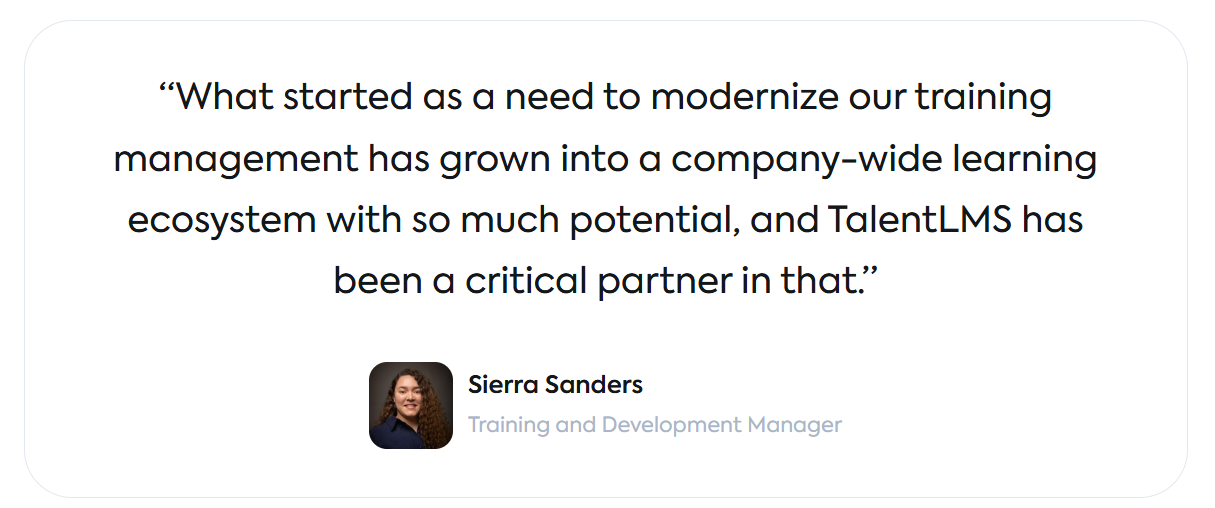
The results showed quickly. Onboarding time is now cut from more than two days to half a day. Custom reports put completion, compliance, and audit data at her fingertips. Trans Ash even saw a 40% retention increase in their employee workforce.
LearnUpon alternative #2: Absorb LMS
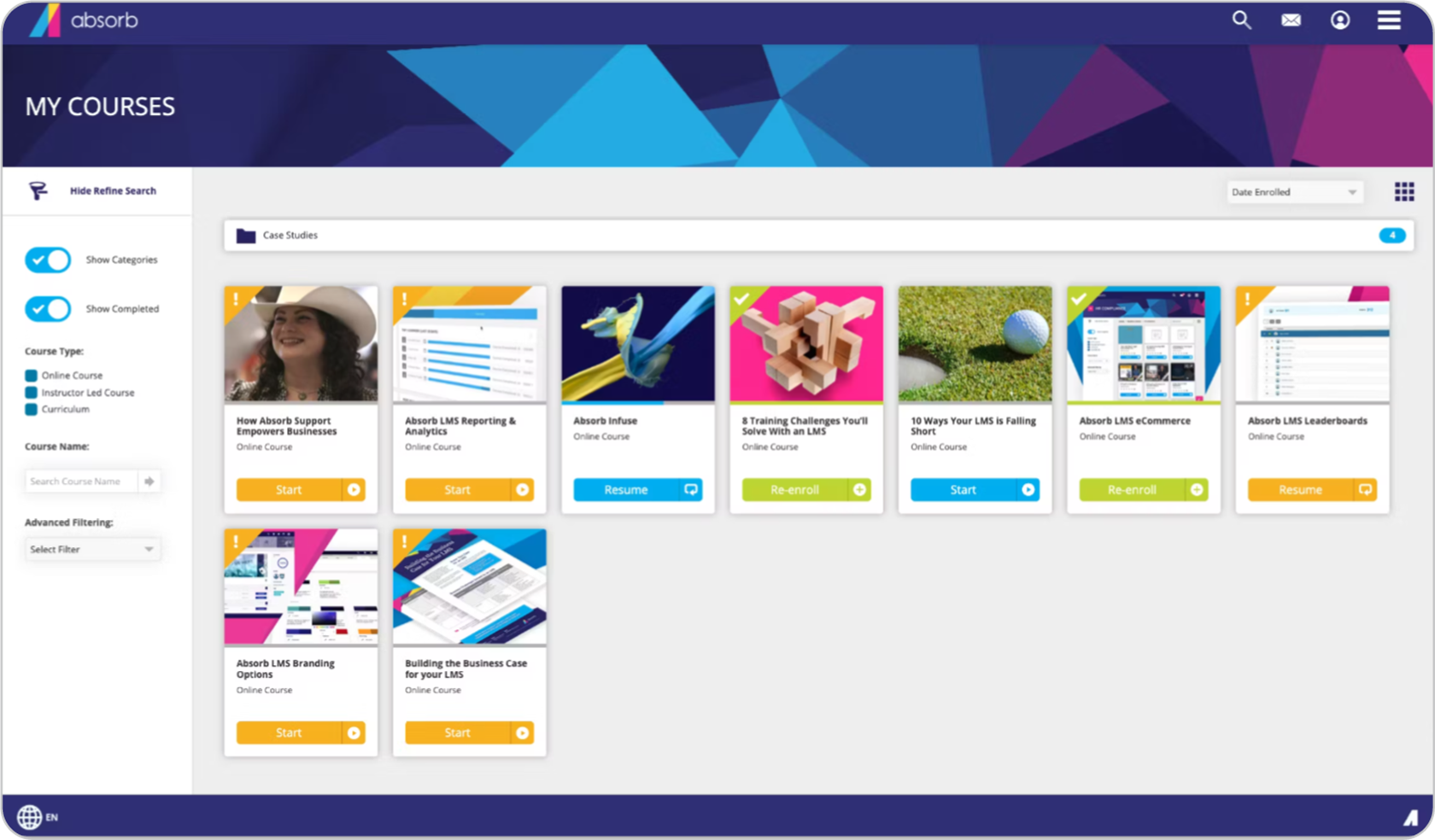
Absorb LMS is a heavy-hitter designed for large organizations that want enterprise power without the outdated, clunky interface. It combines the deep functionality of a legacy system with a modern, sleek design.
Why we picked it:
Absorb LMS is built to handle heavy complexity. Where LearnUpon feels rigid, Absorb offers deep control, allowing you to automate specific workflows. It is a powerhouse for organizations that prioritize detailed control over cost. If you need to manage thousands of learners with distinct regulatory requirements, Absorb has the muscle to do it, provided you have the time to set it up.
Pros
- Compliance-focused, automates complex workflows
- Customizable training environments
- Responsive UI, intuitive reporting
- Integrations with HRIS, Salesforce, and more
Cons
- No public pricing available
- May be challenging for smaller SMB teams
- Extra costs for some advanced features
- Setup process can be lengthy
Key features:
- Advanced automation/enrollment
- Deep compliance features and reporting
- Mobile-friendly, modern UI
- SCORM/xAPI integration
- Custom branding options
Best for: Large organizations, compliance-heavy industries, and global deployments.
Pricing: No public pricing available. Contact the vendor for details. Sources suggest a range of ~$6–$12 per active user.
What Absorb LMS users are saying on G2
The Good
“The LMS side is a solid and reliable platform. It allows me to publish and manage content, enroll learners, generate reports, and now even create content. Our CSM is great and always helpful and [expedient] in solving issues that come up or situations that require brainstorming.” – Carrie B., 4/5 stars
The Room for Improvement
“Implementation can be slow and support varies; more clarity on integrations would help.” – Verified User, 3.5/5 stars
LearnUpon alternative #3: Docebo
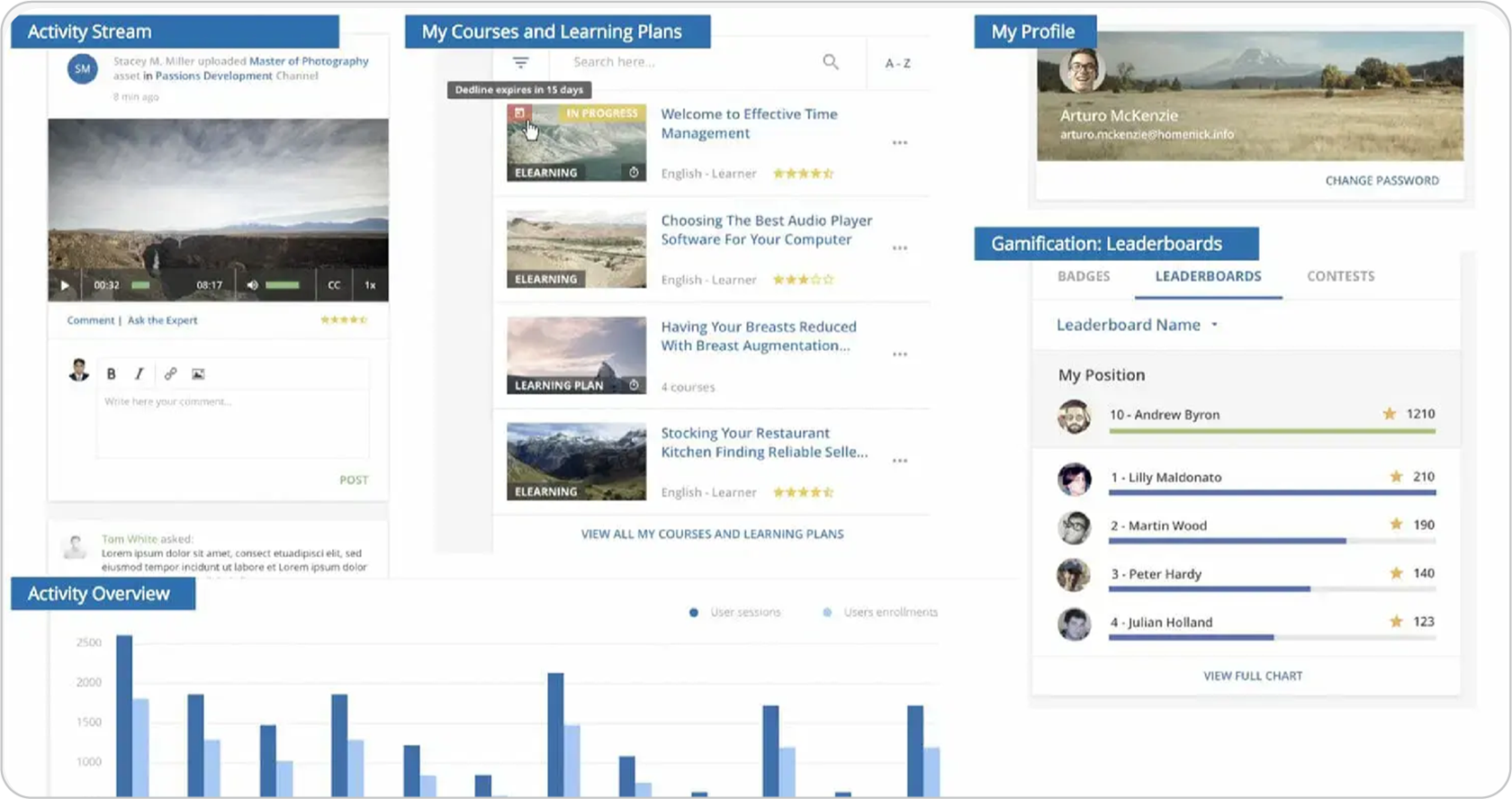
Docebo is the premium choice for enterprises that have outgrown the standard learning process. It uses a sophisticated AI engine to create a “Netflix-like” experience, serving up personalized content to each employee based on their role and behavior.
Why we picked it:
Docebo shines when you need a good social learning experience and deep personalization. It lets you white-label the platform so convincingly that it looks exactly like your own brand, not a third-party tool. If you need to train thousands of people and want the system to do the heavy lifting of matching content to engage learners, this is a good choice.
Pros
- AI-driven learning platform
- Deep analytics and reporting capabilities
- Strong white-labeling
- Large integration ecosystem
Cons
- High price point for growing teams
- No published pricing
- Implementation may require IT support
- Advanced features may add complexity
Key features:
- AI-driven recommendations and learning pathways
- White-labeling with extensive customization
- Detailed advanced analytics and learner insights
- Automated enrollments and workflows
- Social learning and collaboration tools
Best for: Large enterprises, personalized learning tracks, and advanced workflows.
Pricing: No public pricing available. Contact the vendor for details. Sources claim that pricing starts at $25K.
What Docebo users are saying on G2
The Good
“Docebo provides a highly customizable platform that allows us to tailor the learning experience to reflect our company’s branding and voice. With HTML/CSS customization, catalog control, and flexible navigation, we’ve been able to create an environment that feels integrated with our internal tools. The API and bulk CSV options make it easier to automate and scale learning operations efficiently.” – Avery G., 4.5/5 stars
The Room for Improvement
“Complexity is certainly a price for the flexibility offered by Docebo. Once configured, things may be made simple, but getting there requires an in-depth study of the platform’s inner workings and nuances. If you’re planning to make real use of the enterprise features and your requirements are spanning multiple audiences, multiple contributors, content types, integrations, etc. it’s not a system, that you can set up without any preparation in a day, week, or [even] a month.” – Aleksander O., 4.5/5 stars
LearnUpon alternative 4: iSpring LMS
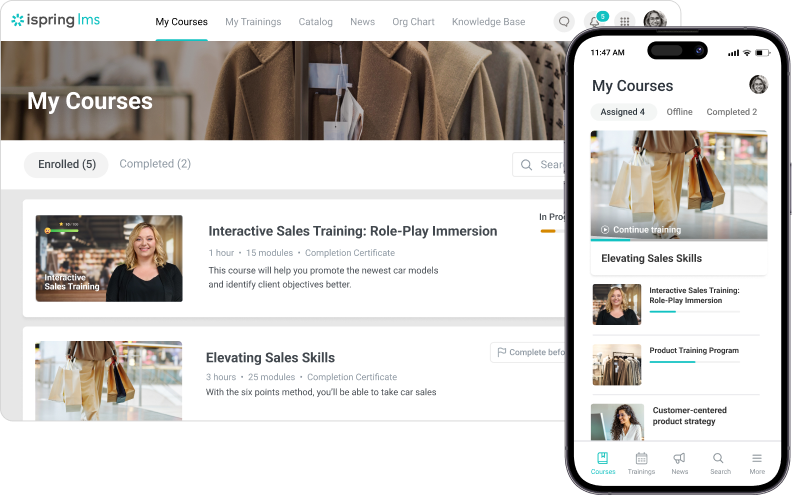
iSpring LMS connects directly to the tools you already use. You don’t need to struggle with file uploads or complex export settings. You simply build your slides in PowerPoint and publish them directly to your learner’s screen.
Why we picked it:
iSpring LMS is a great choice for teams that need to move fast. It can reduce the effort involved in turning existing content into online courses while keeping the process familiar. You also don’t need to buy a separate license for an authoring tool because creating and managing online courses is part of the software.
Pros
- Fast PowerPoint conversion, easy authoring
- Responsive support team
- Intuitive UI for most core tasks
- Cost-effective for SMBs
Cons
- No real advanced reporting for compliance
- Customization of modules and branding is limited
- Some alerts and translations often need manual steps
- Some admin processes (e.g. setting up certificates, user fields) are cumbersome
Key features:
- Built-in authoring tools
- PowerPoint to eLearning conversion
- SCORM, xAPI, and mobile readiness
- Supervisor dashboard and performance tracking
Best for: SMBs, content creators, instructor-led or blended learning, and organizations that need to launch courses quickly.
Pricing: Plans start from $6.91 per user per month for 100 users.
What iSpring LMS users are saying on G2
The Good
“My experience with iSpring has been very positive so far. The software is easy to operate, and the support team is very helpful and efficient – whenever I have any questions, I receive quick and professional assistance.” – Anna K., 4.5/5 stars
The Room for Improvement
“Have faced several issues in the past where users were not able to access courses and admins were not able to view user course completion or quiz submission.” – Anil Raj V., 3/5 stars
LearnUpon alternative #5: Tovuti LMS
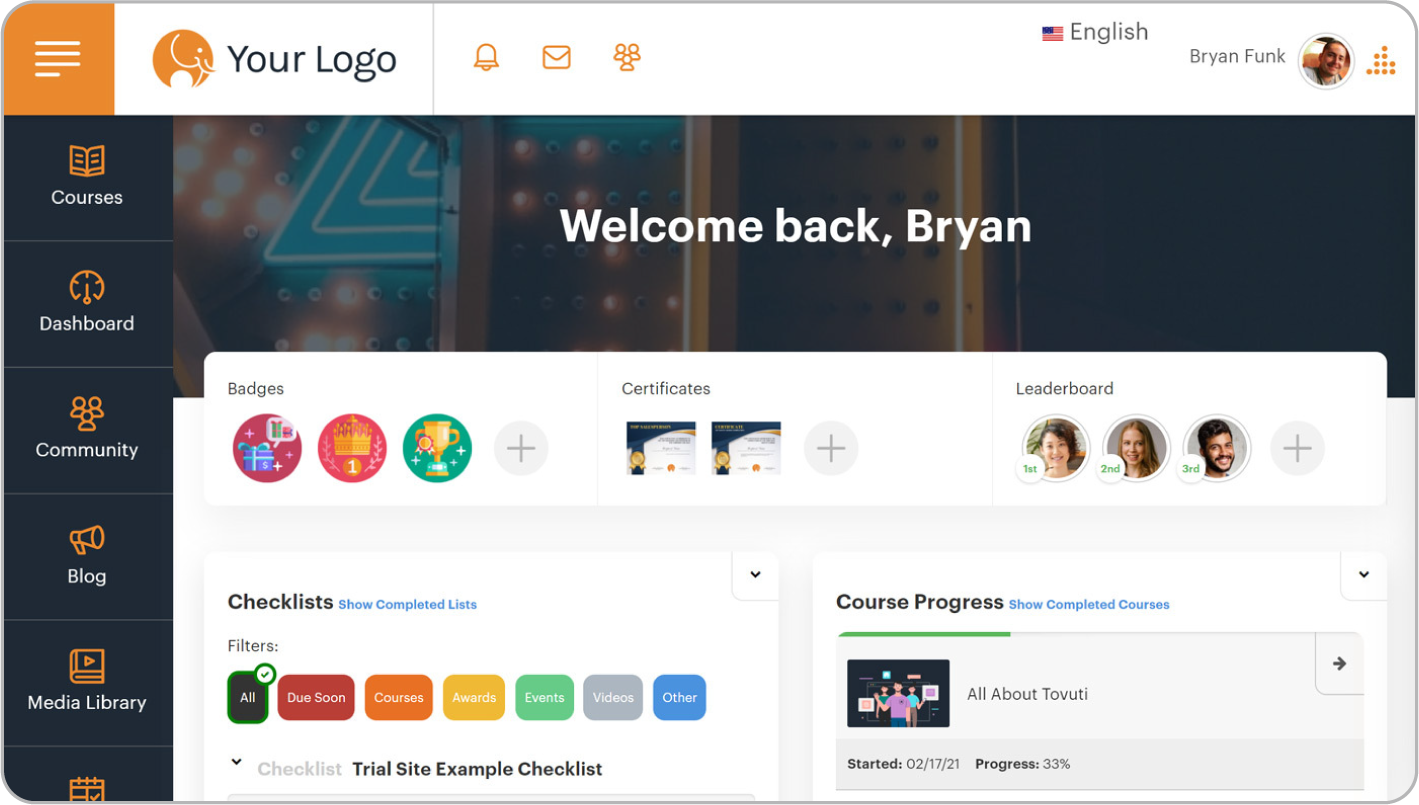
Tovuti operates more like a social feed where your employees go to learn. It replaces the “compliance database” feel with a system designed to grab attention and keep it.
Why we picked it:
Tovuti solves the engagement crisis better than almost all the other tools on this list. Most L&D teams struggle to get people to log in. Tovuti uses over 40 different gamification tools to fix that. You can build leaderboards, award badges, and create competitions between departments.
It includes “Dizi,” its native AI administrative assistant. You can paste a rough policy document into the system, and Dizi will build a gamified lesson from it in seconds. Tovuti recently also added another AI-powered authoring tool, WayPoints, which turns SOPs and PDFs into structured courses.
Pros
- 40+ gamification options and AI authoring tools
- Pre-built course library
- Custom branding and white labeling
- Custom integrations
Cons
- Higher starting price than what might be suitable for smaller teams
- Setup and admin can be complex
- Occasional platform glitches
- Steeper learning curve for some admins
Key features:
- Gamification (badges, leaderboards, points, achievements)
- AI-powered assistant (Dizi) and AI course authoring tool (WayPoints)
- Custom branding, white label options
- Pre-built content library covering compliance and skills training
- Compliance tracking, mobile-friendly
Best for: Growing SMBs, companies emphasizing learner engagement, and organizations requiring extensive customization.
Pricing: Starts at $7,500 annually for 100 annual learners. Contact the vendor for more details.
What Tovuti LMS users are saying on G2
The Good
“The layout and the level of support are amazing! The set up was easy and we felt taken care of the entire time.” — Julie D., 4.5/5 stars
The Room for Improvement
“Tovuti has felt more like an impediment to our business goals rather than an accelerator. It served its purpose well, but Tovuti is clearly designed for large organizations who warrant attention from their subscription cost or for very small organizations who are comfortable with the compromises on platform robustness. Anyone in between should look elsewhere.” — Verified User, 2/5 stars
LearnUpon alternative #6: Litmos
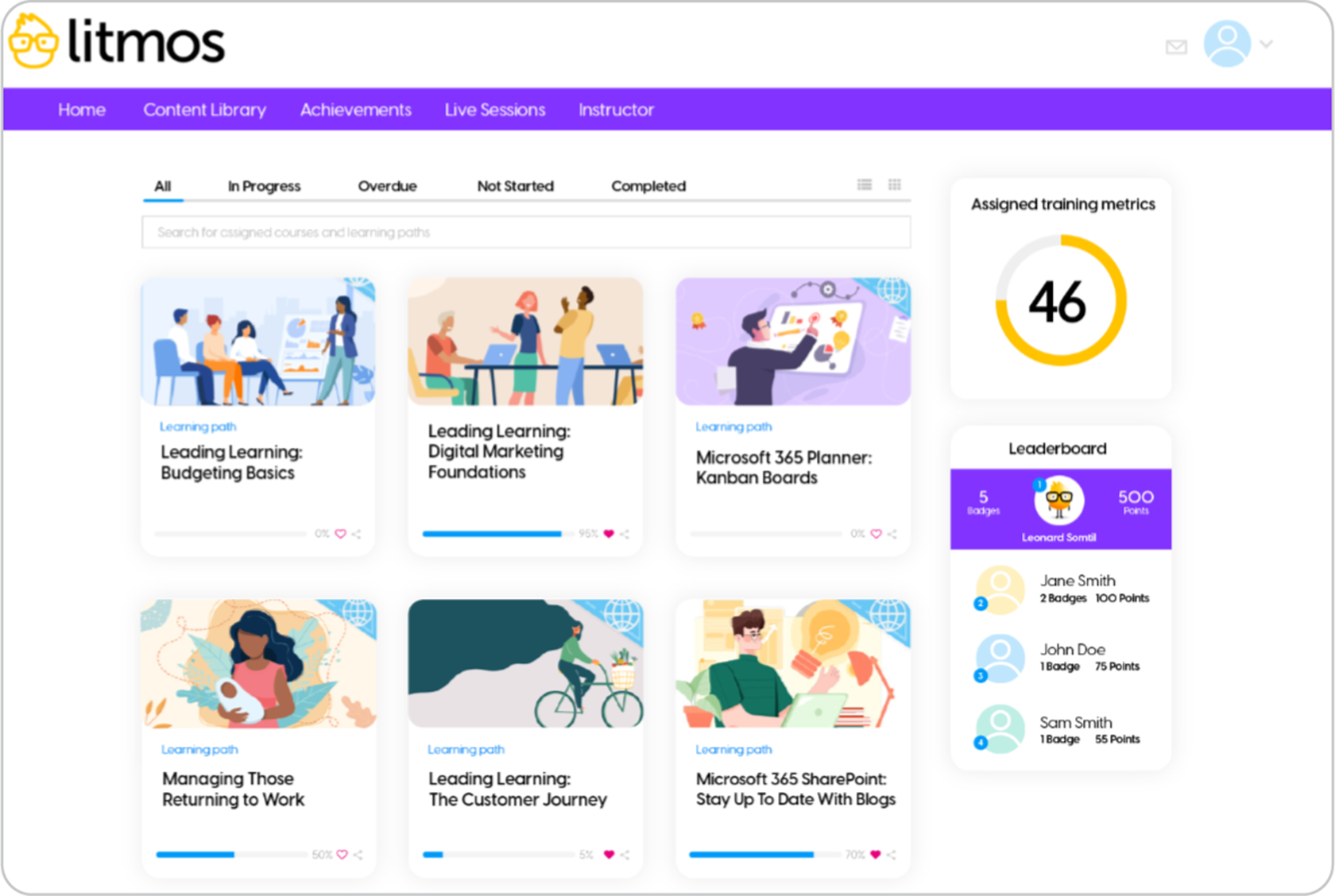
With Litmos you don’t have to spend months building content from scratch. The system gives you a massive library of off-the-shelf courses the moment you sign the contract.
Why we picked it:
Most compliance projects stall because nobody has time to write the content. Litmos solves this with a library of over 2,500 pre-built courses covering everything from cybersecurity to soft skills. It also integrates deeply with Salesforce, which makes it a favorite for sales teams who want to train reps without forcing them to leave their CRM. You trade some visual customization for the ability to deploy instantly.
Pros
- Built-in library of 2,500+ compliance courses
- AI-powered learning assistant, gamification
- SAP integration
- Rapid deployment
Cons
- Limited customization compared to competitors
- Basic analytics compared to enterprise platforms
- Customer support response can be slow
- Not transparent pricing – requires contacting vendor
Key features:
- AI learning assistant for personalized recommendations
- Gamification and social learning features
- Native SAP/Salesforce integration
- Mobile learning with offline capabilities
Best for: Organizations needing quick deployment, Salesforce/SAP users, compliance training, and companies prioritizing speed over deep customization.
Pricing: No public pricing. Sources claim that pricing starts at ~$6/user/month (150+ users). Contact vendor for more details.
What Litmos users are saying on G2
The Good
“Litmos is a robust LMS that offers strong functionality paired with excellent customer support. It is well-suited for organisations aiming to confidently scale their learning programmes.” — Kira S., 4.5/5 stars
The Room for Improvement
“Litmos’ platform has many issues. The support for these issues is all external to US and typically slow and doesn’t resolve issues. Typically I have to troubleshoot and resolve on my own. The platform is not scalable and especially not useful for teams outside of computers. They don’t offer classroom style training for manufacturing. Setting up the system is very difficult and not user friendly, meaning a few admins have to do the majority of the work.” — Verified User, 2.5/5 stars
LearnUpon alternative #7: Moodle
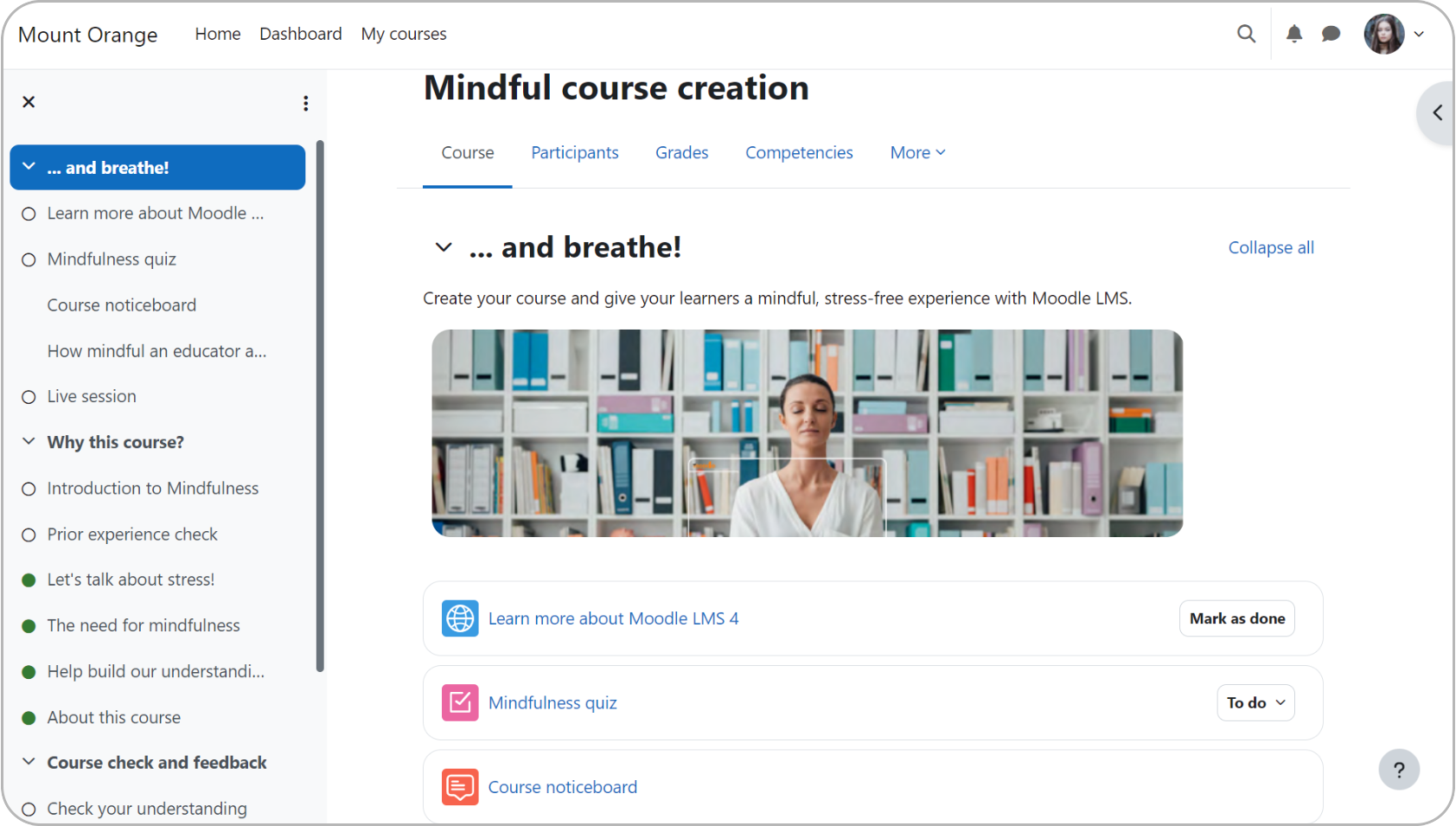
Moodle is the only true open-source option on this list. That means you have more control over how the platform is hosted, customized, and extended. You never have to wait for a vendor to release a new feature because your team can build it themselves.
Why we picked it:
Moodle is the only platform that gives you full customization control. It’s a practical choice for organizations that need specific, complex workflows that off-the-shelf software can’t handle. You trade simplicity for total control. It’s also a budget-saver if you have an IT team, since the core software is free to download.
Pros
- Open-source
- Unlimited customization possibilities
- Large global community support
- Extensive plugin and theme marketplace
Cons
- Requires technical expertise to implement and mange
- Hosting and maintenance costs apply
- Default design is clunky compared to modern tools
Key features:
- Complete open-source customization
- Extensive plugin and theme marketplace
- Advanced assessment and grading tools
- Multi-language and global deployment support
- Community-driven employee development and support
Best for: Educational institutions, organizations with IT resources, and budget-conscious deployments that require high customization
Pricing: Free plan available. Hosting, maintenance, and support costs vary by provider. Paid managed plans start at $200/month for up to 50 users.
What Moodle users are saying on G2
The Good
“What sets Moodle apart from other platforms is that it has flexibility and customization [options]. It allows for more control over the course design, enabling instructors to tweak and adjust content more easily. I’d say Moodle is a very powerful tool, it has so much flexibility.” — Bernadette A., 5/5 stars
The Room for Improvement
“I find Moodle problematic due to its cost concerns. It’s not free of charge, which is a significant barrier for my clients who are looking for very low-cost or free-to-use solutions. Moodle may be suitable for institutions requiring a lot of functions, but it’s not simple or affordable enough for users who cannot afford it or are in the initial stages of needing such a platform” — Rachel L., 1/5 stars
Which LearnUpon alternative to choose
The best LMS is the one that fits how your people train. Start with your team size and the training you need to deliver, whether it’s for employees, customers, partners, or compliance. Then consider the tools you’ll need to create content, what setup will involve, and the budget you have.
- TalentLMS stands out as a strong option for organizations that want a user-friendly LMS, AI capabilities, transparent pricing, and flexible training options in one platform. Its AI-powered TalentCraft helps teams create courses, while the platform supports customer, partner, and employee training, onboarding, and compliance. It’s particularly well suited to SMBs and mid-market organizations that want to get training up and running without a lengthy implementation.
- Docebo is suited to large organizations looking for AI-powered learning, personalization, automation, and advanced analytics across complex enterprise learning environments.
- Absorb LMS caters to organizations that need enterprise learning management, compliance training, automation, reporting, and integrations across larger or more complex training programs.
- iSpring LMS is a good fit for teams that prioritize rapid course creation and PowerPoint-based authoring, particularly instructional designers and corporate trainers already working with iSpring’s authoring tools.
- Tovuti LMS is suited to organizations that want gamification, interactive learning, and engagement features alongside partner, employee, and customer training. Its current platform also includes AI-powered authoring through WayPoints.
- Litmos caters to organizations that want rapid deployment, compliance training, and access to ready-made learning content, alongside AI-powered authoring and other content-creation capabilities.
- Moodle is a good fit for organizations that prioritize open-source flexibility and extensive customization, particularly educational institutions and teams with the technical resources to manage and extend the platform.
FAQs
What are the best LearnUpon LMS alternatives in 2026?
The best LearnUpon LMS alternatives in 2026 depend on your team’s specific training needs, scale, and budget. Some top choices include TalentLMS, Docebo, Absorb LMS, iSpring LMS, Tovuti LMS, Litmos, and Moodle.
What’s the biggest challenge when migrating from LearnUpon to a new platform?
The biggest challenge when migrating from LearnUpon to a new platform is cleaning and exporting all of your historical completion records, user transcripts, and SCORM files. Before you migrate to a new platform, get a clear answer on how the vendor handles migrations and onboarding.
Is there a free alternative to LearnUpon?
There are free alternatives to LearnUpon, with TalentLMS and Moodle standing out. TalentLMS offers a genuinely free plan with up to 5 users and up to 10 courses, helping you launch fast and without IT support. Moodle is free and open-source, but you must handle your own hosting, security, and maintenance.
Which LearnUpon alternative is best for small businesses?
The best LearnUpon alternative for small businesses is TalentLMS. It is widely considered ideal for SMBs as it offers a user-friendly interface, fast setup without IT support, and a free plan and transparent pricing as you scale.