
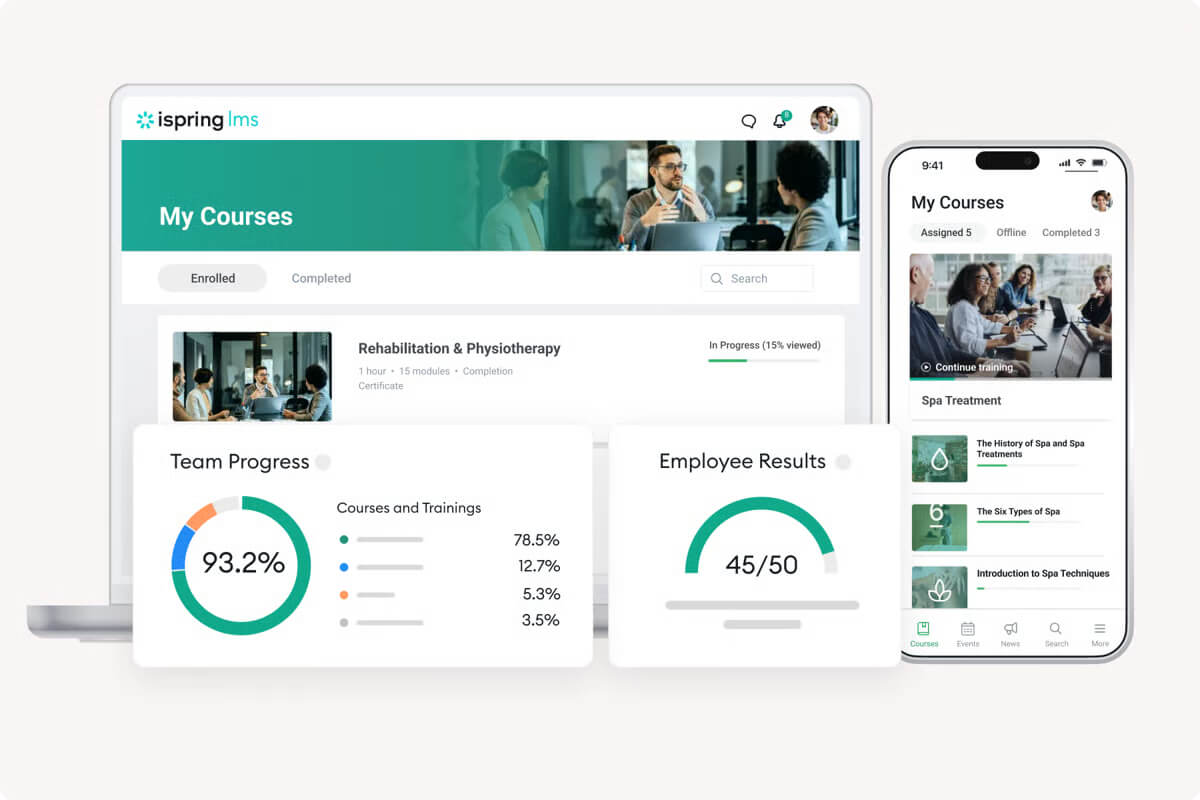
Many teams use iSpring LMS because it’s simple, affordable, and gets training programs off the ground without a steep learning curve.
It shines for small to mid-sized businesses that need quick course authoring and a platform that doesn’t overwhelm admins or learners. Plus, the setup is simple, the tools are familiar, and it’s very cost-effective at a smaller scale.
But as companies grow, so do their learning needs, and what once felt easy now feels like a ceiling.
Furthermore, when learning tools can’t keep pace, programs often stall. Admins end up working harder than they should, and employees lose interest in clunky experiences.
Over time, that gap between what the system can do and what the business needs turns into wasted hours, missed insights, and stalled momentum.
That’s why so many teams in 2025 are rethinking their Learning Management System and weighing smarter alternatives.
What are the best alternatives to iSpring LMS?
The best iSpring LMS alternatives in 2026 are TalentLMS, Docebo, Absorb LMS, Moodle, Litmos, Thinkific, and Tovuti LMS. These platforms address iSpring’s most common limitations, like shallow reporting, limited integrations, and scaling costs, while offering AI-powered course creation, compliance tracking, and enterprise-grade analytics. Key selection criteria include reporting depth, pricing transparency, integration breadth, and whether you need a full training platform or a course-selling tool.
How to choose the best iSpring LMS alternative for your needs
A Learning Management System like iSpring LMS is great for a small team with straightforward course authoring needs. But it can feel like a ceiling once the business starts growing. And iSpring’s biggest strength—its tight authoring-plus-delivery bundle—is often exactly where the limitations surface first.
You see this push-and-pull between simplicity and scalability in user reviews all the time. Bobby P. on G2 put it this way: “The tool is really robust, but there are a few things I wish their 360-degree performance reviews system did differently. One of those is that I wish it allowed managers to see completed reviews with requiring the admin to close the full review for everyone.”
Here’s what to weigh before committing to an alternative:
Whether your growing team needs deeper reporting. iSpring’s reporting works well on a smaller scale, but once teams expand past a few hundred users, limited departmental breakdowns and inflexible catalog ordering become real bottlenecks. If managers need to see learning impact by department, look for platforms with built-in analytics depth.
How many integrations your tech stack demands. iSpring’s integration library is basic. If you rely on HR systems, CRMs, or performance management tools, check whether your next LMS connects natively, or whether you’re signing up for manual data syncing and hidden LMS costs.
Whether course authoring alone is enough. iSpring excels at turning PowerPoint decks into polished eLearning. But training programs that grow beyond content creation need catalog management, automated enrollment, compliance tracking, and learner engagement tools. Consider whether you need a full platform, not just an authoring tool with an LMS attached.
How scalable your pricing needs to be. Some platforms charge per user; others use flat tiers. Model your costs at 2× and 5× your current user count to see which pricing model works long-term.
What level of support your team expects. When something breaks during a company-wide rollout, response time matters. Consider whether guaranteed support response times are a must-have or a nice-to-have.
If you’re still weighing your options, this how to choose an LMS guide and the “How to choose an LMS comparison sheet” can help you map your requirements before comparing platforms.

iSpring LMS alternative #1: TalentLMS
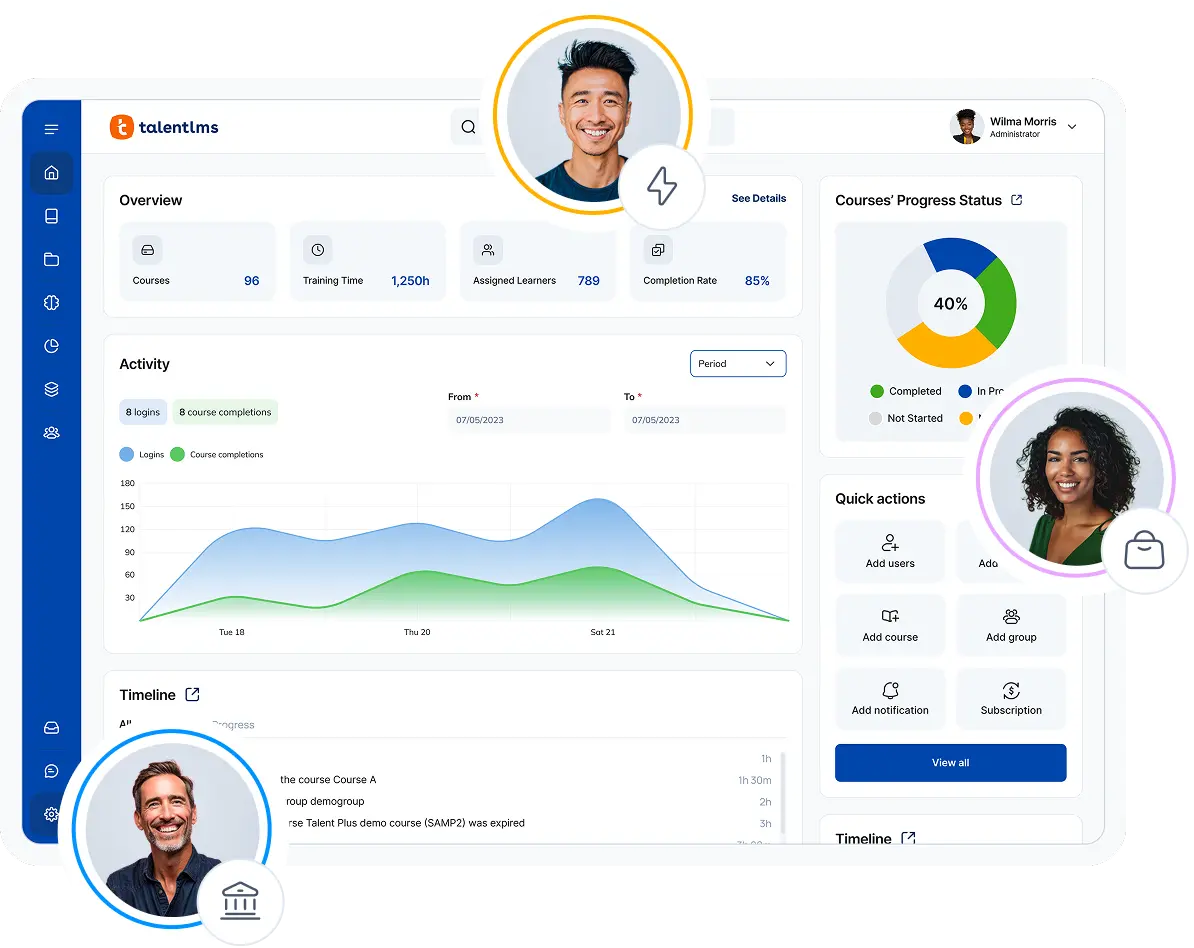
TalentLMS is built for teams that want to start employee training quickly without drowning in complexity. It’s clean, approachable, and affordable, making it a natural step up for small and mid-sized companies that have outgrown iSpring LMS.
Why we picked it:
We chose TalentLMS as the best iSpring alternative because it keeps pace with growing companies that need more than the basics. It lets teams set up courses in minutes, tap into AI tools to cut down on build time, and connect easily with apps they already use.
Unlike bulkier systems, it doesn’t weigh you down with setup headaches or extra fees just to make it usable, which is why many comparisons of TalentLMS vs iSpring LMS highlight its simplicity. That balance makes it a smart pick for businesses running employee training software, partner programs, or even customer education, where quick access on any device matters.
Pros
- Quick to set up and easy to run day-to-day
- Affordable monthly plans with clear upgrade paths
- Seamless integrations with HR, CRM, and chat apps
- AI tools help speed up course creation
- Flexible branding so teams can match their look and feel
- Gamification elements (points, badges, leaderboards) keep learners engaged
Cons
- Not built for universities or heavy academic use
- Reporting feels basic compared to enterprise-level tools
- May need add-ons for highly specialized learning needs
Key features:
-
- Multiple AI features for course & test creation, learner coaching, and skills development.
- Gamification and certifications
- Detailed reporting and analytics
- LTI 1.3 (iSpring-compatible integration)
Best for: SMBs, employee, customer, partner training, onboarding, compliance
Pricing: Free plan available. Premium trial. Paid plans start from $119/month for 40 users, with details laid out on the official TalentLMS pricing page.
What users are saying on G2
The Good
The Room for Improvement
How The Resident elevated multi-location training after switching LMS
The Resident, a hotel group, needed an LMS that could deliver consistent, high-quality training across every property, the kind of standardization and tracking that’s hard to achieve when you’ve outgrown a simpler tool. Managing training at multiple locations meant their previous approach lacked the reporting depth and engagement tools to keep service quality uniform.
After implementing TalentLMS, The Resident doubled their team engagement score in just 12 months — from +18 to +39 — and raised audit scores from 74% to 95%. The platform’s ease of setup meant L&D teams could get new properties onboarded fast, while detailed reporting gave management clear visibility into training completion and quality across the group.
As Learning and Development Consultant Sarah Brickwood puts it: “Since implementing TalentLMS, our group engagement score has more than doubled, increasing from +18 to +39. We see a strong link between accessible, high-quality training and team morale.”
iSpring LMS alternative #2: Docebo
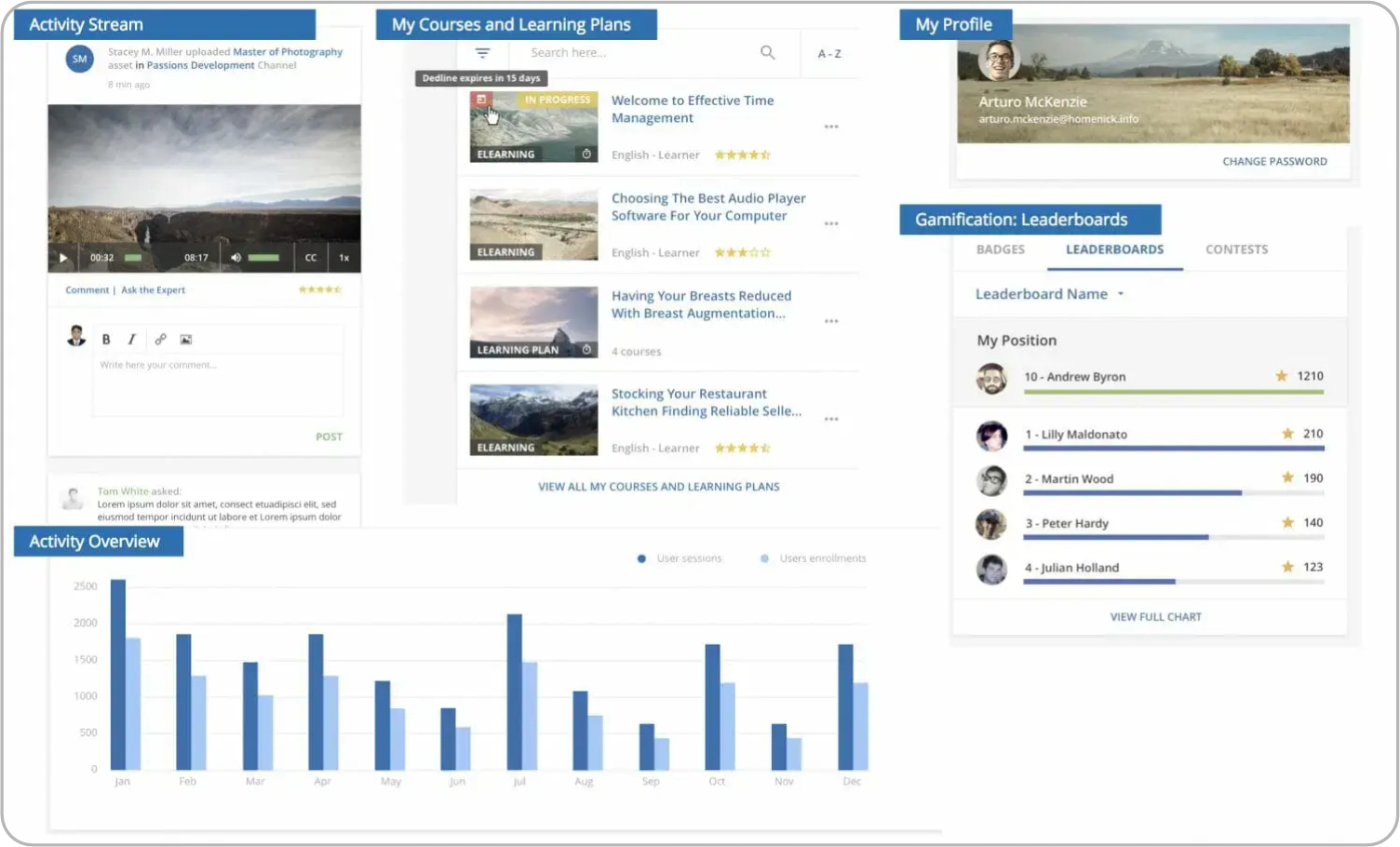
Docebo is the LMS companies turn to once their training programs outgrow lighter systems. It shines in large organizations where thousands of learners need consistent experiences across regions and departments.
Why we picked it:
We chose Docebo as the second iSpring LMS alternative because it gives learning leaders tools they can’t find in simpler systems. Its reporting digs into learner behavior with real depth, making it easier to spot patterns and measure results. The AI also adapts the customizable learning paths over time, which helps keep training relevant at scale.
Pros
- AI-driven recommendations keep courses relevant
- Automated enrollments save time for admins
- Deep analytics track learner progress across large groups
- White-labeling and broad integrations
Cons
- High entry cost, often out of reach for small teams
- Setup takes longer than iSpring LMS or TalentLMS
- Complexity can frustrate smaller organizations
- Gamification tools feel lighter compared to TalentLMS
Key features:
-
- AI-powered recommendations and course creation
- Advanced automated enrollment
- White labeling and in-depth integrations
- Scalable with robust analytics.
Best for: Mid-sized to enterprise organizations with complex training needs
Pricing: Two tiers: Elevate (sources mention ~$40,000/year), and Enterprise (custom quote). No public pricing on their website.
What users are saying on G2
The Good
The Room for Improvement
iSpring LMS alternative #3: Absorb LMS
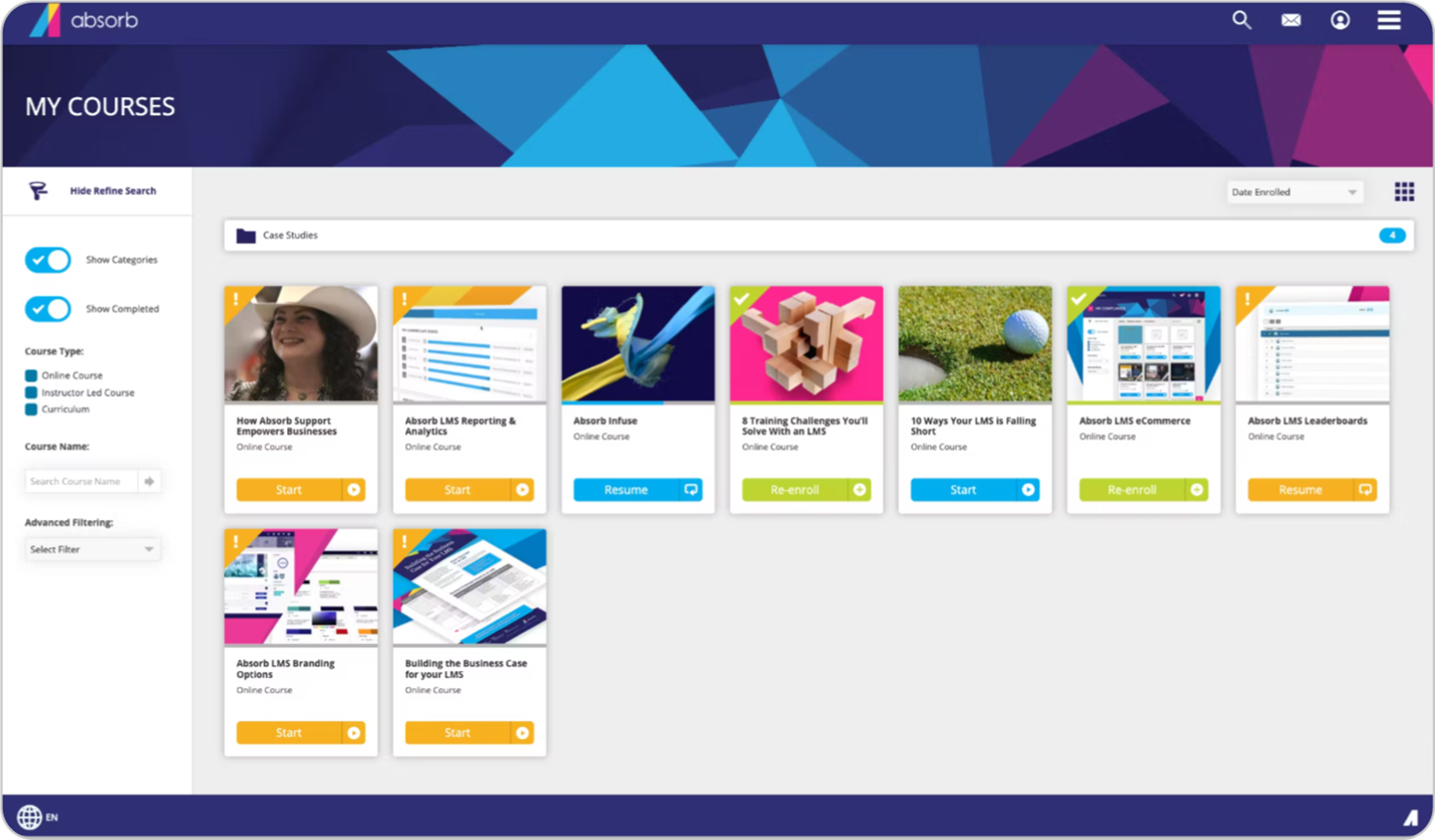
For organizations where compliance training is central, Absorb LMS feels purpose-built. It balances strict requirements with a smooth learner experience, which is why it appeals to large organizations spread across different locations.
Why we picked it:
We picked Absorb because it helps compliance-heavy teams stay on track without overwhelming learners. Its reporting goes deep enough to satisfy auditors, while the interface stays intuitive for everyday use. Course creation is flexible, and admins can manage complex catalogs without constant firefighting.
Pros
- Strong compliance management with detailed tracking
- Clean, intuitive interface
- Supports large, distributed organizations smoothly
- Scales well for compliance-driven industries
Cons
- Less affordable than TalentLMS for smaller teams
- Reporting is solid, but not as flexible as Docebo’s enterprise analytics
- Customization options fall short compared to iSpring LMS’s built-in authoring
- Fewer gamification elements than TalentLMS, which may limit learner engagement
Key features
-
- AI-assisted course content creation, learner coaching and skills development
- Responsive, modern interface
- Blended learning, advanced automation, and strong analytics
Best for: Enterprises with global deployment needs
Pricing: No public pricing. Ask for a custom quote.
What users are saying on G2
The Good
The Room for Improvement
iSpring LMS alternative #4: Moodle
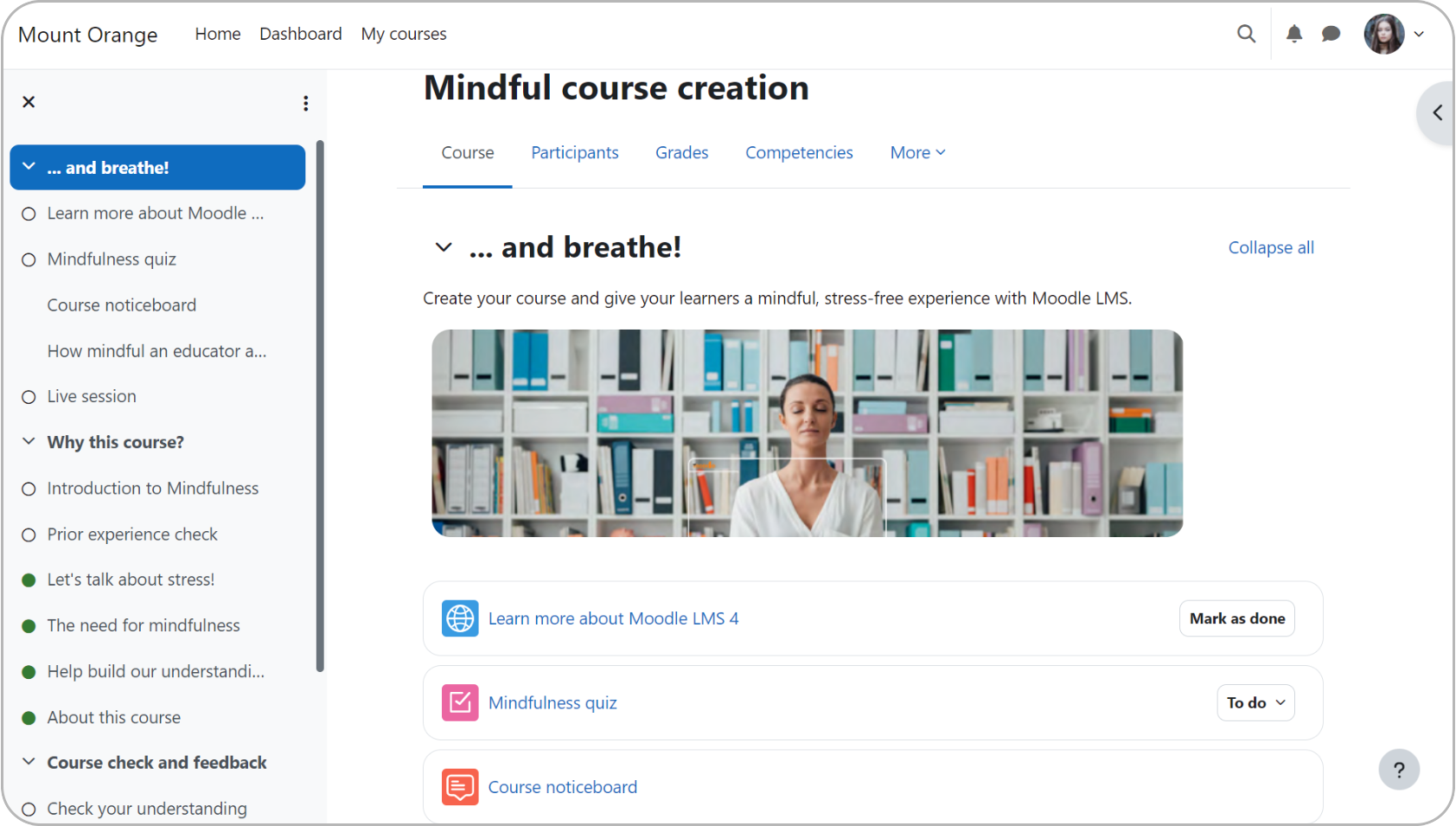
Moodle has been around for more than two decades, and in that time, it has grown into the world’s most widely used open-source learning platform. Universities, schools, and nonprofits lean on it because they can shape the system to fit their unique learning environments rather than bending to a vendor’s rules.
Why we picked it:
We picked Moodle because it brings freedom that proprietary systems can’t match. With an active global community and a library of plugins, institutions can adapt it for everything from language courses to medical training. It does require technical know-how, but for organizations with IT resources, that tradeoff opens the door to deep customization and cost control.
Pros
- Completely open source, with no licensing fees
- Massive plugin ecosystem for customization
- Widely adopted across K–12 and higher education worldwide
- Active global community and long track record
Cons
- Setup and maintenance demands strong IT support
- User interface feels less polished than Absorb or TalentLMS
- Reporting tools are weaker than iSpring LMS or Docebo
- Gamification and engagement tools lag behind TalentLMS
Key features:
-
- Comprehensive assessment and grading tools
- Community plugins
- Customizable with strong developer support
Best for: Educational institutions (schools, universities)
Pricing: Free open-source, paid Moodle Cloud hosting and partners
What users are saying on G2
The Good
The Room for Improvement
iSpring LMS alternative #5: Litmos
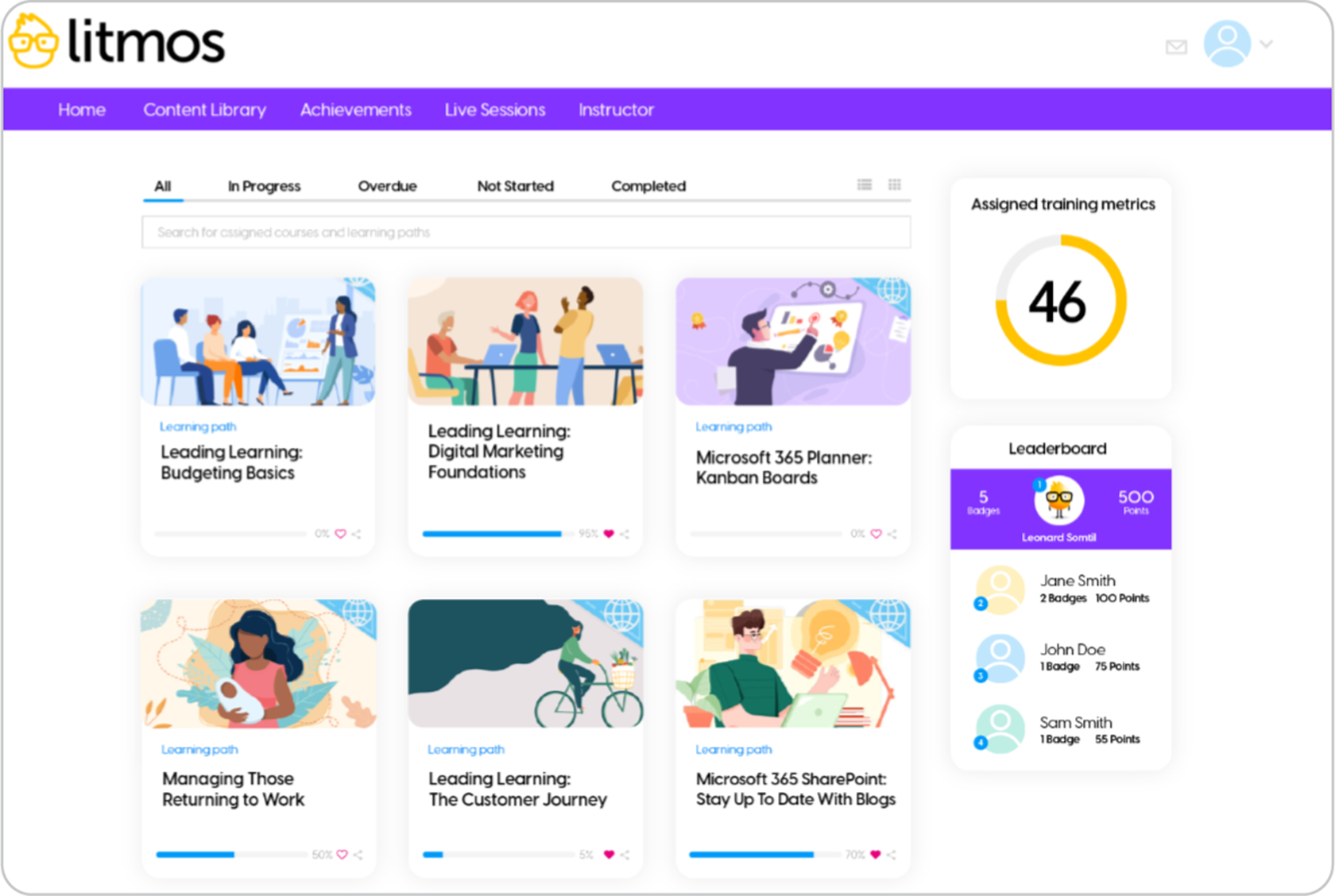
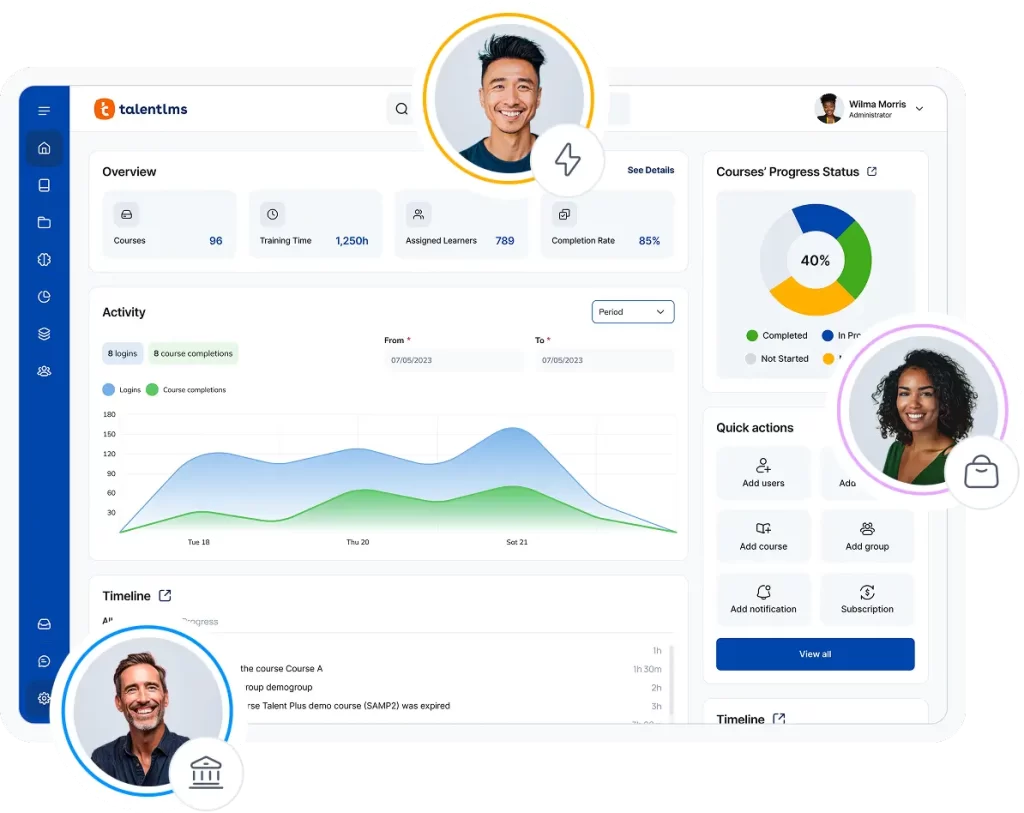
Litmos has carved out a reputation as a go-to choice for corporations that need scalable training quickly across borders. It is known for reliability, broad integrations, and a mobile-friendly approach that makes it easier to reach frontline workers as well as office staff.
Why we picked it:
We picked Litmos as an iSpring LMS alternative because it combines speed and structure. Companies can launch compliance and skills development training without long setup cycles, thanks to its ready-to-go modules and integration library. The platform also leans heavily on mobile learning, which makes it stand out in industries with distributed workforces. While it’s less customizable than open-source or high-end enterprise tools, its efficiency explains its widespread corporate adoption.
Pros
- Quick deployment with ready-made modules
- Strong out-of-the-box integrations
- Mobile-friendly, designed for frontline access
- Widely adopted for compliance and corporate training
Cons
- Less customizable than Moodle or iSpring LMS
- Reporting is not as deep as Docebo
- Pricing can be high compared with TalentLMS
- Gamification feels lighter than TalentLMS
Key features:
-
- AI assistant for learners
- Workflow and compliance automation
- Strong integration capabilities
Best for: Enterprises, especially those seeking rapid global rollout
Pricing: Two tiers: Foundation and Platinum AI, no public pricing available. Sources mention plans start from 18K yearly.
What users are saying on G2
The Good
The Room for Improvement
iSpring LMS alternative #6: Thinkific
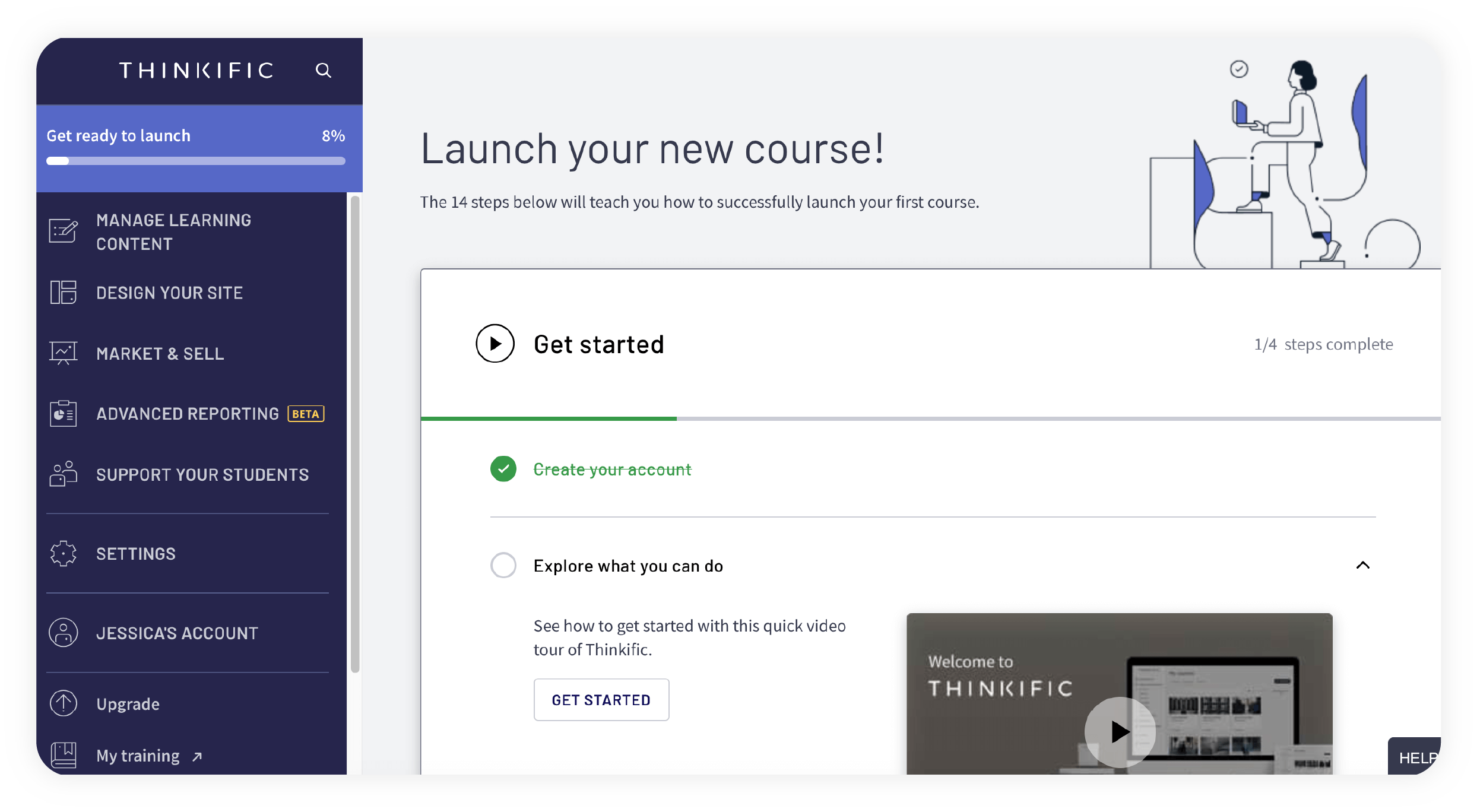
Thinkific stands apart from most corporate LMS platforms because it was built with course sellers in mind. Coaches, consultants, and small businesses use it to design polished, market-ready online courses. Instead of managing compliance or large teams, it shines when the goal is knowledge sharing and reaching paying learners.
Why we picked it:
We picked Thinkific because it helps individuals and small teams turn expertise into a product. The platform handles course creation, custom branding, and payment gateways in one place, removing the need for extra tools, which is something iSpring LMS heavily lacks. While it’s not designed for internal workforce training at scale, it’s a strong fit for educators and entrepreneurs who want to monetize knowledge.
Thinkific’s free plan also positions it as one of the more practical iSpring Suite free alternatives for solo educators and small teams testing online course delivery.
Pros
- Built for selling courses online, not just internal training
- Clean design makes it easy to build polished courses
- Payments and checkout are built right into the platform
- Strong branding options for creators and small businesses
Cons
- Lacks compliance tools that iSpring LMS and Litmos handle
- Reporting is lighter than Docebo or TalentLMS
- Limited integrations for HR and corporate systems
- Engagement tools feel simpler than TalentLMS’s gamification
Key features:
-
- Drag-and-drop course builder
- Built-in eCommerce and payment tools
- Student engagement
Best for: Freelancers, creators, course-sellers
Pricing: Free tier available; paid from $36/month (billed annually)
What users are saying on G2
The Good
The Room for Improvement
iSpring LMS alternative #7: Tovuti LMS
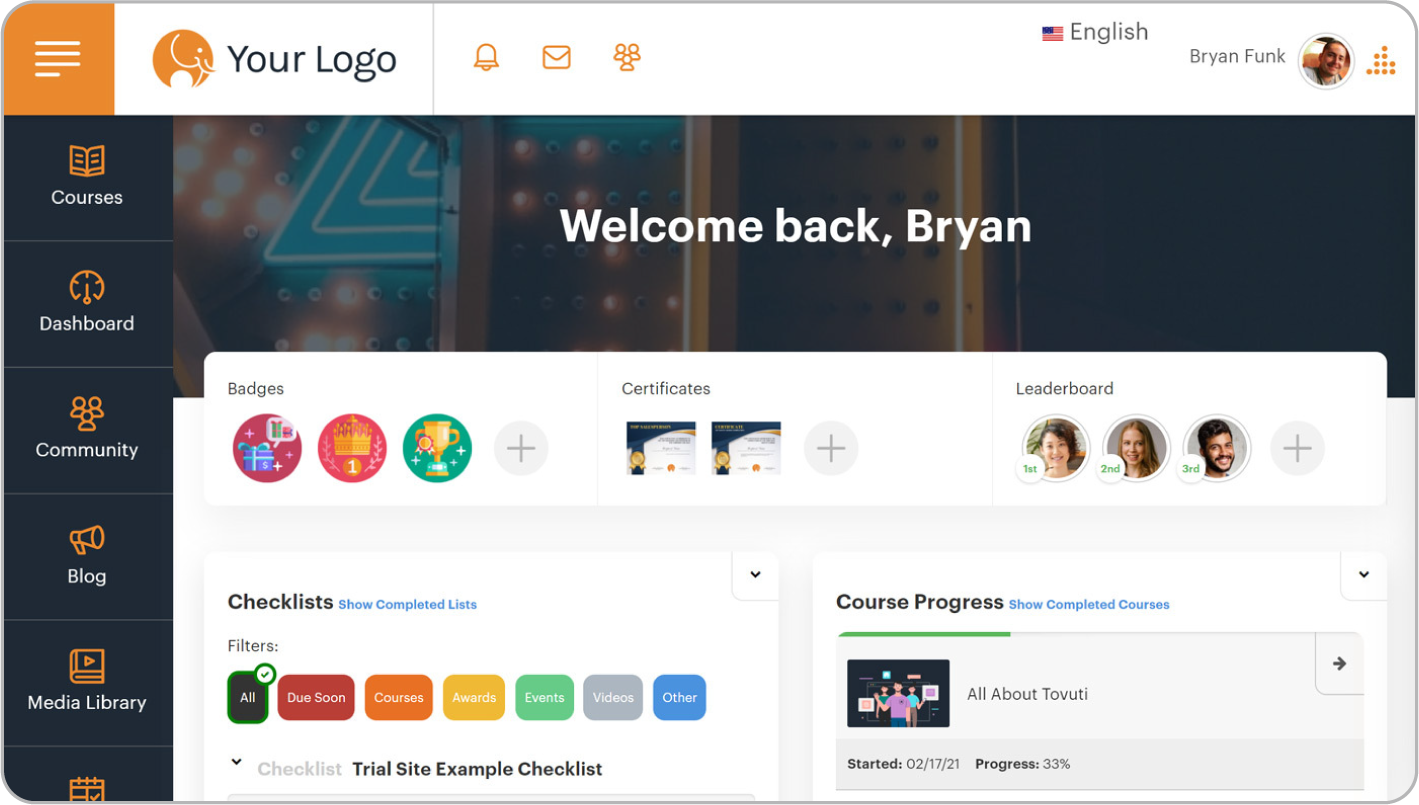
Tovuti appeals to teams that want training to feel engaging right away. It blends fast setup with interactive tools like quizzes, games, and virtual classrooms. For mid-sized organizations that need more than static slideshows, it delivers a platform designed to keep learners active and involved from day one.
Why we picked it:
We picked Tovuti because it strikes a rare balance between speed and depth. Unlike heavier enterprise platforms, it can be up and running quickly without sacrificing room to grow. Its customization options and advanced features are good for companies that want training to feel lively and branded. But the downside is that it costs more and is more complicated than simpler tools.
Pros
- Quick to launch compared with enterprise-heavy systems
- Rich library of interactive elements like gamification and quizzes
- Flexible branding and customization to match the company identity
- Built-in virtual classrooms support collaborative learning
Cons
- Pricing is higher than TalentLMS and iSpring LMS
- It can feel complex to manage without dedicated admins
- Reporting is not as deep as Docebo’s analytics
- Lacks the large prebuilt content catalogs found in Absorb or Litmos
Key Features:
-
- Drag-and-drop builder
- Gamification and compliance tracking
- Virtual classroom and event management
Best suited for: Growing SMBs
Pricing: Custom plans, no public pricing available.
What users are saying on G2
The Good
The Room for Improvement
Which iSpring alternative to choose
The right platform depends on what you need most. A small team looking for quick setup and simple course creation may find iSpring LMS a perfect fit, especially with its built-in authoring tools, PowerPoint conversion, and learner support.
However, those scaling fast or looking into iSpring Suite alternatives often move to TalentLMS, Docebo, or Absorb. And it might be better to lean on these platforms from the start, so that the transition is removed and everything just flows smoothly from the outset.
In the end, start by asking whether simplicity or scalability matters more, then pick from the iSpring LMS alternatives that best clear the roadblocks in your way.