
Creating engaging online courses combines thoughtful design, high-quality content, and learner-centric strategies. Here are the key elements to ensure an exceptional learning experience:
1. Consistent instructor presence
Learners perform better when they feel supported. A visible and active instructor fosters trust and motivation. Providing timely feedback, answering questions, and hosting virtual office hours can make learners feel valued.
What to implement in your training:
-
Live chats and real-time Q&A sessions
-
Weekly video updates summarizing progress and upcoming tasks
-
Prompt feedback on assignments and quizzes
2. A well-designed LMS
A user-friendly LMS enhances the learning experience. Your LMS must be easy to navigate, fast, and mobile-friendly. Essential features include assignment tracking, multimedia support, and integrations with external tools like Zoom or Google Drive.
What LMS features you should look for:
-
Adaptive dashboards that adjust based on learner progress
-
Integrated analytics and reporting tools for tracking learner engagement
-
Simple workflows for uploading and accessing resources
3. High-quality, relevant content
Content drives engagement. It should be practical, updated, and aligned with industry trends. Include a mix of text, videos, interactive tools, and case studies to accommodate all learning styles.
Ways to design an effective training program:
-
Include real-world scenarios to explain concepts
-
Regularly update material to reflect industry changes
-
Use storytelling techniques to make lessons memorable
4. Collaborative and active learning
Online learning shouldn’t feel isolating. Collaborative tools like group projects, peer reviews, and discussion boards create a sense of community. This interaction also boosts retention, knowledge sharing and application.
How to foster collaboration:
-
Assign team-based projects to simulate workplace dynamics
-
Create breakout rooms during live sessions for group discussions
-
Encourage peer-to-peer feedback on assignments
-
Embed learning in the flow of work and make it socially connected, timely, and manager-supported
5. Flexible and tested delivery methods
Content must work seamlessly across devices, platforms, and browsers. Accessibility ensures learners don’t face technical issues that disrupt their progress. Multimedia, like videos, interactive graphics, and simulations, should be optimized for compatibility and simplicity.
Best practices to follow:
-
Test course materials on various browsers and devices
-
Compress multimedia files for faster load times
-
Provide offline access for learners with limited connectivity
6. Effective assessments
Assessment tools measure learner progress and the effectiveness of the course. To evaluate skills, use a combination of tests and quizzes, reflective exercises, and real-world projects.
Innovative assessment ideas:
-
Gamification to boost participation
-
Scenario-based exercises where learners solve real-world problems
-
Weekly polls or surveys to gather learner feedback
7. Learner support and accessibility
Support services are essential for a positive learning experience. Courses should be accessible to all learners, including those with disabilities. Adopting accessibility standards like WCAG ensures inclusivity.
Examples of support features:
-
A searchable FAQ section for common issues
-
24/7 technical support or chatbots for immediate assistance
-
Accessible design elements like closed captions and screen-reader compatibility
8. Engaging and practical training courses
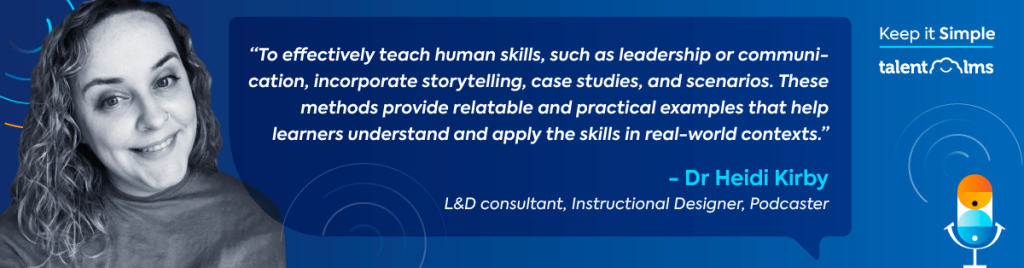
Courses should inspire learners while offering immediate value. Relevance and practical application are key to engagement. Dr. Heidy Kirby stresses that training must connect with learners’ real-world needs and deliver actionable skills in “Hitting the mark: How to create top-tier training,” from TalentLMS’s podcast series, Keep it Simple.
How to boost engagement:
-
Gamify the learning process with leaderboards or badges
-
Share expert interviews or podcasts for added insights
-
Include hands-on projects where learners apply skills in realistic scenarios.
9. Structured course design
A clear structure keeps learners focused and reduces cognitive overload. Each module should follow a logical progression, with clear learning objectives and expected outcomes.
Tips for top-notch course structure:
-
Divide content into short, manageable lessons
-
Begin each module with an overview and key takeaways
-
End with a summary or reflection exercise to reinforce learning
10. Time management and flexibility
Online learners often balance multiple responsibilities. Offering self-paced learning or flexible deadlines helps them succeed.
Features to include in your training:
-
A progress tracker to help learners manage time
-
Optional live sessions with recordings available for later viewing
-
Notifications for upcoming deadlines and tasks