
- What is the best LMS for employee training?
- Best Learning Management Systems for employee training
- 1. TalentLMS
- 2. Docebo
- 3. Trainual
- 4. Absorb LMS
- 5. Cypher Learning
- 6. Litmos
- 7. Adobe Learning Manager
- 8. Cornerstone
- 9. LearnWorlds
- 10. LearnUpon
- What features should you look for in an employee training software?
- Use cases of a learning management system (LMS) for employee training
- Real-life examples of successful LMS for employee training
- Get started with TalentLMS for employee training in 2026
- FAQs
Providing employees with valuable, timely training remains essential for business success. Whether teams work on-site or remotely, effective training always leads to stronger performance. Achieving that starts with the right online training software.
However, with more advanced tools and AI-driven features now shaping the market in 2026, choosing the best LMS for employee training can feel challenging.
Here’s a look at the top employee training platforms available today, along with what sets each one apart. You’ll also find key features to consider and steps to help you start training and development with the best LMS that fits your goals.
What is the best LMS for employee training?
The best LMS platforms for employee training in 2026 are TalentLMS, Docebo, Trainual, Absorb LMS, CYPHER Learning, Litmos, Adobe Learning Manager, Cornerstone, LearnWorlds, and LearnUpon. These platforms support onboarding, compliance training, upskilling, and AI-powered course creation. Key selection criteria include ease of use, Learning Path customization, reporting depth, mobile access, and integration with existing HR and business tools.
Best Learning Management Systems for employee training
***Information last updated: November 2025
1. TalentLMS
Rating: 4.6/5 (786 reviews)
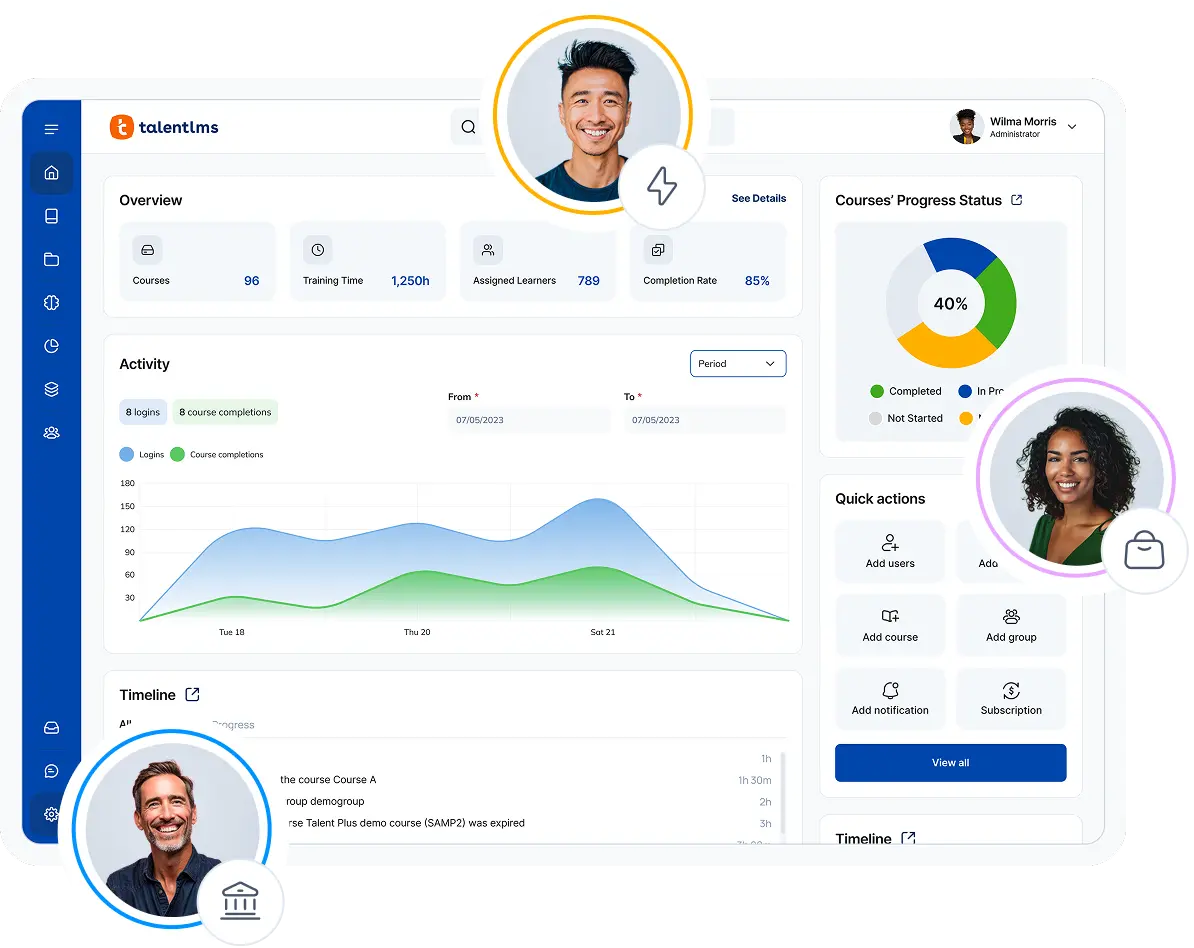
TalentLMS is a learning management system for employee training designed for growing businesses that focus on talent development and career growth. It has branches to divide training by teams or departments, white labeling to keep the brand the same, and automation tools to make learning more personal.
With TalentLMS, instructors can host virtual Instructor-Led Training (ILT) sessions, automatically assign new courses, and track performance with detailed analytics. The platform now includes AI Coach, AI course translation, AI test creation, and AI skills management tools, all built to make training faster and more adaptive. It also supports advanced integrations with HubSpot, LinkedIn Learning, and LTI 1.3, plus a mobile app that makes learning easy across devices.
With TalentLMS, instructors can talk to learners through online training sessions, automatically assign new training courses, and get a detailed look at how well they are doing through custom reports.
Furthermore, this LMS for employee training also features AI capabilities (Course creation, Coach, translation, tests, and more), as well as an expansive collection of ready-made courses. With rich support for third-party app integration, TalentLMS is a great choice for SMBs and large enterprises looking for a user-friendly learning platform.
Why we chose TalentLMS
TalentLMS is a great choice for employee training because it has subportals (Branches) for different departments within an organization. It also has features like certification and gamification. Paired with its AI content creation features and extensive reporting capabilities, this is a versatile, scalable, and budget-friendly solution for a wide range of internal training scenarios, from onboarding to upskilling and compliance.
Key features:
- AI Coach
- AI course translation
- AI test creation
- Skills management
- Analytics and reports
- Learning paths
- Branches (subportals)
- White labeling
- Certification
- Automations
- Ready-made course library
- Gamification
- ILT
- Integrations (HubSpot, LinkedIn Learning, LTI 1.3)
Pros: Ability to sign up and buy a plan without speaking to sales reps, user-friendly interface that’s easy to master regardless of your IT skills
Cons: Not an ideal training solution for very small businesses
Pricing: Free plan available. Pricing starts at $119/month (Core Plan), $229/month (Grow Plan), $449/month (Pro Plan).
What users are saying on G2
The Good
“I love the ability to use AI and also have free range for customization. There are so many areas that we can leverage to enhance the training we provide. The reporting has been extremely beneficial and provides helpful data. We were able to implement the content easily and quickly with an extremely high adoption rate. We had no issues transitioning from our prior platform to TalentLMS and it has already saved us hours of training time.” Katrina L. – 5/5 starsThe Room for Improvement
“I honestly don’t have any major dislikes about TalentLMS, but there are a few features that could make things even easier if they were added or adjusted.” Valeria G. – 4/5 stars
2. Docebo
Rating: 4.4/5 (670 reviews)
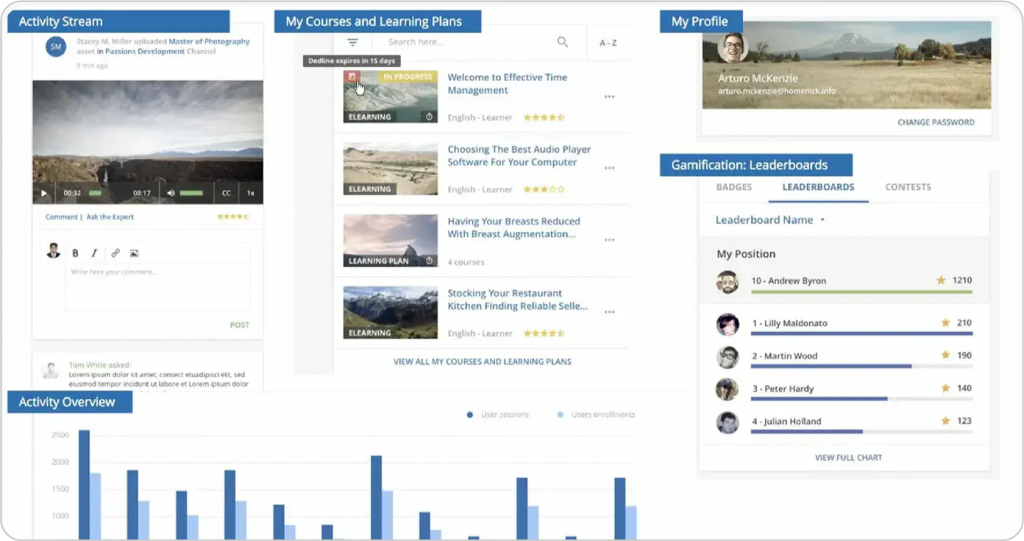
Docebo is an LMS for employee training built around creating ongoing talent development programs. It places an emphasis on upskilling and personalized training for employees looking for dynamic growth opportunities. To that end, Docebo uses AI-powered learning paths and learner data to help instructors chart the training journey for each employee without having to put it all in place manually.
Using this learning management software, you can gamify your employees’ training and gather valuable feedback from them as they engage with your training courses. This also allows you to refine your content as you go and find the perfect sweet spot. Paired with Single-Sign-On (SSO), it’s a great choice for training a large workforce that relies on other apps and systems.
Why we chose Docebo
Beyond allowing you to create your own content, Docebo provides AI assessments that give instructors and learners on-the-fly insights as they access training materials. This creates a more interactive and involved learning experience, which can have positive effects on learner engagement. With this LMS for employee training, no two learner experiences are alike, making for much more rewarding training.
Key features:
- AI-guided learning
- Certification
- Social learning
- Gamification
- Surveys
- Mobile training
- Ready-made course library
- SCORM compliant
- Reports
Pros: Comprehensive ability to track employee training, integration of learning into third-party apps
Cons: No automated course enrollment, limited customization
Pricing: No free trial. Sources claim plans start $25,000/year.
What users are saying on G2
The Good
“Docebo is a very powerful and flexible learning experience platform. It makes it possible to customize your platform for a variety of use cases and business needs.” Verified User in Marketing and Advertising on G2 – 5 / 5 starsThe Room for Improvement
“While it covers all the essential functions an LMS needs, some of its modules are limited or underdeveloped, and I find they don’t often think about how the different components interact with each other or in real-world use cases.” Suzy S – 4 / 5 stars
3. Trainual
Rating: 4.7/5 (946 reviews)
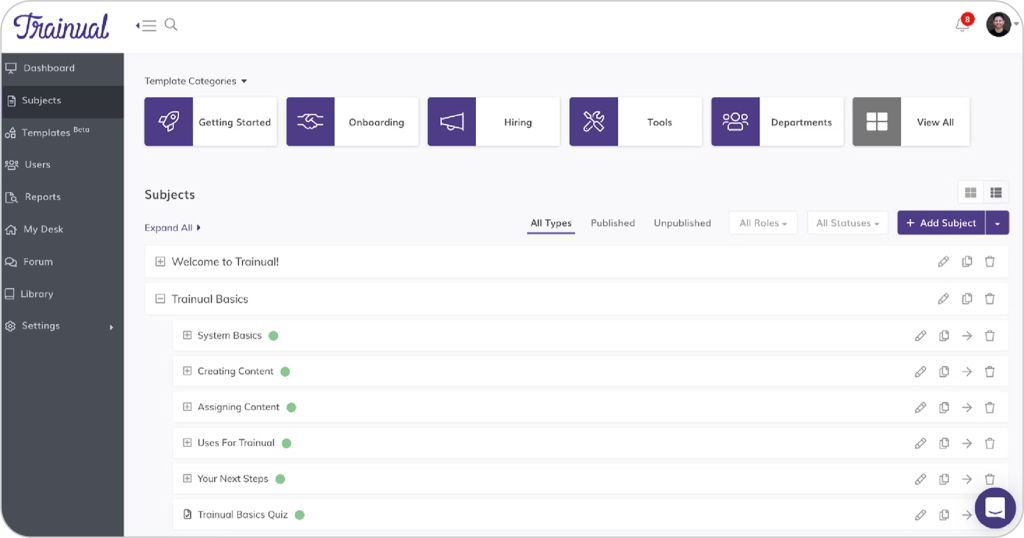
Trainual is an LMS for employee training with extensive document management features that make it easy to track workflow. With e-signatures, it’s easy to ensure policies and Standard Operating Procedures (SOPs) are up-to-date and approved. This feature goes hand-in-hand with Trainual’s role management features that enable instructors to build training frameworks for different roles and departments.
All of which makes this LMS for employee training a good choice for various training use cases, from onboarding to upskilling and reskilling, as well as compliance. And with rich support for a variety of content types, your employees can enjoy a dynamic learning experience that’ll keep them engaged throughout.
Why we chose Trainual
Trainual emphasizes the individual training journey, with features built around each role’s unique needs. It has a comprehensive team directory feature, which allows learners to have personalized bios. They also conveniently sync with the organizational chart within the LMS. While not as feature-complete as a standalone HRIS, it’s a good middle ground for businesses looking for a few people management features in their LMS.
Key features:
- Change management
- E-signatures
- Advanced documentation management
- Screen recording
- Mobile training
- White labeling
- Organizational and role charts
- Integrations
- Progress reports
Pros: An all-in-one solution for employee nurturing with rich upskilling and reskilling, ability to host and manage company documentation for employees to access
Cons: The onboarding and learning process of the LMS itself could be simpler, lack of gamification features
Pricing: Free trial available. Pricing starts at $250/month (Small Business plan), $417/month (Growth Business plan).
What users are saying on G2
The Good
“The onboarding process was incredible and the implementation specialist guided me through the first couple of weeks. We have now been using Trainual for almost two years and I am so glad that I found it. I will not be looking for a new platform any time soon.” Marni R on G2 – 5 / 5 stars
The Room for Improvement
“The AI features of Trainual are not as good as the others. There’s no way to create custom categories for the subjects. If you’re editing the subjects, there’s no feature to add comments inside the subject itself.” Gillian E on G2 – 4 / 5 stars
4. Absorb LMS
Rating: 4.6/5 (793 reviews)
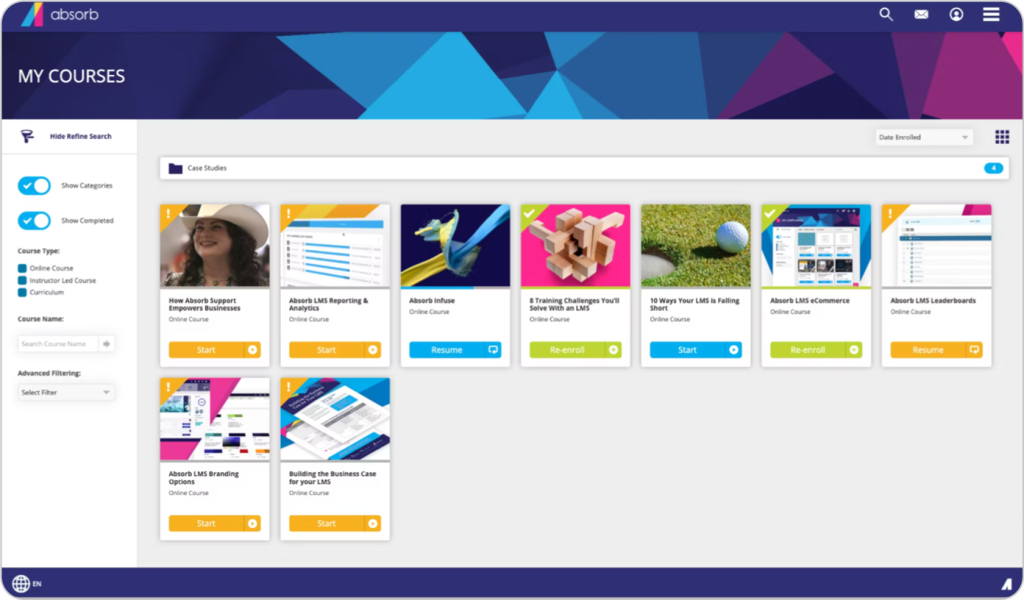
Absorb LMS is an LMS for employee training that focuses on simplifying training management through AI-guided learning. It’s a tool that helps admins and instructors do more than just set up training courses and move on. Instead, it lets them really get into learner engagement with things like leaderboards, social and collaborative learning, and personalizing the learner experience.
AI is a big part of what makes Absorb LMS special. It can be used to guide employees in the right direction based on their performance, roles, and learning styles. It’s also a standout in terms of healthcare compliance, collaborating with course providers that specialize in healthcare-approved training content.
Why we chose Absorb LMS
Once you set it up and start training, Absorb LMS is a very intuitive platform that requires little maintenance on the part of administrators. The AI is rooted in nearly everything within the platform, freeing end users up to focus on training. Their LMS for employee training also features native integration with a wide range of HRIS. That makes it a great choice for companies in need of compliance training.
Key features:
- AI-guided learning
- Automations
- Social learning
- Mobile training
- SCORM compliant
- Reports and analytics
- Gamification
- Integrations
- E-signatures
Pros: Deep analytics guided by AI, very user-friendly from the learner’s perspective
Cons: Limited learner management for segmenting users into different groups with unique training needs, challenging platform setup process for non-IT professionals
Pricing: Free trial available. No price listed. Contact the vendor.
What users are saying on G2
The Good
“What I like best about Absorb LMS is how user-friendly and intuitive the platform is, both from an admin and learner perspective. The interface is clean and customizable, which makes it easy to organize content and track learner progress.” Candace R on G2 – 5 / 5 stars
The Room for Improvement
“While Absorb LMS is generally user-friendly, some functions can be confusing or take multiple steps to complete. The least helpful aspect is the limited customization available for course layouts and reporting.” Rosetta B on G2 – 4 / 5 stars
5. Cypher Learning
Rating: 4.4/5 (319 reviews)
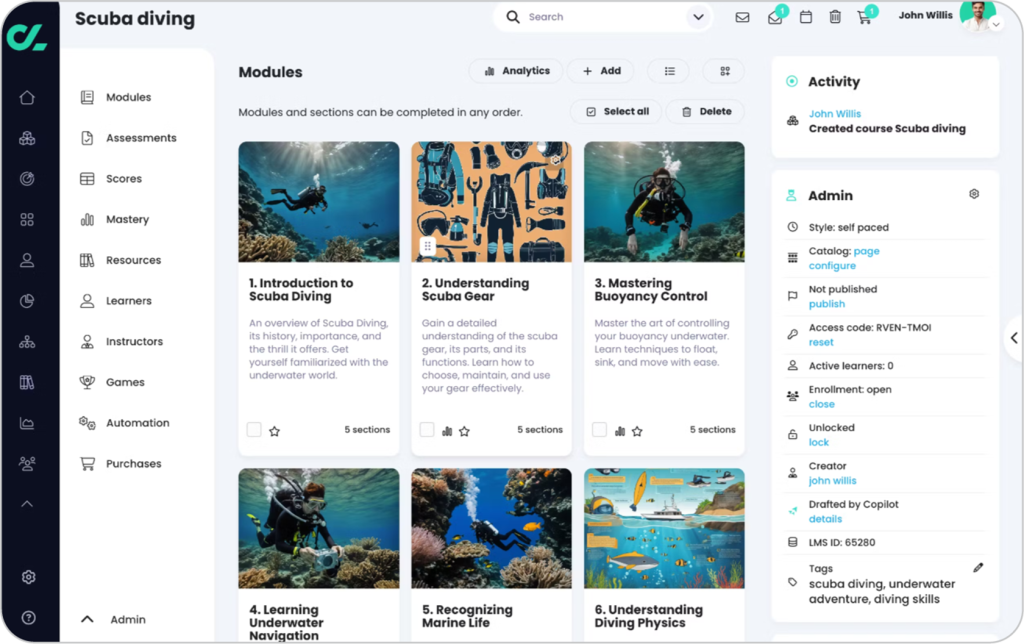
Cypher Learning offers a specialized LMS that connects seamlessly with the company’s broader ecosystem. Its platform for employee training is ready to use out-of-the-box, making setup fast for teams that need an efficient way to launch training at scale.
Paired with Cypher Copilot, the platform’s AI authoring tool, instructors can build courses tailored to each learner’s needs. Cypher Learning also uses personal AI agents to deliver individualized support and AI-driven skills mapping at the module level, helping businesses design adaptive, skill-based learning programs. It’s got messaging, announcements, and blog features, which make it super easy for teams to chat and work together.
Why we chose Cypher Learning
Cypher Learning focuses on making learning more personal and connected. Its AI tools analyze learner data to suggest courses, measure engagement, and refine training paths. Instructors can localize messages, run discussions, and host interactive sessions, keeping training inclusive and relevant. For organizations prioritizing engagement and skills growth, Cypher Learning offers a human-centered AI experience that bridges technology and teamwork.
Key features:
- Content authoring
- Content localization
- Learner assessments
- Personalized learning paths
- Social learning
- Skills-based learning
- Gamification
- Automations
- Reports and analytics
Pros: User-friendly interface for all types of users, extensive gamification features
Cons: Limited integrations, limited mobile app
Pricing: No free trial. Sources claim plans start $10,000/year.
What users are saying on G2
The Good
“The platform’s intuitive design makes it incredibly easy to use, both for teachers and students. Creating lessons, assignments, and quizzes is seamless, allowing me to focus more on teaching rather than navigating complicated software.” Adina S on G2 – 5 / 5 stars
The Room for Improvement
“I like the constant development of software, but at the same time, that is a disadvantage for those who get used to one way of using the platform.” Verified User in Arts and Crafts on G2 – 4 / 5 stars
6. Litmos
Rating: 4.3/5 (673 reviews)
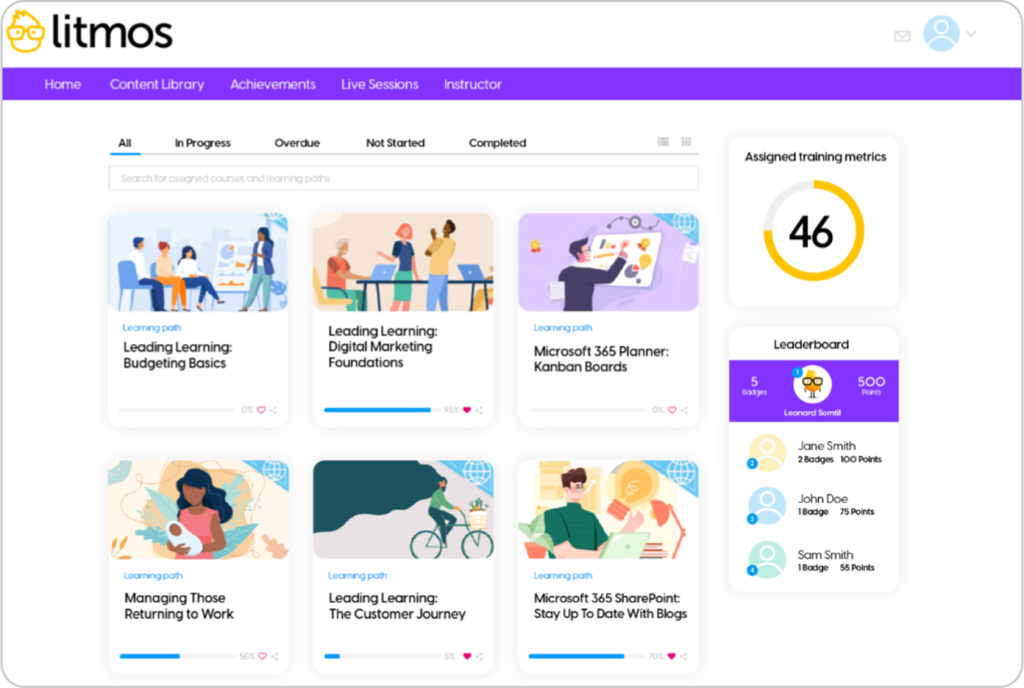
Litmos is an LMS for employee training that focuses on learner interactivity and training diversity. It allows instructors to co-author content and then implement it through blended training, combining online with classroom learning. Litmos can be accessed on any device, making it ideal for distributed teams. Its video assessments are also valuable for remote teams. Powered by AI, they assess learners’ answers using speech recognition. And then apply an automated grading.
With its rich gamification features, Litmos enables instructors to build healthy competition among learners through leaderboards. Their LMS also lets you change its look with white labeling with different fonts, colors, and pictures. This makes it a natural part of your employees’ experience.
Why we chose Litmos
Litmos comes with a fast and easy implementation process that’ll have you up and running in no time. Its user-friendly interface doesn’t require IT skills to master. This feature makes it a good entry LMS for employee training, even for inexperienced administrators and instructional designers. It also comes with a ready-made library of courses that alleviates instructors’ workload and allows for even faster training deployment.
Key features:
- Content authoring
- Social learning
- Video assessments
- Learning paths
- Automations
- ILT
- Gamification
- Gradebook
- White labeling
- Reports and analytics
Pros: Intuitive user management and course creation features
Cons: Limited customer support, limited reporting features
Pricing: Free trial available. No price listed. Contact the vendor.
What users are saying on G2
The Good
“The Litmos platform has been ideal for supporting both our new franchisee onboarding and internal compliance training. We particularly value how easy it is to create, assign, and track learning content across our large and diverse network of both our franchisees and colleagues. It’s customisation features are excellent and help make it feel part of our own tech offering.” Ben C on G2 – 5 / 5 stars
The Room for Improvement
“Reporting is extremely weak and clunky, often frustrating or requiring large amounts of manual labor to get the results I want.” Michael S on G2 – 4 / 5 stars
7. Adobe Learning Manager
Rating: 4.0/5 (314 reviews)
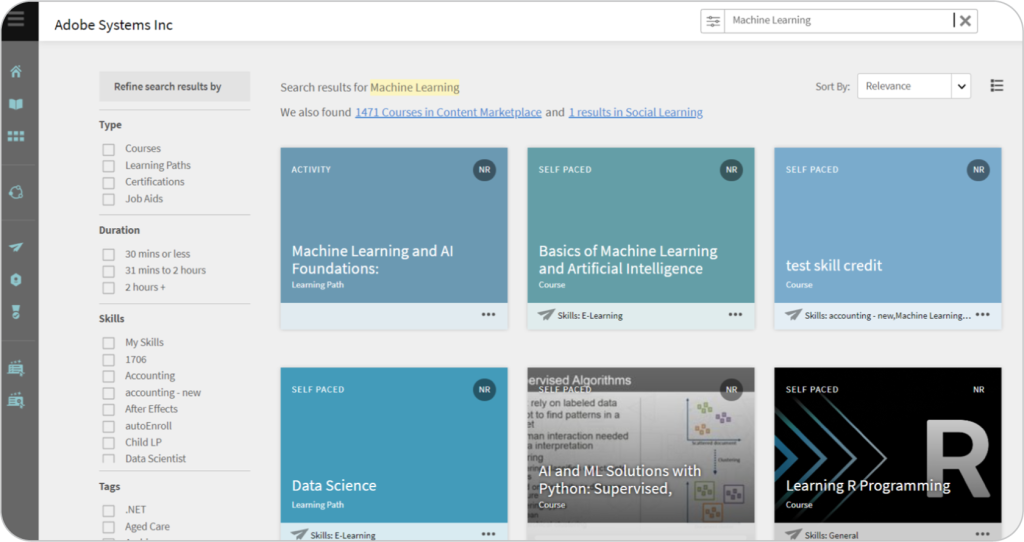
Adobe Learning Manager is an LMS that enables curated, timely employee reskilling based on AI-powered analysis features. It empowers instructors with both ILT functionality and self-paced learning to allow for an engaging mix of training content. Over time, AI personalization recommends the best course of action for each learner to ensure everyone is getting a learning experience built just for them.
Paired with skills gap analysis, this gives instructors a range of options when it comes to addressing learner needs. It is an LMS for employee training that also features a rich marketplace of course providers. These span dozens of industries, giving instructors everything they need to provide their learners with adequate training by choosing to create custom training courses as well.
Why we chose Adobe Learning Manager
It features “headless” content delivery, meaning that instructors can assign training courses to learners on any other tool or website. Learners can jump into their training whenever and wherever they want, making sure they finish all their courses on schedule. And thanks to its vendor, this LMS for employee training also natively integrates with other Adobe products, making it an all-in-one sandbox for instructional designers.
Key features:
- Learning paths
- AI-guided learning
- Blended learning
- Mobile training
- Skills matrix
- Gamification
- Integrations
- Gradebook
- Social learning
- Ready-made course library with learning materials
Pros: A/B testing features for learner experience management, deep reporting features
Cons: Difficult to adopt without prior instructional experience, pricing focused on enterprise-level customers
Pricing: Free trial available. No price listed. Contact the vendor.
What users are saying on G2
The Good
“Adobe Learning Manager provides maximum flexibility and customization to help us develop the system to integrate into our teams with success. Between the various options of learning paths, certifications and more we can more rapidly deploy user trainings successfullly.” Connie K on G2 – 5 / 5 stars
The Room for Improvement
“I would love if there was a built-in feature that we could have our learners automatically enrolled in the system when they join our team. This is a manual process currently, and we don’t want to have to purchase additional software to do this; it should be a standard feature.” Verified User on G2 – 4 / 5 stars
8. Cornerstone
Rating: 4.1/5 (516 reviews)
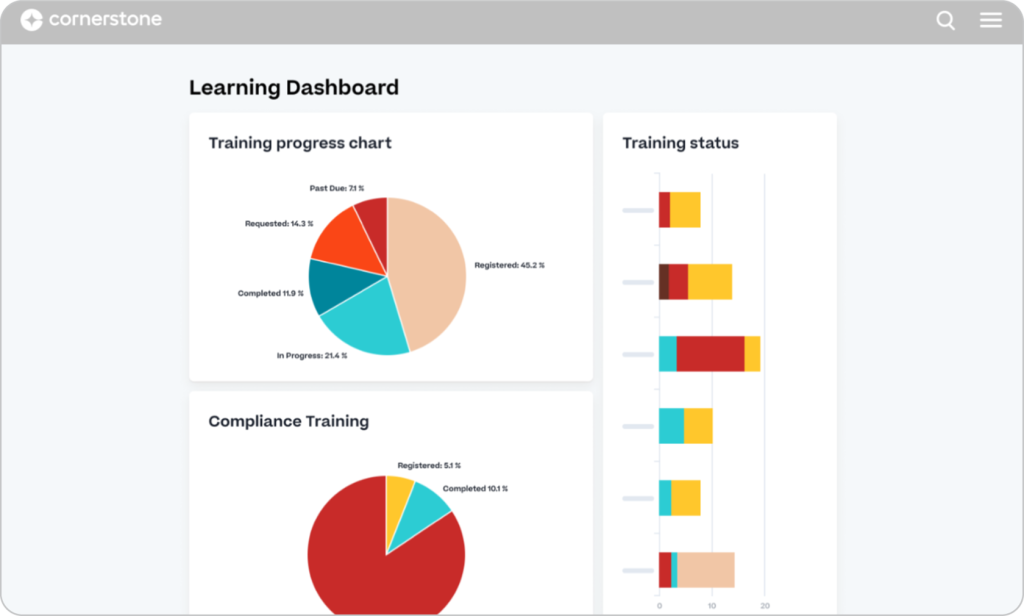
Cornerstone is an LMS that allows companies to build workforce roadmaps and back them up with proper upskilling and reskilling efforts. It features deep AI algorithms that create connections between learners’ profiles, business needs, and suggest learning content.
Cornerstone’s features enable users to identify workforce gaps and make more informed decisions on how to expand their teams. Once training needs are found, it’s the best LMS for employee training to use for more personalized learning experiences. It gives instructors real-time information about how learners are doing. It really puts the employee at the center of its features and places a comprehensive training toolbox into the instructor’s hands.
Why we chose Cornerstone
Cornerstone features a peer-based knowledge base, allowing users to learn more about the platform from other customers. Users are also encouraged to suggest LMS features and upgrades for future releases here. That opens the door to more niche use cases. It makes onboarding with this LMS for employee training easier. And it lets administrators make full use of their portals without having to come in contact with support in most instances.
Key features:
- Workforce management
- AI-guided learning
- Performance management
- Engagement surveys
- Gamification
- Integrations
- Certification
- Skills graph
- Reports and analytics
- Gradebook
- Mobile training
Pros: Rich documentation and reporting features, healthy communication between the vendor and customers
Cons: Steep learning curve for administrators and instructors, IT skills required to set up the portal
Pricing: No free trial. Subscriptions are based on # of users. No published pricing. Contact the vendor.
What users are saying on G2
The Good
“If you can think of a special use case, it can handle it. You just need a little creativity, a little know how (they also have an extensive library of courses for Admins to learn from) and patience. And if you lack any of that, Cornerstone has a community of users at the ready to help answer any questions or solve any problems you may have.” Cristi P on G2 – 5 / 5 stars
The Room for Improvement
“Highly clunky user experience. Lack of responsively from the client support team.” Verified User on G2 – 4 / 5 stars
9. LearnWorlds
Rating: 4.7/5 (375 reviews)
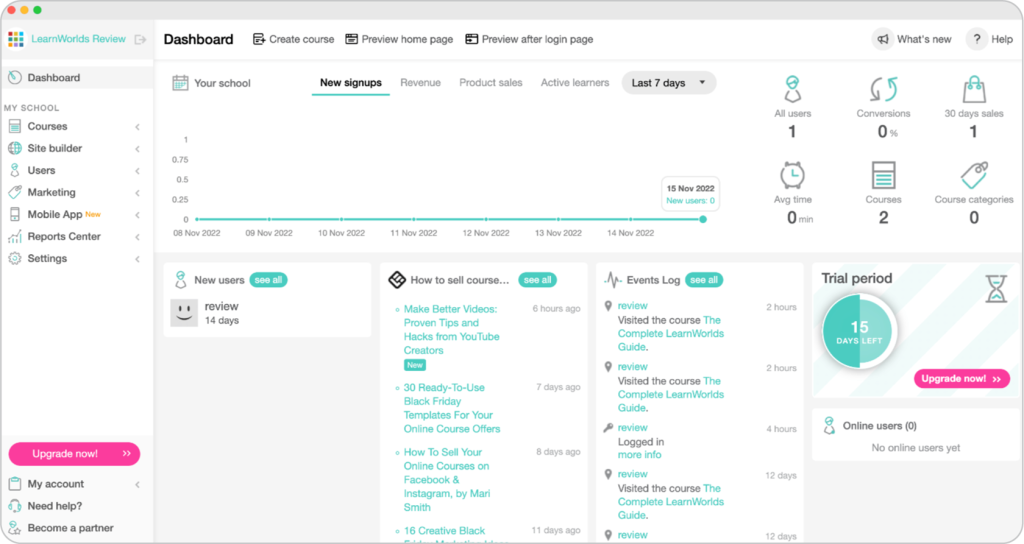
LearnWorlds is an LMS for employee training that’s strong on analytics. Using advanced reporting, instructors can proactively manage and address learning requirements. And with AI-guided content creation functionality, they can easily design custom courses that includes a tone of voice checker.
LearnWorlds also packs extensive learner assessment options. These come in the form of exams with follow-up feedback forms. Advanced gradebook functionality means instructors can also give detailed comments. And easily monitor and update learner progress. Thanks to how visually pleasing its UI is, LearnWorlds is also fun and engaging to use.
Why we chose LearnWorlds
LearnWorlds is a unique LMS for employee training in that it doesn’t have to be used as a dedicated cloud-based LMS. Rather, it allows you to create fully-fledged training programs in the form of websites with drag-and-drop builders and dozens of ready-made templates. Furthermore, it opens up new possibilities regarding learner accessibility with various devices and browsers.
Key features:
- AI-guided content authoring
- Blended learning
- Mobile training
- Integrations
- ILT
- SCORM-compliant
- Surveys
- Reports and analytics
- Website builder
- White labeling
Pros: User-friendly for learners, rich integrations
Cons: Steep learning curve, limited customization
Pricing: Free trial available. Pricing starts at $24/month (Starter plan), $79/month (Pro Trainer plan), $249/month (Learning Center plan).
What users are saying on G2
The Good
“This platform is very well organized and user-friendly. I really liked it when I first started to use it as a beginner. It is very accessible, all the features and buttons are well organized and you can easily find any setting to get yourself through this website.” Dilnoza M on G2 – 5 / 5 stars
The Room for Improvement
“There are some features missing that I would like to see in the future, like signed forms. Also, the formatting doesn’t transfer over well from Canvas, meaning I need to paste plain text and reformat. Otherwise, things are going good.” Joshua V on G2 – 4.5 / 5 stars
10. LearnUpon
Rating: 4.6/5 (184 reviews)
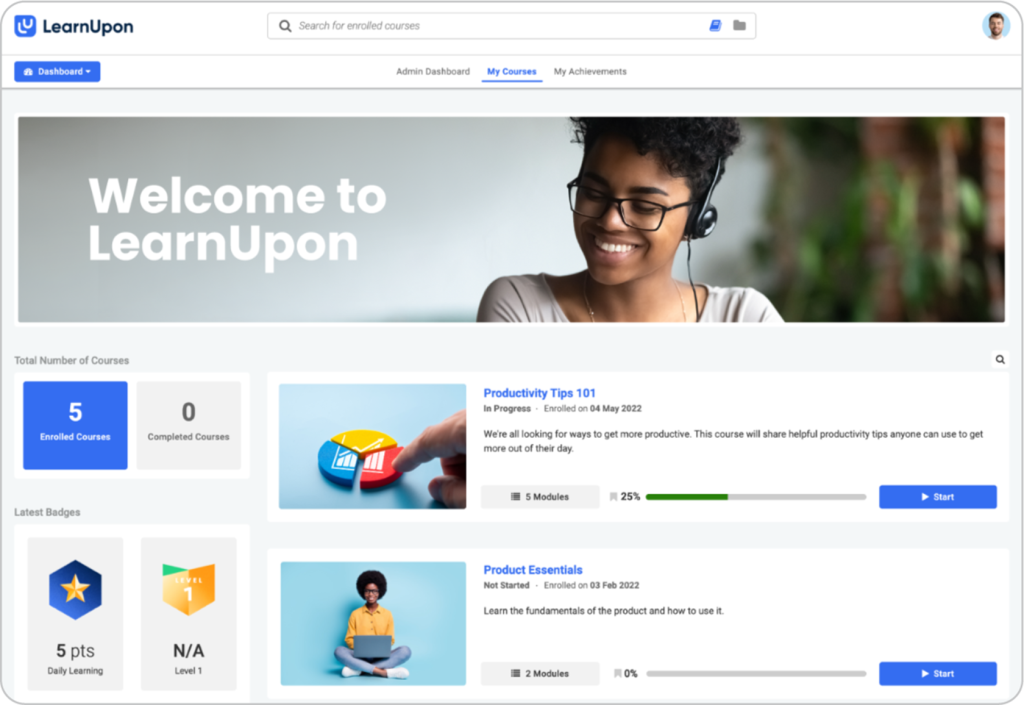
LearnUpon is an LMS for employee training that makes managing and assigning training to users fast and easy. Instructors can mass-assign courses and create custom flows based on different enrollment rules. They can then use the LMS’s feedback functionality to get learners’ thoughts on the process and customize it accordingly.
Knowledge checks can be interspersed throughout different courses to add an extra layer of feedback from learners. It’s an LMS that creates an involved, two-way mechanism between instructors and learners, ensuring everyone is on the same page about training.
Why we chose LearnUpon
LearnUpon features extensive automations, allowing instructors to put training on autopilot once they’ve created their content. That is only accentuated by the fact that this LMS for employee training has a very clear and intuitive UI with color-coded elements and drag-and-drop functionality. It makes portal management very easy, even for beginner-level administrators and instructors.
Key features:
- Course authoring
- Automations
- AI-powered learning
- Personalized learning
- Surveys
- Gamification
- Portals (subdomains)
- Reports
- Integrations
Pros: User-friendly interface, intuitive course creation tools
Cons: Limited learning paths, limited social learning features and collaborative learning
Pricing: Free trial available. No price listed. Contact the vendor.
What users are saying on G2
The Good
“Since adopting LearnUpon late last year, we’ve seen a tremendous uptake in online learning from our organisation. This has been helped by the various use case applications the tool provides to our business, as well as functionality and ease of use for our learners. We’ve seen growth in engagement scores, primarily down to the different delivery options the LMS can provide…” Tom F on G2 – 5 / 5 stars
The Room for Improvement
“However, there are areas where the system could improve. Setting up a single course can be quite time-consuming, and the inability to list admins as managers of groups limits functionality. Additionally, organizing courses on the back end is cumbersome, as there isn’t a way to streamline or categorize them effectively.” Brittany M on G2 – 4.5 / 5 stars
What features should you look for in an employee training software?
The best company LMS for employee training will match your expectations to the letter. When comparing platforms, evaluate their feature lists against your training needs and goals.
AI and automation
AI now shapes how training is designed and delivered. Many LMS platforms include tools for AI-driven course creation, translation, or personalized coaching. These features help instructors save time while improving the learner experience with smarter recommendations and personalized feedback.
Learning paths
Learning paths let instructors guide employees through structured skill-building journeys. They connect related courses into a logical sequence, making it easier to measure progress and align training with role-specific goals.
White labeling
Customizing your learning platform’s look and feel is essential when it comes to building engaging employee training systems. Branding your portal with your business’s color scheme and logo (or even renaming parts of the UI to match your brand) can positively affect your learners’ experience.
White labeling your LMS for employee training will make it a native part of your company’s tool set. And your staff will adopt the learning platform more quickly and easily.
Subportals / Branches
The larger your workforce is, the more likely you are to need subportals on your learning portal. Putting your company training into different parts of your LMS for employee training will let you make the content more personal for each learner. For example, you might want to train employees in different languages or offer department-specific training to individuals without keeping all your content in one portal.
Many companies also use subportals within LMS systems to split training between inside and outside the company. They offer different online training resources to employees and partners. With subportals, you can assign instructors to focus on certain segments of your learner base, making for more convenient custom training courses management.
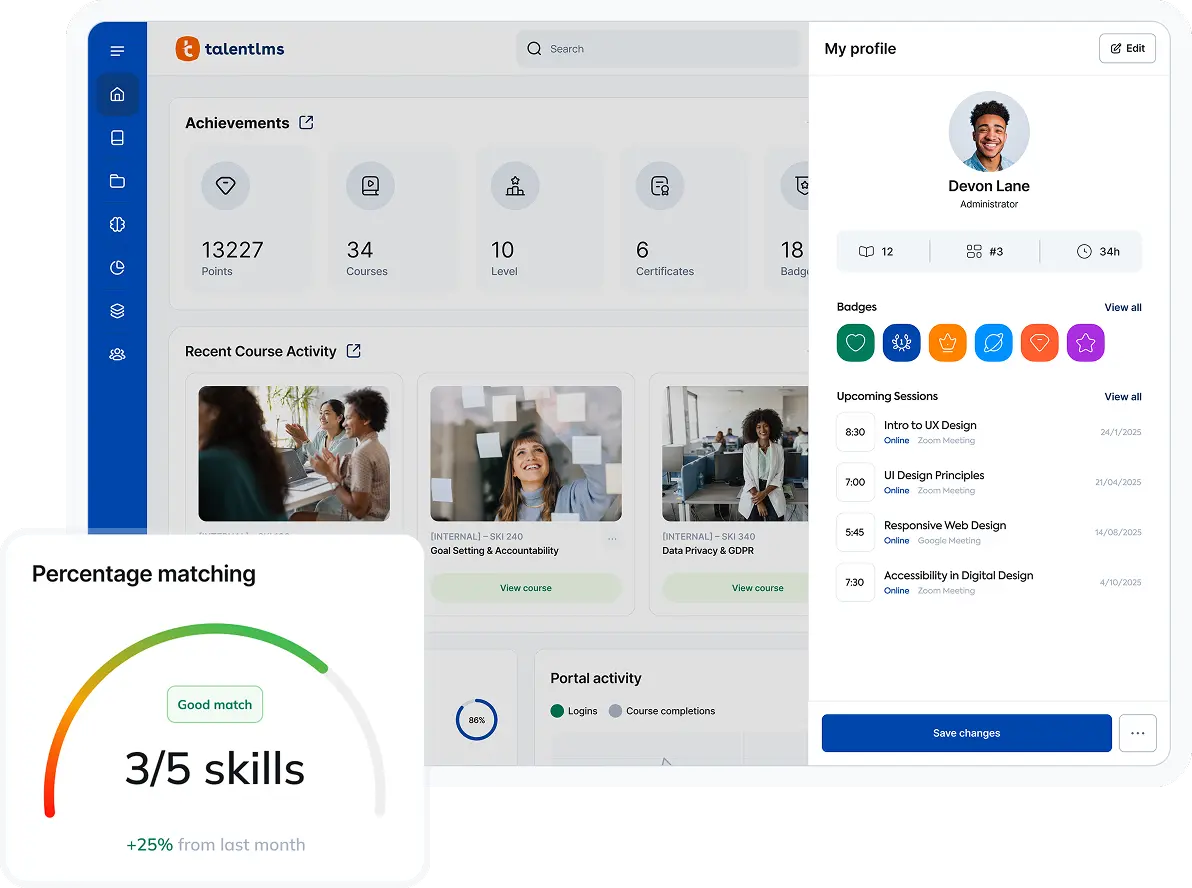
Certification
Certification allows you to provide proof of training completion to your learners. It enables you to create custom training courses to remain compliant with regulations specific to your industry.
Online training software also lets you customize certificates to match your branding. And add your own text and dates. With an LMS for employee training, you can follow up great training with convenient certification. And check both boxes in one go with the best learning management system fit for your needs.
Reports and analytics
Tracking and measuring your training initiatives is key to the success of your online employee training programs. That’s why online employee training LMS solutions feature different forms of reporting capabilities and analytics functionality to keep track of your employee performance while training.
This functionality provides valuable insights. Such as how your learners interact with your online courses. And how long they need to finish the corporate training programs. You can even use it to set up surveys and get answers straight from the source, all through your digital learning solutions.
Mobile learning
Providing employees with on-the-go learning through a mobile app is a must in the modern workplace. Whether they’re on a break, commuting, or have a moment to spare at home, people can and will tackle training through their mobile devices if given the choice. That’s why the LMS for employee training you settle on should support mobile learning.
Some solutions go a step further by providing a dedicated mobile app you can white label to match your business’ branding whenever employees log in to your LMS software through their mobile devices.
Use cases of a learning management system (LMS) for employee training
Employee training means different things to different businesses.
Each LMS offers a unique mix of features, but the best fit depends on your priorities.
Below are some of the most common ways organizations use their LMS to strengthen and manage training programs.
Onboarding training
Bringing new hires up to speed on your company’s values and role-specific knowledge is a big deal. So is choosing the online employee training LMS that fits your training style. Onboarding new employees is a process that can be made much easier with the right tool. You can automatically create user profiles, assign courses, and certify learners, all through a convenient online employee learning management system.
Upskilling and reskilling
Once your people are hired and onboarded, you’ll want to track employee training over time. Upskilling and/or reskilling your workforce is a great way to incentivize retention and boost morale, no matter the type of business you run. In fact, 77% of employees believe their companies must offer career and development training to help employees step into new roles.
The best LMS for employee training will enable you to proactively address your people’s needs with role-specific and compliance-related training over extended periods.
Training gamification
In the age of waning attention spans, gamification can help deliver employee training programs more effectively. Whether you focus on online or blended learning, getting your employees to complete their assigned courses on time can be challenging. Gamification in the form of leaderboards, badges, points, and even rewards for a job well done can do wonders for employee engagement in online learning programs.
When choosing your learning management system, keep customizable gamification in mind, as it can encourage collaborative learning and healthy competition within your organization.
Compliance training
Complying with local and international regulations is pivotal for businesses in various industries, from IT to manufacturing. But to manage employee training programs efficiently and get people certified on time can be complex. Particularly with a large, distributed workforce. Using a learning management system for employee training is the easiest way to achieve full compliance and keep accurate records.
With centralized, easily scalable training management, this saves you precious time and resources in the long run.
Real-life examples of successful LMS for employee training
Next, let’s look at a few success stories of companies winning with an LMS.
Fabletics OS boosts training adoption to 98% with TalentLMS
Training a global team can be tough, but Fabletics OS found a solid solution. They needed to keep over 2,000 employees in sync across five continents, and with TalentLMS, they were able to localize training and keep everything up to date easily. They ended up with a remarkable 98% adoption rate.
The best part? The platform was flexible enough to let them roll out courses on the fly and track results as they came in.
Now, Fabletics OS maintains top performance standards worldwide without slowing growth.
Tagmarshal increases course completions by 600% using TalentLMS
Tagmarshal, a fast-growing golf tech company, wanted to modernize its training and scale across markets. With TalentLMS, it restructured content into microlearning modules, automated reminders, and introduced AI-assisted course creation. Within months, course completions jumped 600% and signups rose 350%, saving over 180 training hours.
The new LMS setup also earned Tagmarshal its first PGA of America accreditation.
Position Green scales global ESG training with TalentLMS
Position Green needed a single training solution to support rapid global expansion and multiple audiences. By switching to TalentLMS, the team unified onboarding, employee education, and customer training under one scalable system. Integration with their existing tech stack made it easy to deploy courses and track training progress worldwide. With learners across Europe, North America, and Asia, Position Green now delivers consistent, impactful ESG training.
Get started with TalentLMS for employee training in 2026
Great training begins with the right platform—one that grows with your team and keeps learning simple, engaging, and measurable. Once you’ve narrowed down your selection to a few learning management tools, you should reach out to different vendors for more info on their LMS platform.
There’s a lot to consider, and you should take your time and consult others in your organization, such as the instructors who will ultimately create and deploy training content. But as you learn more about each learning management system, you’ll slowly settle on the best fit.
If you’re ready to take that next step, TalentLMS gives you everything you need to build and manage learning programs that evolve with your business in 2026 and beyond.
FAQs
How do I know when my company is ready for an LMS?
Most teams realize they’re ready for an LMS when manual training starts slowing them down. If tracking progress through spreadsheets feels messy, or new hires aren’t getting consistent onboarding, it’s time. Companies often hit this stage once they grow beyond a handful of employees, or start managing compliance and upskilling at the same time.
What’s the difference between an LMS and a learning experience platform (LXP)?
An LMS manages and delivers training, while an LXP personalizes how learners engage with it. Many modern systems now blend both, giving teams the structure of an LMS with the engagement and discovery tools of an LXP.
How do AI features in modern LMS platforms actually help training teams?
AI tools in LMS platforms save time and make learning more relevant. They can translate content, automatically, recommend courses based on learner performance, or even generate quizzes and lessons from existing material.
What’s the best way to roll out an LMS to employees for the first time?
Start small with a pilot group, gather feedback, and fine-tune before a full rollout. Introduce the platform as part of your company’s workflow, not a separate system, and clearly explain its benefits for each role.
What are the hidden costs of implementing an LMS?
Beyond subscription fees, there can be hidden LMS pricing tied to setup, content creation, integrations, or migration from an older system. Some platforms charge for premium features like advanced analytics or custom branding. The real cost, though, often comes from underestimating setup time or internal training.
Originally published on: 29 Mar 2024 | Tags: Cloud LMS,eLearning,Employee Training,top LMS