

Sooner or later, many training teams have a realization. They’re spending more time wrestling with their learning platform than developing the skills their people need.
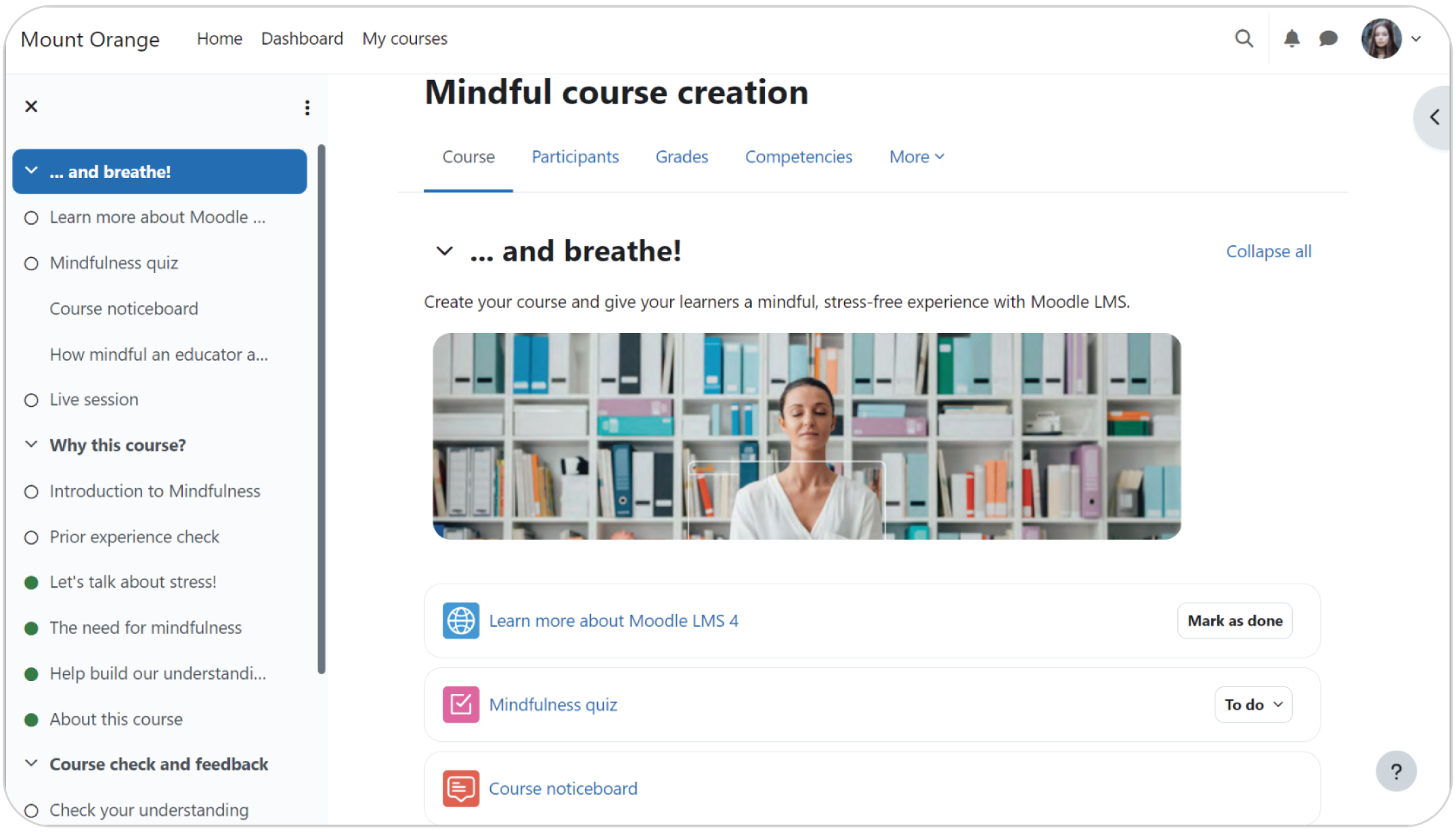
Sometimes, that platform is Moodle, a well-known open-source system with deep roots in the world of education.
The platform’s open-source nature means the budget normally spent on licensing fees can be redirected into creating better training content. A vast library of plugins also equips teams to build a learning environment that precisely mirrors their company’s specific workflows.
Its assessment tools support project-based work that reflects real-world job skills. The active global community serves as a massive, free support network, often presenting alternative solutions faster than a paid vendor could.
The downsides, however, are often enough to make corporate teams look for Moodle LMS alternatives.
Finding that simpler solution is what this guide of Moodle alternatives is all about. The Moodle alternatives listed here were built for business first, designed to let your team focus on what they do best. Building great training.
What are the best Moodle alternatives?
The best Moodle alternatives in 2026 are TalentLMS, Docebo, Absorb LMS, Canvas LMS, Blackboard Learn, Tovuti LMS, and iSpring LMS. These platforms replace Moodle’s self-hosted complexity with cloud-based deployment, built-in features, and dedicated support. Key selection criteria include total cost of ownership, setup speed, IT requirements, user experience, and whether you need a corporate training platform, an academic LMS, or a content-authoring-first solution.

How to choose the right Moodle alternative for your needs
A Learning Management System like Moodle, which is perfect for a university with a huge IT staff, can be a headache for a corporate team that needs to move fast. And Moodle’s biggest strength, its raw power, creates a steep learning curve. That’s what drives many teams to explore alternatives to Moodle.
You see this push-and-pull between power and usability show up in user reviews all the time. Marco M. sums it up perfectly on G2: “Moodle is powerful, but that power comes at a cost: the configuration options are extensive and not always logically organized. As a result, it’s easy for less experienced admins to misconfigure something or get lost in deeply nested settings.”
Here’s what to weigh before committing to one of these Moodle alternatives:
How much technical upkeep your team can handle. The hidden workload of keeping Moodle online is a significant factor. You’re on the hook for hosting, security, and updates yourself. If you don’t have a dedicated IT team, a managed cloud LMS removes that overhead entirely. Most Moodle alternatives on this list offer exactly that.
How fast you need to get started. Moodle deployments can stretch across weeks or months. If your training program can’t wait, look for Moodle alternatives that let you go live in days.
Whether your team will actually use it. Among Moodle alternatives, a uniform, modern user experience can mean the difference between high adoption and a platform people avoid. The platform can also start to lag as your company scales up.
What kind of support you need. When a real problem pops up, Moodle has no official help desk to call but community forums, discussion boards, and pricey third-party contractors. Consider whether guaranteed response times matter to your team.
How your budget works long term. Moodle’s free licensing can be misleading once you factor in hosting, plugins, and developer time. Compare the total cost of ownership across Moodle alternatives first.
If you’re still weighing Moodle alternatives, this how to choose an LMS guide and the “How to choose an LMS comparison sheet” can help you map your requirements before comparing platforms.
Moodle alternative #1: TalentLMS
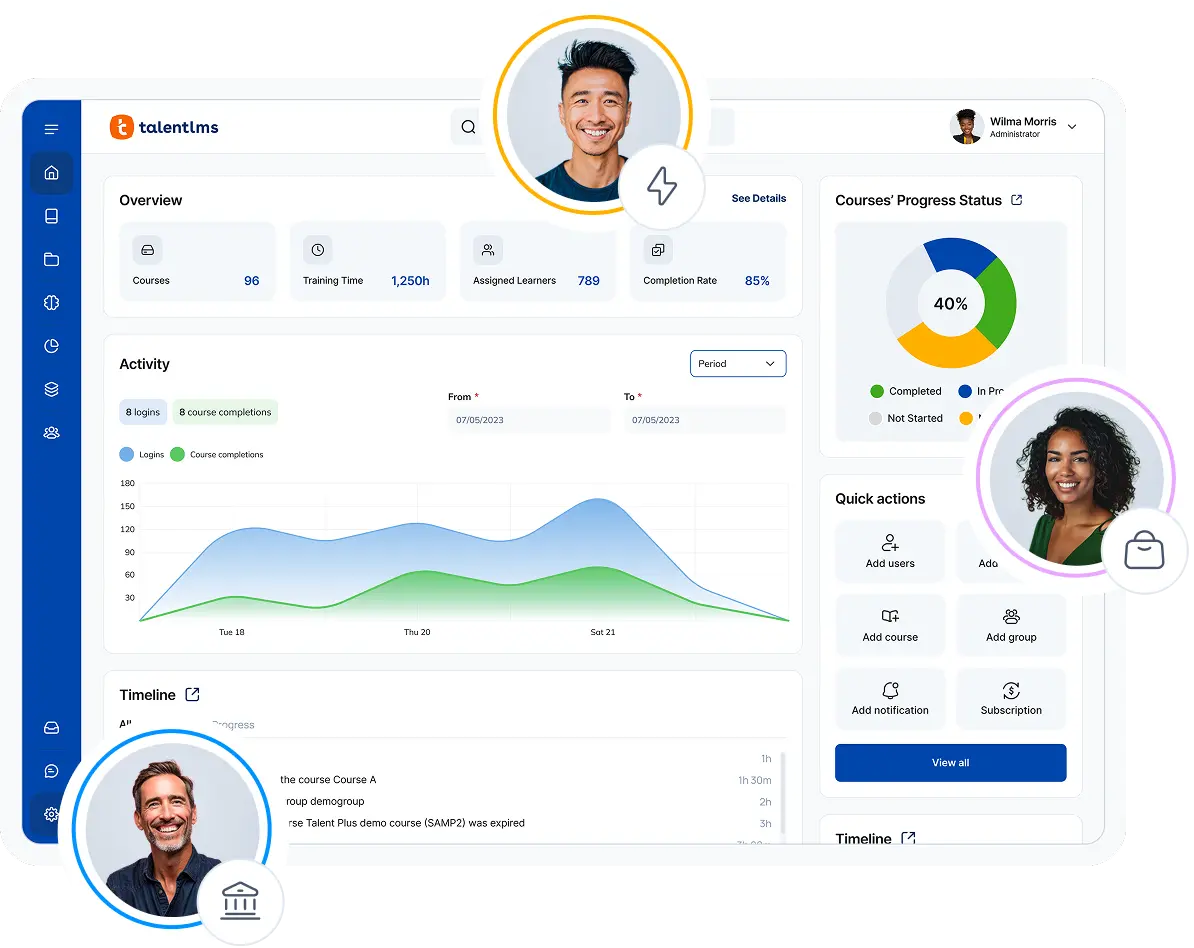
If Moodle is a powerful toolkit that lets you build anything, TalentLMS is a precision instrument designed for launching fast and effective corporate training. It strips away the layers of technical complexity to give L&D teams a clean path to creating and delivering courses.
Why we picked it:
There’s a good reason TalentLMS consistently tops the charts on software review sites as one of the best Moodle alternatives, which is its incredible value for money and simplicity.
In turn, this lets L&D teams, managers, and CEOs hit the ground running without the hidden costs or technical headaches.
On top of that, it fully supports mandatory content standards like SCORM and xAPI and has a library of robust, ready-made integrations.
Pros
- Intuitive and modern interface
- Requires no technical expertise to manage
- Dedicated customer support on all plans
- Fast implementation with high user adoption
- Zero maintenance overhead or hidden hosted LMS or LMS pricing costs
- Go live with your first course in a single afternoon
- An AI learning coach that supports learners live in their interactive courses
Cons
- Fewer deep customization options than open-source platforms
- Best suited for SMBs and mid-market needs
Key features:
- Powerful, user-friendly platform
- Rich multimedia support
- Multiple AI features for course & test creation, learner coaching, and skills development.
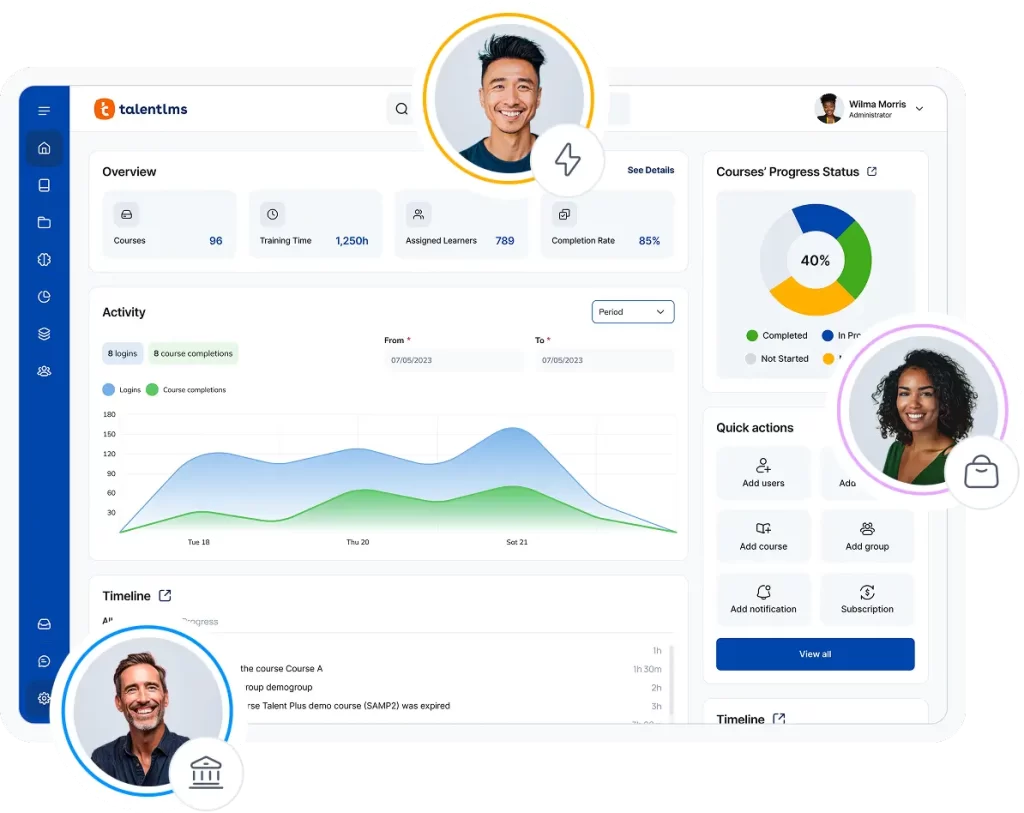
- Gamification elements with points, badges, and leaderboards
- Customizable auto-issued certifications
- Easily track learner progress and real-time reporting and analytics
- LTI 1.3 Integration, which means you can connect TalentLMS with your existing setup to share content, avoiding a disruptive, all-or-nothing migration.
Best for: TalentLMS is an ideal fit for small-to-medium-sized businesses and corporate employee training departments.
Pricing: In terms of TalentLMS pricing, you can get started with a free plan for up to five users or a premium free trial. Paid plans begin at $119 per month.
What users are saying on G2
The Good
The Room for Improvement
How Position Green scaled global training after switching LMS
Position Green, an ESG and sustainability software company based in Malmö, Sweden, needed an LMS that could keep pace with rapid growth. The company expanded from around 30 employees to 350, while also building a customer education program for a global client base.
After switching to TalentLMS from a previous provider, they now train 3,000+ learners across Europe, North America, and Asia. The multi-tenant setup lets them serve employee onboarding and customer education as separate training programs, all managed from one platform. And native integrations connect seamlessly with their existing tech infrastructure.
As Product Manager Richard Silvekroon puts it: “For whatever use case I can think of to help grow our academy audiences and serve our customers better, I know that I can rely on TalentLMS to support that use case. Because of this flexibility and the scalability of it.”
Moodle alternative #2: Docebo
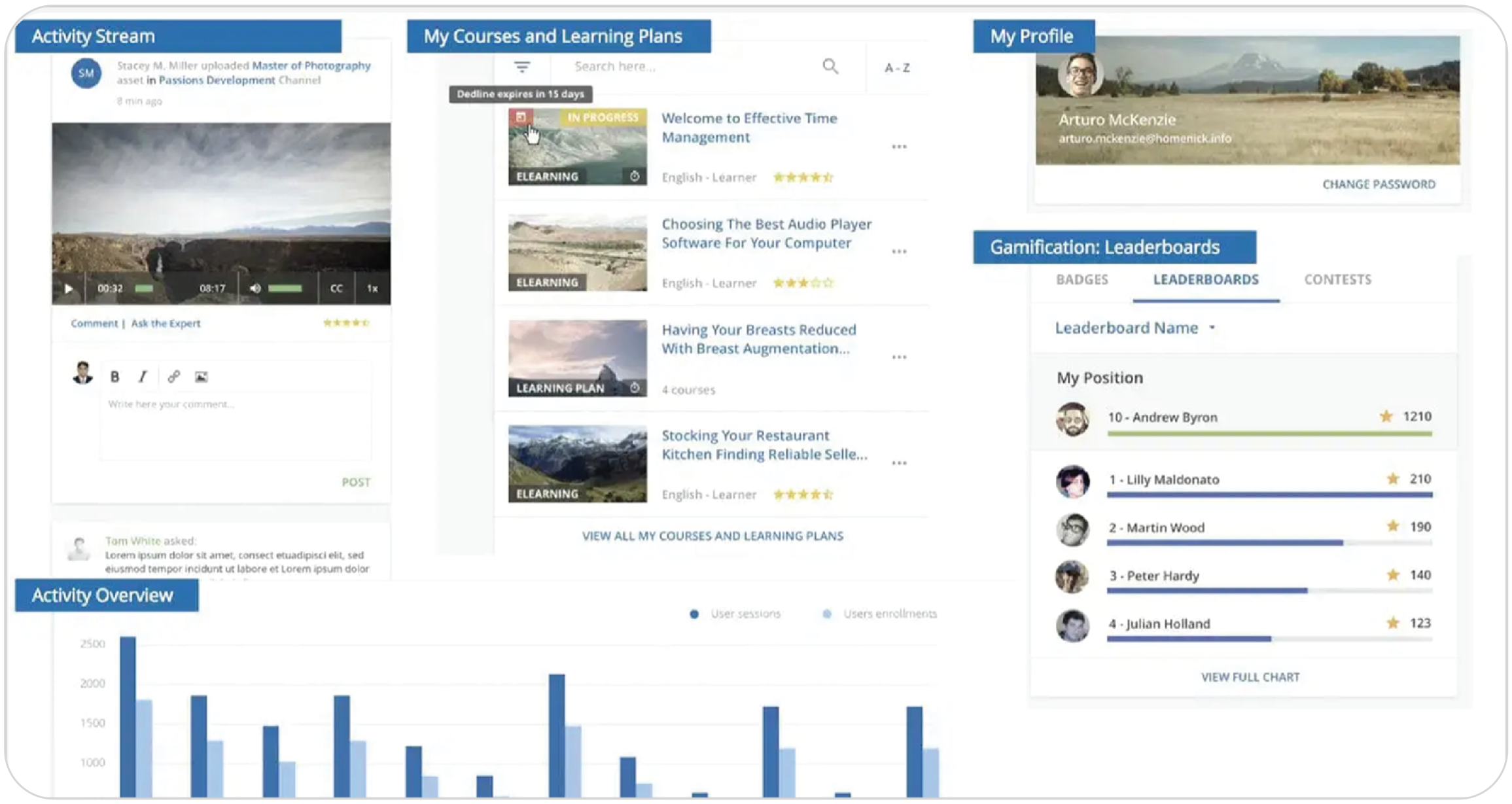
Docebo is a heavyweight among Moodle alternatives, designed to turn corporate training into a more automated, intelligent, and data-rich ecosystem.
Why we picked it:
We picked Docebo because it answers the question, “What’s next after Moodle for a large enterprise?”. It’s the logical choice for companies feeling constrained by a lack of advanced automation and deep analytics.
Its AI engine is also capable of creating personalized learning paths at a scale unlike Moodle, which cannot achieve without extensive and expensive custom development.
Pros
- Advanced AI for personalized learning paths
- Powerful automation and interactive analytics
- Highly scalable for global enterprises
- Stable platform with good ongoing support
Cons
- Native course creation tools are limited
- Significant financial investment
- Requires internal IT resources to maximize
Key features:
- AI-driven course creation and recommendations
- Automated enrollment based on user groups or roles
- Robust analytics and moderation tools
- White-labeling and seamless integrations with popular platforms like Salesforce
Best for: Docebo is built for large, complex enterprises that need to manage collaborative learning globally and require deep, actionable insights from their employee training data.
Pricing: Docebo doesn’t publish its pricing. Some industry sources report that plans start around the $40,000 per-year mark.
What users are saying on G2
The Good
The Room for Improvement
Moodle alternative #3: Absorb LMS
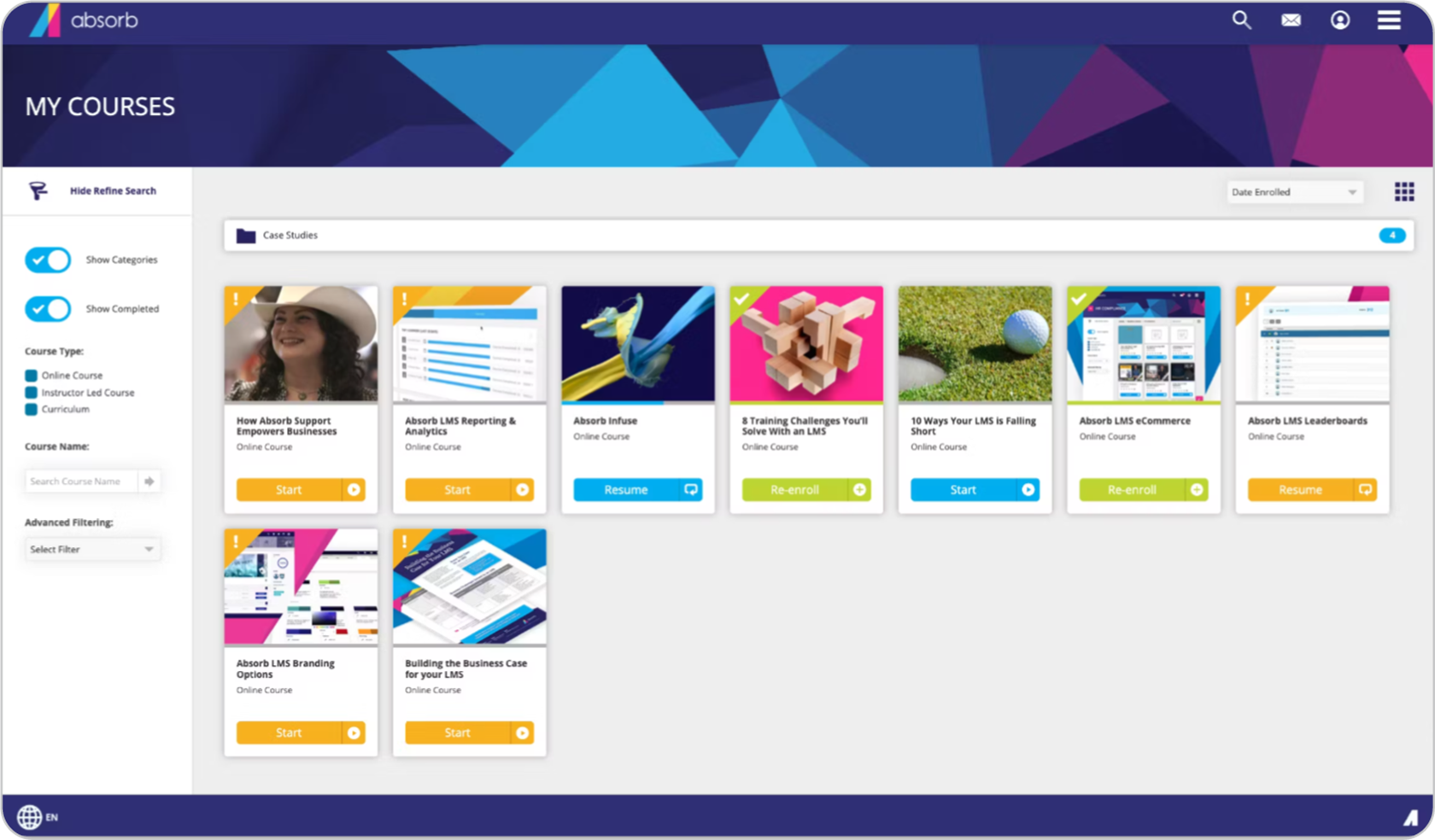
Absorb LMS is designed for organizations where deploying and tracking high-stakes compliance training across a large workforce is a top priority.
Why we picked it:
We picked Absorb for its laser focus on the end-user. While many platforms focus on the backend, Absorb has a good reputation for its easy-to-use, modern user interface and great support.
Pros
- An exceptional and intuitive user interface
- Powerful AI-driven analytics and robust reporting functionality
- Strong capabilities for managing compliance training
Cons
- Setup process can be challenging for non-technical admins
- Limited flexibility in segmenting complex user groups
- Native content authoring tool can be buggy
Key features:
- AI-assisted course content creation, learner coaching, and skills development
- Responsive, modern interface
- Blended learning and strong reporting capabilities
Best for: Absorb LMS suits enterprises with major compliance needs and global training requirements.
Pricing: Absorb LMS doesn’t publish its pricing online. Some industry sources report a model that includes a setup fee, a licensing fee, and a per-user cost.
What users are saying on G2
The Good
The Room for Improvement
Moodle alternative #4: Canvas LMS
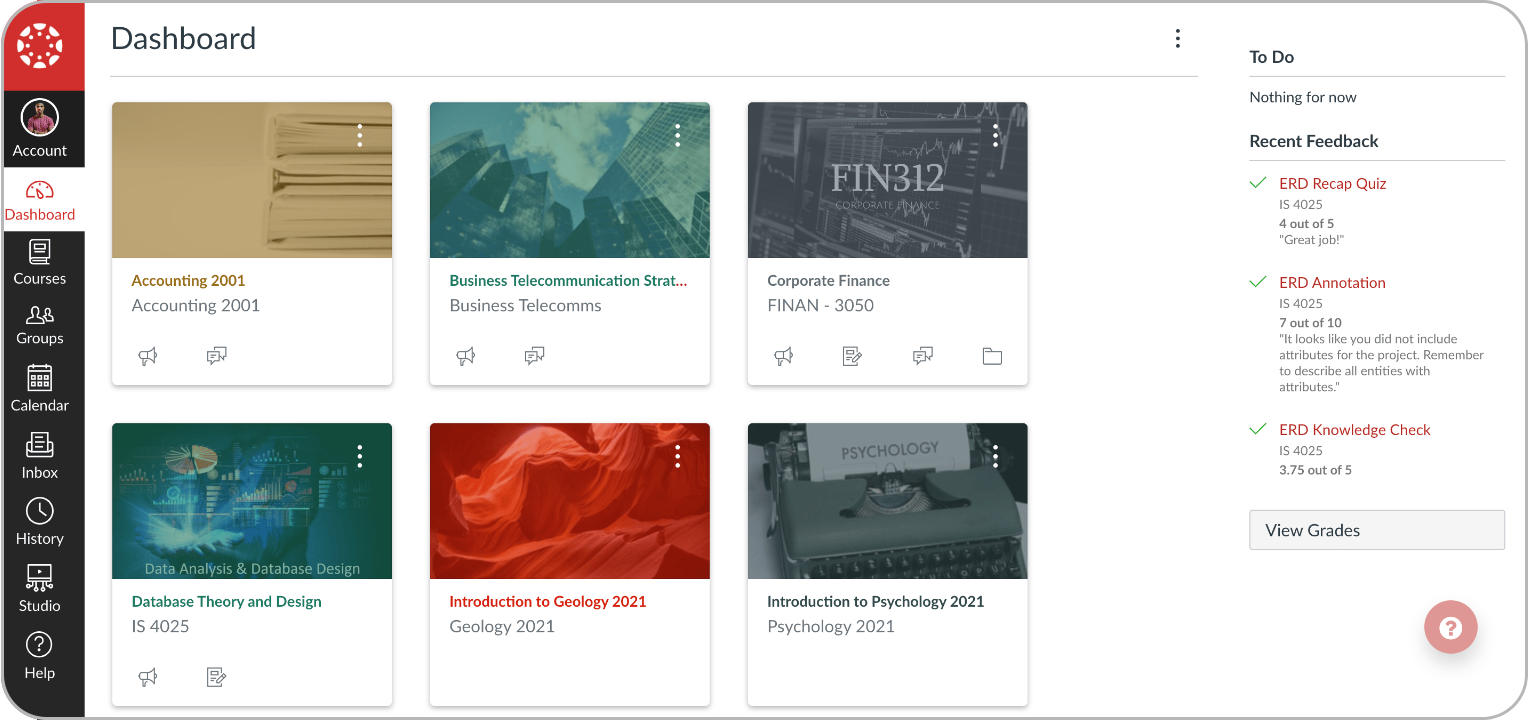
If you work with educational resources and within the higher education field, you’ll know that the best alternative to Moodle is Canvas LMS.
Why we picked it:
You simply can’t talk about Moodle alternatives in schools without talking about Canvas. It became so popular by fixing the things that drove teachers wild about older systems: A clean gradebook, simple course setup, social learning capabilities, and an interface that didn’t feel like it was from 1999.
Pros
- An interface that students and faculty actually enjoy using
- Top-tier tools for course management and grading
- A solid and reliable mobile app
Cons
- Not a business tool
- Its famous ease-of-use is mainly for higher-ed
- Lacks Moodle’s deep open-source flexibility
Key features:
- Comprehensive course, grading, and assessment tools
- Rich communication and collaborative tools
- Strong mobile experience for students and faculty
Best for: This one is simple. K-12 school districts and higher education institutions.
Pricing: The free-for-teacher plan is a standout feature. For entire institutions, pricing isn’t public, though some sources suggest an annual spend of around $36,000.
What users are saying on G2
The Good
The Room for Improvement
Moodle alternative #5: Blackboard Learn
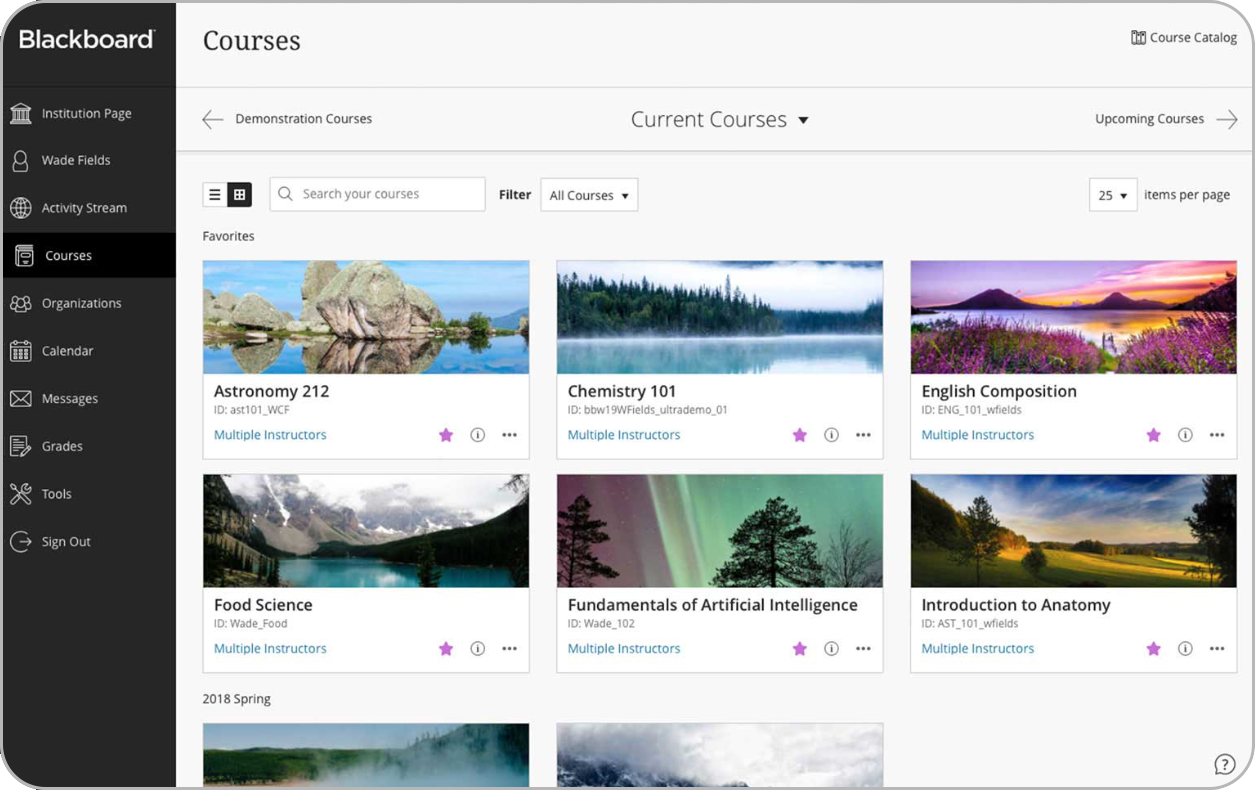
Blackboard Learn is a feature-deep platform built from the ground up to handle the complex demands of large-scale organizations like major universities and government bodies.
Why we picked it:
Blackboard’s main draw among Moodle alternatives has always been its depth, a system with a specific tool for almost any content or reporting challenge a large university could throw at it.
Pros
- Robust tools for content and assessment
- Robust analytics for institutional reporting
- New AI tools designed with strong pedagogy
Cons
- The sheer number of options can be overwhelming
- Interface can feel less intuitive than newer platforms
- Not designed for agile business environments
Key features:
- Content and assessment management
- Analytics and reporting
- Virtual classroom and customizable UI
- Scalable for large organizations
Best for: Their platform is purpose-built for major universities, federal government agencies, and branches of the military.
Pricing: The pricing here is strictly enterprise-level. Every deal is custom-built, comes with a hefty price tag, and requires talking directly with their sales team to get a quote.
What users are saying on G2
The Good
The Room for Improvement
Moodle alternative #6: Tovuti LMS
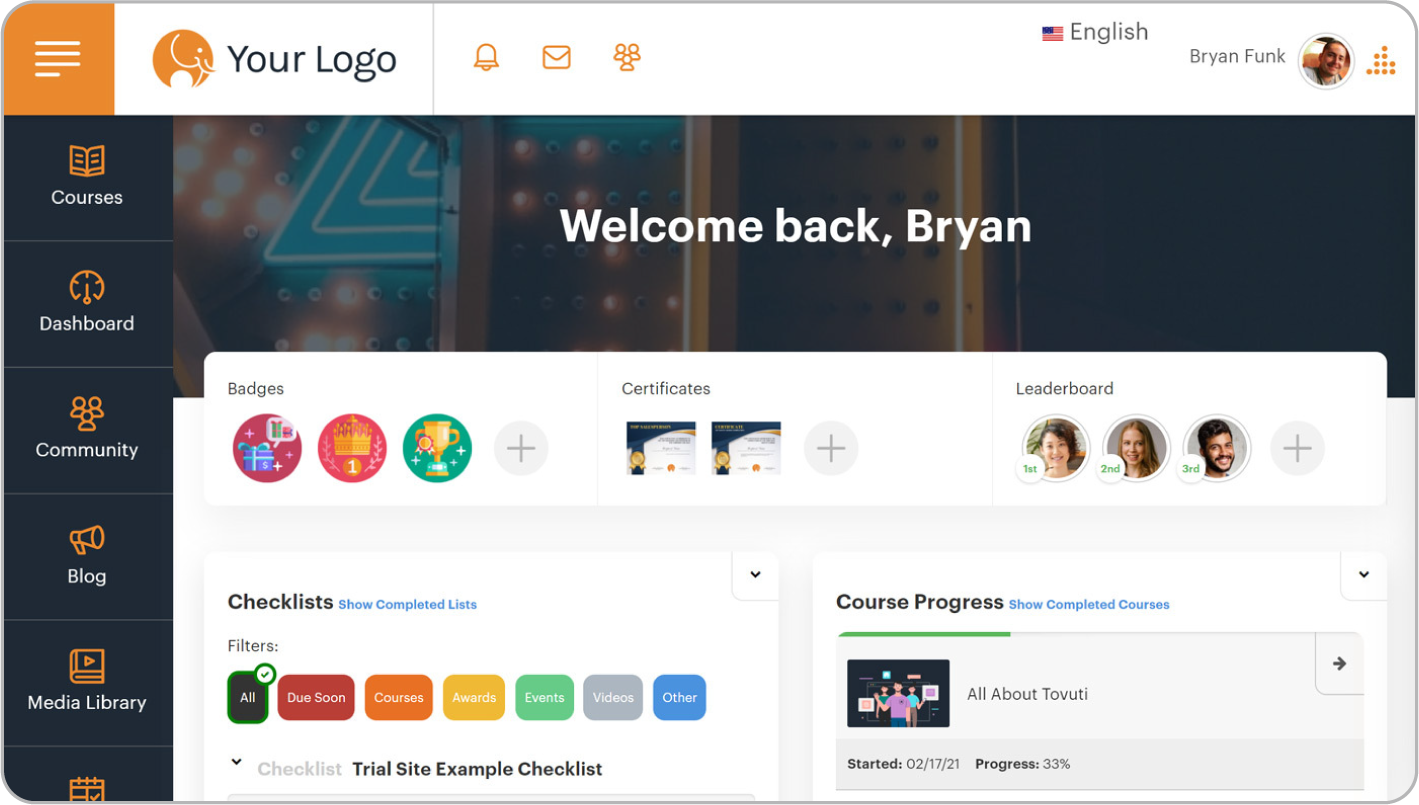
Tovuti brings us back to the corporate world with a modern, all-in-one cloud LMS designed to make it easy for businesses to create a completely branded learning experience.
Why we picked it:
Tovuti earned its spot on this list by directly answering the call for speed paired with deep branding. Its user-friendly backend gives administrators the power to easily customize the platform’s look and feel.
Pros
- Extensive white-labeling and branding options
- Quick to deploy and easy for admins to manage
- Good built-in tools for gamification and compliance
Cons
- End-user navigation can be confusing
- Reporting dashboards are visually lacking
- Lacks key integrations with some HR systems
Key features:
- White-label capability
- Gamification features and compliance progress tracking
- AI course authoring
Best for: Tovuti is a great fit for growing small and mid-sized businesses.
Pricing: Tovuti has several tiered plans, with some sources listing them as starting around $199 per month. Their Pro plan has been quoted at $11,160 annually for 50 users plus a setup fee, though you can also get a custom quote.
What users are saying on G2
The Good
The Room for Improvement
Moodle alternative #7: iSpring LMS
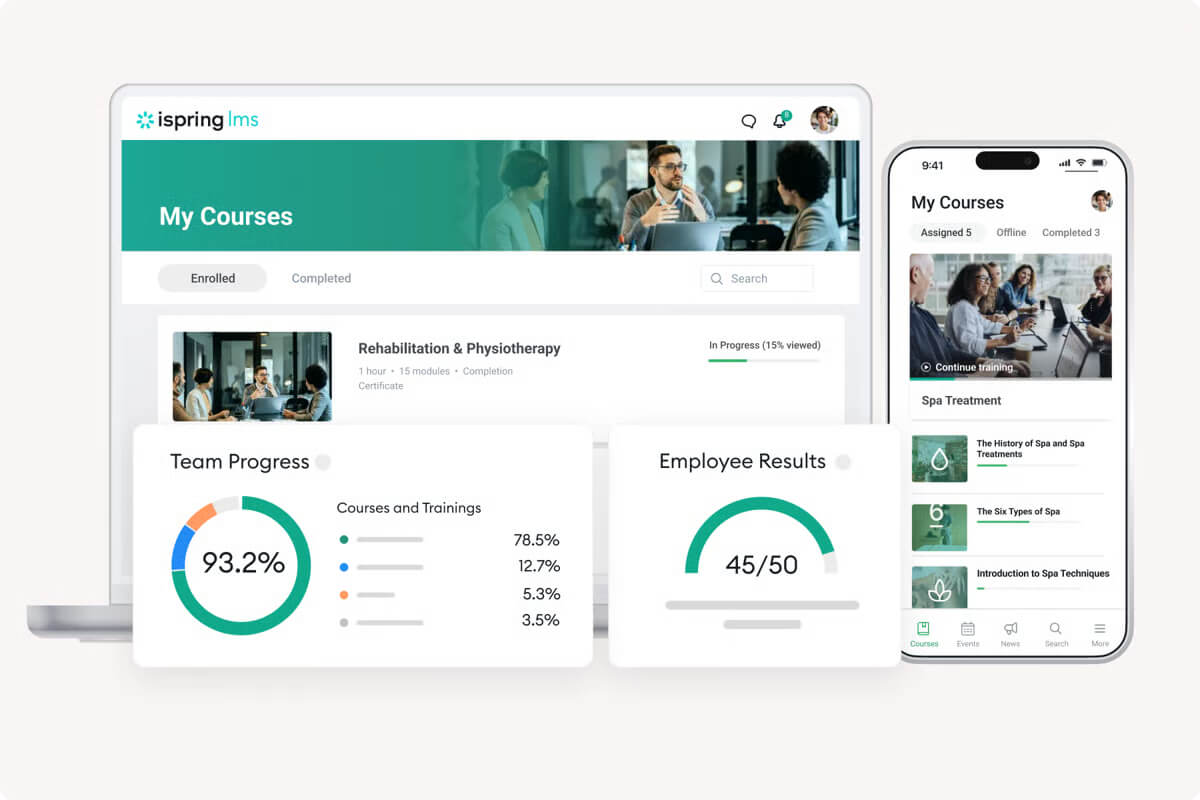
The last of our Moodle alternatives, iSpring LMS, is built to solve a very specific and common headache. It tightly bundles a user-friendly LMS with a top-tier course authoring tool.
Why we picked it:
We picked iSpring LMS because it’s a huge time-saver for busy training teams. Its main appeal is for content creators and instructional designers who need to produce polished courses from existing materials without a long, complicated development cycle.
Pros
- Excellent built-in course authoring tools
- Best-in-class PowerPoint-to-eLearning conversion
- Very easy for both admins and learners to use
Cons
- Lacks advanced gamification and social learning features
- Integration options are basic, not for complex API needs
- May be outgrown by teams with maturing L&D needs
Key features:
- Built-in authoring tools
- Full mobile support
- Analytics dashboards
- SCORM support and PowerPoint-to-eLearning conversion
Best for: iSpring LMS is ideal for corporate trainers and instructional designers to quickly create and launch courses, especially with existing PowerPoint content.
Pricing: iSpring LMS’s plans range from $8,000 to $22,000 annually for 100 to 500 users. Custom pricing is available for organizations with more than 500 users.
What users are saying on G2
The Good
The Room for Improvement
Which Moodle alternative to choose
It is easy to get dazzled by feature lists and slick demos when levaluating Moodle alternatives. However, your budget, the people you have on your team, and what you need to achieve this year should make the final call, not a flashy sales pitch.
For most businesses, all the TalentLMS features are a strong fit. You don’t need an IT team to run it. Its AI capabilities help you create content faster, and its pricing makes sense for a growing business.
The flexible Moodle integration also means you can transition smoothly without starting over.
For massive companies with budgets to match, enterprise Moodle alternatives like Docebo and Absorb LMS deliver deep, advanced features.
In the academic world, Canvas and Blackboard Learn remain the standard go-to systems.
For smaller, specialized teams, Tovuti is excellent for deep branding, while iSpring LMS is purpose-built for turning existing PowerPoints into courses.
Whether you’re exploring paid platforms or specific Moodle free alternatives, the final step is to see them in action. Take advantage of the free trials, get your team to play with the platform that feels like the best fit, and see how it handles your real-world content. That hands-on experience will tell you more than any guide ever could.