
Training seems straightforward on paper: create a course, assign it, and track who’s completed it.
But in the manufacturing sector, it is rarely that simple. HR is coordinating onboarding and ongoing compliance training, team leaders need visibility into their team’s skills, and business owners need training to keep pace as the company grows.
Now add multiple work sites, team roles, languages, audiences, and deskless workers, and training becomes harder to manage.
And the skills challenge isn’t getting any smaller. According to Deloitte and The Manufacturing Institute, US manufacturers could need 3.8 million new employees by 2033, with around 1.9 million jobs potentially going unfilled if the skills and applicant gaps aren’t addressed.
When hiring can’t keep pace, the practical answer is to upskill the workforce you already have. Retraining an experienced operator is faster than recruiting and onboarding someone new, and a manufacturing LMS is what makes that possible at scale: one place to build, deliver, and track the training your team needs.
The best Learning Management Systems for manufacturing give your team one place to create, deliver, manage, and track training across the whole organization.
In this guide, we compare 7 top manufacturing training LMS and look at what each does best, who it’s suited to, and how much it costs.
TL;DR
When manufacturing training is spread across locations, shifts, and teams, it’s harder to keep learning consistent and track what’s been completed.
- The right LMS should make training easier to roll out, update, and track as your workforce and company needs grow.
- Choosing an LMS for manufacturing depends on your audience, training needs, and how quickly you need to roll out learning.
- Key features include compliance tracking, mobile learning, easy course creation, reporting, and support for multiple audiences.
What is the best LMS for manufacturing companies?
There’s no single best LMS for manufacturing. The choice depends on your workforce, compliance requirements, and how many sites and learners you need to train. The strongest manufacturing LMS platforms typically offer compliance tracking and certifications, mobile and offline access for frontline workers, easy course creation, and support for multiple locations and audiences. The right LMS should fit your current setup while giving you room to scale as your training needs grow. TalentLMS, Docebo, Litmos, Cornerstone Learning, 360Learning, Absorb LMS, and iSpring LMS are among the leading options.
Top LMS for Manufacturing
| Platform | Best for | G2 rating | Pricing |
|---|---|---|---|
| TalentLMS | SMBs, employee, customer, partner training, onboarding, compliance | 4.6/5 (806 reviews) | Free plan, premium free trial. Paid plans start from $119/month for 40 users. |
| Docebo | Large, global manufacturing enterprises | 4.3/5 (749 reviews) | Custom pricing. Plans with different active-user pricing models. Sources claim pricing starts at $30-40K annually. |
| Litmos | Scalable safety and compliance training | 4.3/5 (698 reviews) | No published pricing. Third-party claims suggest roughly $3-6 per active user/month for LMS only and $10-15 with content. |
| Cornerstone Learning | Enterprise workforce development | 4.1/5 (530 reviews) | No public pricing, custom quotes. Industry estimates place the cost roughly between $6 and $18 per user per month. |
| 360Learning | Collaborative manufacturing knowledge sharing | 4.6/5 (632 reviews) | Team plan: $8/user/month; enterprise pricing available |
| Absorb LMS | Multi-audience training and automation | 4.6/5 (964 reviews) | No public pricing. Third-party sources claim pricing starts at $30K annually. |
| iSpring LMS | Compliance-focused manufacturing teams | 4.6/5 (167 reviews) | Customers pay for active users. Third-party sources claim plans start at about $8K per year for 100 users. |

How to choose the right LMS for manufacturing training
When it comes to manufacturing, training needs to reach employees across multiple plants, departments, shifts, and locations.
Some training programs may be mandatory, while others focus on onboarding, technical skills, or professional development. You may also need to train people outside your organization, including partners, distributors, or customers, and keep audit-ready reports.
This means that not every learning management platform will meet your needs. Before choosing, it’s best to consider:
Your training goals
What are you trying to improve? If maintaining compliance is the priority, look for certifications, assessments, automated reminders, and reporting.
If you’re onboarding large numbers of employees, then learning paths and automated assignments can make training easier to manage. And if your organization needs to capture technical knowledge from experienced employees, course creation and collaboration tools may matter more.
Your learners
Many plant teams need training in short bursts and away from a desk. An LMS with offline capabilities will support training completion and training progress on the shop floor when connectivity is unreliable.
You may also need separate learning environments for different plants, departments, customers, partners, or other audiences. In that case, look for an LMS that lets you organize users and training without creating separate systems for every group.
Your speed of change
Manufacturing processes, equipment, and procedures change often, and when a procedure changes, the people who follow it need retraining fast.
If your L&D team also has to update training frequently, easy course creation and content management can speed up these updates. The less effort it takes to turn new information into usable training, the faster teams can respond.
Your compliance requirements
Training isn’t finished when someone completes a course. You also need to know who completed it, when they completed it, and where compliance gaps still exist. Completion tracking and analytics will give you the visibility you need to manage mandatory training effectively.
Your company size
A learning platform that works well for a 100-person manufacturer may not be the right fit for a global organization.
Consider your current training environment, but also where the future will take you. A manufacturing-focused LMS should be capable of supporting you as your team and training requirements grow.
Manufacturing LMS #1: TalentLMS
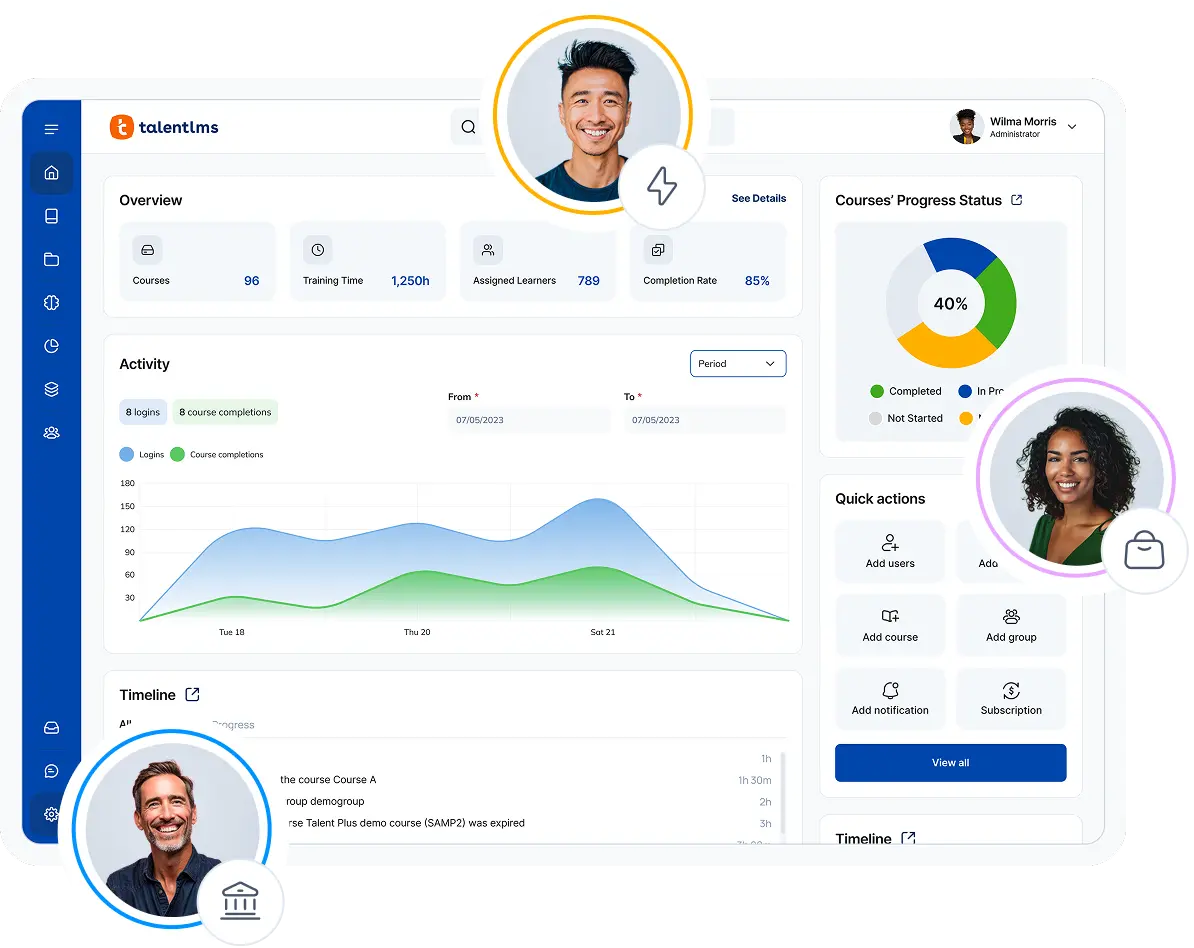
TalentLMS is a flexible LMS designed to support employee and external training needs all from one platform. For manufacturers, it supports compliance, onboarding, safety, and customer or employee training while giving L&D teams the tools to create and manage learning easily.
Why we picked it
When a new safety standard is issued and operators across different locations need retraining, recertification needs to happen fast.
TalentLMS balances the requirements that matter most in those instances: quick rollout, easy admin, structured compliance training, and support for distributed audiences. With TalentCraft, TalentLMS’s AI course creator, you can create professional courses and turn existing materials into content faster. This helps you keep mandatory learning on track, and by automating assignments, certifications, and renewals, you’ll know who’s completed their courses across each site.
With Branches, you can create separate, branded learning environments for each audience. If you need to target training by different roles, departments, or sites, you can use Groups functionality. This combination makes multi-site, multi-audience training rollout quick, easy and stress-free.
And for employees who don’t work behind a desk? TalentLMS provides mobile access and offline learning, so your learners can complete training even in areas with poor connectivity. For a more focused, deskless learning experience, you can add TalentCards to deliver bite-sized microlearning straight to your team’s phones. This can help reinforce training between courses and on the job.
Pros
- Easy to set up and administer
- Suitable for employees, partners, and other audiences
- Branches support separate training environments
- Built-in course creation and AI-assisted content creation
Cons
- Organizations with highly specialized enterprise requirements may require integrations or additional configuration
- Customization options for UI and workflows can be somewhat constrained for highly tailored use cases
Key features:
- AI-assisted course creation
- Learning paths
- Certifications
- Tests and assessments
- Branches for different plants, teams, or audiences
- Groups and automated assignments
- Custom reports and training tracking
- Instructor-led training
- SCORM support
- Integrations and API
- Ready-made training content through TalentLibrary™ and other providers
Best for: SMBs and organizations that need to train employees, customers, and partners from one platform.
Pricing: Free plan available; Premium trial; Paid plans start from $119/month for 40 users.
What users are saying on G2:
The Good
“TalentLMS stands out as the best learning management platform because of its exceptional ease of use—both for administrators and learners. Setting up courses, managing users, and tracking progress is intuitive and requires minimal technical knowledge. Its flexibility is a major strength: it supports a wide range of content formats (video, SCORM, quizzes, documents) and integrates seamlessly with tools we already use. The platform scales effortlessly, whether you’re training a small team or hundreds of employees.” — Michiel M., L&D Coordinator, Small Business, 5/5
The Room for Improvement
“One issue I’ve noticed is with images—when a course is duplicated multiple times, the image links sometimes break, especially when assigning tests. It’s not a huge blocker since we can fix it quickly by reuploading the images, but it does add a bit of extra work. Would be great if the image paths stayed intact during duplication.” — Anusha P., Travel Sales Consultant, Airlines/Aviation, Enterprise, 5/5 stars
How Roland simplified compliance training worldwide
For a global manufacturer, compliance training doesn’t end at the head office. There are on-the-ground teams to train, safety requirements to stay on top of, and employees spread across multiple sites.
That’s the challenge Roland was facing. They needed a simpler way to deliver and track compliance training worldwide while keeping the same standards across locations.
And the scale of that training quickly adds up. As Corin Birchall, VP of Global Retail Operations for Roland, explains:
We currently have 178 courses in TalentLMS. 9,588 courses completed, 30,000 assignments done. And in terms of training time, two years, one month, and one day. We would’ve never delivered that much training.
Corin Birchall, VP of Global Retail Operations, Roland
With TalentLMS, Roland’s HR team can now see what training courses have been completed, who has completed each session, and when, all without having to chase down scattered training records.
For Roland, this visibility makes all the difference, making compliance easier to manage at a global level.
Manufacturing LMS #2: Docebo
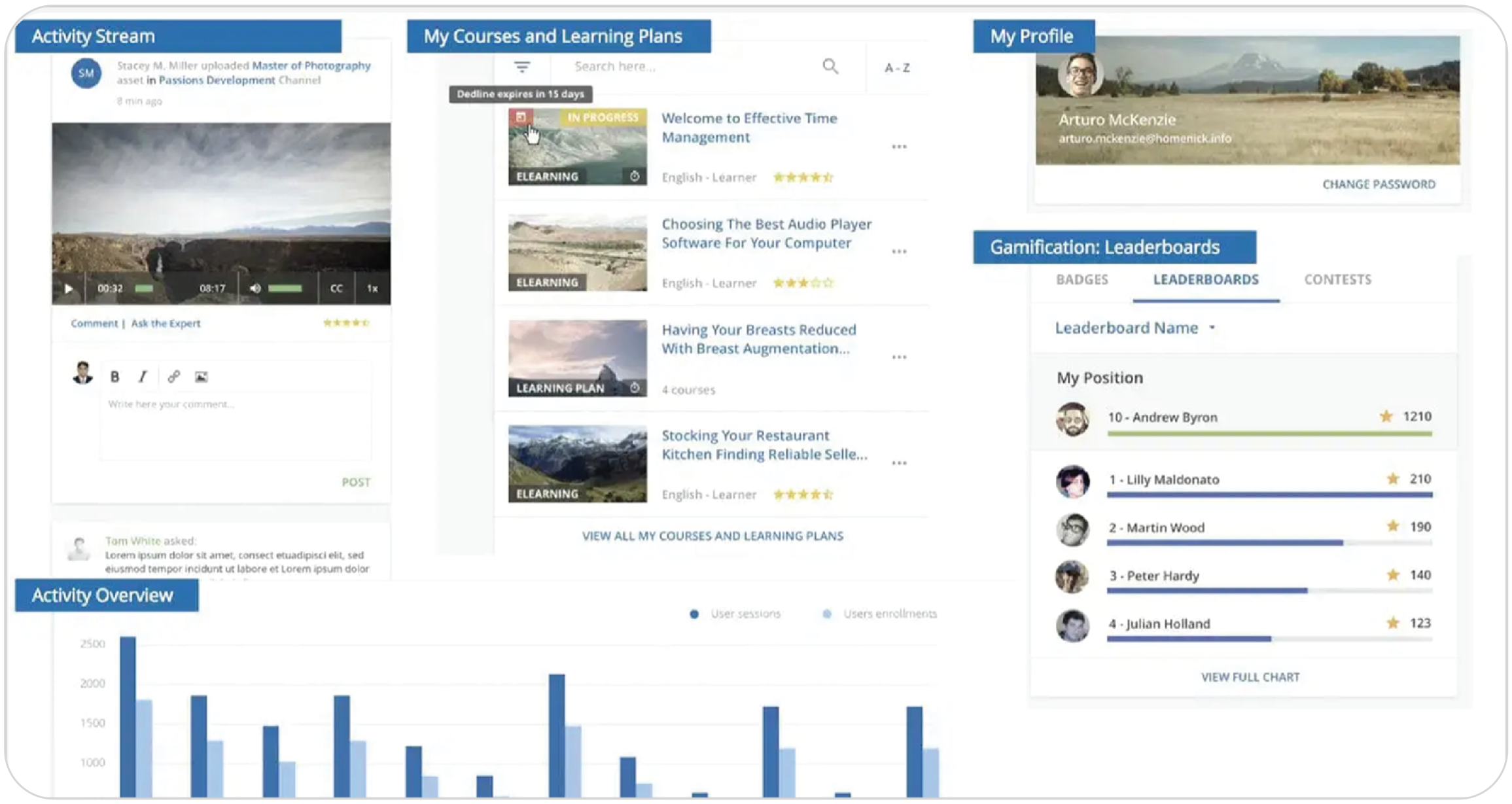
Docebo is an enterprise LMS that fits manufacturers with large, geographically distributed populations and complex learning requirements. Its broader platform can support multiple audiences from a unified environment.
Why we picked it
Often, manufacturing teams are scattered across different continents and languages, yet they all need to meet the same compliance deadlines. That’s the scale Docebo is built for. It can help you manage complex learning programs across employees, partners, and customers. At the same time, it offers options for social learning, as users can create their own content and share insights with colleagues.
However, for smaller or mid-sized manufacturers, it could offer too much complexity for their needs, so a simpler platform might be more suitable.
Pros
- Strong enterprise scalability
- Certification and recertification workflows
- Multi-audience capabilities
- Extensive AI and personalization capabilities
Cons
- Greater administrative complexity than simpler LMS platforms
- Pricing is not transparent. Customers have to go through lengthy sales cycles to get a quote
- Can be excessive for smaller or straightforward training programs
- Steep learning curve for new users
Key features:
- Certifications and recertifications
- AI-powered learning
- Learning content
- Advanced analytics
- Extended enterprise training
- Skills intelligence
- Integrations
- Multiple learning audiences
Best for: Large or global manufacturers requiring a highly configurable enterprise learning ecosystem.
Pricing: Custom pricing. Docebo offers Elevate and Enterprise plans and supports different active-user pricing models. Sources claim pricing starts at $30-40K annually.
What users are saying on G2:
The Good
“Docebo has improved a lot of features over the past year and continues to provide new features that improve service delivery. It has a very clean UI/UX for both staff and admins and almost no downtime. There are many AI features available if your organization is prioritizing AI.” — Verified User in Government Administration, Enterprise, 4.5/5
The Room for Improvement
“At times, Docebo can feel complex to configure, especially when managing advanced settings or automations. Some reporting features could be more intuitive, and certain customizations require technical knowledge or additional support to implement efficiently.” — Yoko B., Senior Learning Consultant, Enterprise, 4/5
Manufacturing LMS #3: Litmos
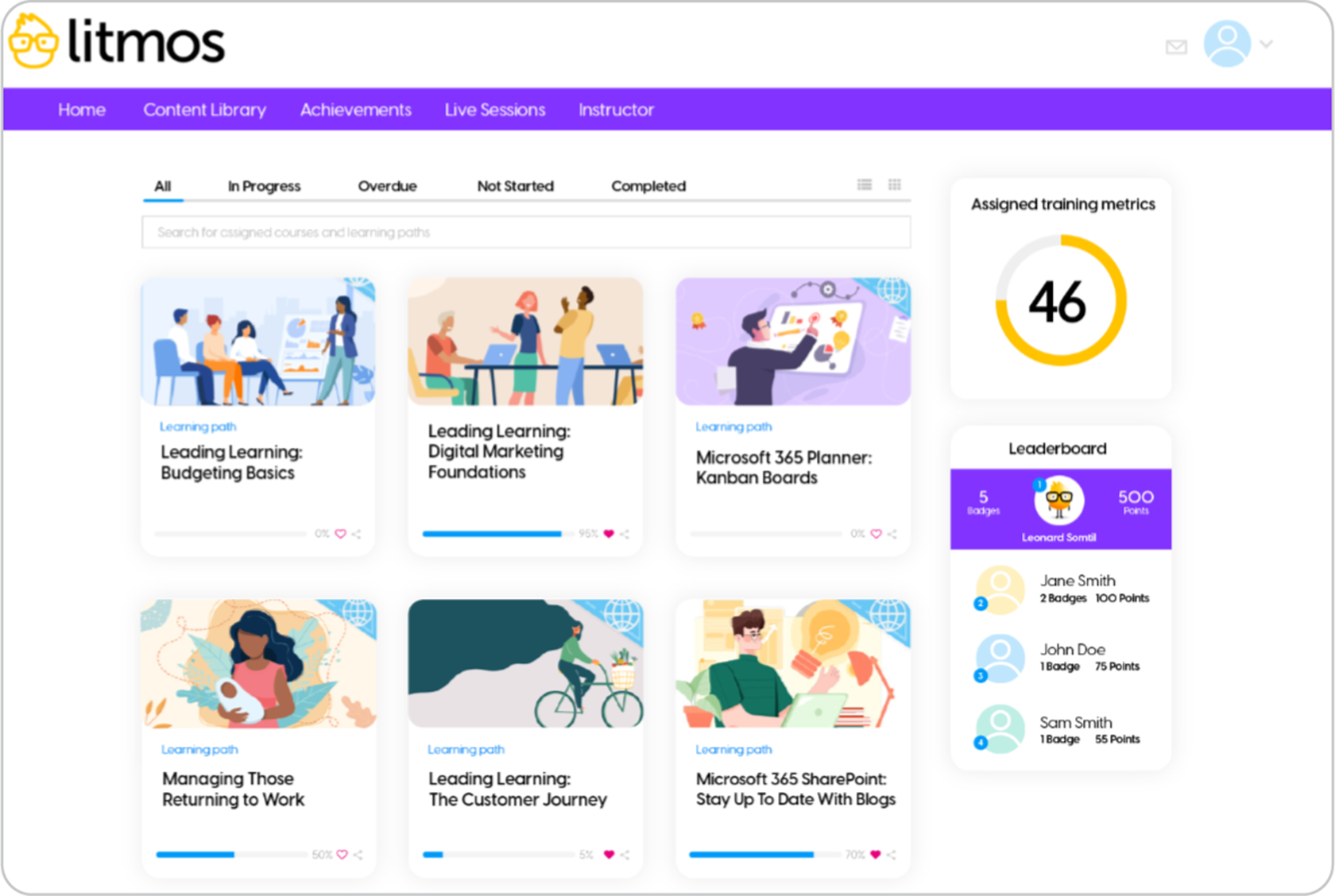
Litmos prioritizes standardized compliance training with multi-site teams in mind, making it a solid choice for manufacturing organizations needing to train frontline and plant teams.
Why we picked it
Every work site, shift, and time zone needs the same safety training done, logged, and provable. Litmos is built to do this at scale. It can help establish workforce safety, procedures, and SOPs. Litmos also offers a built-in content library, giving manufacturers access to ready-made courses that can fill gaps in internal training resources or expertise. Litmos is also suitable for frontline workers, allowing training on any device, as well as offline.
Pros
- Dedicated manufacturing proposition
- Strong safety and compliance positioning
- Supports large distributed audiences
- Extensive learning content
Cons
- Limited reporting options and UX
- Customization is often described as limited
- Pricing is not publicly displayed
Key features:
- Compliance training
- Certification management
- Course creation
- AI capabilities
- Learning content library
- Mobile learning
- Automation
- Reporting
- Employee, customer, and partner training
Best for: Manufacturers primarily concerned with consistent compliance, safety, and workforce-readiness training across sites.
Pricing: No published pricing. Foundation and Platinum AI plans are available, with pricing supplied by Litmos. Third-party claims suggest roughly $3-6 per active user/month for LMS only and $10-15 with content.
What users are saying on G2:
The Good
“I like that Litmos is always iterating on their design, constantly trying to improve and make it better and more appealing both visually and technically. I’m especially fond of the option customization for the learner dashboard and login page, which has been greatly beneficial.” — Hunter S., 4/5
The Room for Improvement
“Some of the functionality such as quirky escalation rules means you cannot select all users and must go through each individual page to reset some – in a recent case 35 pages was needed to select all users.” — John M., L&D Specialist, Mid-Market, 3.5/5
Manufacturing LMS #4: Cornerstone Learning
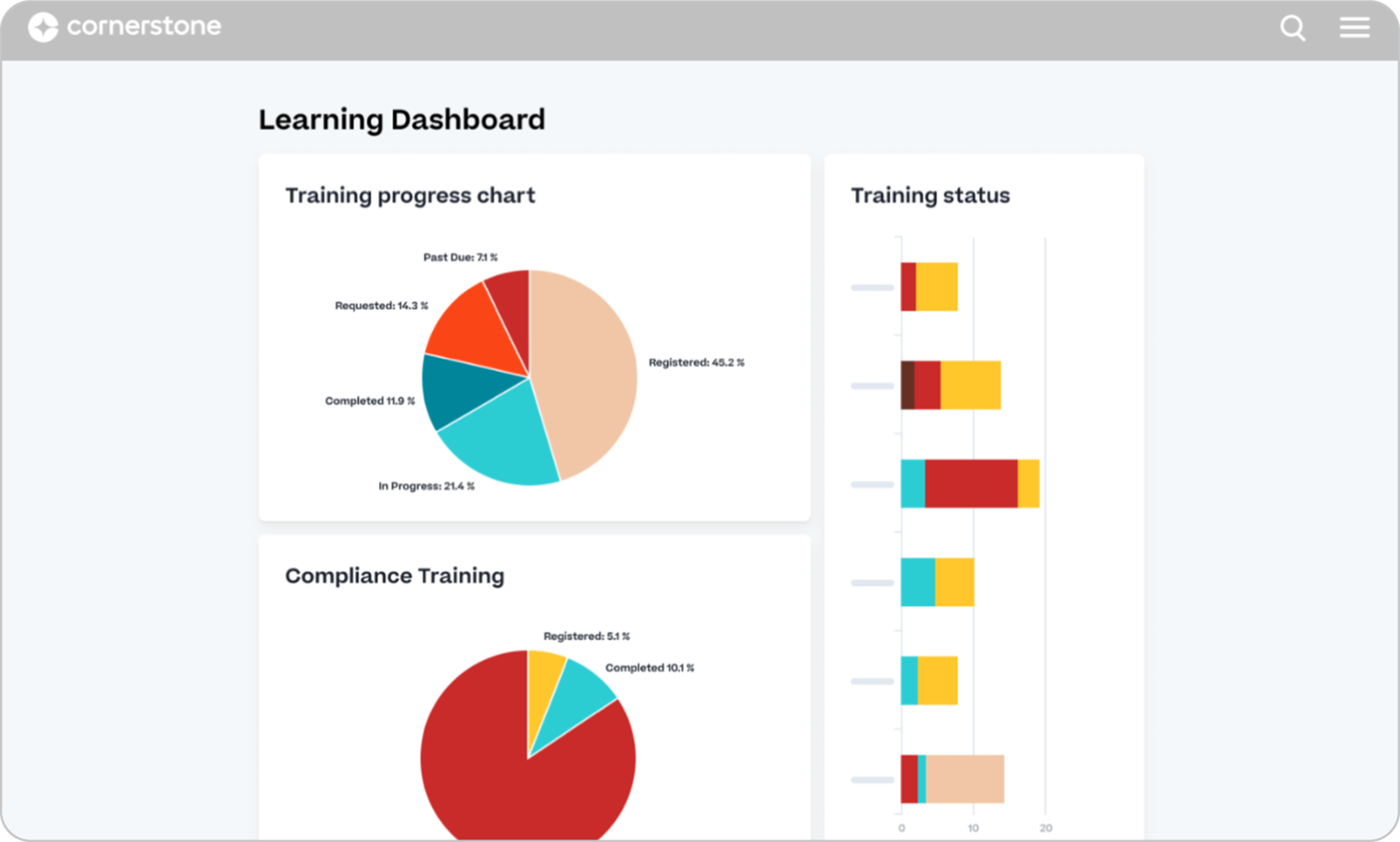
Cornerstone Learning is built for complex workforce and learning needs. As an enterprise learning platform, it’s a good choice for manufacturing organizations, as it focuses on global compliance and skills-driven development for distributed teams.
Why we picked it
When it comes to manufacturing, basic course delivery isn’t enough. SOPs change on the line, ground staff need detailed logs, and Wi-Fi often isn’t available. Your LMS needs to keep pace. Cornerstone Learning makes sense for large manufacturing companies needing talent development, enterprise-wide learning, and regulated compliance training all in one place. So when a regulation changes, you can reassign training, recertify, and track renewals only for the affected sites.
Its mobile and offline access make it useful for on-the-ground staff without great connectivity. Cornerstone also offers content subscriptions with courses from more than 200 partners. The drawback? Cornerstone may be powerful, but it isn’t quick to launch, as it needs a heavier implementation.
Pros
- Extensive enterprise feature set
- Certification and recertification workflows
- Multi-audience capabilities
- Extensive AI and personalization capabilities
Cons
- Could be complex to administer
- May be excessive for organizations needing a straightforward LMS
- Custom pricing. Customers have to go through lengthy sales quotes to receive a quote
- Steep learning curve for new users
Key features:
- Compliance management
- Certification and recertification
- Skills intelligence
- Personalized learning
- Social and collaborative learning
- Learning paths
- Analytics
- Extended enterprise learning
- Content subscriptions
Best for: Large manufacturing industry enterprises that want to connect learning, compliance, workforce skills, and broader talent development.
Pricing: No public pricing, custom quotes. Industry estimates place the cost roughly between $6 and $18 per user per month.
What users are saying on G2:
The Good
“The content organization and curriculum management tools are solid. Being able to structure learning paths by role, product area, or certification level gives learners a clear sense of progression, and it keeps the admin experience manageable even as the catalog grows.” — Marco M., Senior Project & Program Manager, Enterprise, 4/5
The Room for Improvement
“The cost was a bit high and sometimes we had trouble getting support on problems from the Cornerstone team. Just slow reply or incomplete answers.” — Tim C., Sr. HRIS Analyst, Enterprise, 3.5/5
Manufacturing LMS #5: 360Learning
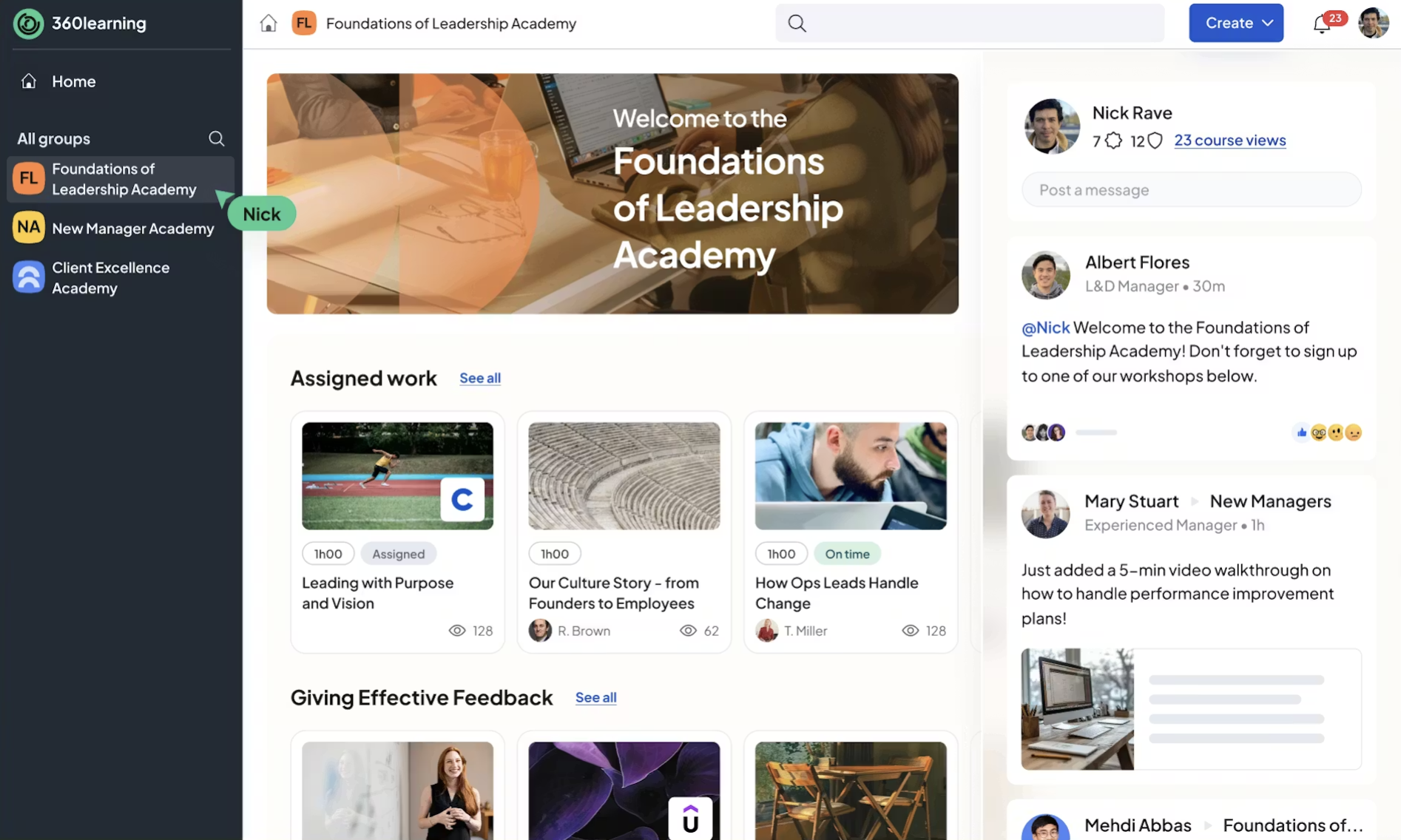
360Learning allows subject-matter experts within your organization to contribute to training, rather than relying only on an L&D team.
Why we picked it
The person who knows how the line runs isn’t always the person building the training. 360Learning closes that gap. It helps experienced operators, engineers, and other internal experts create and update training materials themselves. Built-in feedback tools also allow learners to flag inaccuracies or training that needs updating.
360Learning also combines its collaborative learning with analytics, integrations, and learning paths. Its AI capabilities can help you with quizzes and assessments as well. However, there is no built-in course library, unlike other LMSs.
Pros
- Strong collaborative learning model
- Enables subject-matter experts to contribute
- User-friendly course creation
- Strong fit for rapidly changing internal knowledge
Cons
- Greater administrative complexity than simpler LMS platforms
- Advanced reporting may not suit every organization
- More complex customization requirements may require evaluation
- Steep learning curve for new users
Key features:
- Collaborative course creation
- AI-assisted learning
- Subject-matter-expert workflows
- Mobile learning
- Learning academies
- Skills development
- Analytics
- Employee, partner, and customer training
Best for: Manufacturers focused on capturing internal expertise and rapidly turning employee knowledge into scalable training.
Pricing: Team plan is listed at $8 per user/month up to 100 users, with enterprise plans available for larger organizations. You have to contact the vendor for a custom quote for over 100 users.
What users are saying on G2:
The Good
“The flexibility of user roles makes it easy to support everyone from admins to learners without workarounds. Tracking completions, scores, and learning data is straightforward, which saves time and makes reporting to leadership much easier.” — Verified User in Financial Services, 4.5/5
The Room for Improvement
“The way to retrieve the results is not practical. I have set up modules that serve as aptitude quizzes, but it is really tedious to go check each person’s results one by one. Otherwise, we only see the average score, without the details question by question. What would be good is that when we export the data, we get all the details of each question for each person who participated.” — Axel S., Enterprise, 4/5
Manufacturing LMS #6: Absorb LMS
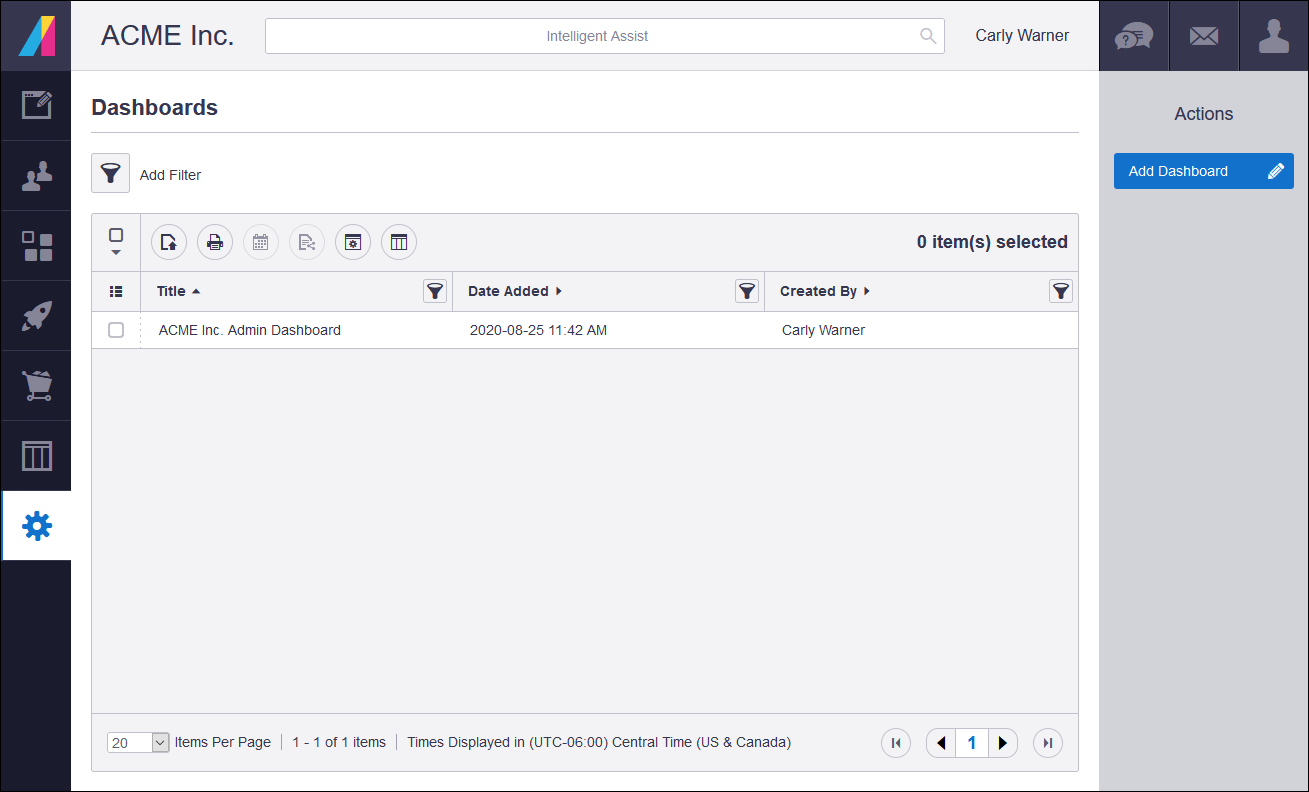
Absorb LMS is a good option for manufacturing companies that want an enterprise-capable LMS that also supports multi-audience training.
Why we picked it
Absorb LMS lets you to create different branded experiences for audiences beyond employees, such as distributors, customers, or partners. It offers a high level of personalization with different paths depending on your learners’ roles.
Its compliance and certification management are also solid, with renewals, completion tracking, and automation workflows for heavily regulated training. This can help manufacturing teams keep required records current and stay audit-ready across sites. However, the trade off is a longer learning curve for admins.
Pros
- Strong automation and enterprise capabilities
- Good multi-audience support
- Strong compliance functionality
- Flexible reporting and analytics
Cons
- Greater administrative complexity than simpler LMS platforms
- Pricing is not transparent. Customers have to go through lengthy sales cycles to get a quote
- Some users report limitations in native reporting depth
- Steep learning curve for new users
Key features:
- Automated enrollments
- Compliance training
- Certifications
- Course creation
- AI capabilities
- Reporting and analytics
- Multi-audience learning
- Integrations
Best for: Mid-market and enterprise manufacturing companies that require automation and training across employees and external audiences.
Pricing: No public pricing. Third-party sources claim pricing starts at $30K annually.
What users are saying on G2:
The Good
“I like the look and navigation of Absorb LMS, which makes it easy for our technicians, who may not be very proficient with technology, to navigate the platform and enroll in training. I appreciate how Absorb LMS has adapted over time with continuous improvements, addressing a lot of our initial limitations.” — Verified User in Machinery, Mid-Market, 5/5
The Room for Improvement
“The admin interface is sometimes a little clunky, and takes multiple clicks/actions to complete tasks. There’s not many bulk actions, which is difficult when you have hundreds of courses to manage.” — Caitlin D., 4.5/5
Manufacturing LMS #7: iSpring LMS
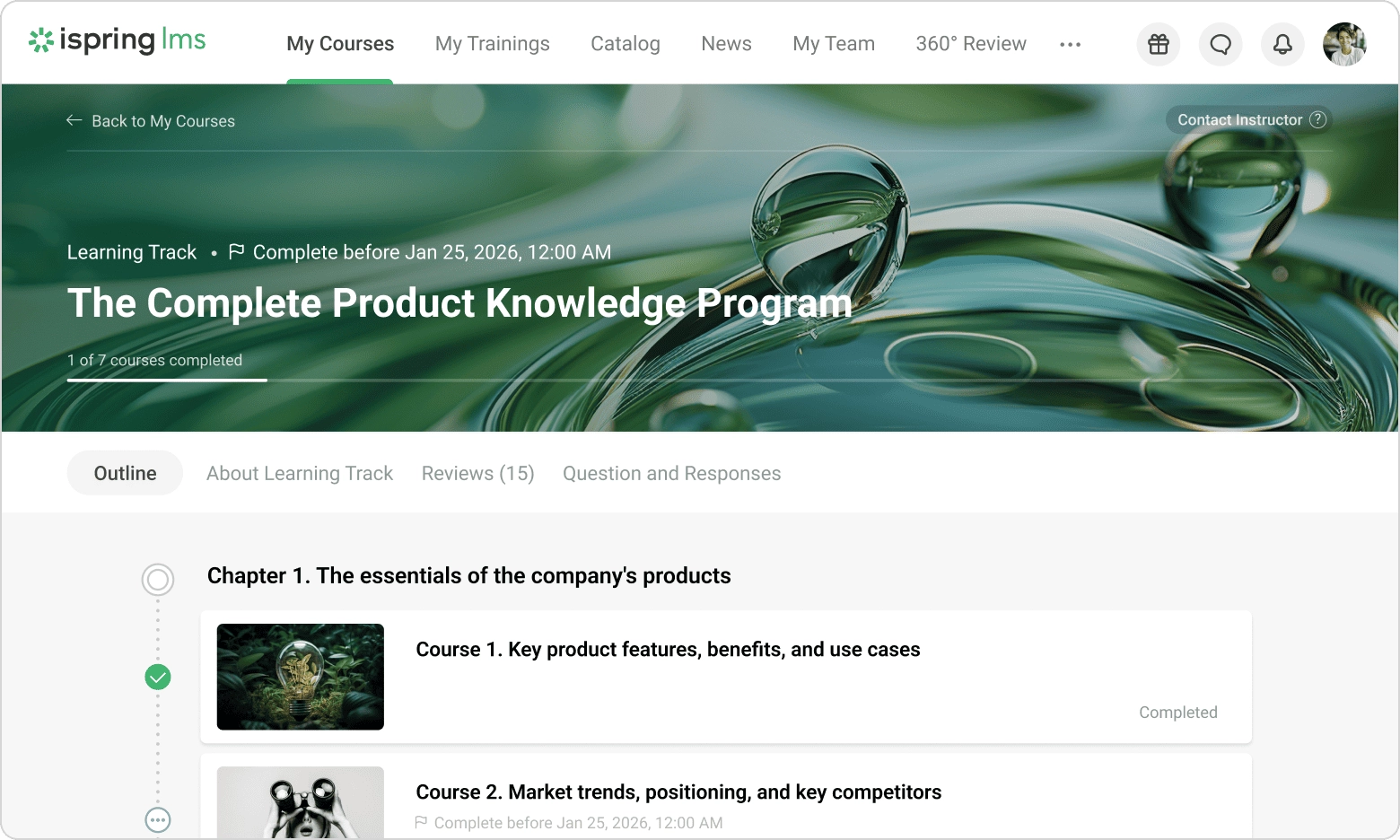
iSpring LMS is a good fit for manufacturers who already have a series of PowerPoint presentations, health and safety materials, and SOPs scattered in different folders. It offers a close integration with iSpring Suite, its authoring tool, which allows you to turn this existing content into structured online training.
Why we picked it
Manufacturers often have years of technical knowledge and procedures sitting in documents. iSpring LMS helps L&D teams turn that existing material into training without rebuilding everything from scratch. That can be particularly useful for smaller teams that need to get technical, onboarding, or compliance training online quickly.
It can support completion tracking, certifications, and on-the-job training so teams can put learning into practice on the production floor. And when a safety auditor asks who’s current on revised safety procedures, the record is already there.
Pros
- Strong and accessible content authoring
- Familiar PowerPoint-based workflow
- Supports practical training
- Good fit for teams creating training internally
Cons
- Less suited to extremely complex enterprise LMS requirements
- Pricing is semi-transparent
- Some customization and integrations are limited
Key features:
- Course authoring
- Learning tracks
- Assessments and quizzes
- On-the-job training
- Knowledge base
- Reporting
- Certifications
Best for: Manufacturers that need to produce and update technical, process, onboarding, or compliance courses quickly with a relatively small L&D team.
Pricing: Customers pay for active users. Third-party sources claim plans start at about $8K per year for 100 users.
What users are saying on G2:
The Good
“You can upload courses, assign training, track completion, and generate reports without needing technical knowledge or ongoing admin overhead.” — Peter D., 5/5
The Room for Improvement
“I’ve run into limitations with its reporting capabilities, as well as with the ability to group learning (from a learner’s perspective) outside of a learning track.” — Emma M., Design Manager, Mid-Market, 4.5/5
Which manufacturing LMS to choose
The best LMS for manufacturing depends on your training needs, workforce size, internal capabilities, and how quickly you need to roll out training across employees, locations, and external audiences.
- TalentLMS stands out for its user-friendliness, quick setup, AI-powered course creation, and affordable, scalable pricing. For manufacturers, it supports safety and compliance training, certifications, mobile access for frontline workers, and separate training environments for different plants, teams, or audiences through Branches. It’s a particularly strong all-around choice for manufacturers that want to roll out training without heavy IT involvement.
- Docebo is suited to large and global manufacturers looking for sophisticated enterprise learning software with integrations, skills development, and complex workforce training programs.
- Litmos is a solid option for manufacturers that prioritize standardized safety, compliance, and mandatory workforce training across multiple locations.
- Cornerstone is suitable for large organizations that want to connect learning with workforce skills and broader talent development.
- 360Learning is suitable for manufacturers that want to capture internal expertise and enable engineers, operators, and other subject-matter experts to contribute directly to training.
- Absorb LMS caters to mid-market and enterprise manufacturers that need automation and want to manage training across employees as well as external audiences such as partners, dealers, or customers.
- iSpring LMS is a good fit for manufacturers that need to turn existing PowerPoint-based content and technical materials into training quickly.
FAQs
What is a Learning Management System for manufacturing?
A Learning Management System for manufacturing is an LMS platform used to create, deliver, manage, and track training for employees and other audiences. It can support training such as onboarding, compliance, safety, technical skills, and professional development.
What are the top 7 LMS for manufacturing?
The right LMS depends on the organization’s needs. For manufacturing, the 7 top LMS systems are TalentLMS, Docebo, Litmos, Cornerstone Learning, 360Learning, Absorb LMS, and iSpring LMS. The top learning management systems should feature strong compliance tracking, mobile-first learning, and easy integrations.
What is the best learning management system (LMS) for manufacturing companies?
The best learning management system (LMS) for manufacturing companies depends on your team’s needs, prioritizing safety, compliance, and offline access. TalentLMS is a strong all-around option for organizations that want easy administration, course creation, compliance training, reporting, and support for multiple audiences. Larger enterprises with more complex requirements may prefer platforms such as Docebo or Cornerstone Learning.
How much does a good LMS cost?
How much a good LMS costs can vary significantly by platform, number of learners, and features. Costs can range between $3,000 and $15,000 per year for small-to-medium businesses, while larger enterprise plans could range from $15,000 to over $100,000 annually. TalentLMS offers a free plan, with paid plans starting at $119/month for 1–40 users when billed annually. Other platforms, including Docebo, Litmos, and Cornerstone Learning, use custom pricing. iSpring LMS uses active-user pricing, while 360Learning lists a Team plan at $8/user/month.