
TL;DR
- TalentLMS 7.2 helps you create training faster, connect your tools, and scale the admin behind it so learning keeps pace as your teams grow.
- The headline feature is AI Avatar Video in TalentCraft. Describe your script and get an avatar-led presenter video right where you already create your content.
- TalentLMS and TalentHR are now more seamlessly connected, making it easier to move across hiring, onboarding, learning, and growth as part of a more continuous employee journey.
- Three more updates keep the system scaling underneath: Learning Paths that assign the next step on their own, bulk Skills import and export, and branch-level notification control.
Your software should make training easier to manage, no matter how much your team grows. This is the mindset behind every new TalentLMS update. The July 2026 release focused on building and delivering learning faster: AI video in TalentCraft, the deeper connection between TalentLMS and TalentCards, and a set of everyday usability wins.
TalentLMS 7.2 takes this further. It enhances learner engagement and knowledge retention through AI Avatar Video. It helps admins manage learning across the wider employee lifecycle through the growing connection between TalentLMS and TalentHR. So hiring, onboarding, learning, and growth run as one flow instead of living in separate systems. The newest update also builds reinforcement and scale into everyday admin with automated Learning Paths, bulk Skills management, and branch-level notifications.
| Update | What it improves |
| AI Avatar Video (TalentCraft) | Improve knowledge adoption by adding an AI avatar as a presenter when creating or updating training videos |
| TalentLMS × TalentHR | Move between both platforms from the app switcher, with HR data and learning connected across onboarding, development, and growth. |
| Learning Paths Automations (V5) | Reduce manual assignments by automatically assigning the next step in a Learning Path based on a learner’s progress |
| Skills import/export | Save time by importing and exporting Skills and user-to-skill associations in bulk using a single file |
| Notifications in Branches | Give learners only the notifications relevant to them by customizing or switching them off separately for each branch |

Introducing TalentLMS 7.2
As roles and skills evolve, training needs to evolve with them. The World Economic Forum’s Future of Jobs Report 2025 found that 39% of workers’ core skills are expected to change by 2030.
TalentLMS 7.2 brings a new set of enhancements to help you create, connect, and scale training as those needs change.
So, what does that look like in practice? You can create presenter-led videos in TalentCraft, move more easily between TalentLMS and TalentHR, and spend less time on the admin behind Learning Paths, Skills, and branch notifications.

“AI is transforming what learning platforms can achieve. At TalentLMS, we’re focused on turning that potential into tangible outcomes—removing friction, accelerating the journey from identifying a learning gap to closing it. With these capabilities, TalentLMS helps SMBs unlock new possibilities for how they create, deliver, and personalize learning based on the skills gap each learner has.”
💡 Want a live walkthrough? Join our 7.2 product release webinar on October 1. Register here.
AI Avatar Video: Put a presenter on screen
An instructor on camera can make training feel more personal, but it’s one of the slowest and hardest types of courses to produce. You need someone who’s comfortable presenting, has time to film, and can find a setup that works.
Then there’s the bigger problem: What happens when the content changes? A new policy, updated process, or revised product detail can leave you re-recording an entire presenter-led video. You could use a separate AI video tool instead, but you’d be trading the studio for one more platform to manage.
TalentCraft has been building toward this for a while: Text, then quizzes, then images, then AI video in July’s 7.1 update. Now it can also put a presenter on your screen.
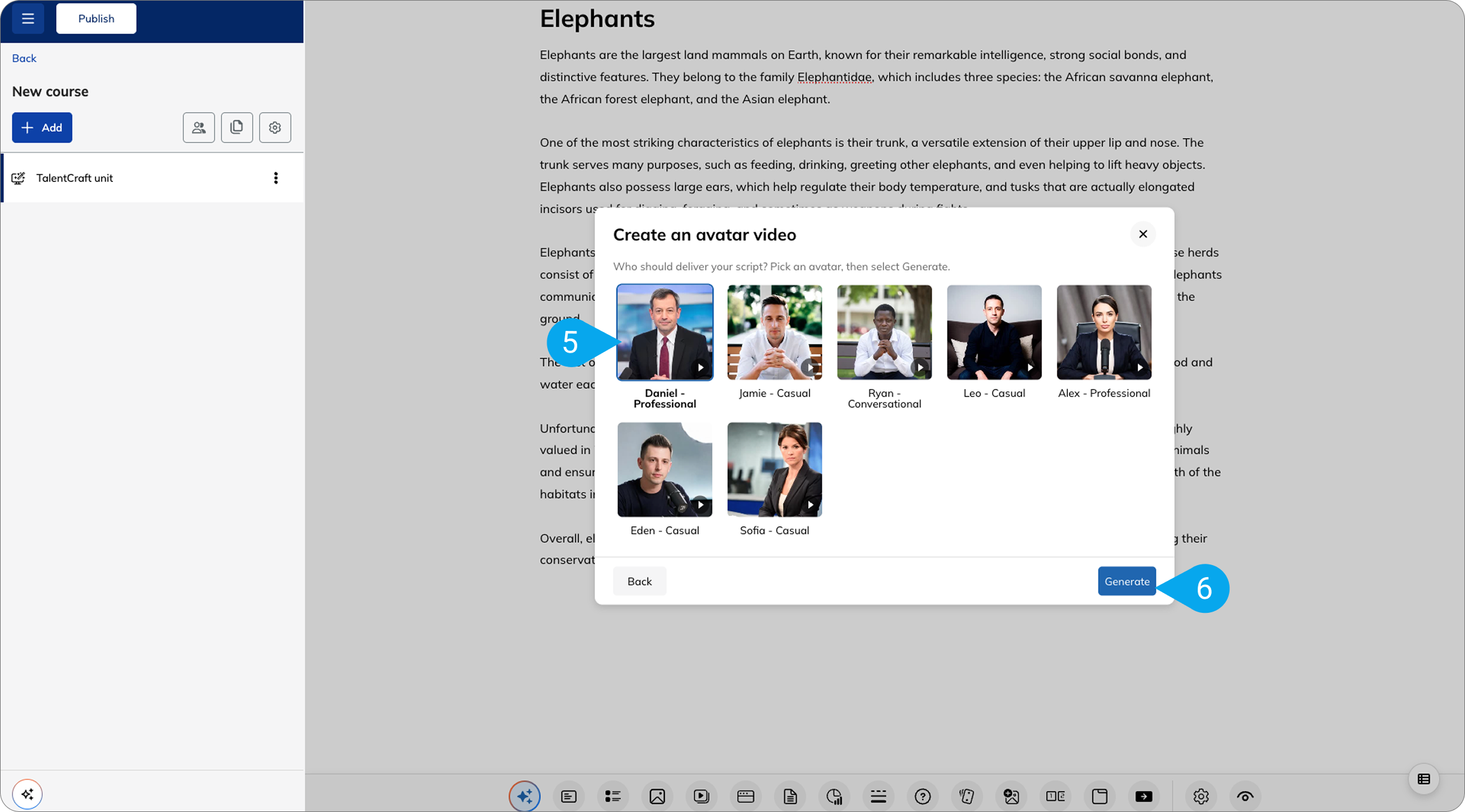
With AI Avatar Video in TalentCraft, you provide a script and generate an avatar-led clip back, ready to drop into your unit:
- Open the AI menu.
- Write the script you need.
- Choose your avatar
- Generate an avatar-led presenter video.
- Add it straight to your unit.
You can type or paste exactly what you want the avatar to say. For example, a policy update could start like this:
“Our returns policy has been updated. Customers now have 30 days to return eligible items with proof of purchase. In this video, we’ll cover what’s changed, which items qualify, and the steps you need to follow…”
Don’t want to write the script from scratch? Choose “Write a script from my content,” and TalentCraft uses the existing content in your course to create one for you. You can review and edit the generated script before turning it into your avatar video.
AI Avatar Video is available on all paid plans.
TalentLMS × TalentHR: Connect the employee journey
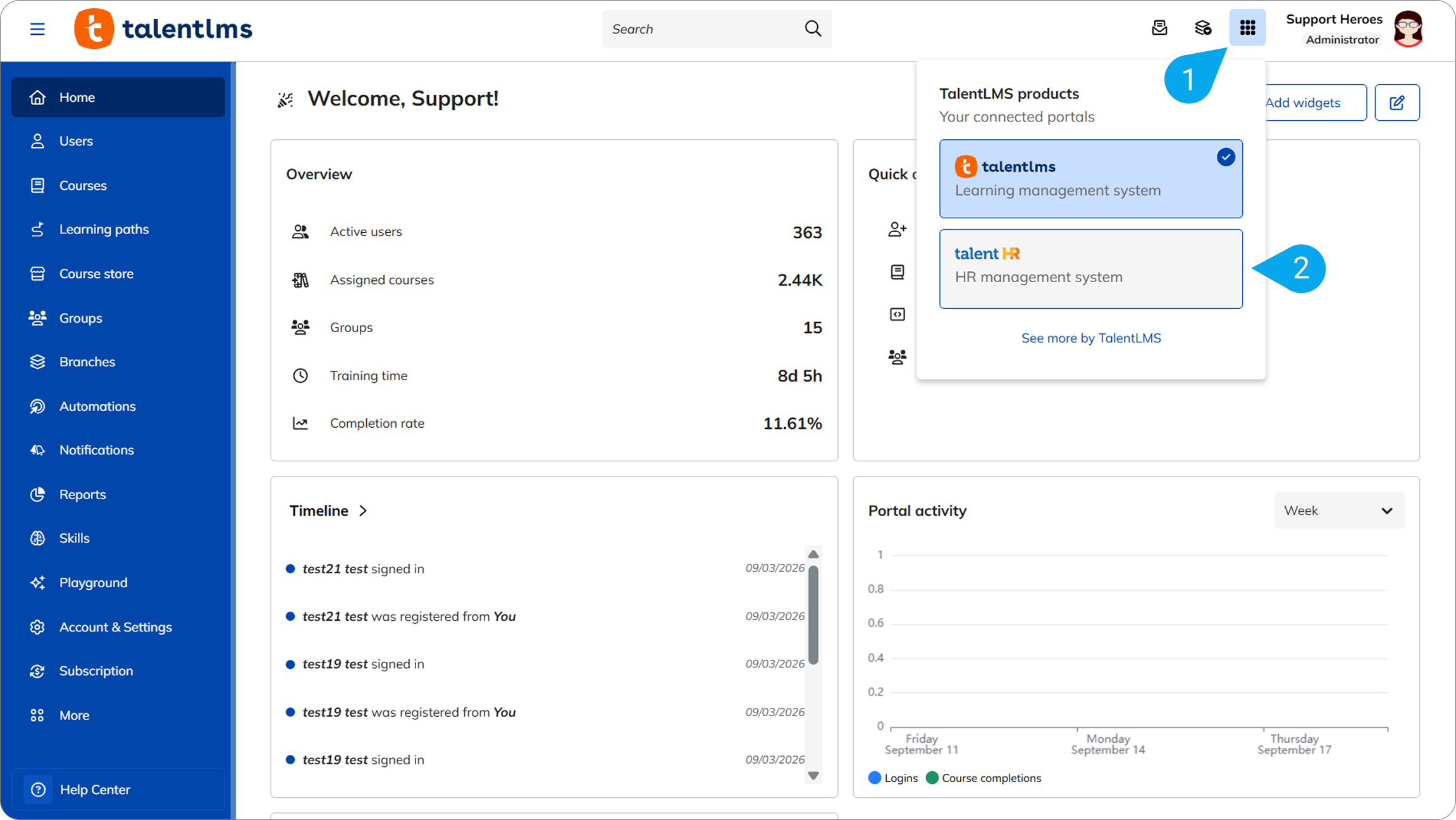
TalentLMS and TalentHR are already working together to connect employee information with learning. In 7.2 this connection gets closer, making it easier to access the two platforms as you manage the employee lifecycle, from hiring and onboarding to learning and growth. A new app switcher lets you move between them from the same menu.
This tighter connection shows up in your day-to-day:
- User information flows between the platforms, so you set someone up once rather than twice.
- Courses and certificates show up in HR profiles, so a person’s learning sits alongside the rest of their record.
- Admins can assign training straight from TalentHR.
- HR processes like onboarding, compliance requirements, promotions, and work anniversaries can trigger the right training automatically.
Already running TalentLMS? You could bring that same easy-to-use, intuitive experience to your HR operations with TalentHR and manage learning and employee information across the two connected systems.
From hiring to learning: How WIOCC Group connected the employee journey
WIOCC Group is a digital infrastructure provider scaling across Africa. Its team was managing hiring through inboxes, while its learning system lacked visibility into HR data.
Pairing TalentHR with TalentLMS changed that. TalentHR became the single source of truth for employee data, while TalentLMS powers their learning and development. Together, the two give admins a complete view of each person’s progress. New hires move from onboarding directly into their assigned courses in TalentLMS, while completions flow back to each employee’s HR profile without extra admin.
“TalentHR shows us where employees are in their HR journey, and TalentLMS shows us how they’re developing. Together they give us the full story.”
— Greg S., WIOCC Director, Brand and Communications
More than 400 profiles are centralized, and 70–80% of active staff consistently complete mandatory training. WIOCC Group can see where people stand and how they’re developing, from onboarding through ongoing learning.
The everyday wins in 7.2: Less manual work behind the scenes
The two new capabilities above open up new ways to create and connect training.
The TalentLMS September 2026 Product Release also makes everyday admin work easier as your learners, content needs, skills framework, and organizational structure grow.
Learning Paths automations: Let the next step assign itself
In July, Learning Paths gained group-level assignment, allowing you to give a path to a team, and every new member would inherit it. That update automated who gets a path. In 7.2, this extends to what happens next.
Learners can now keep learning without having to wait on new assignments. When they complete a course or path, triggers assign the next one. This moves learners between courses and paths automatically, with no manual assignment needed by admins.
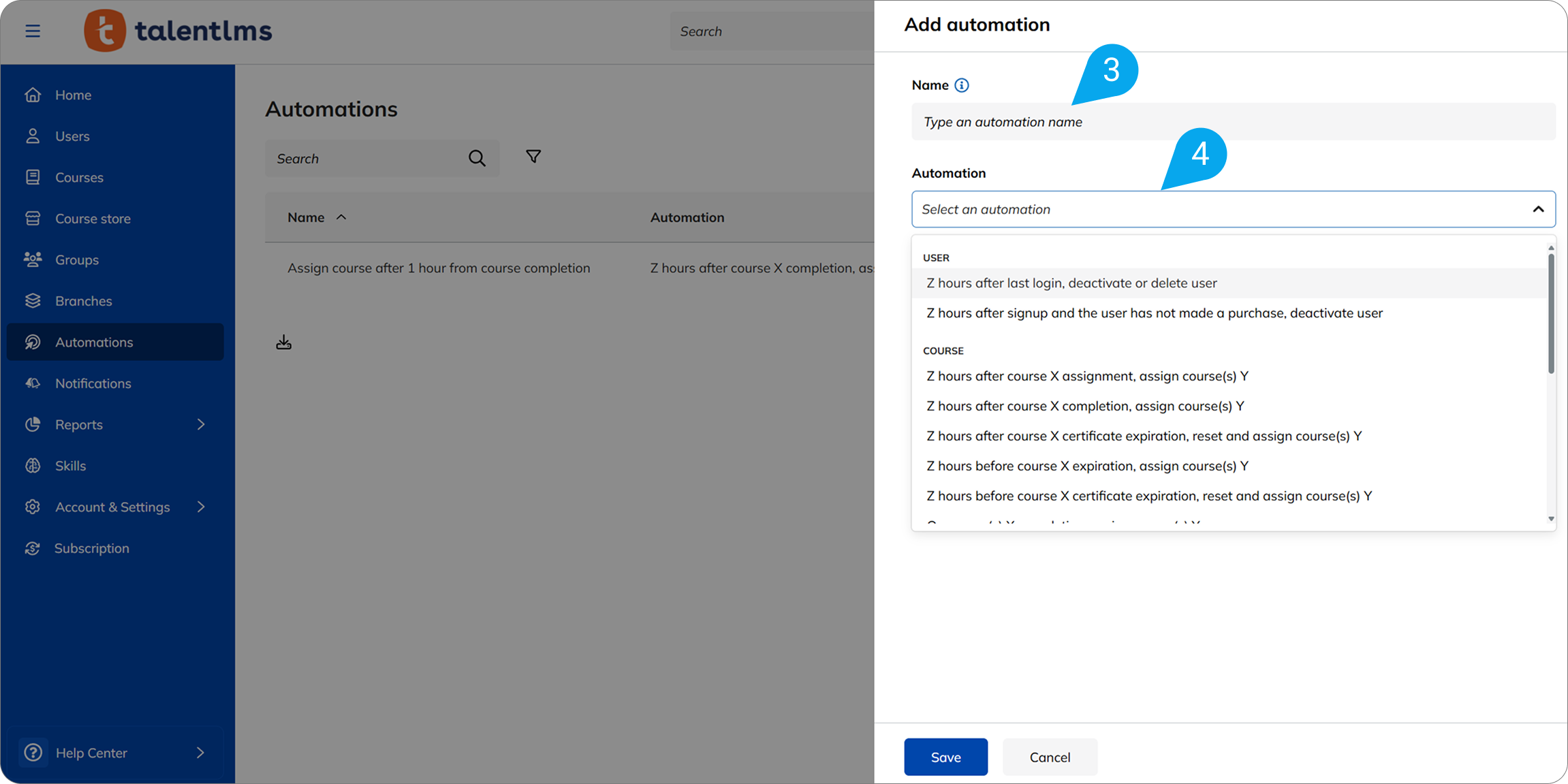
Skills Import/Export: Build your skills framework in bulk
As your team grows, so does your skills framework. In 7.2, you can import and export Skills in bulk, using one file. It works like the bulk tools you already use for users and courses. So you can easily build and maintain your skills framework without adding more admin work.
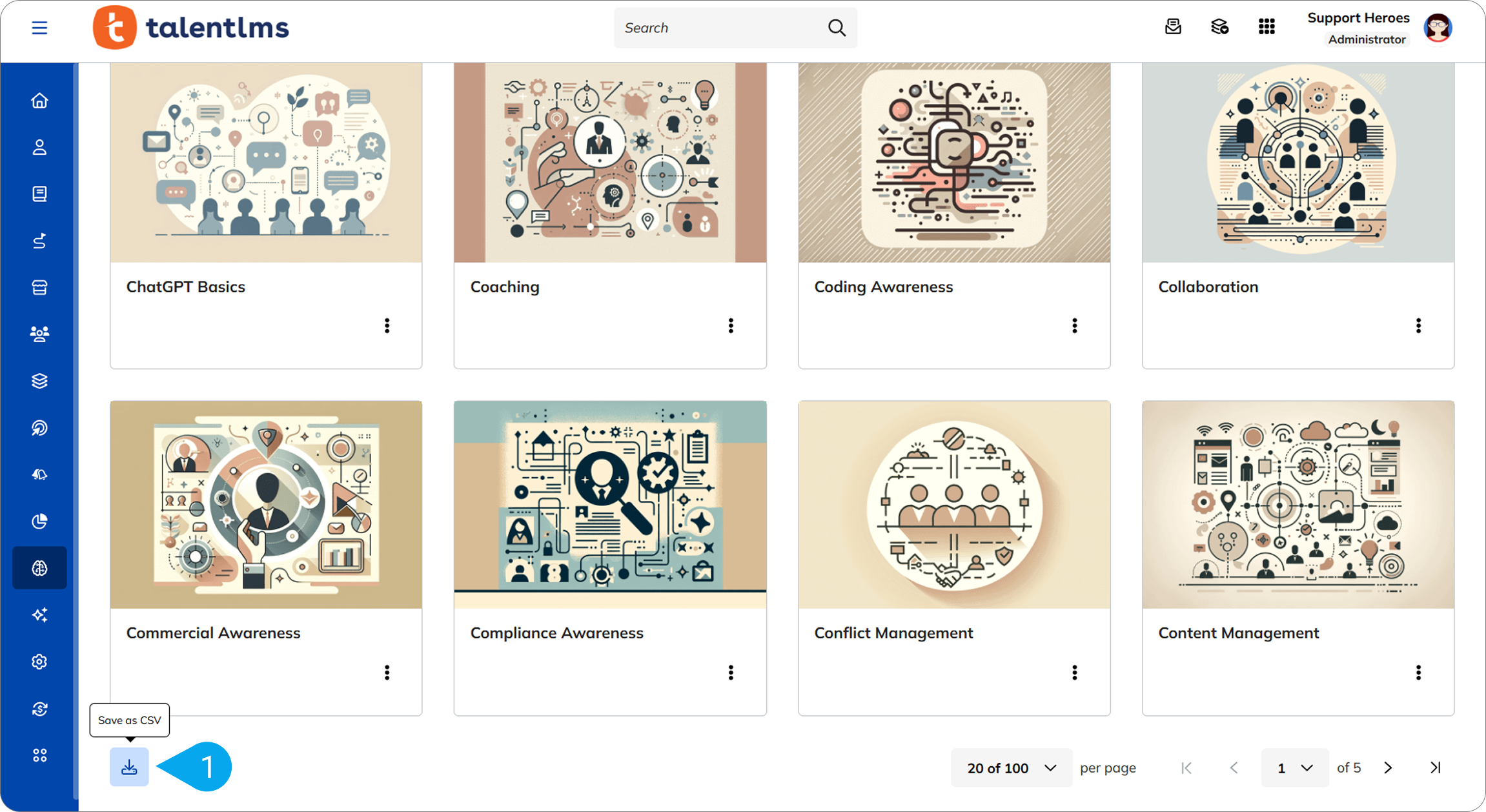
Notifications in Branches: Tailor messages branch by branch
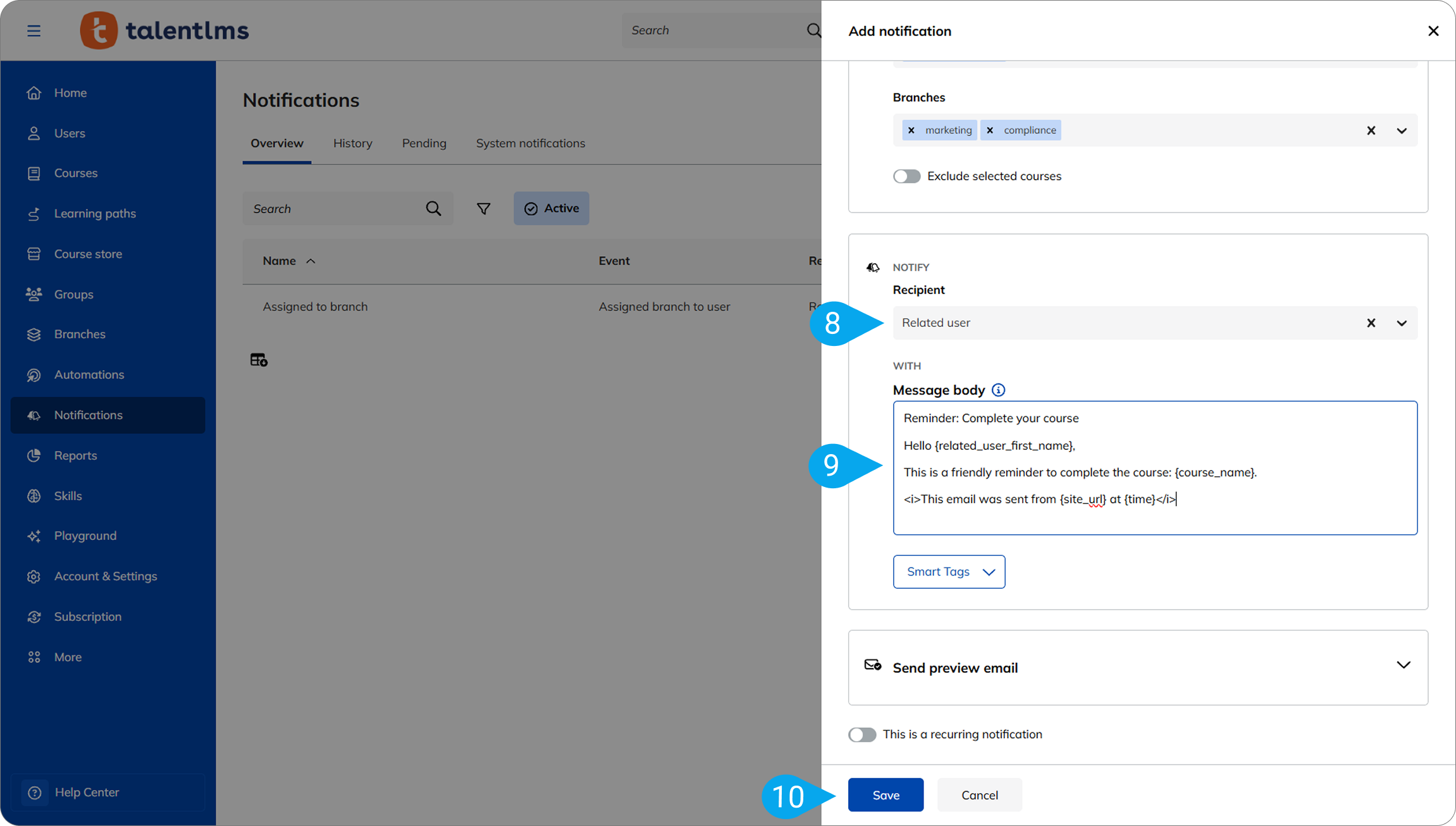
By default, Branches inherit your main portal’s notifications. But now in 7.2, these can be managed at the branch level.
A local admin can modify a notification and enable or disable it for their own branch. This way, your learners only get the messages that make sense to them.
More wins in 7.2: Less admin work behind the scenes
Alongside the bigger features, 7.2 brings a set of everyday improvements to the tools you already use. These remove friction from tasks admins and learners perform regularly:
- Faster AI Coach and Learning Playground: Performance improvements make both quicker and smoother in daily use.
- Clearer course-assignment drawers: New filters and a Category column make it easier for admins to find and distinguish between courses when assigning them.
One release, more ways to create, connect, and scale learning
TalentLMS 7.2 moves along three lines at once:
- Create more training formats easily: Upgrade your courses with the new AI Avatar Videos. Increase learners’ engagement and help them retain knowledge.
- Connect learning to the employee journey: TalentLMS and TalentHR work closer together, so learning becomes part of the wider employee journey.
- Scale without adding admin: Learning Paths assign the next step on their own, Skills import and export in bulk, and notifications follow your branch structure.
Put together, these updates help learning stay current and easily managed as you scale. Because course completion is only a milestone. What matters most is what happens after it: Whether people apply what they learned, adapt when the work changes, and keep building the skills they need.
TalentLMS 7.2 helps you keep that cycle going, from updating learning to putting it into practice.