
Training and a good Learning Management System (LMS) have always gone hand in hand. But the top LMS features that mattered five years ago aren’t necessarily the ones that matter today.
As AI reshapes workplace learning, modern LMS platforms need to do more than host training courses and track completions. They need to help organizations launch training quickly, reduce admin, and support multiple learner groups.
They also need a deeper understanding of the capabilities already available within their workforce. According to the 2026 TalentLMS Skills Visibility Report, only 12% of respondents say they don’t face skills visibility issues.
This shifts the role of the LMS from a system for delivering training to a platform helping companies keep training moving as their needs change.
Against this backdrop, this guide covers the 17 top LMS features to look for in 2026 and how they work together to support training that grows with you.
Which are the top LMS features to look for in 2026?
The top LMS features to look for in 2026 include AI-powered learning, course creation, content libraries, integrations, practice-based learning, assessments, learning paths, collaboration, gamification, skills visibility, reporting and analytics, course management, feedback tools, user management, automation, customization, and security. Together, these features help organizations deploy training fast, scale smart, reduce admin work, support multiple audiences, and stay ready as training needs change.

Top 17 LMS features checklist
If you’re evaluating LMS platforms, this LMS features checklist can help you identify the capabilities that matter most in 2026.
17 Top LMS features to look for in 2026
In a workplace defined by rapid growth and limited time for learning, choosing the right Learning Management System comes down to capabilities. It must help organizations build and deliver learning efficiently and easily add learning into day-to-day work.
It also has to support different audiences and learner needs. Whether you’re onboarding employees, developing skills, delivering compliance training, or getting customers and partners up to speed.
The following top LMS features list captures what matters most for modern teams in 2026 and beyond.
1. AI-powered learning
AI has rapidly evolved from a nice-to-have feature into one of the most valuable capabilities in a modern LMS.
88% of HR managers expect that generative AI will reshape how learners access knowledge. So, AI has rapidly evolved from a nice-to-have feature into one of the most valuable capabilities in a modern LMS.
An AI LMS can help identify hidden skill gaps and emerging training needs. Then, using this information, structure learning around skills development and specific in-demand skills. Through AI course translation, admins can also deliver localized learning experiences at speed and at scale. And use AI functionality to create content for complete courses or modules in minutes, not hours.
Using AI as a coach, learners can get instant guidance, ask questions about training material, and receive personalized assistance.
2. Course creation
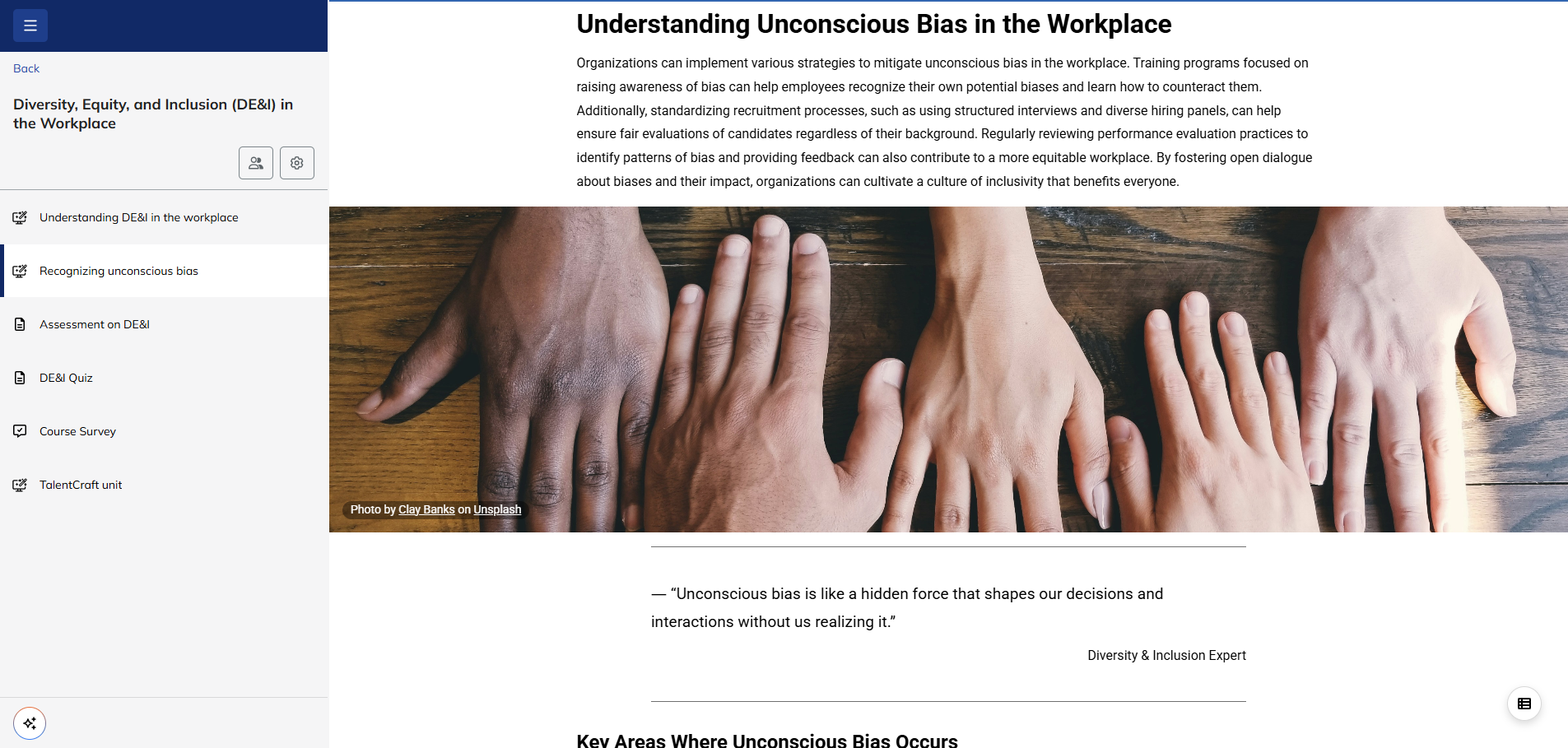
The best LMS platforms include course creation tools such as videos, quizzes, downloadable resources, and discussion prompts. Combined, these features create a blended learning experience that’s engaging while helping teams deliver effective training without needing technical expertise.
A good platform will also combine ease of use with flexibility. Drag-and-drop builders, templates, reusable content blocks, and built-in AI course creators, like TalentLMS’s TalentCraft, can help save time without sacrificing quality.
When training needs to move quickly, course creation features can help L&D teams go from need to live faster, without adding unnecessary platform overhead. Global retailer Roland did just that, using TalentLMS to develop around 10 courses in their first week.
3. Content library
An LMS content library is a well-organized digital resource hub. It gives learners instant access to high-quality learning resources such as ready-made courses, videos, job aids, and documents, while reducing the burden on internal L&D teams.
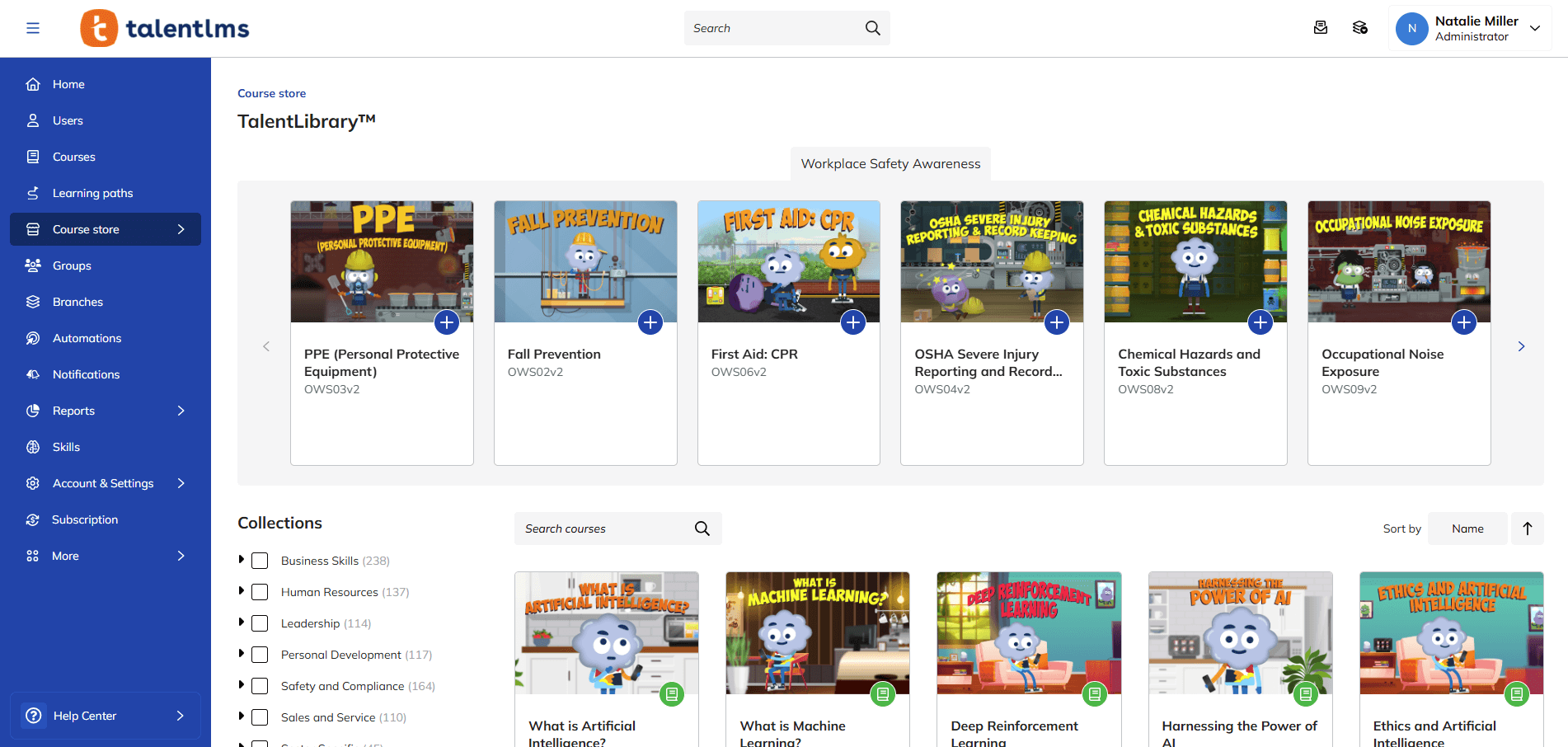
Content libraries give organizations access to a growing collection of expert-created learning content that can support onboarding, compliance, leadership development, soft skills training, and more. Some libraries also support different content formats—SCORM, xAPI, PDFs, videos, and more.
The key draw of this feature is its easy access and discoverability. A new salesperson can quickly find learning materials and product guides. A new team member who needs to learn coding for a new project knows where to go for guidance.
Ready-made training content can also help you respond quickly when new training needs appear, rather than adding another item to the L&D backlog.
4. Integrations
A high-performing LMS works best when connected with other tools. LMS integrations connect training platforms with the systems learners already use every day. This reduces manual work and ensures learning records remain accurate.
The result? Less operational drag and a more connected training workflow.
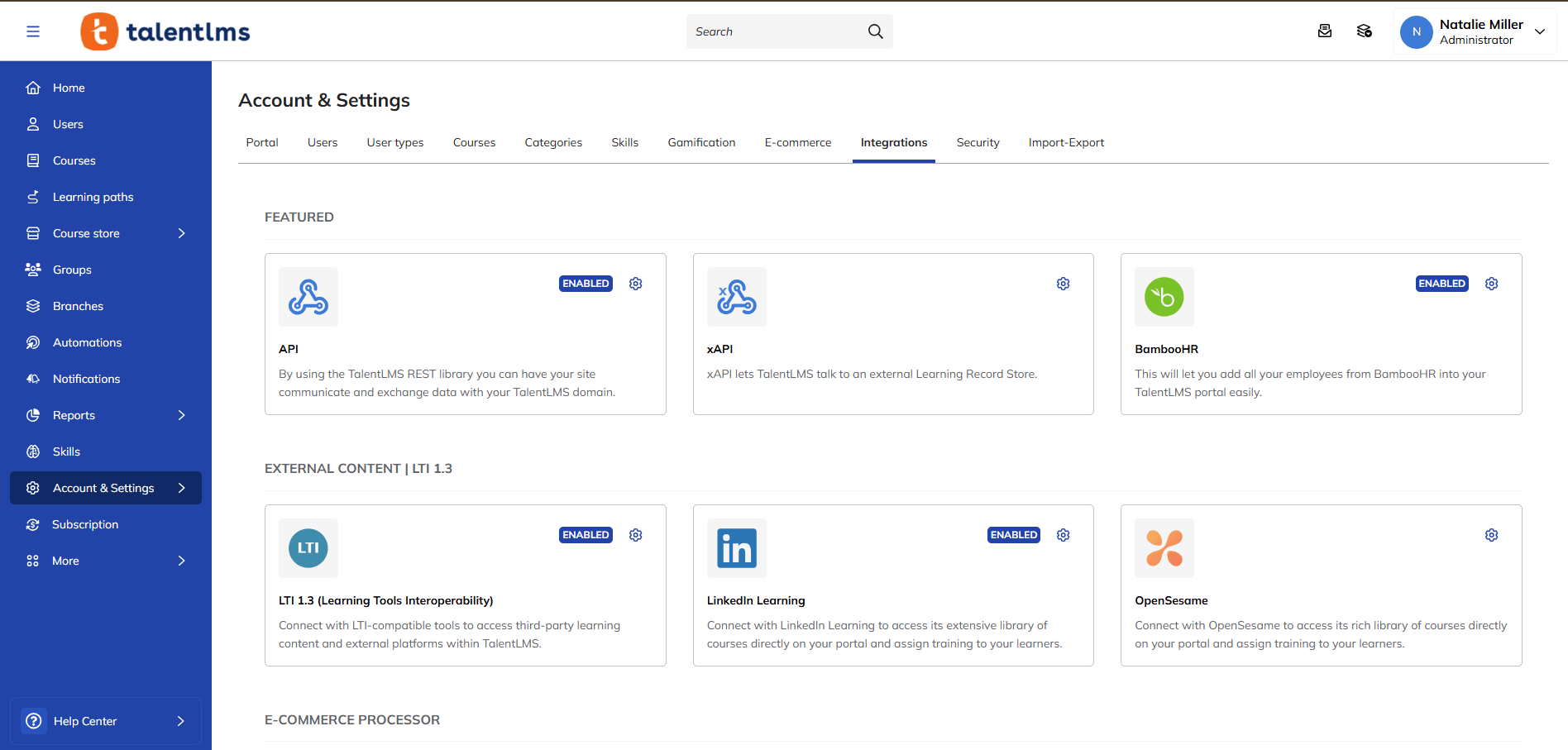
Key integrations often include:
- HRIS platforms such as BambooHR and TalentHR
- CRM systems such as Salesforce
- Communication platforms such as Zoom and GoTo Meeting
- SSO options such as Google, Facebook, and SAML 2.0
- Course providers such as LinkedIn Learning
5. Practice-based learning and simulations
One of the biggest shifts in workplace learning is the move from passive content consumption to active skill development. Reading a course or watching a video can introduce a concept, but it doesn’t necessarily prepare learners to apply that knowledge in real situations.
That’s where practice-based learning comes in.
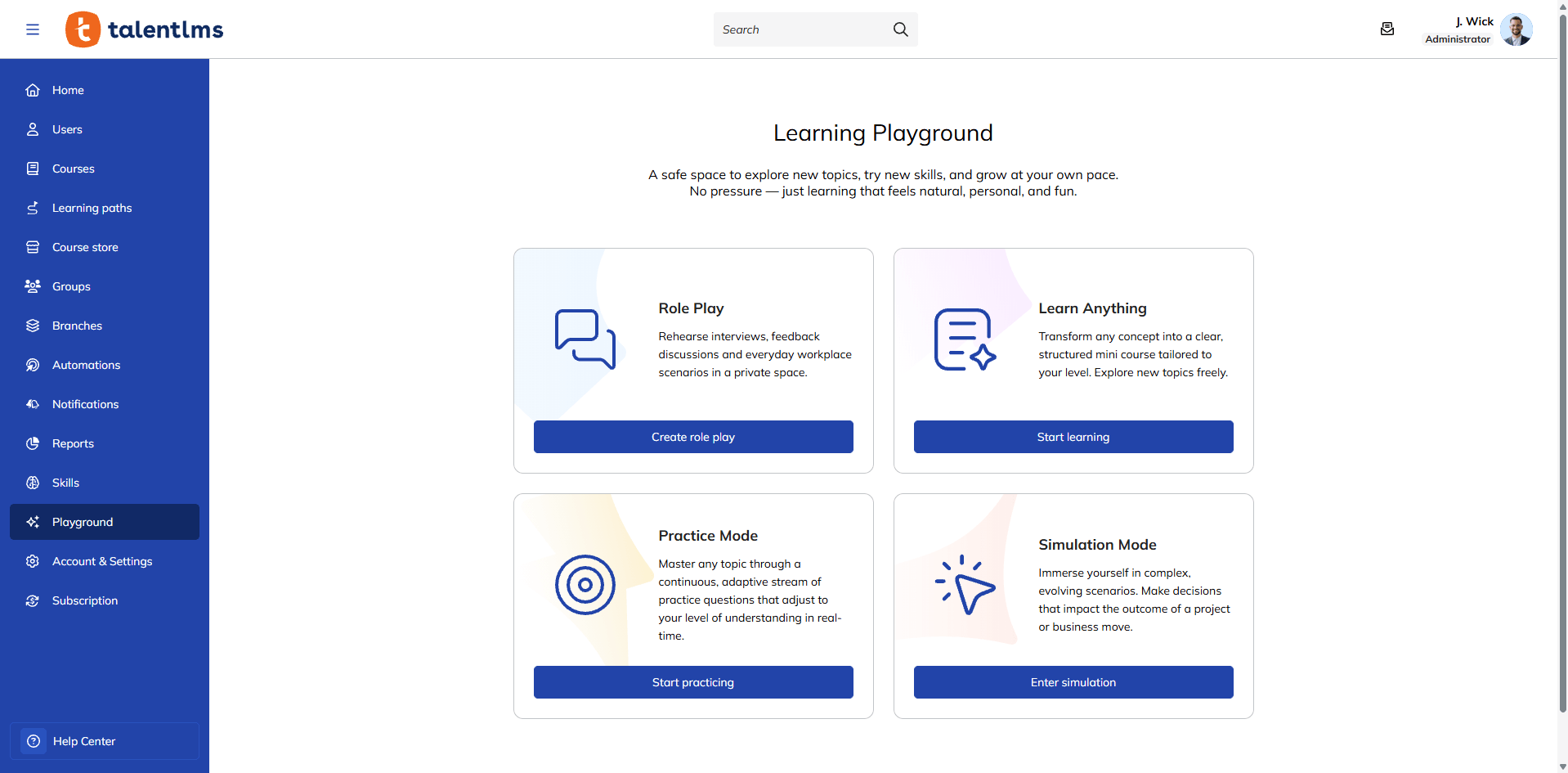
The best LMS software provides features like Learning Playground so that learners can practice, experiment, and make decisions in safe, simulated environments before applying new skills on the job.
Practice-based learning can include:
- Simulations
- Scenario-based training
- Role-play exercises
- Guided practice
- Decision-making activities
- Interactive coaching experiences
These activities help learners move beyond theoretical understanding and build confidence through repetition and application.
6. Assessments
Assessments remain one of the top LMS features because they provide evidence that learning has taken place. Automated, easy to implement, and fueled by real-time data, the best LMS assessment features go far beyond simply grading and measuring knowledge. They give actionable feedback, pinpoint knowledge gaps, and help you identify where learners need additional support.
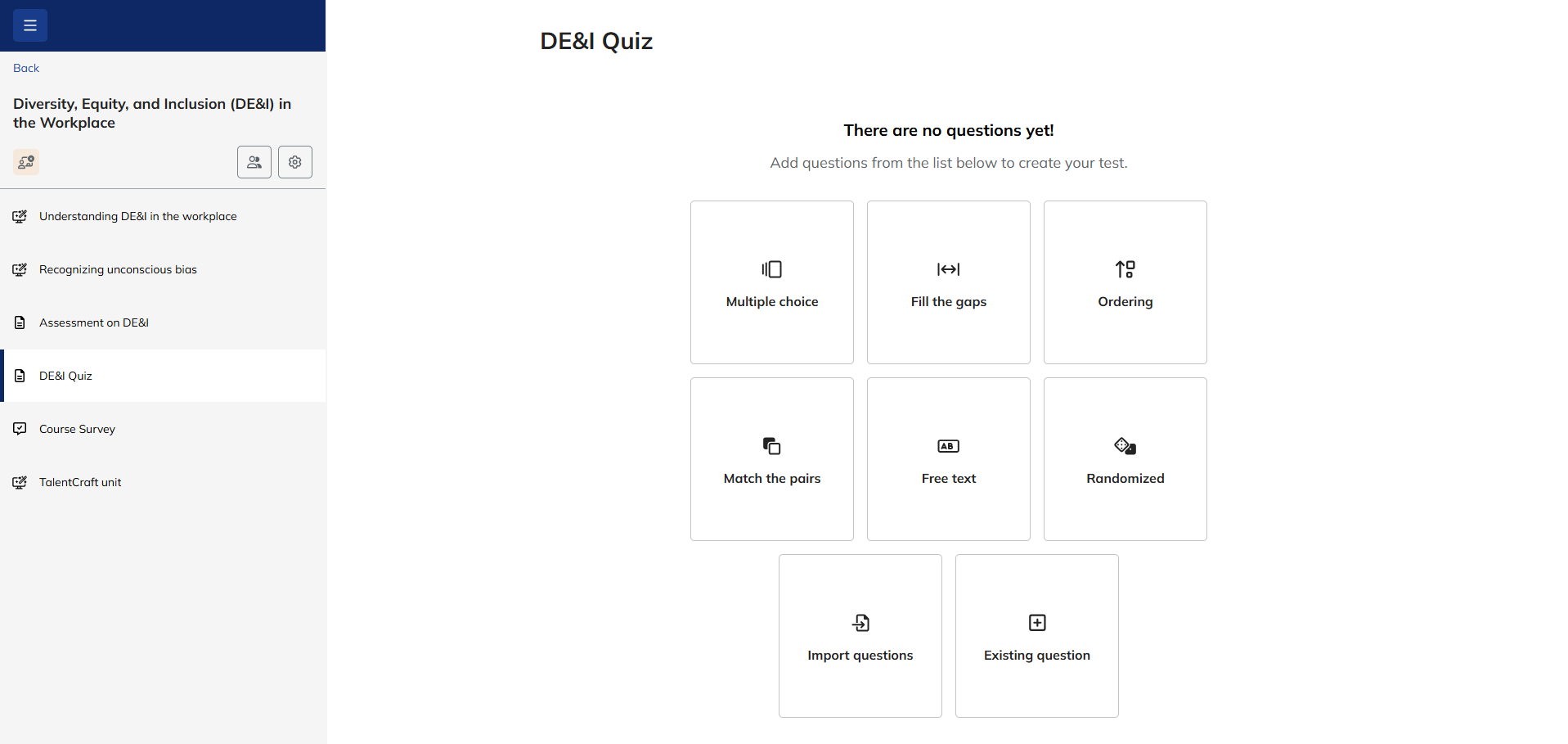
The best LMS platforms support various assessment types, including:
- Quizzes
- Knowledge checks
- Assignments
- Practical assessments
- Certificates
By combining different assessment formats, organizations gain a more complete picture of learner understanding and readiness.
7. Learning paths
Learners rarely build skills through a single course. Most workplace capabilities require a structured learning journey that combines knowledge, practice, reinforcement, and continued development.
TalentLMS’s Learning Paths help create personalized learning experiences by organizing training into logical sequences. Rather than leaving learners to choose content independently, learning paths create clear progression and ensure important knowledge isn’t missed.
They’ve become one of the most valuable Learning Management System features because they’re focused on ongoing and long-term growth. They also provide a scalable way to build capabilities consistently across teams.
Powered by tools embedded in an LMS, they also allow admins to organize courses into structured journeys while supporting personalized development based on role, department, or business objectives.
Learning paths are particularly effective at supporting:
- Employee onboarding
- Leadership development
- Compliance programs
- Upskilling and reskilling initiatives
- Career progression
- Role-based training
8. Collaboration tools
Learning is often more effective when it’s social.
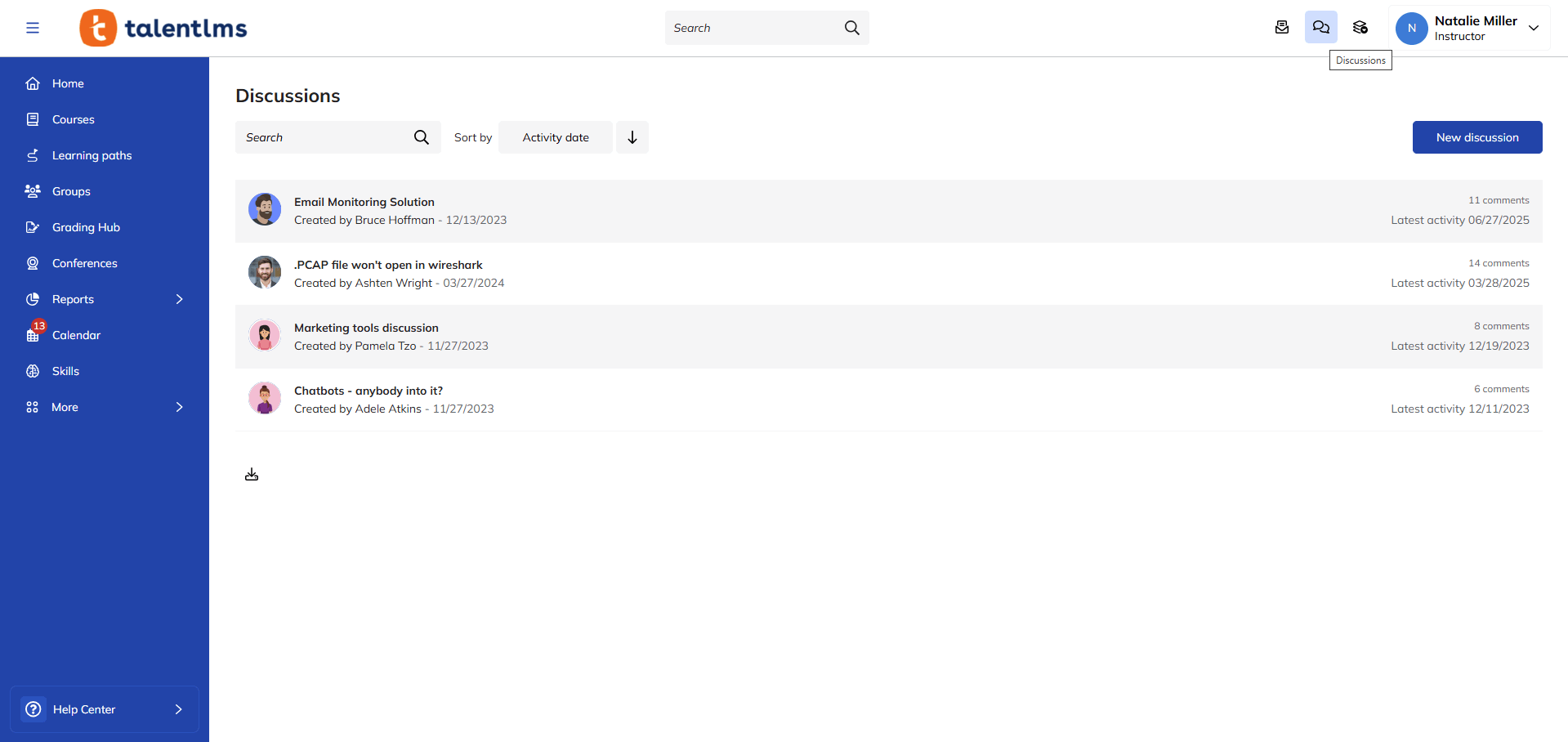
Collaboration tools encourage learners to share ideas, discuss challenges, and learn from one another. They help transform training from an isolated activity into a shared learning experience through:
- Discussion boards and project spaces
- Group conversations
- Instant messaging
- Peer feedback
- Knowledge-sharing spaces
- Social learning communities
These tools can increase engagement while helping people learn from real-world experiences across an organization. Collaboration is particularly valuable for remote and distributed teams, where informal learning opportunities may be limited.
9. Gamification
Keeping learners motivated is one of the most enduring challenges in workplace training. Gamification in an LMS enhances learner engagement and reinforces knowledge retention.
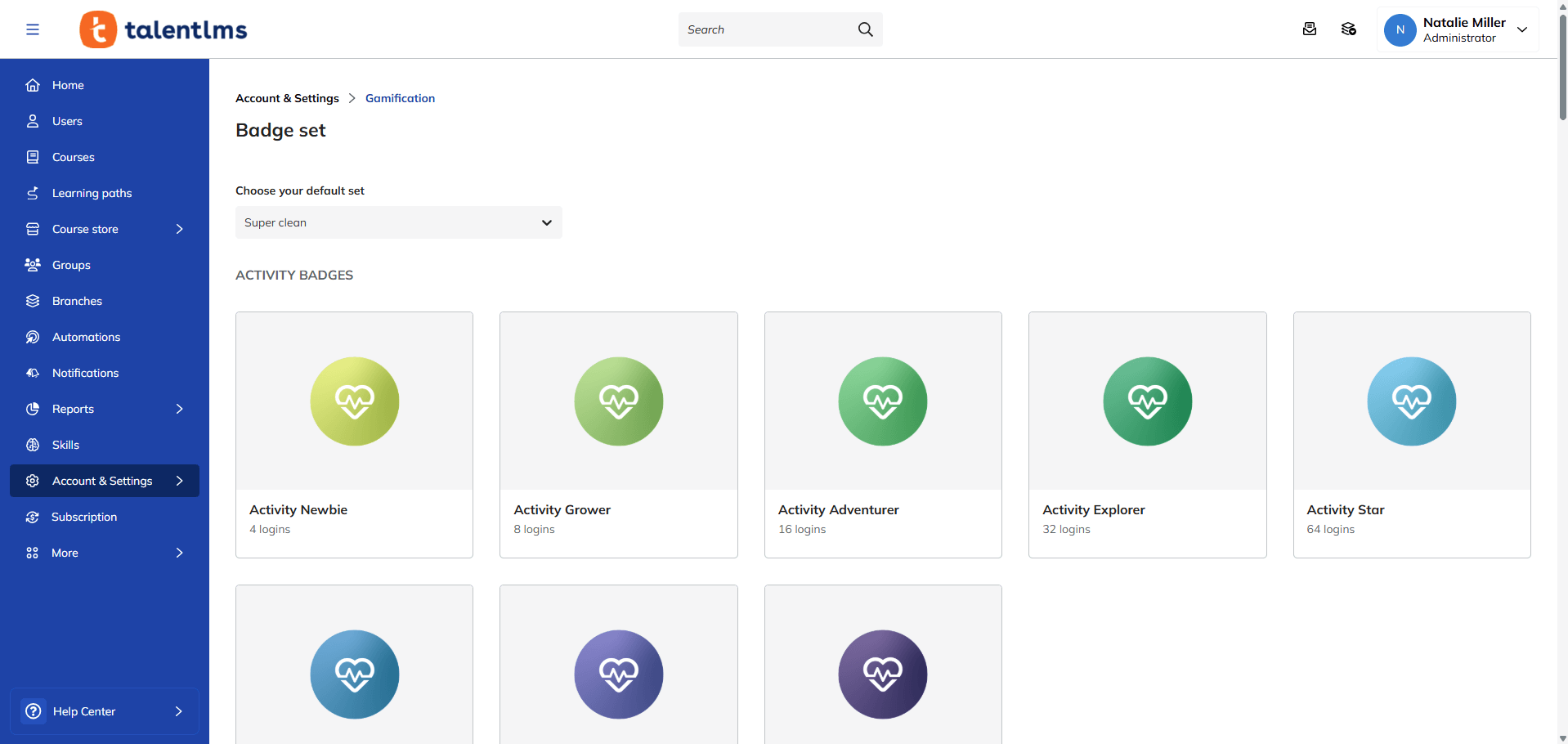
When used effectively, it encourages participation, celebrates learner progress, and motivates them to continue developing their skills. It does this by providing learners with visible milestones that encourage continued development and celebrate achievement.
Popular gamification features include:
- Points and badge systems
- Levels and challenges
- Achievements and rewards
- Leaderboards and progress bars
10. Skills visibility and workforce readiness
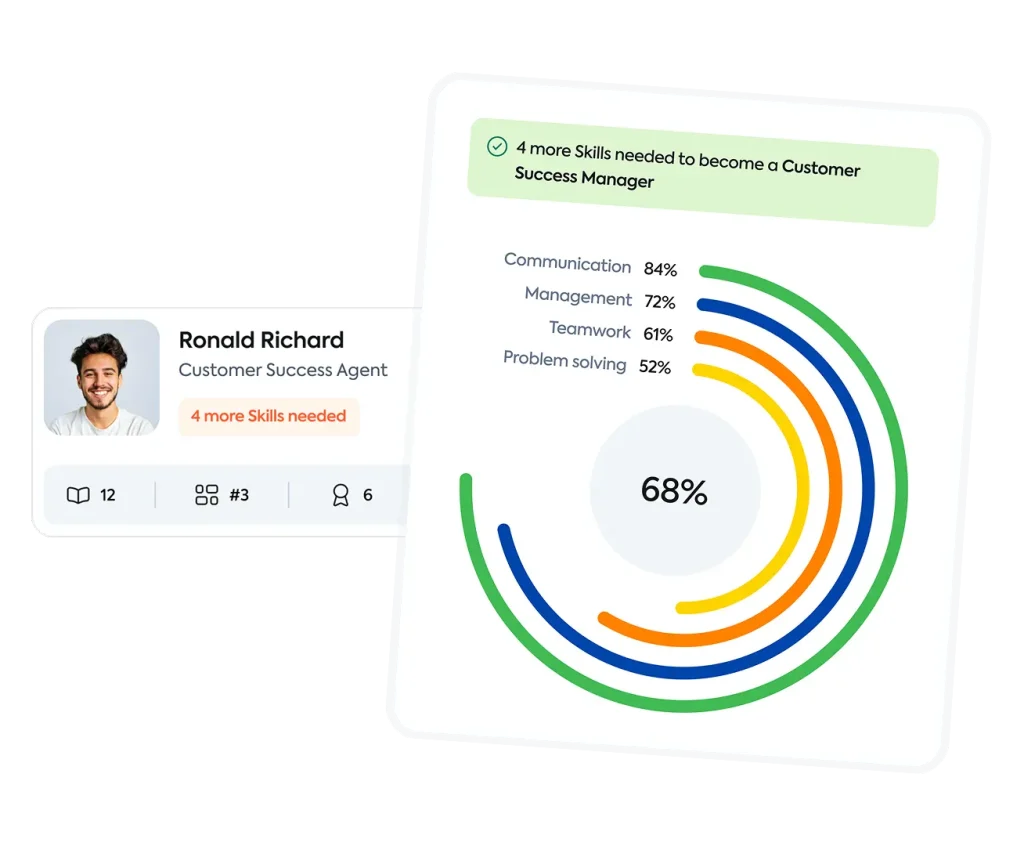
Skills visibility is emerging as one of the most important LMS features for 2026 and beyond.
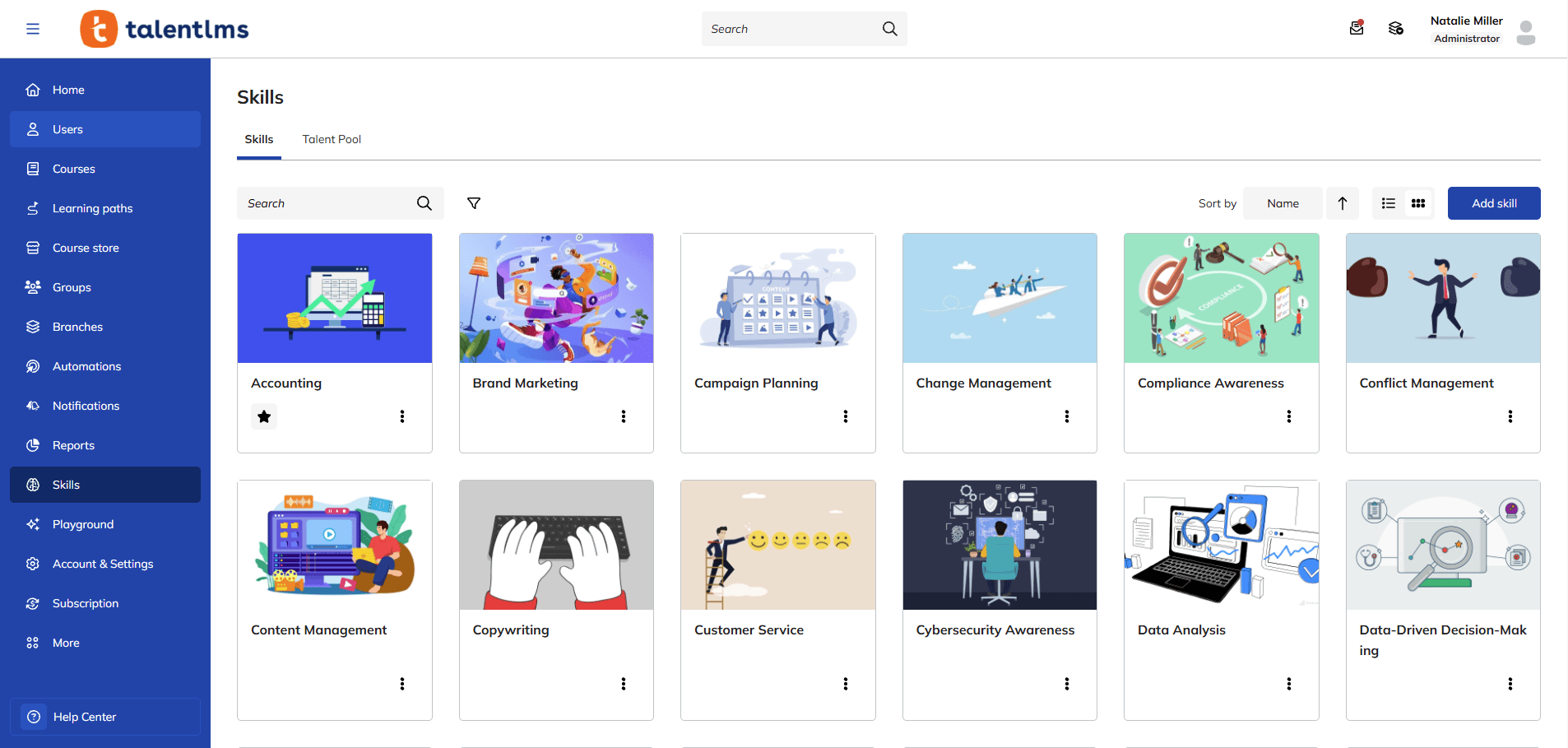
According to the TalentLMS Skills Visibility Report 2026, 50% of respondents say their company hires externally for skills that current employees already have. More than half (56%) of employees say their career progression is held back at least sometimes because their skills go unnoticed.
Instead of asking, “Which courses has this learner completed?” organizations can ask, “Which skills have they demonstrated?”
When organizations can’t clearly see workforce capabilities, they risk overlooking internal talent, increasing recruitment costs, and slowing workforce development efforts.
An LMS with a skills management and mapping feature increases skills visibility by helping organizations:
- Track learner skills
- Identify skills gaps
- Measure readiness
- Support workforce planning
- Align learning with business needs
- Prioritize development efforts
11. Reporting and analytics
Effective LMS reports offer more than participation metrics. They provide insight into learning progress, skills development, compliance, and readiness.
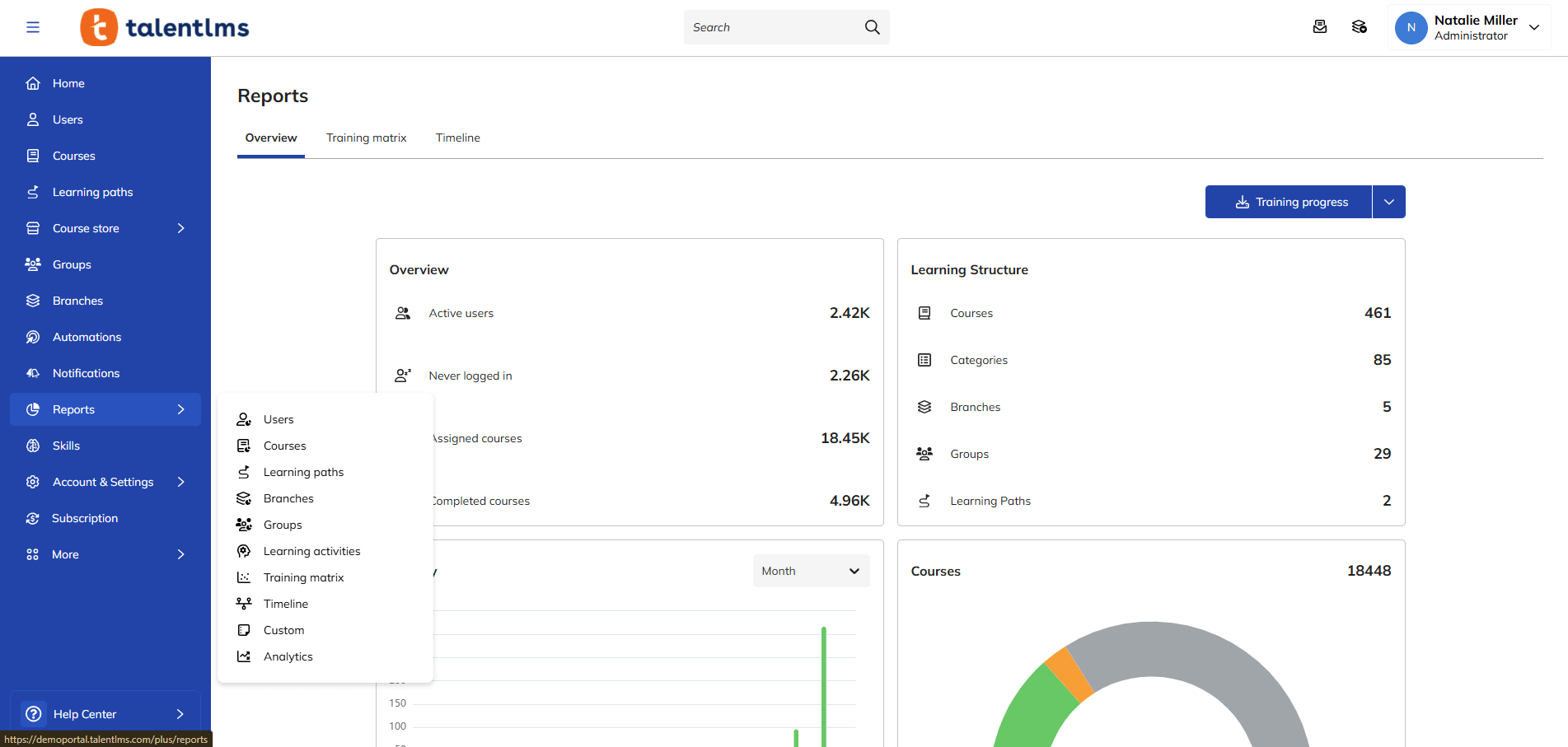
When evaluating LMS reporting features, organizations should look for learning platforms that provide meaningful business insights, not just training statistics. Real-time visibility can also help teams respond quickly rather than waiting for training problems to surface.
Key reporting capabilities include:
- Real-time reports
- Scheduled reports
- Custom reporting
- Learner analytics
- Compliance reporting
- Progress tracking
- Skills-based reporting
These tools help answer important questions such as:
- Which skills are improving?
- Where do knowledge gaps exist?
- Which teams need additional support?
- How effective are training programs?
- Are learners prepared for future responsibilities?
12. Surveys and feedback
Surveys and feedback tools within an LMS give learners a voice. Combined with reporting and analytics, learner feedback creates a more complete picture of what’s working and what’s not.
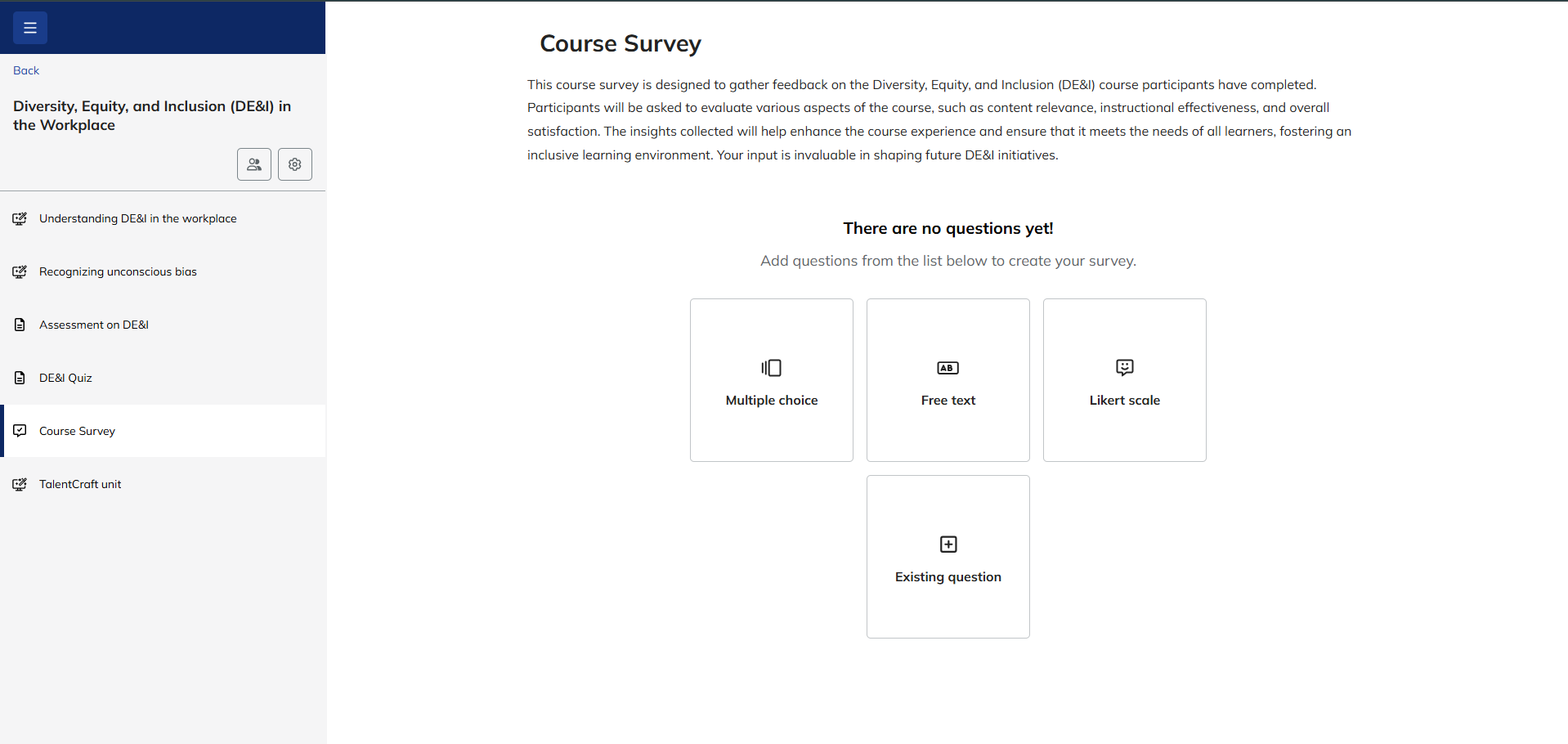
Look for Learning Management System features that support different question types, such as multiple-choice, rating, and open-ended formats.
Feedback helps teams adapt training instead of continuing with programs that aren’t working.
13. Course management
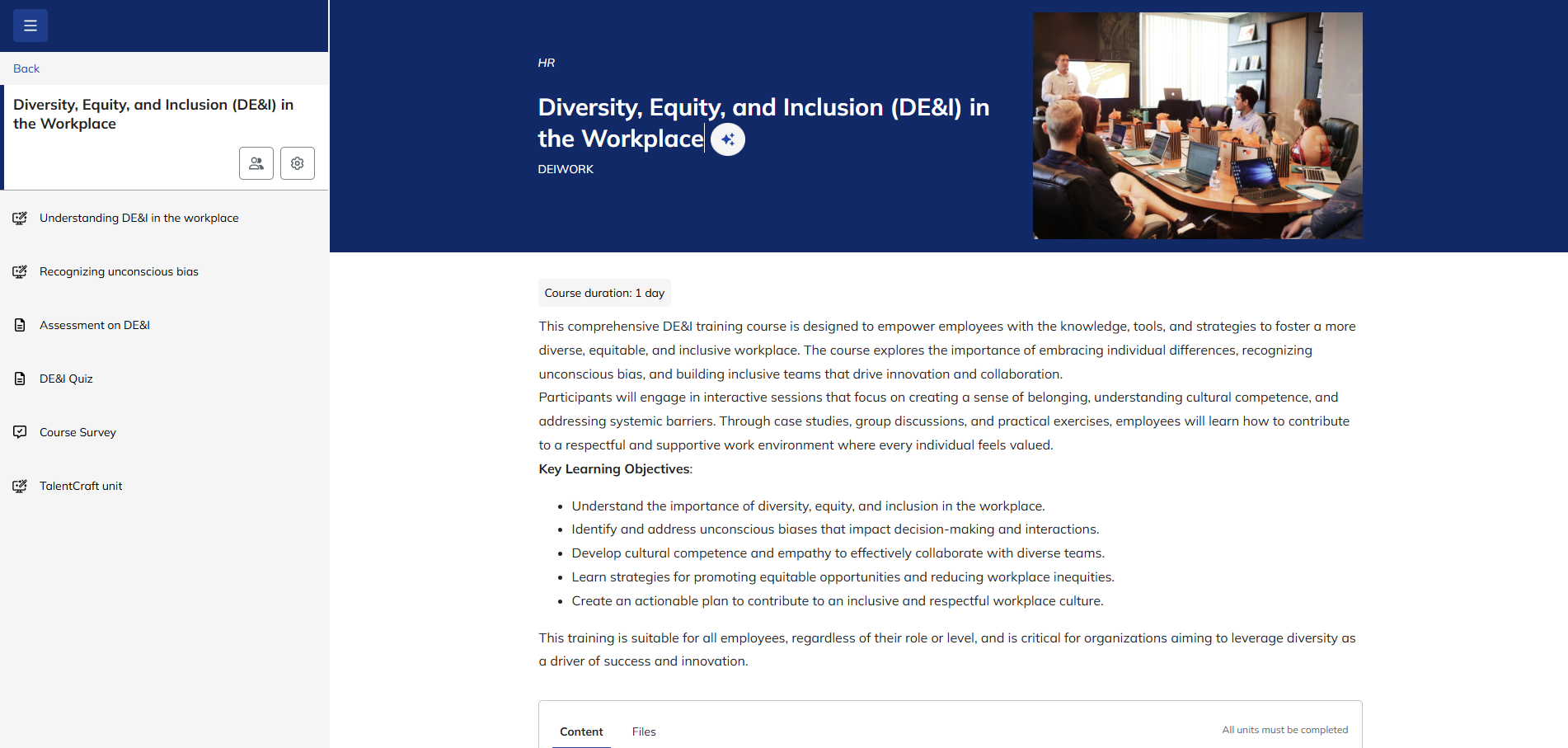
Creating courses is only one part of successful training delivery. Your LMS should give you the tools to organize, assign, track, and manage learning easily.
But course management shouldn’t stop there. Managers and team leaders should have visibility into their teams’ skills and needs.
According to the TalentLMS Skills Visibility Report, 90% of managers believe they have a good understanding of their team members’ skills. However, only 69% of employees agree.
A strong LMS gives you direct access to your team’s learning progress, helps you identify learners who need extra help and supports development goals.
As organizations grow, these capabilities become increasingly important for maintaining quality and ensuring learners receive the right training at the right time. They also provide the data needed to prove training ROI.
14. User management and roles
As learning programs expand, organizations need greater control over who can access training, whether you’ve got 50 learners or 5,000.
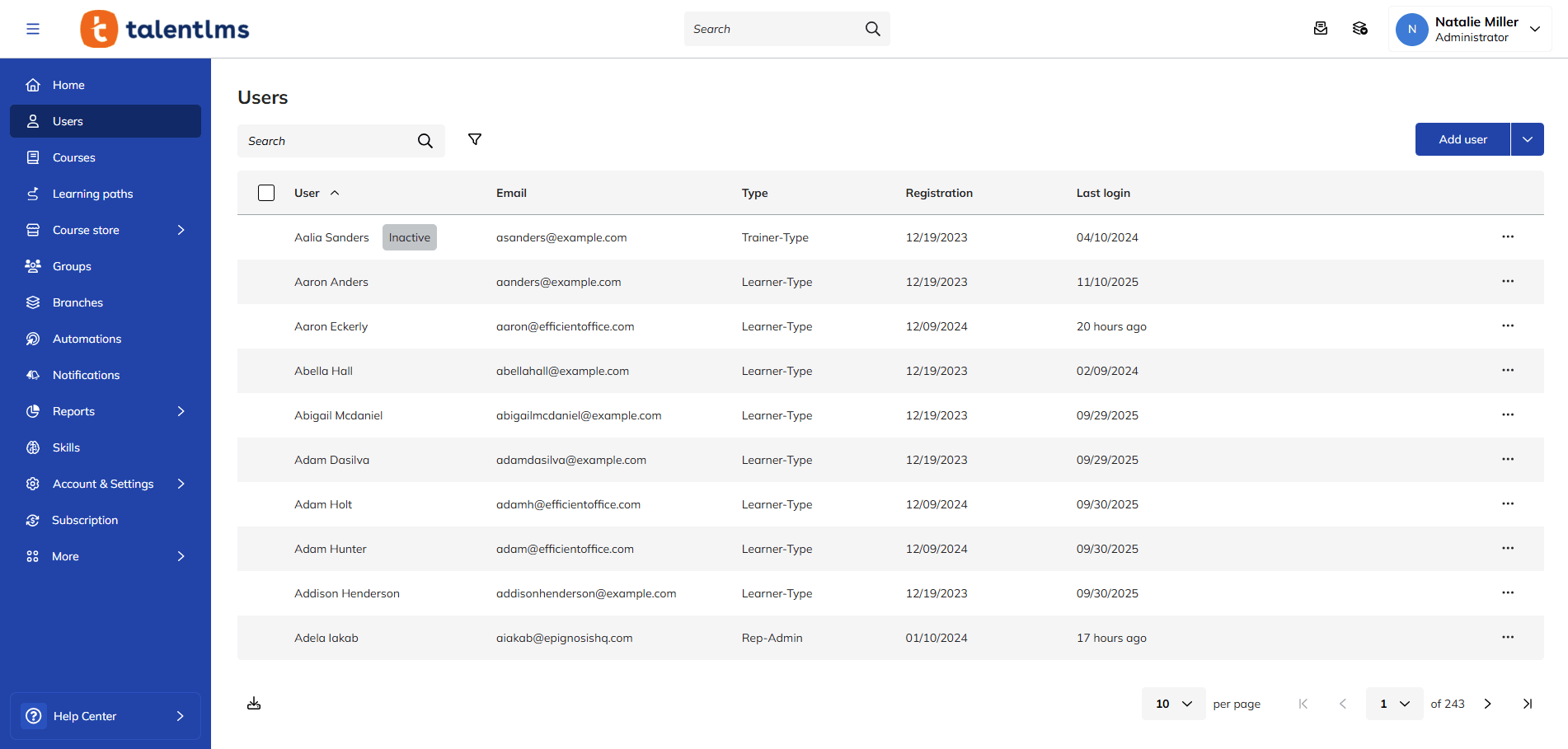
With user management, you can assign roles like learner, manager, administrator, and instructor, each with its own varying levels of access and permissions. Once in place, they continue to run without the need for manual intervention.
Look for features like:
- Bulk user import
- Role-based access control (RBAC)
- Customizable permissions
- The ability to create custom roles
- Easy user provisioning and de-provisioning
- Groups and branches
- User segmentation
These features make it easier to maintain consistency across departments, locations, and business units.
15. Automation and workflow management
Administrative tasks can quickly become a bottleneck as learning programs grow.
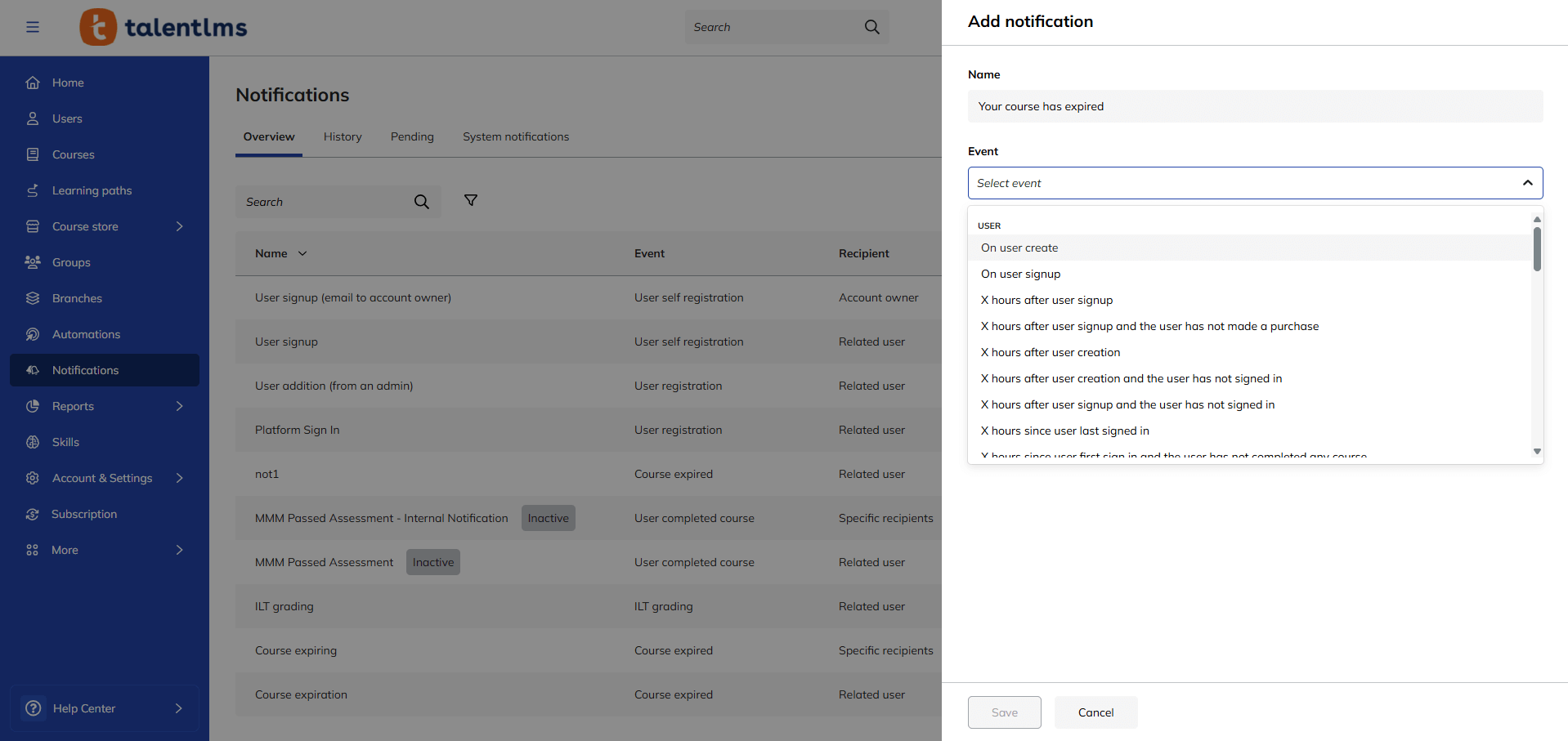
By automating repetitive tasks, you can reduce admin effort, improve consistency, and ensure learners receive the right training at the right time.
This allows L&D teams to spend less time on manual processes and more time on creating impactful learning experiences.
Automations can trigger actions based on completions and learner inactivity. Notifications handle reminders and alerts, while scheduled reports can deliver data automatically. Together, these save time and close the gap between identifying a training need and getting the right people into training faster.
16. Customization and branding
Learning experiences should feel like a natural extension of the organization. Customization and branding features allow businesses to tailor the learning experience to their teams while reinforcing company culture and identity. This easily creates a more familiar and cohesive experience.
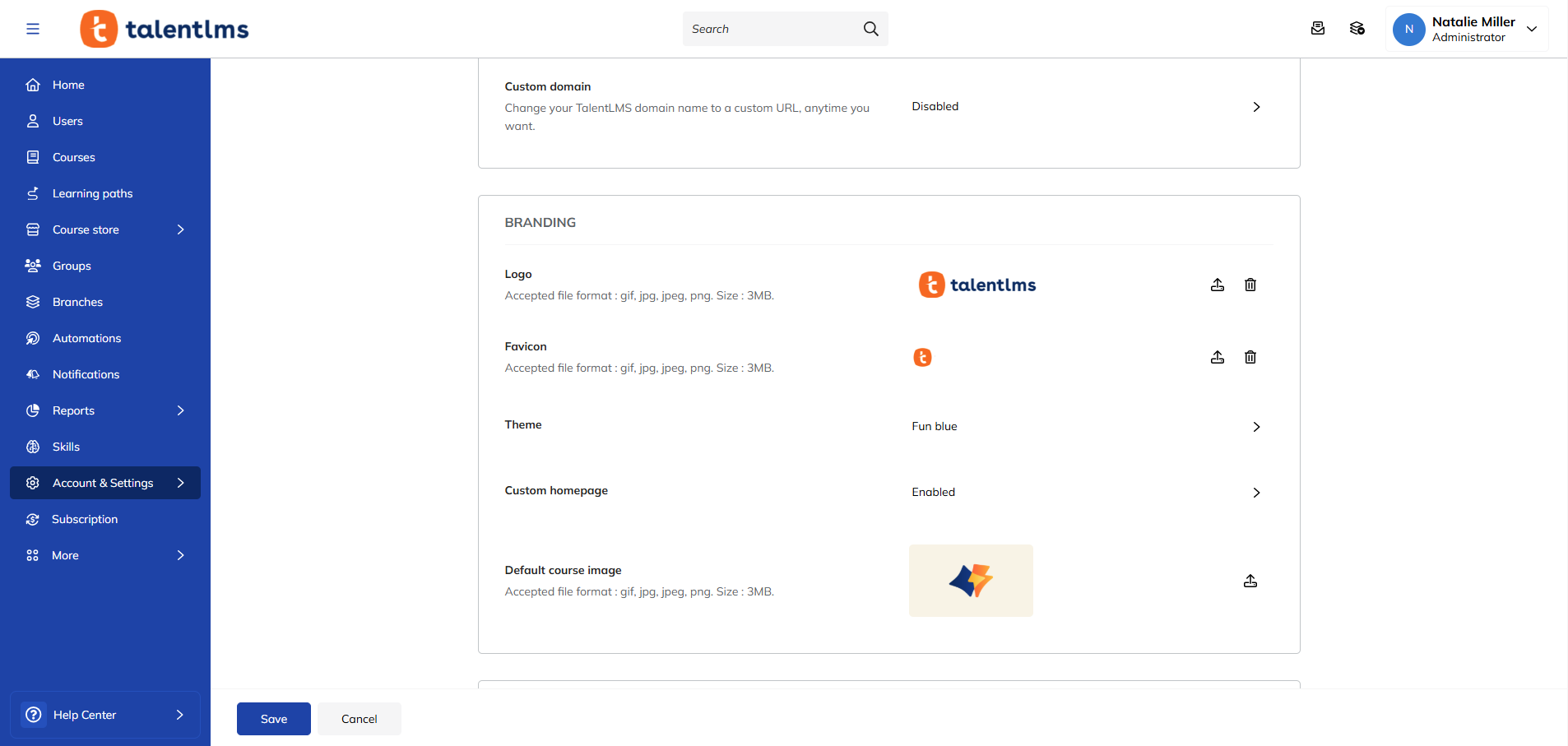
Common customization options include:
- White labeling
- Custom domains
- Branded portals
- Personalized homepages
- Department-specific learning environments
- Branches
These capabilities are particularly valuable for organizations training multiple audiences, such as employees, customers, partners, contractors, or franchisees.
Pro tip: Customization features are particularly helpful for larger or rapidly scaling organizations and those with unique or multipurpose training needs. Branch functionality, in particular, means businesses can organize training into independent and uniquely branded sub-portals to suit the needs of different groups or departments.
17. Security, compliance, and accessibility
No top LMS features checklist would be complete without security.
Organizations trust LMS platforms with learner information, training records, intellectual property, compliance documentation, and other business-critical data. As a result, strong LMS security features are essential.
Key capabilities include:
- Single sign-on (SSO) integration (with providers like Okta and OneLogin)
- Role-based access controls
- Data encryption
- Compliance with relevant data privacy regulations (like GDPR or CCPA)
- Audit trails
- Security certifications
Accessibility is equally important.
Modern learning experiences should be available to all learners regardless of ability, helping organizations create more inclusive learning environments.
How top LMS features support different training needs
The value of an LMS isn’t just in individual features. It’s in how those features better support your specific training needs and business goals.
Employee onboarding and internal training
Getting employees productive requires structured learning without unnecessary effort. A new hire’s onboarding shouldn’t be a scavenger hunt. A strong LMS can give learners real chances to build and practice skills and create clear paths for future development. For ongoing employee training, it can help organizations keep learning organized and accessible as roles and requirements change.
Upskilling and professional development
Upskilling is about building capability over time rather than simply getting someone initially trained. With the right LMS features, you can respond to changing needs faster and make development more targeted.
Compliance and certification training
Compliance training needs to be easy to deliver, track, and prove. An LMS can help organizations manage mandatory training, monitor completion, maintain training records, and stay audit-ready.
Training multiple audiences
An LMS isn’t only for internal training. Organizations can also use it to deliver learning to customers, partners, contractors, franchisees, and other external groups. A flexible learning environment can support this while maintaining a consistent training experience. Rather than adding another platform every time a new group emerges, organizations can use one LMS to manage multiple learning environments and workflows. Fabletics OS needed to reach audiences across 12 different countries and support seven languages. Using TalentLMS, they were able to achieve 95-98% learner engagement.
How to choose the top LMS features you need
With so many platforms on the market, choosing the right LMS can feel overwhelming.
A simple top LMS features comparison can help narrow your options, but it’s important to look beyond feature counts alone. Here are a few things to consider:
-
Start with your use case
Ask:
- Who are you training?
- What type of learning are you delivering?
- How many audiences need access?
- What needs to be tracked?
- How often does training need updating?
Your answers will help identify which Learning Management System features are essential.
-
Identify your biggest training bottlenecks
Look at where training currently slows down. Is your greatest challenge content creation, enrollment, learner access, certifications, reporting, or something else? The right LMS should address the bottleneck rather than simply add more functionality.
-
Separate must-have features from nice-to-haves
Prioritize features that solve real needs. If managing training is what’s slowing your team down, automation and integrations may matter more than an extensive collection of engagement features.
-
Evaluate workflows, not isolated features
Learning Management System features are most valuable when they work together. Ask whether a learner can be added, enrolled in the right training, tracked by the appropriate supervisor, certified if required, and included in reports without multiple manual steps. This is where a platform can either reduce operational drag or create more of it.
-
Consider scalability and time-to-value
Look at ease of setup, audience management, implementation, and how quickly the LMS can support a real learning program. The platform should help you deploy fast, scale smart, and stay ready as training needs change.
Choosing LMS features that keep training moving
The right LMS should help you create and update training faster, support different audiences, reduce repetitive work, and grow with you as your needs change.
The top Learning Management System features in 2026 are the ones that help organizations train at the speed of growth. Your LMS should help you keep pace, not become another source of complexity.
FAQs
What are the top LMS features?
The top LMS features include course creation, AI-powered learning, content libraries, learning paths, assessments, practice-based learning, robust reporting and analytics, automation, integrations, security, and scalability. These ensure your training runs smoothly, is tracked, and is tailored to your learners’ specific needs. The right combination depends on your training needs, learner audience, and team goals.
What are the most important LMS features in 2026?
The most important LMS features in 2026 include AI-powered learning, practice-based learning, skills visibility, personalized learning paths, reporting and analytics, automation, integrations, and security. These help organizations create and launch training quickly, reduce admin workloads, and help companies scale learning as their needs change.
Which top LMS features reduce administration?
The top LMS features that reduce administration include AI course creation, automations, integrations, user management, and scheduled reporting. These tools help L&D teams spend less time managing repetitive tasks and more time delivering training.
Which top LMS features help training scale?
The top LMS features that help training scale are automations, learning paths, mobile accessibility, content libraries, AI-assisted course creation, and integrations. These make it easier to automate repetitive tasks, handle user growth, and support more learners and different audiences while maintaining consistent progress.
Is AI a must-have LMS feature?
AI is not a strict must-have LMS feature. But it can become essential when it solves a real training problem, such as reducing content creation time, supporting learners, automating administration, translating content, or identifying skills gaps. The best approach is to test AI based on the value it provides rather than simply choosing an LMS because it offers AI.