
- Top Moodle alternatives
- How to choose the right Moodle alternative for your needs
- Moodle alternative #1: TalentLMS
- Moodle alternative #2: Docebo
- Moodle alternative #3: Absorb LMS
- Moodle alternative #4: Canvas LMS
- Moodle alternative #5: Blackboard Learn
- Moodle alternative #6: Tovuti LMS
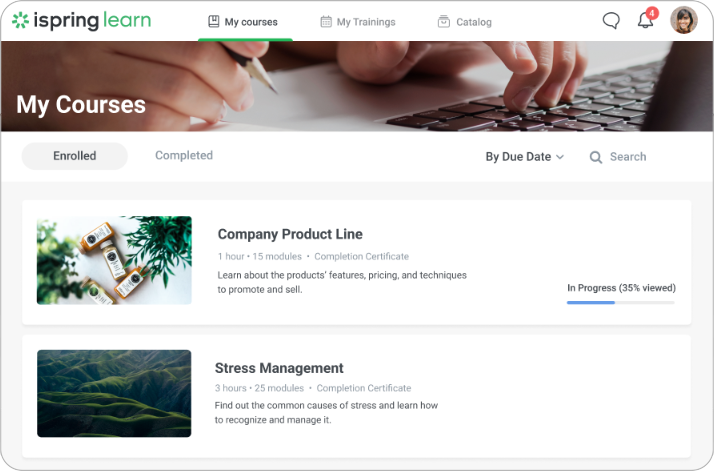
- Moodle alternative #7: iSpring Learn
- Which Moodle alternative to choose
Sooner or later, many training teams have a realization. They’re spending more time wrestling with their learning platform than developing the skills their people need.
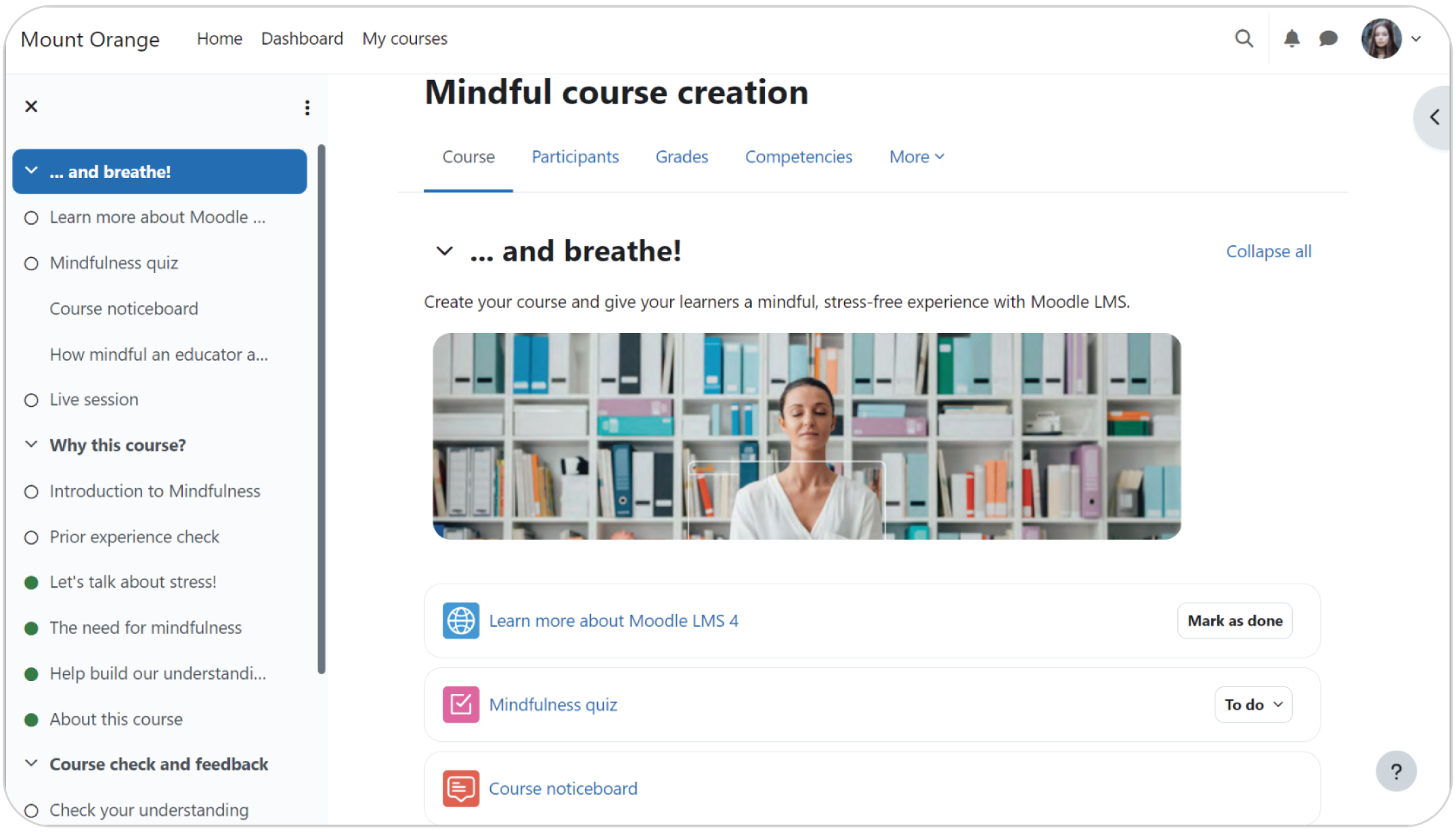
Sometimes, that platform is Moodle, a well-known open-source system with deep roots in the world of education.
The platform’s open-source nature means the budget normally spent on licensing fees can be redirected into creating better training content. A vast library of plugins also equips teams to build a learning environment that precisely mirrors their company’s specific workflows.
Its assessment tools support project-based work that reflects real-world job skills. The active global community serves as a massive, free support network, often presenting alternative solutions faster than a paid vendor could.
The downsides, however, are often enough to make corporate teams look for Moodle LMS alternatives.
Finding that simpler solution is what this guide is all about. The platforms listed here were built for business first, designed to let your team focus on what they do best: Building great training.
Top Moodle alternatives
- TalentLMS
- Docebo
- Absorb LMS
- Canvas LMS
- Blackboard LMS
- Tovuti LMS
- iSpring Learn

How to choose the right Moodle alternative for your needs
A learning management system like Moodle, that’s perfect for a university with a huge IT staff, can be a total headache for a corporate team that needs to move fast.
On top of that, Moodle’s biggest strength, its raw power, creates a steep learning curve.
You see this push-and-pull between power and usability show up in user reviews all the time. Pelser U. from G2 sums it up perfectly, “The most helpful part of Moodle is the vast number of functions you can add to Moodle when constructing an LMS. The downsides, unfortunately, are also there. It feels clunky and not very user-friendly compared to other LMS systems. It feels outdated and not really intuitive.”
The hidden workload of just keeping Moodle online is another huge factor. You’re on the hook for managing hosting, security, and updates yourself.
The platform can also start to lag as your company scales up. And when a real problem pops up, there is no official help desk to call, just community forums, interactive discussion boards, and pricey third-party contractors.
Therefore, it all comes down to asking a few honest questions about your team:
- Do we actually have the tech staff for that kind of upkeep?
- Are we prepared to tackle that learning curve?
- Is a uniform, modern user experience a must-have for us?
A “no” to any of these means you’re probably ready to look at platforms built to avoid these exact headaches.
***Information last updated: July 2025.
Moodle alternative #1: TalentLMS
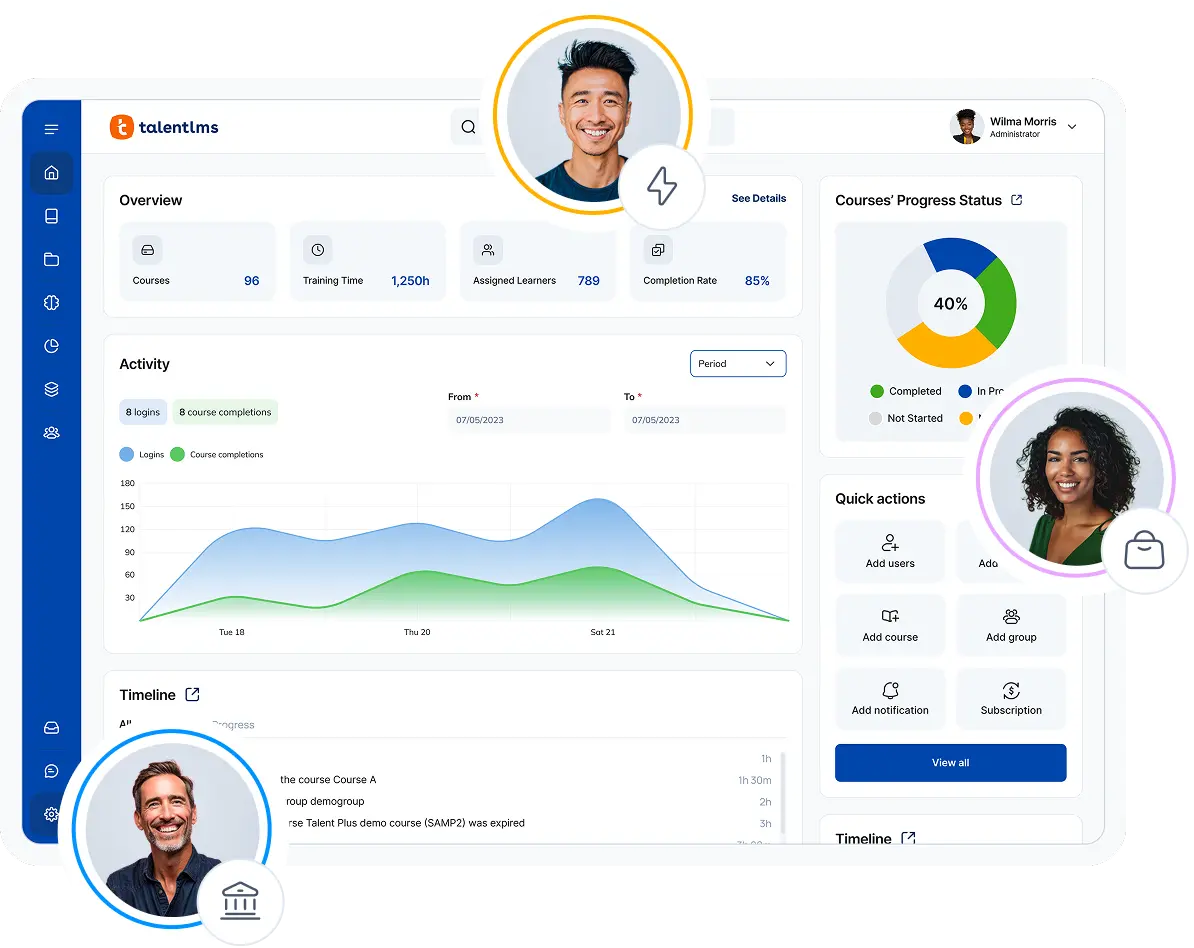
If Moodle is a powerful toolkit that lets you build anything, the TalentLMS platform is a precision instrument designed for one thing: Fast and effective corporate training. It strips away the layers of technical complexity to give L&D teams a clean path to creating and delivering courses.
Why we picked it:
There is a good reason TalentLMS consistently tops the charts on software review sites as one of the best Moodle alternatives, which is its incredible value for money and simplicity.
In turn, this permits L&D teams, managers, and CEOs to hit the ground running without the hidden costs or technical headaches.
On top of that, it fully supports mandatory content standards like SCORM and xAPI and has a library of robust, ready-made integrations.
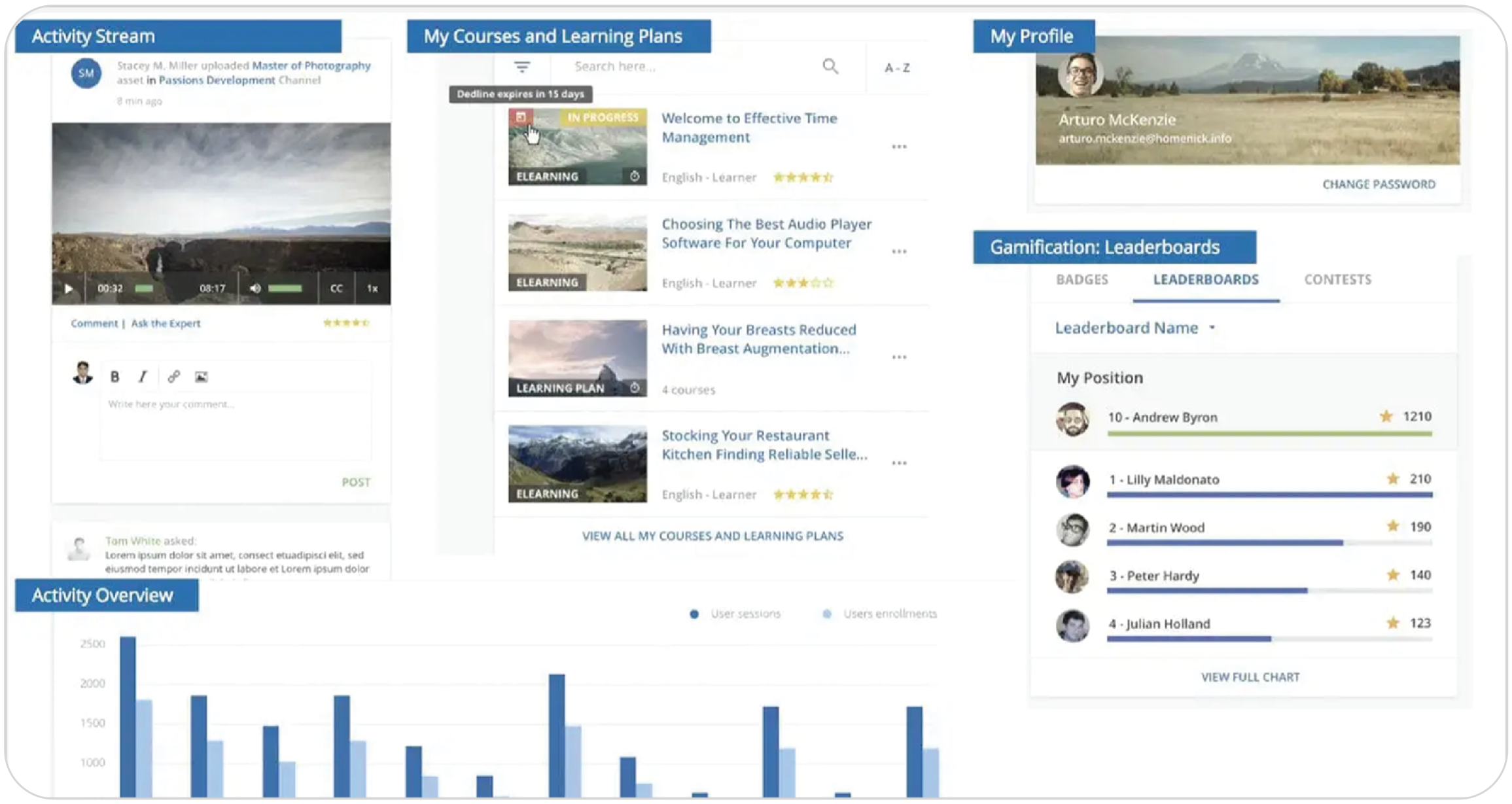
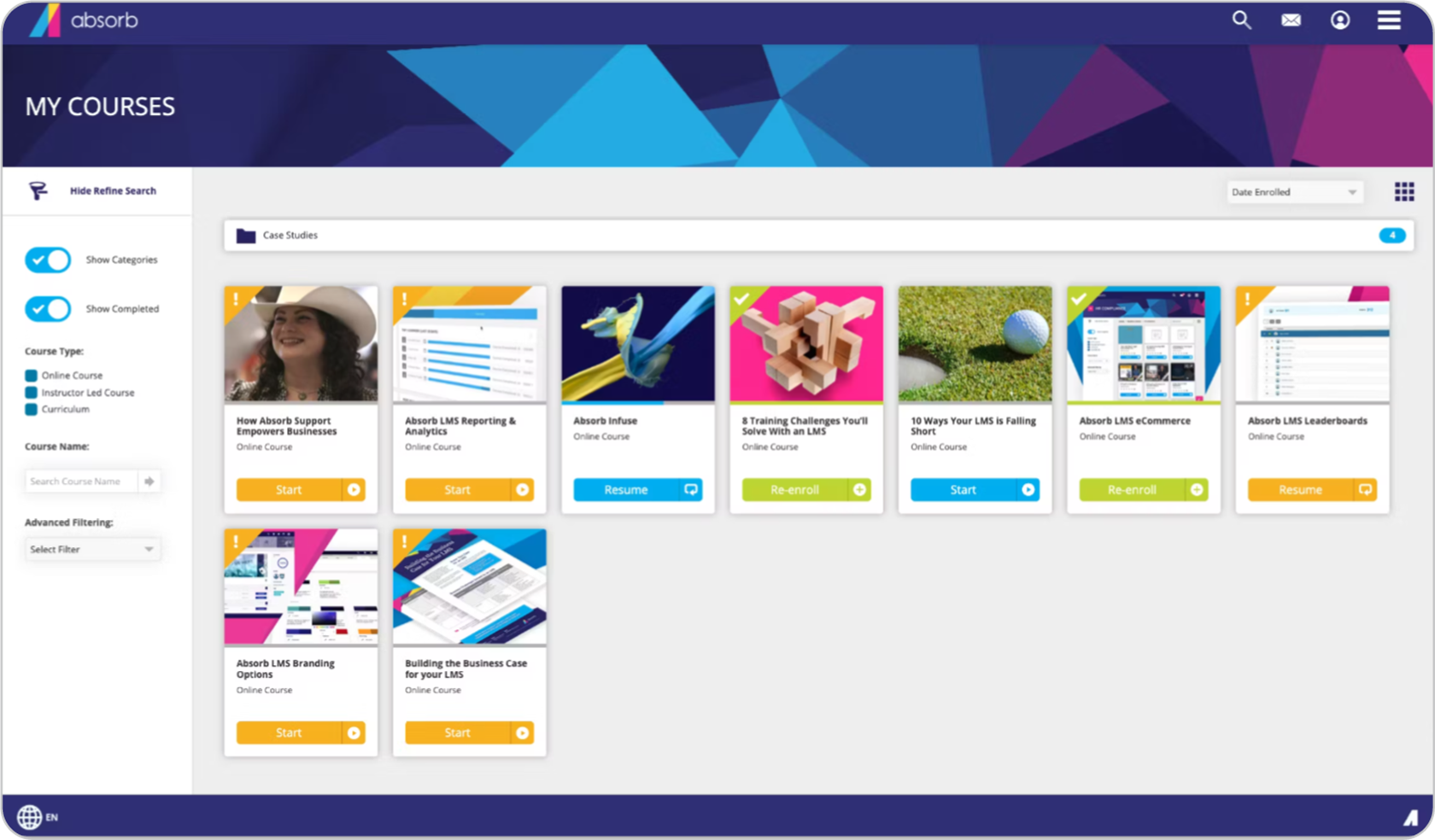
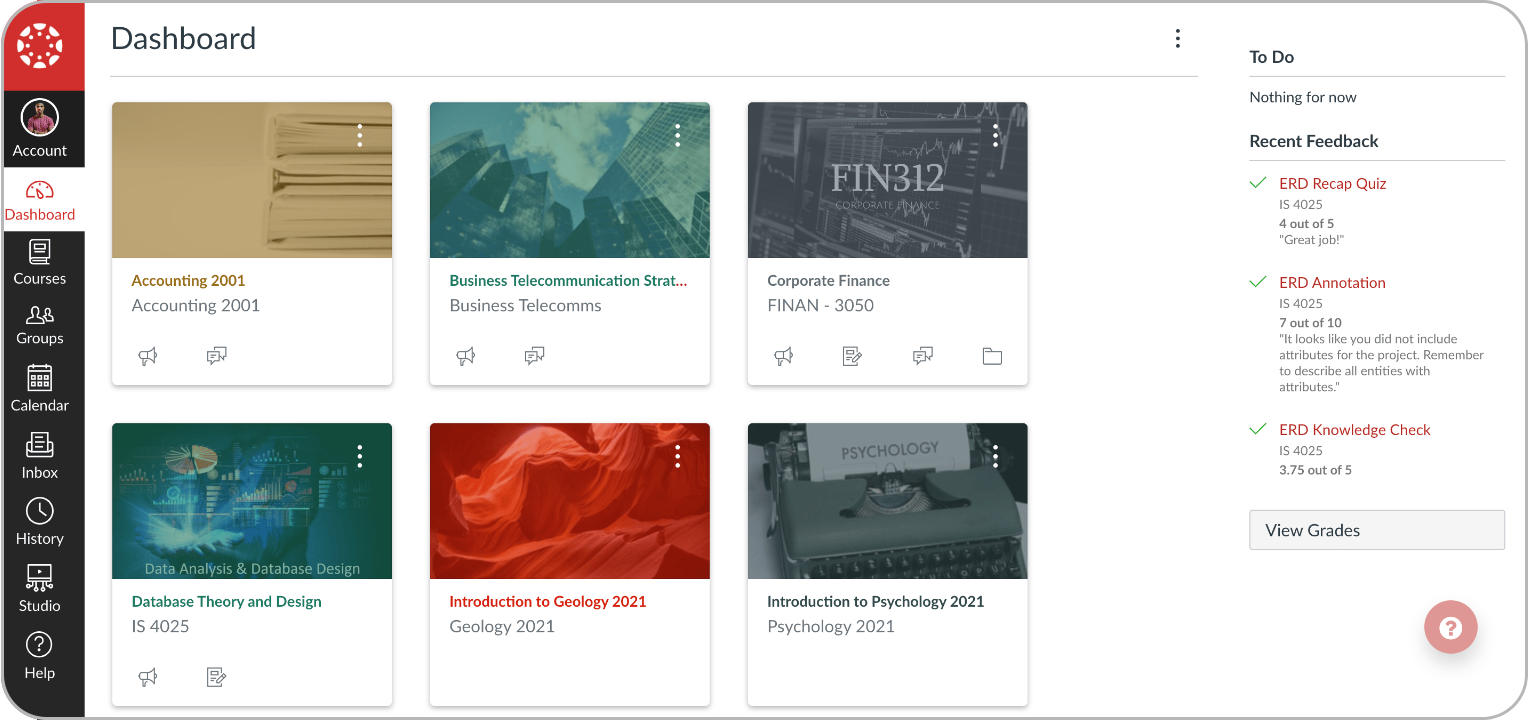
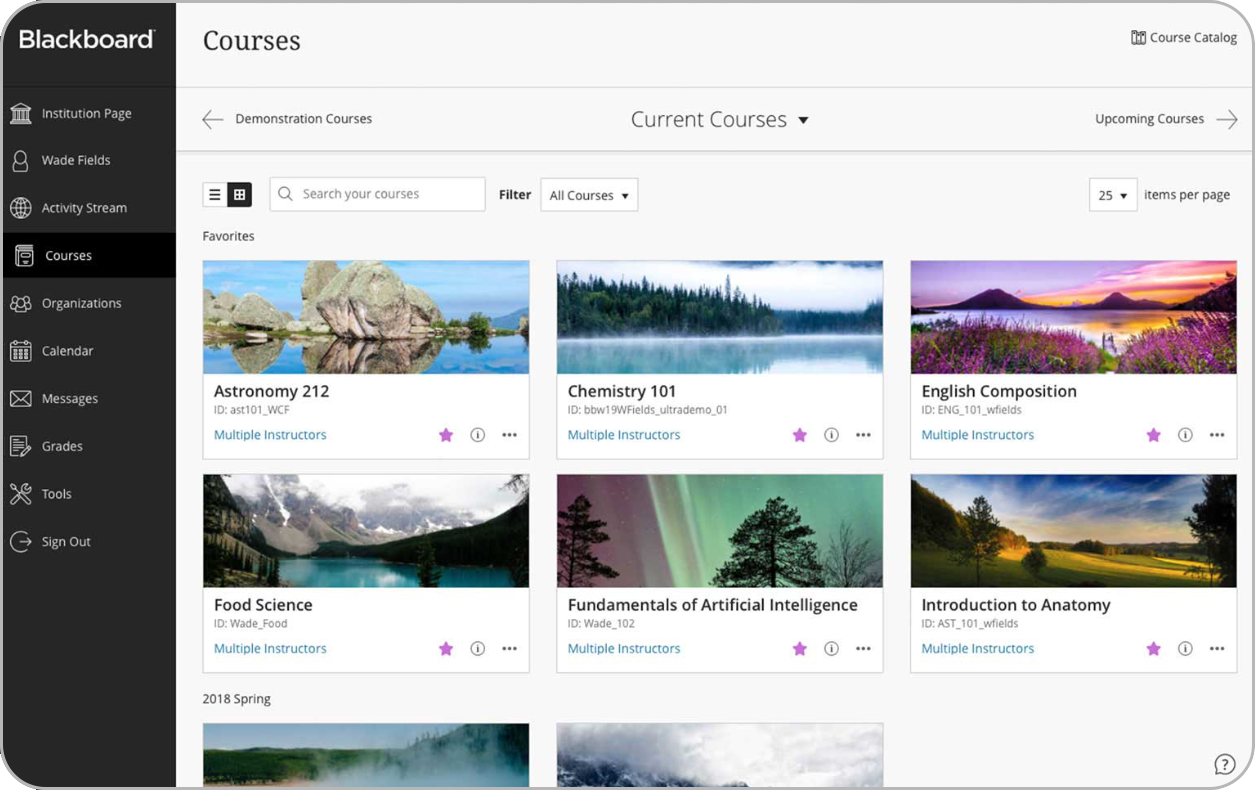
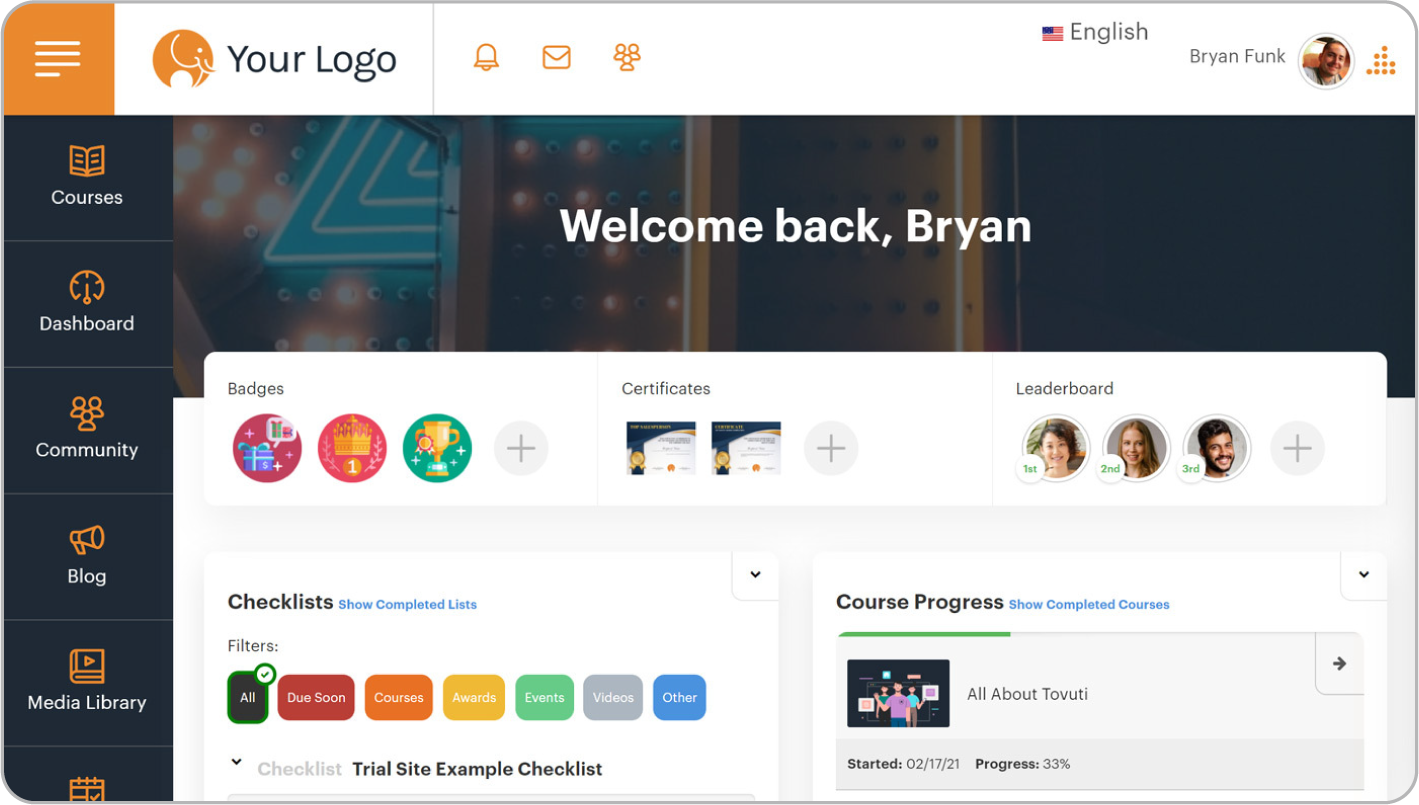
Key features: Best for: TalentLMS is an ideal fit for small-to-medium-sized businesses and corporate employee training departments. Pricing: In terms of TalentLMS pricing, you can get started with a free plan for up to five users or a premium free trial. Paid plans begin at $119 per month. What users are saying on G2 “I love the ability to use AI and also have free range for customization… The reporting has been extremely beneficial and provides helpful data. We were able to implement the content easily and quickly with an extremely high adoption rate.” — Katina L., 5/5 stars “I honestly don’t have any major dislikes about TalentLMS, but there are a few features that could make things even easier.” — Valeria G., 4/5 stars Docebo is a heavyweight in the enterprise learning space, designed to turn corporate training into a more automated, intelligent, and data-rich ecosystem. We picked Docebo because it answers the question, “What’s next after Moodle for a large enterprise?”. It’s the logical choice for companies feeling constrained by a lack of advanced automation and deep analytics. Its AI engine is also capable of creating personalized learning paths at a scale unlike Moodle, which cannot achieve without extensive and expensive custom development. Key features: Best for: Docebo is built for large, complex enterprises that need to manage collaborative learning globally and require deep, actionable insights from their employee training data. Pricing: Docebo doesn’t publish its pricing. Some industry sources report that plans start around the $40,000 per-year mark. “The platform allows for flexibility in how we deliver the learning experience, it performs rather well without frequent bugs or crashes — stability is really important for us in the organization.” — D., 4/5 stars “Native content creation tools are underwhelming… Basic authoring capabilities could use enhancement… Requires internal IT team support to reach full potential.” — Verified user in Infotech service industry, 2.5/5 stars Absorb LMS is designed for organizations where deploying and tracking high-stakes compliance training across a large workforce is a top priority. We picked Absorb for its laser focus on the end-user. While many platforms focus on the backend, Absorb has a good reputation for its easy-to-use, modern user interface and great support. Key features: Best for: Absorb LMS suits enterprises with major compliance needs and global training requirements. Pricing: Absorb LMS doesn’t publish its pricing online. Some industry sources report a model that includes a setup fee, a licensing fee, and a per-user cost. What users are saying on G2 “What I like best about Absorb LMS is its user interface and flexibility. Even if you are not as familiar with LMS software, the backend experience is pretty easy to navigate…The platform makes it easy for both administrators and learners.” — Autumn L. 5/5 stars “Absorb Create also has a lot of bugs — for example, many of the standard authoring tools (i.e., Text Box creation) don’t work properly unless you refresh the page constantly.” — Claire S., 3/5 stars If you work with educational resources and within the higher education field, you’ll know that the best alternative to Moodle is Canvas LMS. You simply can’t talk about Moodle in schools without talking about Canvas. It became so popular by fixing the things that drove teachers wild about older systems: A clean gradebook, simple course setup, social learning capabilities, and an interface that didn’t feel like it was from 1999. Key features: Best for: This one is simple. K-12 school districts and higher education institutions. Pricing: The free-for-teacher plan is a standout feature. For entire institutions, pricing isn’t public, though some sources suggest an annual spend of around $36,000. What users are saying on G2 “This interface is visually appealing and user-friendly, both for the student and for faculty.”— Allyssa M., 4.5/5 stars “It seems that it is higher-ed focused only, I would love more support for K-12.” — Verified user in Education Management, 3/5 stars Blackboard Learn is a feature-deep platform built from the ground up to handle the complex demands of large-scale organizations like major universities and government bodies. Blackboard’s main draw has always been its depth, a system with a specific tool for almost any content or reporting challenge a large university could throw at it. Key features: Best for: Their platform is purpose-built for major universities, federal government agencies, and branches of the military. Pricing: The pricing here is strictly enterprise-level. Every deal is custom-built, comes with a hefty price tag, and requires talking directly with their sales team to get a quote. What users are saying on G2 “[…] clearly designed with ease for the learner and tutor at [its] heart. The new AI tools are underpinned by strong pedagogical principles, designed to help the tutor with idea generation, taking some of the legwork out of designing strong formative assessment…”— Stephen T., 5/5 stars “While it provides numerous options for organization and control of content, sometimes it can become too cumbersome.” — Clay W., 3/5 stars Tovuti brings us back to the corporate world with a modern, all-in-one cloud LMS designed to make it easy for businesses to create a completely branded learning experience. Tovuti earned its spot on this list by directly answering the call for speed paired with deep branding. Its user-friendly backend gives administrators the power to easily customize the platform’s look and feel. Key features: Best for: Tovuti is a great fit for growing small and mid-sized businesses. Pricing: Tovuti has several tiered plans, with some sources listing them as starting around $199 per month. Their Pro plan has been quoted at $11,160 annually for 50 users plus a setup fee, though you can also get a custom quote. What users are saying on G2 “Tovuti has really helped to transform the training process at my company. We are able to create many large courses and smaller lessons, really honing in on our company’s values, goals, processes, and procedures.”— 4/5 stars “Our users often complain about navigation… What I would like as an Admin is easy dashboards viewable by learners too; the dashboard system currently, in terms of visuals, is lacking.” — Nishan M., 4/5 stars Our final alternative, iSpring Learn, is built to solve a very specific and common headache. It tightly bundles a user-friendly LMS with a top-tier course authoring tool. We picked iSpring because it is a huge time-saver for busy training teams. Its main appeal is for content creators and instructional designers who need to produce polished courses from existing materials without a long, complicated development cycle. Key features: Best for: iSpring Learn is ideal for corporate trainers and instructional designers to quickly create and launch courses, especially with existing PowerPoint content. Pricing: iSpring Learn’s pricing is based on the number of users, with some sources quoting a starting plan for 50 users at around €308 per month, billed annually. What users are saying on G2 “iSpring Learn is a very complete solution, because of its incredibly good UI, it’s easy to use, and because of its very good structure, the implementation is easy and smooth. We are using it very frequently in several departments, and it’s great overall.” — Guillaume V., 4.5/5 stars “Learn supports basic integrations (like Zoom), but isn’t great for more advanced API options… I would love to see more next-level options, like gamification features… Learn seems like a great option for companies starting out, but may not last long…” – Verified user in Education Management, 3.5/5 stars It is easy to get dazzled by feature lists and slick demos when looking for an alternative to Moodle. However, your budget, the people you have on your team, and what you need to achieve this year should make the final call, not a flashy sales pitch. For most businesses, all the TalentLMS features are a good choice. You do not need an IT team to run it. Its AI capabilities help you create content faster, and its pricing makes sense for a growing business. The flexible Moodle integration also means you can transition smoothly without starting over. For massive companies with budgets to match, enterprise platforms like Docebo and Absorb LMS deliver deep, advanced features. In the academic world, Canvas and Blackboard Learn remain the standard go-to systems. For smaller, specialized teams, Tovuti is excellent for deep branding, while iSpring Learn is purpose-built for turning existing PowerPoints into courses. Whether you are exploring paid platforms or specific Moodle free alternatives, the final step is to see them in action. Take advantage of the free trials, get your team to play with the platform that feels like the best fit, and see how it handles your real-world content. That hands-on experience will tell you more than any guide ever could.Pros
Cons
The Good
The Room for Improvement
Moodle alternative #2: Docebo
Why we picked it:
Pros
Cons
What customers are saying
The Good
The Room for Improvement
Moodle alternative #3: Absorb LMS
Why we picked it:
Pros
Cons
The Good
The Room for Improvement
Moodle alternative #4: Canvas LMS
Why we picked it:
Pros
Cons
The Good
The Room for Improvement
Moodle alternative #5: Blackboard Learn
Why we picked it:
Pros
Cons
The Good
The Room for Improvement
Moodle alternative #6: Tovuti LMS
Why we picked it:
Pros
Cons
The Good
The Room for Improvement
Moodle alternative #7: iSpring Learn
Why we picked it:
Pros
Cons
The Good
The Room for Improvement
Which Moodle alternative to choose
| Tags: top LMS