
The best online learning platforms continue to reshape how people build skills and grow at work. As AI, automation, and job roles evolve, employees and businesses need to adapt faster.
According to the TalentLMS 2026 Annual L&D Benchmark Report, 65% of employees say their company has increased performance expectations over the previous year. But to meet these changing expectations, employees require the right support and training.
Online learning platforms can help organizations meet these needs across onboarding, compliance, leadership development, and upskilling at scale. Businesses want training that builds capability, supports performance, and delivers measurable results. But different platforms serve different purposes. Some provide ready-made courses, while others let you build and manage your own training programs.
In this guide, we’ll break down the 12 best online learning platforms for 2027, the features that matter most, and how to pick the right fit for your training goals.
TL;DR
- The best online learning platforms in 2027 cover everything from delivering ready-made courses to managing workplace training and supporting hands-on practice.
- Each platform has different strengths: LMS platforms (TalentLMS, Docebo) for structured workplace training, course providers (Coursera, Udemy) for self-paced upskilling, creator tools (Thinkific) for selling courses, and specialist platforms (Skilljar, Pluralsight) for customer education or technical skills.
- Start with your training goal (onboarding, compliance, upskilling, customer education) and match the platform category to it. Then compare learning formats, content depth and personalization, opportunities for practice and feedback, and skills development and certification options.
What are the best online learning platforms in 2027?
The best online learning platforms in 2027 are TalentLMS, Coursera, Udemy, LinkedIn Learning, edX, Thinkific, Moodle, iSpring LMS, Skilljar, Docebo, LearnUpon, and Pluralsight. These platforms support employee onboarding, compliance training, professional development, customer education, and AI-powered course creation. Key selection criteria include learning formats, content depth and personalization, skills development and certification, and opportunities for hands-on practice and feedback.

How to choose the right online learning platform for your needs
The World Economic Forum’s Future of Jobs Report 2025 found employers expect 39% of workers’ existing skills to change or become outdated between 2025 and 2030. This means the training your team gets today might look different next year.
So, as you compare the best online learning platforms, consider how they’ll help you update training, address skills gaps, and measure learning outcomes.
Learning delivery and format
Think about when and where people will learn. Self-paced online courses suit employees working different shifts. Instructor-led sessions provide more time for questions and discussion. Check whether the platform supports the mix you require, including video, quizzes, live sessions, and hands-on practice.
For deskless teams, assess mobile learning options. If your learners work in areas with unreliable connectivity, check which materials are available offline and how progress syncs afterward.
Content depth and personalization
Look beyond the size of a course library or a long AI feature list. Review sample lessons to check whether the topics, difficulty, and examples suit your learners. Someone learning the basics of a tool will need different material than an experienced user preparing for more complex work. Check whether you can organize relevant courses into learning paths and assign them to different groups.
If AI is a priority, compare AI learning platforms that help you connect courses to relevant skills and personalize content for specific learners. Look for AI tools that will help you deliver training catered to your employees’ roles, varying skill levels, and language or location needs.
Practical application and feedback
Your team has worked through an online course on handling customer complaints. Then a customer rejects the proposed solution and asks to speak to a manager. Have employees had a chance to practice what comes next?
Look for platforms that give learners opportunities to make these decisions in realistic workplace scenarios. That could mean choosing how to respond in a branching conversation, rehearsing a sales call, or practicing constructive feedback. Check whether learners can try different approaches, see the consequences of their choices, and receive feedback before trying again.
Use a situation your team regularly encounters to evaluate these capabilities. Ask what’s included in the platform and whether you’ll need separate authoring tools or paid add-ons to create the practice activities.
Skills-based learning and certification
Many online learning platforms include skills tracking, learning paths, assessments, and certifications. Check whether these tools help you assess employees’ current knowledge, select relevant training, and compare results over time to see where learners need extra support.
For certification, check whether learners get proof of completion when they finish courses and pass assessments or quizzes. If your industry also requires regular recertification, look for employee training software with expiration dates, renewal reminders, and easily accessible records.
12 best online learning platforms for 2027
| Best for | G2 rating | Price | |
| 1. TalentLMS | SMBs, employee, customer, partner training, onboarding, compliance. | 4.6/5 (820 reviews) | Free plan and premium free trial.Paid plans start from $119/month for 40 users. |
| 2. Coursera | University-level training, professional certificates and upskilling. | 4.5/5 (490 reviews) | Free courses available. Pricing starts at $9.99 per course for guided projects. |
| 3. Udemy | Self-paced learning across business, technical, and creative skills. | 4.5/5 (762 reviews) | Free courses available. Pricing starts at $19.99 per course. |
| 4. LinkedIn Learning | Career development through ready-made professional courses and learning paths. | 4.4/5 (722 reviews) | Free trial available. Pricing for teams starts at $379.88 per seat/year. |
| 5. edX | University-backed study, professional certificates, and formal education programs. | 4.5/5 (121 reviews) | Free courses available. Pricing starts at $90 per course. Business plans start at $150 per user/year. |
| 6. Thinkific | Creators and training businesses building and selling branded courses and memberships. | 4.4/5 (427 reviews) | Free trial available. Start costs $109/month, or $82/month when billed annually. |
| 7. Moodle | Schools and organizations that want control over platform customization and deployment. | 4.1/5 (463 reviews) | Free and open source. MoodleCloud pricing starts at $160 per year for 50 users. |
| 8. iSpring LMS | Structured employee training with PowerPoint-based authoring and on-the-job assessment. | 4.6/5 (176 reviews) | Pay for active users. Rates start from $6.91/user/month for 100 users. |
| 9. Skilljar | Customer education and partner training connected to customer success programs. | 4.6/5 (411 reviews) | Quote-based pricing. |
| 10. Docebo | Large organizations managing complex employee, customer, and partner learning programs. | 4.3/5 (753 reviews) | Custom pricing based on tier and user model. |
| 11. LearnUpon | Organizations managing structured training for employees, customers, or partners. | 4.5/5 (262 reviews) | No published pricing. Custom quote. |
| 12. Pluralsight | Technical skills development through courses, assessments, labs, and sandbox practice. | 4.6/5 (1,390 reviews) | Free trial available. Individual plans start at $299/year. |
Best online learning platform #1: TalentLMS
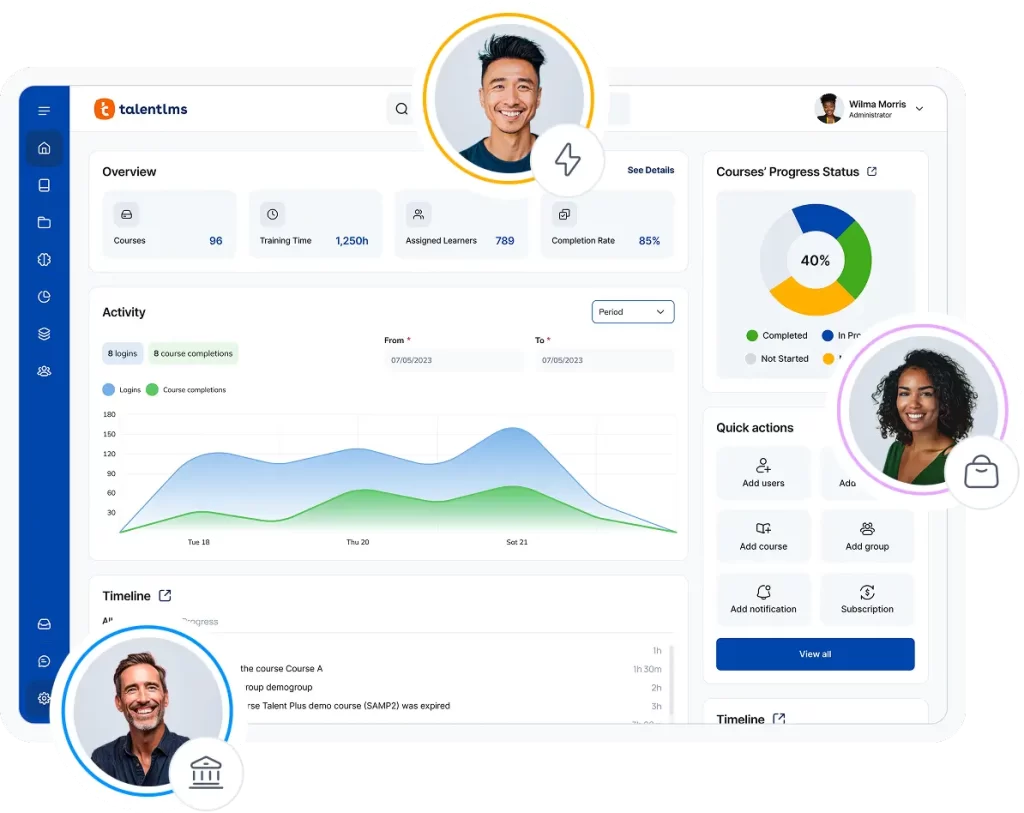
TalentLMS is one of the best online learning platforms. It’s an easy-to-use cloud-based LMS for growing businesses that want to launch training fast, prove impact sooner, and build skills that drive real performance. It helps teams train employees, customers, and partners without complexity or long setup times.
Its AI-powered tools make course creation and skill development simple from day one. With TalentCraft, its AI course creator, you can build interactive content with text, images, charts, and flashcards. AI-generated tests and translations help you adapt materials for different teams. An AI Coach also supports learners with explanations, summaries, and practice questions based on course content.
Employees can practice applying new skills safely in Learning Playground. They rehearse customer calls or management conversations, try different responses, and repeat scenarios before handling similar situations at work.
To support internal hiring and succession planning, TalentLMS helps organizations identify the skills employees have and where they still need development. With Skills, teams can map skills, identify gaps, and connect employees with the right training.
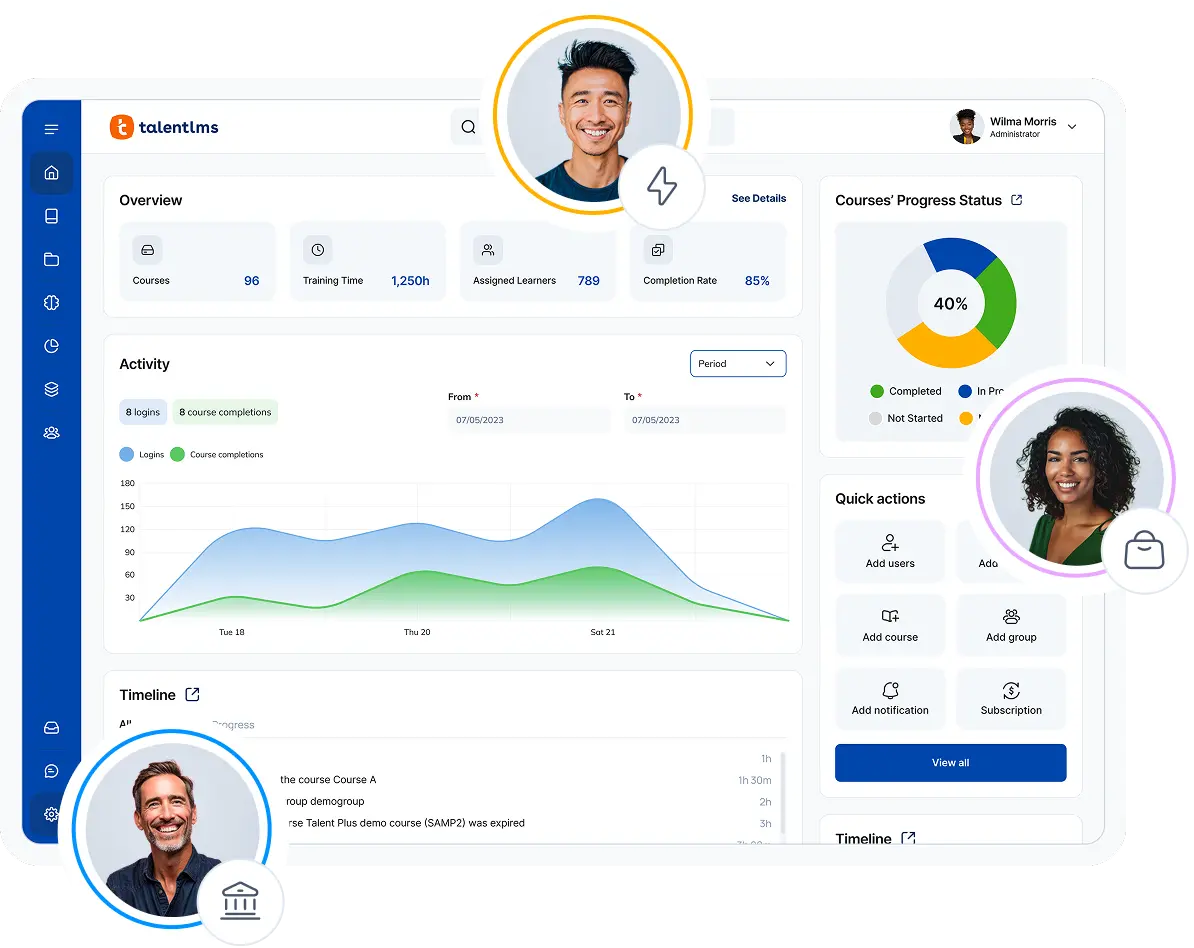
Built-in reporting and analytics tools help teams track completion rates and monitor learner progress. You can turn data into clear visuals to spot trends and quickly see who is falling behind and where follow-up is needed.
For distributed teams, the TalentLMS mobile app supports offline access to compatible content and syncs progress when learners reconnect. For mobile-first microlearning, teams can connect TalentCards, a separate app for deskless and frontline workers. This is ideal for on-the-job training and quick learning reinforcement.
Why we picked it
TalentLMS combines ease of use, fast setup, AI-powered course creation, and training management in one platform. This makes it a strong choice for growing businesses that want to create, deliver, and manage training without complexity.
It supports ongoing development and keeps training relevant as employees’ roles and needs change. Teams can identify skills gaps, create courses with TalentCraft, and organize them into clear Learning Paths. Together, these capabilities help businesses manage every learning need, from onboarding and compliance to continuous upskilling.
Pros
- Launch and manage training without specialist technical skills
- Create and update content easily with AI tools as business needs and roles change
- Give learners opportunities to practice alongside structured courses
Cons
- Educational institutions with academic-specific requirements may need a more specialized platform
- May not be the best fit for complex enterprise setups
Key features
- AI-powered course creation with TalentCraft
- AI-generated tests and quizzes
- AI translations for multilingual training
- AI Coach
- Skills mapping and gap identification
- Learning Paths
- Built-in reporting and custom analytics dashboards
- Mobile learning
- Ready-made course library with TalentLibrary™
- Automated assignments, reminders, and notifications
- Integrations
- SCORM support
- Learner certification
- Admin automations
- Branches (sub-domains)
Best for: SMBs, employee, customer, partner training, onboarding, compliance
Pricing: Free plan available; Premium trial; Paid plans start from $119/month for 40 users.
What users are saying on G2:
The Good
“TalentLMS stands out as the best learning management platform because of its exceptional ease of use—both for administrators and learners. Setting up courses, managing users, and tracking progress is intuitive and requires minimal technical knowledge.” — Michiel M., Small-Business, 5/5
The Room for Improvement
“I wish I could edit and save a default view for the Course and User pages.” — Danielle B., Mid-Market, 4/5
Wider Circle elevates learner engagement by 56%
Wider Circle, a healthcare organization focused on community-based care, used TalentLMS to improve learner engagement, simplify training management, and scale employee education as the company grew. After struggling with limited reporting and low engagement in its previous system, the team switched to TalentLMS for its intuitive interface, customizable reporting, AI course creator, and ready-made training content. The result was a more engaging learning experience, easier access to training insights, and a reported 56% increase in learner engagement.
Best online learning platform #2: Coursera
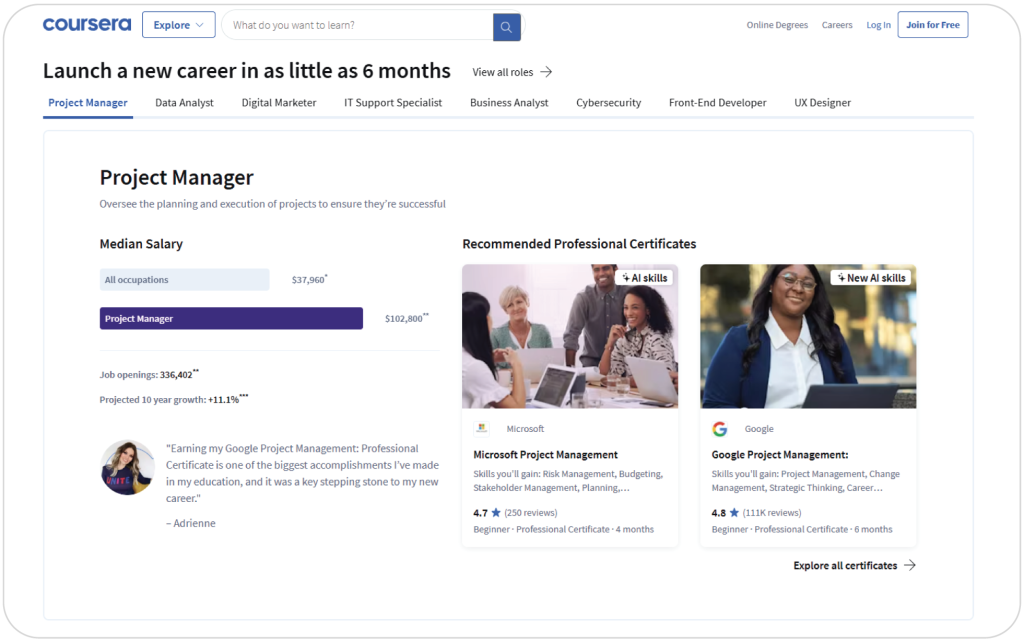
Coursera is an online learning platform that provides individuals and businesses with courses that cover a diverse range of industries. The Coursera catalog features online courses from leading universities and companies, such as Google, IBM, and Stanford University.
Coursera for Business lets you train multiple employees at once through courses made up of video lessons, assessments, and other types of content. Learners can earn course certificates or complete professional certificate programs, depending on their chosen course or program and paid access. And with functionality such as peer grading and interactive exercises and assessments, Coursera is a good choice for your people’s upskilling.
Why we picked it
Coursera gives businesses access to high-quality courses from leading universities and global companies in one platform. It’s a strong option for organizations that want access to specialized professional development without having to build courses internally.
Pros
- Courses from top universities and brands
- University- and industry-backed certificates
- Upskilling focus
- Interactive learning features
Cons
- Less flexibility for custom training
- Some courses are time-intensive
- Advanced features cost extra
- Course experience varies by provider
Key features
- 10,000+ courses
- Certified training
- Skills Tracks for role-specific learning paths
- AI-powered Coursera Coach
- Ability to get courses individually or as a subscription
- Interactive exercises
- Free course previews and selected free courses
- Peer grading
- Course recommendations
- Course Builder
Best for: University-level training and certificates
Pricing: Free courses available. Pricing starts at $9.99 per course for guided projects.
What users are saying on G2:
The Good
“Accessing top-notch courses from reputable universities and business partners is made simple. Finding training that suits various roles and skill levels is easy thanks to the extensive catalog.” — Sabri S., Small Business, 4.5/5
The Room for Improvement
“One of the challenges we face is the gap between registration and course completion: many students register on Coursera but do not complete the courses. This makes it difficult to track academic progress and measure real impact in terms of certification and learning. It would be helpful to have features that encourage continuity and provide early alerts on potential dropouts.” — Andrés R., Enterprise, 4.5/5
Best online learning platform #3: Udemy
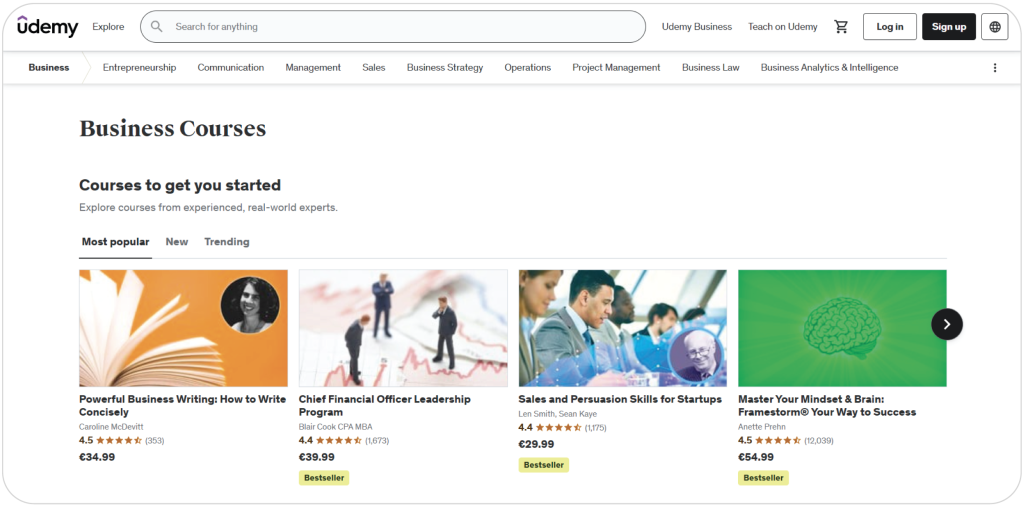
Udemy is one of the online learning platforms with the largest selection of courses available. Instructors are able to publish and sell courses through its marketplace. Individuals can buy courses separately or access a selection through a Personal Plan subscription.
It also supports AI-powered learning recommendations, skills insights, learning paths, and analytics dashboards to help administrators monitor engagement and learner activity. Integrations with HR and workplace tools make it easier to fit training into existing workflows.
Udemy Business is Udemy’s subscription program that allows organizations to access a curated collection of high-quality courses. This allows employees to prepare for industry-recognized certification exams. Hands-on labs and technical workspaces are available through the Udemy Business Pro add-on for Enterprise.
Why we picked it
Udemy features a large and diverse course library that supports continuous learning across technical, business, and creative skills. It’s a practical option for organizations looking to support employee development at scale and serve different learning needs through one subscription catalog.
Pros
- Large course marketplace across business and tech skills
- Supports self-paced learning
- AI-powered recommendations and skill insights
- Ability to scale globally with multilingual content
Cons
- Course quality varies between instructors
- Limited control over third-party content structure
- Less suited for highly structured compliance training
- Custom course creation requires the Enterprise plan
Key features:
- Large on-demand course marketplace
- AI-powered content recommendations
- Skill insights and workforce capability tracking
- Curated learning paths
- Leadership and technical certification prep
- Mobile learning app
- Multilingual course availability
- Reporting and learner analytics
- Integrations with HRIS and workplace tools
- Custom course upload capabilities
Best for: Self-paced learning across business, technical, and creative skills.
Pricing: Free courses available. Pricing starts at $19.99 per course.
What users are saying on G2:
The Good
“What I like most about Udemy Business is the variety of courses available across different technical and professional topics. Working in a small team, it’s useful to have access to courses on programming, cloud technologies, DevOps, and other tools we use in our day-to-day work.” — Ranveer R., Small Business, 4.5/5
The Room for Improvement
“One thing I dislike about Udemy Business is that the quality of courses can vary depending on the instructor. While many courses are excellent, some feel a bit outdated or not deep enough for advanced users. Also, it can sometimes take time to find the most relevant course among so many options, especially when you’re looking for very specific or advanced topics.” — Girishchand B., Mid-Market, 4.5/5
Best online learning platform #4: LinkedIn Learning
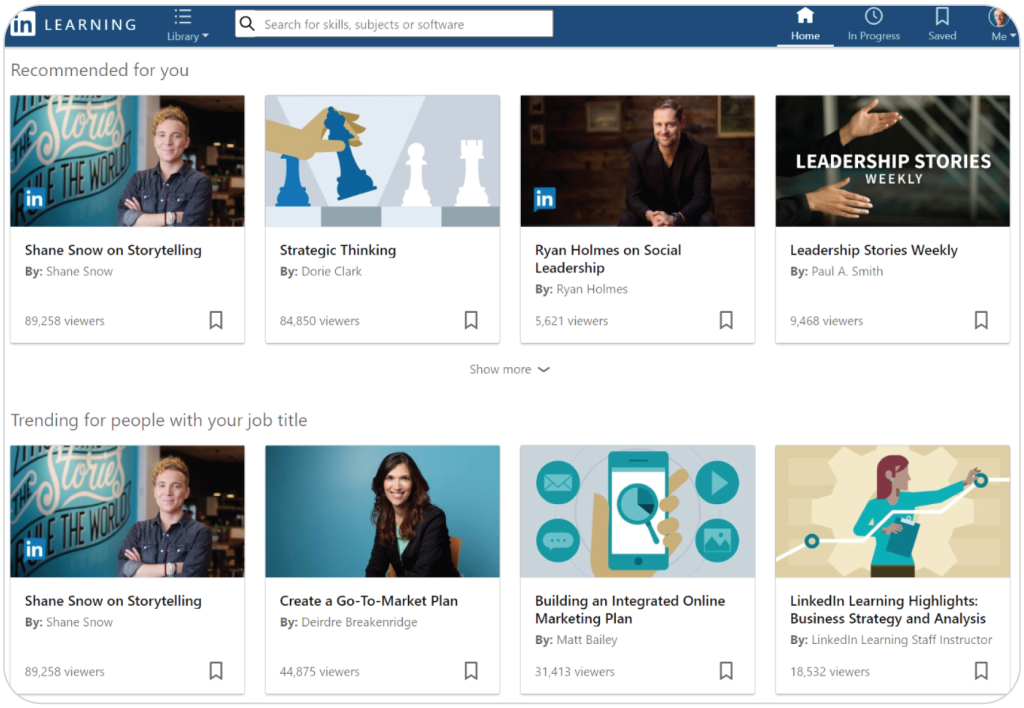
LinkedIn Learning is LinkedIn’s online learning platform focused on professional development, business skills, leadership training, and career growth. Its integration with LinkedIn allows learners to showcase certificates of completion directly on their profiles and discover personalized learning recommendations based on career interests and goals.
The platform offers 25,000+ expert-led courses across business, technology, productivity, and creative skills. It works particularly well for organizations that want to support self-directed learning and continuous employee development.
However, compared to dedicated LMS platforms, LinkedIn Learning offers more limited learner management, reporting, and compliance training capabilities. Some organizations may also find the course selection less specialized for industry-specific training needs.
Why we picked it
LinkedIn Learning combines professional development with career visibility. It is worth considering if you’d like your employees to take a more active role in their learning. This makes it useful for ongoing learning alongside the required training your organization assigns.
Pros
- Integration with LinkedIn profiles and career development
- High-quality professional and business-focused courses
- Personalized learning recommendations
- Access to expert-led content
Cons
- Limited learner management capabilities compared to an LMS
- Reporting and analytics are less advanced
- Limited support for structured compliance training
- Some industries may find course selection less specialized
Key features:
- Integration with LinkedIn profiles
- Personalized course recommendations
- Professional certificates and badges
- Large library of business and tech courses
- AI-powered skill suggestions
- AI-powered coaching and role-play practice
- Learning paths and curated content collections
- Mobile learning support
- Course assignments for teams
- Basic learner analytics and progress tracking
- Multilingual course availability
Best for: Career development through ready-made professional courses and learning paths.
Pricing: Free trial available. Pricing for teams starts at $379.88 per seat/year.
What users are saying on G2:
The Good
“What stands out most for me is the seamless integration with the LinkedIn professional network. This platform delivers highly personalized course recommendations that are tailored to my specific career objectives. Additionally, I appreciate how easy it is to add certificates directly to my profile, which serves as clear evidence of my newly acquired skills for recruiters and enhances my professional credibility.” — Andrea C., Small Business, 4/5
The Room for Improvement
“Some courses in specific fields, like pharmaceuticals, feel low quality and don’t add much professional value. The subscription also feels pricey.” — Noorain F., Small Business, 4/5
Best online learning platform #5: edX
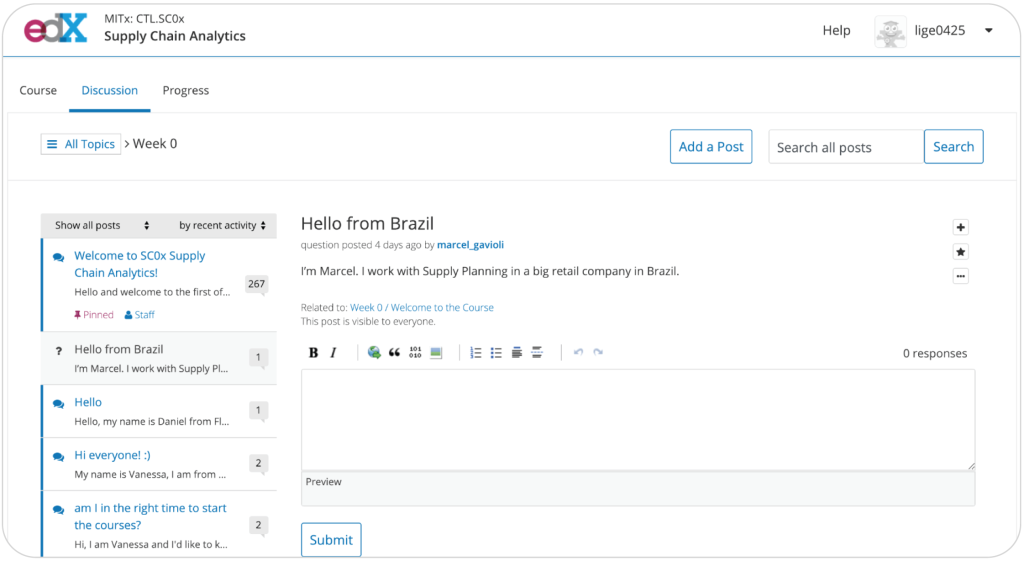
edX is an online learning platform focused on higher education, leadership development, and professional upskilling. It offers courses, certificates, and degree programs from universities and institutions such as Harvard, MIT, Berkeley, and other global education providers.
The platform is particularly strong for organizations investing in leadership development, executive education, and advanced professional learning. Alongside standalone courses, edX also offers undergraduate, master’s, and doctoral degree programs, giving learners access to more formal education pathways.
Selected programs offer cohort-based learning and opportunities to connect with instructors, peers, and alumni. For organizations training employees, edX also offers business subscriptions with course assignments, learning pathways, and learner progress reporting.
Why we picked it
edX is suitable for organizations that prioritize executive growth and advanced professional learning. It’s worth considering when your employees need specialist knowledge or preparation for greater responsibility, and you don’t have the resources to build that training internally.
Pros
- Courses from top universities and institutions
- Leadership and executive education content
- Offers certificates and degree programs
- Community and cohort-based learning experiences
Cons
- Limited LMS-style learner management tools
- Some programs can be costly and time-intensive
- Enterprise pricing requires contacting sales for a custom quote
- Compliance and admin features are more limited
Key features:
- University-backed courses and certifications
- Leadership and executive education programs
- Undergraduate and graduate degree programs
- Professional certificate pathways
- Cohort and instructor-led learning options
- Learning path customization
- Single sign-on (SSO) integration
- Progress tracking and assessments
- Multilingual course availability
- Integrations for enterprise learning programs
Best for: University-backed study, professional certificates, and formal education programs.
Pricing: Free courses available. Pricing starts at $90 per course. Business plans start at $150 per user/year.
What users are saying on G2:
The Good
“I am working on upskilling my technical skills, and edX has been helpful. I like having access to courses from universities.” — Kenya M., Small Business, 5/5
The Room for Improvement
“It is self learning and no options of live classes” — Verified User in Higher Education, 4.5/5
Best online learning platform #6: Thinkific
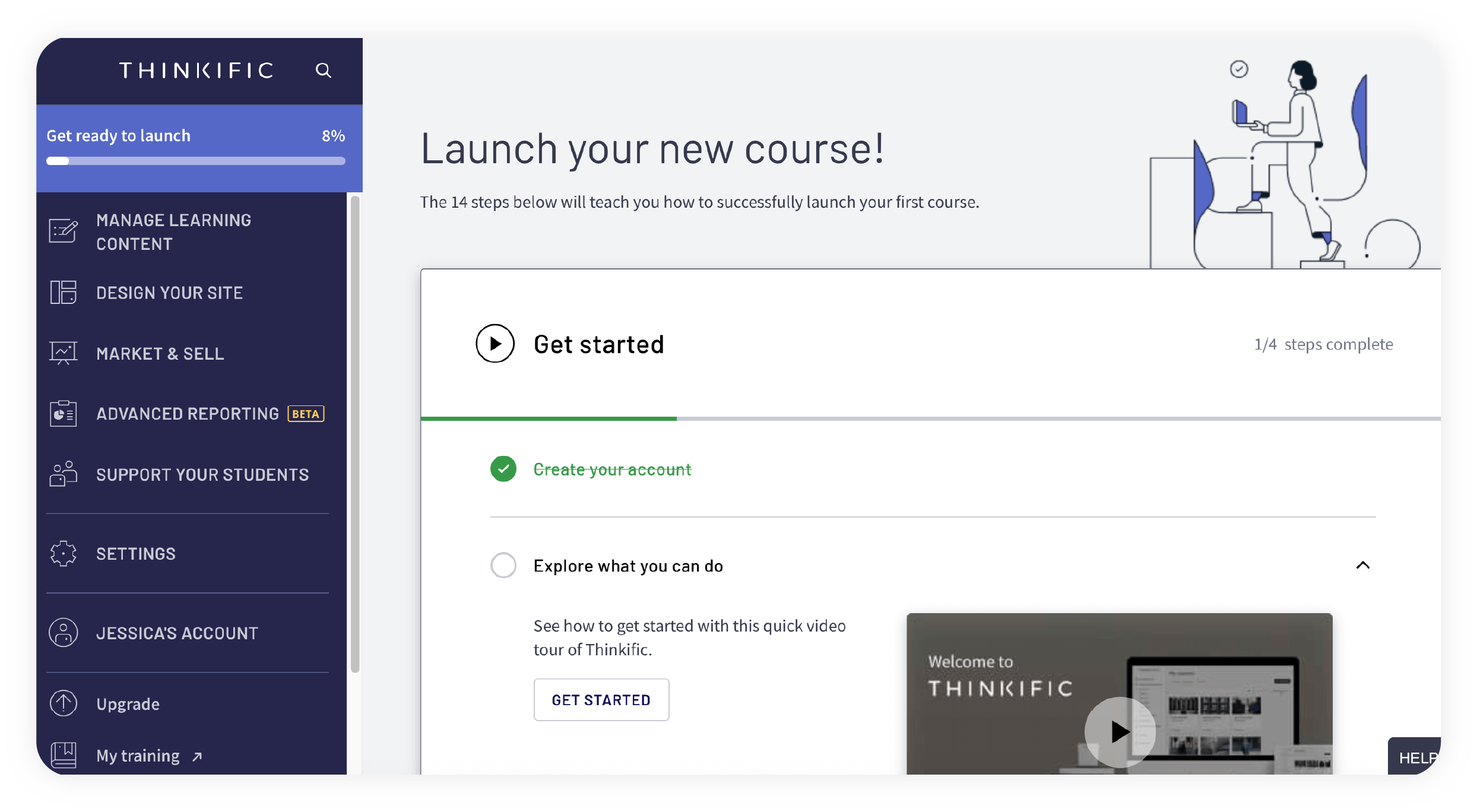
Thinkific is an online learning platform built for creating, marketing, and selling digital courses. It focuses more on helping businesses, coaches, creators, and training providers build branded learning experiences and monetize educational content.
Its drag-and-drop course builder, website customization tools, and eCommerce features make it easy to launch online academies without needing technical expertise. Organizations can create multimedia courses, memberships, coaching programs, and communities while managing payments, subscriptions, and learner access from one platform.
Thinkific also includes learner engagement tools such as quizzes, certificates, drip scheduling, and discussion communities. However, compared to more workforce-focused LMS platforms, it offers fewer capabilities for compliance management, advanced reporting, large-scale admin automation, and structured employee development tracking.
Why we picked it
Thinkific stands out for its course creation and monetization capabilities. This makes it a great fit for businesses and creators that want to build branded online learning experiences and generate revenue from training content.
It also offers an AI-powered teaching assistant, Thinker. It answers learners’ questions using your course content, giving them a way to get clarifications as they work through lessons.
Pros
- Easy-to-use course builder
- Website and branding customization
- Built-in eCommerce and subscription tools
- Supports communities and memberships
Cons
- SCORM support and SSO require Thinkific Plus
- Limited enterprise-level training management
- Advanced reporting features are less robust
- Fewer compliance-focused capabilities
Key features:
- Drag-and-drop course builder
- Custom-branded learning websites
- Multimedia lesson support
- Built-in payment processing
- Memberships and subscription management
- Learning communities and discussion spaces
- Drip content scheduling
- Quizzes, assignments, and certificates
- Marketing and sales integrations
- AI-powered teaching assistant Thinker
Best for: Creators and training businesses building and selling branded courses and memberships.
Pricing: Free trial available. Start plan costs $109/month, or $82/month when billed annually.
What users are saying on G2:
The Good
“The ability to customise the course content, while also offering a range of templates ready to implement. The page builder for course pages and the front-end of the site makes it easy for beginners while also offering the flexibility for power users to edit page code. The integrations with zapier meant that we were able to automate our invoicing process.” — Kelly S., Mid-Market, 4/5
The Room for Improvement
“Some design and customization options are limited, and advanced features are only available on higher-tier plans. It would be great to have more flexibility in page layouts, more control over the checkout design, and access to advanced features without needing to upgrade to higher priced plans.” — Manuel Alejandro D., Small Business, 4/5
Best online learning platform #7: Moodle
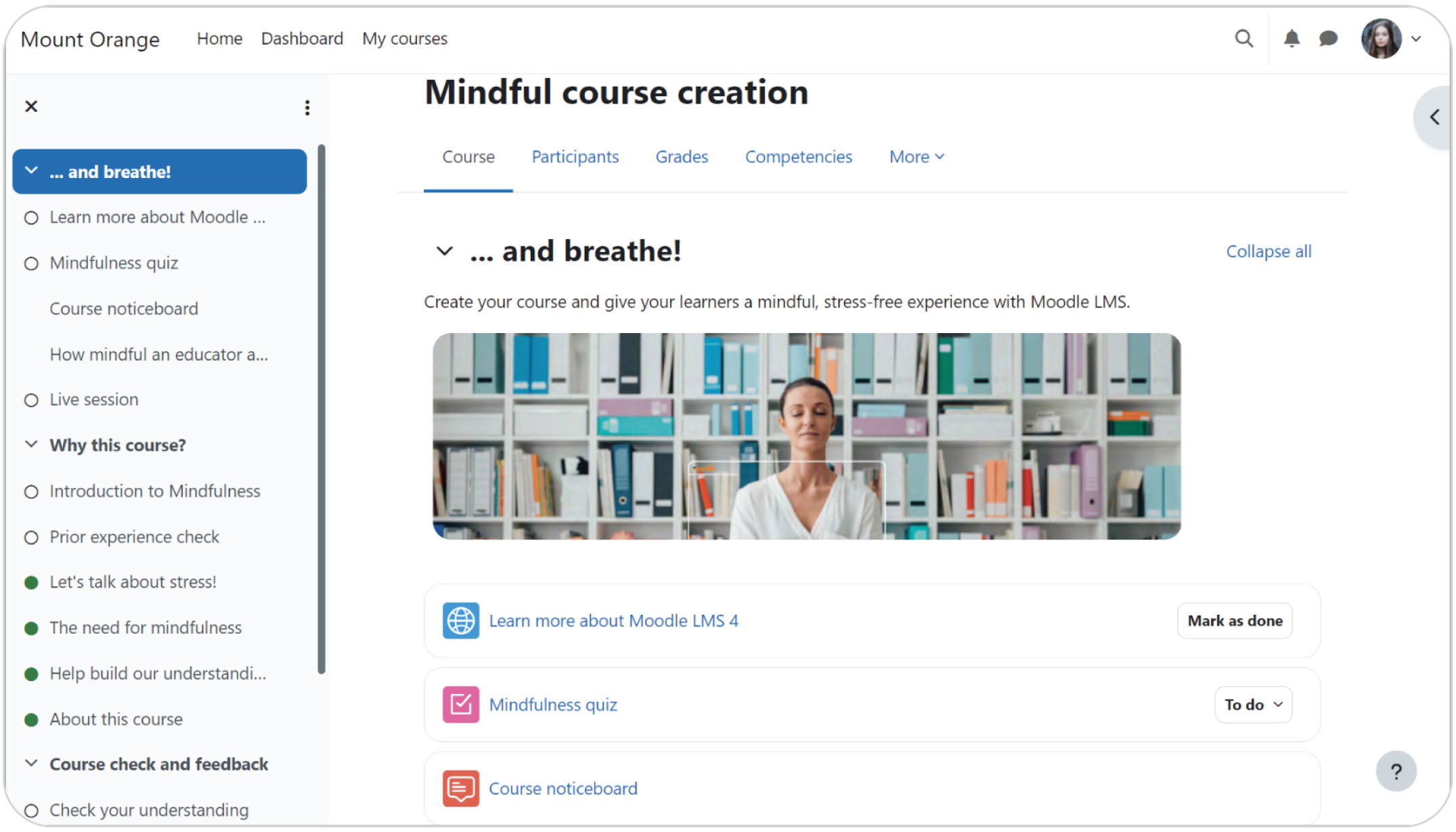
Moodle is an open-source online learning platform known for its flexibility and deep customization options. Originally built for academic environments, it’s now used by universities, nonprofits, governments, and businesses that need highly configurable online training. It supports AI-generated content, summaries, quiz creation, and personalized learning experiences. You can also connect course activities to learning outcomes and provide learners with assignment feedback.
The platform also offers competency frameworks, learning plans, certifications, and skills-based learning workflows. This makes it suitable for organizations that want more control over structured learning programs. Moodle Workplace also adds enterprise-focused features like automated learning paths, organizational hierarchies, and advanced training management.
Why we picked it
Moodle stands out for its flexibility, open-source customization, and growing AI and skills-based learning capabilities. It’s great for organizations that need tailored learning environments and advanced configuration control.
However, setup and maintenance will depend on your deployment. Self-hosting gives you more control over the installation and management, while MoodleCloud provides managed hosting.
Pros
- Customizable and open-source
- Supports competency frameworks and learning plans
- Growing AI-powered learning and content tools
- Global plugin and developer ecosystem
Cons
- Self-hosting requires technical setup and ongoing maintenance
- User experience can feel less modern
- Implementation is quite time-consuming
- Some advanced functionality requires additional plugins
Key features:
- Open-source LMS architecture
- AI-powered content generation and summaries
- Competency frameworks and skills tracking
- Learning plans and adaptive learning paths
- SCORM and xAPI support
- Quiz and assessment engine
- Certifications and badges
- Mobile learning app
- Extensive plugin marketplace
- Custom reporting and analytics
Best for: Schools and organizations that want control over platform customization and deployment.
Pricing: Free and open source, with extra hosting, setup, and maintenance costs. MoodleCloud pricing starts at $160 per year for 50 users.
What users are saying on G2:
The Good
“I like Moodle because it is reliable and easy to use for daily teaching. All course materials, assessments, grades, and announcements are in one place. It helps me stay organised and ensures students can easily access learning resources anytime.” — Dr. Sheerali A., Mid-Market, 4.5/5
The Room for Improvement
“Administrative complexity is a recurring challenge for me. Moodle is powerful, but that power comes at a cost: the configuration options are extensive and not always logically organized. As a result, it’s easy for less experienced admins to misconfigure something or get lost in deeply nested settings.” — Marco M., Small Business, 4.5/5
Best online learning platform #8: iSpring LMS
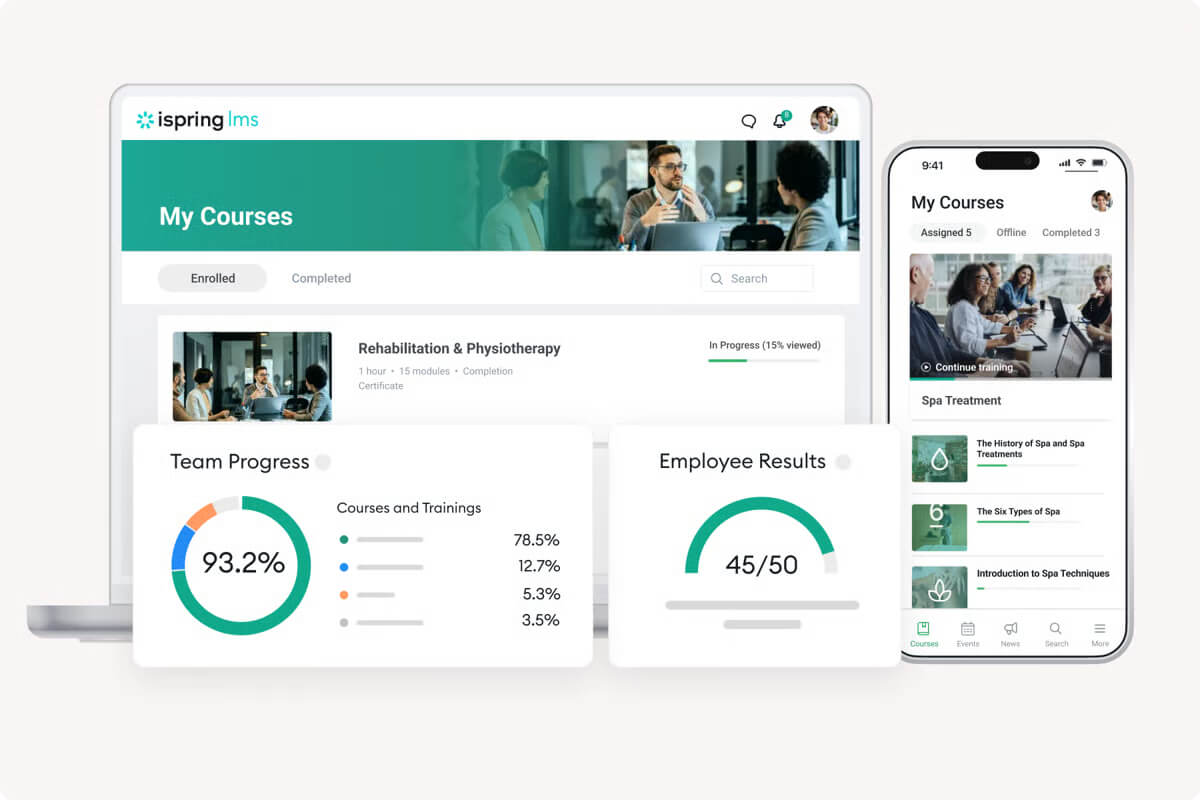
iSpring LMS is designed for employee onboarding, compliance training, and professional development. It integrates with iSpring Suite, which offers a PowerPoint-based course authoring toolkit.
The platform also supports personalized learning paths, development plans, and skills tracking. Its built-in AI tools turn existing files into course drafts, generate quizzes and images, and translate content.
The platform helps organizations automate training assignments, monitor learner progress, and deliver structured training programs across teams. Mobile and offline learning support also make it practical for distributed and frontline workforces.
Why we picked it
iSpring LMS offers an intuitive interface, fast course creation workflows, and structured learning management tools. It’s great for businesses that want straightforward employee training connected to supervisor assessments of practical skills.
Pros
- Keep costs down by only paying for users actively using the platform
- PowerPoint-based course authoring keeps things familiar
- Learning paths and development plans
- Mobile and offline learning support
Cons
- Published entry-tier pricing is based on 100 active users
- Reporting customization can feel limited
- Fewer social and collaborative learning tools
- Some advanced features require additional tools
Key features:
- PowerPoint-based course authoring with iSpring Suite
- AI-assisted content creation
- Personalized learning paths
- Skills assessments and development plans
- Automated course assignments and reminders
- SCORM and xAPI support
- Mobile and offline learning
- Certifications and compliance tracking
- Reporting and analytics dashboards
- Integrations with HR and meeting tools
Best for: Structured employee training with PowerPoint-based authoring and on-the-job assessment.
Pricing: Pay for active users. Rates start from $6.91/user/month for 100 users.
What users are saying on G2:
The Good
“I like the ease of publishing use and the customizable features of iSpring LMS. Reporting is really easy, and I can deliver reports with just a few clicks. It automates a lot of the training and lets me run reports and send out notifications. I can deliver custom training easily with an e-module. The initial setup was pretty easy, which I appreciated.” — Ivan B., Mid-Market, 4/5
The Room for Improvement
“The admin navigation in iSpring LMS is a bit unintuitive. It takes a while to get used to where everything is and to know what buttons to click and when to click them. Also, the initial setup is labor-intensive, requiring a fair amount of effort and resources to build out all the courses. However, once it is set up, it becomes easier to maintain.” — Verified User, Mid-Market, 4/5
Best online learning platform #9: Skilljar
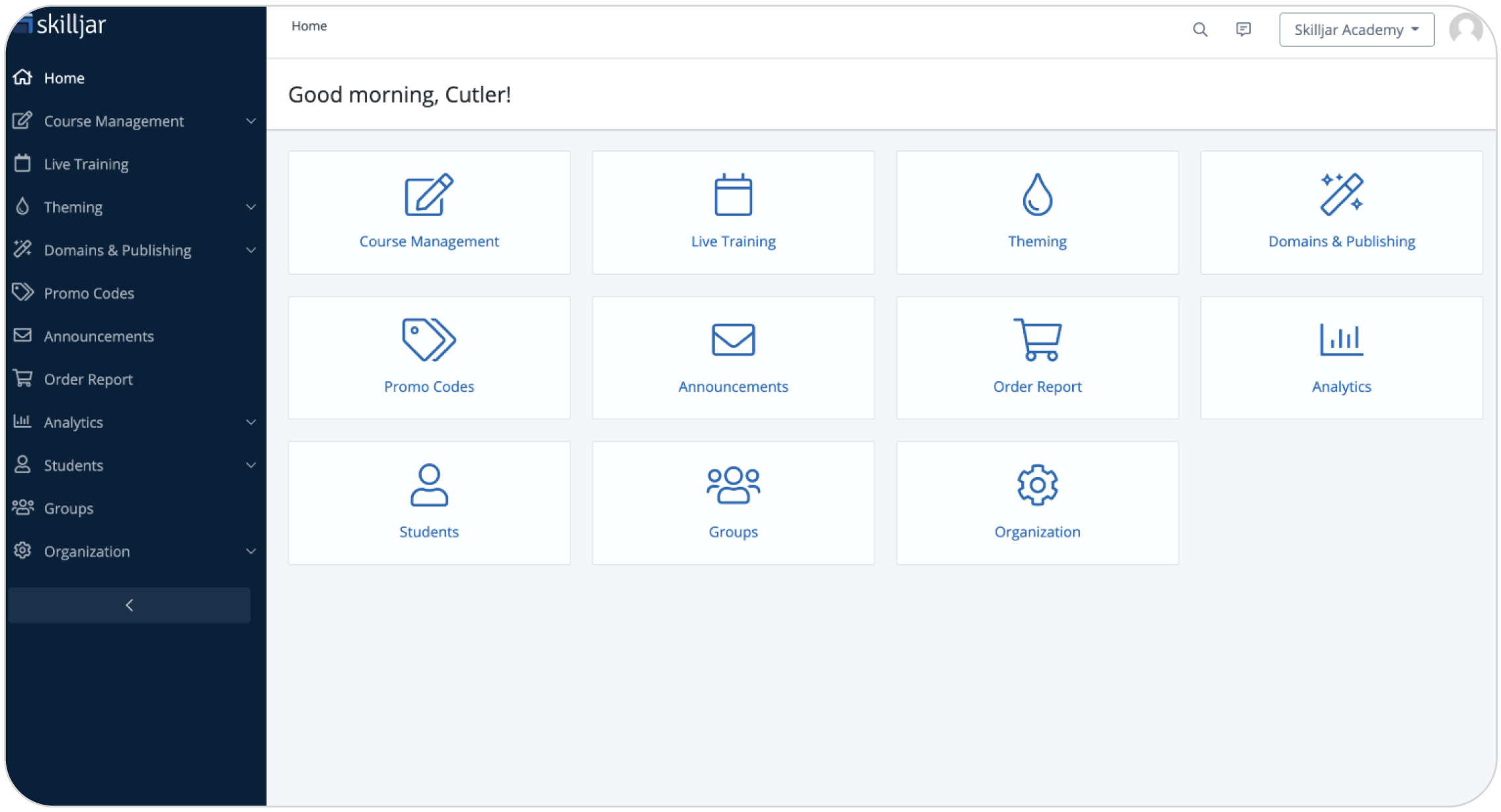
Skilljar is a customer and partner training platform that helps businesses onboard, educate, and retain external audiences at scale. It’s designed primarily for customer training, product adoption, and partner enablement. It also includes AI-powered tools for generating course descriptions, learning objectives, and quiz questions. Its AI Tutor answers learners’ questions within lessons using course content.
The platform supports structured learning paths, certifications, analytics, and integrations with tools like Salesforce, Gainsight, and Zendesk. These allow organizations to connect training data to customer success and product adoption metrics.
Why we picked it
Skilljar’s Salesforce and Gainsight integrations let customer success teams see training activity alongside other customer information. This helps them decide who needs a refresher course or more direct support.
For organizations selling training, Skilljar also supports payments for individual courses, learning paths, and subscriptions. This makes it worth considering if you offer paid certification programs or more advanced product training.
Pros
- Built specifically for customer and partner education
- Learning paths and certification tools
- AI-powered quiz and content generation
- Integrations with customer success platforms
Cons
- Less focused on internal employee training
- Advanced HR and workforce skills tracking are limited
- Requires a higher investment for smaller teams
- Quote-based pricing makes upfront cost comparisons harder
Key features
- Customer and partner training portals
- AI-generated quizzes and course descriptions
- AI Tutor for in-lesson support
- Structured learning paths
- Certifications and badges
- Progress tracking and analytics
- Salesforce and Gainsight integrations
- SCORM support
- Custom-branded learning academies
- Automated learner enrollment workflows
- Mobile-friendly learning experience
Best for: Customer education and partner training connected to customer success programs.
Pricing: No free trial. Quote-based pricing.
What users are saying on G2:
The Good
“The primary upsides of using Skilljar by Gainsight as a customer education platform include its strong focus on customer and partner training, seamless integration with business systems like Salesforce, and a direct, measurable impact on key business metrics like retention and revenue.” — Tommy C., Enterprise, 5/5
The Room for Improvement
“Some of the more advanced configuration wasn’t self explanatory, and the documentation didn’t always cover the “why” behind certain settings. I ended up troubleshooting through a mix of Skilljar’s support team and other resources rather than being able to figure it out from the platform alone.” — Verified User in Marketing and Advertising, Mid-Market, 4/5
Best online learning platform #10: Docebo
Docebo is an AI-powered enterprise learning platform built for large organizations that need to manage employee, customer, and partner training at scale. It focuses on automation, personalization, and workforce development.
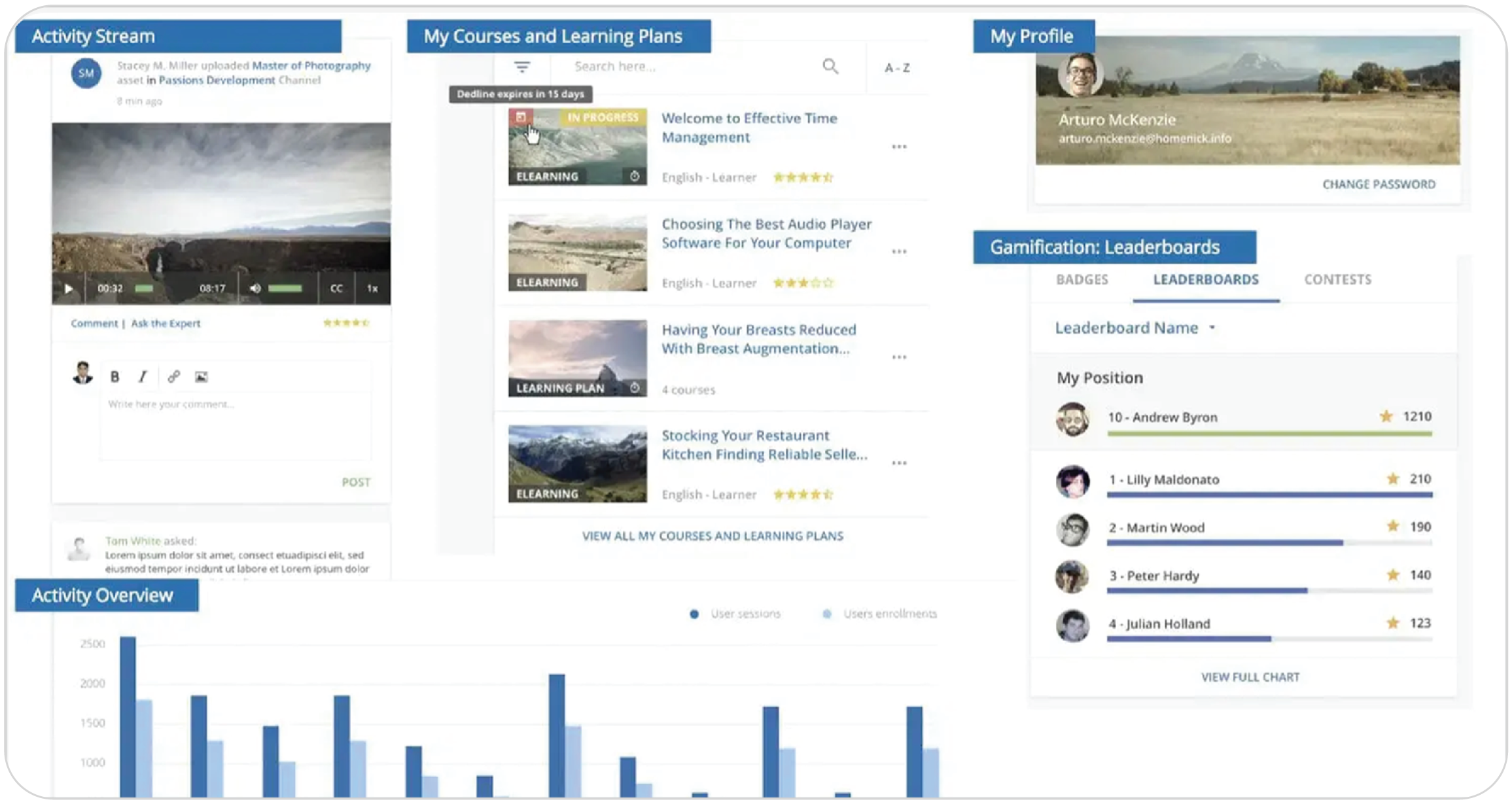
Its AI tools support content creation and help learners find relevant training materials. It also offers an AI Tutor that supports learning with course summaries and content explanations. The platform supports personalized learning paths, certifications, social learning, and analytics. It’s suitable for organizations managing complex global training programs.
Why we picked it
Docebo offers AI capabilities, enterprise scalability, and tools for managing training across different audiences. It’s a good choice for organizations that need to coordinate employee development alongside customer and partner education, rather than manage each program separately.
Pros
- AI-powered automation and personalization
- Advanced skills intelligence and learning paths
- Supports employee, customer, and partner training
- Analytics and extended enterprise tools
Cons
- Quite complex for smaller teams
- Implementation may require significant setup
- Higher pricing compared to simpler LMSs
- Some advanced features have a learning curve
Key features:
- AI-generated learning content and recommendations
- Skills intelligence and skills mapping
- Personalized learning paths
- AI Tutor and AI-powered coaching
- Social and collaborative learning tools
- Advanced analytics and reporting
- Certifications and compliance management
- Extended enterprise training portals
- SCORM and xAPI support
- Integrations with HR, CRM, and productivity tools
Best for: Large organizations managing complex employee, customer, and partner learning programs.
Pricing: Custom pricing based on tier and user model.
What users are saying on G2:
The Good
“Docebo is a very powerful and flexible learning experience platform. It makes it possible to customize your platform for a variety of use cases and business needs.” — Verified User in Marketing and Advertising, Enterprise, 5/5
The Room for Improvement
“While it covers all the essential functions an LMS needs, some of its modules are limited or underdeveloped, and I find they don’t often think about how the different components interact with each other or in real-world use cases.” — Suzy S., Enterprise, 4/5
Best online learning platform #11: LearnUpon
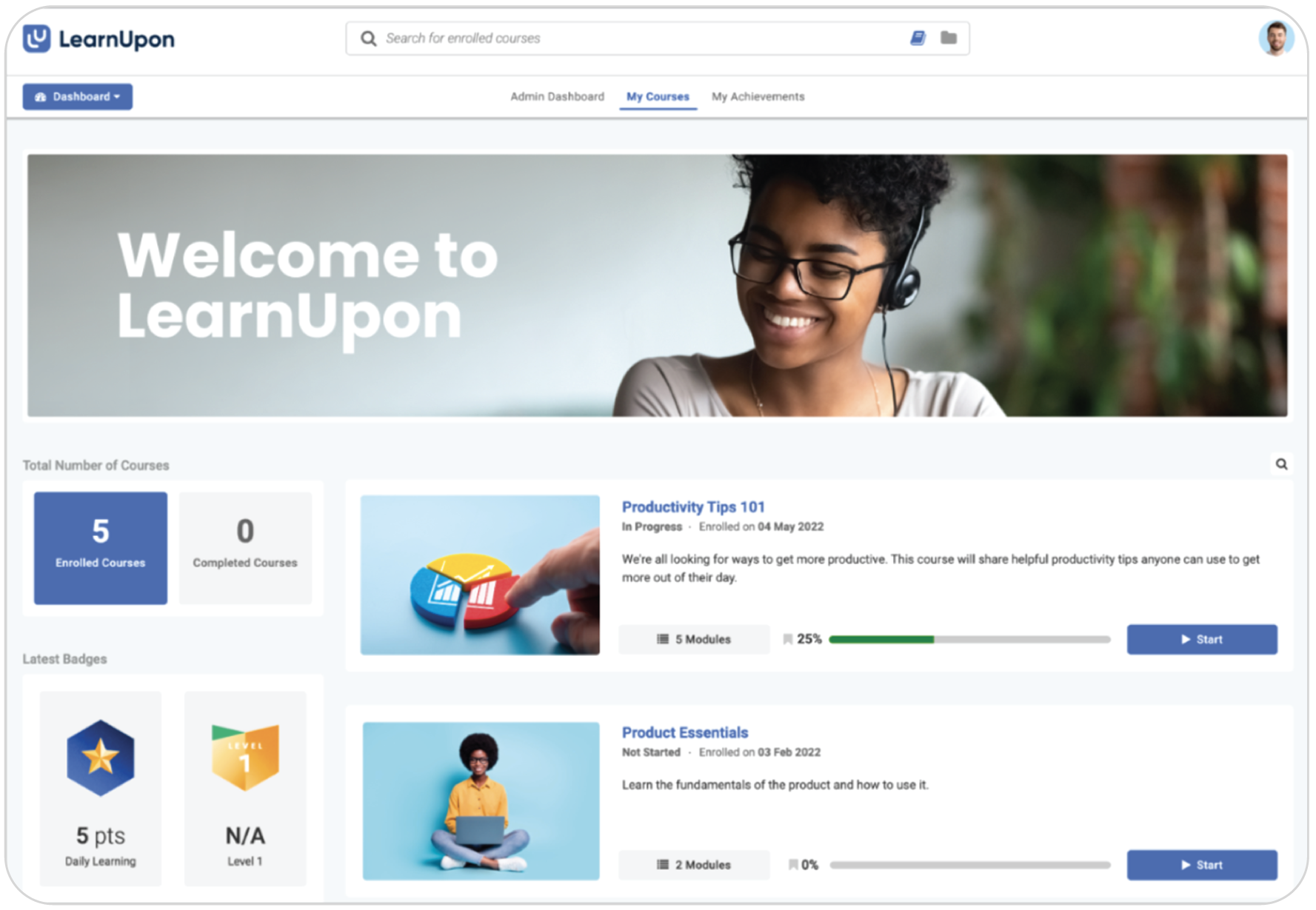
LearnUpon is a corporate LMS built for employee, customer, and partner training. It focuses on helping organizations deliver structured learning programs at scale while simplifying admin through automation and integrations. Create+, its AI-native course authoring tool, helps teams turn existing materials into course drafts, edit content, and translate it into different languages.
The platform also supports learning journeys, certifications, skills-focused training, and multi-portal management. This makes it useful for teams training different audiences across departments, regions, or external partners. Its reporting and automation tools also help you manage onboarding, compliance, and continuing education programs.
Why we picked it
LearnUpon suits organizations that need separate learning spaces for employees, customers, and partners, with the option to share courses across portals. This can reduce duplicate content creation work without giving every audience the same training experience.
Pros
- Multi-audience training management
- AI-powered course creation
- Guide learners through structured programs with learning journeys
- Reduce manual administration through automated enrollments and notifications
Cons
- Not designed for organizations training fewer than 100 users
- No public prices, so you’ll need a quote to compare costs
- Some customization options can feel restrictive
- Setup can require more onboarding support
Key features:
- AI-powered course creation with Create+
- Learning journeys and structured pathways
- Multi-portal training management
- Certifications and compliance tracking
- Automated enrollments and notifications
- SCORM and xAPI support
- Skills-focused learning programs
- Instructor-led and webinar training support
- Advanced reporting and analytics
- Integrations with HR, CRM, and webinar tools
Best for: Organizations managing structured training for employees, customers, or partners.
Pricing: No published pricing. A custom quote is needed.
What users are saying on G2:
The Good
“LearnUpon LMS provides a centralized location for learning resources and development opportunities, making it easy for learners to navigate and access content. The platform offers a moderate degree of flexibility in customizing the learner experience, including the landing page, navigation, and course structure.” — Verified User in Warehousing, Mid-Market, 4.5/5
The Room for Improvement
“The messaging feature isn’t the best. There isn’t a good way for all people to see message threads and if you forward a message within LearnUpon it doesn’t give all relevant information.” — Verified User in Higher Education, Small-Business, 3.5/5
Best online learning platform #12: Pluralsight
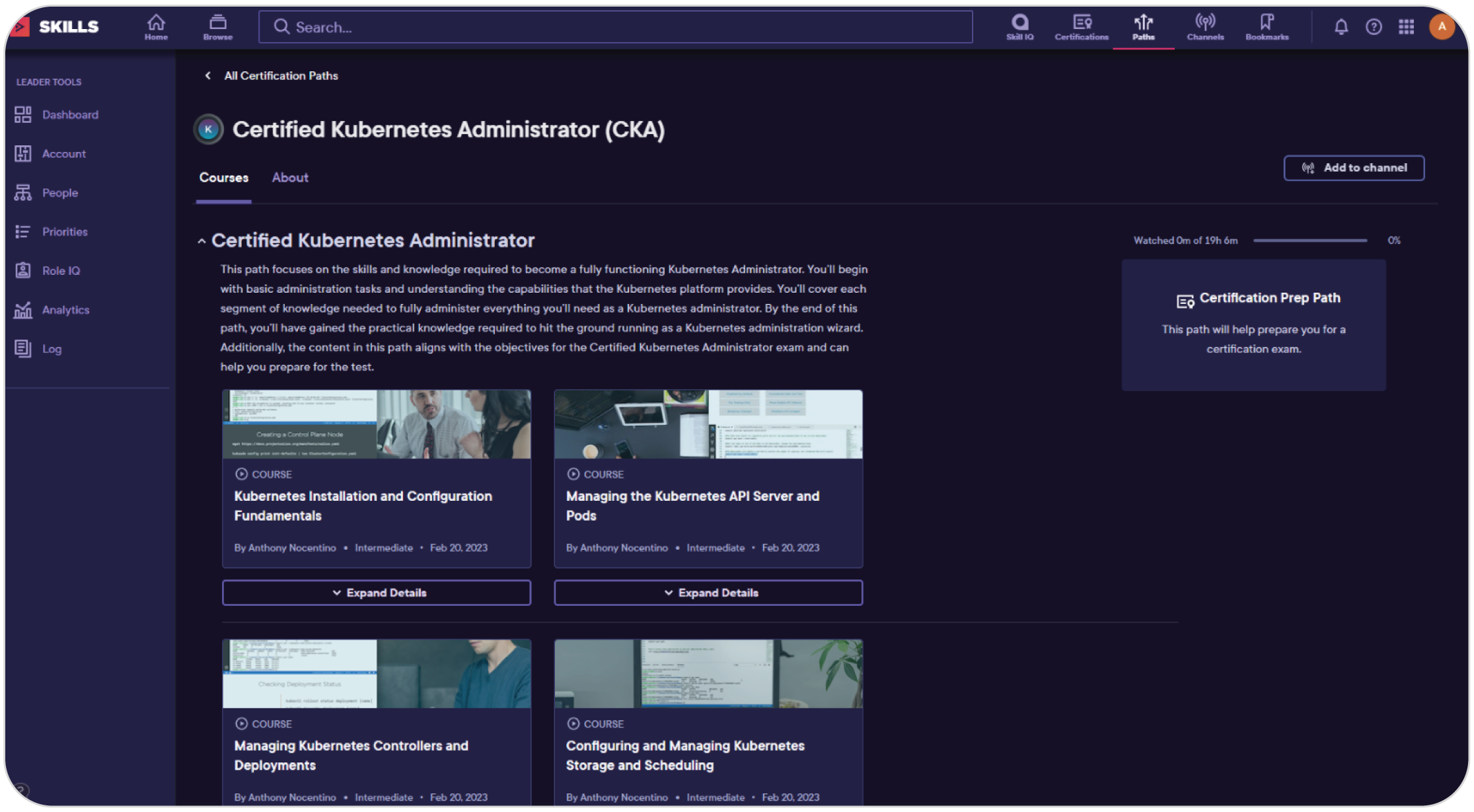
Pluralsight is built for developers, IT professionals, cybersecurity teams, and technical upskilling. It specializes in tech skills, offering expert-led courses, hands-on labs, skill assessments, and structured learning paths across areas like AI, cloud computing, software development, and security.
The platform features skills intelligence capabilities, including Skill IQ assessments, role-based learning paths, hands-on sandboxes, and AI-focused training environments. These are designed to help organizations identify and close technical skill gaps. Its AI assistant, Iris, helps learners find relevant course content, understand technical concepts, and get coding guidance.
Why we picked it
Pluralsight features deep technical content, hands-on learning experiences, and skills assessment tools. It’s a solution for organizations focused on building measurable technology capabilities. Its labs give learners opportunities to practice tasks, such as configuring a virtual machine, before applying those skills at work.
Pros
- Build technical and IT skills with specialist content
- Practice in hands-on labs and sandbox environments
- Identify learning needs through Skill IQ assessments
- Prepare for industry certifications with dedicated learning paths
Cons
- Less suitable for non-technical training
- Limited compliance and HR-focused tools
- Some content may feel advanced for beginners
- Custom cloud sandboxes require an Enterprise plan
Key features:
- Skill IQ assessments and role analytics
- Structured learning paths
- AI and cloud upskilling programs
- Hands-on labs and sandbox environments
- Expert-led technical courses
- Guided learning experiences
- Certification preparation
- Skills gap analysis and reporting
- Enterprise LMS and HR integrations
- Mobile and offline learning support
Best for: Teams needing technical skills development through courses, assessments, labs, and sandbox practice
Pricing: Free trial available. Individual plans start at $299/year
What users are saying on G2:
The Good
“I like how organized and focused the courses are. The instructors really know their stuff and the content feels professional and to the point. I also love that I can choose learning paths for specific roles or technologies, so it’s easy to follow a structured journey.” — Himanshu S., Small Business, 5/5
The Room for Improvement
“The UI could be a bit more modern and sometimes the results show older content first. It would be nice to see more project-bases learning options or coding challenges. Lastly the yearly subscription is a bit pricey if you’re not using is often.” — Shruti S., Small Business, 5/5
Which online learning platform to choose
Choosing among the best online learning platforms depends on your training goals, team size, budget, technical resources, and how quickly you want to launch training.
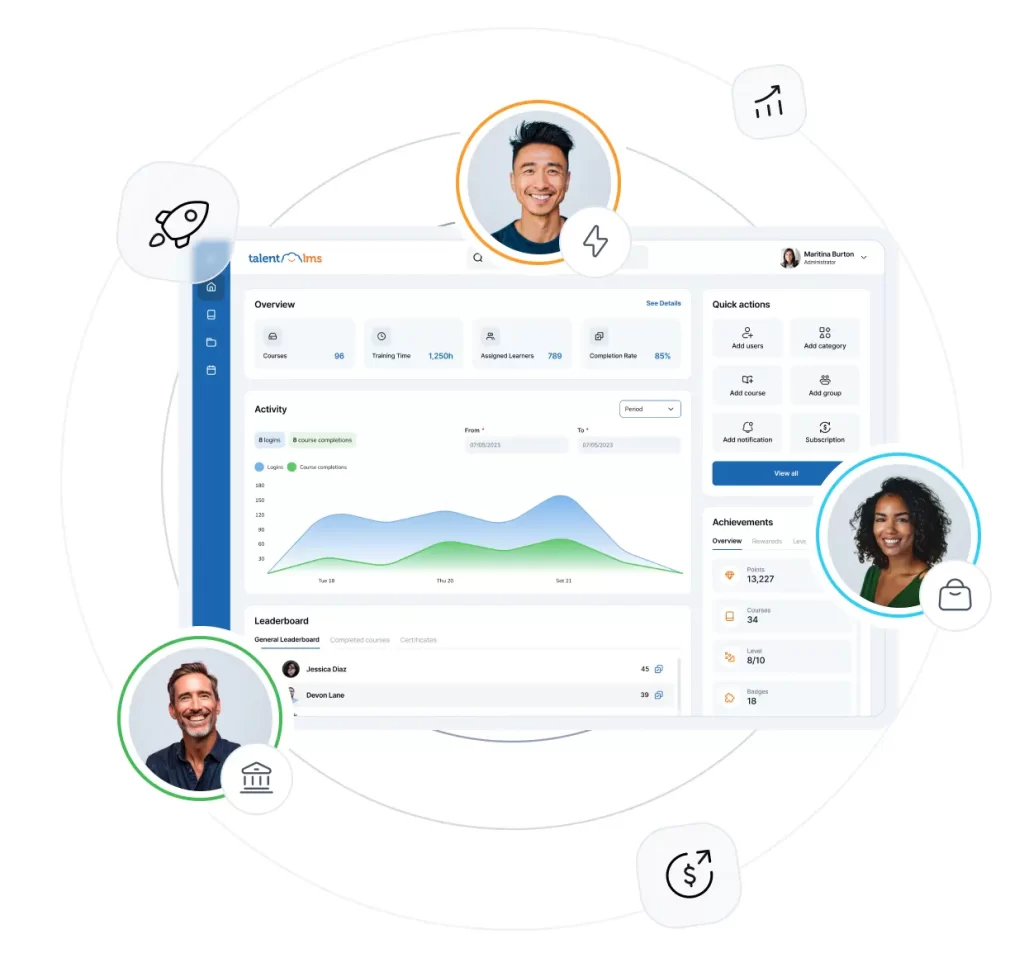
For growing businesses, TalentLMS stands out for its ease of use, fast setup, AI-powered course creation, built-in skills management, and affordable, published pricing. It helps teams launch employee, customer, partner, onboarding, and compliance training quickly without needing dedicated IT support or lengthy setup.
Coursera and edX offer university-backed learning and professional certificates, while Udemy and LinkedIn Learning focus on self-paced upskilling and broad course libraries.
Thinkific suits businesses creating and selling online courses, while Skilljar focuses on customer and partner education. Moodle is worth considering if you need extensive customization and open-source flexibility.
Meanwhile, iSpring LMS and LearnUpon support structured corporate training. Docebo caters to complex enterprise learning programs, while Pluralsight specializes in technical skills development.
FAQs
What are online learning platforms?
Online learning platforms are software solutions that help businesses, instructors, and organizations deliver, manage, and track digital training programs. They support activities like employee onboarding, compliance training, upskilling, certifications, customer education, and professional development through courses, learning paths, assessments, and analytics.
What features should I look for in an online learning platform?
The most important features include AI-powered course creation, learning paths, skills tracking, reporting and analytics, certifications, integrations, mobile learning, automation, and support for SCORM or xAPI content. Businesses should also look for platforms that are easy to implement and scalable as training needs grow.
What’s the difference between a Learning Management System (LMS) and an online learning platform?
A Learning Management System (LMS) is a type of online learning platform designed specifically to create, manage, deliver, and track training programs. While some online learning platforms mainly provide access to ready-made courses, an LMS gives organizations more control over training management, learner progress, certifications, reporting, compliance, and skills development. Platforms like TalentLMS combine both capabilities by offering course management tools alongside ready-made learning content and AI-powered training features.
What is the best online learning platform for employee training?
TalentLMS is one of the best online learning platforms for employee training, particularly for growing businesses that need to launch and manage training without dedicated IT support. It combines AI-powered course creation, Learning Paths, skills assessments, and reporting to support onboarding, compliance, and ongoing employee development.