
What are the best online learning platforms in 2026?
The best online learning platforms in 2026 are TalentLMS, Coursera, Udemy, LinkedIn Learning, edX, Thinkific, Moodle, iSpring LMS, Skilljar, Docebo, LearnUpon, and Pluralsight. These platforms support employee onboarding, compliance training, professional development, customer education, and AI-powered course creation. Key selection criteria include training goals, platform category (LMS, course marketplace, or creator tool), ease of use, scalability, and integration with existing business tools.
Online learning platforms continue to reshape how people build skills and grow at work. In 2026, the need for continuous learning is higher than ever as AI, automation, and evolving job roles push employees and businesses to adapt faster. According to The TalentLMS 2026 Annual L&D Benchmark Report, 65% of employees say their company has increased performance expectations over the past year. At the same time, 73% of HR managers believe generative AI will accelerate the need to unlearn outdated skills and practices.
For organizations, online learning platforms have become essential for onboarding, compliance, leadership development, and upskilling at scale. Businesses want training that builds real capability, supports performance, and delivers measurable results.
With so many platforms available, choosing the right one can feel overwhelming. The best online learning platforms in 2026 help teams build practical skills, track progress clearly, and connect learning to business outcomes.
In this guide, we’ll break down the best online learning platforms in 2026, the features that matter most, and how to pick the right fit for your training goals.

How to choose the right online learning platform for your needs
The right online learning platform should support more than course delivery. In 2026, businesses need learning that works. That means training that builds measurable skills, supports real performance, and helps teams adapt quickly as roles evolve.
As you compare platforms, focus on the trends shaping modern workplace learning and the features that turn training into a real business driver.
AI-powered personalization
AI is making learning more personalized and more effective. Many platforms now use AI to recommend content, identify skills gaps, and create structured learning paths based on learner progress and goals.
For organizations, this means less time spent on irrelevant training and more focus on capability building. For learners, it creates a more engaging experience that supports faster skill development and clearer progression.
That said, not every AI-powered platform supports measurable learning outcomes. Some tools speed up content creation but offer limited visibility into learner progress, skills development, or training impact over time.
Look for platforms with AI features that support measurable outcomes, such as adaptive learning paths, AI-generated assessments, personalized recommendations, and skills tracking.
Skills-based learning and certification
In 2026, organizations are moving from training activity to measurable capability. Employers increasingly value verified skills and practical experience alongside certifications.
That’s why many online learning platforms now include skills tracking, learning paths, assessments, and certifications designed to make workforce capability more visible.
Still, skills-based learning is only effective when managers and HR teams can clearly track development and identify gaps. Some platforms offer certificates and course completions without giving teams meaningful skills visibility or structured progression insights.
When evaluating platforms, prioritize tools that support skills clarity and structured progression. The best platforms help you identify skill gaps, track development over time, and connect learning to business outcomes, not just course completions.
More immersive learning experiences
Virtual reality (VR), augmented reality (AR), and interactive learning tools are making online training more practical and hands-on. Instead of passively consuming content, learners can practice real scenarios, reinforce knowledge, and build confidence in safe environments.
This approach is especially valuable for industries where performance matters under pressure, including healthcare, manufacturing, retail, and compliance training. Interactive learning experiences help training show up in day-to-day performance.
Some immersive learning tools, however, may require additional setup, specialized hardware, or larger training budgets. For growing teams, ease of implementation and scalability still matter just as much as engagement features.
Allana B. on G2 perfectly sums it up:
“I like the variety of things you can do within the system, especially the ability to customize your pages for different learner personas. However, Docebo is a challenging system to implement with a small team…most of the work still falls on you. Getting everything off the ground at the beginning felt a bit overwhelming.”
Top online learning platforms for 2026
1. Online learning platform #1: TalentLMS
G2 score: 4.6/5 (797)
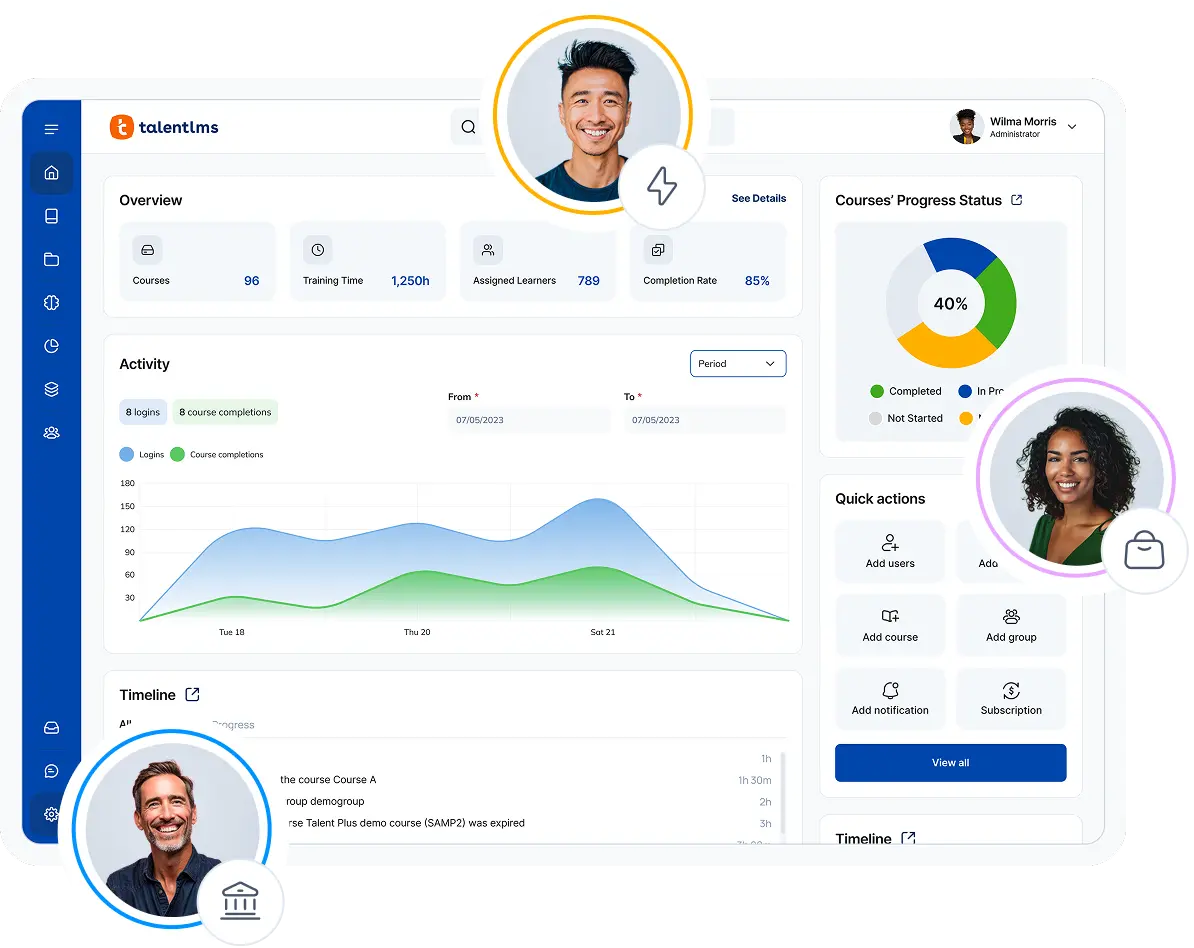
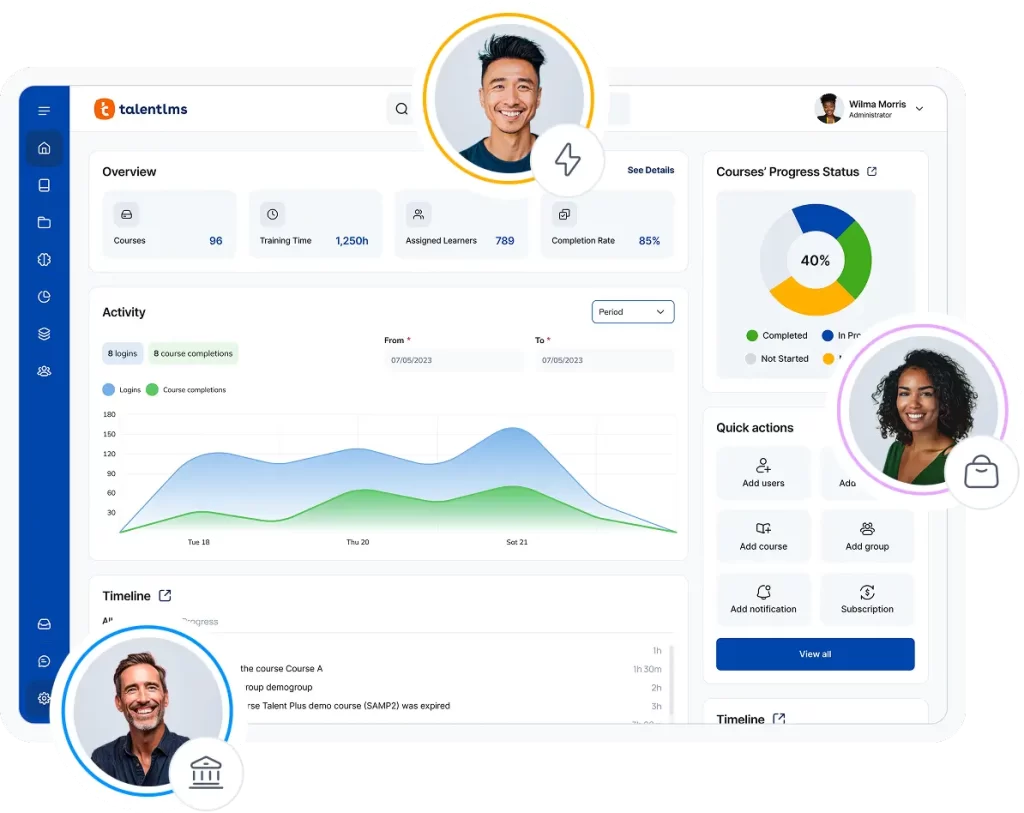
TalentLMS is the easiest-to-use cloud-based LMS for growing businesses that want to launch training fast, prove impact sooner, and build skills that drive real performance. It helps teams train employees, customers, and partners without the complexity or long setup times common with traditional learning platforms.
Its AI-powered tools make course creation and skill development simple from day one. With TalentCraft, you can turn prompts, documents, or existing materials into interactive courses in minutes. AI-generated tests, translations, and the AI coach also help teams scale training faster while keeping learning relevant and personalized.
TalentLMS also helps organizations move from skills guesswork to measurable capability. With Skills teams can map skills, identify gaps, track progression, and build structured learning paths tied to business goals. Managers get clearer visibility into workforce readiness, while learners get personalized development paths that support continuous growth.
Beyond skill development, its built-in reporting and analytics tools help teams track completion rates, monitor learner progress, measure training effectiveness, and connect learning to real business outcomes. Custom reports also give managers clearer insight into skills development, compliance status, and workforce readiness across teams.
With access to TalentLibrary’s growing collection of ready-made courses, businesses can quickly roll out onboarding, compliance, leadership, cybersecurity, and soft-skills training without sourcing content elsewhere.
Simple to start and flexible to grow, TalentLMS helps businesses build learning that works and training that fits into real workflows, supports measurable skill development, and delivers results as teams scale.
Why we picked it
TalentLMS combines fast setup, AI-powered course creation, built-in skills management, and measurable reporting in one easy-to-use platform. It helps growing teams move beyond checkbox training by making learning easier to launch, track, and connect to real business outcomes.
Pros
- Easy to set up and use
- AI tools speed up course creation
- Skills tracking and learning paths
- Strong reporting and analytics
Cons
- Not ideal for academic institutions
- Advanced customization options are more limited
- Few social learning features
Key features
- AI-powered course creation with TalentCraft
- AI-generated tests and quizzes
- AI translations for multilingual training
- AI Coach for personalized learner support
- Skills mapping and gap identification
- Structured learning paths for role-based development
- Built-in reporting and custom analytics dashboards
- Ready-made course library with TalentLibrary
- Automated assignments, reminders, and notifications
- Integrations
- SCORM-compliant
- Learner certification
- Admin automations
- Branches (sub-domains)
Best for: SMBs, employee, customer, partner training, onboarding, compliance
Pricing: Free plan available; Premium trial; Paid plans start from $119/month for 40 users.
What users are saying on G2
The Good
The Room for Improvement
Wider Circle elevates learner engagement by 56%
Wider Circle, a healthcare organization focused on community-based care, used TalentLMS to improve learner engagement, simplify training management, and scale employee education as the company grew. After struggling with limited reporting and low engagement in its previous system, the team switched to TalentLMS for its intuitive interface, customizable reporting, AI course creator, and ready-made training content. The result was a more engaging learning experience, easier access to training insights, and a reported 56% increase in learner engagement.
Online learning platform #2: Coursera
G2 score: 4.5/5 (465)
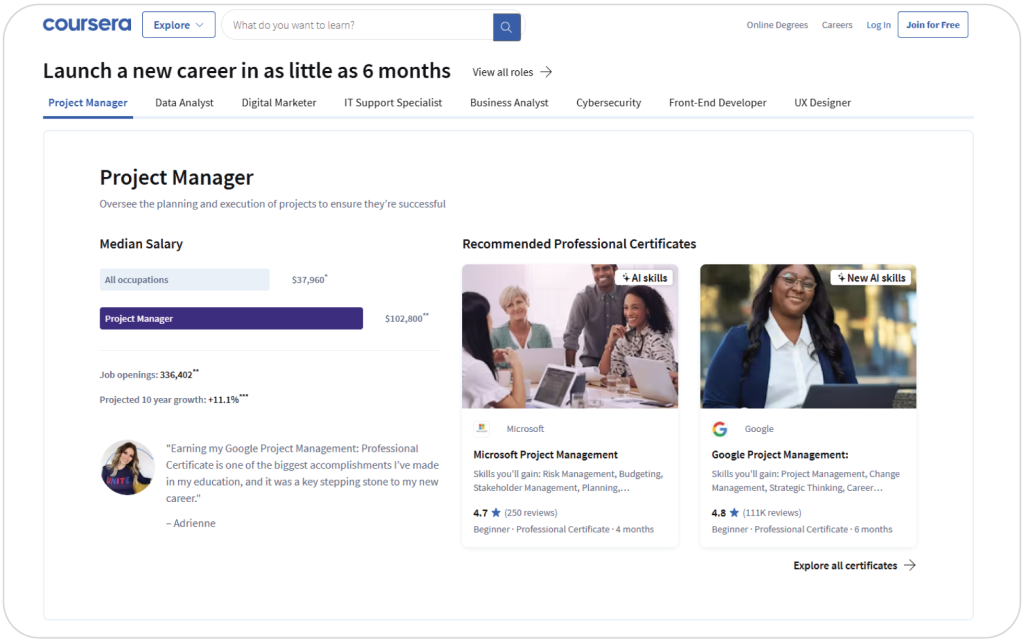
Coursera is an online learning platform that provides individuals and businesses with courses that specialize in a diverse range of industries. The Coursera catalog features university courses from various top universities and companies that are leaders in their respective fields, such as Google, IBM, and Stanford University.
Coursera for Business lets you train multiple employees at once through courses made up of video lessons, assessments, and other types of content. The platform features certified training, meaning that your learners will get certified in various hard, soft, and creative skills as they complete their courses. And with functionality such as peer grading and interactive exercises and assessments, Coursera is a good choice for your people’s upskilling.
Why we picked it
Coursera gives businesses access to high-quality courses from leading universities and global companies in one platform. Its certification programs, structured learning paths, and interactive assessments make it a strong option for organizations focused on employee upskilling and professional development at scale.
Pros
- Courses from top universities and brands
- Recognized certifications
- Upskilling focus
- Interactive learning features
Cons
- Less flexibility for custom training
- Some courses are time-intensive
- Advanced features cost extra
- Course experience varies by provider
Key features
- 10,000+ courses
- Certified training
- Skills Tracks for role-specific learning paths
- AI-powered Coursera Coach
- Ability to get courses individually or as a subscription
- Interactive exercises
- Free & paid training
- Peer grading
- Course recommendations
- CourseBuilder
Best for: University-level training and certificates
Pricing: Free courses available; pricing starts at $9.99 per course
What users are saying on G2
The Good
The Room for Improvement
Online learning platform #3: Udemy
G2 score: 4.5/5 (710)
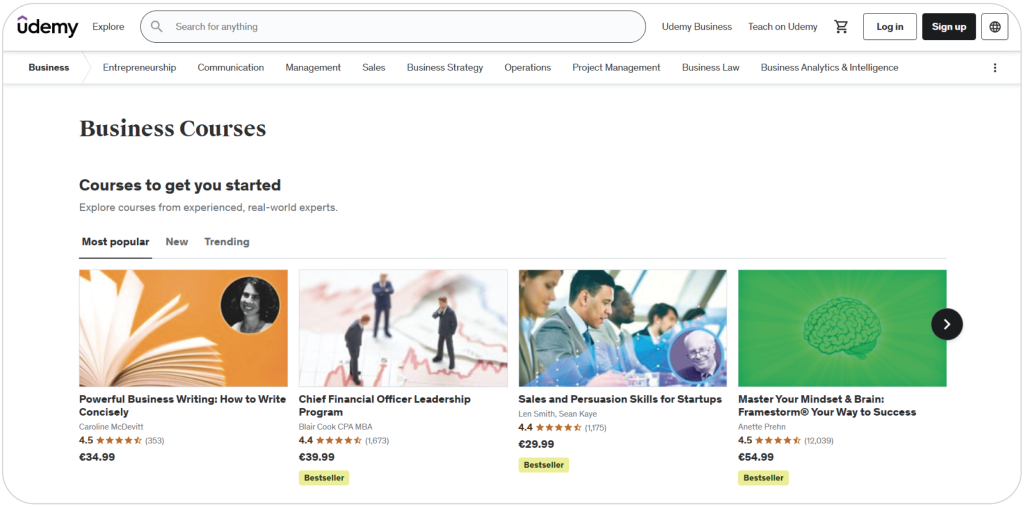
Udemy is one of the online learning platforms with the largest selection of courses available. Thanks to the platform’s eCommerce features, anyone can publish their courses on Udemy and sell them. However, this makes Udemy less suited for highly specific training and more appropriate for introductions to various skills and industries.
The platform also supports AI-powered learning recommendations, skills insights, learning paths, and analytics dashboards to help administrators monitor engagement and learner activity. Integrations with HR and workplace tools make it easier to fit training into existing workflows.
Udemy Business is Udemy’s subscription program that allows organizations to access a curated collection of high-quality courses. This allows employees to prepare for industry-recognized professional certificate processes, practice their skills in controlled sandbox environments, and more. This makes Udemy a worthy tool for junior professionals looking for introductory-level training.
Why we picked it
Udemy features a large and diverse course library that supports continuous learning across technical, business, and creative skills. Its curated business content, structured learning paths, and certification prep make it a practical option for organizations looking to support employee development at scale.
Pros
- Large course marketplace across business and tech skills
- Supports self-paced learning
- AI-powered recommendations and skill insights
- Ability to scale globally with multilingual content
Cons
- Course quality can vary between instructors
- Limited control over third-party content structure
- Less suited for highly structured compliance training
- Advanced customization options are limited
Key features
- Large on-demand course marketplace
- AI-powered content recommendations
- Skill insights and workforce capability tracking
- Curated learning paths
- Leadership and technical certification prep
- Mobile learning app
- Multilingual course availability
- Reporting and learner analytics
- Integrations with HRIS and workplace tools
- Custom course upload capabilities
Best for: Affordable employee upskilling
Pricing: Free courses available; pricing starts at $10 per course
What users are saying on G2
The Good
The Room for Improvement
Online learning platform #4: LinkedIn Learning
G2 score: 4.5/5 (718)
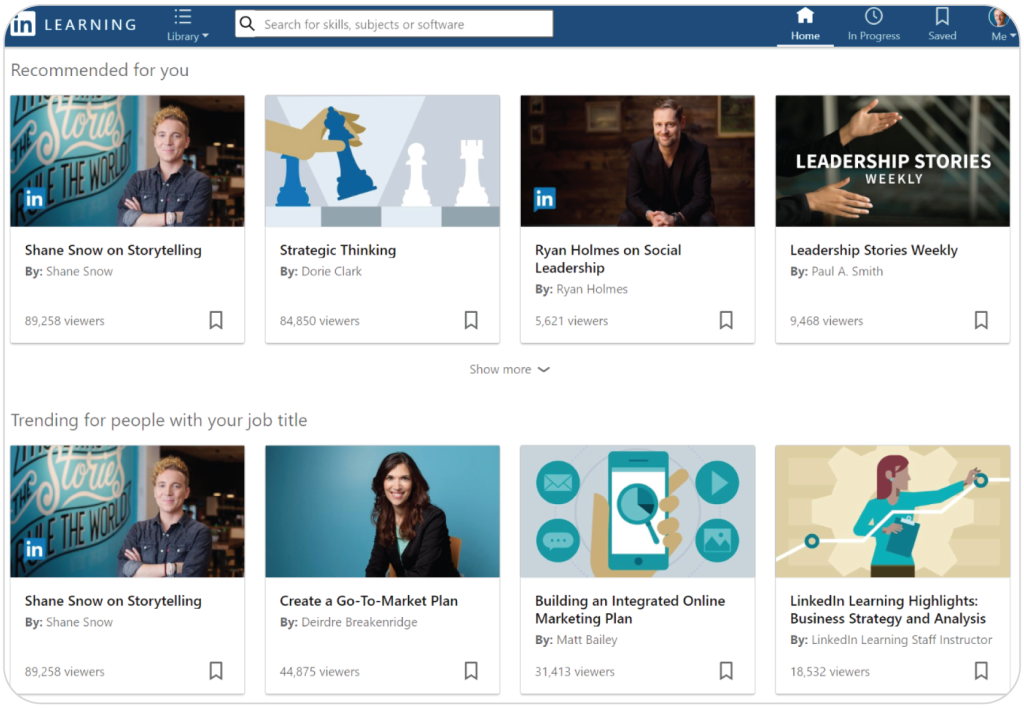
LinkedIn Learning is LinkedIn’s online learning platform focused on professional development, business skills, leadership training, and career growth. Its integration with LinkedIn allows learners to showcase completed certificates directly on their profiles and discover personalized learning recommendations based on career interests and goals.
The platform offers a large library of expert-led courses across business, technology, productivity, and creative skills. It works particularly well for organizations that want to support self-directed learning and continuous employee development.
However, compared to dedicated LMS platforms, LinkedIn Learning offers more limited learner management, reporting, and compliance training capabilities. Some organizations may also find the course selection less specialized for industry-specific training needs.
Why we picked it
LinkedIn Learning combines professional development with career visibility, making it a strong option for organizations that want to support continuous learning, employee growth, and self-directed skill development through high-quality, ready-made content.
Pros
- Integration with LinkedIn profiles and career development
- High-quality professional and business-focused courses
- Personalized learning recommendations
- Access to expert-led content
Cons
- Limited learner management capabilities compared to LMSs
- Reporting and analytics are less advanced
- Limited support for structured compliance training
- Some industries may find course selection less specialized
Key features
- Integration with LinkedIn profiles
- Personalized course recommendations
- Professional certificates and badges
- Large library of business and tech courses
- AI-powered skill suggestions
- Learning paths and curated content collections
- Mobile learning support
- Course assignments for teams
- Basic learner analytics and progress tracking
- Multilingual course availability
Best for: Career-focused upskilling, self-directed learning
Pricing: Free trial available; pricing starts at $20 per course
What users are saying on G2
The Good
The Room for Improvement
Online learning platform #5: edX
G2 Rating: 4.5/5 (121)
edX is an online learning platform focused on higher education, leadership development, and professional upskilling. It offers courses, certificates, and degree programs from universities and institutions such as Harvard, MIT, Berkeley, and other global education providers.
The platform is particularly strong for organizations investing in leadership development, executive education, and advanced professional learning. Alongside standalone courses, edX also offers undergraduate, Master’s, and doctoral degree programs, giving learners access to more formal education pathways.
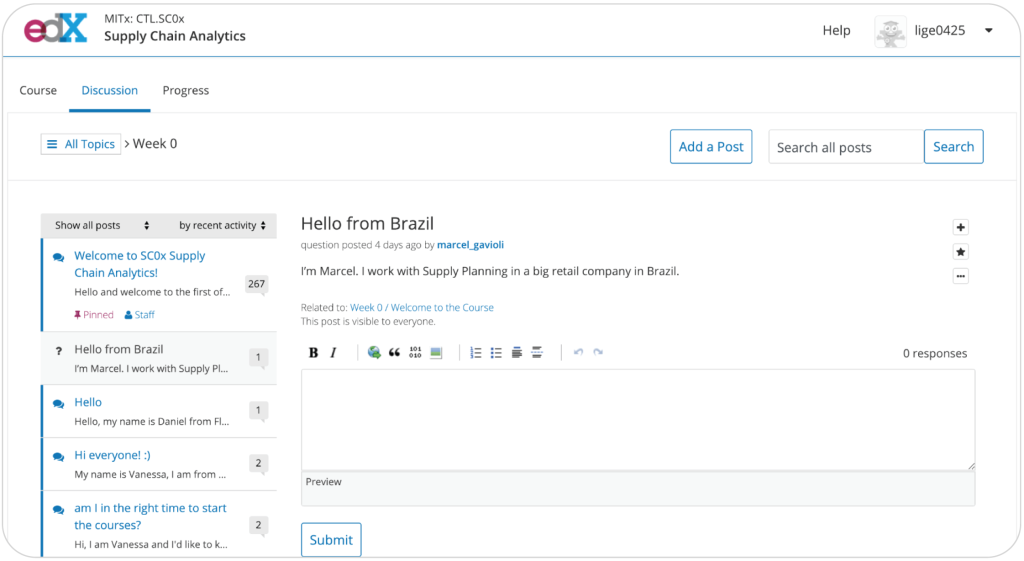
Its community and cohort-based learning experiences help learners connect with instructors, peers, and alumni, creating a more collaborative learning environment compared to many self-paced platforms. While it’s not one of the online learning platforms best suited for standard employee training, it’s a good choice if you’re focused on developing current and future leaders’ skill sets.
Why we picked it
edX stands out for its university-backed content, leadership development focus, and access to formal education programs. It’s suitable for organizations that prioritize executive growth and advanced professional learning.
Pros
- Courses from top universities and institutions
- Leadership and executive education content
- Offers certificates and degree programs
- Community and cohort-based learning experiences
Cons
- Less suited for standard employee training
- Limited LMS-style learner management tools
- Compliance and admin features are more limited
- Some programs can be costly and time-intensive
Key features
- University-backed courses and certifications
- Leadership and executive education programs
- Undergraduate and graduate degree programs
- Professional certificate pathways
- Cohort and instructor-led learning options
- Learning path customization
- Single sign-on (SSO) integration
- Progress tracking and assessments
- Multilingual course availability
- Integrations for enterprise learning programs
Best for: Leadership development, executive education, higher education
Pricing: Free courses available; pricing starts at $90 per course
What users are saying on G2
The Good
The Room for Improvement
Online learning platform #6: Thinkific
G2 score: 4.5/5 (399)
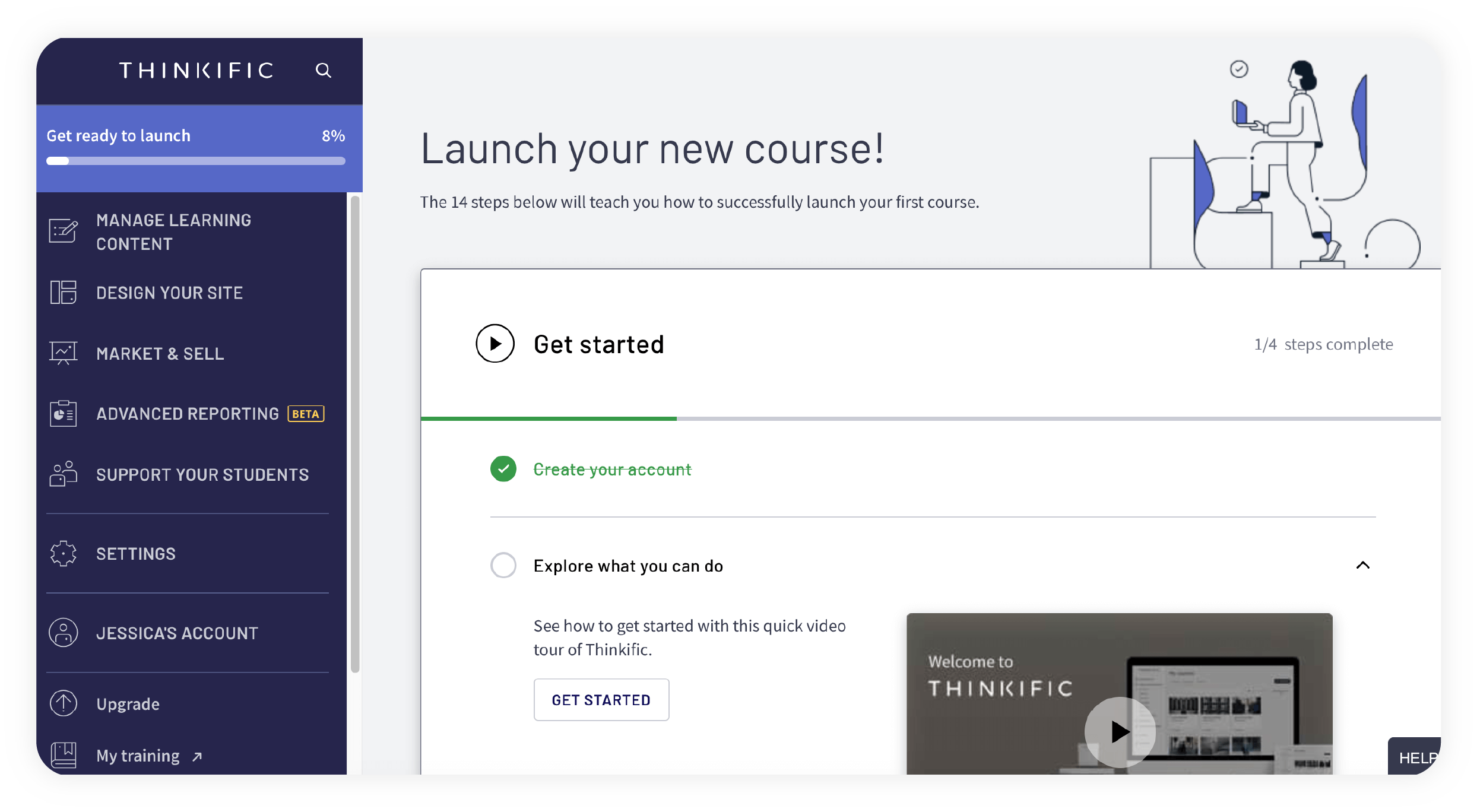
Thinkific is an online learning platform built for creating, marketing, and selling digital courses. It focuses more on helping businesses, coaches, creators, and training providers build branded learning experiences and monetize educational content.
Its drag-and-drop course builder, website customization tools, and eCommerce features make it easy to launch online academies without needing technical expertise. Organizations can create multimedia courses, memberships, coaching programs, and communities while managing payments, subscriptions, and learner access from one platform.
Thinkific also includes learner engagement tools such as quizzes, certificates, drip scheduling, and discussion communities. However, compared to more workforce-focused LMS platforms, it offers fewer capabilities for compliance management, advanced reporting, large-scale admin automation, and structured employee development tracking.
Why we picked it
Thinkific stands out for its course creation and monetization capabilities, making it a great fit for businesses and creators that want to build branded online learning experiences and generate revenue from training content.
Pros
- Easy-to-use course builder
- Website and branding customization
- Built-in eCommerce and subscription tools
- Supports communities and memberships
Cons
- Limited enterprise-level training management
- Advanced reporting features are less robust
- Fewer compliance-focused capabilities
- Can become expensive as usage scales
Key features
- Drag-and-drop course builder
- Custom-branded learning websites
- Multimedia lesson support
- Built-in payment processing
- Memberships and subscription management
- Learning communities and discussion spaces
- Drip content scheduling
- Quizzes, assignments, and certificates
- Marketing and sales integrations
- AI product creation tool; Thinker
Best for: Course creators, training providers, digital academies, businesses selling online courses
Pricing: Free plan available; pricing starts at $49 per month
What users are saying on G2
The Good
The Room for Improvement
Online learning platform #7: Moodle
G2 score: 4.1/5 (448)
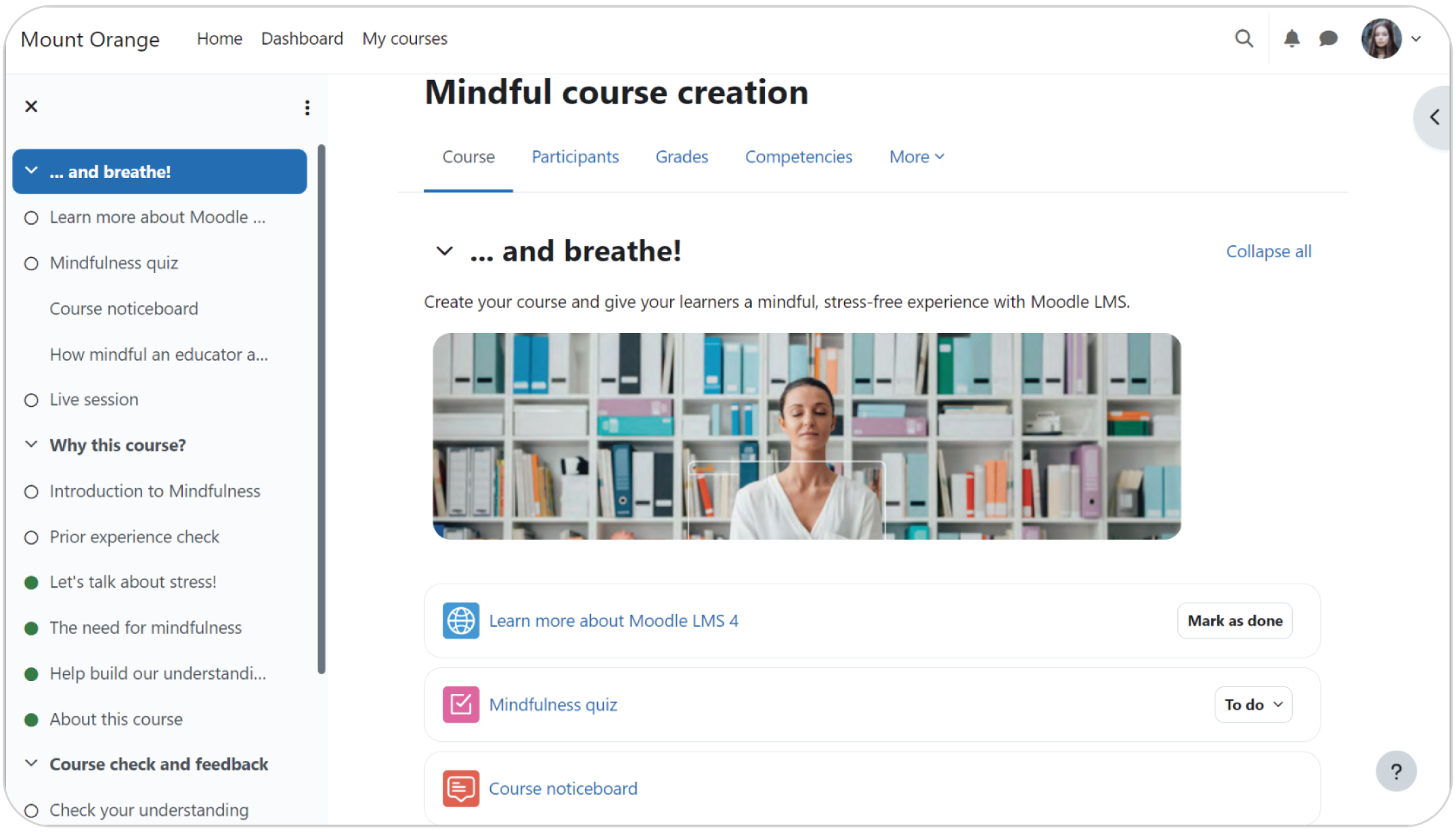
Moodle is an open-source online learning platform known for its flexibility and deep customization options. Originally built for academic environments, it’s now used by universities, nonprofits, governments, and businesses that need highly configurable online training. Moodle also continues to expand its AI capabilities through its newer AI subsystem, which supports AI-generated content, summaries, quiz creation, and personalized learning experiences.
The platform supports competency frameworks, learning plans, certifications, and skills-based learning workflows, making it suitable for organizations that want more control over structured learning programs. Moodle Workplace also adds enterprise-focused features like automated learning paths, organizational hierarchies, and advanced training management.
Why we picked it
Moodle stands out for its flexibility, open-source customization, and growing AI and skills-based learning capabilities. It’s great for organizations that need tailored learning environments and advanced configuration control.
Pros
- Customizable and open-source
- Supports competency frameworks and learning plans
- Growing AI-powered learning and content tools
- Global plugin and developer ecosystem
Cons
- Requires more technical setup and maintenance
- User experience can feel less modern
- Implementation can be time-consuming
- Advanced functionality may require additional plugins
Key features
- Open-source LMS architecture
- AI-powered content generation and summaries
- Competency frameworks and skills tracking
- Learning plans and adaptive learning paths
- SCORM and xAPI support
- Quiz and assessment engine
- Certifications and badges
- Mobile learning app
- Extensive plugin marketplace
- Custom reporting and analytics
Best for: Higher education, government training, enterprise learning
Pricing: Free plan available; pricing starts at $130 per year
What users are saying on G2
The Good
The Room for Improvement
Online learning platform #8: iSpring LMS
G2 score: 4.5/5 (149)
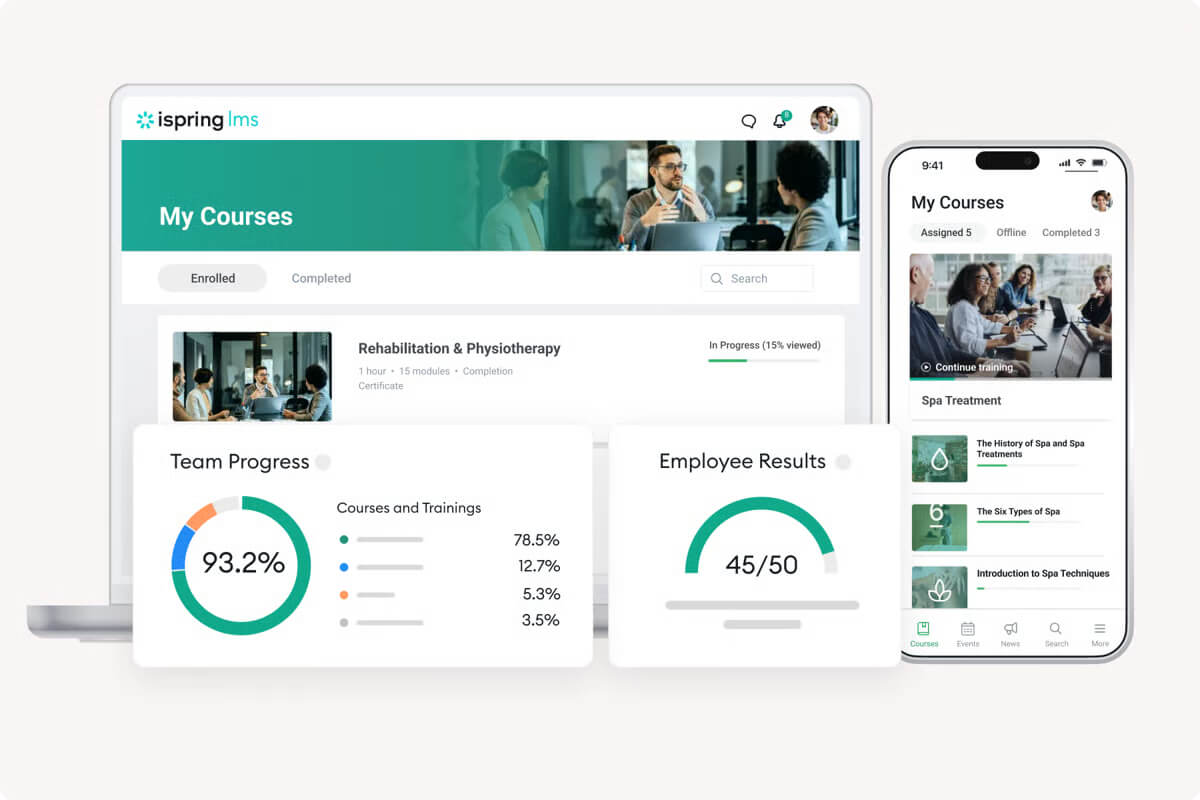
iSpring LMS is a cloud-based online learning platform designed for employee onboarding, compliance training, and professional development. It’s known for its ease of use and integration with iSpring Suite, its PowerPoint-based course authoring toolkit. The platform also supports personalized learning paths, development plans, skills tracking, and AI-powered content creation capabilities in iSpring Suite.
The platform helps organizations automate training assignments, monitor learner progress, and deliver structured training programs across teams. Mobile and offline learning support also make it practical for distributed and frontline workforces.
Why we picked it
iSpring Learn offers an intuitive interface, fast course creation workflows, and structured learning management tools. It’s great for businesses that want straightforward employee training without a steep learning curve.
Pros
- Easy to set up and manage
- PowerPoint-based course authoring
- Learning paths and development plans
- Mobile and offline learning support
Cons
- Reporting customization can feel limited
- Fewer social and collaborative learning tools
- Advanced features may require additional tools
- Pricing structure can become complex
Key features
- PowerPoint-based course authoring with iSpring Suite
- AI-assisted content creation
- Personalized learning paths
- Skills assessments and development plans
- Automated course assignments and reminders
- SCORM and xAPI support
- Mobile and offline learning
- Certifications and compliance tracking
- Reporting and analytics dashboards
- Integrations with HR and meeting tools
Best for: Employee onboarding, compliance training, SMB training programs, distributed teams, professional development
Pricing: Plans start at $7 per year, for max 100 users. Check pricing for more info.
What users are saying on G2
The Good
The Room for Improvement
Online learning platform #9: Skilljar
G2 score: 4.6/5 (387)
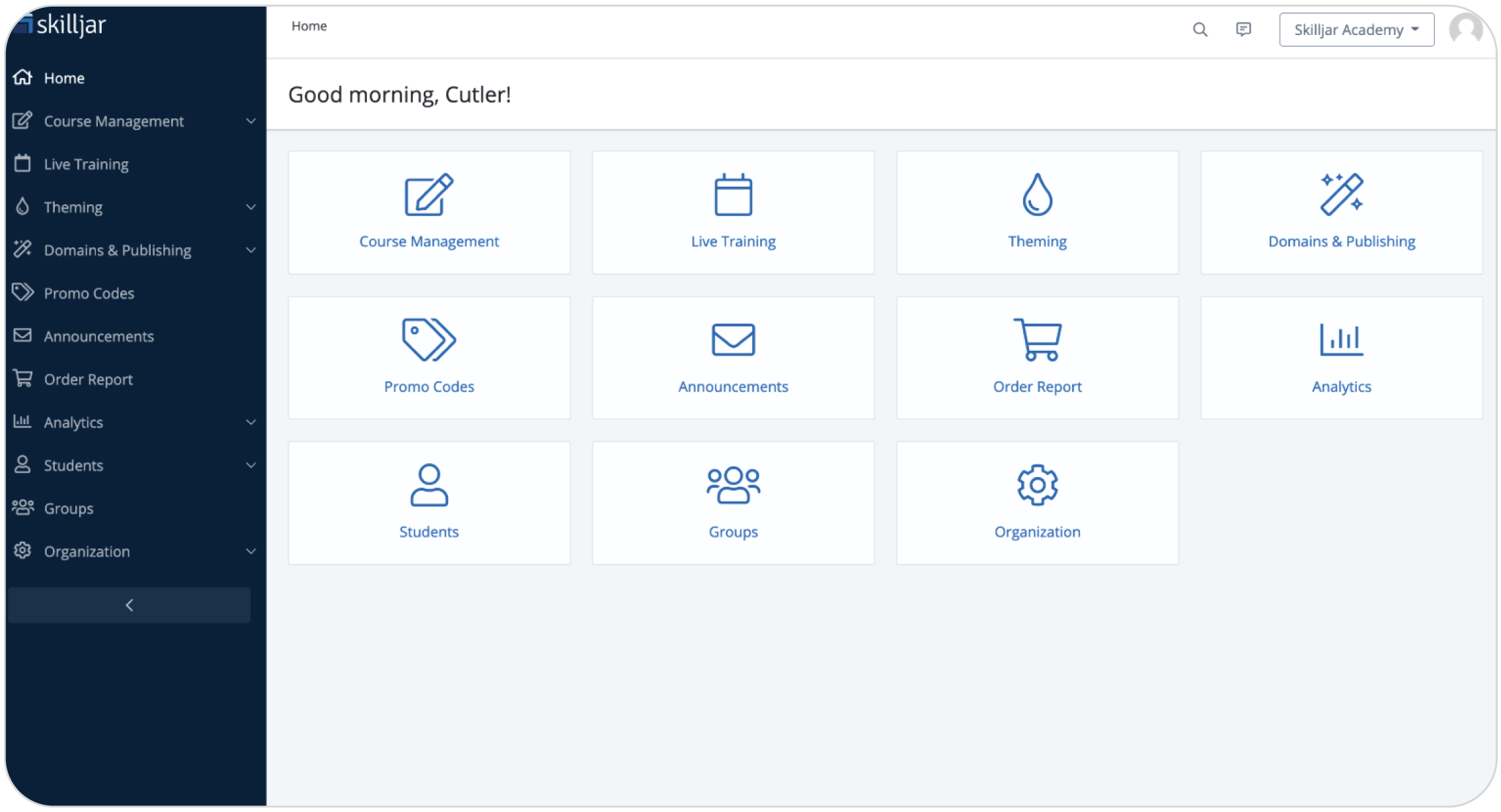
Skilljar is a customer education and partner training platform that helps businesses onboard, educate, and retain external audiences at scale. It’s designed primarily for customer training, product adoption, and partner enablement. It also includes AI-powered tools for generating course descriptions, learning objectives, and quiz questions.
The platform supports structured learning paths, certifications, analytics, and integrations with tools like Salesforce, Gainsight, and Zendesk. These allow organizations connect training data to customer success and product adoption metrics.
Why we picked it
Skilljar is customer education focused and offers structured external training experiences as well as integrations that help businesses connect learning programs to customer engagement and retention outcomes.
Pros
- Built specifically for customer and partner education
- Learning paths and certification tools
- AI-powered quiz and content generation
- Integrations with customer success platforms
Cons
- Less focused on internal employee training
- Advanced HR and workforce skills tracking are limited
- Can require higher investment for smaller teams
- Some collaboration features are fairly basic
Key features
- Customer and partner training portals
- AI-generated quizzes and course descriptions
- Structured learning paths
- Certifications and badges
- Progress tracking and analytics
- Salesforce and Gainsight integrations
- SCORM-compliant course support
- Custom-branded learning academies
- Automated learner enrollment workflows
- Mobile-friendly learning experience
Best for: Customer education, partner enablement, and customer success programs
Pricing: No free trial available; no price listed
What users are saying on G2
The Good
The Room for Improvement
Online learning platform #10: Docebo
G2 score: 4.3/5 (740)
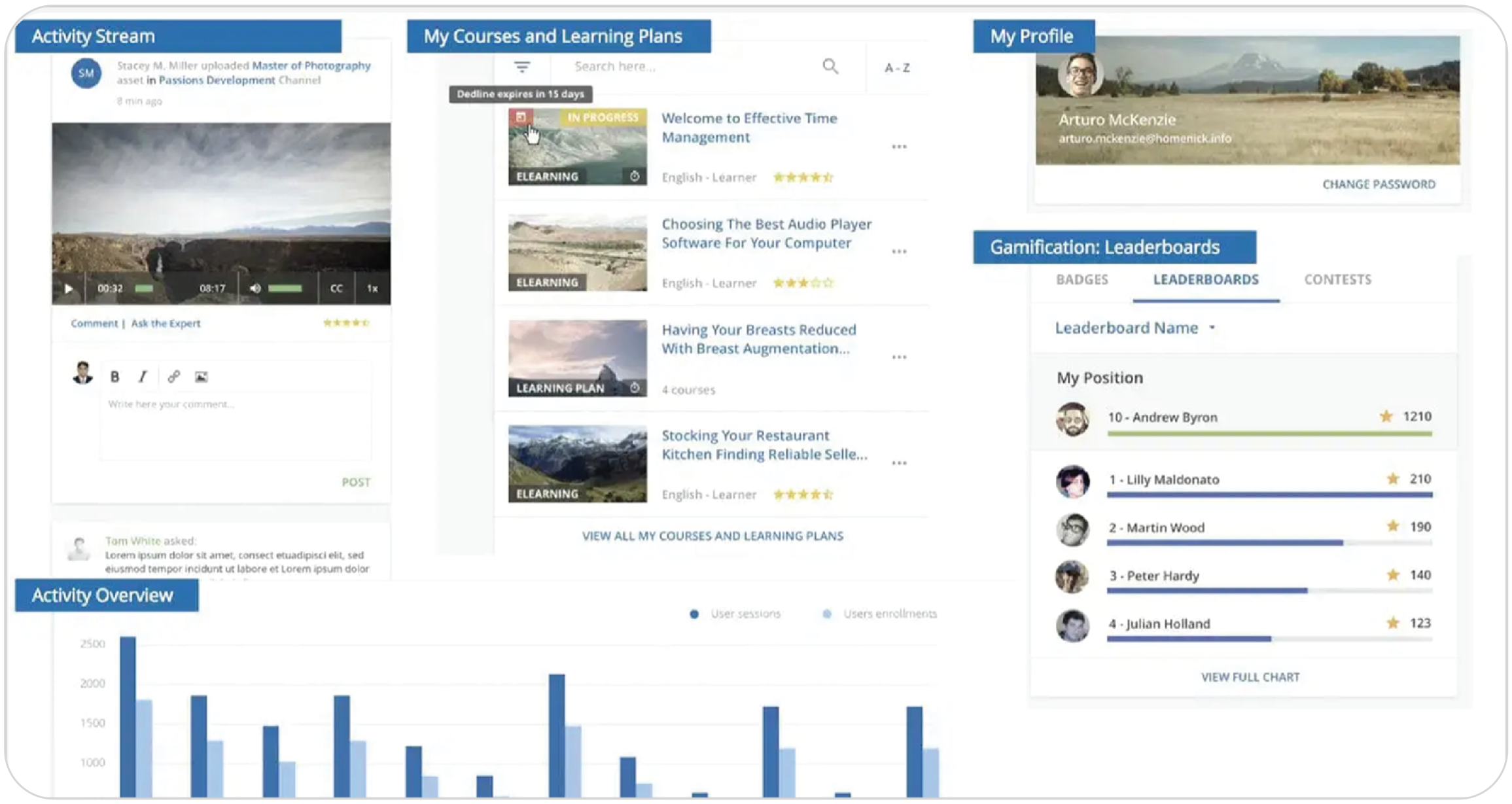
Docebo is an AI-powered enterprise learning platform built for large organizations that need to manage employee, customer, and partner training at scale. The platform combines LMS, learning experience, and skills intelligence capabilities in one system. It focuses on automation, personalization, and workforce development. Plus, it offers AI features like AI tutors, AI-generated learning content, skills intelligence, and workflow-based learning experiences.
The platform supports personalized learning paths, skills mapping, certifications, social learning, and advanced analytics. It’s suitable for organizations managing complex global training programs.
Why we picked it
Docebo offers AI capabilities, enterprise scalability, and strong skills intelligence features. It’s a pick for organizations focused on workforce transformation and large-scale learning operations.
Pros
- AI-powered automation and personalization
- Advanced skills intelligence and learning paths
- Supports employee, customer, and partner training
- Analytics and extended enterprise tools
Cons
- Can feel complex for smaller teams
- Implementation may require significant setup
- Higher pricing compared to simpler LMSs
- Some advanced features have a learning curve
Key features
- AI-generated learning content and recommendations
- Skills intelligence and skills mapping
- Personalized learning paths
- AI Tutor and AI-powered coaching
- Social and collaborative learning tools
- Advanced analytics and reporting
- Certifications and compliance management
- Extended enterprise training portals
- SCORM and xAPI support
- Integrations with HR, CRM, and productivity tools
Best for: Enterprise learning, workforce upskilling, customer education, partner training, global training programs
Pricing: Free plan available on request; no price listed
What users are saying on G2
The Good
The Room for Improvement
Online learning platform #11: LearnUpon
G2 score: 4.5/5 (249)
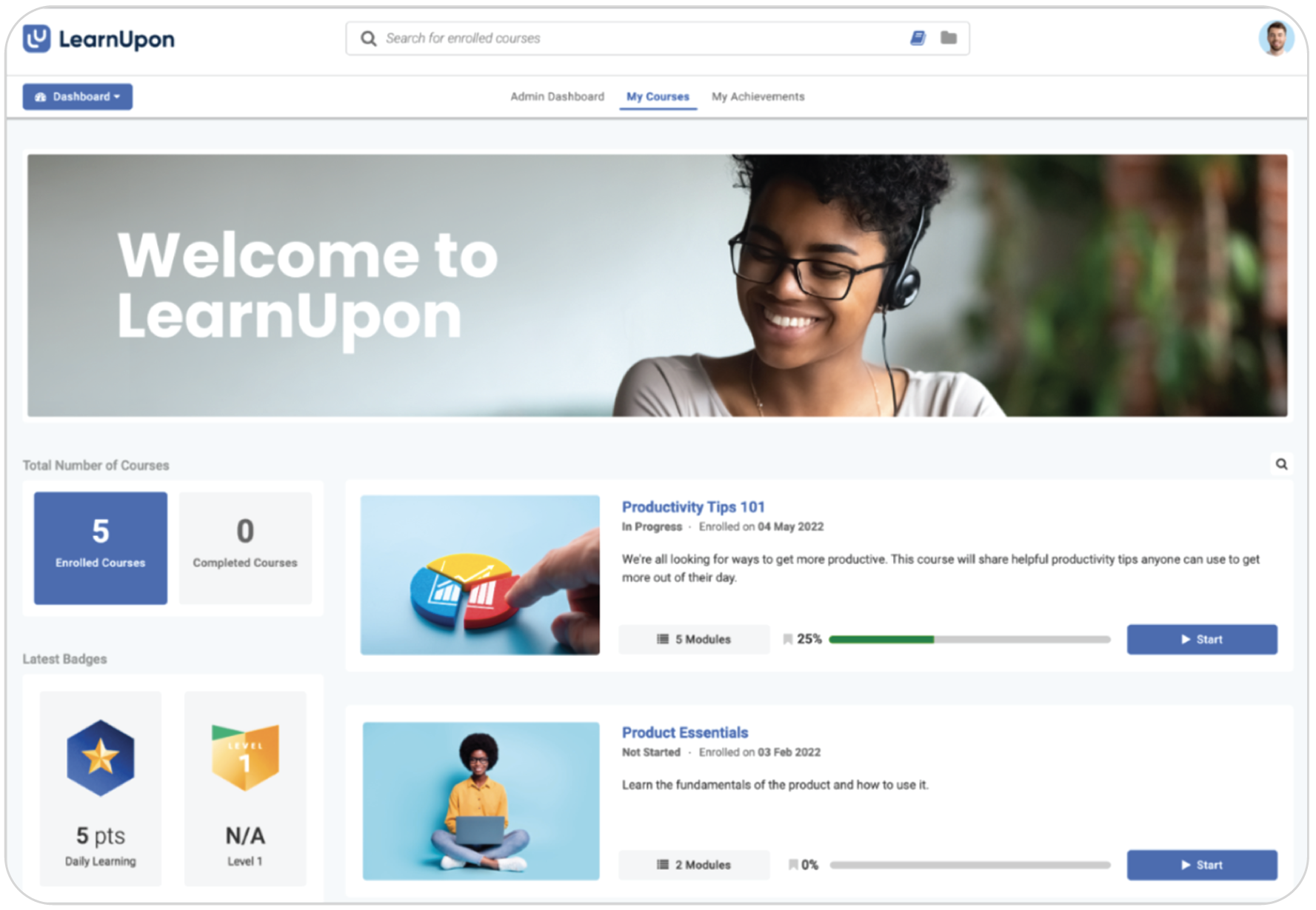
LearnUpon is a corporate LMS built for employee, customer, and partner training. It focuses on helping organizations deliver structured learning programs at scale while simplifying administration through automation and integrations. The platform has also expanded its AI capabilities with Create+, its AI-native course authoring tool that helps teams generate courses, summaries, assessments, and localized content faster.
LearnUpon supports learning journeys, certifications, skills-focused training, and multi-portal management, making it useful for organizations training different audiences across departments, regions, or external partners. Its reporting and automation tools also help teams manage onboarding, compliance, and continuing education programs.
Why we picked it
LearnUpon offers structured learning management, multi-audience training capabilities, and growing AI-powered course creation tools. It’s suitable for organizations managing complex training programs across employees, customers, and partners.
Pros
- Multi-audience training management
- AI-powered course creation
- Learning journeys and certifications
- Automation and reporting tools
Cons
- Enterprise pricing may not suit smaller teams
- Social learning features are more limited
- Some customization options can feel restrictive
- Setup can require more onboarding support
Key features
- AI-powered course creation with Create+
- Learning journeys and structured pathways
- Multi-portal training management
- Certifications and compliance tracking
- Automated enrollments and notifications
- SCORM and xAPI support
- Skills-focused learning programs
- Instructor-led and webinar training support
- Advanced reporting and analytics
- Integrations with HR, CRM, and webinar tools
Best for: Employee training, customer education, partner enablement, compliance training, enterprise onboarding programs
Pricing: Free plan available on request; no price listed
What users are saying on G2
The Good
The Room for Improvement
Online learning platform #12: Pluralsight
G2 score: 4.6/5 (1,373)
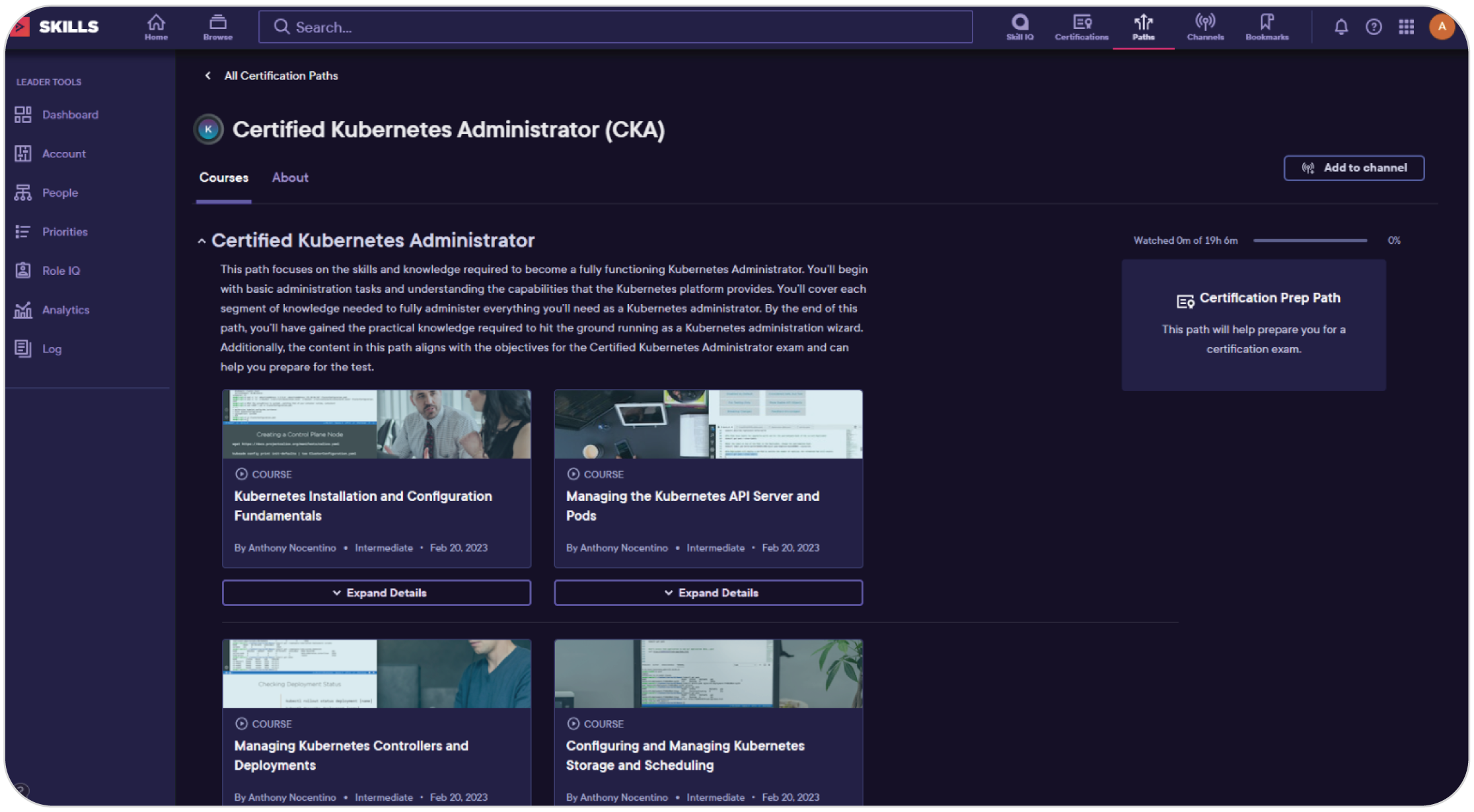
Pluralsight is a technology-focused online learning platform built for developers, IT professionals, cybersecurity teams, and technical upskilling. Unlike broader learning platforms, it specializes heavily in tech skills, offering expert-led courses, hands-on labs, skill assessments, and structured learning paths across areas like AI, cloud computing, software development, and security.
The platform features skills intelligence capabilities, including Skill IQ assessments, role-based learning paths, hands-on sandboxes, and AI-focused training environments. These are designed to help organizations identify and close technical skill gaps faster. Recent updates have also expanded AI learning experiences, guided learning, and enterprise integrations.
Why we picked it
Pluralsight features deep technical content, hands-on learning experiences, and strong skills assessment tools. It’s a solution for organizations focused on building measurable technology capabilities.
Pros
- Focus on technical and IT skills
- Hands-on labs, sandboxes, and assessments
- Structured learning paths and Skill IQ insights
- Expanding AI and cloud training capabilities
Cons
- Less suitable for non-technical training
- Limited compliance and HR-focused tools
- Some content may feel advanced for beginners
- Higher pricing than some general learning platforms
Key features
- Skill IQ assessments and role analytics
- Structured learning paths
- AI and cloud upskilling programs
- Hands-on labs and sandbox environments
- Expert-led technical courses
- Guided learning experiences
- Certification preparation
- Skills gap analysis and reporting
- Enterprise LMS and HR integrations
- Mobile and offline learning support
Best for: Technical upskilling, software development, cybersecurity training, cloud learning, IT workforce development
Pricing: Free trial available; pricing starts at $26 per course
What users are saying on G2
The Good
The Room for Improvement
Which online learning platform to choose
The best online learning platform depends on your training goals, team size, budget, technical resources, and how quickly you want to launch training.
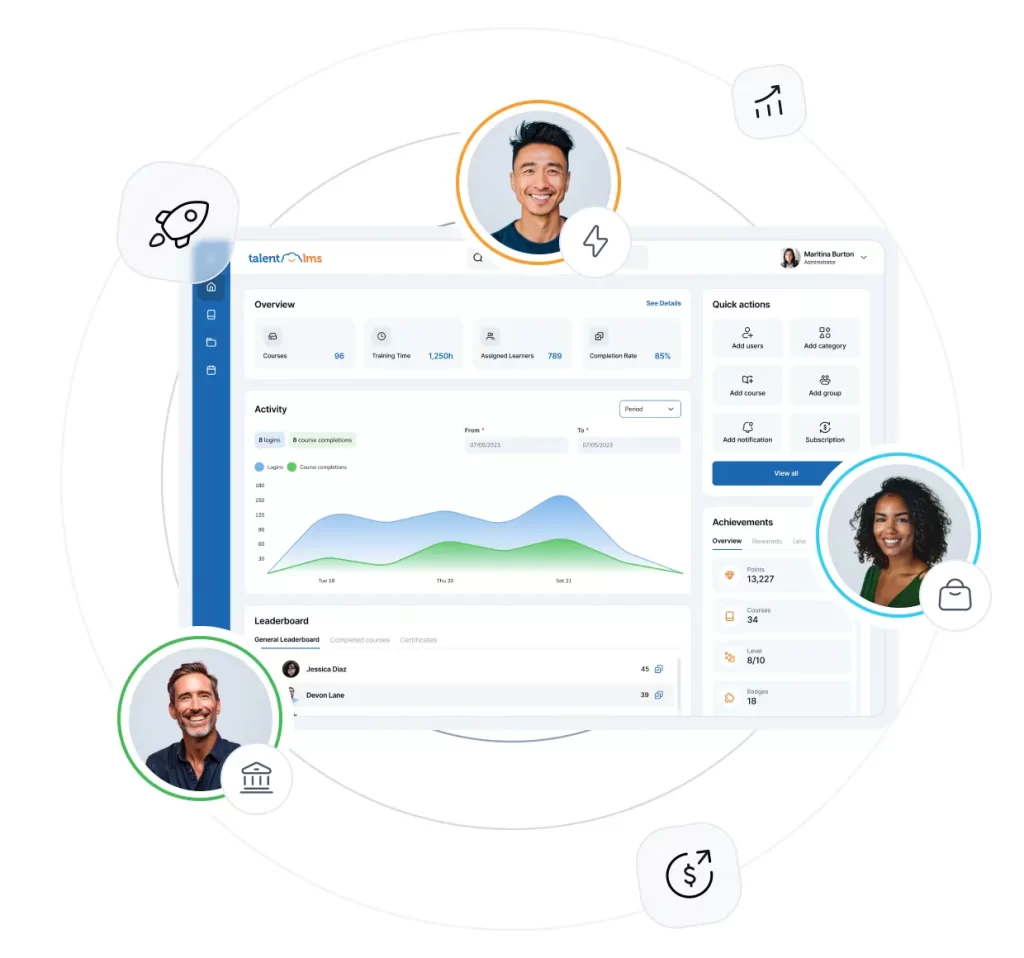
For most growing businesses, TalentLMS stands out for its ease of use, fast setup, AI-powered course creation, built-in skills management, and affordable pricing. It helps teams launch employee, customer, partner, onboarding, and compliance training quickly without needing dedicated IT support or lengthy implementation. Its flexible Moodle integration via LTI 1.3 also adds extra scalability for organizations that need it.
Coursera and edX are better suited for university-backed learning and professional certifications, while Udemy and LinkedIn Learning focus more on self-paced upskilling and broad course libraries.
Thinkific and Skilljar work best for businesses building customer education programs or selling online courses. Moodle is ideal for organizations that need deep customization and open-source flexibility.
Meanwhile, iSpring Learn and LearnUpon support structured corporate training, and Docebo and Pluralsight are stronger fits for enterprise learning and technical workforce development.
FAQs
What are online learning platforms?
Online learning platforms are software solutions that help businesses, instructors, and organizations deliver, manage, and track digital training programs. They support activities like employee onboarding, compliance training, upskilling, certifications, customer education, and professional development through courses, learning paths, assessments, and analytics.
What features should I look for in an online learning platform?
The most important features include AI-powered course creation, learning paths, skills tracking, reporting and analytics, certifications, integrations, mobile learning, automation, and support for SCORM or xAPI content. Businesses should also look for platforms that are easy to implement and scalable as training needs grow.
What’s the difference between a Learning Management System (LMS) and an online learning platform?
A Learning Management System (LMS) is a type of online learning platform designed specifically to create, manage, deliver, and track training programs. While some online learning platforms mainly provide access to ready-made courses, an LMS gives organizations more control over training management, learner progress, certifications, reporting, compliance, and skills development. Platforms like TalentLMS combine both capabilities by offering course management tools alongside ready-made learning content and AI-powered training features.