
AI is now a standard feature of most workplace learning platforms. From creating courses and assessments to personalizing learning and reducing administrative work, it’s changing what L&D teams can achieve.
But as we move into and through 2027, simply having AI isn’t enough to set a platform apart. What matters is how useful that AI is in practice. Does it make training easier to create and manage? Help teams work more efficiently? Give employees more relevant learning experiences and opportunities to develop their skills?
With AI learning platforms promising to do more, finding the right one isn’t always straightforward. The best solutions combine useful AI capabilities with an experience that’s easy to manage, without adding unnecessary complexity.
In this guide, we compare 11 of the best AI learning platforms for workplace training in 2027, covering their features, pricing, and strengths. We also explore three resources for building AI and machine learning skills.
TL;DR
An AI-powered LMS uses artificial intelligence to simplify training, personalize learning, and help employees build and apply new skills.
- AI-powered learning platforms help L&D teams accomplish more with less manual work, from creating courses and assessments to personalizing learning and supporting skills development.
- The best AI learning platform depends on your training goals, team size, and technical resources.
- Not all AI capabilities are equal. Some platforms focus on content creation, while others offer AI coaching, skills intelligence, or administrative assistance. The most useful features depend on the training goals.
- Choose based on practical value, not the number of AI features. Smaller teams may prioritize simplicity, quick setup, and transparent pricing, while larger organizations may need scalability, integrations, and advanced reporting.
What are the best AI-powered learning platforms for 2027?
The best AI-powered learning platforms to consider for 2027 include TalentLMS, Docebo, Absorb LMS, Cornerstone Learning, CYPHER Learning, LearnUpon, iSpring LMS, Mitti by SafetyCulture, LearnWorlds, Sana Learn, and 360Learning.
These platforms offer different strengths, from AI-assisted course creation and personalized learning to skills development and learner support.
For individuals and teams looking to build AI and machine learning skills, fast.ai, DeepLearning.AI, and Class Central offer additional learning resources. The right choice depends on your training goals, budget, and existing systems.

AI learning platforms compared: Features, pricing, and best uses
Not all AI learning platforms offer the same features or suit the same training needs. Use the table below to compare their key capabilities, pricing, and best uses to help narrow down your options.
| Platform | Best for | G2 rating | Pricing |
|---|---|---|---|
| 1. TalentLMS | Small to midsize business training, employee onboarding and training, external training, compliance training | 4.6/5 (813 reviews) | Free plan available. Free premium trial available. Starts at $119 per month for up to 40 learners. |
| 2. Docebo | Enterprise-level training, government-level training, employee onboarding and training, external training, compliance training | 4.3/5 (752 reviews) | No free plan. No published pricing. Contact the vendor for a custom quote. |
| 3. Absorb LMS | Mid to enterprise training, healthcare training, government-level training, compliance training, partner training, selling courses via eCommerce | 4.6/5 (993 reviews) | No free plan. Free trial available. No published pricing. Contact the vendor for a custom quote. |
| 4. Cornerstone Learning | Enterprise training, compliance training, customer and partner training, employee onboarding and training, academic learning | 4.1/5 (530 reviews) | No free plan. No published pricing. Contact the vendor for a custom quote. |
| 5. CYPHER Learning | Academic learning, external training, compliance training | 4.4/5 (319 reviews) | No free plan. No published pricing. Contact the vendor for a custom quote. |
| 6. LearnUpon | Employee onboarding and training, external training, eCommerce | 4.5/5 (262 reviews) | No free plan. No published pricing. Contact the vendor for a custom quote. |
| 7. iSpring LMS | Employee onboarding and training, compliance training, external training | 4.6/5 (172 reviews) | No free plan. $335 for 50 users per month (billed annually). |
| 8. Mitti (by Safety Culture) | Mobile training, small business training, compliance training | 4.6/5 (482 reviews) | Free plan available. Starts at $200 for 40 learners per month (billed annually). |
| 9. LearnWorlds | eCommerce, small to midsize business training, external training | 4.7/5 (400 reviews) | Free trial available. Starts at $99 per month. |
| 10. Sana Learn | Knowledge sharing, internal employee learning, continuous development | 4.8/5 (121 reviews) | No free trial. Starts at $13.00 per user monthly (Sana Core). Plans start at 300 users. Pricing varies by volume. For 3000+ users, contact the vendor. |
| 11. 360Learning | Collaborative learning, internal knowledge sharing, and continuous employee development. | 4.6/5 (654 reviews) | Free trial. $8 / user per month up to 100 users. |
| 12. fast.ai | Individual developers or learners who prefer practical, code-first training | N/A | Free and open source. |
| 13. DeepLearning.AI | Professionals wanting AI certification or advanced skills | N/A | Free access to course videos. Membership starts at $25 per user per month for teams (billed annually, minimum 10 users). Individual course pricing varies; enterprise pricing is custom. $49 per month via Coursera for certain subscriptions. |
| 14. Class Central | Learners comparing AI courses across multiple platforms | N/A | Free to use; individual courses and certificates may have associated fees. |
What is an AI-powered learning platform?
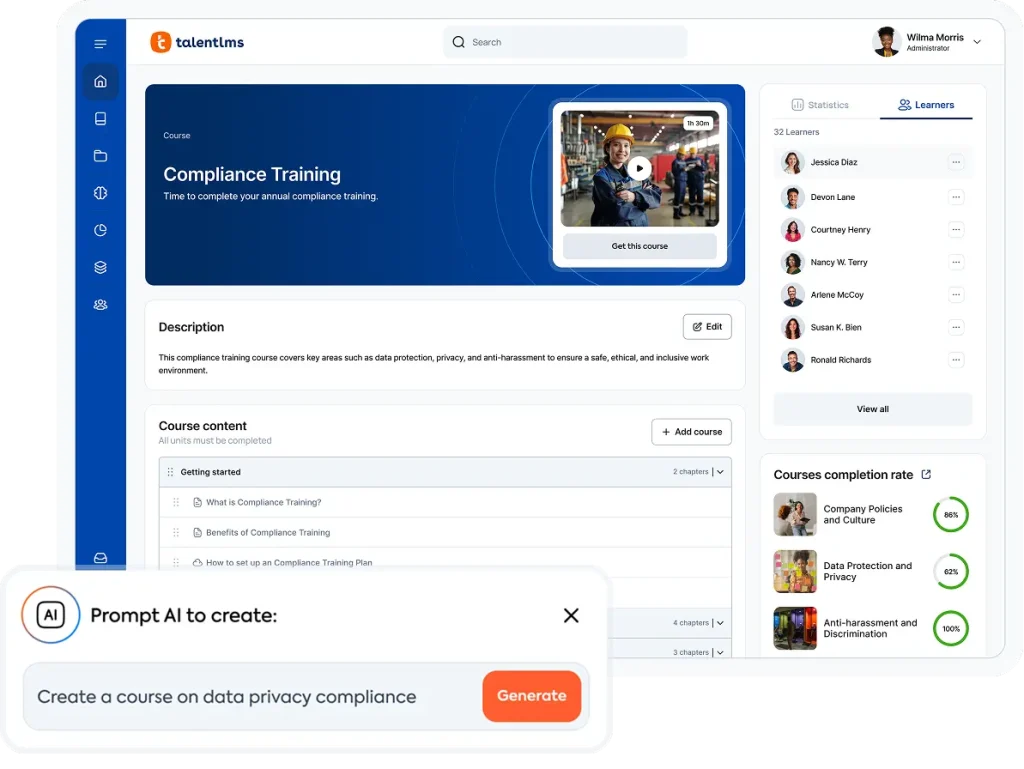
An AI-powered learning platform uses artificial intelligence to help organizations create, deliver, and manage workplace training. Depending on the platform, AI can support content creation, personalized learning, skills development, and training administration.
Unlike platforms that teach people about AI, these solutions use AI to make workplace training more effective and easier to manage.
11 of the best AI learning platforms for workplace training
Below, we compare 11 AI learning platforms and the AI features that distinguish them.
1. TalentLMS: Built-in AI to create training and help employees build skills
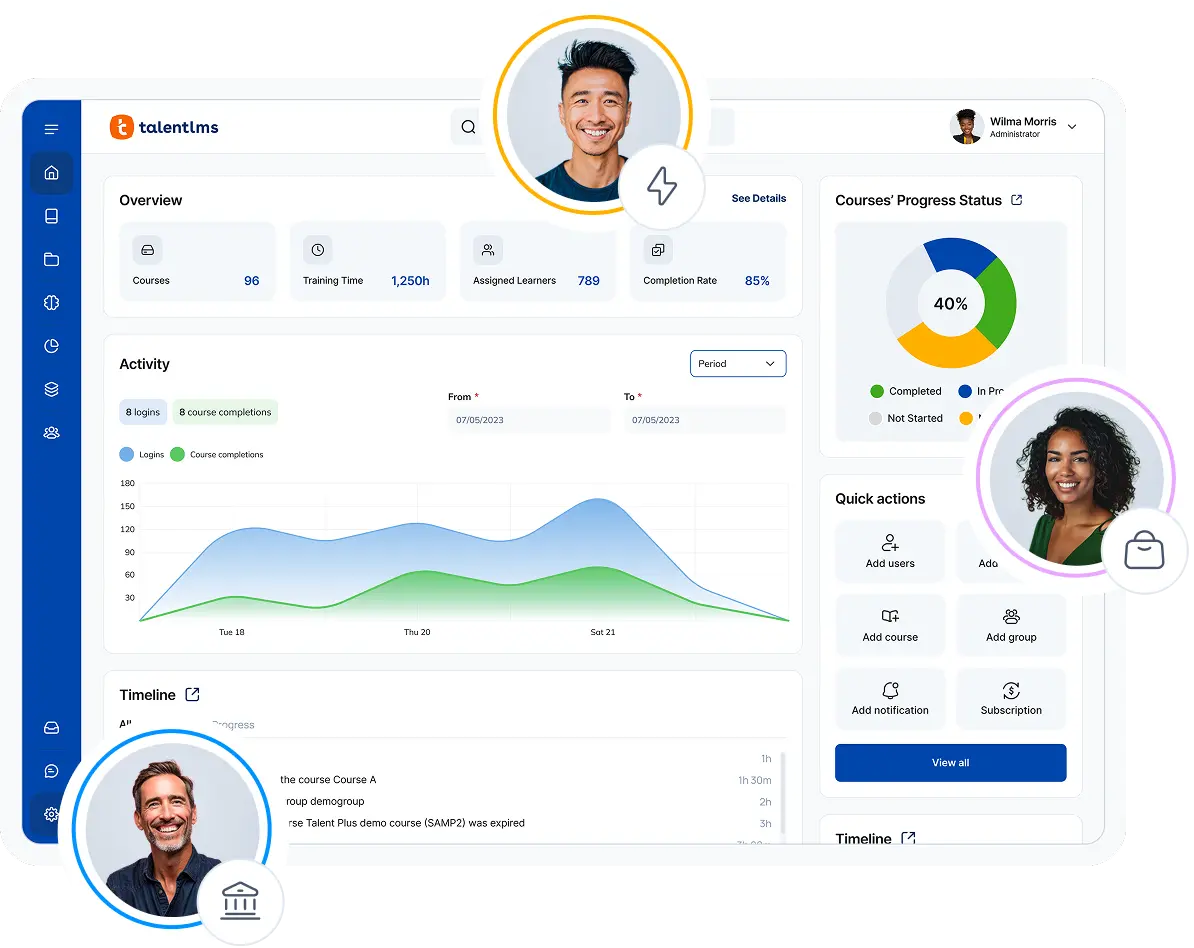
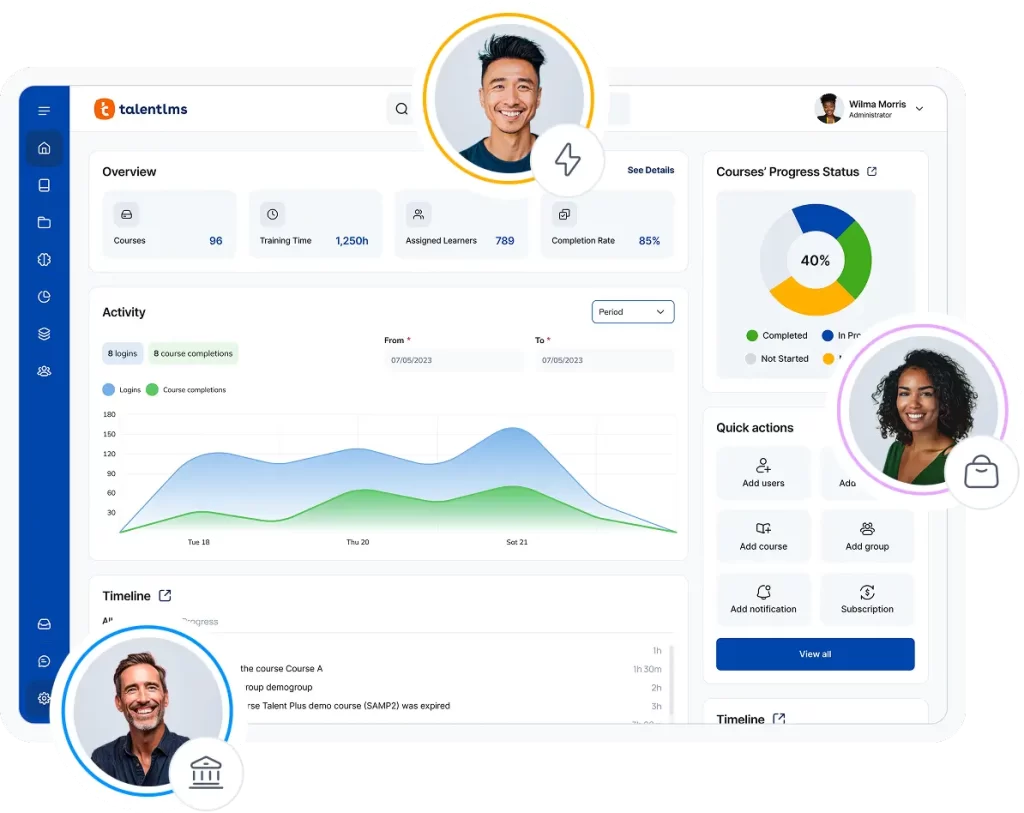
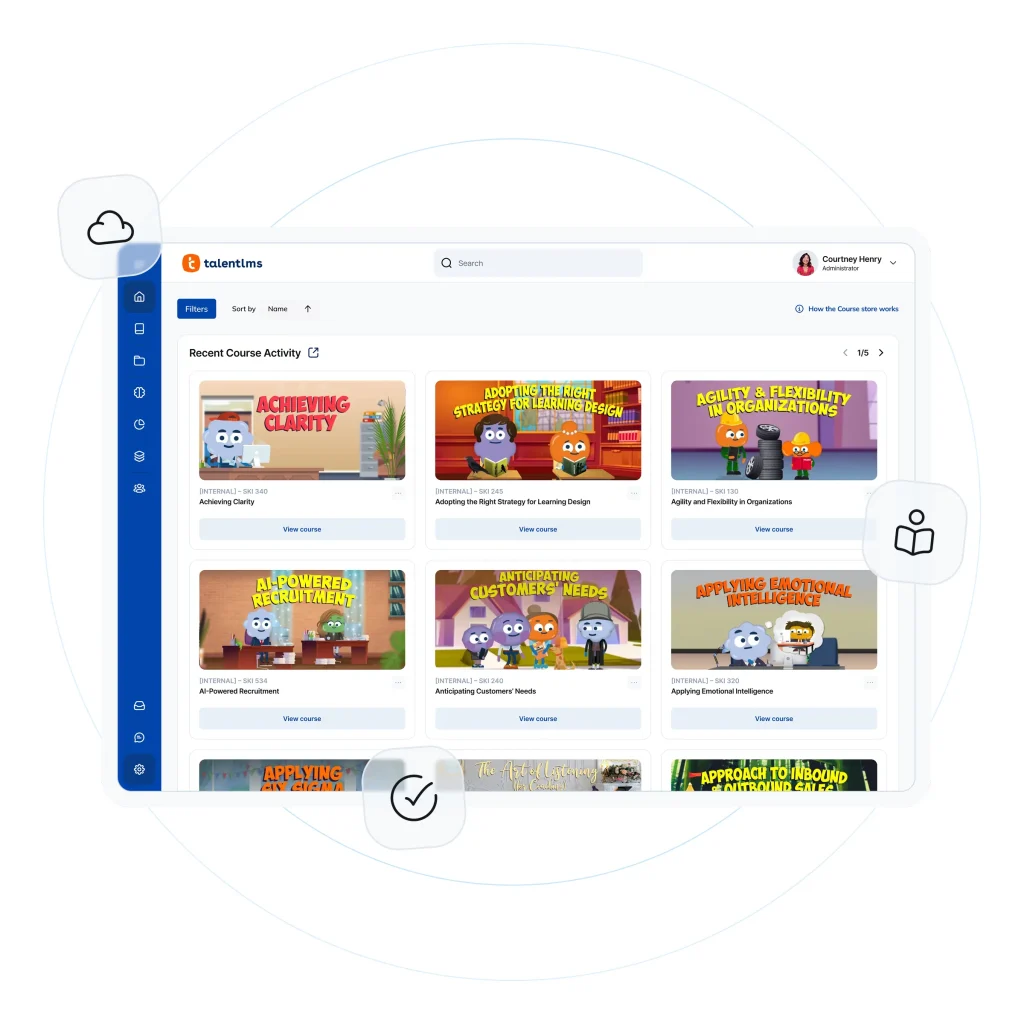
TalentLMS is an AI-powered learning platform and award-winning LMS that combines ease of use with practical tools for creating and managing workplace training. Its AI-powered course creation partners with tools that help employees engage with training, develop relevant skills, and apply what they’ve learned.
Its AI-powered course creator, TalentCraft, helps teams generate training content, assessments, and interactive learning materials, while AI Skills connects training to relevant skills development needs. AI Coach provides learners with in-course support, and Learning Playground offers opportunities to practice and apply what they’ve learned.
Beyond its AI capabilities, TalentLMS offers customizable reports and analytics to track training progress, gamification to boost engagement, and hundreds of ready-made courses through TalentLibrary. Organizations can also create separate learning environments for employees, customers, and partners using branches, making it easier to manage training for different audiences from one platform.
Why we chose TalentLMS
TalentLMS makes AI useful and accessible without adding unnecessary complexity. From generating training content and translating courses to helping learners develop, practice, and apply new skills, its AI learning tools support both the people creating training and those taking it.
What makes TalentLMS particularly appealing is how these capabilities fit into a broader, easy-to-use LMS. Organizations can combine AI-powered course creation and skills development with ready-made course content, learner engagement tools, and reporting, making it easier to deliver and scale workplace training.
From instant course creation, turning a document into a ready-to-launch course, and translating content into 40+ languages or connecting learning to real skills, AI in TalentLMS works behind the scenes to save time and elevate results.
Key AI features:
- Course creator (TalentCraft): Turns prompts into course outlines, learning content, and activities, helping teams create engaging training faster.
- Document-to-course extraction: Transforms existing PDFs and documents into interactive learning materials, including summaries, flashcards, and questions.
- Images and learning visuals: Creates images and videos for training courses, helping teams produce engaging visual content without switching between tools.
- Interactive video learning: Generates questions that can be embedded at key moments in uploaded videos, turning passive viewing into active learning.
- Interactive skills practice (Learning Playground): Gives learners opportunities to practice and apply what they’ve learned through interactive experiences.
- Skills development (AI Skills): Connects training to relevant skills, helping organizations identify skills gaps and guide employee development.
- Assessments: Creates quizzes and questions based on course content, helping teams check understanding without building every assessment from scratch.
- In-course learning support (AI Coach): Provides explanations, summaries, and practice prompts to help learners understand concepts and reinforce their knowledge.
- Multilingual training: Helps teams translate training content and video captions into more than 40 languages, making learning accessible to a wider workforce.
Other features:
- Learning Paths
- Content library (TalentLibrary)
- Reports & analytics
- Gamification
- White labeling
- Branches (Sub-domains)
- Certification
- Automations
- Blended learning
- Integrations (for example, LTI 1.3 LinkedIn Learning)
Best used for: Small-midsize business (SMB) training, employee onboarding and training, external training, compliance training.
Not the best fit for: Academic learning.
Pricing: Free plan available. Free premium Pricing starts at $119/month (Core Plan), $229/month (Grow Plan), $449/month (Pro Plan).
What TalentLMS users are saying on G2
The Good
“TalentCraft is a particular highlight, helping us create interactive modules much faster and reducing the time and resources needed for content development. Being able to translate courses into the languages we support helps us deliver consistent, accessible training across our teams. The AI Playground is another valuable addition, giving learners a space to explore and practice using AI.” — Anica M. GMS EU Training Manager, Mid-Market, 4.5/5
The Room for Improvement
“I honestly don’t have any major dislikes about TalentLMS, but there are a few features that could make things even easier.” — Valeria G., Quality and Training Specialist, Mid-Market 4/5 stars
2. Docebo
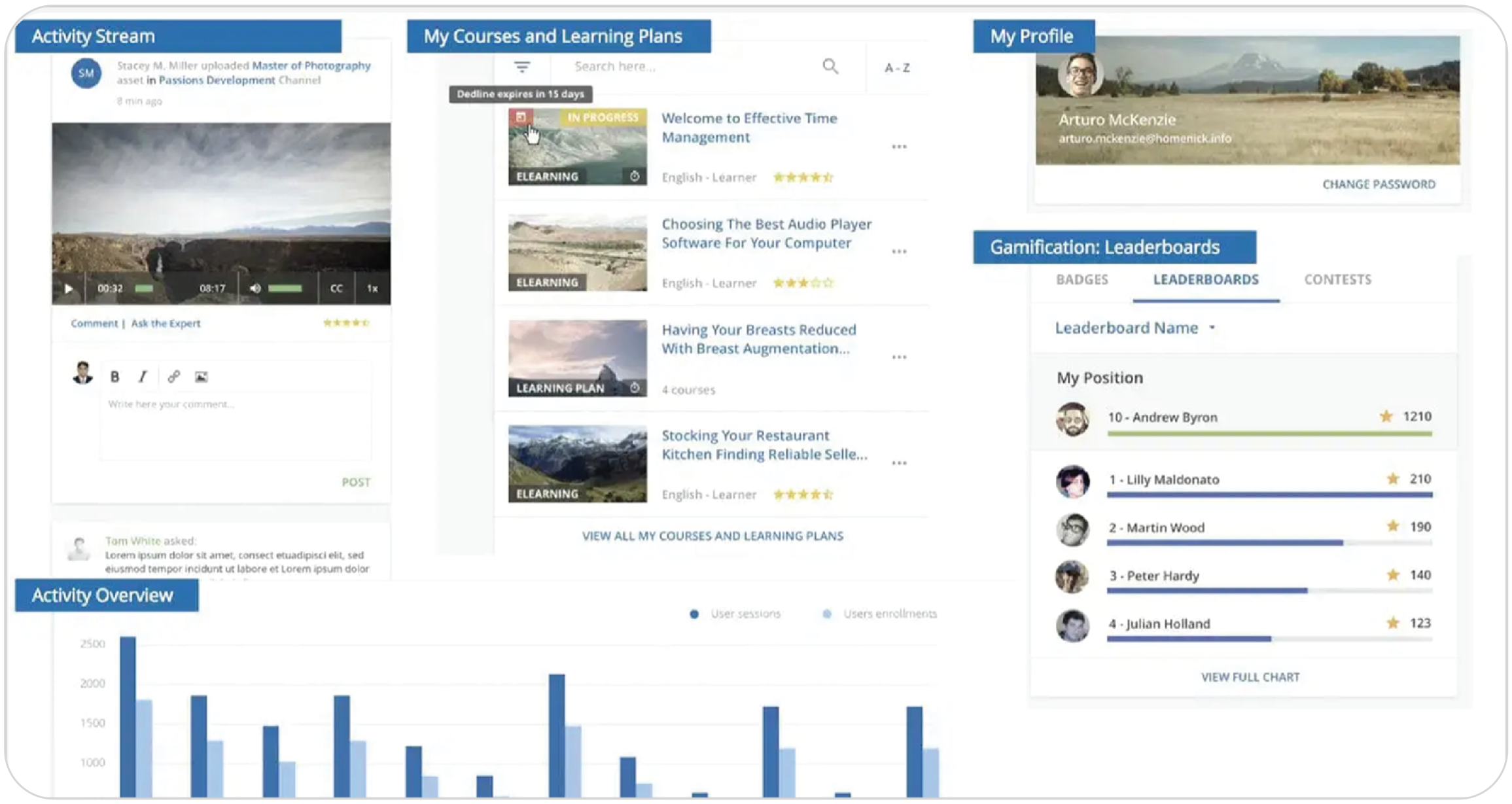
Docebo is an enterprise-level AI learning platform designed to manage training at scale. Its AI-powered tools help teams create courses, assessments, translations, and video presentations, while recommending relevant learning content to employees.
Docebo also offers AI-powered learner assistance, including an in-course tutor that answers questions and explains concepts. For administrators, its AI tools provide contextual guidance and support platform management tasks.
Beyond its AI capabilities, Docebo supports headless learning, allowing organizations to embed training into other systems, such as a CRM, so employees can access learning within their existing workflows.
Why we chose Docebo
Docebo combines AI-powered content creation with skills-based learning and personalized recommendations. Its tools help organizations identify relevant skills, connect employees with suitable training, and provide support as they learn. This makes it a strong option for larger businesses looking to scale upskilling and reskilling programs.
Key AI features:
- Content authoring (Docebo Creator): Generates lessons, assessments, and other training materials from prompts or documents, with AI-assisted translation.
- Video presentations (Docebo Creator): Creates lifelike AI avatars that present training content from a script.
- Virtual coaching (Docebo Roleplay): Provides interactive, scenario-based simulations that help learners practice and develop their skills.
- Learning assistance (Docebo AI Assistant and AI Tutor): Helps learners discover relevant content, get answers using natural language, and receive in-course tutoring that explains and summarizes learning materials.
- Content discovery (Harmony Search): Helps learners find relevant training content and get answers to questions using natural language.
- Administrative assistance (Harmony Copilot): Provides contextual guidance, step-by-step instructions, and administrative support to help platform administrators complete tasks.
Other features:
- Certification
- Social learning
- Gamification
- Mobile learning
- Ready-made content library
- Integrations
- SCORM compliant
- Reports & analytics
- eCommerce
Best used for: Enterprise-level training, government-level training, employee onboarding and training, external training, compliance training.
Not the best fit for: Small business training, academic learning.
Pricing: No free trial. No price listed. Contact the vendor.
What Docebo customers on G2 are saying
The Good
“The platform allows for flexibility in how we deliver the learning experience, it performs rather well without frequent bugs or crashes — stability is really important for us in the organization.” — Mateusz D, Learning Design Team Lead, Enterprise, 4/5 stars
The Room for Improvement
“Native content creation tools are underwhelming… Basic authoring capabilities could use enhancement… Requires internal IT team support to reach full potential.” — Verified User in Infotech service industry, 2.5/5 stars
3. Absorb LMS
Rating: 4.6/5 (993 reviews)
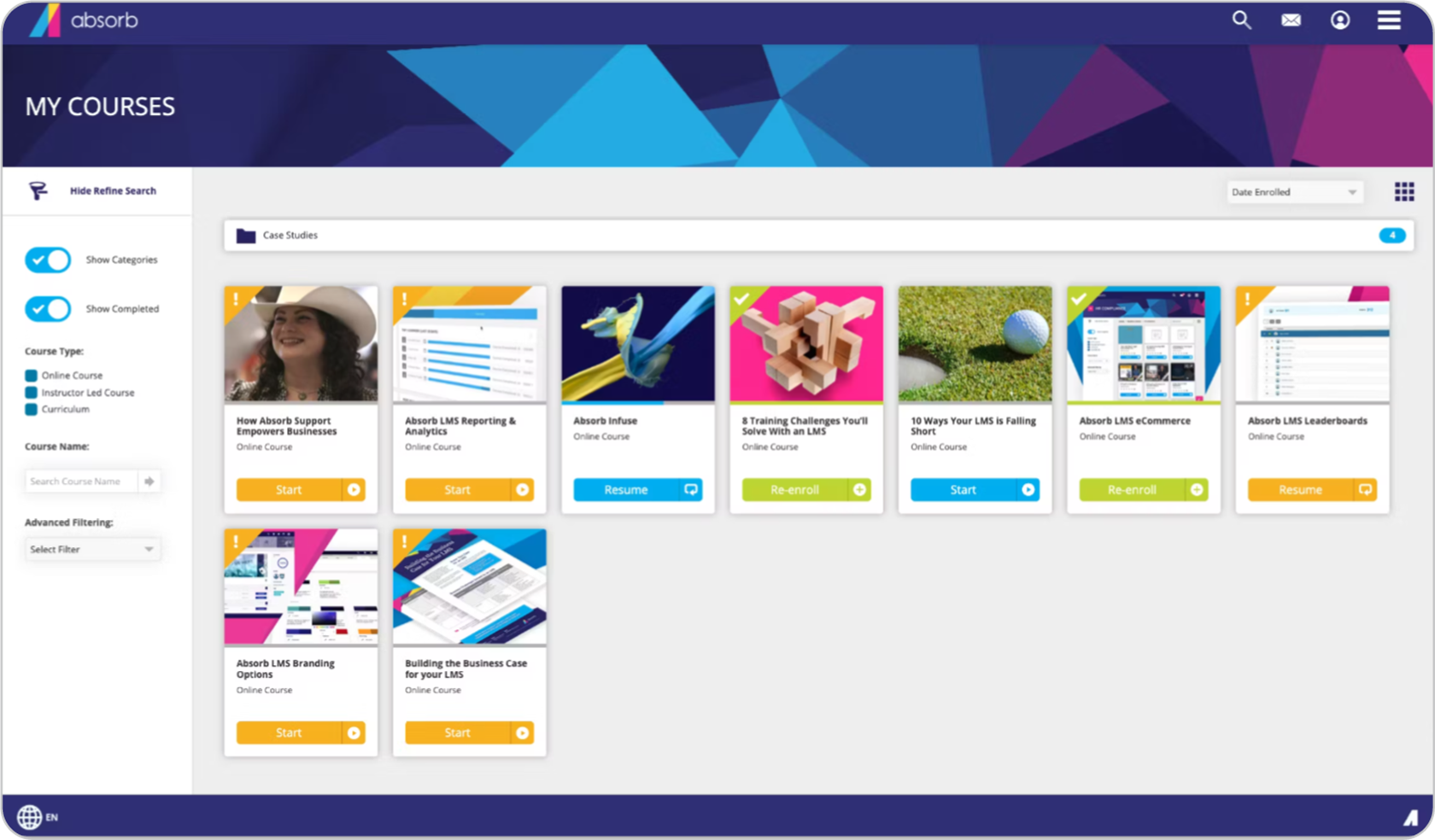
Absorb LMS is an AI-powered learning platform that combines course creation, personalized learning, and training administration tools. Its Absorb Intelligence features help teams develop content and connect learners with relevant training.
Beyond AI, Absorb offers social learning features, including discussions and course ratings, alongside leaderboards, gamification, and certificates to encourage participation. Its observation checklists support practical skills assessments, while compliance tracking helps organizations manage training requirements and maintain records.
Why we chose Absorb LMS
Absorb stands out for its combination of personalized content discovery and AI-powered administration. Intelligent search helps learners find relevant training, while Intelligent Assist lets administrators use natural-language requests to retrieve information, generate reports, and complete supported LMS tasks. Together, these features make Absorb particularly useful for organizations looking to reduce administrative workload while improving access to relevant learning.
Key AI features:
- Content authoring (Absorb Create): Helps administrators create learning content and assessments using generative AI.
- Administration (Intelligent Assist): Allows administrators to use natural-language requests to generate reports and perform supported LMS tasks, such as enrolling learners in courses.
- Intelligent Recommendations (Absorb Intelligence): Suggests relevant courses based on learners’ course completion history and courses popular with other learners, helping employees discover additional learning opportunities.
- Intelligent Ranking (Absorb Intelligence): Improves course search results by using historical learner choices and behavior to prioritize relevant content.
- Skills development (Absorb Skills): Uses AI-powered tools and personalized content recommendations to help employees close skills gaps. Includes market-informed job roles and skills frameworks, flexible content sources, and actionable reporting.
- Video search (Absorb Pinpoint): Automatically transcribes and timestamps video lessons, helping learners find specific topics and navigate directly to relevant moments within videos.
Other features:
- Healthcare-compliant training
- Social learning
- Mobile learning
- SCORM compliant
- Reports & analytics
- Gamification
- Integrations
- Signatures
- eCommerce
Best used for: Mid-to-enterprise level training, healthcare training, government-level training, compliance training, partner training, selling courses via eCommerce.
Not the best fit for: Small business training, academic learning.
Pricing: No free plan. Free trial available. No price listed. Contact the vendor.
What Absorb LMS users are saying on G2
The Good
“What I like best about Absorb LMS is its user interface and flexibility. Even if you are not as familiar with LMS software, the backend experience is pretty easy to navigate… The platform makes it easy for both administrators and learners.” — Autumn L.,Director of Marketing, Mid-Market, 5/5 stars
The Room for Improvement
“Absorb Create also has a lot of bugs — for example, many of the standard authoring tools (i.e., Text Box creation) don’t work properly unless you refresh the page constantly.” — Claire S., Training & Enablement, Mid-Market, 3/5 stars
4. Cornerstone Learning
Rating: 4.1/5 (530 reviews)
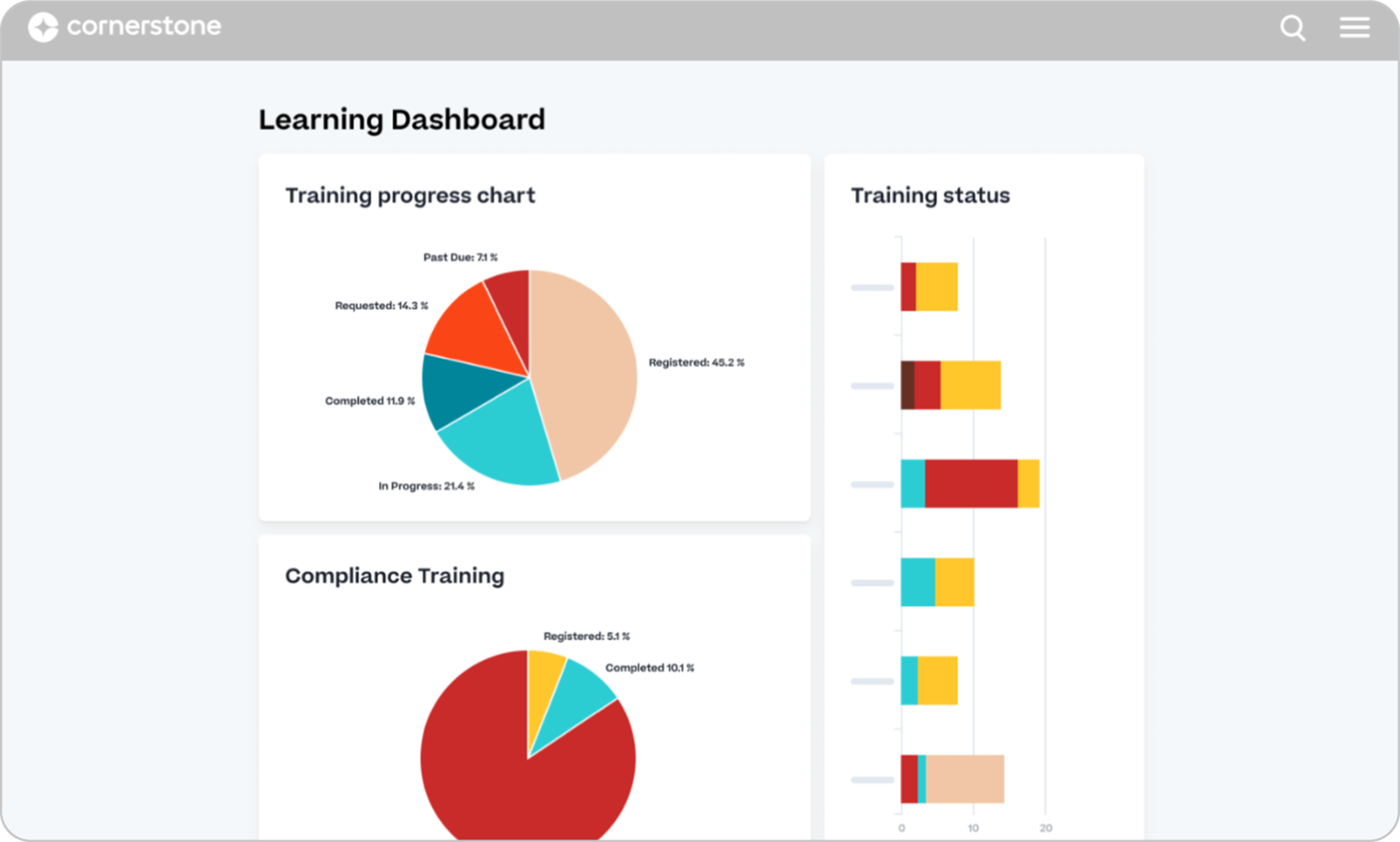
Cornerstone Learning is an AI-powered learning platform focused on employee upskilling, reskilling, and professional development. Powered by Cornerstone Galaxy AI, it uses skills intelligence and personalized learning recommendations to help organizations identify skills gaps and deliver relevant training.
The platform also offers AI-powered course assistance, adaptive learning experiences, and workforce analytics. Through the wider Cornerstone platform, organizations can access additional content management, immersive learning, and administrative automation capabilities.
Why we chose Cornerstone Learning
Cornerstone Learning’s main strength is its skills-based approach to employee development. Its AI capabilities help organizations identify skills gaps, recommend relevant training, and create personalized learning experiences.
With AI-powered course assistance, adaptive skills practice, and workforce insights, it’s particularly suited to larger organizations managing complex upskilling and reskilling programs.
Key AI features:
- Skills intelligence (Cornerstone Skills Engine): Helps organizations identify employee skills gaps, build skills profiles, and recommend relevant development opportunities.
- Personalized learning (Cornerstone Galaxy AI): Recommends training content and learning paths based on employees’ skills, roles, and development needs.
- Learning assistance (Course Assistant): Provides real-time answers and explanations within courses to help learners understand training content.
- Adaptive learning and skills practice (Adaptive Learning Agent): Creates personalized learning experiences with quizzes, guided practice, and role-play scenarios.
- Administration and analytics (Cornerstone Galaxy AI agents): Helps L&D teams monitor compliance, manage training assignments, generate reports, and gain workforce insights.
- Content curation (Cornerstone Galaxy AI): Helps organizations organize, tag, and recommend relevant learning content.
Other features:
- Performance management
- Engagement surveys
- Workforce management
- Gamification
- Integrations
- Certification
- Skills graph
- Reports & analytics
- Mobile learning
Best used for: Enterprise-level training, compliance training, customer and partner training, employee onboarding and training, academic learning.
Not the best fit for: Small business training, selling courses via eCommerce.
Pricing: No free plan. No price listed. Contact the vendor.
What Cornerstone Learning users are saying on G2
The Good
“If you can think of a special use case, it can handle it. You just need a little creativity, a little know how (they also have an extensive library of courses for Admins to learn from) and patience. And if you lack any of that, Cornerstone has a community of users at the ready to help answer any questions or solve any problems you may have. Office Hours are offered daily for any last minute help you may need.” — Cristi P., LMS Administrative Specialist, Enterprise, 5/5 stars
The Room for Improvement
“I’m wondering if AI can be incorporated to make it easier on the admin as they’re configuring settings; for example, AI could have pop-up reminders or notes that suggest, “Have you considered turning on X, since you have Y setting enabled?” or something alike, to help admins better understand the interconnectedness of the features they enable. — Joann V., LMS Specialist, Enterprise, 3.5/5
5. CYPHER Learning
Rating: 4.4/5 (319 reviews)
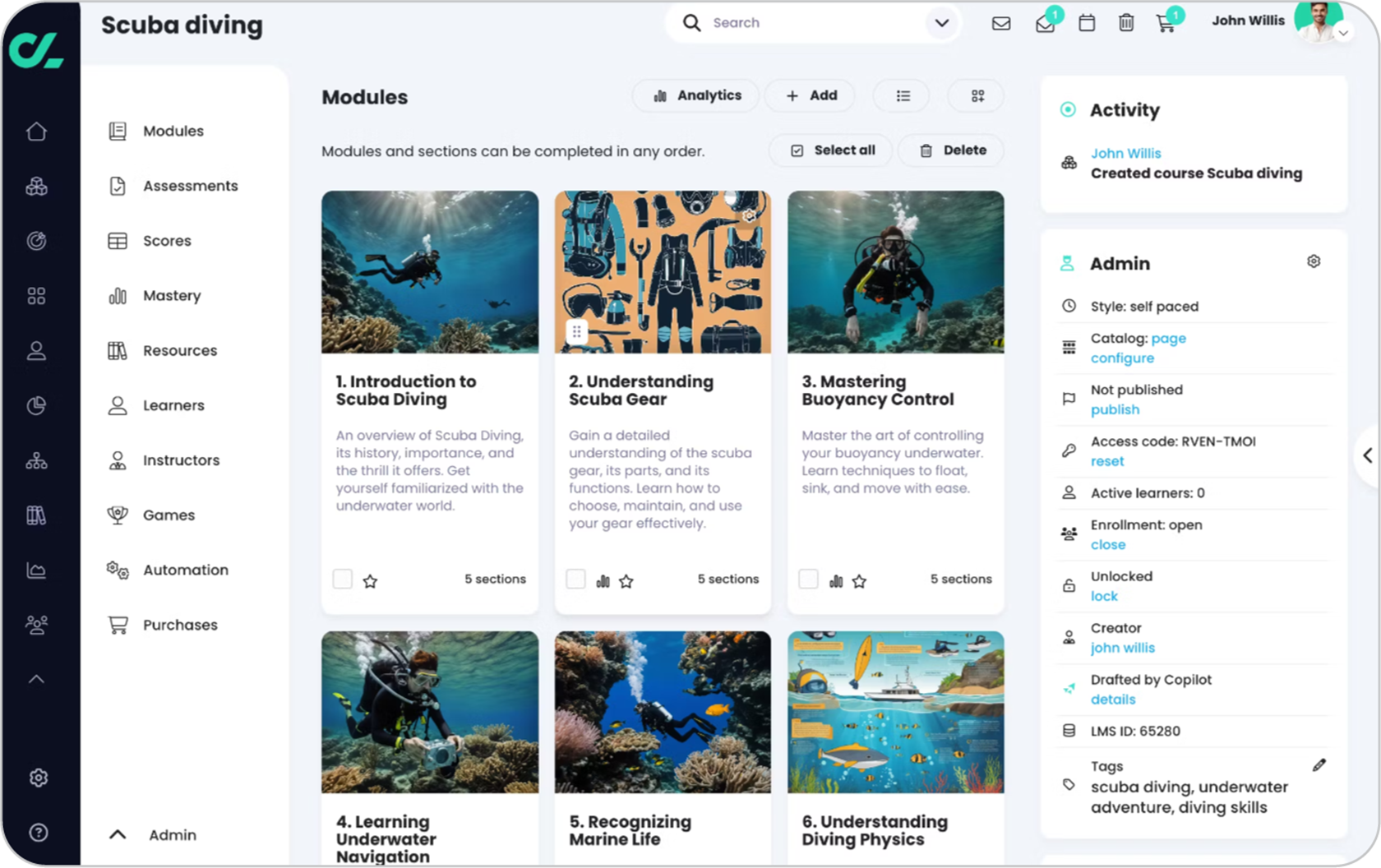
CYPHER Learning is an AI-powered learning platform with a user-friendly interface, designed for workplace training and educational institutions. Its native AI course authoring tools help instructors generate courses, assessments, and learning activities, while personalization features support employees’ individual skills development needs.
The platform’s CYPHER Agent extends AI support beyond course creation, offering on-demand learning, guided skills practice, and adaptive assessments. CYPHER also includes AI Crosscheck, which uses a second AI model to verify generated responses and reduce inaccuracies. Customizable interfaces and multilingual course creation help organizations deliver training to different audiences.
Why we chose CYPHER Learning
CYPHER Learning combines AI-powered course creation with personalized learning support. Its AI 360 capabilities help instructors generate and customize training content based on factors such as difficulty, teaching style, and target skills, reducing the need for extensive instructional design resources.
CYPHER Agent also helps learners access relevant information, practice skills, and assess their understanding, while AI Crosscheck adds an extra layer of verification to AI-generated responses.
Key features:
- Course creation (CYPHER Agent / AI 360): Generates courses, assessments, and learning activities from prompts or documents, with options to tailor content to specific skills and learning needs.
- Personalized learning (CYPHER Agent – Learn): Delivers on-demand learning content and guidance based on learners’ roles, goals, and organizational knowledge.
- Skills practice (CYPHER Agent – Practice): Provides guided, role-specific simulations with immediate feedback to help learners develop practical skills.
- Adaptive assessments (CYPHER Agent – Assess): Uses conversational knowledge checks to identify skills gaps and recommend development opportunities.
- Content verification (AI Crosscheck): Uses a second, independent AI model to check generated responses and reduce the risk of inaccuracies.
- Skills mapping and development (CYPHER Agent): Helps organizations map skills, identify gaps, and connect training to relevant employee development needs.
Other features:
- Content localization
- Learner assessments
- Personalized learning
- Social learning
- Skills-based learning
- Gamification
- Automations
- Reports & analytics
Best used for: Academic learning, external training, compliance training.
Not the best fit for: Small business training, government-level training.
Pricing: No free trial. No price listed. Contact the vendor.
What CYPHER Learning users are saying on G2
The Good
“We absolutely like CYPHER CoPilot, AFAIK the […] AI for learning content generation. Suddenly it’s easy and cost-efficient to create numerous chunks of learnings […]” — Roger H., Founder/CEO, Small Business, 5/5
The Room for Improvement
“Not my favorite Online Learning Platform because it is very clunky and not the most user friendly but it’s very robust” — Sarah R., Social Media and Digital Marketing Specialist, Small Business, 3/5
6. LearnUpon
Rating: 4.5/5 (262 reviews)
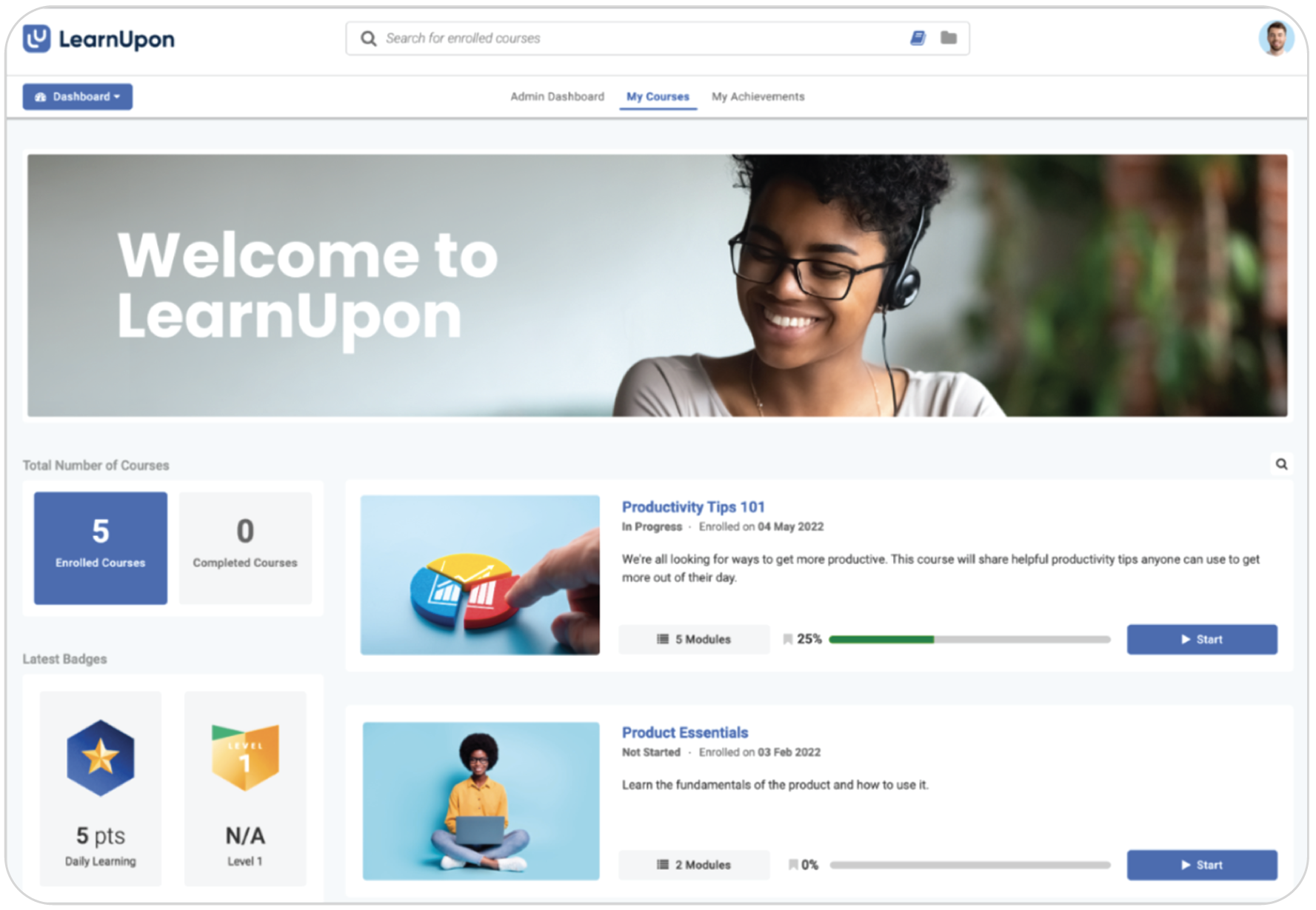
LearnUpon is an AI-powered learning platform that combines traditional LMS functionality with tools for creating, delivering, and personalizing workplace training. Its Create+ feature helps teams turn existing documents, videos, and other materials into interactive courses, while Ask Lia helps learners discover relevant training through conversational AI.
The platform also supports personalized learning journeys, AI-assisted assessments, and reporting. Separate learning portals allow organizations to deliver training to employees, customers, and partners.
Why we chose LearnUpon
LearnUpon stands out for its ability to support different training audiences within one platform. Its combination of AI-assisted course creation, personalized learning journeys, and dedicated portals makes it a good fit for organizations managing both internal and external training programs.
Key AI features:
- Course creation (Create+): Transforms documents, videos, presentations, and web links into interactive courses, helping teams create training content faster.
- Multilingual content creation (Create+): Supports AI-generated narration and translation into more than 120 languages for global training delivery.
- Learning assistance (Ask Lia): Helps learners discover relevant courses through conversational AI and personalized recommendations.
- Assessments (AI-supported Assessments): Generates draft exam questions and question pools from existing learning content, reducing manual assessment development.
- Reporting and insights (LearnUpon MCP Server): Connects learning data to external AI assistants, enabling administrators to explore training information using natural-language queries.
Other features:
- Automations
- Personalized learning
- Surveys
- Gamification
- eCommerce
- Portals (subdomains)
- Reports & analytics
- Integrations
Best used for: Employee onboarding and training, external training, eCommerce.
Not the best fit for: Academic learning, small business training.
Pricing: No free trial available. No price listed. Contact the vendor.
What LearnUpon users are saying on G2
The Good
“The create+ tool has added another level to creating content fast and reliably, without much re-work.” — Matthew A. Manager, Mid-Market, 4.5/5
The Room for Improvement
“There are still a few features my team needs. To get them, we have to submit a request and then wait for those features to be added.” —Verified User in Civil Engineering, Enterprise, 4.5/5
7. iSpring LMS
Rating: 4.6/5 (172 reviews)
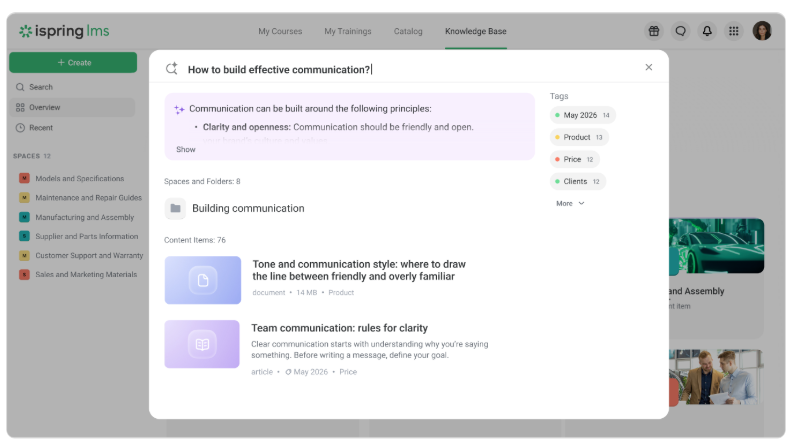
iSpring LMS is an AI-powered learning platform that combines training management with tools for creating and delivering workplace learning. Its built-in AI features help L&D teams generate courses from existing documents, create assessments and visuals, and translate training content into multiple languages.
Alongside its AI capabilities, iSpring LMS offers learning paths, reporting, and automated training administration. Teams can also use it with iSpring Suite AI, a separate authoring toolkit for creating PowerPoint-based courses, interactive quizzes, and training videos.
Why we chose iSpring LMS
iSpring LMS is a practical option for organizations that want AI-assisted course creation without a complex authoring workflow. Its compatibility with iSpring Suite AI makes it particularly appealing to L&D teams already comfortable creating training in PowerPoint, while its LMS features support straightforward training delivery and management.
Key AI features:
- Course creation (iSpring LMS): Turns uploaded documents, presentations, and other source materials into structured course drafts.
- Assessments (AI Quiz Generator): Creates knowledge checks and quiz questions based on existing course content.
- Learning visuals (AI Image Generation): Produces custom images from text prompts for use in training materials.
- Multilingual training (AI Translation): Translates course content into more than 70 languages while preserving its structure.
- Platform assistance (AI Assistant): Provides step-by-step guidance and answers to technical questions about using the platform.
Other features:
- Automations
- White labeling
- Course library
- Learner assessments
- 360-degree feedback
- Mobile learning
- Reports & analytics
- Gamification
- Integrations
Best used for: Employee onboarding and training, compliance training, external training.
Not the best fit for: Academic learning, Small-midsize business (SMB) training.
Pricing: Free trial available. $335 for 50 users per month (billed annually).
What iSpring LMS users are saying on G2
The Good
“…because of its incredibly good UI, it’s easy to use, and because of its very good structure, the implementation is easy and smooth. We are using it very frequently in several departments, and it’s great overall.” — Guillaume V., CEO, Small Business, 4.5/5 stars
The Room for Improvement
“What I dislike most about iSpring LMS is that some customization options are limited, especially for reporting and the learner interface. A few administrative tasks can also feel repetitive, and the platform could offer more flexibility when managing complex training programs.” – Verified User in E-Learning, Small-Business, 4.5/5 stars
8. Mitti (by SafetyCulture)
Rating: 4.6/5 (482 reviews)
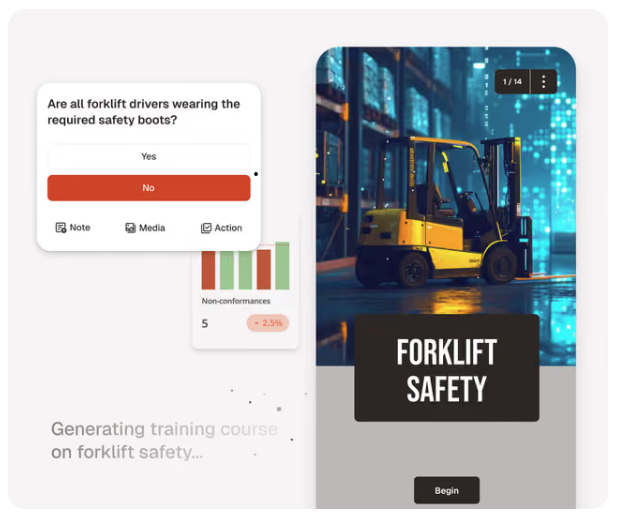
Mitti (by SafetyCulture), formerly SC Training, is a mobile-first learning platform designed for frontline and operational teams. Its AI-powered tools help instructors turn documents, photos, and text prompts into bite-sized courses, while ready-made content and interactive templates support engaging training.
As part of a broader workplace operations platform, Mitti connects training with activities such as inspections and compliance management. It also offers AI-powered translation and narration, learner progress tracking, gamification, and certificates.
Why we chose Mitti (by SafetyCulture)
Mitti stands out for its focus on frontline employees who need accessible training without being tied to a desk. Its mobile-first approach makes it particularly useful for organizations with distributed teams, while its connection to wider workplace operations helps bring learning closer to everyday tasks.
Key AI features:
- Course creation (Create with AI): Generates bite-sized training courses from text prompts, PDFs, PowerPoint presentations, and Word documents.
- Mobile course creation (Create with AI): Turns photos of training materials captured on a smartphone into course drafts.
- Content editing (Training AI Text Editor): Helps instructors write, rewrite, and refine lesson content.
- Assessments (AI Quiz Generator): Creates quiz questions to check learners’ understanding of training content.
- Multilingual training (AI Translation and Narration): Translates courses into more than 100 languages and adds AI-generated voice narration.
Other features:
- Mobile learning
- Microlearning
- Course template library
- Reports & analytics
- Gamification
- Social learning
- Blended learning
- Integrations
Best used for: Mobile training, small business training, compliance training.
Not the best fit for: Academic learning, government-level training.
Pricing: Free plan available. Pricing starts at $5 per user, per month e.g., $200 per month for 40 learners (Premium). For Enterprise plans, contact the vendor.
What Mitti (by SafetyCulture) users are saying on G2
The Good
“It is extremely easy to create courses, particularly now with the AI features.” — Pam S., CEO and Founder, Small Business 5/5 stars
The Room for Improvement
“I find the AI functionality a bit clunky. Additionally, when utilizing the feature to convert existing forms into digital versions through AI, it doesn’t always get the conversion exactly right.” Callum E., 5/5
9. LearnWorlds
Rating: 4.7/5 (400 reviews)
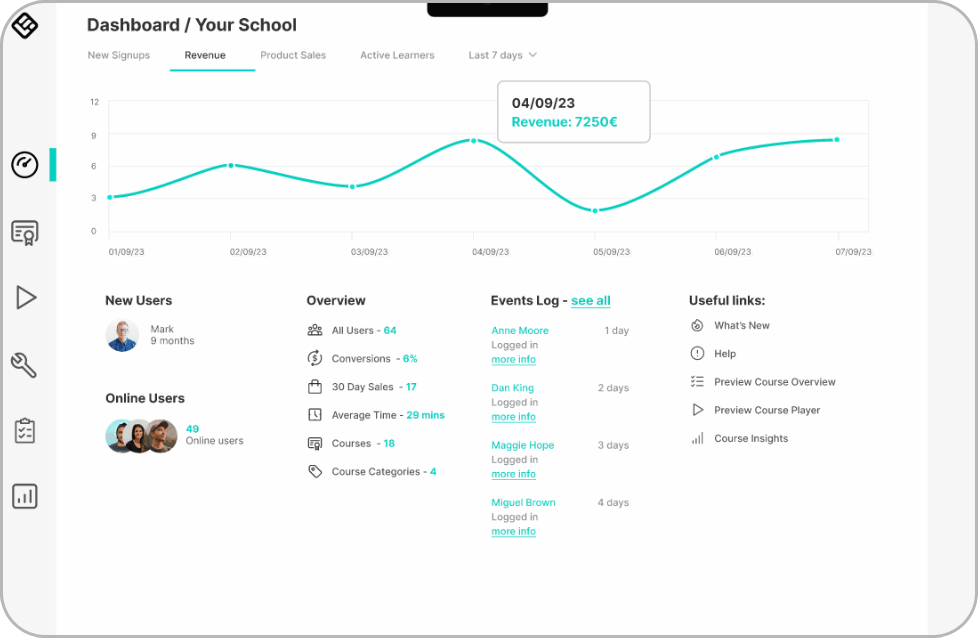
LearnWorlds is an AI-powered learning platform designed for creating, delivering, and selling online courses. Its AI tools help instructors turn existing materials into structured courses, generate assessments and videos, and refine content using AI authoring agents. Interactive video and customizable learning experiences also support learner engagement.
The platform offers customizable websites, eCommerce and marketing tools for organizations delivering training to external audiences. Instructors can organize learning paths, release content gradually, and give learners tools to take notes and revisit course materials.
Why we chose LearnWorlds
LearnWorlds stands out for its focus on building and running online learning businesses. It’s particularly well suited to training providers and organizations that want to create branded learning experiences, attract paying learners, and manage course sales alongside training delivery.
Key AI features:
- Course creation (AI Course Creator): Turns uploaded documents and existing materials into structured course outlines, lessons, and learning activities.
- Content authoring (LearnWorlds AI): Generates and refines lesson text, ebooks, and other learning materials using prompts and course context.
- Assessments (AI Assessment Builder): Creates quiz questions and assessments, with options to adjust their difficulty and content.
- Video creation (AI Video & Audio): Generates presenter-led training videos from scripts using AI avatars and voices.
- Course editing (Authoring Agents): Applies requested changes across assessments and learning materials, including rewriting, adjusting difficulty, and translation.
- Learning visuals (LearnWorlds AI): Creates images, illustrations, and infographics to support course content.
Other features:
- eCommerce
- Affiliate program
- Blended learning
- Mobile learning
- Integrations
- ILT
- SCORM-compliant
- Reports & analytics
- White labeling
Best used for: eCommerce, small-midsize business (SMB) training, external training.
Not the best fit for: Enterprise-level training, employee onboarding and training, compliance training
Pricing: Free trial available. Pricing starts at $99/month (Pro Trainer Plan), $299/month (Learning Center Plan), and custom plans for Enterprise users.
What users say about LearnWorlds on G2
The Good
“I can easily import lessons from PDFs and other files, create activities and self-graded exams, and use automated AI grading for written assignments.” — Benjamin K., Small-Business, 4.5/5
The Room for Improvement
“There are a few things that could use some improvement. The AI functionality is one area that hasn’t quite hit the mark for me yet. It seems like the AI is still learning, and when I use it to build something, I often find myself going back to recreate it on my own.” — Charles S., Small-Business, 5/5
10. Sana Learn
Rating: 4.8/5 (121 reviews)

Sana Learn is an AI-powered learning platform designed to personalize workplace training. Its AI tools help teams create courses, generate assessments, summarize materials, and provide contextual answers to learners’ questions. The platform also adapts learning experiences to individual knowledge levels and supports collaboration through shared discussions and real-time knowledge exchange.
Why we chose Sana Learn
Sana Learn stands out for its focus on personalized, AI-supported learning rather than course creation alone. Its combination of adaptive learning, contextual learner support, and AI-assisted administration makes it particularly relevant to organizations looking to deliver tailored training at scale.
Key AI features
- Course creation (Edit Mode): Transforms PDFs, presentations, and existing training materials into editable courses and interactive learning activities.
- Personalized learning (Tutor Mode): Creates learning paths based on learners’ existing knowledge and provides tailored explanations, practice, and feedback.
- Learning assistance (AI Tutor): Answers learner questions using relevant company knowledge and course materials.
- Skills tagging: Automatically categorizes training content by skill and proficiency level to support skills-based learning.
- Administration (Admin Mode): Helps administrators assign training, manage groups, send reminders, and perform supported tasks using natural-language instructions.
- Learning analytics: Answers questions about training performance and generates dashboards and insights from learning data.
Other features
- Collaborative learning
- Knowledge base integration
- SCORM support
- Reports & analytics
- SSO and API integrations
- Mobile-friendly design
Best used for: Knowledge-sharing, internal employee learning, and continuous development.
Not the best fit for: eCommerce, external customer training, or traditional compliance training.
Pricing: No free trial. Starts at $13 per user monthly (Sana Core). Plans start at 300 users. Pricing varies by volume. For 3000+ users, contact the vendor.
What users say about Sana Learn on G2
The Good
“I love the engagement features, the use of AI to support course generation, the UX – it’s so fresh.” — Gemma T., Education Program Manage, Mid-Market, 5/5 stars
The Room for Improvement
“Sometimes the AI suggestions are not fully accurate, and it takes a bit of time to find the exact content I’m looking for. Also, a few features could use more customization options.” — Omar E., Senior Accountant, Enterprise, 5/5
11. 360Learning
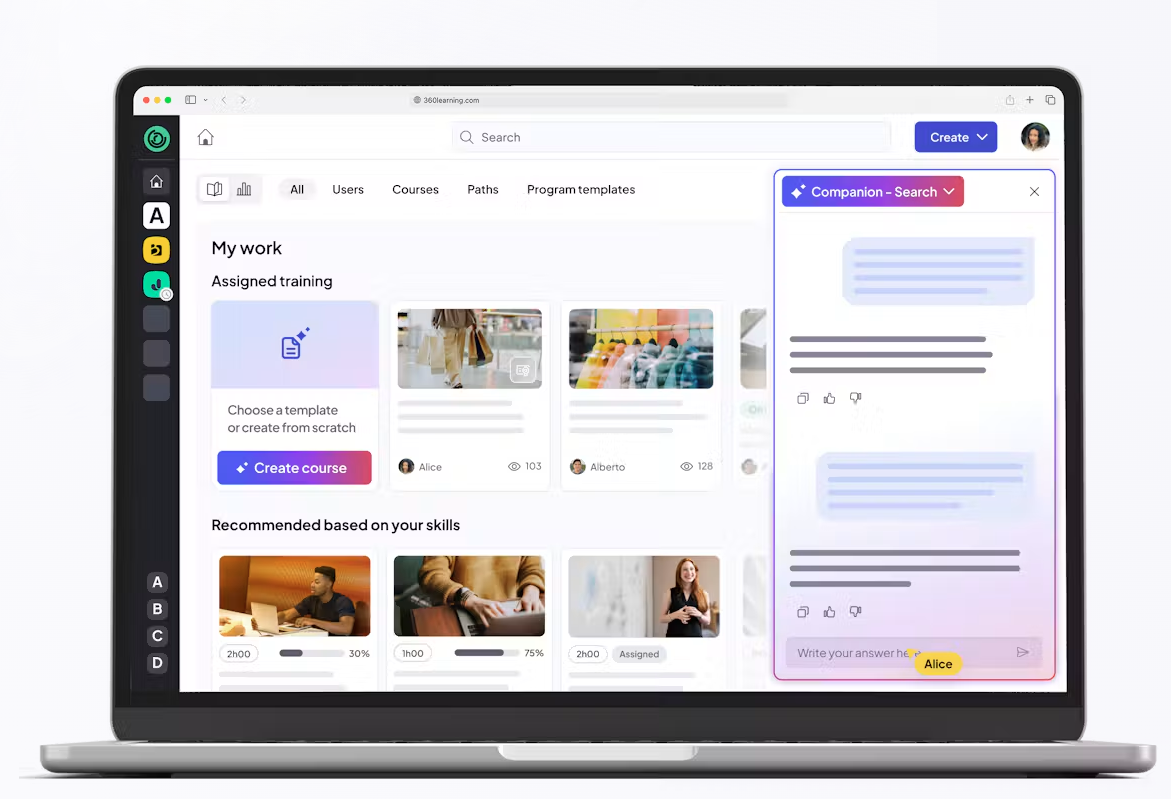
360Learning is an AI-powered collaborative learning platform that helps organizations turn internal expertise into employee training. Its AI-assisted authoring tools allow L&D teams and subject-matter experts to create courses together, while its AI Companion helps learners find answers from training materials and supports skills development.
The platform also offers personalized learning recommendations, multilingual training, and AI-assisted administration and reporting, alongside tools for tracking learning progress.
Why we chose 360Learning
360Learning stands out for its collaborative approach to workplace training. Rather than relying solely on L&D teams to produce content, it enables employees and internal experts to contribute their knowledge, making it particularly useful for organizations that want to capture expertise, encourage knowledge sharing, and keep training relevant as business needs evolve.
Key AI features
- Course creation (AI Content Builder): Turns documents, outlines, and prompts into editable courses, including learning content and assessment questions.
- Learning assistance (AI Companion – Search Mode): Answers learners’ questions using course materials and knowledge shared by internal subject-matter experts.
- Personalized learning (AI Companion – Coach Mode): Recommends relevant learning based on employees’ roles, learning history, and development plans.
- Skills development (AI Skills Tagging): Automatically tags training content with relevant skills and supports skills-based learning recommendations.
- Administration and analytics (AI Companion – Action and Insights Modes): Helps administrators manage course catalogs through natural-language instructions and retrieve insights from learning data.
- Multilingual training (AI Translation): Translates course content into 30+ languages to support training across international teams.
Other features
- Collaborative learning
- Knowledge base integration
- SCORM support
- Reports & analytics
- SSO and API integrations
- Mobile-friendly design
Best used for: Organizations that want to combine AI-powered training with collaborative learning, internal knowledge sharing, and skills development.
Not the best fit for: Teams looking for a simple, lightweight LMS without a strong emphasis on collaborative course creation and subject-matter expert involvement.
Pricing: Free trial. $8 / user per month up to 100 users.
What users say about 360Learning on G2
The Good
“Its AI-powered tools help streamline course creation and make it easier to develop relevant content efficiently.” — Jennifer C., Operating Officer, Mid-Market, 5/5
The Room for Improvement
“The AI search tool used to be much better at finding courses from a descriptive prompt, though the support team is already working on it and I look forward to this issue being resolved soon.” — Donna C., Training and Development Manager, Mid-Market, 5/5
3 platforms to sharpen AI and machine learning skills
AI-powered learning platforms can help you create and deliver training. But what if your goal is to help employees develop their own AI and machine learning skills?
The following platforms offer courses and learning resources to build AI knowledge and practical skills. They can complement your existing LMS and wider L&D strategy, rather than replace the tools you use to manage workplace training.
12. fast.ai
fast.ai is a free, open-source learning initiative offering practical courses in deep learning and AI. Its hands-on approach helps learners build and experiment with machine learning models using real-world examples, supported by tutorials and an active learning community.
Best used for: Developers and technically confident learners who want to build practical deep learning skills through coding and projects.
Not the best fit for: Employees with no programming experience or organizations looking for a managed, instructor-led corporate training program.
Pricing: Free and open source.
13. DeepLearning.AI
DeepLearning.AI, founded by AI educator Andrew Ng, offers expert-led courses covering everything from AI fundamentals and prompt engineering to machine learning, generative AI, and agentic AI. Learners can choose short, focused lessons or more comprehensive programs, with hands-on coding exercises, projects, and professional certificates available through its paid membership.
Best used for: Professionals and teams looking to develop practical AI skills, from introductory knowledge to advanced technical capabilities.
Not the best fit for: Organizations looking for a full LMS to create, assign, and manage their own workplace training programs.
Pricing: Free access to course videos. Pro membership starts at $25 per user per month for teams (billed annually, minimum 10 users). Individual course pricing varies; enterprise pricing is custom. $49 per month via Coursera for certain subscriptions.
14. Class Central
Class Central is an online course discovery platform that helps learners find and compare AI and machine learning courses from universities and providers such as Coursera and edX. Its searchable catalog, curated course guides, and learner reviews make it easier to compare options by topic, difficulty, duration, and cost.
Best used for: Individuals and L&D teams researching and comparing AI training courses across different providers.
Not the best fit for: Organizations looking for a single platform to deliver, manage, and track employee training.
Pricing: Free to use; individual courses and certificates may have associated fees.
Benefits of an AI LMS
An AI LMS can do more than speed up course creation. The right platform can help L&D teams deliver relevant training, develop employee skills, and support learners as they put new knowledge into practice.
When comparing AI-driven learning platforms, focus on how their features support your training goals:
- Faster content creation: Turn existing materials into courses, assessments, and learning activities with less manual effort, while keeping instructors in control of quality.
- More targeted skills development: Identify development needs and connect employees with training that helps them build relevant skills.
- Less administrative work: Streamline routine tasks, manage training across teams, and gain clearer visibility into learner progress.
- Better support for learning and application: Give employees access to guidance, feedback, and opportunities to practice what they’ve learned—not just complete another course.
Not every platform delivers these benefits in the same way. Some focus primarily on content generation, while others offer learner support, skills tools, or practice-based learning. The key is choosing a platform that supports the outcomes your team needs.
For a closer look at these capabilities, explore our guide to AI LMS benefits and essential features.
How to choose the right AI learning platform from your shortlist
Once you’ve narrowed down your options, the next step is to find out which platform fits your team’s needs—not just which one has the longest AI feature list.
Start by comparing how your shortlisted platforms perform in a few practical areas:
- Your training priorities: Which platform best supports your main use cases, whether that’s onboarding, compliance, employee upskilling, or customer and partner training?
- AI capabilities that matter: Do you need faster course creation, learner support, skills development, or opportunities for employees to practice what they’ve learned?
- Ease of adoption: Can your team create and manage training without extensive technical support? Will the platform integrate with your existing tools?
- Total cost: Which AI features are included in the advertised price, and which require upgrades, additional credits, or separate subscriptions?
- Real-world performance: During a trial, how well does each platform handle your training materials? Is the generated content accurate and easy to edit? Can learners show progress beyond course completion?
A side-by-side comparison of your top two or three options can make the trade-offs clearer.
Choose an AI learning platform that turns learning into action
AI-powered learning platforms are changing what’s possible in workplace training. There’s no single best AI learning platform for every organization. Some excel at creating training content, while others focus on personalized learning, skills development, or learner support. The right choice depends on your team’s needs, budget, and how you plan to use AI in your training programs.
As you weigh your options, think beyond what each platform can generate or automate. Consider how it helps employees build confidence, practice new skills, and apply what they’ve learned in their day-to-day work. After all, the goal isn’t simply to deliver more training. It’s to make that training count.
FAQs
What’s the difference between an AI learning platform and an AI LMS?
An AI learning platform is a broad term for software that uses artificial intelligence to support learning and development. An AI LMS is a type of AI learning platform that also manages training delivery, learner enrollment, progress tracking, and reporting. Not every AI learning platform is a full LMS. Some focus on course creation, personalized learning, or helping people develop specific skills.
Which AI learning platform is best for employee training?
The best platform depends on your organization’s size, training needs, and budget. TalentLMS is an option for small and midsize businesses looking for an easy-to-use training platform, while Docebo, Absorb LMS, and Cornerstone Learning cater to more complex enterprise training requirements. Platforms such as 360Learning and Sana Learn also emphasize internal knowledge sharing and continuous employee development.
How much does an AI learning platform cost?
Pricing varies by platform, number of learners, and included AI features. Some platforms, including TalentLMS and Mitti, offer free plans, while others use subscription pricing or custom enterprise quotes. When comparing costs, check whether AI course creation, learner assistance, translation, and other capabilities are included in the base plan or require additional fees. For more guidance, see our LMS pricing guide.
How can you tell if an AI learning platform is right for your organization?
Start with your main training goals, whether that’s creating courses faster, developing employee skills, improving learner support, or managing training at scale. Then compare the AI features each platform actually offers, how easily it integrates with your existing systems, and its total cost. Where possible, test your shortlisted platforms using real training materials and workflows before making a decision.