
TL;DR
- Pinpoint what changed, identify the affected training, and prioritize by business impact.
- Make targeted edits instead of rebuilding whole courses. Communicate the changes and reinforce them.
- The right LMS features make it easier to identify skills gaps, assign training, and track progress.
Updating employee training when workflows change is something most companies struggle to keep up with. This is also essential for HR and L&D teams juggling limited time and resources. Emerging technologies, new tools, and changing customer expectations and regulations impact how teams work now.
When your company rolls out a new tool, updates a compliance requirement, or restructures a team’s responsibilities, the training behind those roles needs to keep up.
Without updated training, employees can fall back on old habits. They work around a tool instead of using it, or miss what a new feature would’ve caught. The result: slower resolutions, inaccurate answers, and frustrated employees. Only 16% say skill-building keeps pace with new needs, per the TalentLMS Speed to Skill Report.

“Upskilling doesn’t fail because people don’t want to learn. It fails because learning is still treated as an interruption.”
For more, see our employee training guide.
How do you update employee training when workflows change?
Pinpoint the exact workflow change, identify the affected training materials, prioritize updates by business impact, make targeted edits instead of rebuilding entire courses, communicate the changes, and reinforce through knowledge checks and manager follow-up. Use an LMS to identify skills gaps, assign training by role, and track whether the updates improve performance.
The same steps apply whether the change is a new tool, an updated regulation, or a shift in customer demand. They’re not limited to the example used here.
Pinpoint what’s changed
Start by naming the exact trigger, not just “things changed.” Identify what part of the workflow changed, why, and what employees now have to do differently. This helps L&D move swiftly, especially when updates are needed for safety or compliance reasons.
For example, customer service teams used to spend minutes sifting through a knowledge base for the right resolution. With an AI-powered knowledge base, they can describe the situation and get a tailored resolution in seconds. Reflect that change in training without redesigning the entire program.
Identify the affected training and training materials
Once you know what changed, identify the affected training and respective training materials. Look at the employee roles that use the workflow and the training module or course where it’s taught. Include any job aids, employee onboarding materials, or supporting content.
Look for signs that training may no longer be working, like dips in productivity, repeated errors, or rework. Employee and manager feedback can also point to gaps. WEF reported that 63% of employers cite the skills gap as the single biggest barrier to business transformation. That gap usually starts with training nobody flagged as outdated.
Skip this, and you risk updating the wrong material, missing employees who need it, or overhauling training that still works.
Prioritize by impact
Most organizations likely don’t have the time or resources to tackle every training program at once.
Ask: “Which workflow change has the biggest impact on our current business priorities?”
For example, if customer retention is a key priority and your service processes recently changed, update that training first. Training with less impact on that goal can follow later.
Urgency and risk matter too. Safety, compliance, and security-related training may need priority. Failing to address them can lead to lost customers and profits, as well as fines and lawsuits. According to IBM, a single data breach costs organizations millions on average. That cost often traces back to a training gap.
Make targeted edits
Updating employee training when workflows change doesn’t mean rebuilding from scratch. Revise only what changed: the specific section or module where it’s taught, along with related job aids, examples, and assessments. A full course rebuild is only necessary if there’s a major change in the workflow or product.
Use version dates or a simple change log to label what’s been updated and what’s still in progress. Good training content management means employees can quickly identify the current process, while L&D and managers can monitor training updates.
Rebuilding an entire course over one changed part delays getting the correct information to employees, leaving them to follow an outdated process.
Communicate the change
For smaller workflow changes, communication may be more effective at the manager level. Managers can explain what changed through email, team meetings, or one-on-ones and reinforce what employees need to do differently. Gartner’s 2026 CHRO research found that routine change leads to stronger adoption. When change becomes a normal part of how teams work, adoption is three times more likely to succeed.
The update should also live in your LMS or other training tools. A short video clip can work as a quick micro-update employees refer back to.
Reserve formal training revisions or in-class sessions for major changes that need more instruction. Otherwise, employees may miss the update, follow old workflows, or apply processes inconsistently.
Reinforce and review
Check whether the update stuck. Look at:
- short knowledge checks or simulations
- manager check-ins and coaching conversations
- work outcomes like errors, rework, and completion times
- support questions and compliance issues
Set a date to review the update, but also revisit it when performance data shows a problem or another workflow change happens.
If employees are still making the same mistakes, find out why. The training may need another update, employees may need additional coaching, or the workflow itself may be the problem. Following up also surfaces new issues early, which helps improve the next round of training updates.
Remember that updating employee training when workflows change is easier when you build review into the process. Get your free Employee Training Updates Checklist by TalentLMS to make sure you’re always one step ahead of changes.
How to make employee training updates easier with TalentLMS
Spreadsheets and manual training tracking aren’t manageable or scalable. As your company grows, running training needs assessments gets harder and slower.

“Instead of interrupting work to deliver training, you embed learning inside the workflow precisely when it’s needed, invisible when it isn’t.”
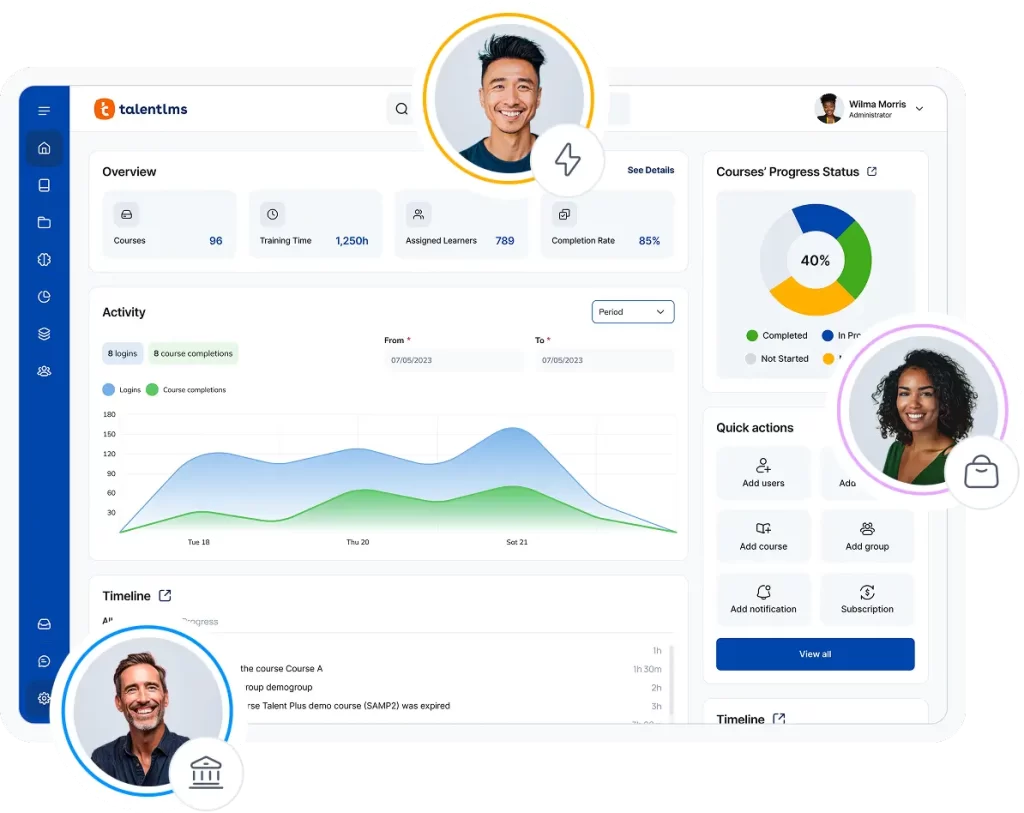
With the right LMS features, you can manage courses and users, automate routine tasks, connect training with other tools, and monitor progress in one place. Instead of combing through spreadsheets to figure out what requires updating, you can quickly find and update the relevant training.
Identify skills gaps
Identifying the specific missing skill lets you target the right behavior and correct it without revamping the whole training. An LMS makes this process more systematic and objective. Instead of gut feel, you can use features like Skills to track and recognize the employees’ skills gaps and match them with relevant training.
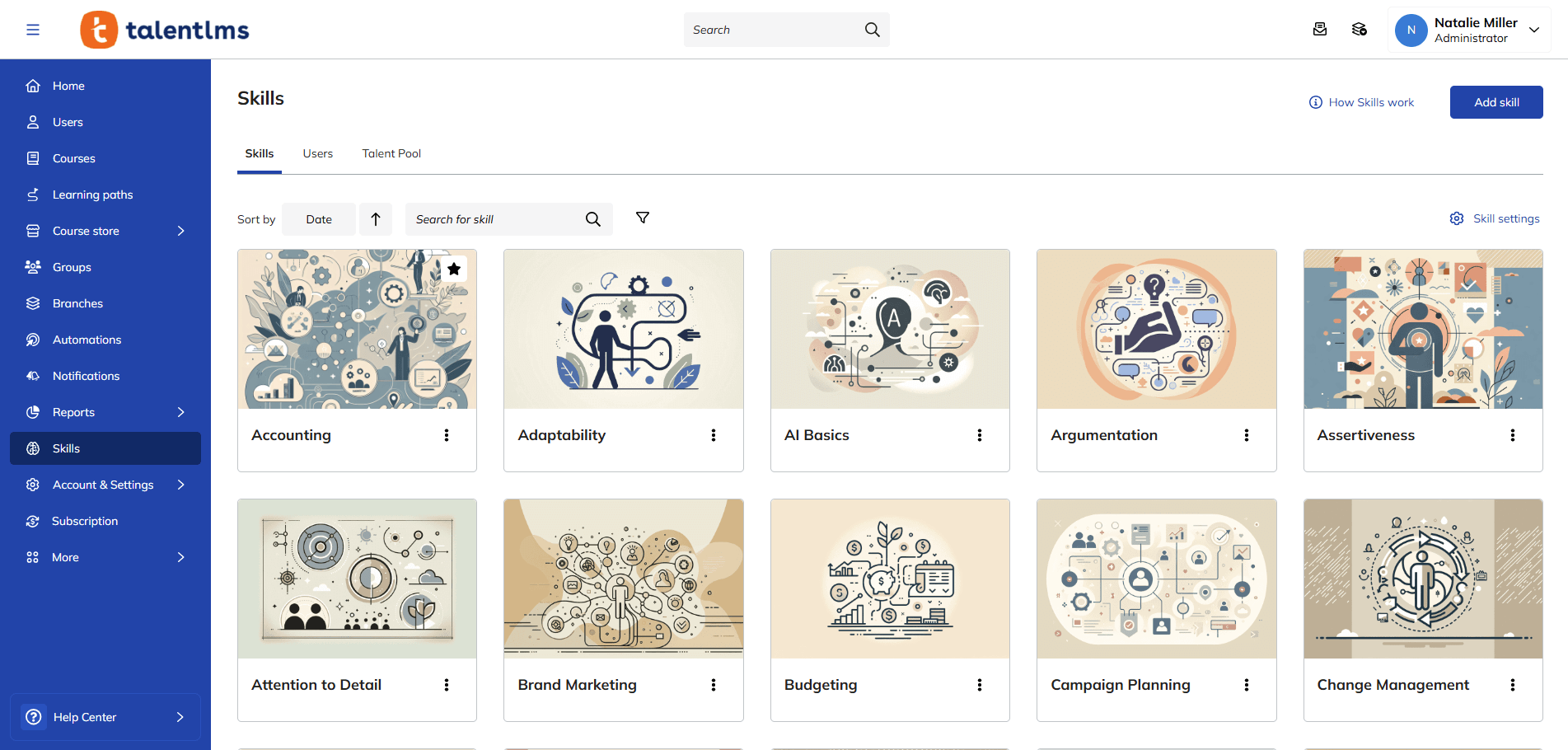
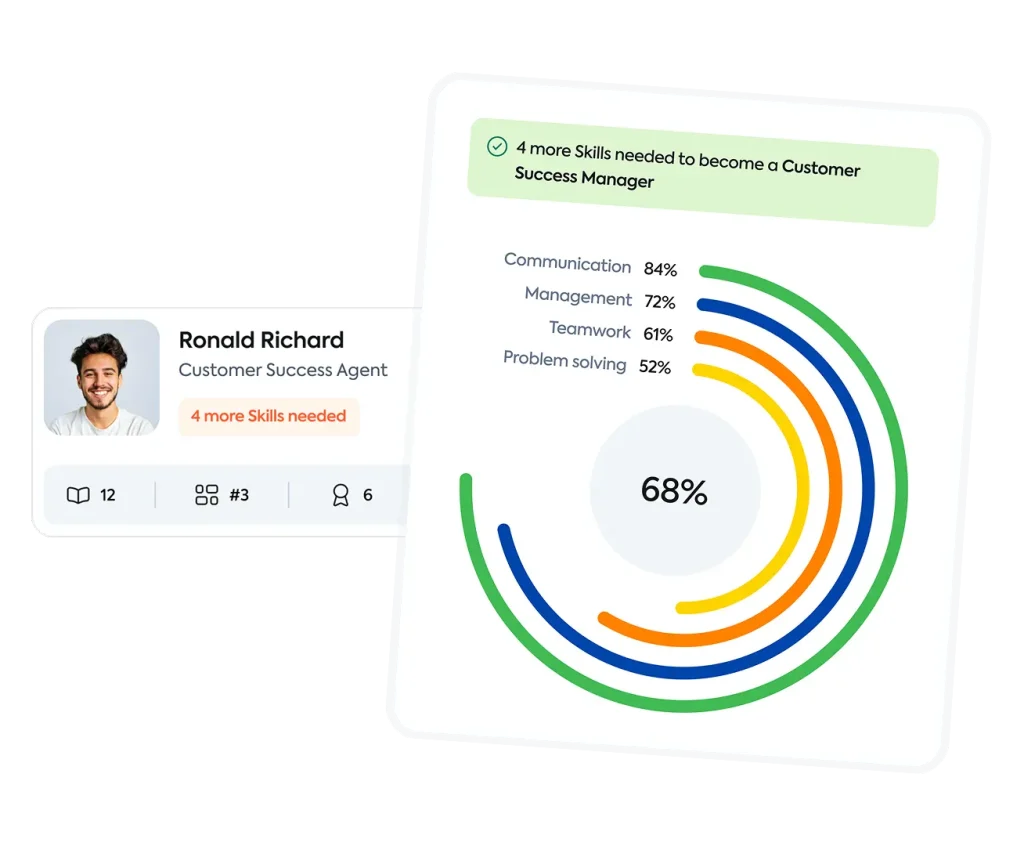
This also reveals whether it’s an individual or team-wide problem. One employee lacking a skill may need extra training. If many employees share the same gap, the training itself may need updating.
Assign the right training to the right people
Training is more effective when you assign it based on employees’ roles and duties. Irrelevant training wastes time and can affect company productivity at scale.
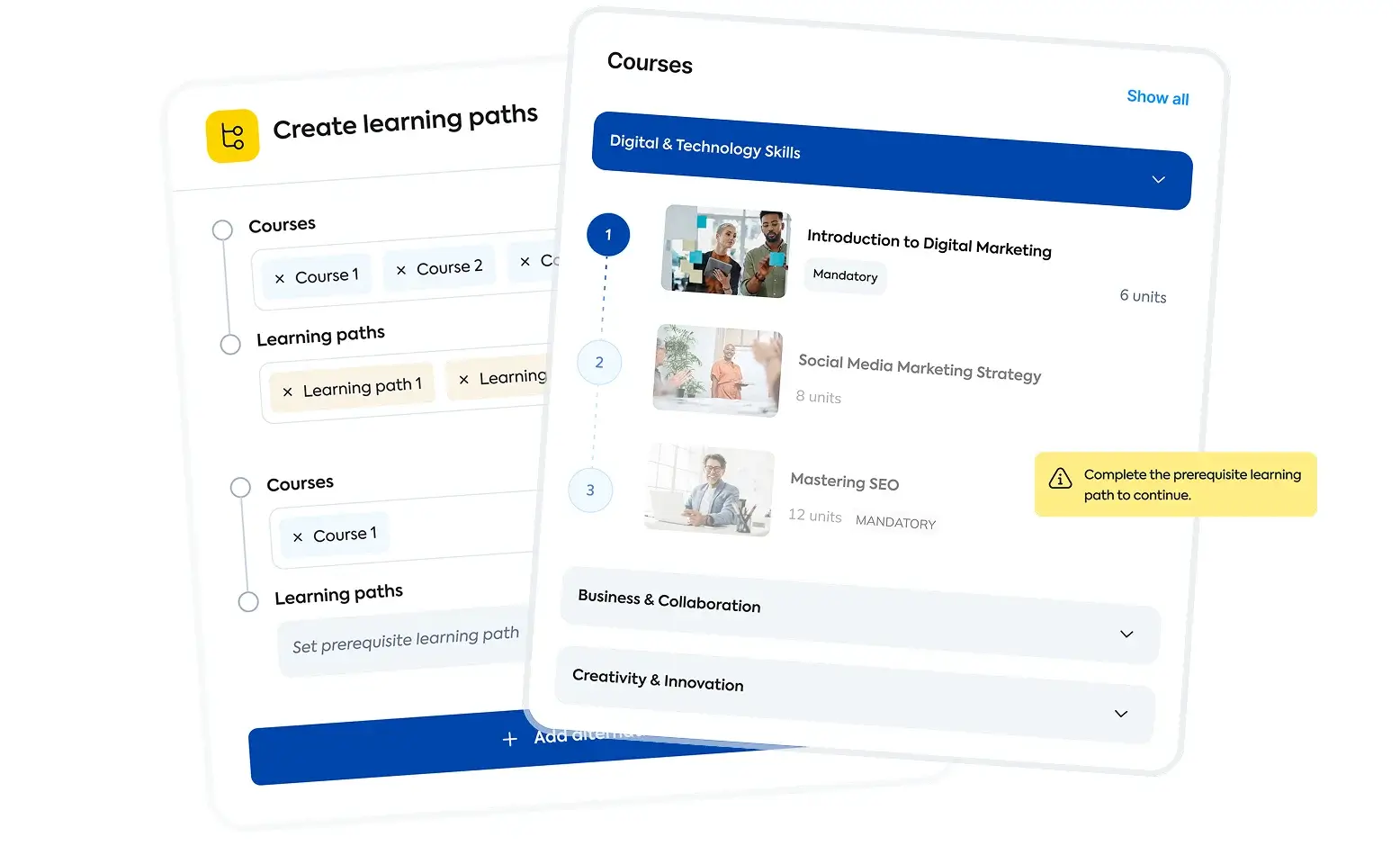
With Learning Paths, employees can see what’s coming up next ahead of time. It also lets them unlock new courses step by step and track progress toward clear learning goals. This step-by-step approach keeps learners from feeling overwhelmed. Employees build the knowledge they need before moving to the next stage, making learning easier and more effective.
Use pre-build courses to fill common gaps
Not every workflow change requires custom content. When the update covers a common topic, like compliance, onboarding, or soft skills, TalentLibrary™ offers ready-made courses that stay current. Instead of building a module from scratch for a widely needed skill, you can assign a pre-built course and focus your time on training that’s unique to your organization.
This is particularly useful for keeping training up to date across fast-moving topics like data privacy or workplace safety, where regulations change frequently and pre-built content is updated to reflect them.
Turn changes into courses
Creating or updating a course manually takes time, from planning content and uploading videos to updating documentation and checking for gaps. With TalentCraft, TalentLMS’s AI course creator, you don’t need design skills to turn those changes into training. It works whether you’re building a compliance module or updating onboarding. Its AI-powered tools can generate content, build course sections, and create assessments, making it faster to get updated training in front of employees.
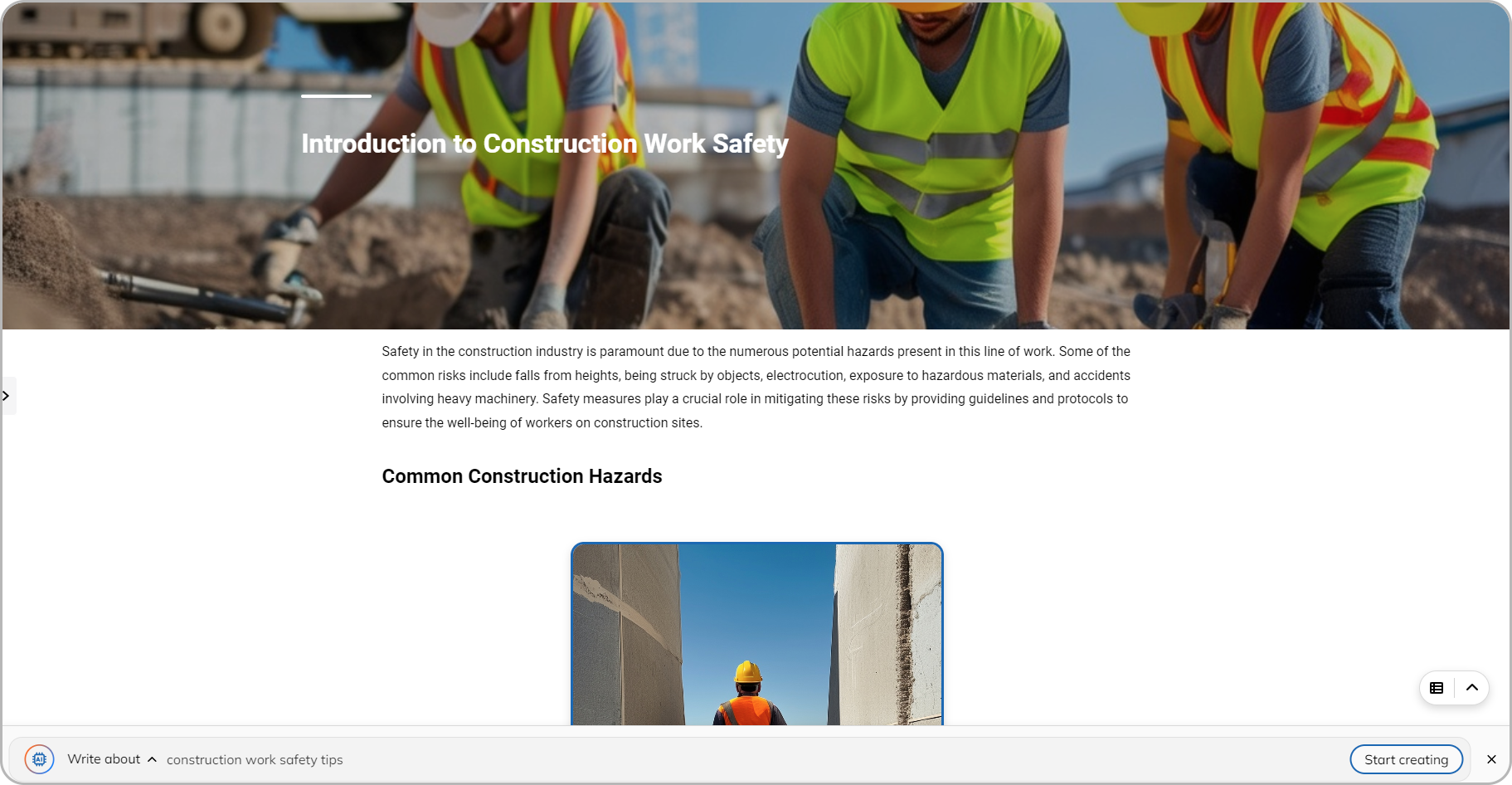
Speed matters when workflows change. Delayed updates could leave employees following outdated processes or using the wrong information, leading to service delays and customer dissatisfaction.
Add practice before performance
Training can be more effective when employees practice in a real or near-real situation. With Learning Playground, employees can practice real-life scenarios through AI-powered simulations.
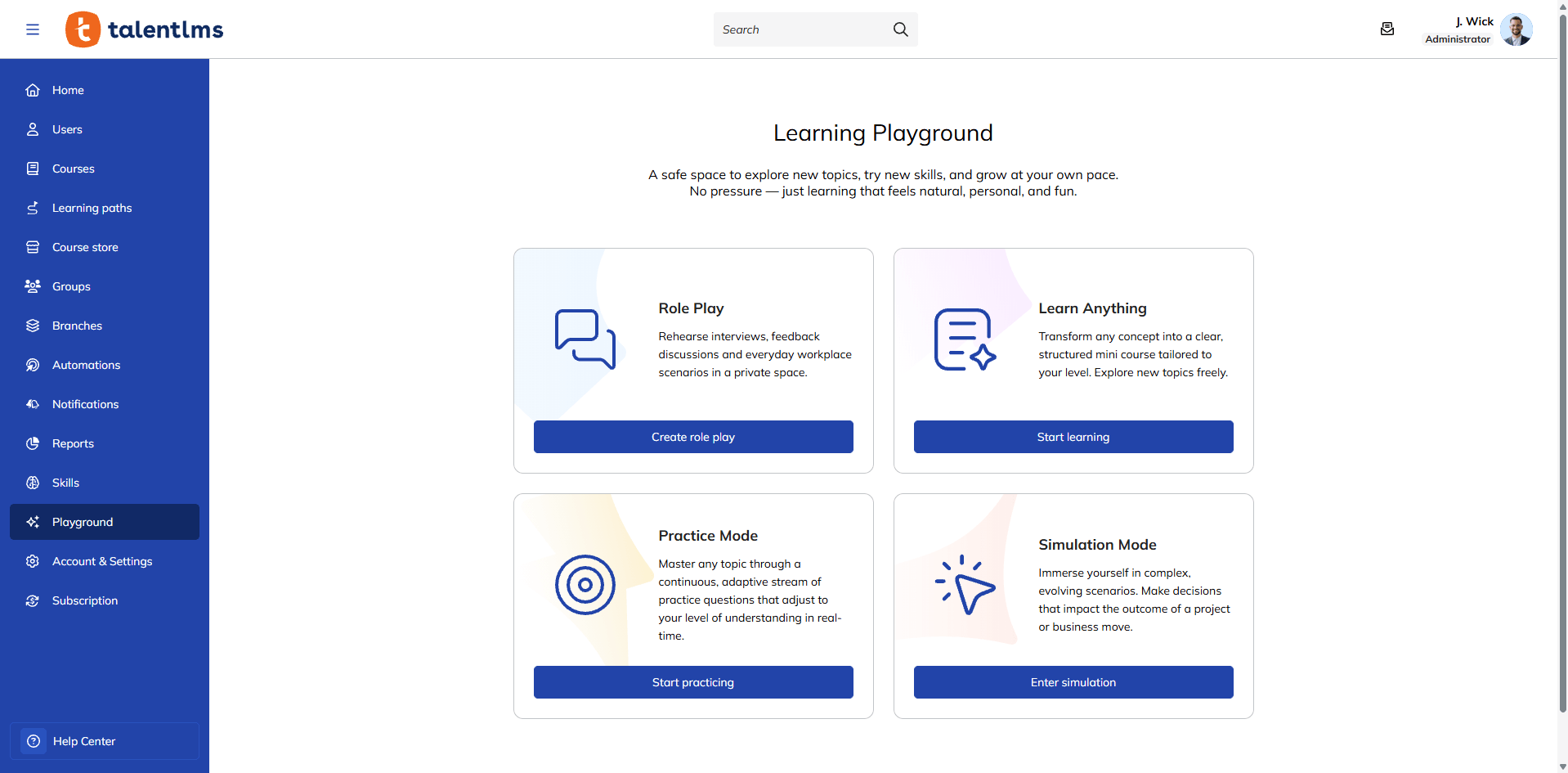
For example, customer service employees can practice handling different customer situations before encountering them on the job. They learn what the problem looks like, which tools to use, and what steps to take.
This gives employees a safe environment to learn and practice the right behavior instead of making those mistakes with a real customer.
Track training ROI and learner progress
Don’t stop at training completion. Track and measure whether the training update leads to better employee performance, higher customer satisfaction, and fewer mistakes.
Reporting dashboards in TalentLMS help track assessment results and provide custom analytics on completion, knowledge acquisition, and learner engagement.
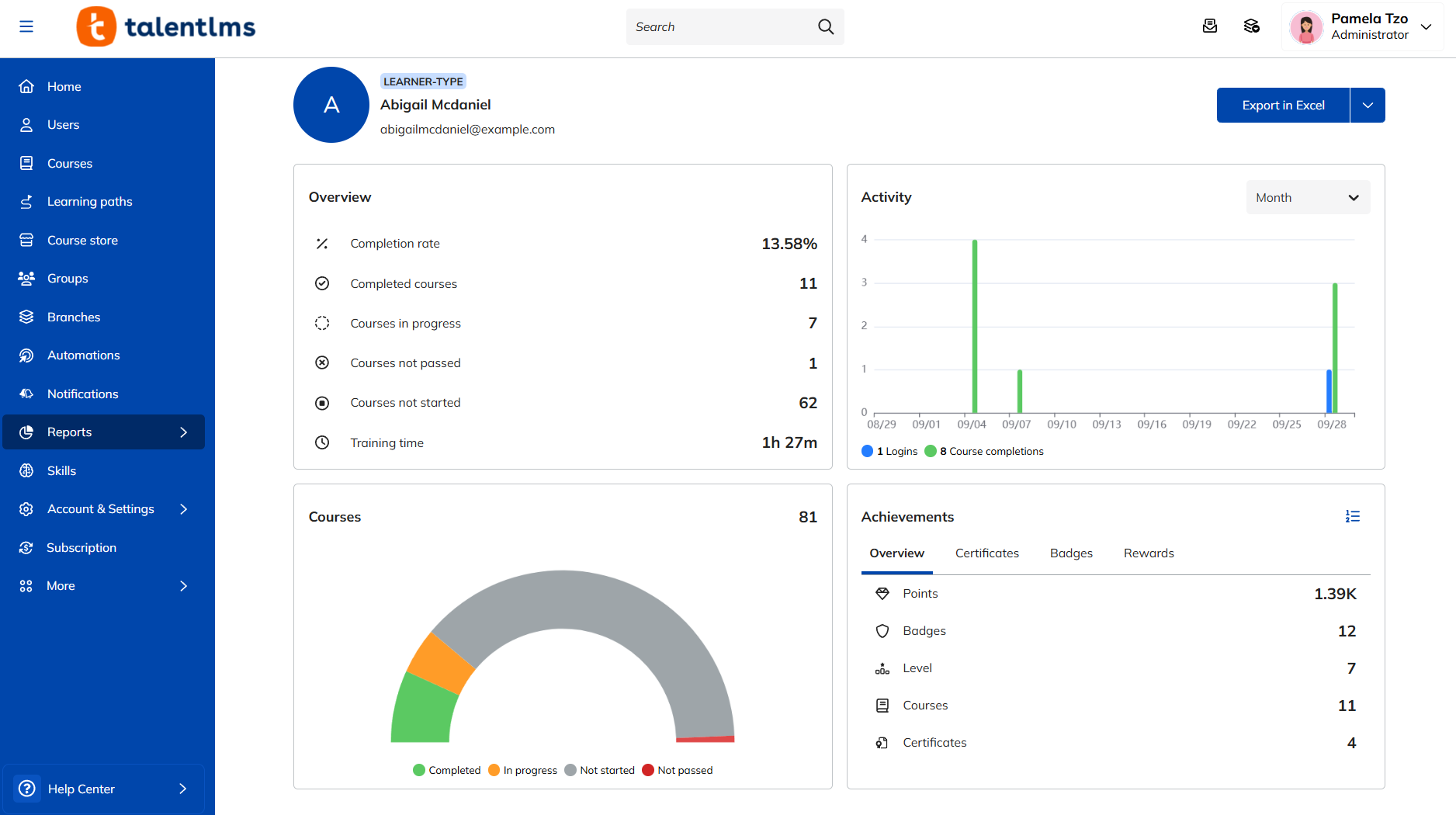
By automating data collection, organizations can more easily connect learning activity with broader performance indicators.
Completing an assessment can show that an employee has the knowledge to take the right actions in their job. But it doesn’t tell you how they’ll perform on the job.
Compare training results with what happens during the job. If one employee struggles, one-on-one coaching may be enough. If an entire team keeps making the same mistakes, you may need team-wide training, course revisions, or a closer look at the workflow itself.
Workflows will change. Will your training keep up?
Updating employee training when workflows change is an ongoing responsibility, not a one-time task. But that doesn’t mean rebuilding every course whenever something changes.
Focus on what changed, which employees are affected, and the part of the training that needs updating. Targeted updates can give employees the knowledge and practice they need to adapt without wasting time and resources on training that still works.
The right employee training software can also make these updates easier to manage and scale. Explore more HR strategy resources to keep your organization’s learning aligned with changing business needs.
FAQs
Why is it important to update employee training when workflows change?
Updating employee training when workflows change helps employees avoid outdated processes or wrong information that could lead to mistakes, service delays, and customer dissatisfaction.
How often should employees be retrained?
Train employees when a major workflow or product update changes what they need to do. Retraining also helps when performance data shows repeated errors, rework, or a team-wide skills gap.
What is the cost of updating employee training?
The cost depends on the extent of the update, but making targeted edits instead of revamping the whole training program can save time and resources.