
Effective employee training and a good Learning Management System (LMS) go hand-in-hand. But now, more than ever, “effective training” has a bigger and bolder remit. It has to reflect the demands of a workplace where skills are evolving faster than the systems designed to build them. Where learning needs to scale across teams and regions. And where insight and agility matter as much as delivery.
The latest catch? According to the TalentLMS 2026 L&D Report, half of learning leaders and 53% of employees say high workloads leave little room for training, even when it’s needed.
Against this backdrop, a “good” Learning Management System needs to do far more than host content and deliver courses. In this guide, we break down the 16 must-have LMS features for 2026 and beyond, whether you’re upgrading an existing platform or evaluating new learning software.
16 must-have LMS features checklist
Top 16 LMS features
In a workplace defined by rapid change and limited time for learning, choosing the right LMS comes down to capabilities, not checkboxes. It must help organizations build skills efficiently, embed learning into day-to-day work, and generate insight that guides better decisions. It also has to perform equally well for admins, learners, and training professionals. The following LMS features list capture all the capabilities that matter most for modern teams.
1. AI functionality
The real value of AI in an LMS lies in its ability to eliminate guesswork. It can help identify hidden skill gaps, forecast future training needs, and (using this information) structure learning around specific in-demand skills, not just courses. Automation is also a key benefit. Through AI course translation, admins can also deliver localized learning experiences at speed and at scale. And use AI functionality to create content for complete courses or modules in minutes not hours.
On top of this, 88% of HR managers expect Generative AI to reshape how employees access knowledge.
In a modern LMS, AI supports a new era of co-learning. Using AI as a coach, learners can get instant guidance, ask questions about training material, and receive personalized assistance. AI can also perform the role of built-in learning advisor, constantly analyzing data to personalize and improve the training experience. As an example, an AI LMS can automatically suggest courses to a new employee based on their role and a skills gap analysis. The result? Training becomes more efficient, more targeted, and more impactful.
Benefits of LMS AI functionality - by role
2. Assessments
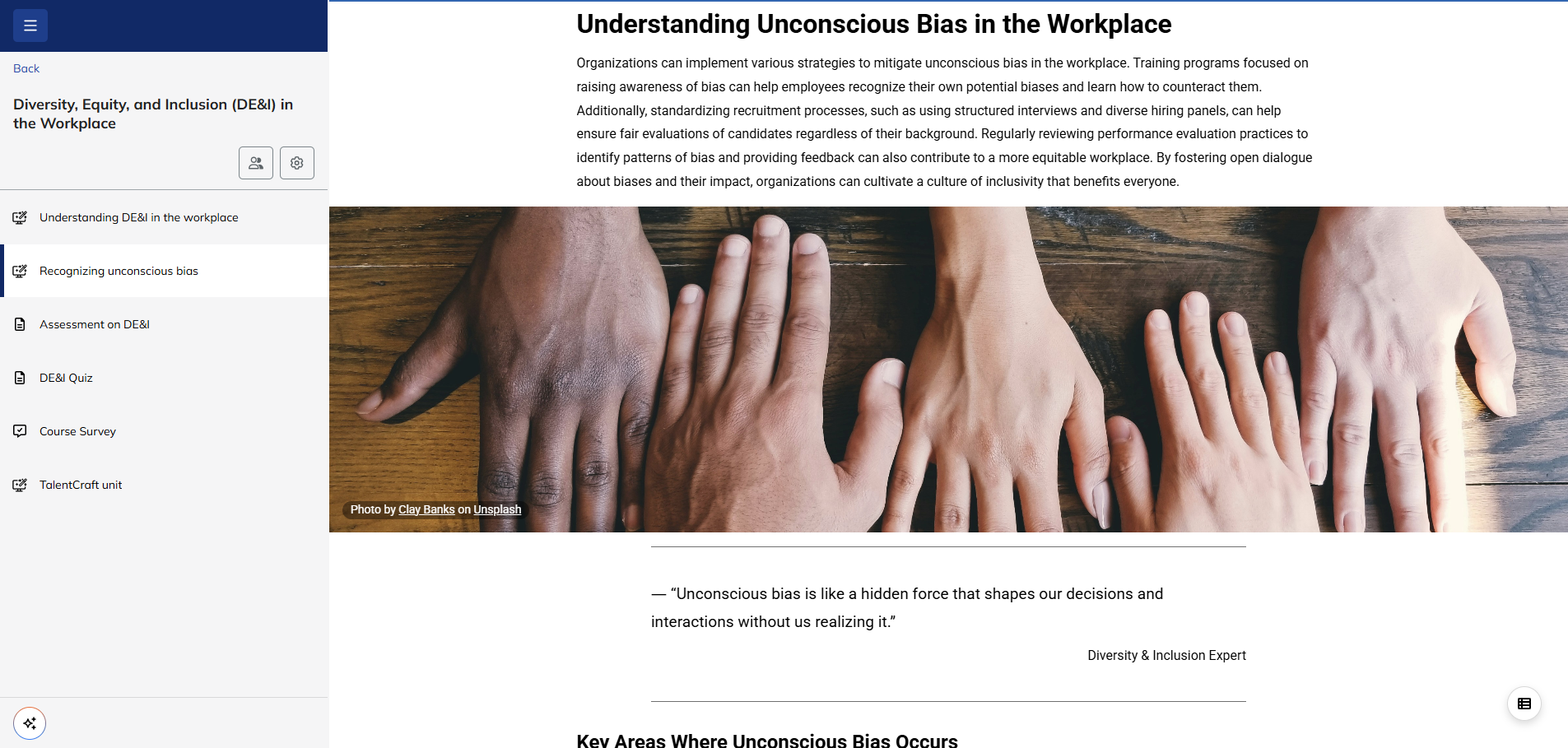
Essential checkpoints, assessments are an invaluable part of training. However, managing them manually takes time and effort. When they’re built into an LMS, they become a seamless part of the learning process. Automated, easy to implement, and fuelled by real-time data, the best LMS assessment features go far beyond simply grading. They give actionable feedback, pinpoint knowledge gaps, and even adapt the personalized learning path based on results.
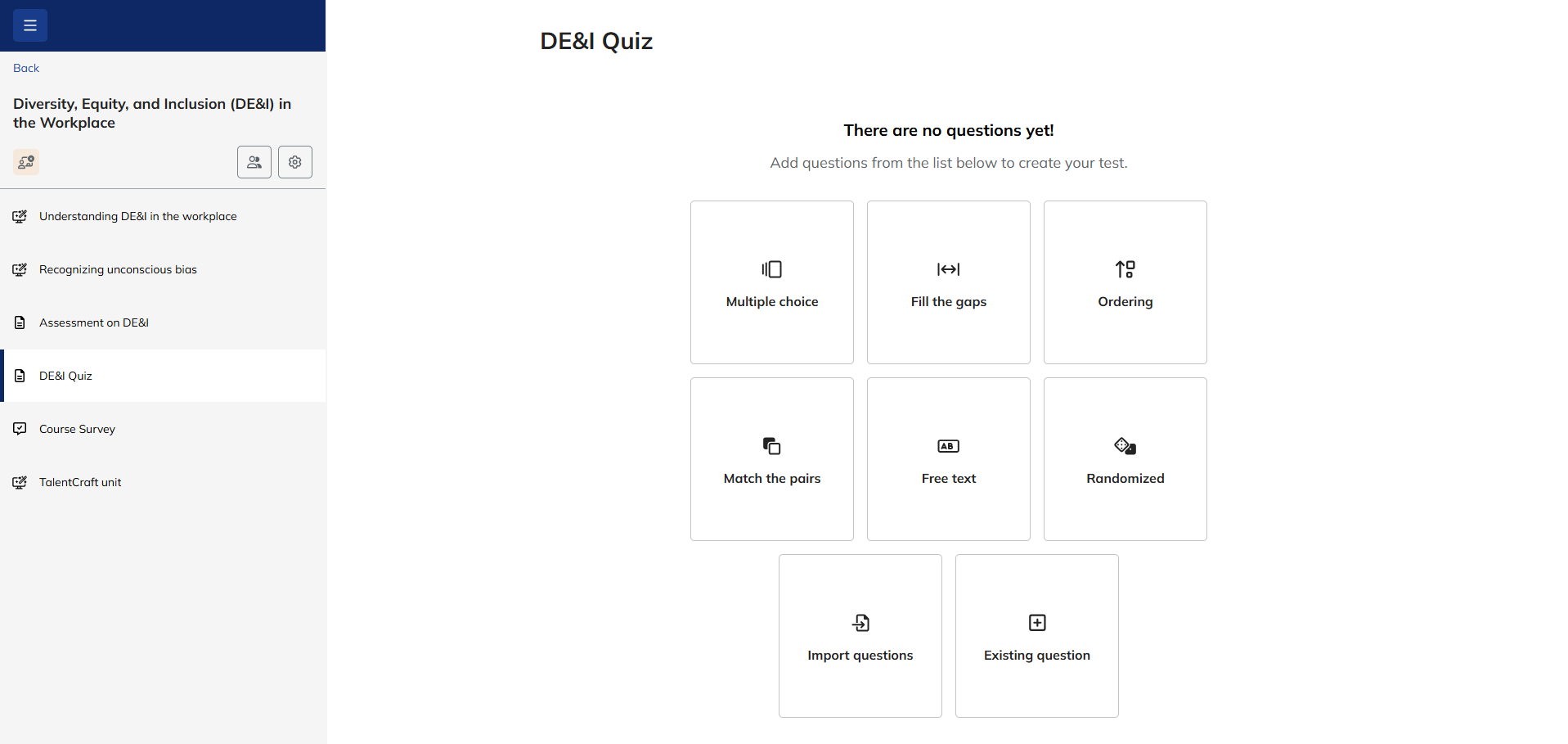
A good LMS also supports diverse assessment types, from practical projects and peer reviews to interactive simulations.
Plus, there are advanced LMS features that offer a wide range of tools to help with assessments.
For instance, you could create a scenario-based assessment where learners apply their knowledge to a realistic workplace situation. The system would track their responses, give feedback automatically, and even let the instructors grade more complex parts, like written responses or project submissions, by hand.
Benefits of LMS assessments - by role
3. Collaboration tools
An LMS should feel like a team workspace, not a lonely island. That’s where collaboration tools come into play.
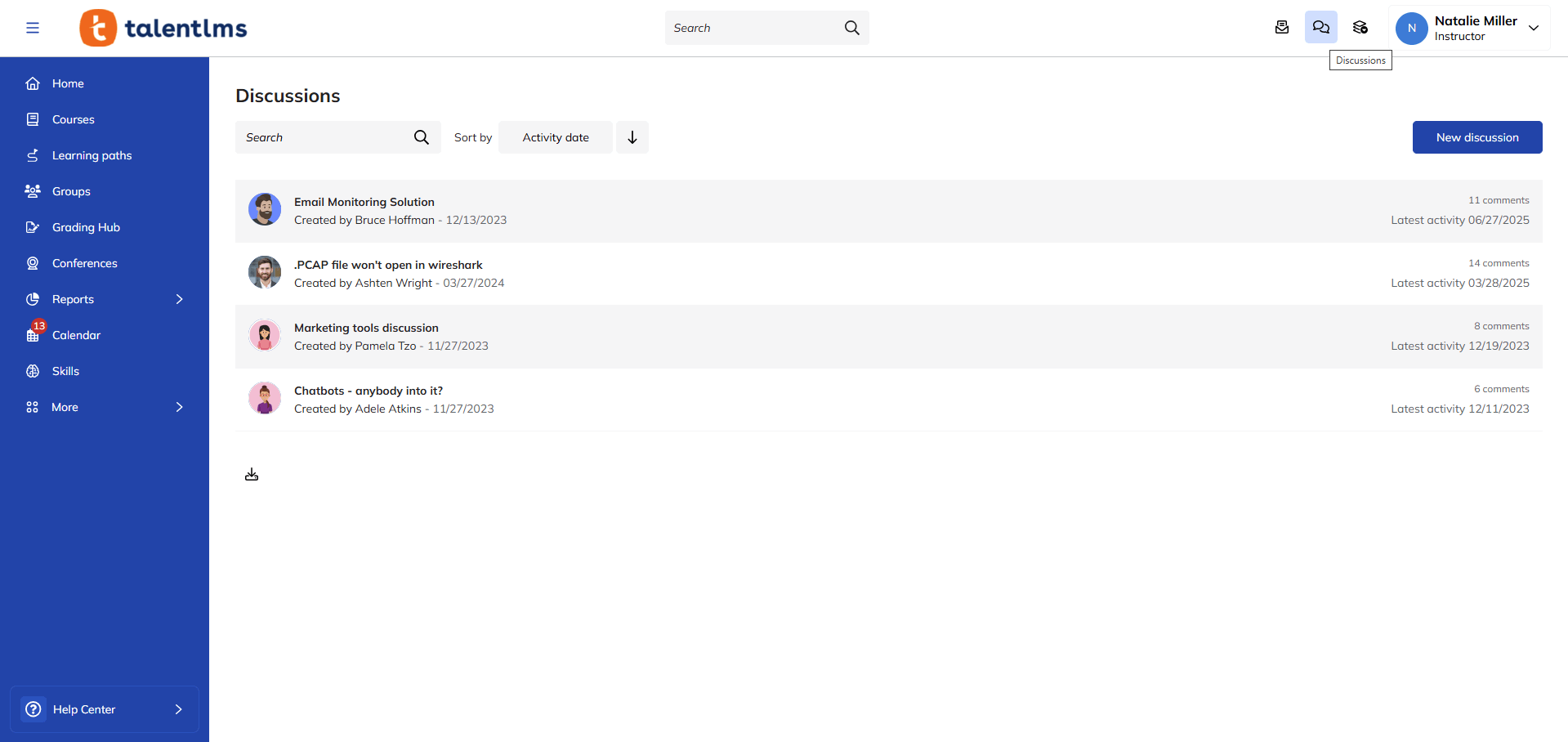
Forums, group projects, messaging, and videos are how learners connect, share, and learn together.
In a good LMS, you’ll typically find course forums for questions and sharing, project spaces for group work and communication, and often, hook-ups to tools like Slack or Teams.
Benefits of LMS collaboration tools - by role
4. Content library
An LMS content library is a well-organized, always-available digital resource hub. It’s where all your learning materials live – courses, videos, documents, and more.
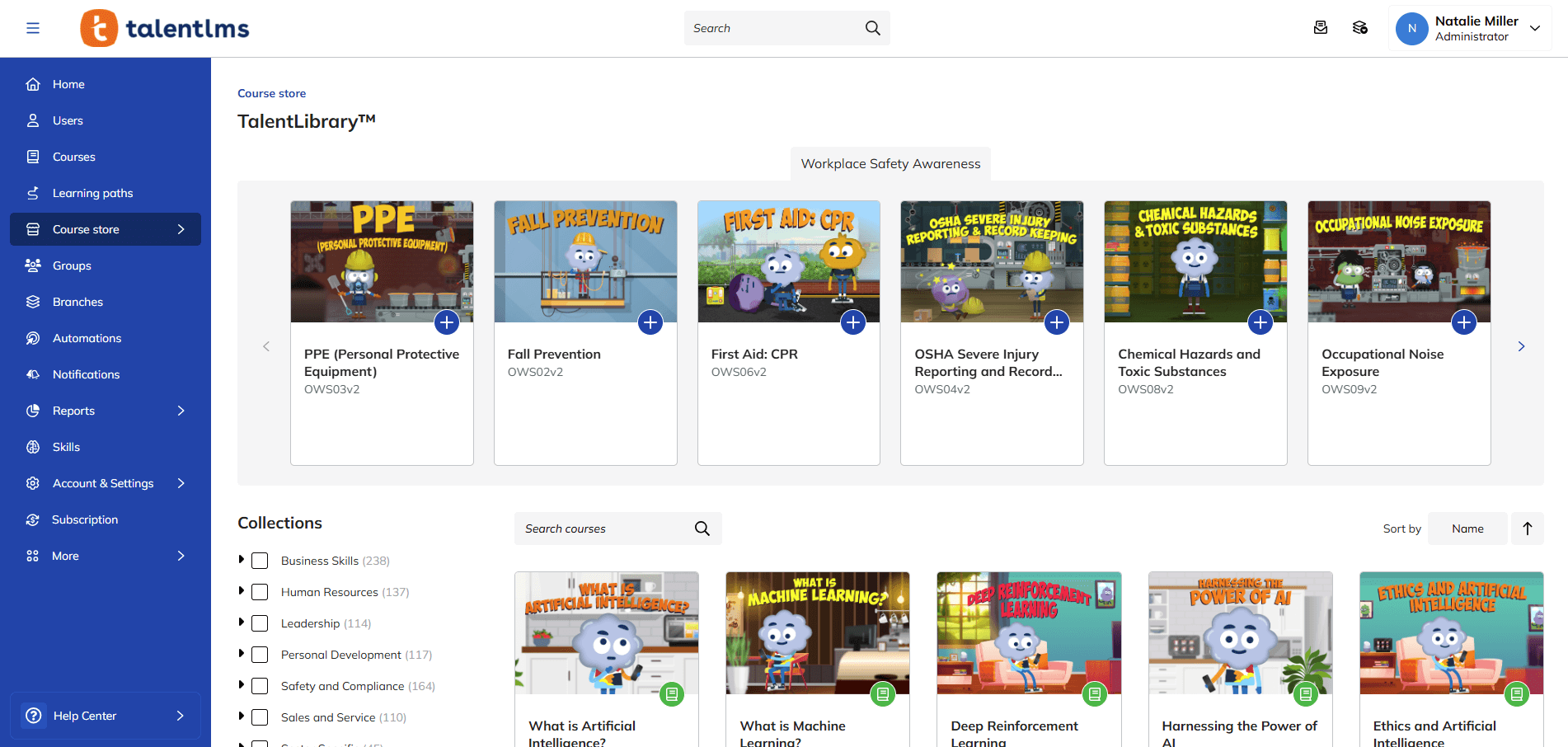
The key draw of this feature is its easy access and discoverability. A new salesperson can quickly find training materials and product guides. A new techy who needs to learn about coding for a new project knows where to go for guidance.
Other key features often include robust search, tagging and categorization, and version control.
Some libraries also support different content formats – SCORM, xAPI, PDFs, videos, and more.
Benefits of an LMS content library - by role
5. Course creation
A powerful LMS features tools that help you build impactful courses, efficiently.
The value of this feature lies in creating engaging, interactive learning experiences that bring results.
With a good LMS, you can create a blended learning experience using videos, quizzes, downloadable resources, and discussion prompts.
You should also have easy-to-use features like drag-and-drop interfaces, pre-built templates, and support for various media types.
Some LMS providers now offer AI help for tasks like making course plans, summarizing content, or even making quiz questions from existing materials.
Benefits of LMS course creation - by role
6. Course management
Course management is what goes on behind all the learning and course creation.
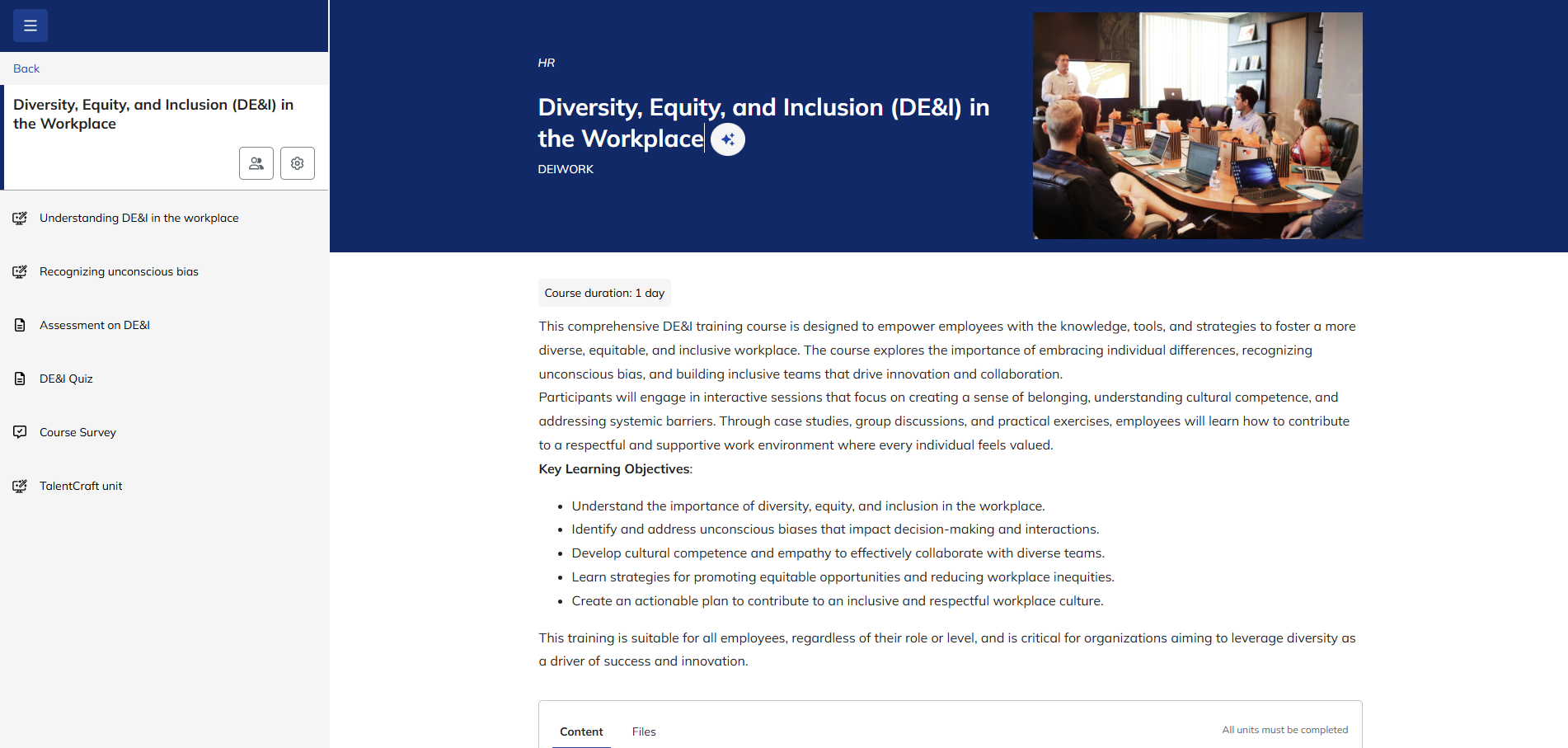
It’s like mission control for your training programs. It helps you ensure the right people get the right training, right on schedule. And the hard numbers to prove training ROI.
Look for automated enrollment, progress dashboards, custom notifications, and robust reporting. Being able to group
learners (for example, by department or role) is key for delivering targeted training.
Benefits of LMS course management - by role
7. Customization
Customization in an LMS means shaping the platform to fit your specific needs and brand, not the other way around. It’s about creating a learning environment that feels truly yours.
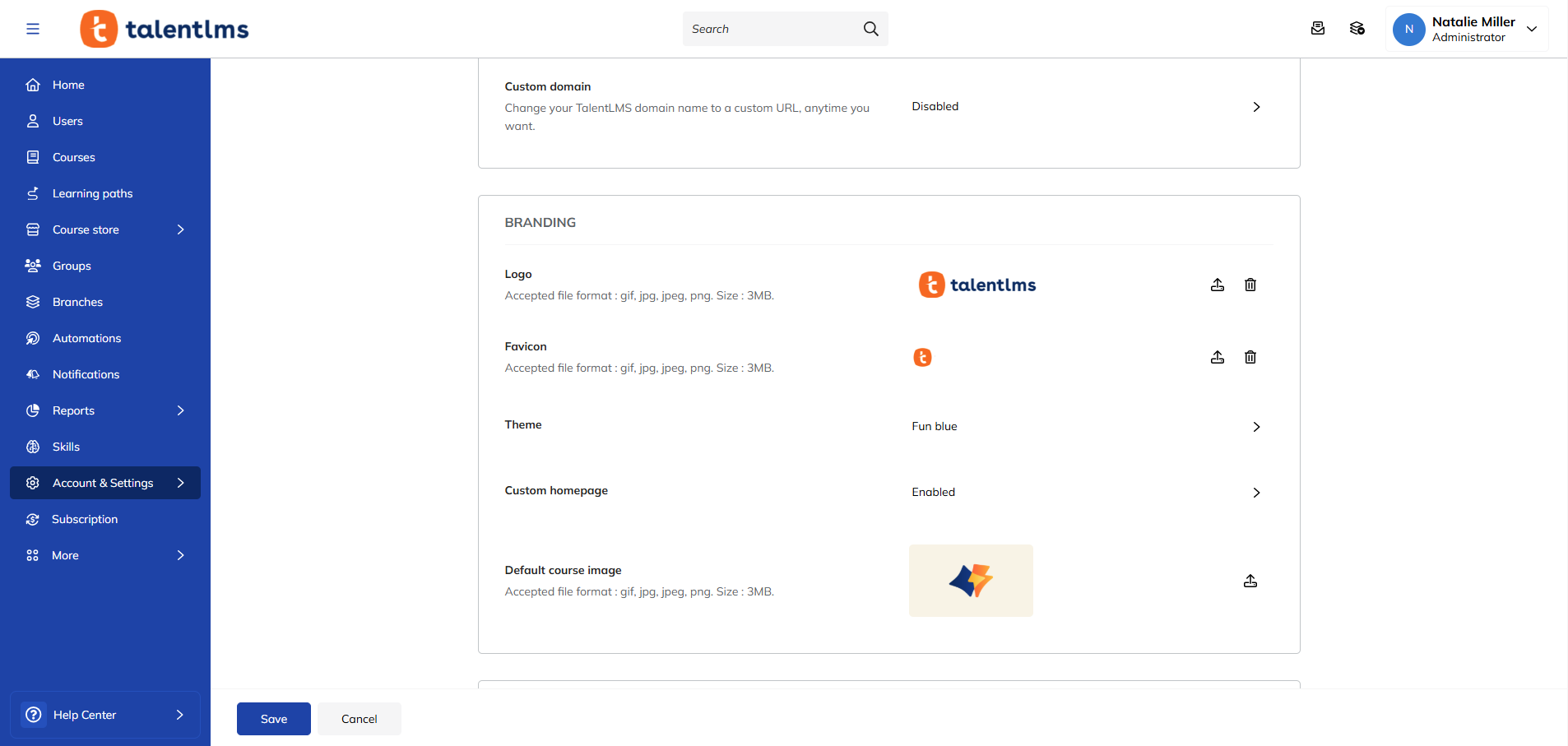
This delivers a consistent brand experience and empowers you to tailor the learning journey for different roles and teams.
A company should be able to brand its LMS with its colors and logo, create custom dashboards for different departments or branches, and set up unique learning paths for various job roles.
Look for options to customize the look and feel, configure workflows, and integrate with other systems. The ability to add custom fields and reports is also a big plus.
Benefits of LMS customization - by role
Pro tip: Customization features are particularly helpful for larger or rapidly scaling organizations and those with unique or multipurpose training needs. Branch functionality, in particular, means businesses can organize training into independent and uniquely branded sub-portals to suit the needs of different groups, departments, or learning styles.
8. Gamification
Gamification in an LMS enhances learner engagement and reinforces knowledge retention.
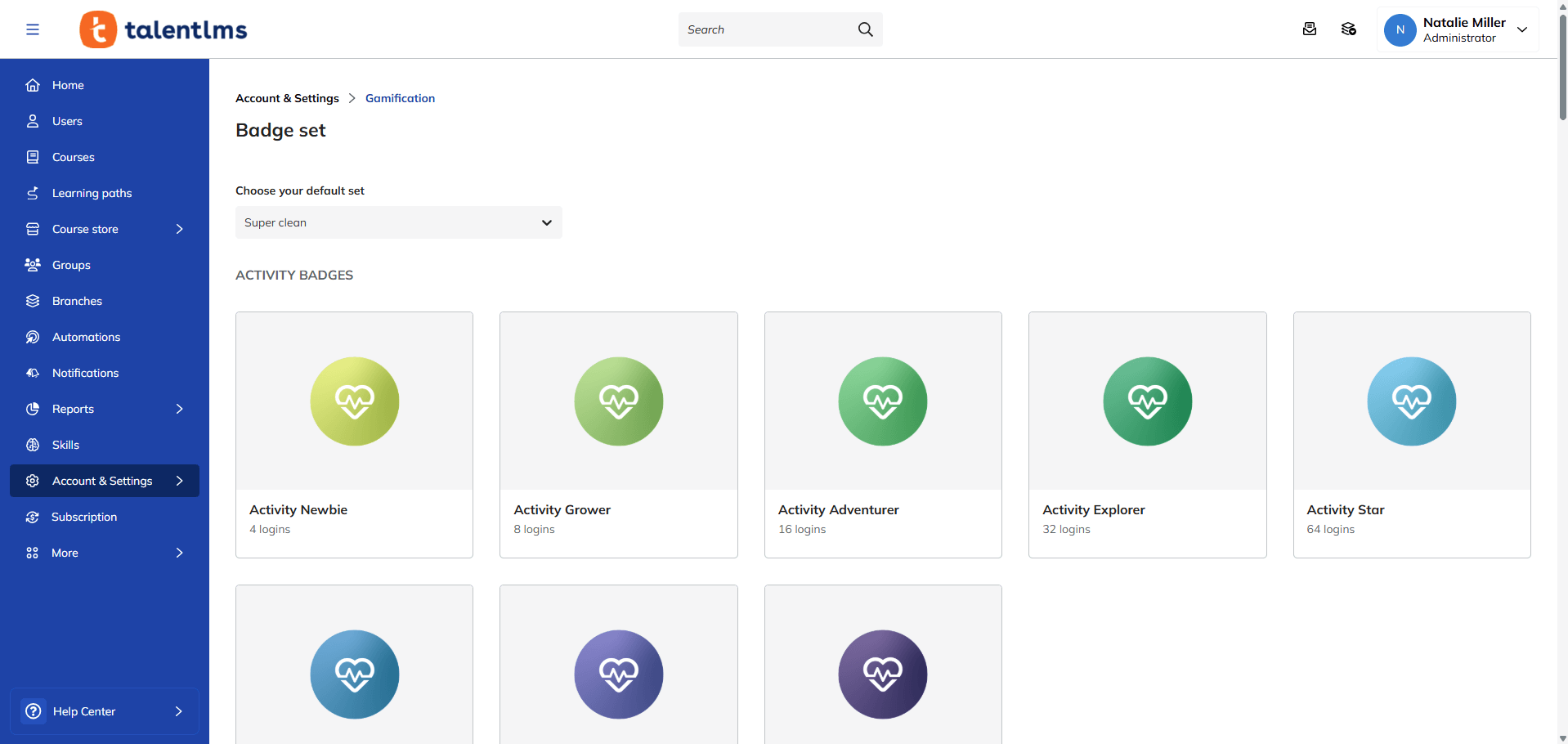
The true power of gamification lies in tapping into our natural desire for achievement, competition, and reward. An employee can earn points for finishing courses, unlock badges for learning skills, and compete with their coworkers on a leaderboard.
When evaluating an LMS, look for features like:
- Points and badge systems
- Leaderboards
- Progress bars
- Levels, and challenges
- The ability to customize these elements
Benefits of LMS gamification - by role
9. Integrations
Integrations help your LMS play nicely with your other HR systems.
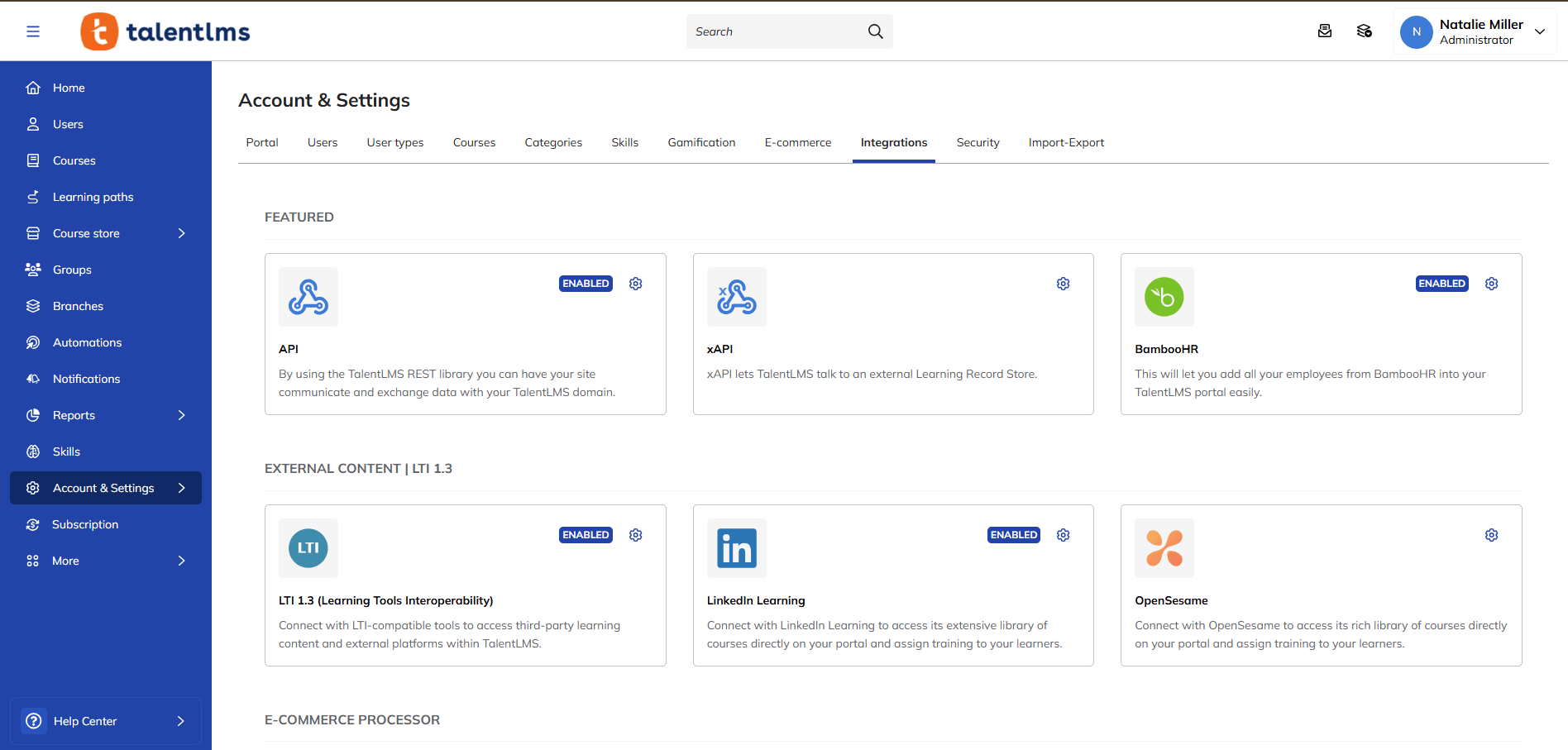
This is a huge time-saver, reducer of errors, and simplifier. Think of employee data flowing automatically from your HRIS to your LMS – no more creating accounts by hand.
Key connections to look for:
- Human Resource Information Systems (HRIS)
- Customer Relationship Management (CRM)
- Communication tools (like Slack or Microsoft Teams)
Benefits of LMS integrations - by role
10. Learning paths
Learning paths are personalized career and skills roadmaps for employee growth. They guide learners through a set sequence of courses and materials, designed to build specific skills or reach specific goals.
They’re great for employee onboarding, skill-building, and career advancement. For example, new sales reps might follow a path covering product training, sales techniques, and CRM use, getting them fully prepared for their role.
Key features should include building custom paths, assigning them to people or groups, and tracking progress. It’s also important to be able to include different content types (for example, courses, videos, documents, quizzes).
Benefits of LMS learning paths - by role
11. Notifications and reminders
Notifications and reminders features in an LMS keep everyone on track and informed. They’re the gentle (or not-so-gentle) nudges that ensure learners don’t miss deadlines or forget about training.
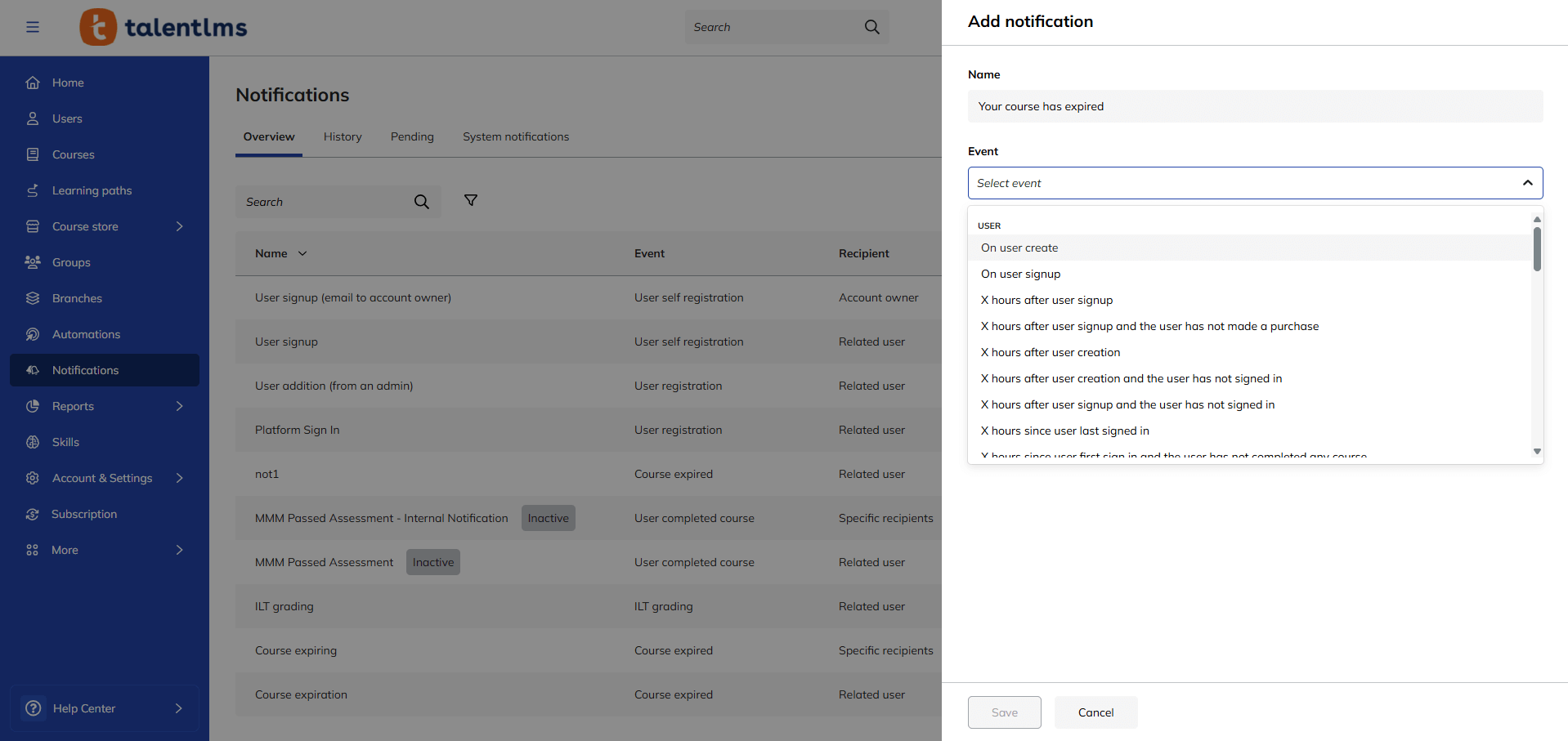
They’re useful for improving course completion rates and keeping learners engaged.
They also eliminate the excuse of “I forgot!” A learner receives an email reminder about an upcoming deadline for a compliance course, prompting them to complete it on time.
Look for customizable notification triggers (upcoming deadlines, new course assignments, overdue tasks) and delivery methods (email, in-app messages, push notifications).
Benefits of LMS notifications & reminders - by role
12. Reports
LMS reports turn training data into something you can use.
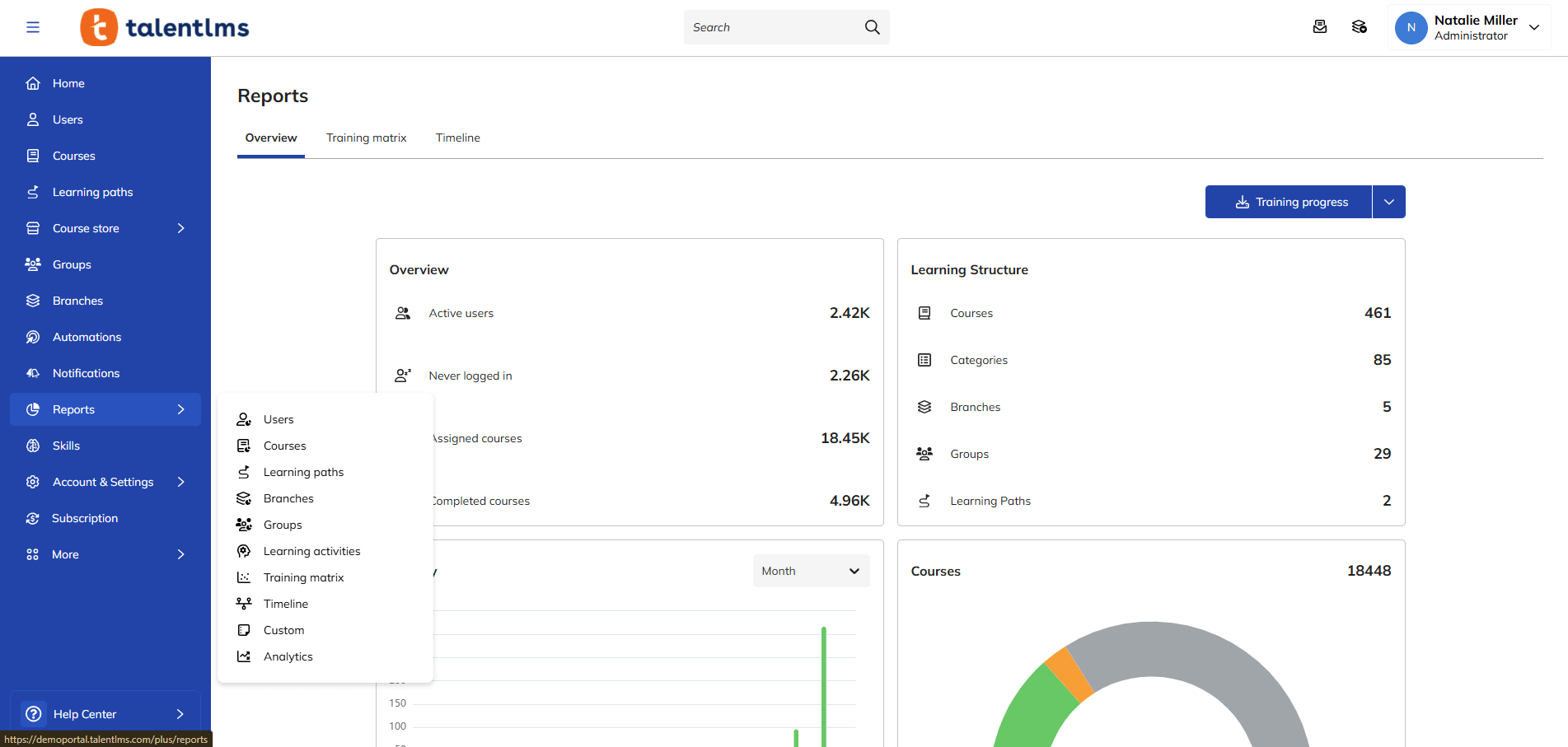
They help HR and learning leaders make smart decisions, find areas to improve, and prove the value of their training programs. For example, a report with high completion rates and great scores for a new sales training, confirms it’s a success.
Look for customizable dashboards, ready-made report templates, and the ability to export data. Tracking for things like course completion, learner progress, scores, and time spent learning is also key.
Benefits of LMS reports - by role
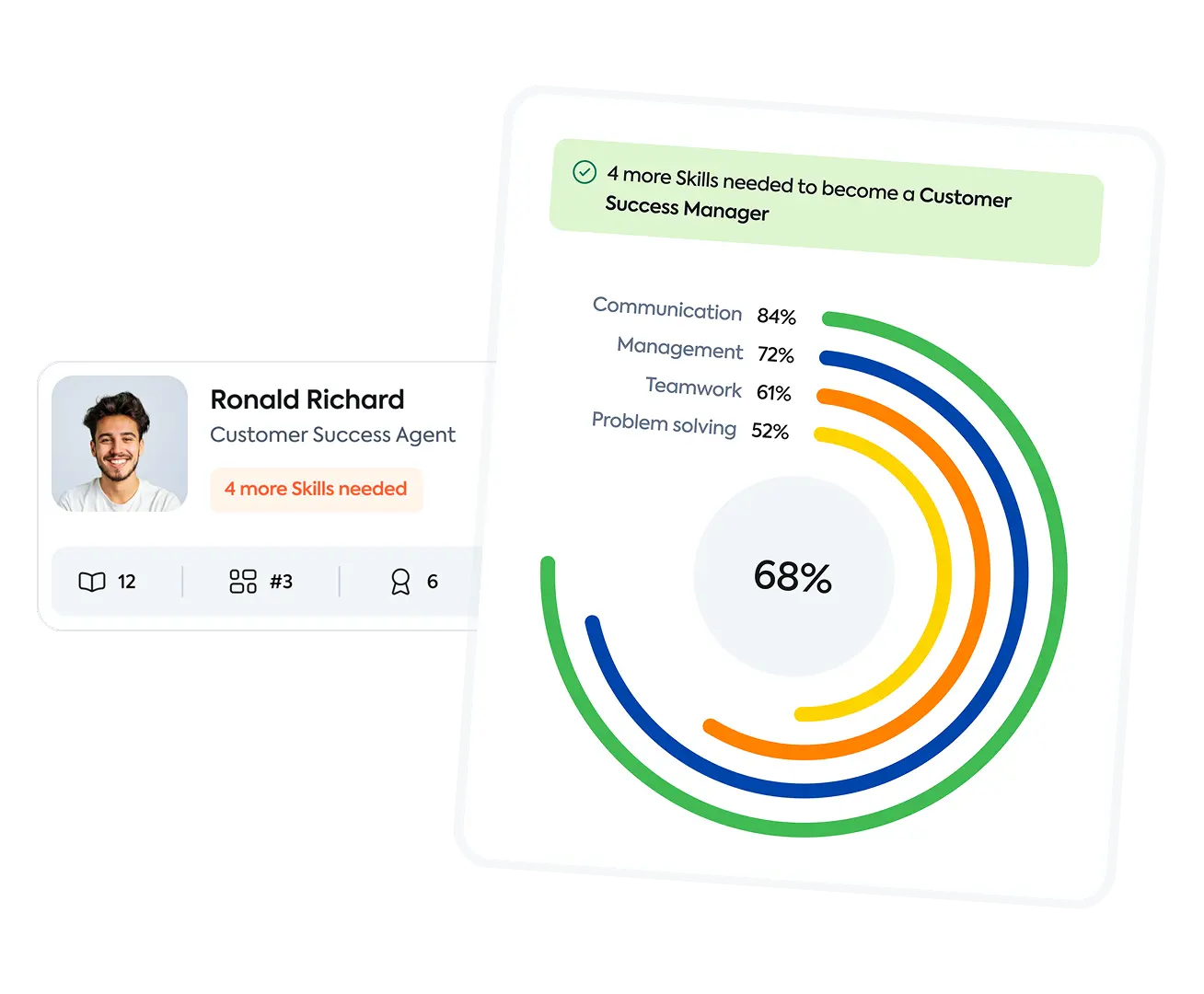
13. Skills management and mapping
Skills management and mapping features in an LMS help you identify, track, and develop the skills your employees have and the skills they need.
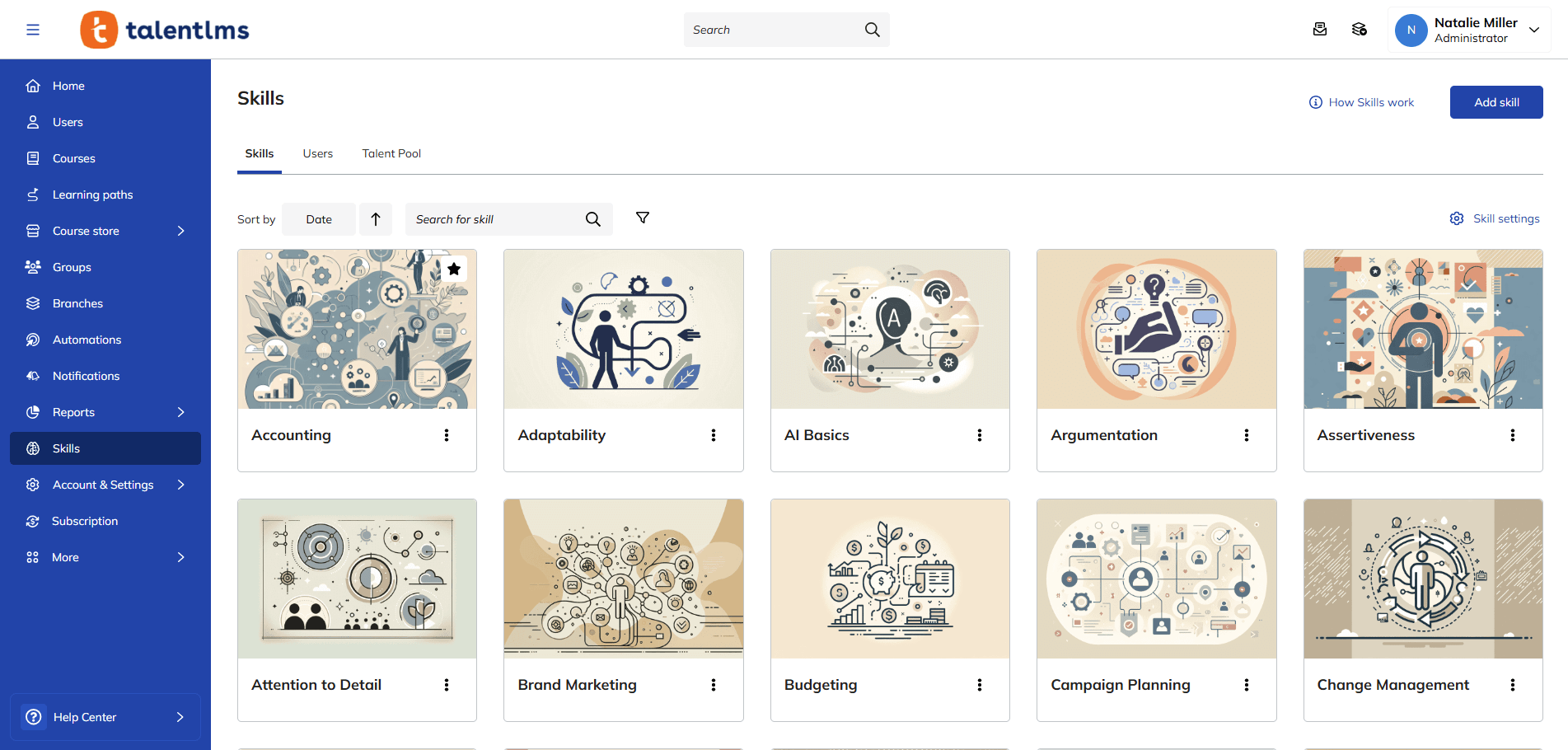
This helps you make better decisions about training, hiring, and promotions.
Look for features that let you define skills, assign them to roles and individuals, track skill gaps, and create development plans. Integration with learning content is also important to look at, so training can directly address identified needs.
Benefits of LMS skills management & mapping - by role
14. SSO/Security
Having top-notch security is non-negotiable. It safeguards employee information, protects intellectual property, and builds trust.
SSO (Single Sign-On) makes logging in simple and secure. An employee uses their usual work login to access the LMS – no more extra passwords to remember (or forget).
Look for features like:
- SSO integration (with providers like Okta and OpenID Connect)
- Data encryption
- Role-based access control
- Regular security audits
- Compliance with relevant data privacy regulations (like GDPR or CCPA)
Benefits of LMS SSO and security - by role
15. Surveys
Surveys within an LMS give learners a voice, which helps improve the learning experience. They give you direct insights into what’s working and what’s not.
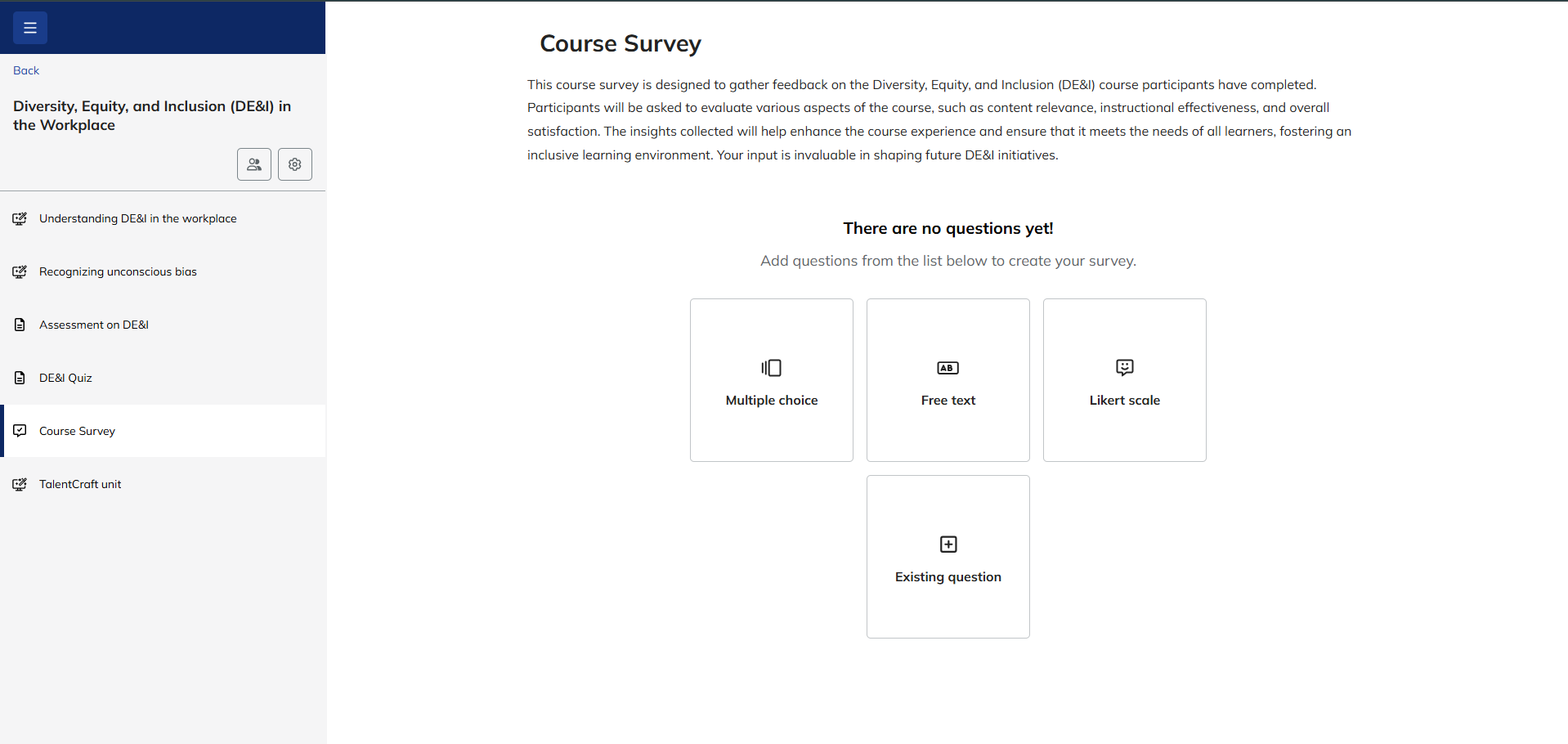
They’re great for gathering feedback, measuring learner satisfaction, and identifying areas for improvement. An administrator could, for example, send out a survey after a course to analyze learner understanding, identify any confusing sections, and gather suggestions for improvement.
Look for features that help you create different question types (for example, multiple-choice, rating scales, and open-ended formats), customize survey design, and analyze results.
Benefits of LMS surveys - by role
16. User management and roles
User management and roles in an LMS are about organization and control. They govern who can access what is within the system.
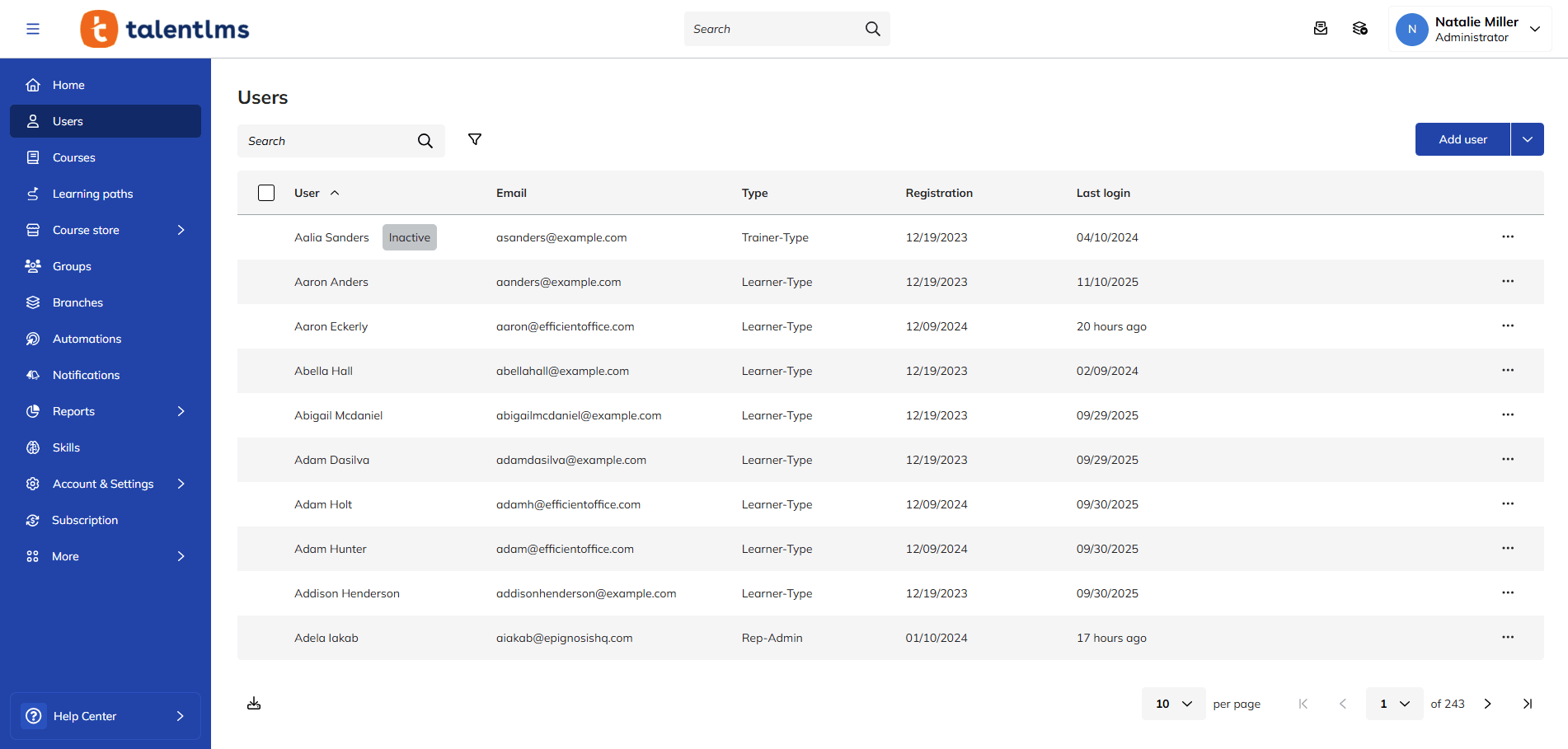
For example, different roles (learner, manager, administrator, and instructor) would be assigned varying levels of access and permissions. Learners can only access assigned courses, managers can track their team’s progress, and administrators can manage all aspects of the system.
Once in place, they continue to run without the need for manual intervention.
Look for features like:
- Bulk user import
- Role-based access control (RBAC)
- Customizable permissions
- The ability to create custom roles
- Easy user provisioning and de-provisioning
Benefits of LMS user management - by role
How LMS features can be adjusted at any company level
A truly versatile LMS offers features that can be scaled and adapted to meet the unique needs of both small businesses and larger enterprises.
Here’s how some key features can be adjusted to support employee training in both instances:
AI
SMBs: A small business owner might use AI-powered features to automatically suggest relevant courses to new hires based on their job title.
Enterprise organizations: A bigger company might use AI to look at skills gaps across the whole company, predict future training needs, and make learning paths for thousands of employees unique. They might even use AI to generate custom learning content or to automatically translate full courses into different languages across global teams.
User management and roles
SMBs: In small businesses, the owner, or office manager might be the LMS admin. They need to be able to add new employees, assign them to a standard onboarding course, and check completion reports.
Enterprise organizations: In bigger businesses, an HR manager might use the LMS to assign specialized training paths to different departments. Department heads can then monitor their team’s progress and even assign additional, role-specific online courses. Access is carefully controlled based on job function.
Course management
The owner or manager might use the LMS to give all employees a course that they must take. Then, they might check a simple report to make sure everyone has finished it by the deadline.
A department head might use the LMS to assign specific technical training courses to their team members, track their progress, and even create custom learning paths. HR can then oversee overall training completion rates across the entire organization.
Reports
SMBs: The owner of a growing start-up might check a weekly report to see who’s completed the mandatory safety training. They’re looking for overall compliance and identifying anyone who’s falling behind.
Enterprise organizations: In an established enterprise, a training director might use special reports to look at how well they create training programs in different areas. They might look for links between training completion and performance metrics. And then integrate this data with their HRIS to inform talent development strategies.
Learning paths
SMBs: A small company might create a single, standard learning path for all new hires, covering essential company policies, procedures, and basic job training.
Enterprise organizations: A large corporation might create multiple, role-specific learning paths geared to different departments and career levels. Employees might have personalized paths that adapt based on their performance, skills gaps, and career goals.
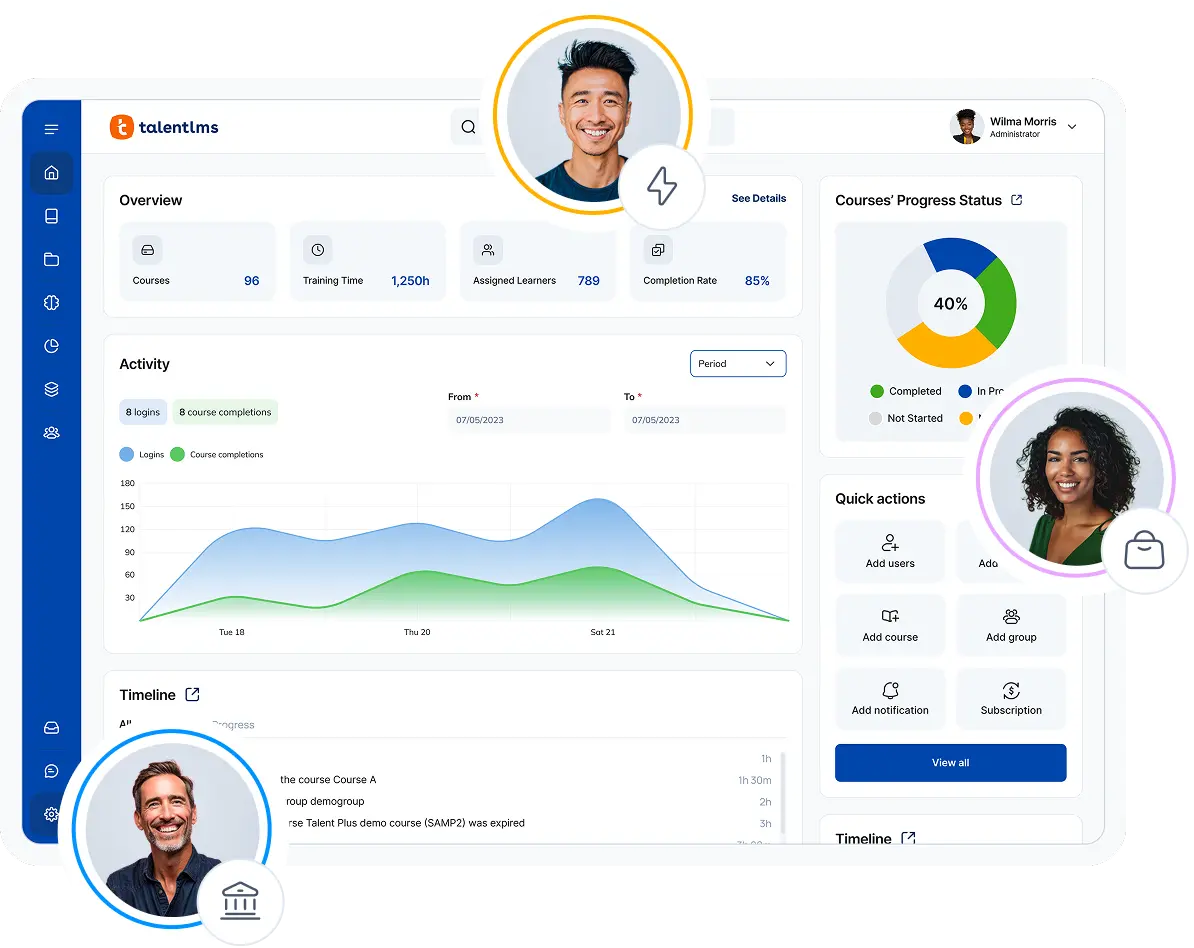
How to choose the best LMS for your team
Choosing the right learning platform is the difference between your organization having a learning solution and a learning problem.
As we’ve seen, the best LMS has to have all the right features, implemented in a way that aligns with your specific needs and goals.
When making your choice, consider your current training needs, your anticipated future growth, and the level of technical expertise within your organization.
A perfect platform will grow with you, adapting to your evolving needs and helping you build a thriving learning culture.
Ready to find the perfect fit? Explore these resources to learn more:
FAQs
What is an LMS?
A Learning Management System (LMS) is employee training software that helps you create, track, manage, and deliver training programs.
What are the benefits of an LMS?
It saves time and money by centralizing all your training. You get better results because learners are more engaged, and you can track progress to see exactly what’s working and where you can improve. Plus, it helps ensure everyone’s up-to-date on important training, like compliance.
Popular use cases of an LMS
Think onboarding new hires, making sure everyone’s compliant, training your sales team, teaching customers about your products, or developing leadership skills. It’s versatile and can handle most types of corporate training.
What makes an LMS good?
A learning management system should fit your company like a glove, be super easy for everyone to use, and connect with other relevant systems in your toolkit. Most importantly, it should give you the data to prove your training is making a real difference.
Originally published on: 24 Mar 2025 | Tags: LMS features,top LMS