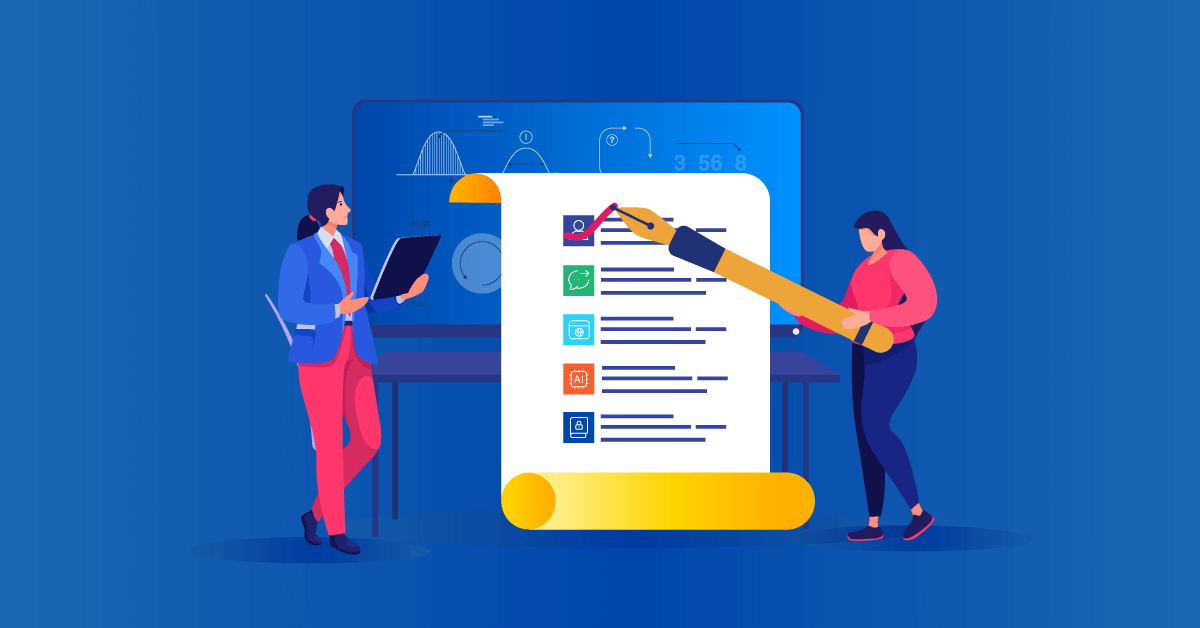

Choosing the best LMS isn’t about finding the platform with the most features. Head down that path and you’ll end up paying for things you don’t need. Before comparing platforms, it helps to understand which LMS features are essential for your training needs and which are simply nice to have. It’s about finding the learning management system that’s the right fit for you. A platform that supports your business goals, fits your budget, and helps your people build the skills they need to succeed. At a minimum it should help you deliver training employees, identify skills gaps, measure workforce readiness, and scale learning efficiently as your organization grows.
This guide walks through a practical four-stage framework to help you evaluate LMS platforms, compare options, and make a confident decision. There’s also a free checklist to help you record all the relevant details and see at a glance what options are the best fit for you.
How do I choose the right LMS for my organization?
To choose the right LMS, evaluate platforms across four stages: strategic fit (use case, audience size, hosting model), feature fit (AI capabilities, UX, content compatibility, skills tracking), technical fit (budget, security, compliance, support quality), and validation (free trials, live demos, independent reviews). Focus on business outcomes and workforce readiness rather than feature count, and always calculate the Total Cost of Ownership before committing.
A 4-stage LMS evaluation framework
This 4-stage framework helps you evaluate your LMS software options by focusing first on the non-negotiables before you start to look at features.
Stage 1. Assess strategic fit
Before looking at a single feature list, you need to map out exactly who you’re training, what you need them to learn, and how your IT setup operates. If the platform doesn’t fit into these core operational non-negotiables, nothing else matters.
Use case & industry
Use case and industry are the most important factors you need to evaluate when you figure out how to choose an LMS platform.
The biggest danger is buying a platform built for a different industry. A system designed for sales coaching will fail if you try to make it run healthcare compliance.
For example, a fast-growing software firm onboarding 50 new sales reps each quarter will prioritize speed and mobile access for a team on the go.
In contrast, a large manufacturing company with remote plants has completely different non-negotiables. It needs reliable offline access and the meticulous audit trails required to maintain its ISO 9001 certification.
The right platform adapts to your reality and ensures your training is ready when the business is.
Pro tip: Write down your biggest training headache right now. Use that exact problem as your main testing scenario when you finally see a platform demo.
Number of learners
Your total number of learners directly impacts the price you pay and the platform’s daily performance. A learning management system designed just for a small team can easily slow to a crawl, or even fail, when thousands of people try to use it at once.
The financial impact becomes obvious in retail. A business might pay for 2,000 licenses year-round to cover an eight-week holiday rush, leaving 1,500 of those licenses to sit empty and waste money for ten months.
The “active user” LMS pricing model is the direct solution to that problem. A 5,000-employee company where only 1,000 people need training in a given month could cut licensing costs by as much as 75% with this model.
You must also consider external audiences, like partner training and customer training. Launching an education program for your clients will cause a sudden spike in users, and your platform needs to handle that traffic smoothly.
The same logic applies to seasonal work. A hospitality group that triples its staff for the summer needs a plan that can handle a temporary “burst” of LMS users without forcing a permanent, costly upgrade.
Scalability is another major factor here. Unless you’re 100% sure your company isn’t going to get any bigger, look for a system that grows seamlessly alongside your business. If you’re not sure whether your current setup can keep pace, these signs your training can’t keep up with business growth can help you spot potential scalability issues early.
Start by mapping your learner lifecycle for the year ahead. You can, then, take that forecast of peaks and troughs to the negotiating table.
Hosting (cloud vs. self-hosted)
| Feature | Cloud LMS | Self-hosted LMS | Use cases |
|---|---|---|---|
| Setup | Fast deployment |
Greater control | Organizations that need to get up and running quickly vs. those with complex infrastructure requirements |
| Security | Vendor-managed security |
Internal management required |
Businesses without dedicated IT teams vs. organizations with strict security policies |
| Resources | Lower maintenance |
More IT resources needed |
Small to mid-sized teams vs. organizations with in-house technical expertise |
The choice between local and cloud hosting boils down to a simple question about your business. Is managing complex server infrastructure one of your company’s core competencies? Understanding the different LMS types can help you narrow down which setup best fits your organization before comparing specific platforms.
Self-hosting with an online learning platform like eFront is often required for organizations with intense data needs, such as European banks under GDPR or defense contractors. Choosing to self-host means your IT team is responsible for everything, including patching critical security vulnerabilities like Log4j.
A cloud-first platform takes the opposite route. The vendor handles all the backend maintenance, security, and updates, typically guaranteeing 99.9% uptime in a Service Level Agreement.
Because the technical heavy lifting happens behind the scenes, your business can add new users and scale without friction.
In a nutshell, if your company isn’t in the business of managing IT, the cloud is the more efficient path. If total data control is a non-negotiable, self-hosting may be necessary. Just make sure your team has the resources to support it.
Stage 2. Evaluate features and learner experience
Once your strategy’s locked in, it’s time to look at the tools on offer and how they help your team to learn.
AI capabilities
AI has quickly become a standard feature in many LMS platforms. But when evaluating AI, it’s important to look beyond content generation and productivity gains. If AI is a key priority, this guide to picking an AI LMS breaks down the features, benefits, and criteria worth considering.
The most valuable AI capabilities help organizations understand, develop, and measure workforce capability. They make skills easier to identify, learning paths easier to personalize, and workforce readiness easier to track.
For growing organizations, that’s becoming increasingly important. As roles evolve and skill requirements change, leaders need more than course completion data. They need visibility into existing capabilities, confidence that critical skills are being developed, and a clearer understanding of where skill gaps exist.
The best LMS platforms use AI to support this entire process. From course creation and skills assessments to personalized learning paths and learner support, AI should help teams move from training activity to measurable capability.
The following areas are worth paying close attention to when evaluating AI-powered LMS platforms and tools.
AI course creation
When your team needs to launch a new training program (whether it’s soft skills training or hard skills), gathering raw learning materials, structuring modules, and writing quizzes takes weeks.
An AI course creator changes this completely by handling the first draft.
Instead of starting from scratch, a user can feed the system a company PDF, a raw notes document, or even just a topic prompt. In minutes, a good AI LMS will produce:
- An organized course outline
- The foundational reading material and text
- Interactive elements and knowledge-check questions
The human element isn’t replaced. Instead, their job shifts from writer to editor. They take that instant baseline and refine it to match the company’s voice.
AI-powered skills development
Aside from the lack of internal L&D resources, the modern workplace is facing a severe race against skill decay.
According to the TalentLMS Speed-to-Skill Report, 47% of respondents say some of their job skills became outdated over the last 5 years. On top of that, the TalentLMS Skills Visibility Report shows that 49% of workers feel their company underutilizes their abilities.
One of the biggest challenges organizations face today isn’t creating training. It’s understanding which skills their workforce already has, which skills are missing, and how quickly those gaps need to be addressed.
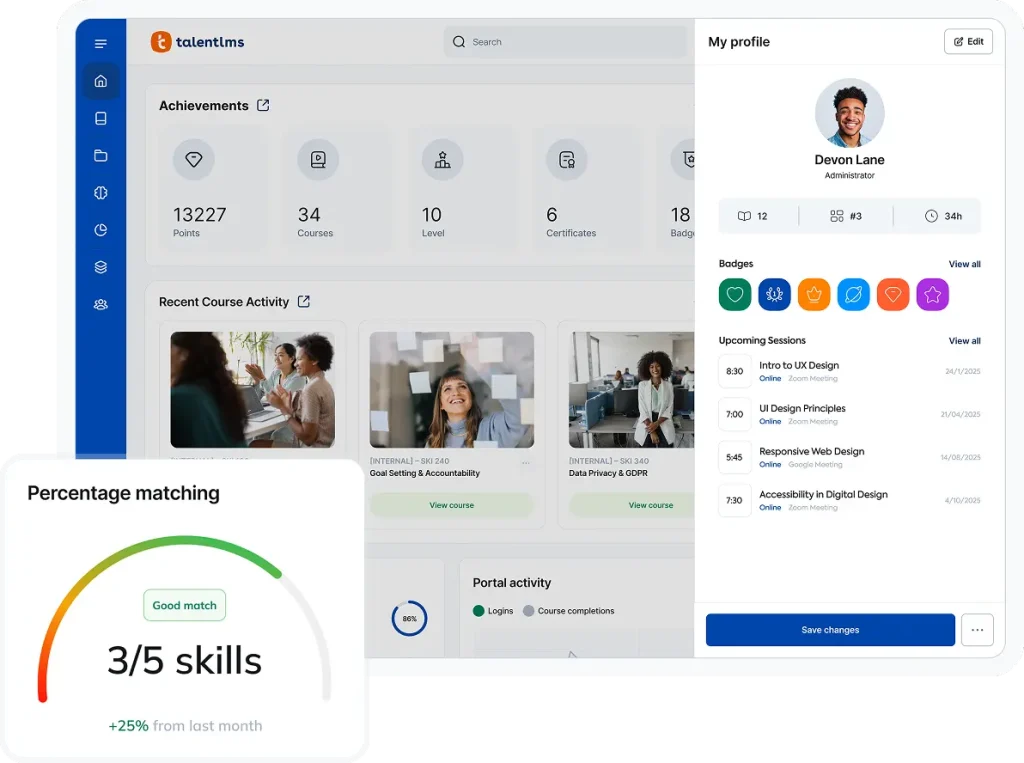
An LMS with intelligent AI skills mapping can help uncover hidden talent, improve skills visibility, and identify gaps before they affect performance.
These features use AI to analyze a role, run an accurate AI-driven skill assessment for all skills from soft skills to hard skills, and figure out exactly where each employee stands.
From there, the platform can build targeted learning objectives and support structured skills progression. It pulls relevant training courses from your content library and integrated third-party sources like LinkedIn Learning to close skill gaps.
A structured, AI-supported progression path gives people the exact steps required to grow, helping organizations build measurable capability and strengthen workforce readiness.
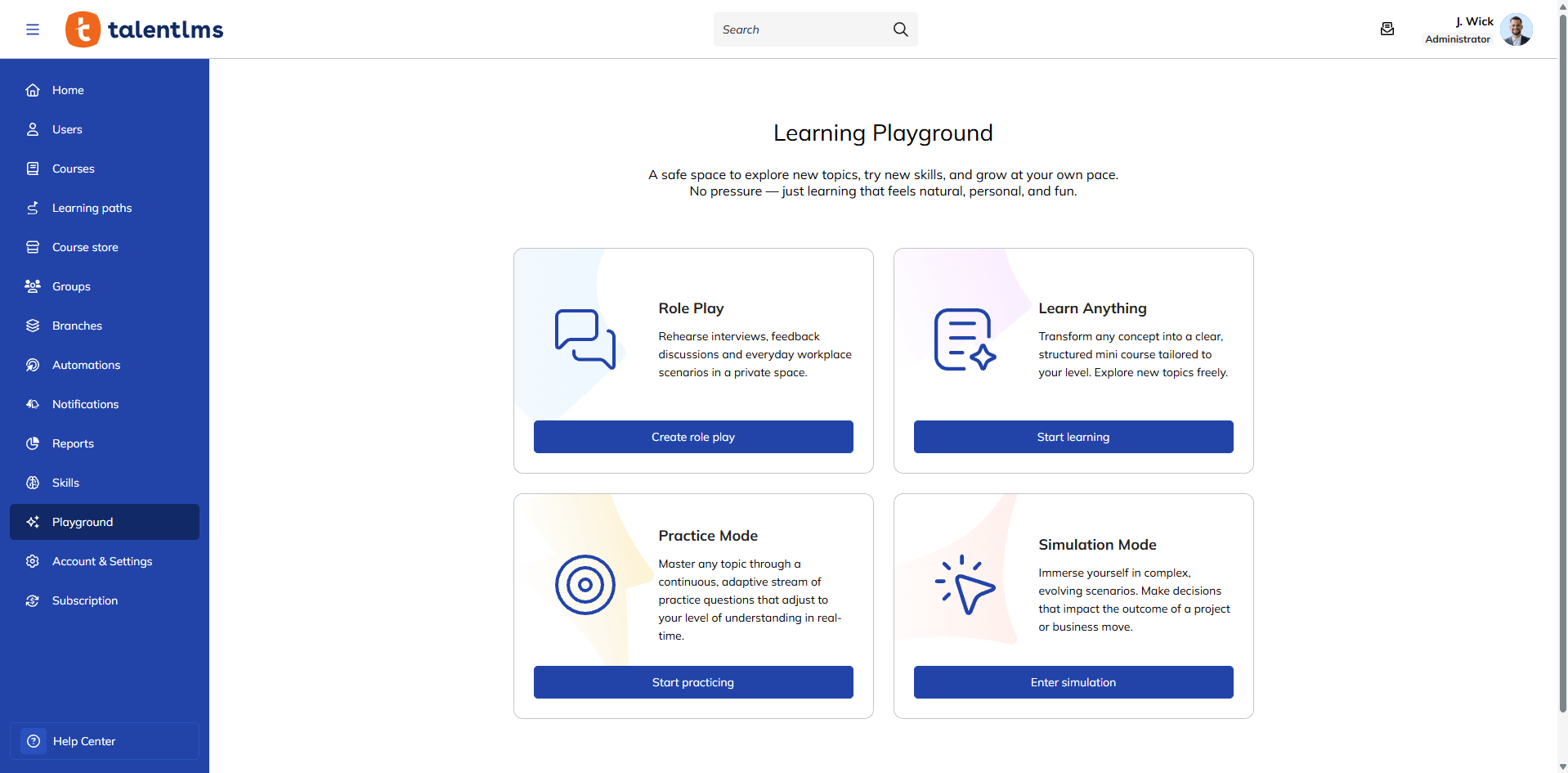
AI learning support
Building a course quickly is only half the battle. True training effectiveness is tied to how well your employees actually master the material. This is why AI should accelerate capability building, not just content creation.
Modern LMS platforms can use AI to provide real-time coaching and support when learners need it most. Instead of searching through course materials for answers, they can ask questions, clarify concepts, and receive guidance as they work through new topics.
AI can also create opportunities for self-led practice and experimentation. By testing their understanding and exploring new ideas in a low-risk environment, employees can build confidence, reinforce learning, and make steady progress toward workforce readiness.
Intuitive user interface
Even the most powerful LMS can struggle to gain adoption if the experience feels complicated. If something as simple as logging in feels like a chore, learners are less likely to engage with training consistently.
An intuitive user experience can have a direct impact on adoption and, ultimately, the value you get from your LMS investment.
Maze famously found that every dollar invested in UX can bring back $100 in return. An interface that people enjoy using is what drives the adoption you need to achieve your online training initiatives.
Helpful features like a drag-and-drop course builder empower subject-matter experts in handling administrative tasks such as creating courses.
Clean dashboards and reporting tools make it easier for managers to track learner progress without relying on separate analytics platforms.
A simple way to measure this is the “Coffee Shop Test.” Could an employee find and start an assigned course on their phone while waiting for a coffee, without any instructions? If the answer’s no, the learning platform isn’t built for a modern, mobile learning workforce.
A simple, intuitive experience doesn’t just improve adoption. It makes it easier for learners to stay engaged, complete learning paths, and build skills over time.
Pro tip: Ask non-admin users to test the LMS during your evaluation. Administrators experience the platform differently from everyday employees. Getting feedback from the real learners gives you a much more accurate picture of daily usability.
Content options and compatibility
One of the quickest ways to create problems during implementation is discovering that your new LMS can’t support the training content you’ve already invested in. Without the right compatibility, migrating existing materials can become a time-consuming project.
A good platform should support the formats your organization already uses, including SCORM 1.2, SCORM 2004, and xAPI. It also needs to make it easy to upload and track everyday content, like videos and PDFs.
It can also be helpful to have access to ready-made training content or online courses, whether through an integrated course library or third-party providers such as Udemy. Off-the-shelf integrations like these give learners access to thousands of expert-led courses while keeping learning activity and progress in one place. This makes it easier to support ongoing skills development across your organization.
Beyond compatibility, look for tools that help bring learning to life. Interactive content, knowledge checks, social learning features, and gamification can help reinforce learning and keep learners engaged as they build new skills.
Localization & multi-language support
When a company expands across borders, training must adapt to reflect this.
A modern LMS should make it easy to deliver a consistent learning experience across regions, including localized interfaces, language preferences, and regional settings. Look for features such as right-to-left language support and automatic time zone adjustments for live training and virtual sessions.
Beyond the platform interface, consider how easy it is to translate content, localize online training materials such as course content, assessments, and learner communications for different audiences.
It’s also worth checking whether administrators can assign language settings by branches, team, or region. This reduces administrative effort while creating a more consistent experience for learners around the world.
Skills tracking and workforce readiness
Tracking course completions only tells you who completed training, not who developed the skills needed to perform successfully. This creates a skills visibility gap where leaders assume teams are prepared for new goals without a clear picture of existing capabilities.
True workforce readiness requires measuring actual capability, not just training activity.
A modern learning platform helps close this gap by mapping learning paths to specific roles, skills, and business goals. Instead of relying on assumptions, businesses gain greater skills clarity and visibility into who is ready to execute strategy.
Manager visibility is equally important. With this in mind, check for features that help managers and group supervisors track skills progression in real time, identify gaps early, and better understand workforce readiness across their teams.
Traditional LMS
- Course completion
- Training activity
- Attendance metrics
Modern LMS
- Skills progression
- Workforce capability
- Readiness metrics
Stage 3. Assess technical and operational fit
Finding a platform with the right features is a great start, but it also needs to fit your budget, security requirements, and available resources.
This stage is all about checking under the hood to ensure the software matches your budget, security standards, and team resources.
Budget
The subscription price of an LMS isn’t always the full story. Additional costs such as onboarding, integrations, and support can quickly affect the total cost of ownership if they aren’t considered upfront.
To avoid this, you must evaluate the Total Cost of Ownership (TCO).
Check for storage limits and whether essential features, such as single sign-on (SSO), are only available on higher-tier plans. A transparent LMS provider will give you a clear TCO projection from the start.
Pro tip: Look beyond the basic subscription costs when comparing platforms. You need to factor in the hidden costs tied to setup, integrations, support, content creation, administration time, your total number of users, and overall scalability.
Compliance & security
Overlooking a vendor’s security credentials can have huge business consequences. A company might be on the verge of landing its biggest-ever client, only to see the deal collapse during the final audit because its LMS vendor lacks a proper SOC 2 report.
Finding a robust way to automate compliance training is no longer an issue just for regulated industries. Every major client will scrutinize your security. So look for vendors that can show compliance with standards such as:
- GDPR for European data
- HIPAA for health information
- ISO 27001 for information security
- SOC 2 Type II
The gold standard for a software vendor is SOC 2 Type II certification. That document proves the vendor has consistently followed its security rules over a long period, usually 6-12 months, giving your partners and clients real peace of mind.
Support & onboarding
The quality of support often becomes most visible after LMS implementation is complete. A common story is a team having a simple question a month after launch, with their only help being a confusing knowledge base and a 48-hour wait for an email reply.
“Support” can mean anything from that slow email queue to having a dedicated Customer Success Manager (CSM). A true CSM acts as a partner, learning your goals and running quarterly reviews to help you get the most from the platform.
A structured onboarding program can accelerate your time-to-value. Before signing, ask to speak with a current customer and ask them one question: “When you have a real problem, how fast can you get it solved by a human?”
Software provider Global Shop Solutions experienced this firsthand when it moved employee training online and launched a customer education portal in less than 90 days using TalentLMS.
Stage 4: Validate before you buy
By this point, you’ve likely narrowed your shortlist to a handful of LMS platforms.
Before making a final decision, take time to test your assumptions, validate vendor claims, and see how each platform performs in a real-world environment.
Free trial or free plan
A free trial is one of the easiest ways to see whether an LMS fits your organization’s needs. Marketing pages can highlight features, but only hands-on testing reveals how the platform performs in practice.
But be wary of the “vanity trial” trap. A vendor might provide access to a super-fast trial version, only for you to discover the paid platform is slower and has important features locked away.
Avoid this by selecting a free LMS trial that lets you run a long-term pilot program. You can onboard a single department and see how the platform performs with real work over months, not just days.
For time-limited trials, go in with a clear plan. Focus on the tasks your team will perform every day. Upload content, create users, assign training, generate reports, and test the learner experience from start to finish.
Assign specific tasks to your team, like testing the learning management system on their mobile devices on both Android and iOS.
Pro tip: Always ask the sales rep directly: “Is this trial environment identical to the plan we would be buying?”
Demo availability
A free trial helps you evaluate the product. A demo helps you evaluate the vendor.
A demo is, by nature, a curated and polished performance showing LMS systems in their best possible light.
Use the demo to explore areas that are difficult to evaluate on your own, such as onboarding, support, integrations, reporting, and implementation timelines.
The real value in a live demo is testing the sales engineer. Interrupt their script with a real-world question, like how to manage recertification for your team. Their response reveals the platform’s true flexibility.
Pay attention to what they don’t show you. Ask to see the admin areas, as clunky design often hides in the parts left out of the presentation.
User reviews and customer feedback
Vendor presentations only show you the highlight reel. To get the real story, it helps to hear from the people using the software every single day. You can do that by reading through independent review sites like G2.
Don’t just glance at the overall star rating and move on. You want to dig into the comment sections and look for recurring trends. If a dozen different people complain about a confusing menu or a slow support team, take note of those details.
A great trick is to filter reviews by companies that match your exact size and industry. A massive enterprise might love a highly complex platform, but that same setup could completely overwhelm a small business. You can then take the negative comments you find and ask the sales rep directly how they plan to solve those exact issues for your team.
Questions to ask before choosing an LMS
Before you sign anything, make sure you understand how the platform will work in practice.
Asking the right questions early can help you avoid unexpected costs, implementation delays, and functionality gaps later on.
Common LMS buying mistakes
Buying a new LMS is a significant investment, and it’s easy to focus on the excitement of new features and possibilities. But a few common mistakes can make it harder to achieve the outcomes you’re aiming for.
Here are some of the most common pitfalls to avoid.
Prioritizing features over outcomes
Your goal should be business impact, not simply delivering training. Look beyond feature lists and focus on how a platform supports skills development, workforce readiness, and measurable learning outcomes.
The best LMS platforms don’t just track activity. They help organizations build capability and gain greater visibility into the skills their teams have today and the skills they need for tomorrow.
Ignoring future growth
A system that works well for 50 employees today may not be the right fit for 500 tomorrow.
As your organization grows, you’ll likely add new learners, departments, locations, and training programs. Choose an LMS that can scale alongside your business without creating additional complexity for administrators.
Choosing based on price alone
A lower price doesn’t always mean better value. Costs such as onboarding, integrations, support, storage, and administration time can significantly affect the total cost of ownership over time.
It’s also worth considering how actively a vendor invests in its platform. Ongoing product development, security updates, and new capabilities can have a major impact on long-term value.
Underestimating user experience
Even a feature-rich LMS will struggle to deliver value if learners and administrators find it difficult to use.
The platform should feel intuitive from day one, making it easy for people to find content, complete training, and manage learning without unnecessary friction.
Failing to evaluate AI capabilities
During demos, look beyond marketing claims and ask vendors to show how AI works in practice. The most useful AI features support skills development, personalized learning, learner support, and workforce readiness. Not just content creation.
Ask for real examples of how the platform uses AI to identify skills gaps, recommend learning paths, coach employees, or help learners playaround with new knowledge in a safe environment. Evaluating these capabilities upfront will give you a clearer understanding of the value AI can bring to your organization.
LMS evaluation toolkit
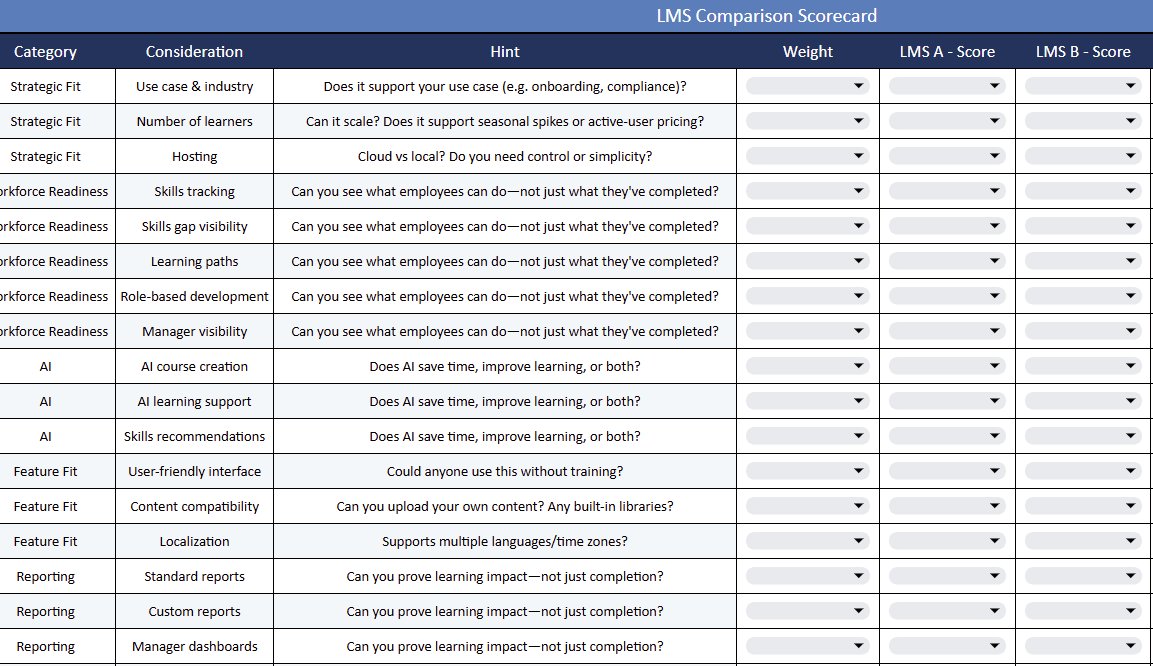
Comparing multiple LMS platforms can quickly become overwhelming. Once you’ve attended a few demos and reviewed several proposals, it’s easy for important details to become blurred.
Our LMS Evaluation Toolkit helps you organize requirements, compare vendors consistently, and make a more confident decision. It includes practical worksheets, evaluation criteria, and scoring templates designed to keep your selection process on track.
There’s no “best” LMS, only the best LMS for you
Finding the right software isn’t about hunting down a mythical perfect platform. It boils down to finding a system that fits your specific reality.
The workplace is shifting fast, and simply pushing out courses isn’t enough anymore. The right setup helps you move past basic training activity and focus heavily on building measurable capability.
It gives you true skills clarity so you always know exactly what your workforce is ready to tackle next.
Want more help locking down your options? Use these resources to refine your list:
10 Best Corporate Learning Management Systems (LMS) for 2026
The 10 Best Learning Management Systems For 2026
Top 7 Most Affordable LMS Solutions for 2026
The 10 Best Enterprise & Extended Enterprise LMSs for 2026
Top 7 Employee Training Tracking Software for 2026
FAQs
What is an LMS?
A learning management system (LMS) is software used to build, deliver, and track online training programs. It serves as a central hub where administrators manage educational content, and employees log in to develop new skills.
What features should an LMS have in 2026?
Top priorities include AI course creation, automated skills tracking, and AI coaching. It needs to actively measure and build workforce capability.
What’s the difference between a cloud LMS and a self-hosted LMS?
A cloud LMS runs on the vendor’s servers, meaning they handle all the maintenance, security, and updates. A self-hosted LMS lives on your own local hardware, giving you total data control but demanding heavy IT resources to keep it running.
How much does an LMS cost?
Pricing depends entirely on your total user count and the specific features you need. The smartest option is to look for an “active user” pricing model, where you only pay for the people who actually log in during a billing cycle instead of paying for empty seats.
How can I evaluate LMS vendors?
Test the platform against your exact business goals instead of getting distracted by shiny feature lists. Grade vendors using a structured evaluation toolkit, run a real-world test through a free trial, and read independent user reviews on sites like G2.
Should an LMS include AI features?
Yes, built-in AI tools are practically mandatory if you want to scale efficiently. Features like AI course creators and smart skills mapping eliminate hours of manual admin work and help your team deploy targeted training much faster.
Can an LMS help identify skills gaps?
Yes, the right platform maps real capability rather than just tracking course completion rates. It uses data to expose missing skills across your workforce and automatically assigns personalized learning paths to get employees up to speed.
How long does LMS implementation take?
Timelines range from a few days to several months based on your setup. A flexible, cloud-based platform can launch in a matter of weeks, while massive, self-hosted systems usually require months of complex IT integration before your team can even log in.